150 Tax Invoices, One Spreadsheet:
How to Batch Without Missing VAT Deadlines
South Korea's e-Tax Invoice system is one of the most digitally advanced in the world. Since 2014, 99% of all B2B invoices in the country are issued electronically, transmitted to the National Tax Service in real-time XML, each stamped with a unique 24-digit NTS Approval Number. And yet, on the buyer side, the process of extracting data from received tax invoices (세금계산서) into a spreadsheet for VAT reporting remains overwhelmingly manual — one field at a time, one invoice at a time.
That gap between issuance-side automation and extraction-side manual labor is invisible when you handle ten invoices a month. It becomes the defining bottleneck when you have 150 tax invoices from 40 suppliers and the quarterly VAT filing deadline is nine days away.
Key Takeaways
- 99% of Korean B2B invoices are born electronic, yet pulling 1,050 data points from 150 received tax invoices into a VAT-ready spreadsheet still takes 10 hours of one-field-at-a-time typing every quarter.
- Korea's three dominant accounting platforms all automated outgoing invoice issuance and deliberately left incoming extraction manual, making your keyboard the only bridge between a supplier's PDF and your VAT return.
- ImageToTable.ai applies the same column names across all 150 invoices regardless of supplier layout, compressing 10 hours into 25 minutes with zero per-supplier templates to build or maintain.
New to Korean tax invoices? Start with our step-by-step guide to extracting tax invoice data into Excel, covering the 7 mandatory fields, NTS compliance rules, and single-document extraction workflow. This article focuses on what changes when you scale from one invoice to 150.
Why 99% Electronic Doesn't Mean 99% Automated
Korea's e-Tax Invoice system, mandated for all corporations since 2011 and extended to individual businesses with annual revenue above KRW 100 million since July 2023, handles issuance and transmission with remarkable efficiency. A supplier creates an invoice in XML format, signs it with a PKI digital certificate, and transmits it to the NTS through HomeTax (홈택스), an ERP system like Douzone iCUBE, or an ASP (Application Service Provider) like Popbill (팝빌) or Barobill (바로빌). The NTS validates the invoice and returns a 24-digit approval number (승인번호). Both parties can look it up on HomeTax anytime.
But the digitization stops at the boundary between "the invoice exists as a filed electronic document" and "the data from that invoice is in my working spreadsheet." Consider the buyer's actual workflow: a supplier's tax invoice arrives as a PDF attachment in email, or as a print from HomeTax, or as a file exported from Popbill. The finance clerk opens it. The supply value (공급가액) is in one cell. The VAT amount (세액) is in another. The business registration number (사업자등록번호) is at the top, formatted as XXX-XX-XXXXX. The clerk types each number into an Excel row. Then opens the next invoice. Repeat.
The Korea Institute of Public Finance estimated pre-electronic compliance costs at 6.7 trillion KRW per year. The NTS reports 900 billion KRW in annual savings after e-Tax Invoice adoption. But those savings accrue to the issuance side. The extraction side — what buyers do with received invoices — was never part of the automation.
This asymmetry matters more than it appears. Under VAT Act Article 32, every tax invoice carries mandatory fields that must be accurately reflected in the buyer's VAT return: supplier and buyer registration numbers, supply value, VAT amount, and date of preparation. A discrepancy between what the NTS has on file and what you report triggers a cross-verification flag — and that's where accurate data extraction stops being a convenience and becomes a compliance requirement.
Quarter-End Arithmetic: What 150 Tax Invoices Actually Look Like
Korean VAT is filed quarterly, with returns due by the 25th of the month following each quarter-end: January 25, April 25, July 25, October 25. For a mid-size company with 30–60 active suppliers, the quarter-end invoice volume typically lands between 100 and 200 tax invoices (세금계산서).
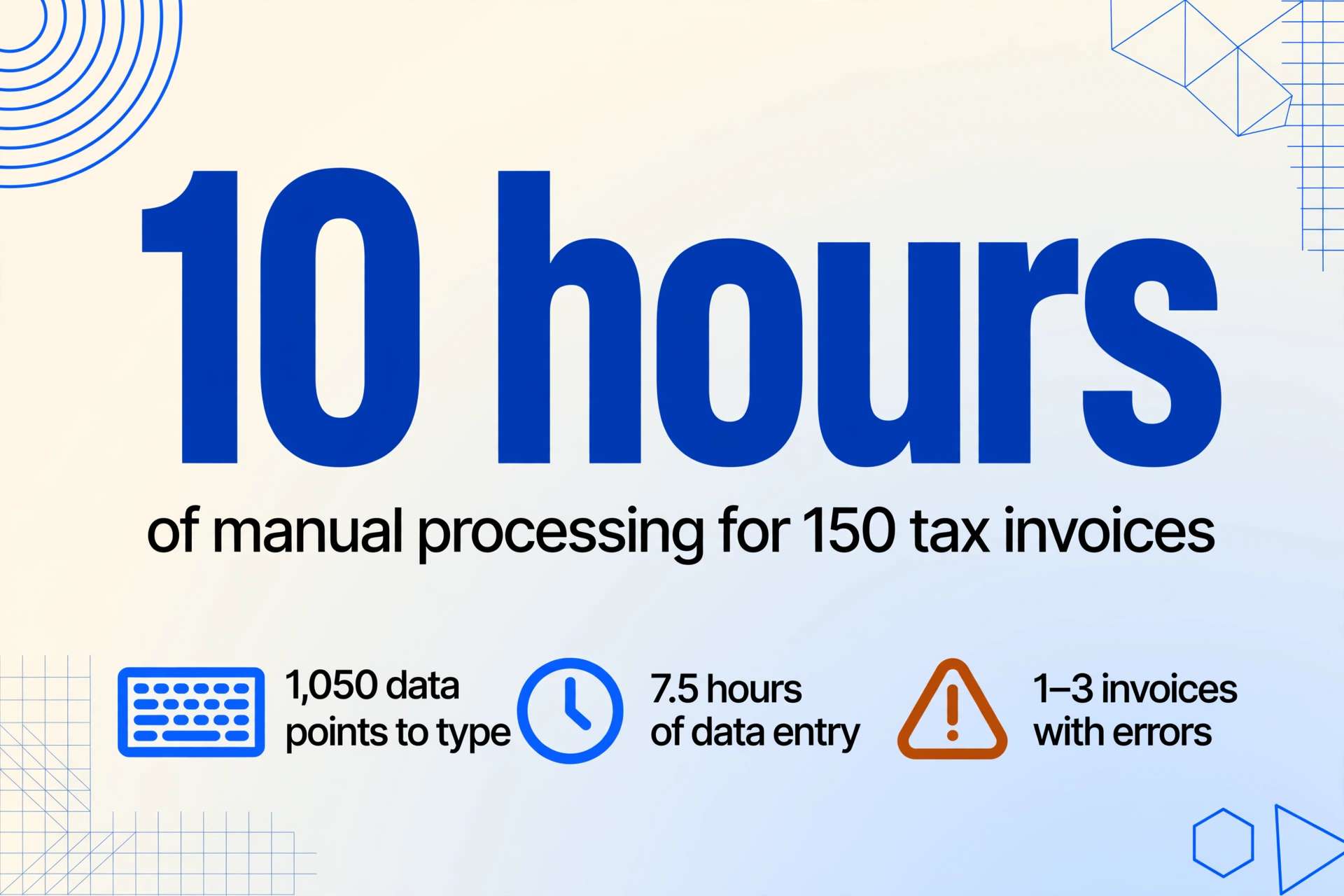
The extraction math for 150 invoices:
| Metric | Per invoice | × 150 invoices |
|---|---|---|
| Mandatory fields to extract | 7 (registration numbers, supply value, VAT, date, names, items) | 1,050 data points |
| Average manual entry time | 3 minutes | 7.5 hours |
| Typical data entry error rate | 1–2% | 1–3 invoices with errors |
| Time to cross-verify against HomeTax | 1 minute | 2.5 hours |
| Total manual processing | ~10 hours |
Ten hours is more than a full working day dedicated to typing numbers that already exist in digital form somewhere. And that's the optimistic scenario — it assumes every invoice arrives as a clean, readable PDF. In practice, a typical quarter's batch includes:
- PDFs exported directly from HomeTax or supplier ERP (clean, structured, but every supplier's layout is different)
- Scanned paper tax invoices from smaller suppliers who still issue on the standard NTS paper form
- Email-attached HTML files generated by ASP services like Popbill or Barobill (formatted for viewing, not for data extraction)
- Screenshots or photos of printed invoices sent via KakaoTalk by field suppliers
The format diversity is the hidden multiplier. Each supplier arranges the same mandatory fields differently — Douzone-generated invoices put the business registration number in the upper-left header block, while HomeTax-printed invoices use a centered two-column layout, and Popbill exports wrap the registration number in a styled HTML table. A template-based extraction tool would need a separate configuration for each supplier's format. With 40 suppliers, that's 40 templates to build and maintain — and any template breaks when a supplier updates their invoicing software.
Why Douzone, ECOUNT, and HomeTax Don't Solve Incoming Invoice Extraction
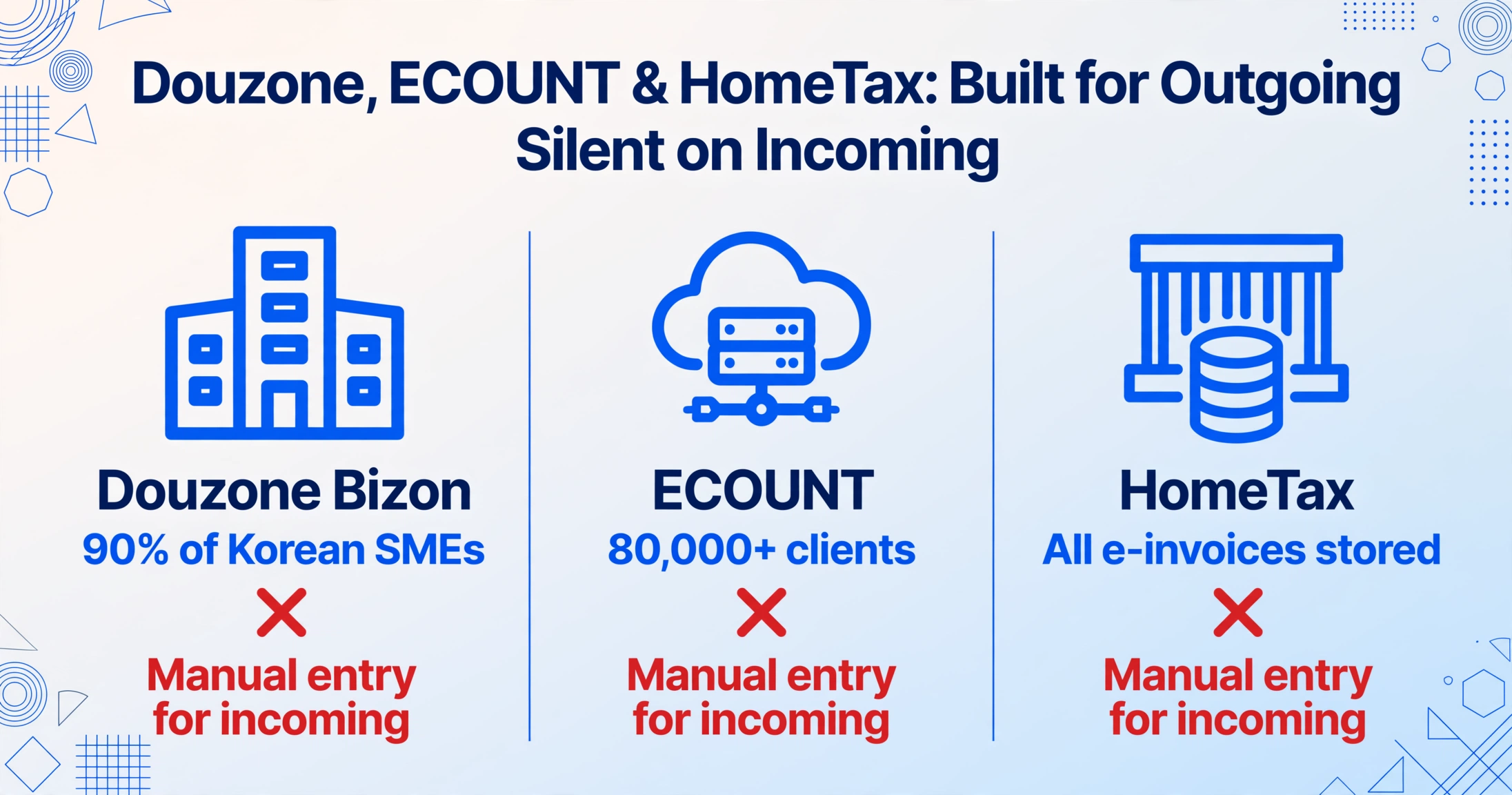
Korea's accounting software market is dominated by a small number of players, and each has made a deliberate product choice: optimize the outgoing invoice workflow.
Douzone Bizon (더존비즈온) — Korea's largest ERP provider, acquired by Swedish PE firm EQT for 1.3 trillion KRW — offers WEHAGO (cloud platform), iCUBE (standard ERP used by ~20,000 businesses), and Smart A 10 (used by over 90% of Korean SMEs and accounting offices for bookkeeping). All three handle outgoing tax invoice issuance, NTS transmission, and VAT return preparation. None extract data from incoming supplier invoices. The workflow assumes you will type the supplier's supply value (공급가액) and VAT amount (세액) into the system manually.
ECOUNT — a cloud ERP serving over 80,000 corporate clients at a flat $55/month — follows the same pattern. Its purchasing module lets you record incoming invoices, but the data entry is manual. There is no document upload → automatic field extraction path.
HomeTax (홈택스) itself stores all transmitted e-Tax invoices in a centralized database. You can log in and search for any invoice by date range or supplier. But downloading that data requires navigating the HomeTax interface one query at a time, and the export format — a large HTML table or Excel file — lists every invoice you've received, not just the ones you need for a specific reconciliation. For companies that also receive paper or non-electronic invoices (still permitted for individual businesses below the KRW 100 million threshold), HomeTax doesn't have those records at all.
ASP services like Popbill (373,000+ registered businesses, 324 million+ cumulative documents issued) and Barobill offer APIs for bulk issuance and HomeTax data retrieval. But their retrieval function pulls your own issued invoices, not structured data extracted from supplier documents you've received in various formats. The gap remains: supplier invoice → structured spreadsheet row.
The result is a workflow split. Your outgoing invoices are born digital, transmitted in real-time, and stored with NTS approval numbers. Your incoming invoices arrive as PDFs, scans, and screenshots — and the data inside them enters your system through a keyboard. For companies processing invoices from multiple countries — German Eingangsrechnungen, Japanese qualified invoices, and Korean tax invoices — the manual extraction problem compounds across every market.
How to Batch Extract Tax Invoices Into a Single VAT-Ready Spreadsheet
The approach that eliminates the per-supplier template problem is column-name extraction: instead of training a tool to recognize fields at specific pixel coordinates on each supplier's layout, you type the field names you want — 사업자등록번호, 공급가액, 세액 — and the AI locates each value anywhere on the page by understanding what the field name means, not where it sits. This is how ImageToTable.ai works: the column names you enter become the exact headers of your output spreadsheet, and the same column definition is applied across every document in the batch, regardless of layout differences between suppliers.
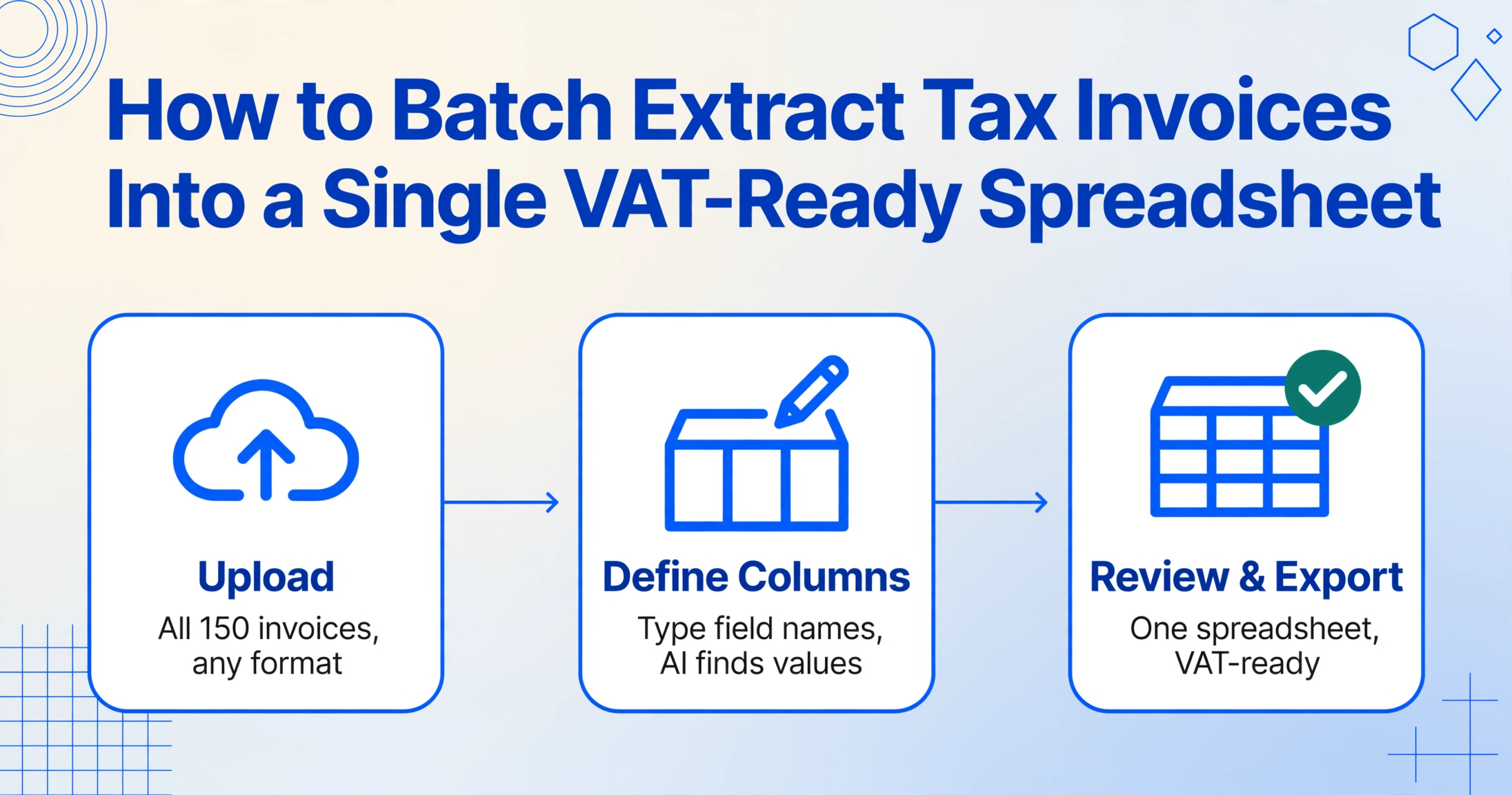
The batch workflow for quarterly tax invoice processing:
Upload the quarter's batch
Drop all 150 tax invoices — PDFs from Douzone, HTML exports from Popbill, scans of paper invoices, KakaoTalk photos. All formats in a single upload. Each file becomes one row in the output.
Define your VAT-ready columns
Type: 사업자등록번호 (Supplier BRN), 상호 (Company Name), 작성일자 (Date), 공급가액 (Supply Value), 세액 (VAT Amount), 합계금액 (Total), 비고 (Remarks). Or use the invoice preset — a one-click template pre-loaded with standard tax invoice fields — and customize from there.
Review and export
Results appear in a single spreadsheet — one row per invoice, all 150 tax invoices consolidated. Export as Excel (XLSX) or CSV. The output is ready for import into Douzone, ECOUNT, or your VAT return preparation workflow.
At 5–10 seconds per page (compared to 3 minutes of manual entry), a batch of 150 invoices completes in under 25 minutes — the same workflow described in our batch invoice to Excel tool page, applied to Korean tax invoices. The column names work in Korean, English, or mixed — "VAT Amount" and the Korean equivalent both resolve to the same field on the document. This matters when your team uses Korean internally but needs English-labeled exports for a multinational parent company's consolidation. The same one-column-set batch pattern extends to cash receipts, delivery notes, and registration certificates in our Korean tax extraction guide.
Files are processed securely and not stored.
For teams that need to collect tax invoices from multiple suppliers before processing, ImageToTable.ai provides a Collection Link — a shareable URL (e.g., /c/xxxx) where suppliers or internal staff can upload invoices directly to your processing queue. Recipients enter a short verification code and upload files without registering. The files land in your account, ready for batch extraction. This eliminates the email-forwarding step where invoices get lost in inboxes or arrive in inconsistent formats.
Anomaly Detection: Catching Mismatches Before the NTS Does
Batch extraction produces a single spreadsheet with 150 rows. The next step — the one that separates a batch processing tool from a batch processing workflow — is verification. Korea's NTS cross-references buyer and supplier VAT returns, and discrepancies trigger review. The most common errors in quarterly batch processing:
- Supply value + VAT amount ≠ total amount: The supply value (공급가액) plus VAT amount (세액) doesn't equal the total amount (합계금액). This can indicate a transcription error or a tax invoice where the supplier made a rounding mistake — either way, it needs resolution before filing.
- Missing or malformed business registration number: A 10-digit registration number (사업자등록번호) in XXX-XX-XXXXX format is required for cross-verification. If a supplier's number is misread — a common issue with scanned paper invoices where 8 and 6 look similar — the NTS match will fail.
- Date outside the filing period: A tax invoice dated December 28 that arrives in your January batch belongs in Q4, not Q1. Mis-assigning the filing period can result in understated or overstated VAT for that quarter.
- Duplicate invoices: The same supplier invoice appearing twice — once as a direct PDF attachment and once as a HomeTax download — inflates your input VAT deduction claim.
With extracted data in a spreadsheet, these checks become Excel formulas rather than manual reviews. A simple =IF(공급가액+세액≠합계금액, "MISMATCH", "OK") column flags arithmetic errors across 150 invoices in seconds. A COUNTIF on the business registration number column catches duplicates. A date filter isolates invoices outside the quarter — simple operations that are impossible when the data is still trapped in 150 separate PDF files.
Under Korea's VAT penalty structure, failing to issue a tax invoice carries a 2% surcharge on the supply value. Delayed issuance is 1%. Delayed NTS transmission is 0.3%. But on the buyer side, the risk is different: if you claim an input VAT deduction based on a tax invoice that the NTS cannot cross-verify — because the supplier's registration number was entered incorrectly, or the amounts don't match the supplier's filed data — you may lose the deduction entirely. On a ₩100 million supply, that's ₩10 million in unrecoverable VAT.
For larger operations processing invoices from multiple document types and markets, the anomaly detection pattern is consistent: extract first, verify in the spreadsheet, resolve exceptions, then import into the accounting system. Whether you're handling Korean tax invoices or invoices from any other format, the batch extraction step converts an opaque stack of documents into an auditable dataset — and audit is where the real time savings compound.
FAQ
Can ImageToTable.ai read Korean characters on tax invoices?
Yes. The underlying vision model processes Korean text natively — field names like supply value (공급가액), VAT amount (세액), business registration number (사업자등록번호), and company name (상호) are recognized directly. You can define column names in Korean, English, or both (e.g., 공급가액 (Supply Value)), and the AI will match them to the corresponding fields on the document regardless of whether the invoice itself is printed in Korean only.
Does it handle mixed formats — some PDF, some scanned paper, some photos?
Yes. A single batch upload accepts PDF, JPG, PNG, and WebP files together. The extraction logic is the same across all formats: semantic field matching based on column names, not template coordinates. Scanned or photographed tax invoices work as long as the text is legible — severely blurred or heavily creased paper may reduce accuracy on specific fields.
How accurate is the extraction for Korean tax invoice numbers?
Printed table data reaches up to 99% recognition accuracy. Business registration number extraction is particularly reliable because the 10-digit, XXX-XX-XXXXX format is structurally distinct and self-validating. For scanned documents, accuracy depends on scan quality — 300 DPI or higher is recommended for consistent results.
Can I add computed columns — like a validation check on supply value + VAT amount?
Yes. ImageToTable.ai supports computed columns — columns where the output is a calculation based on extracted data, not a value printed on the document. You can define a column like Validation (공급가액 + 세액 = 합계금액) and the AI will compute and flag mismatches across the entire batch. This replaces the post-extraction Excel formula step for basic arithmetic checks.
Is this suitable for quarterly VAT filing preparation, or only for archiving?
It's built for filing preparation. The output is a structured Excel or CSV file where each row is one tax invoice, with columns matching the fields your accounting system needs for VAT return import. After extraction and verification, the file can be imported into Douzone Smart A 10, ECOUNT, or any system that accepts CSV-based transaction uploads.
What about amended tax invoices?
Amended tax invoices (수정세금계산서) follow the same mandatory field structure but include additional indicators (amendment reason code, original invoice reference). You can add columns for these fields — 수정사유 (Amendment Reason) and 당초승인번호 (Original Approval Number) — and extract them alongside standard invoices in the same batch. The output clearly distinguishes original from amended invoices in a single spreadsheet.
Your next quarterly deadline is fixed. Your extraction time isn't.
Upload a few tax invoices — from any supplier, any format. See if 3 minutes per invoice becomes 10 seconds.
Try It Free — No Sign-Up Required