300 Donor Letters, One Tax Summary
Year-End Gift Statements Without Re-Entry
Americans gave $592.50 billion to charities in 2024, with 36% of annual revenue arriving in Q4 and December alone accounting for roughly 18% of all giving, according to the Giving USA 2025 report. For the nonprofit development director staring at a stack of 300 acknowledgment letters on January 2, those statistics translate into one concrete number: the January 31 deadline to get year-end giving statements into donors' hands. Each letter is already an IRS-compliant acknowledgment. But the donor-level summary data — who gave how much across how many gifts, and what portion was in-kind — is still locked inside individual PDFs, emails, and scanned pages. Turning 300 letters into one consolidated spreadsheet doesn't have to mean a week of hand-typing.
Key Takeaways
- The donor letters piling up on your desk each January come from donors who will never use your online donation form — check-writers mailing gifts from their kitchen table, gala attendees scribbling pledge amounts on paper cards, and DAF sponsors who send grant PDFs on their own schedule without touching your database.
- Improving your donation portal won't close this gap because donors chose their giving channel for their own reasons — the tax strategy of appreciated securities, the convenience of writing a check at an event, the workplace mandate to give through a specific platform — and none of those reasons involve your CRM's integration preferences.
- Upload all 300 letters in their native formats — PDFs, scanned cards, forwarded email screenshots — define the five data points the IRS requires per acknowledgment, and semantic extraction reads each letter by meaning not by pixel position, then group by donor name into one consolidated tax summary row per supporter.
The December-to-January Sprint: When 300 Letters Meet a 31-Day Clock
December 31 is the last calendar day for a donation to qualify as a tax deduction for that year. A check postmarked December 30, a credit card charged December 31, a stock transfer initiated the last week of December — all are valid. And all generate acknowledgment letters that land on the development team's desk across the first two weeks of January, joining the letters already queued from November donations. The result is a volume spike that Blackbaud's 2025 Trends in Giving report captures at the sector level: a typical nonprofit receives more than a third of its annual revenue in Q4. For an organization processing 300 donor gifts across the year, that means roughly 100 acknowledgment letters to consolidate in January alone — plus the task of aggregating each donor's full-year giving history into a single statement.
The IRS deadline adds structural urgency: charities are expected to provide year-end donor statements no later than January 31 of the following year, per IRS Publication 1771. That's not a filing deadline — it's a donor-expectation deadline. A donor who files their tax return in early February expects the statement to be in hand. Late statements mean frustrated donors, repeated follow-up emails, and, in the worst case, a donor who cannot substantiate their deduction.
Yet the core bottleneck isn't the deadline. It's the format diversity of the source material. Some acknowledgment letters exist as clean PDFs auto-generated by the CRM. Others are forwarded email threads with multi-donation summaries pasted inline. Still others are scanned paper letters with handwritten donor notes, or gift-in-kind acknowledgment forms filled out at fundraising events. Each one contains the same essential data — donor name, gift date, amount, gift type — but no two arrive in the same format. Hand-typing 300 of them into a spreadsheet is the default, and the default costs the development team a full work week they don't have in January.
What the IRS Actually Requires From a Year-End Giving Statement
Before building a batch-extraction workflow, it's worth clarifying exactly what data needs to come out the other side. The IRS does not prescribe a format for donor acknowledgments — letters, postcards, and computer-generated forms all qualify. What it mandates is content.
Under Internal Revenue Code Section 170(f)(8) and IRS Publication 1771, a contemporaneous written acknowledgment for any single contribution of $250 or more must include:
- The name of the charitable organization
- The amount of any cash contribution
- A description (but not a valuation) of any non-cash property donated
- A statement of whether the organization provided any goods or services in exchange for the contribution, and if so, a good-faith estimate of their fair market value
Separate contributions of less than $250 are not aggregated to trigger the $250 threshold — a donor giving $50 weekly at church, totaling $2,600 annually, does not need a formal acknowledgment unless each individual contribution reaches $250. That said, most nonprofits send year-end summaries covering all gifts regardless of size, both as a donor service and because a single annual summary can substantiate multiple $250+ contributions, per IRS guidance.
For non-cash donations, the bar rises: contributions exceeding $500 require IRS Form 8283 to be filed with the donor's return, and non-cash gifts over $5,000 generally require a qualified appraisal. When your batch-extraction output feeds into a donor statement, you need to flag which gifts cross these thresholds — something a spreadsheet column labeled "Non-Cash Value" and a second column labeled "Form 8283 Required" handles cleanly.
The key takeaway: the IRS requires a relatively small set of data fields per acknowledgment, which is exactly the scenario where template-free batch extraction outperforms manual entry. You're not transcribing the letter. You're lifting five to six data points from each page.
Why CRM Auto-Generation Gets You Only Halfway
Most donor management platforms — Blackbaud Raiser's Edge NXT, Bloomerang, DonorPerfect, Salesforce NPSP, Little Green Light — can auto-generate year-end giving statements from donation records already in their database. If a donor gave online through the organization's integrated donation form, the CRM has the amount, the date, and the donor's contact information. Auto-merge is a solved problem for that path.
The gap appears wherever a donation enters the organization through a channel that doesn't feed the CRM automatically:
- Checks mailed to the office. A development assistant opens the envelope, logs the check into the bank deposit log, and files the accompanying letter. If the CRM isn't updated on the same day — or if the CRM entry omits the check's memo field specifying the campaign — that gift lives in the acknowledgment letter but not in the donor's CRM record.
- Event donations and pledges. A fundraising gala generates 80 pledge cards, each with a handwritten amount, donor signature, and payment method. Those cards get scanned and emailed to development. The CRM sees a bulk event deposit; it doesn't see the individual pledge breakdown.
- Donor-advised fund (DAF) grants. A DAF sponsor sends a grant check — often with minimal donor identification — and the nonprofit must reconcile the grant against a matching pledge in the CRM. The acknowledgment letter from the DAF sponsor is the source of truth for both the amount and the granting donor.
- In-kind gifts. A local business donates $5,000 worth of auction items. The acknowledgment letter describes the items but doesn't assign a dollar value. The CRM records the donation; the actual substantiating language comes from the letter.
- Third-party giving platforms. Facebook Fundraisers, Benevity, Network for Good, and workplace giving portals each produce their own acknowledgment formats. Some feed into the CRM via integration; many arrive as monthly summary PDFs.
In each case, the acknowledgment letter exists — it's the IRS-compliant record — but the structured data inside it hasn't made it into the spreadsheet you need for year-end consolidation. The question isn't "should we use our CRM?" It's "how do we get the data from the letters the CRM didn't generate into the same donor summary?"
From Acknowledgment Letters to a Consolidated Tax Summary: The Batch Extraction Workflow
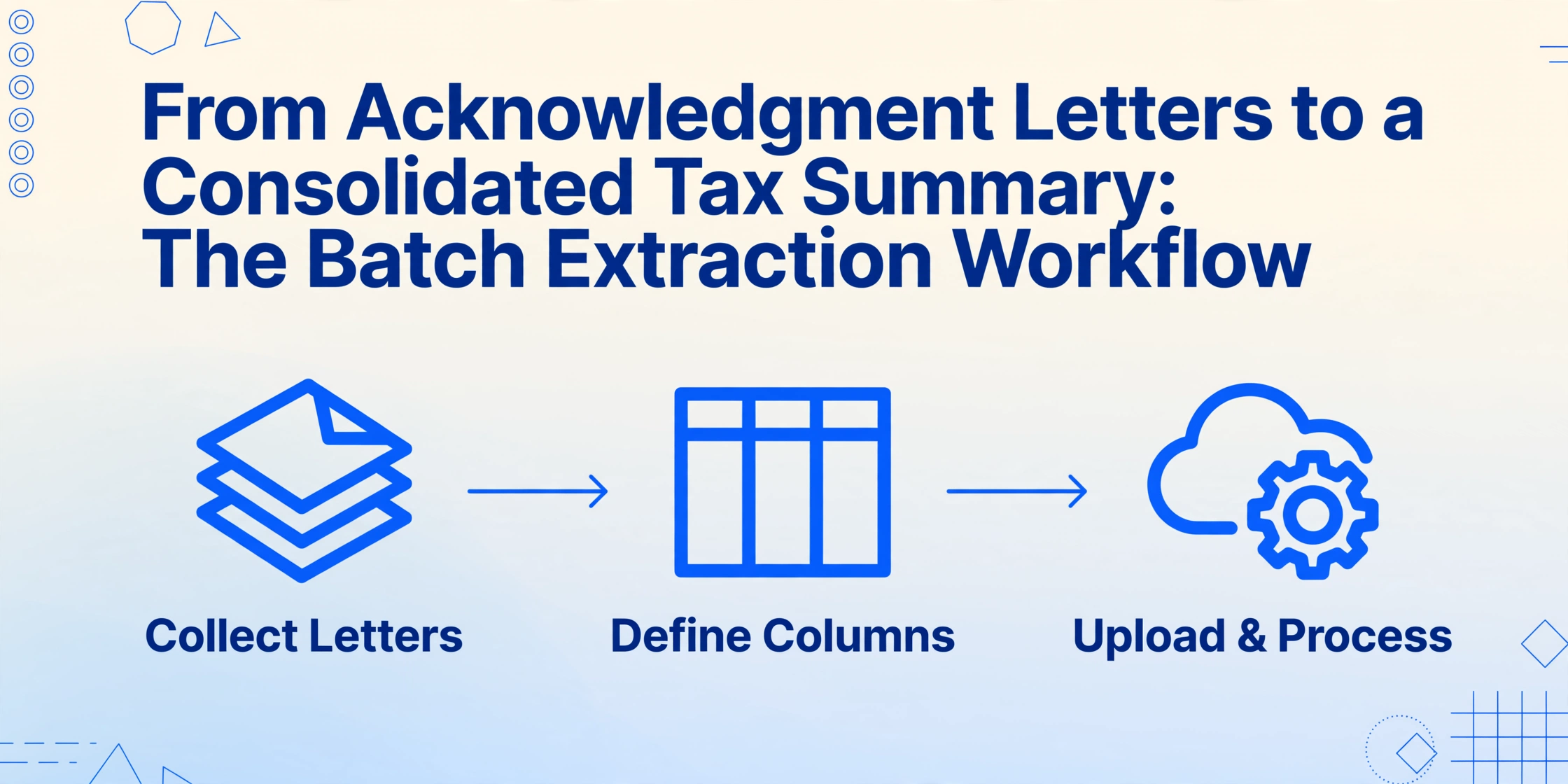
This is where batch-first document extraction changes the January calculus. Instead of opening each letter, reading the donor name, gift date, and amount, and typing those values into a spreadsheet row, you upload all 300 letters at once — PDFs, scanned images, forwarded email screenshots, handwritten pledge card photos — and define the columns you want extracted. The AI reads each letter semantically (understanding what "donor name" and "gift amount" mean, regardless of where they appear on the page) and outputs a single spreadsheet with every acknowledgment as a row.
Files are processed securely and not stored.
The workflow is simple enough that a development assistant can run it without training:
What makes this different from traditional OCR is the extraction model. Conventional OCR tools read text character-by-character from a fixed position on the page — which means they break when the acknowledgment letter format changes between the CRM-generated PDF, the scanned paper letter, and the smartphone photo of a pledge card. ImageToTable.ai uses Custom Column Extraction: you type the field names you want — "Donor Name," "Gift Amount," "Campaign" — and the AI locates each value by understanding what it means semantically, not by matching a coordinate on the page. A donor name at the top of a CRM PDF, at the bottom of a forwarded email, and handwritten on a pledge card all resolve to the same column because the AI understands they're all "the person who gave." This is the same batch-first architecture described in our guide to batch-processing multiple files and the same approach we use when processing 200 ACORD 27 insurance certificates into one compliance dashboard.
Stitching Multiple Gifts Into One Donor Record Per Statement
A batch extraction gives you a row per acknowledgment letter. But a year-end donor statement needs a single record per donor, aggregating all gifts across the calendar year. If Jane Smith donated $100 in March through Facebook, $250 by check in July, and $500 at the December gala, her three acknowledgment letters generate three rows. Her year-end statement needs one line with $850 total.
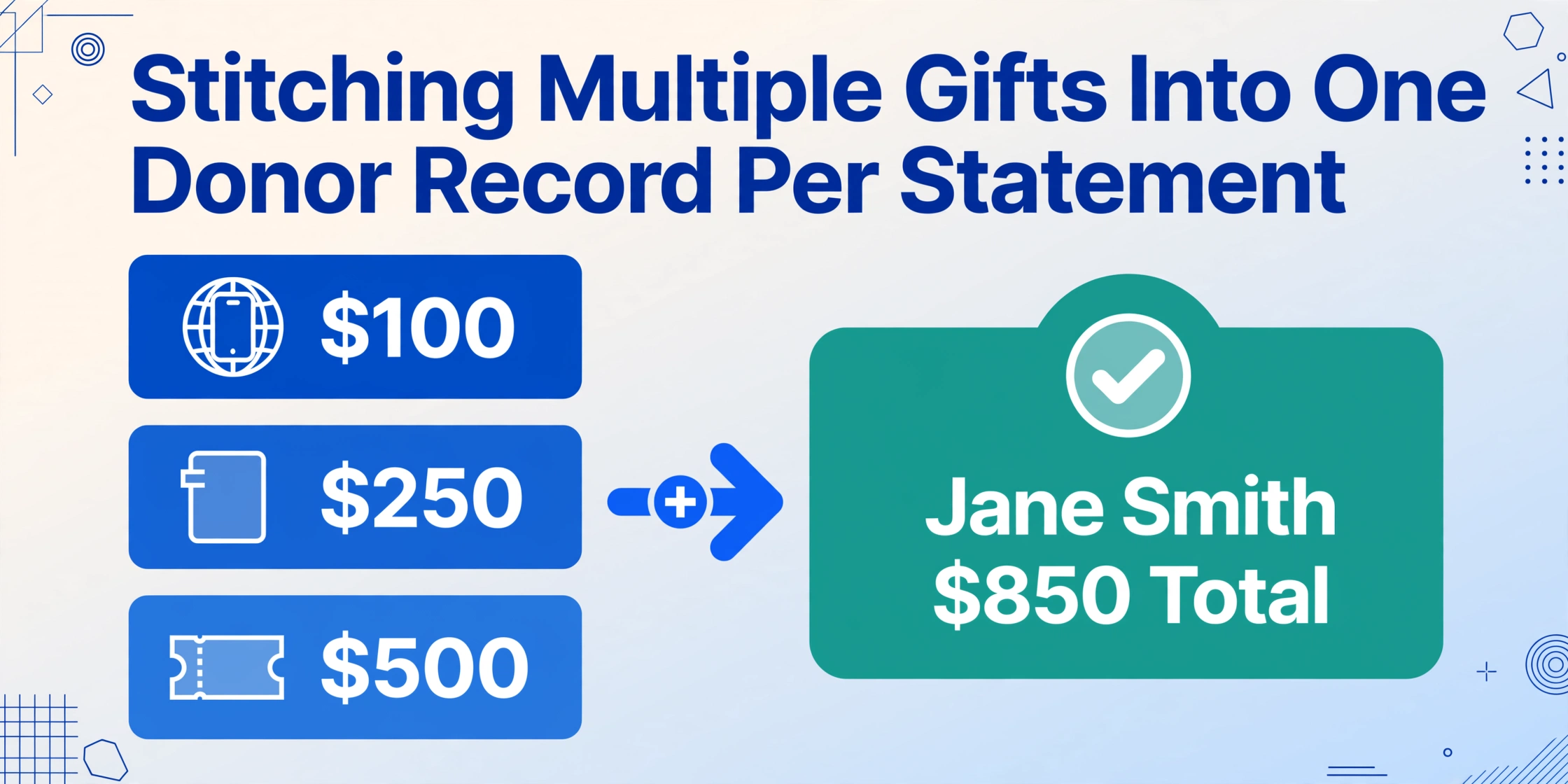
The spreadsheet you export from batch extraction makes this merge straightforward:
Merge strategy: Group by "Donor Name" in Excel or Google Sheets (PivotTable or =SUMIF). Create a summary tab with one row per unique donor, summing Gift Amount and Non-Cash Value. Validate that the donor count matches expected — if you have 300 acknowledgment letters but only 195 unique donors, you know the merge is working. The per-letter detail rows remain in a separate tab for audit reference.
The donor-name match is the critical link. If the CRM-generated PDF spells a name "Jane A. Smith" and the event pledge card reads "Jane Smith," the Excel merge may split one donor into two rows. The fix is a quick pass through the donor name column before merging — or, for organizations processing donation letters across an entire year, extracting with a column like "Donor Name (standardize to First Last)" using inferred columns, where the AI normalizes name formatting during extraction. Inferred columns let you specify rules during extraction — not just "extract what's on the page" but "extract and standardize to this format." For batch year-end workflows, this saves the post-export cleanup step.
Handling Gifts-in-Kind, Event Tickets, and Non-Standard Donations
The batch extraction workflow described above handles straightforward cash gifts without ambiguity. Three categories of donation require slightly different column definitions:
| Donation Type | What's on the Acknowledgment Letter | Columns to Extract | IRS Requirement |
|---|---|---|---|
| Gifts-in-Kind | Description of donated property (e.g., "15 laptops, Dell Latitude 5450"), no dollar value assigned by the charity | Donor Name, Gift Date, Non-Cash Description, Non-Cash FMV (Donor Provided) | IRS Pub 1771: charity describes but does not value the property. Valuation is donor's responsibility. Form 8283 if >$500. |
| Event Tickets | Ticket price $200, fair market value of dinner $75 | Donor Name, Gift Date, Total Paid, FMV of Goods Received, Deductible Amount | Deductible amount = Total Paid − FMV. Charity must provide good-faith estimate of FMV for gifts >$75 where goods/services were received. |
| Donor-Advised Fund Grants | Grant letter from DAF sponsor identifying the recommending donor, grant amount, and sometimes the original contribution date | Donor Name, Grant Amount, DAF Sponsor, Gift Date (grant date), Notes | The donor already received a tax deduction when contributing to the DAF. The grant acknowledgment is for donor recognition and record-keeping, not tax substantiation. |
| Appreciated Securities | Brokerage transfer notice showing number of shares, ticker, transfer date, and estimated value | Donor Name, Transfer Date, Ticker, Number of Shares, Estimated Value | IRS Form 8283 if value >$500. Donor determines FMV (typically the mean of high and low on the transfer date). |
The batch-extraction advantage is most pronounced with gifts-in-kind and event tickets: these are the acknowledgment types least likely to be auto-processed by a CRM, because the data fields don't map cleanly to standard donation forms. A single batch extraction with columns defined for each type — "Deductible Amount (Total Paid − FMV)" as a computed column — handles them in the same pass as the cash donations. Computed columns let you define an arithmetic relationship during extraction: instead of extracting "Total Paid" and "FMV" separately and doing the subtraction later in Excel, you define Deductible Amount (Total Paid − FMV) as a column name and the AI performs the calculation for each event-ticket acknowledgment as it reads it.
What to Verify Before Sending Statements to Donors
Automation shifts the bottleneck from data entry to data verification — which is where you want it. Hand-typing 300 acknowledgment letters produces both typos and verification fatigue (by letter 150, nobody is double-checking amounts). Batch extraction means you're verifying a spreadsheet, not verifying your own typing.
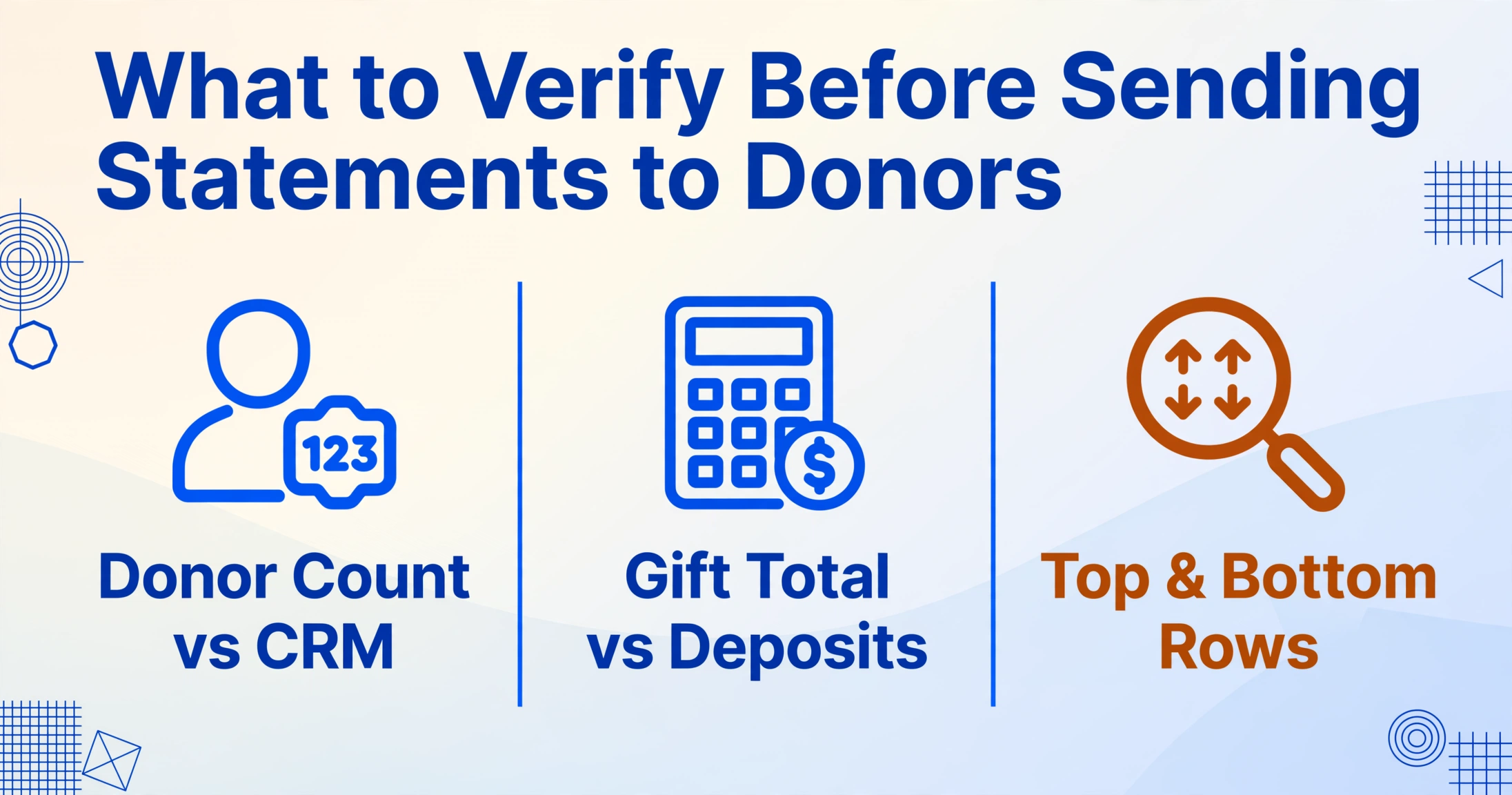
Three verification passes before hitting "send":
- Donor count reconciliation. Does the number of unique donors in the output spreadsheet match the number of donors in your CRM for the same period? A mismatch flags extraction gaps (letters the AI couldn't parse) or duplicate records to investigate.
- Gift total reconciliation against deposit records. Sum the "Cash Amount" column. Does it match the total deposits recorded in your accounting system for the fiscal year? Bank deposit totals are a clean control — they don't care about format or donor identity.
- Outlier spot-check. Sort by amount, descending. Manually review the top 10 and bottom 10 rows. The three highest-value gifts and any row with an amount that seems implausible for the donor (a $50/year donor showing $5,000) get a visual check against the original acknowledgment letter.
This verification model — control totals plus outlier review — is borrowed from accounting reconciliation, where it's standard practice for batch-processing financial documents. The difference is that with extraction, you're validating AI output rather than your own keystrokes, which means the errors, when they occur, tend to be systematic (a field consistently wrong across all letters from one format) rather than random (a typo on letter 147). Systematic errors are easier to catch and correct.
FAQ
Can the AI read handwritten donation amounts on pledge cards?
Yes. The vision model underlying the extraction engine reads handwritten text — including cursive, printed handwriting, and mixed formats — alongside printed text. A pledge card with a typed donor name and a handwritten "$250" in the amount field will extract both correctly. For legibility at the edge (faint pencil, unusual handwriting), a quick visual spot-check of scanned cards before batch upload catches any that would benefit from re-scanning.
Does the IRS accept extracted-and-compiled donor statements?
The IRS does not specify how a charity generates its acknowledgment letters — only that the resulting document contains the required information (organization name, amount, description of non-cash property, statement on goods/services). The batch extraction output described here is the source data for those letters, not the letters themselves. Whether you mail-merge the extracted spreadsheet into letter templates, import it into your CRM's statement generator, or use it as a reference while your CRM auto-generates from its own records — the IRS cares about the final acknowledgment the donor receives, not the tool that compiled it.
What if the acknowledgment letter format changes between campaigns?
Format independence is the core differentiator of semantic extraction versus template-based OCR. Since the AI locates fields by meaning ("what is the donor name on this page?") rather than by position ("donor name is always at coordinates x=100, y=200"), it handles the CRM export PDF, the scanned paper letter, and the forwarded email screenshot in the same batch — no per-format setup required. If your organization runs a spring gala with acknowledgment letters formatted differently from your year-end campaign, both go into the same upload.
What's the per-document cost for batch-processing donation letters?
Processing is metered by the extraction volume consumed. For a 300-letter year-end batch, the processing time is measured in minutes, and the output is a single spreadsheet with all donor data consolidated. Organizations that process donation acknowledgment letters across multiple campaigns throughout the year can batch them on a rolling basis — monthly batching of 25–30 letters is even faster and keeps the year-end consolidation to a merge step rather than a re-extraction. See the pricing page for current per-document rates under each plan tier.
Can I separate cash donations from in-kind gifts automatically during extraction?
Yes. Define a column like "Gift Type (Options: Cash, In-Kind, Securities, DAF Grant)" and the AI will read each acknowledgment letter and classify the donation into the correct category based on the letter's content. This is an inferred column — the AI is not extracting a pre-existing "Gift Type" label from the letter but is making a classification judgment based on the document's content. The category assignments are consistent within the batch and can be reviewed in seconds by filtering the output spreadsheet by gift type.