The Year-End Cash Receipt Scramble:
Why Korean Employees Still Match Receipts by Hand Every January
South Korea's National Tax Service (NTS, 국세청) processes roughly 4.4 billion cash receipts (현금영수증) each year — worth 156 trillion won as of 2022. The data is collected in real time at the point of sale, transmitted through the KFTC payment network, and lands in the NTS database by the next morning. That same data integrates directly with the year-end tax settlement (연말정산, yeonmal jeongsan) portal, Hometax (홈택스). Every employee can log in, download a file, and see a chronological list of their transactions: date, vendor, approval number, amount.
Key Takeaways
- The NTS collects 4.4 billion cash receipts each year — but your year-end dashboard can still show zero won if your phone number was never pre-registered as a 현금영수증 issuance method. Most employees discover this in January, when the scramble begins.
- Even when every receipt reaches Hometax, the data arrives without the one field you actually need: expense category. That convenience store purchase could be lunch, office supplies, or medicine — you sort all 150 receipts by hand because the system was built for tax enforcement, not consumer bookkeeping.
- The 5–10 hours of January matching is not a personal productivity gap. It's the structural gap between a system designed to track merchants and an employee who needs a categorized, consolidated filing. The fix is not to work harder — it's to fill the field the system was never designed to provide.
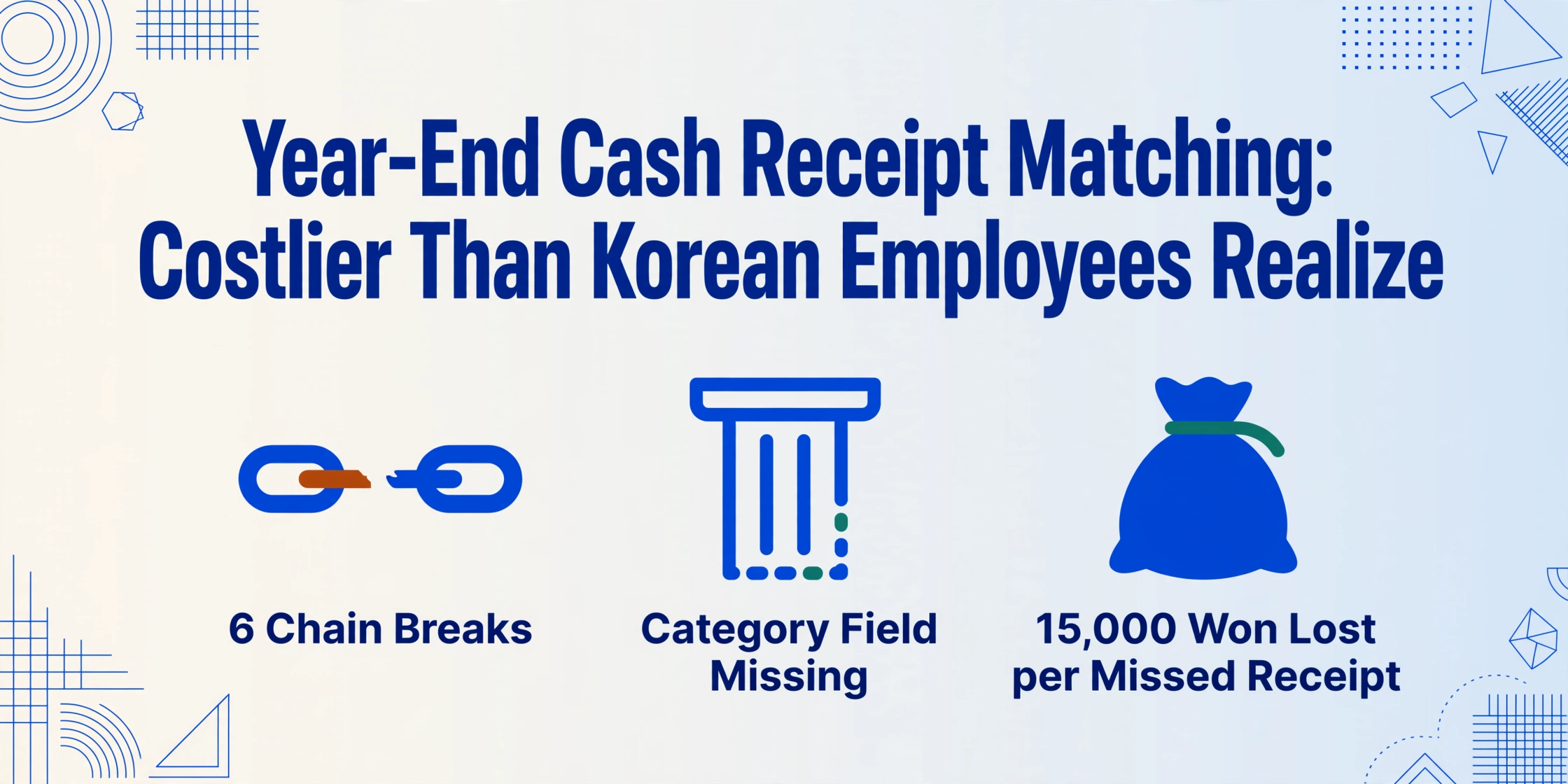
And yet, every January, in offices across the country, the process still requires a significant amount of manual work. By a conservative estimate — three minutes per receipt to locate, categorize by expense type, and enter into a spreadsheet — the typical employee's 80 to 150 annual 현금영수증 transactions add up to 5 to 10 hours of work, and 현금영수증 matching is consistently cited on Korean finance forums as the most time-consuming item. Not because the system doesn't track the data — it tracks it better than almost any country's — but because the data chain from "you paid cash" to "you get a tax deduction" has multiple breaks that no single digital system can bridge alone.
This article maps those breaks — the fault lines between Korea's sophisticated tax collection infrastructure and the practical experience of the employee who sits down every January to make sense of it all.
Six Fault Lines Between a Cash Payment and Your Tax Claim
When you hand cash to a merchant and they ask for your phone number, a chain of events begins. The POS terminal sends transaction data through a VAN (Value-Added Network) provider — KICC, KG Inicis, NICE, or similar — which forwards it to the NTS database. In a best-case scenario, that data flows cleanly to your Hometax dashboard by the next day, and in January you see the transaction in your simplified year-end tax service (연말정산 간소화 서비스). This chain works for the majority of electronic 현금영수증 transactions.
But six distinct fault lines can break this chain at different points. Each one forces the employee to intervene manually — to dig out a paper slip, open a phone screenshot, or make a phone call.
Fault Line #1: The Unregistered Phone Number
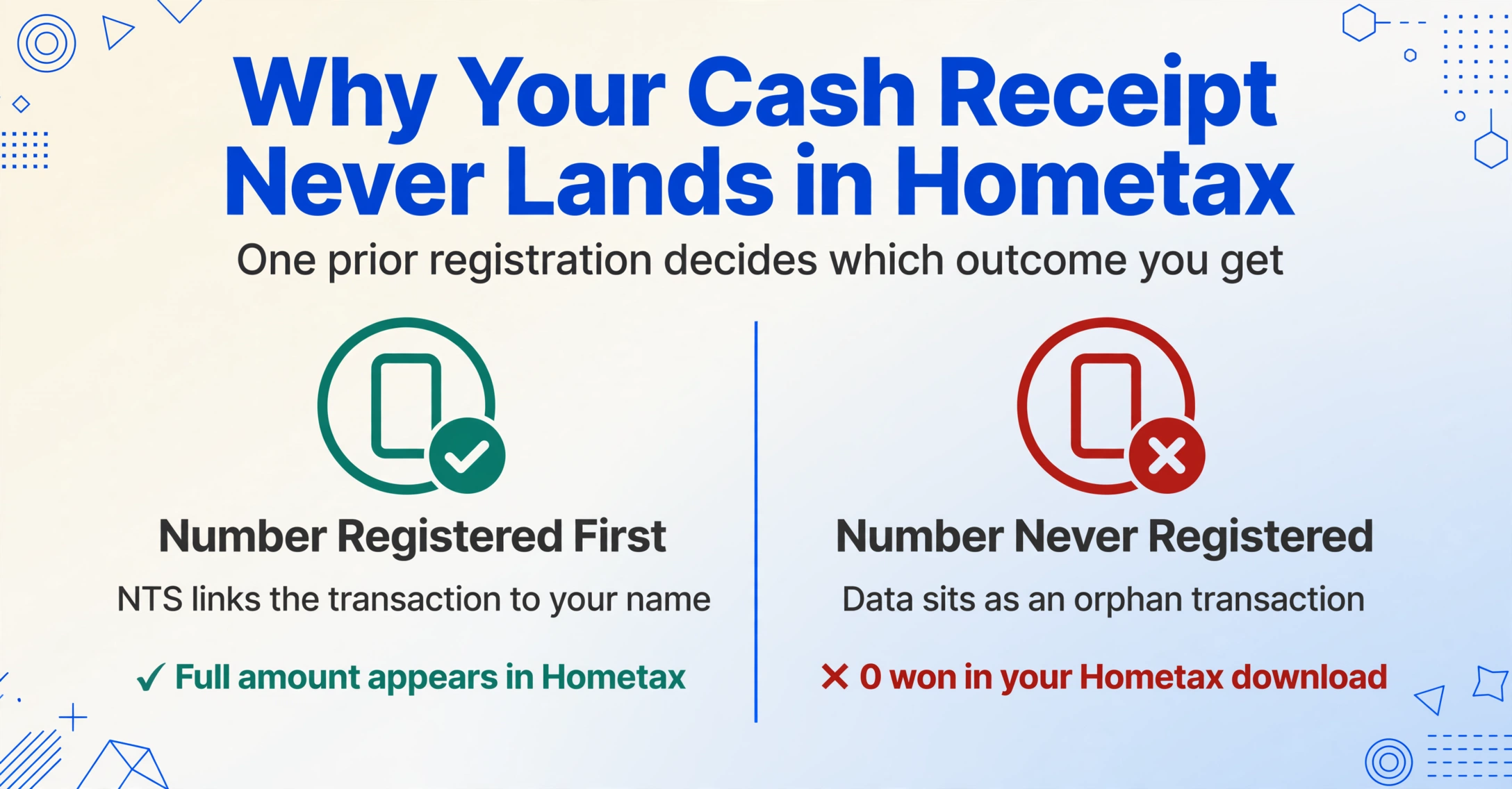
This is the most common — and most avoidable — break. An employee tells the cashier their phone number, pays in cash, and assumes the transaction is recorded automatically. It is recorded — at the merchant's end. But the NTS has no way of knowing that phone number belongs to that employee unless the number has been registered as a cash receipt issuance method (현금영수증 발급수단) in Hometax beforehand.
If the number was never registered — or was registered but under a different person's name — the receipt data sits in the NTS database as an orphan transaction. When January comes and the employee downloads their simplified year-end tax data, the 현금영수증 section shows zero won. The support forums of every major Korean financial app are filled with variations of the same panicked question: "I've been using cash receipts all year, but year-end shows zero won (그동안 현금영수증 다 했는데, 연말정산 현금영수증 0원)?"[3o3 Help Center]
The fix is simple: register the phone number in Hometax under the consumer issuance method management menu, and the NTS retroactively links up to 36 months of orphan receipts. But the fact that this step exists at all — and that it's not part of any onboarding process — means tens of thousands of employees discover the gap only in January, when they see zero won and panic.
Fault Line #2: The Paper Receipt
Korea's cash receipt system is electronic by design, but not all merchants are connected to the digital pipeline. Small traditional market stalls, neighborhood hardware stores, street food vendors, and some taxi drivers still issue paper 현금영수증 slips — thermal-printed or hand-written. These are legally valid receipts and carry the same tax deduction weight, but they exist outside the NTS data flow entirely.
The employee who receives a paper slip has three choices: keep it and manually enter the details into Hometax later (a process that requires the approval number, date, and exact amount); lose it and forfeit the deduction; or file it in a shoebox and deal with it in January — which most people choose, creating the "shoebox of thermal slips" phenomenon every year-end.
According to NTS merchant registration data, there were 4.46 million registered cash receipt merchants as of 2022. A significant portion are micro-businesses that may issue paper receipts when their terminal is offline, out of paper, or when the customer doesn't provide an identifier. The NTS's own guidance on the simplified year-end service states that small medical clinics and care facilities may submit data late or not at all, requiring patients to obtain paper receipts directly.[NTS Year-End FAQ]
Fault Line #3: The Platform Transaction
Large portions of Korean consumer spending now flow through digital platforms — Naver Pay (네이버페이), Kakao Pay (카카오페이), Toss (토스). These platforms issue 현금영수증 for qualifying transactions, but with two complications. First, only transactions funded by platform money or account transfers qualify — transactions paid with Naver Pay points, for example, do not generate cash receipts. Second, even when a receipt is issued, the link to Hometax depends on whether the consumer's phone number on the platform matches their registered Hometax receipt issuance method.
The result is that many employees end January with multiple sources of truth: a Hometax download, a Naver Pay transaction history, a Kakao Pay transaction history, and a Toss Bank spending log — none of which agree with each other on the total 현금영수증 amount. Reconciling them is a manual spreadsheet exercise.
Fault Line #4: The Self-Issued Receipt
When a consumer pays cash but does not provide a phone number — or the merchant forgets to ask — the merchant is still required by law to issue a receipt. They do this using the NTS-designated code 010-000-1234, a process called 자진발급 (self-issuance). The transaction data reaches the NTS, but because no consumer identifier is attached, it does not appear in anyone's Hometax dashboard.
The consumer can later register these self-issued receipts manually by entering the approval number, transaction date, and exact amount into Hometax. This requires keeping the original paper slip or at least noting down the approval number at the time of purchase — which most consumers don't know to do. The NTS's own public notice[Korea.kr Policy Briefing] specifically flags this: self-issued receipts are a common source of missed deductions, and the consumer must proactively register them or they are lost.
Fault Line #5: The Phone Number That Changed
Korea's high mobile carrier churn rate — driven by frequent promotions and device upgrade cycles — means that many employees change their phone number every few years. When a number changes, the old number does not automatically detach from the NTS system. If the employee registered their old number as a 현금영수증 issuance method and never deleted it, the system continues to associate new transactions with the old number.
The consequence: 현금영수증 issued after the number change, using the new number, appear in the system as orphans — the NTS sees a phone number it doesn't recognize as belonging to anyone. The employee must manually delete the old number, register the new one, and then submit a retroactive claim for transactions made during the transition period. The 3o3 Help Center documentation notes that transactions remain unlinked "until the next day at the earliest" after registration, and the delay often causes employees to miss the January filing window.[3o3 Help Center]
The One Field Hometax Doesn't Give You
The five fault lines above explain why data sometimes doesn't reach Hometax. But even in the best-case scenario — where every receipt is electronic, every phone number is registered, every platform syncs perfectly — there is a sixth gap that creates the most manual work per employee.
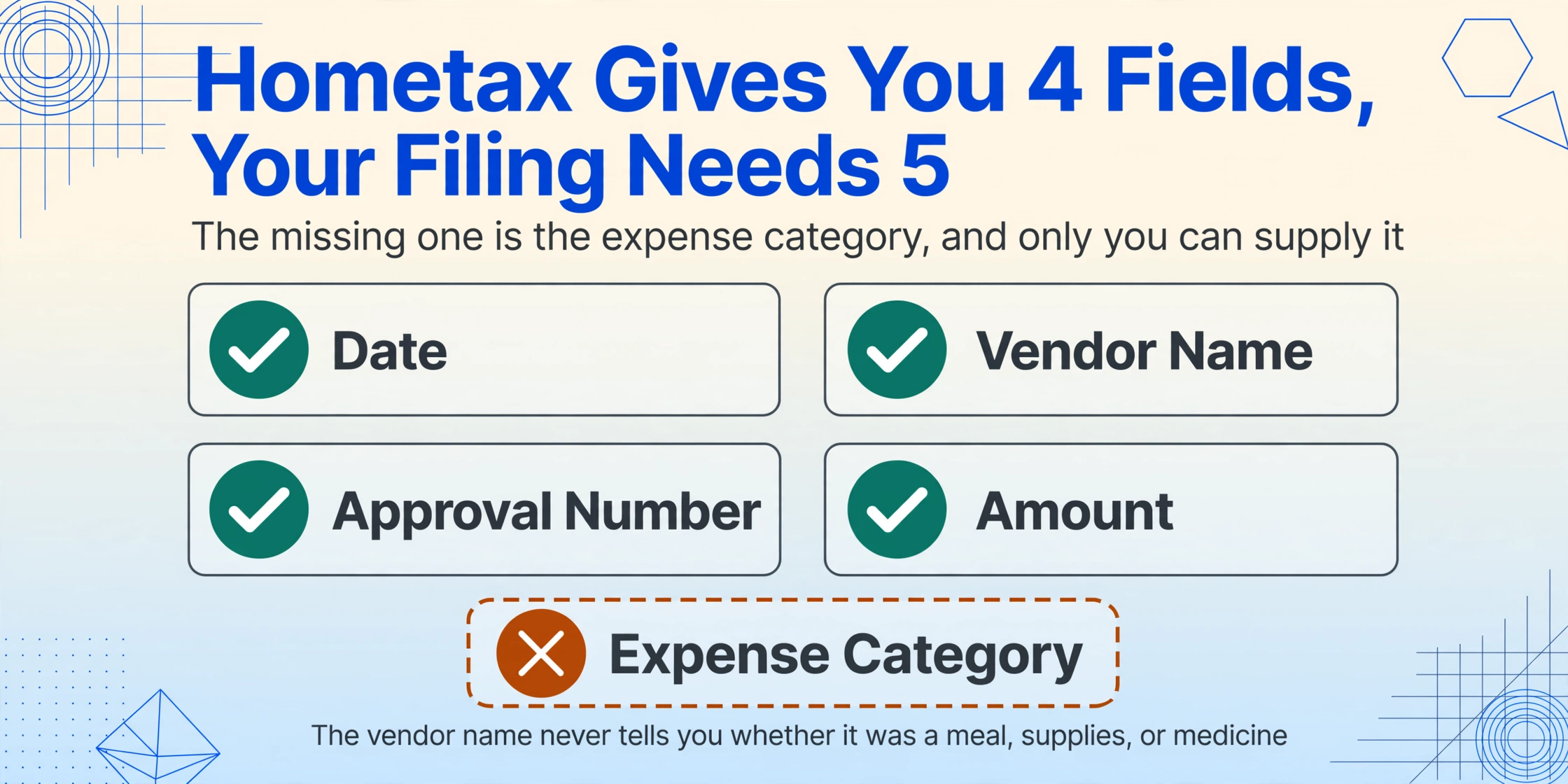
Hometax's simplified year-end tax service provides a list of transactions with four fields: date, vendor name, approval number, and amount. What it does not provide is an expense category. When you download your file, there is no column for meal expenses (식대), transportation (교통비), office supplies (사무용품비), medical expenses (의료비), or any other category that a tax accountant (세무사) or your company's HR department needs to process your filing.
This categorization gap is structural, not accidental. The NTS system was designed to collect and verify transaction data for tax compliance — to ensure that merchants report accurate revenue. It was not designed to classify spending for the consumer's benefit. The expense category is information that only the consumer can provide, because it depends on what the purchase was used for, not just where it was made.
But here is the practical consequence: a receipt from a convenience store (편의점) could be a meal expense (if you bought lunch), an office supply expense (if you bought stationery), or a medical expense (if you bought medicine). The NTS knows the vendor name — GS25, CU, 7-Eleven — but has no way of knowing what you bought. So it gives you the vendor name and leaves you to sort it out. Across 150 receipts per year, that sorting adds 3 to 5 hours of manual work on top of the time already spent tracking down the receipts themselves.
The categorization gap is the single largest source of manual effort in the year-end settlement (연말정산) process — and it's the one piece of data that no digital system, no matter how sophisticated, can generate without the consumer's input. The burden falls entirely on the employee.
Three Groups Who Pay the Highest Price
These six fault lines don't affect all employees equally. Three groups carry a disproportionate burden:
1. Lower-income workers and cash-reliant households. Employees with lower salaries tend to use cash more frequently than higher earners — for small purchases at traditional markets, street food stalls, and neighborhood shops. They generate more paper 현금영수증 and face more of the mismatch issues described above. At the same time, the 현금영수증 deduction (30%) is worth more to them as a percentage of income. The irony is that the people who would benefit most from the deduction are the ones most likely to lose receipts in the fault lines.
2. First-time employees and early-career workers. Every year, hundreds of thousands of Korean university graduates enter the workforce for the first time. They have never registered a phone number with Hometax. They may not know that Naver Pay transactions need separate reconciliation. They have no existing template for how to prepare their year-end documents. For this group, the January scramble is made worse by a steep learning curve — and the cost of getting it wrong (missing the deduction entirely, or under-reporting) can represent several hundred thousand won in lost tax refund.
3. Foreign employees. Korea's foreign workforce exceeded 2.5 million in 2025, including skilled professionals, English teachers, and factory workers. The year-end tax settlement process, even in its simplified form, is largely documented in Korean. The NTS provides a foreign language manual, but key pages about the 현금영수증 reconciliation process — phone registration, self-issuance claims, platform reconciliation — are not translated. Foreign employees often have no way of knowing that cash receipts require a separate registration step, or that transactions made with a paid-phone number from a different carrier could be orphaned.
Why the Problem Hasn't Been Solved
If the six fault lines are known and measurable, why does the system still work this way? The answer lies in the design priorities of Korea's cash receipt infrastructure.
The 현금영수증 system was created in 2005 with a primary objective: tracking merchant revenue to prevent cash-based tax evasion. On that metric, it has been remarkably successful. The issuance amount grew from 92 trillion won in 2014 to 156 trillion won in 2022. The number of registered merchants grew from 2.82 million to 4.46 million in the same period.[e-National Index] An ADB governance brief from 2023 noted that Korea's e-cash receipt system has "substantially enhanced tax compliance among self-employed individuals" and that approximately 4.4 billion receipts are issued annually.[ADB Governance Brief]
The consumer experience — making it easy for employees to actually use this data for their own tax filing — was a secondary consideration. The system was built for tax administration, not for consumer convenience. This is why phone registration is a manual step (it was designed to prevent fraud, not to streamline household bookkeeping). It's why expense categorization is left to the employee (the NTS doesn't need it for compliance, so it doesn't collect it). It's why platform transaction reconciliation requires manual effort (each platform is a separate commercial entity that reports to the NTS independently).
The problem persists because it exists at the intersection of two systems: the NTS's data collection system (designed for the government) and the employee's personal bookkeeping system (designed by nobody). No single entity owns the connection between them.
Bridging the Gap Between What NTS Has and What You Need
Fixing the fault lines at the system level would require changes to tax law, KFTC network protocols, VAN provider interfaces, and financial platform APIs — a multi-year regulatory project. But bridging the gap at the employee level is a data transformation problem that can be solved with existing tools.
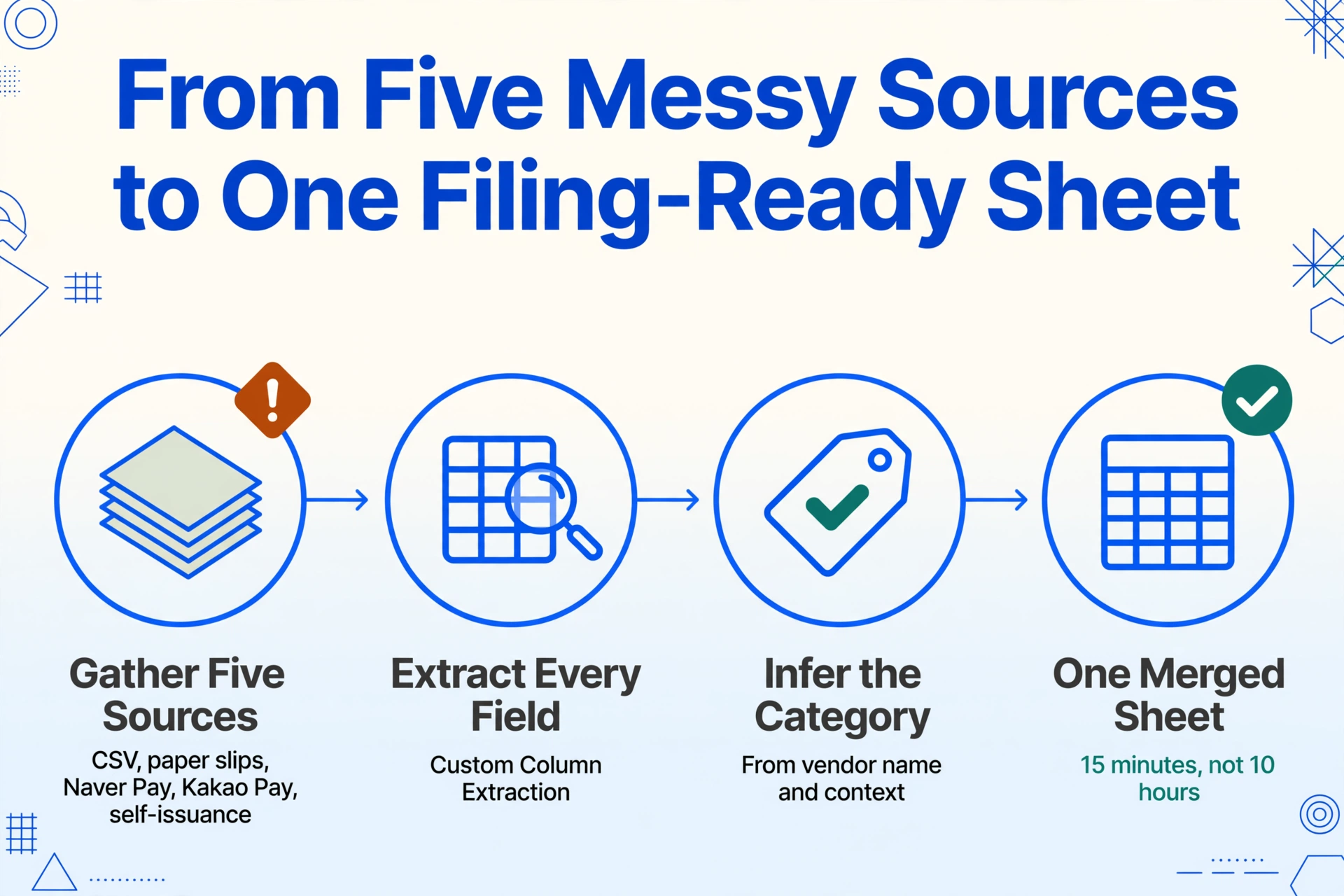
The core difficulty is not that the data doesn't exist. It's that the data exists in five different formats (Hometax CSV, paper receipts, Naver Pay screenshots, Kakao Pay logs, self-issuance records) and lacks the one field (expense category) that makes it useful for tax filing. If these five sources could be consolidated into a single spreadsheet, and if the expense category could be inferred from the vendor name and transaction context, then the 10-hour January scramble would become a 15-minute file merge.
This is the approach that tools like ImageToTable.ai can address — not by replacing the NTS system, but by filling in the field that the system was never designed to provide. Instead of drawing boxes around fields on each document (as template-based tools require), ImageToTable.ai uses what is called Custom Column Extraction: you type the column names you want — "Date," "Vendor," "Total," "Category" — and the AI locates each value by understanding what it means, not where it sits on the page. When you add an inferred column — a column for data that doesn't explicitly appear on the receipt, like "Category" — the AI reads the vendor name, date, and amount, and infers the expense type from context. This is the same mechanism that would allow an employee to define seven columns once and process a year's worth of cash receipts without categorizing each one manually — and the same mechanism our Korean tax records extraction applies to tax invoices, delivery notes, and registration certificates in the same batch.
The 현금영수증 carries enough semantic information (vendor name, date, amount, business type) for an AI model to infer an expense category with reasonable accuracy. A convenience store purchase of 8,000 won is likely a meal or snack. A pharmacy purchase of 35,000 won is likely a medical expense. A traditional market purchase of 120,000 won is likely a grocery or household expense. These are not perfect classifications, but they are close enough that the employee only needs to review and correct a few outliers, rather than categorizing 150 receipts from scratch.
For a step-by-step guide to setting up these columns and processing individual receipts, see our guide on extracting Korean cash receipt data to Excel for tax deduction. For handling the full year's worth of receipts at once, the batch processing guide covers the workflow for 150+ receipts in under 15 minutes.
The point is not that every employee needs to become a data extraction specialist. The point is that the 5 to 10 hours spent each January on 현금영수증 matching is not a natural consequence of tax filing — it's a structural gap left by a system designed for one purpose (tax compliance) being used for another (personal bookkeeping). Recognizing that gap is the first step. Closing it is a solvable data problem.
Frequently Asked Questions About Korean Cash Receipt Year-End Tax Issues
Q: I entered my phone number at the store — why doesn't Hometax show my cash receipts?
Entering your phone number at the store sends the data to the NTS, but the NTS only links that data to your account if you have already registered that phone number as a 현금영수증 issuance method (소비자 발급수단). Without this prior registration, the transaction sits in the NTS database as unlinked — you can see it if you search by approval number, but it won't appear in your simplified year-end tax download. To fix this, log into Hometax, navigate to 계산서·영수증·카드 → 현금영수증(근로자·소비자) → 소비자 발급수단·전용카드 → 현금영수증 발급용 휴대전화번호/카드관리, and register your number. The NTS will retroactively link up to 36 months of orphan transactions.
Q: I lost the paper receipt from a small merchant — can I still claim the deduction?
If the merchant issued the receipt using the NTS self-issuance code 010-000-1234 (자진발급), the transaction data is in the NTS system but not linked to you — and without the approval number from the paper slip, there is no way to claim it. If the merchant did not issue any receipt at all, the transaction is not recorded and cannot be claimed. This is why keeping paper 현금영수증 slips until they are registered in Hometax is critical — thermal paper fades over time, so take a photo or note the approval number immediately.
Q: Do Naver Pay and Kakao Pay transactions automatically appear in my Hometax?
Only under specific conditions. The transaction must be funded by cash-equivalent methods (Naver Pay Money or linked account — not Naver Pay points). The phone number registered on your Naver Pay or Kakao Pay account must match the number registered as your 현금영수증 issuance method in Hometax. Even then, platform transactions can take up to 48 hours to appear in the NTS system, and they are not always categorized correctly in the simplified year-end service. It is a good practice to cross-check your Hometax data against each platform's transaction history in January.
Q: I changed my phone number mid-year — will my old receipts still count?
Only if you have removed the old number and registered the new one in the Hometax issuance method management menu. The NTS system keeps old numbers active until you manually delete them. If both numbers are active, the system may associate your new transactions with the old number, creating orphan data. After updating your number, allow up to 24 hours for the retroactive link to take effect. If the January filing window is closing and the data still hasn't appeared, submit the self-issuance registration manually using the approval numbers from your paper slips.
Q: I'm a foreign employee in Korea — how is cash receipt matching different for me?
The same six fault lines apply, with an additional language barrier. The phone registration process, the self-issuance claim workflow, and the platform reconciliation steps are documented primarily in Korean. The NTS provides a foreign language year-end tax manual,[NTS Foreign Language Manual] but the cash receipt registration and self-issuance sections are not fully covered. If you changed your Korean mobile number since arriving, Fault Line #5 applies even more strongly — your old number may still be associated with your Alien Registration Number (ARC) in the NTS system. Make sure your current phone number is registered as a 현금영수증 issuance method well before January.
The Cost of Manual Matching Isn't Just Time — It's Missed Deductions
The 5 to 10 hours each January is the visible cost. The invisible cost is the deduction that gets missed because a paper slip was lost, a phone number wasn't registered, or a Naver Pay transaction was assumed to have synced but never did. At a 30% deduction rate on 현금영수증 spending, a missed 50,000 won receipt costs 15,000 won in lost tax benefit. Across a year's worth of small missed receipts, that adds up to real money that the employee simply never knew they left on the table.
The system was designed to catch tax evaders, not to help employees file accurately. Recognizing that distinction doesn't fix the problem — but it does point to where the fix should be applied. The gaps are not in the data. They are in the delivery, the categorization, and the reconciliation. Those are solvable.
See how batch processing + auto-categorization can turn a January scramble into a 15-minute task.
Try It on a Cash Receipt →No sign-up required. Your file is processed securely and not stored.