Insurance Eligibility Documents Are Where
Front-End Claim Denials Start
Eligibility and benefit verification is the most common administrative transaction in American healthcare. It accounts for 51% of all medical administrative volume, and in 2023 providers and health plans ran 31.5 billion of these checks, the CAQH Index reports (CAQH, 2024). Each check is supposed to end with a clear answer about coverage, but in most practices it ends with a document that someone has to read twice: once to find the coverage details and once to type them into the patient record.
That second read is where the front end of the revenue cycle loses money. A member ID digit swapped during entry, a deductible remaining copied from the wrong benefit line, an authorization required note keyed as no auth needed: the paper still shows what the payer said, so nobody catches the mistake until the claim comes back denied weeks later, after the service date has passed. That buried detail is the mechanism behind the denials that trace back to registration and eligibility data, and it is the reason the payer verification documents themselves are worth fixing.
Key Takeaways
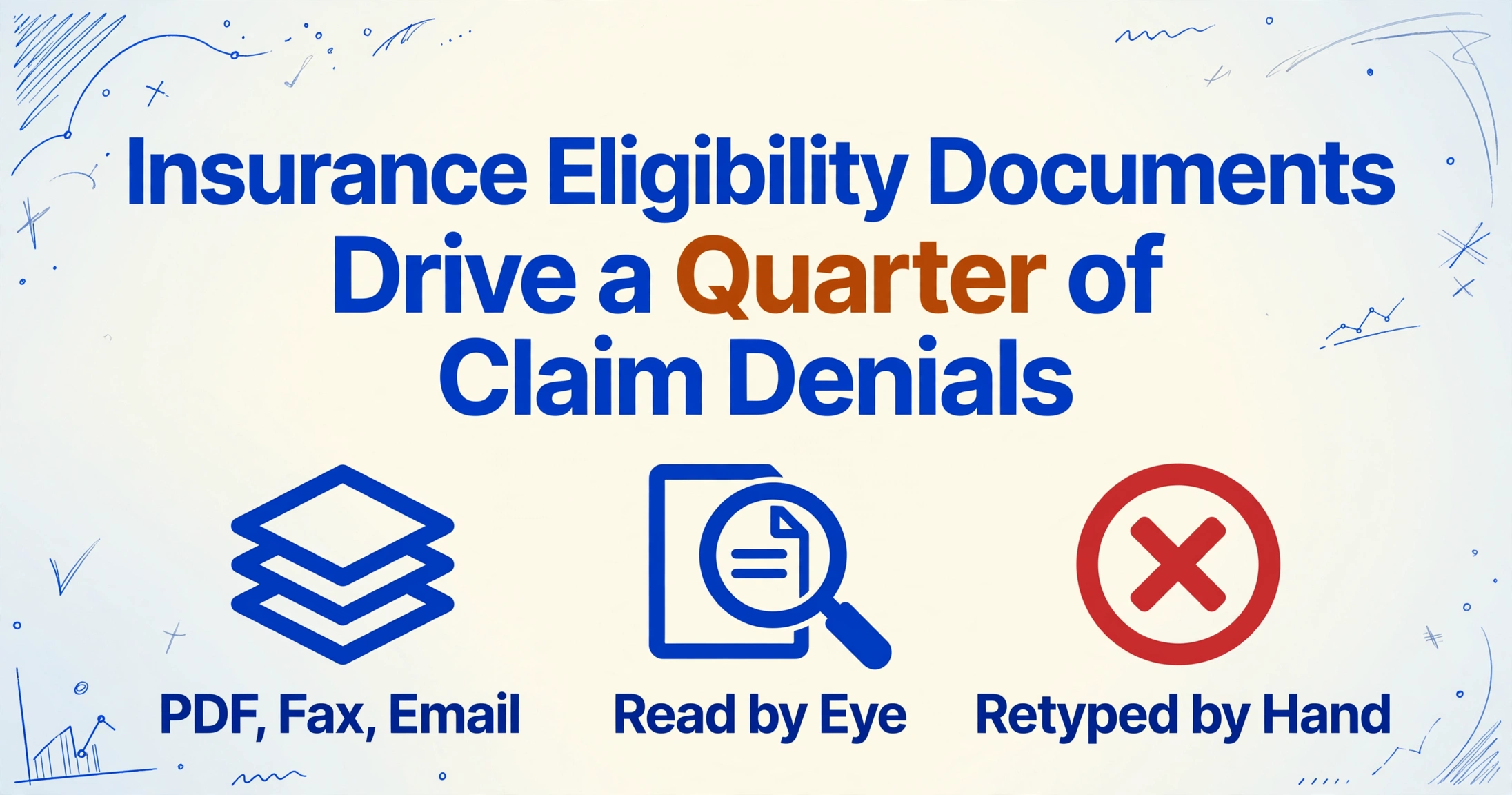
- 24% of all claim denials trace to registration and eligibility, the top denial cause since 2016, and roughly half of those denials are nonrecoverable.
- A member ID digit swapped during entry or a deductible pulled from the wrong benefit line still looks right on the paper, so nobody catches the mistake until the claim comes back denied weeks later.
- Your typing is not the problem, the second read is, so structure each payer response into one row and the confirmation stays where it belongs, with your team.
Who Handles a Payer Eligibility Response, and What a Normal Run Looks Like
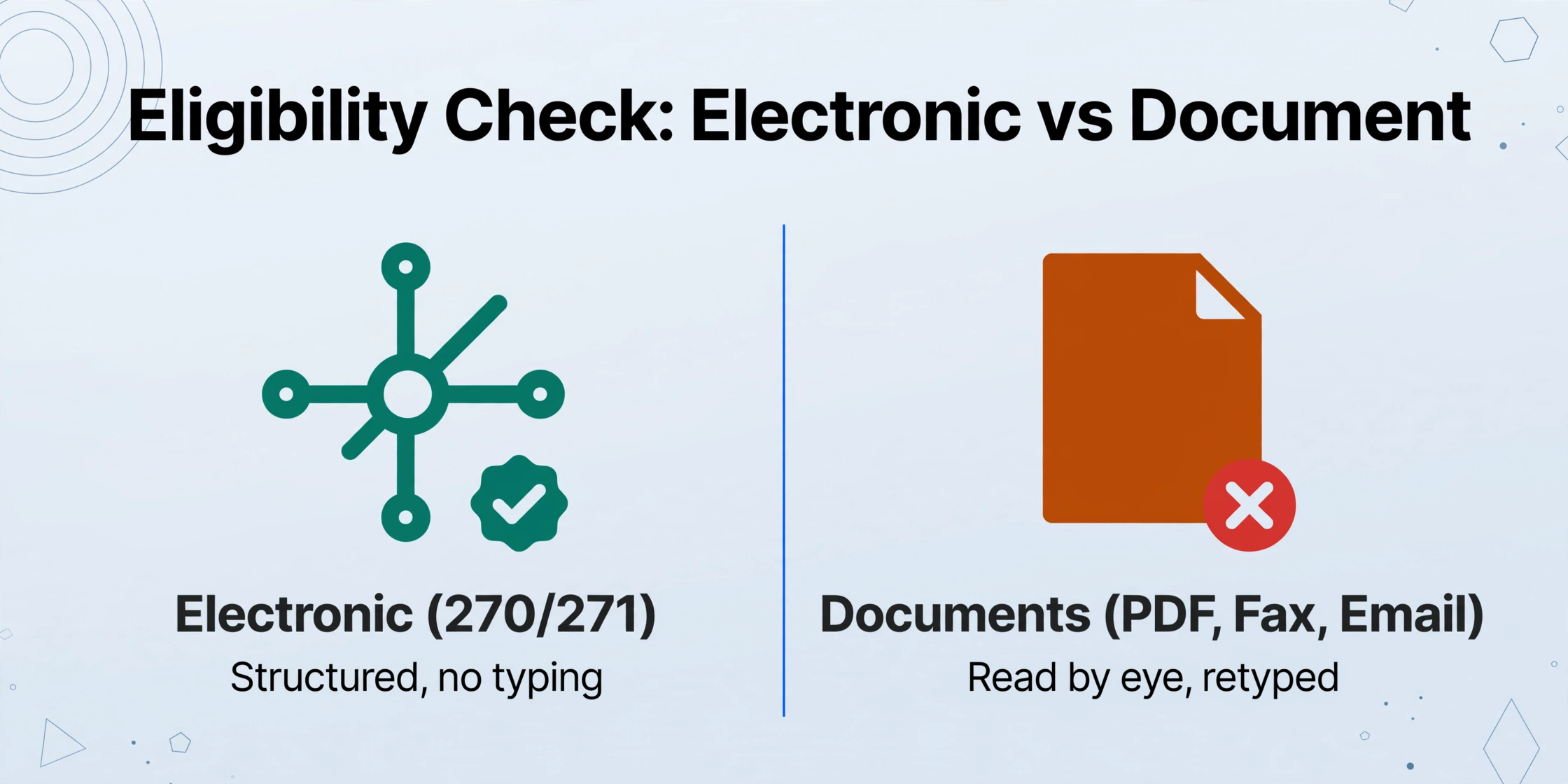
A payer eligibility response is processed by people in most practices, and the handling follows a repeatable path. The electronic backbone for the check already exists. Under the HIPAA administrative simplification rules, the eligibility inquiry (270) and the eligibility response (271) are the national standard for electronic verification, adopted at 45 CFR § 162.1202 (eCFR). When a practice verifies through a clearinghouse such as Availity or Waystar, or directly through a payer portal, the structured response can land in the practice management system without anyone typing it.
The electronic trail does not cover everything. The same verification frequently comes back as documents that must be read by eye: a portal-generated eligibility summary saved to PDF, payer verification forms returned by fax, and benefit letters attached to emails. Payers without reliable electronic responses, plans whose portals only show a summary, and coordination of benefits follow-ups all arrive in this shape. A verification specialist or a front desk staff member then reads the response and enters the fields the visit depends on: member ID, plan and group, coverage status, effective and termination dates, deductible and copay, prior authorization requirements, and the coordination of benefits note.
In a small practice the front desk does this. In a larger group, a dedicated insurance verification specialist checks eligibility before scheduling and again before the visit, and a billing team re-reads the same payer responses when claims need follow-up. Each role types the same fields from the same documents, and none of them works from a structured copy. The payer response itself is also a different document from the patient intake form that records what the patient brought in at registration, which intake form extraction converts into spreadsheet rows separately. The eligibility response is the payer's answer, and it arrives in the payer's shape, not the practice's.
The responsibility that makes the loop work, confirming that the coverage on the document is real and current, never moves off the practice. What moves is the reading and typing around it.
Three Places the Payer Response Breaks Down
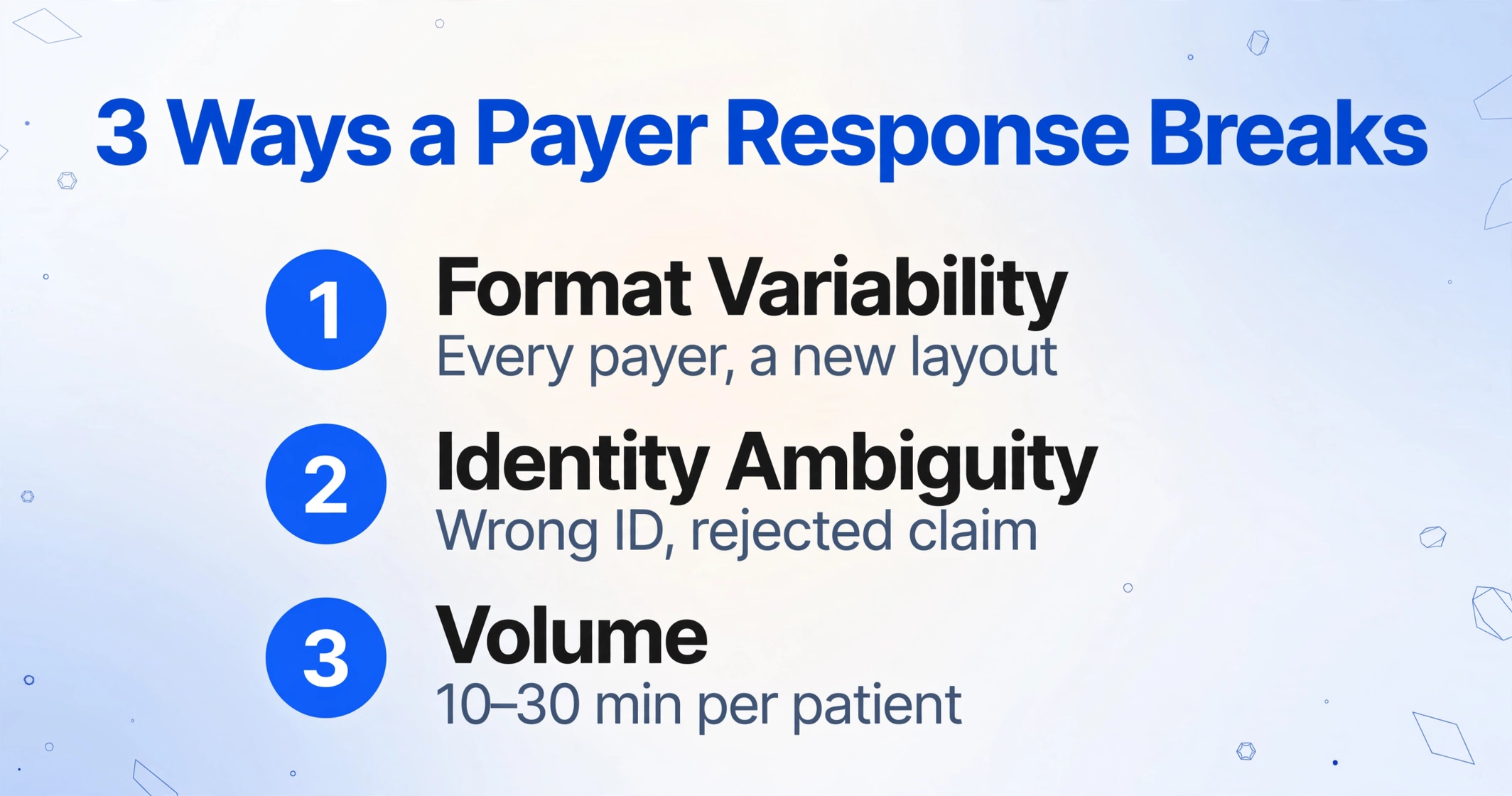
Payer responses break in three predictable places, and each one turns a correct coverage answer into a corrupted patient record. The first is format variability. The same benefit information arrives in a different visual language from every payer. A UnitedHealthcare portal summary prints a benefit grid. A Blue Cross verification form lists copays in a table with service type headers. An Aetna benefit letter describes the deductible in a paragraph. A faxed form uses payer shorthand like OV Copay and DED REMAINING. In-network and out-of-network amounts sit side by side under labels that change per carrier. Every response is a new layout to search, which is why the underlying tooling question is about reading by meaning rather than by template; the OCR for healthcare guide covers how far coordinate-based reading gets before it breaks.
The second break is identity ambiguity. The member ID that matters for the claim is not always the identifier printed largest on the response. Dependents carry their own IDs, a group number is not a member ID, and the patient is not always the subscriber. Coverage dates carry the same ambiguity: a plan can show an effective date beside a retroactive termination, or an active status that a footnote limits to one service category. Payers match submitted identifiers against their enrollment files field by field, so a wrong ID, even one that looks correct on the page, is enough to reject the claim.
The third break is volume. Verification calls run 10 to 30 minutes per patient when a payer has no electronic path, and the entries still get typed at the desk between phone calls and walk-ins. The MGMA Stat poll published in January 2026 found front-end leakage runs largely on eligibility and coverage accuracy problems: incorrect insurance entry, outdated demographics, and retroactive terminations that cascade into billing (MGMA, 2026). The scale behind those failures is what the Optum 2024 Revenue Cycle Denials Index puts in one number: registration and eligibility has been the top denial cause since 2016 and accounts for 24% of all denials, with roughly half of those denials nonrecoverable (Optum, 2024).
Teams already answer the volume by batching work by payer. A verification specialist on r/CodingandBilling described the standard trick: "We'll work all Blue Cross together, all UHC together, and so on, so a single person only needs to switch accounts, not switch payer portals" (r/CodingandBilling, 2024). The batching instinct is right. The typing that follows every check is still manual, and the claims side of the same loop has its own documents to handle, covered in the insurance claim extraction guide.
Structure the Documents Instead of Retyping the Fields
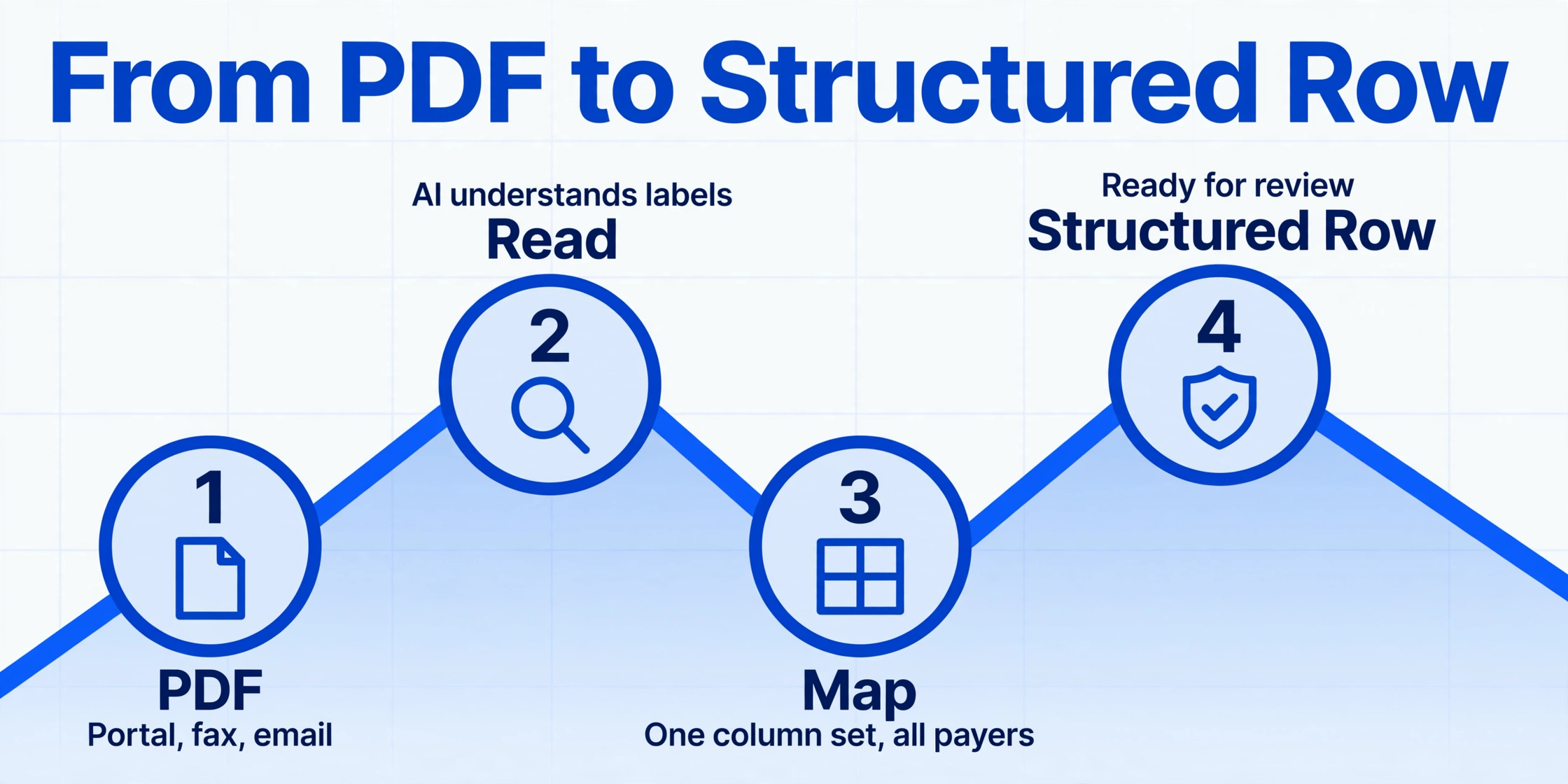
The step that removes the handoff without changing the payer stack is structuring the eligibility documents themselves. Custom Column Extraction works this way: you type the column names you want, and the AI reads each document and fills a value under every column by understanding what the field label means, not where it sits on the page. The column names you type become the headers of the output spreadsheet. Because extraction runs on meaning rather than layout, one set of columns handles a UnitedHealthcare grid, a Blue Cross table, and an Aetna paragraph in the same batch, with no per-payer template to build or maintain.
The column set for eligibility responses follows the fields the verification process already enters:
| Column definition | What it captures |
|---|---|
| Member ID | The identifier the claim must carry, kept distinct from the group number |
| Subscriber Name | The policyholder on the response, kept distinct from the patient |
| Payer / Plan Name | Carrier and plan as printed on the response |
| Coverage Status | Active, inactive, or terminated as the payer states it |
| Effective Date | Coverage start date |
| Termination Date | End dates and retroactive terminations |
| In-Network Deductible | Deductible amount for in-network care |
| Out-of-Network Deductible | Deductible amount for out-of-network care |
| Copay | Office visit copay amount |
| Coinsurance | The percentage share owed after the deductible |
| Prior Authorization Required | Yes or No, with the note text when the payer prints one |
| COB Primary Payer | Primary carrier noted for coordination of benefits |
| COB Secondary Payer | Secondary carrier, when the response lists one |
Running it is a batch operation: upload the whole stack of payer responses at once, whether they are portal summaries, faxed verification forms, or scanned letters, and process them together. The batch merges into one Excel file with one row per response, which is the structured copy the front desk never had. The payer-batch habit teams already use maps directly onto it: run all the Blue Cross responses in one upload, all the UHC responses in the next, and the sheet comes out grouped the way the practice already thinks. Fields a particular document does not contain simply come back empty, so a payer that skips the out-of-network column does not break the run. For a broader read on choosing tools for this, the healthcare document extraction buyer's guide walks through the evaluation criteria.
The confirmation step uses Review Mode with Bbox locating. Hover over or click any extracted cell and the tool highlights the exact spot that value came from on the original document, and clicking a region on the image jumps back to the matching cell. For a column like Member ID, where one wrong digit matters, this turns the check from rereading the whole response into a glance at a highlighted line and the block it was read from. The Bbox view ties each value to its source on the document image, so the person confirming the row verifies against the payer's own page rather than against the AI's answer. That visual confirmation replaces the second read of the response, the one that usually produces the typo.
What Stays With Your Team
Extraction does not replace the eligibility check, and this tool does not pretend otherwise. ImageToTable.ai extracts and structures documents. It does not verify eligibility, it does not query payers, it does not transmit or interpret 270 or 271 transactions, and it does not decide whether a patient is covered. Connectivity to Availity, Waystar, payer portals, Epic, athenahealth, or any other platform is not part of what it does, and no claim is filed through it. The practice keeps its clearinghouse, its portal credentials, and its verification schedule exactly where they are. On the far side of the claim, the explanation of benefits is a separate document with its own extraction workflow, since an EOB records what the payer decided after the claim rather than what it agreed to before it.
What remains human is the judgment that the coverage on the document is active, that the planned service is a covered benefit, and that the member ID is the one the claim should carry. That judgment stays with the person who confirms the eligibility response. Extraction removes the rereading and retyping that introduced the errors, and it does not remove the confirmation. When a response says inactive or flags an authorization requirement, the structured sheet surfaces that text clearly so the team can act on it.
Eligibility verification documents contain protected health information, and HIPAA's Privacy and Security Rules govern how that PHI is used and disclosed under 45 CFR Part 164. ImageToTable.ai is not a HIPAA compliance solution and does not offer a Business Associate Agreement. Practices subject to HIPAA should evaluate any third-party service that touches PHI against their own requirements, review the vendor's processing and retention terms, and test the workflow on de-identified sample responses before processing live patient-identifiable documents.
Insurance Eligibility Document Extraction: Frequently Asked Questions
Can this verify a patient's eligibility for me?
No. It structures the documents your verification process already produces. The eligibility check itself runs the way it runs today, through your clearinghouse, your payer portal, or a payer call, and confirming that the coverage is real and current stays a human step. What changes is that the payer's answer becomes a structured row instead of a PDF to read and retype.
Do you connect to Availity, Waystar, or payer portals?
No connection is built in, and none is needed. The workflow takes the outputs those tools already generate: a portal eligibility summary saved as a PDF, a verification form returned by fax, a benefit letter attached to an email. The structured batch then goes back into your normal review and entry steps.
Will one set of columns work for every payer's verification format?
Yes. Custom Column Extraction locates values by what the field label means, so one column set extracts the same fields from a UnitedHealthcare benefit grid, a Blue Cross verification form, and a payer benefit letter in a single batch. A column that maps to nothing on a particular document comes back empty rather than erroring, so a payer that omits a field does not stop the run.
Is this HIPAA compliant? Do you sign a BAA?
ImageToTable.ai is not a HIPAA-covered entity and does not offer a Business Associate Agreement. Practices subject to HIPAA should assess any third-party service that touches PHI against their own compliance program, review the vendor's processing and retention terms, and test on de-identified sample responses before uploading live documents.
What counts as an insurance eligibility document?
Payer eligibility responses and verification forms: portal-generated eligibility summaries saved to PDF, payer verification letters, faxed verification forms, benefit grid screenshots, and coordination of benefits responses. An insurance card is a separate document, collected from the patient at intake rather than returned by the payer, and card and intake form extraction is handled on the intake side.
Can I process all payers at once in one spreadsheet?
Yes. A batch upload merges every response into one Excel file with one row per document, regardless of which payer produced it. Teams that already work payer by payer can run each payer group as its own batch and keep the sheet organized exactly the way the front desk already thinks.
The front end of the revenue cycle does not fail because practices skip the eligibility check. It fails because the payer's answer arrives as a document that has to be read and typed again, and that second handoff is where a quarter of denials come from. Structuring the eligibility documents removes the handoff while leaving the judgment where it belongs, in the hands of the people who already run the verification.