Best Document Extraction Tools for Small Business
in 2026
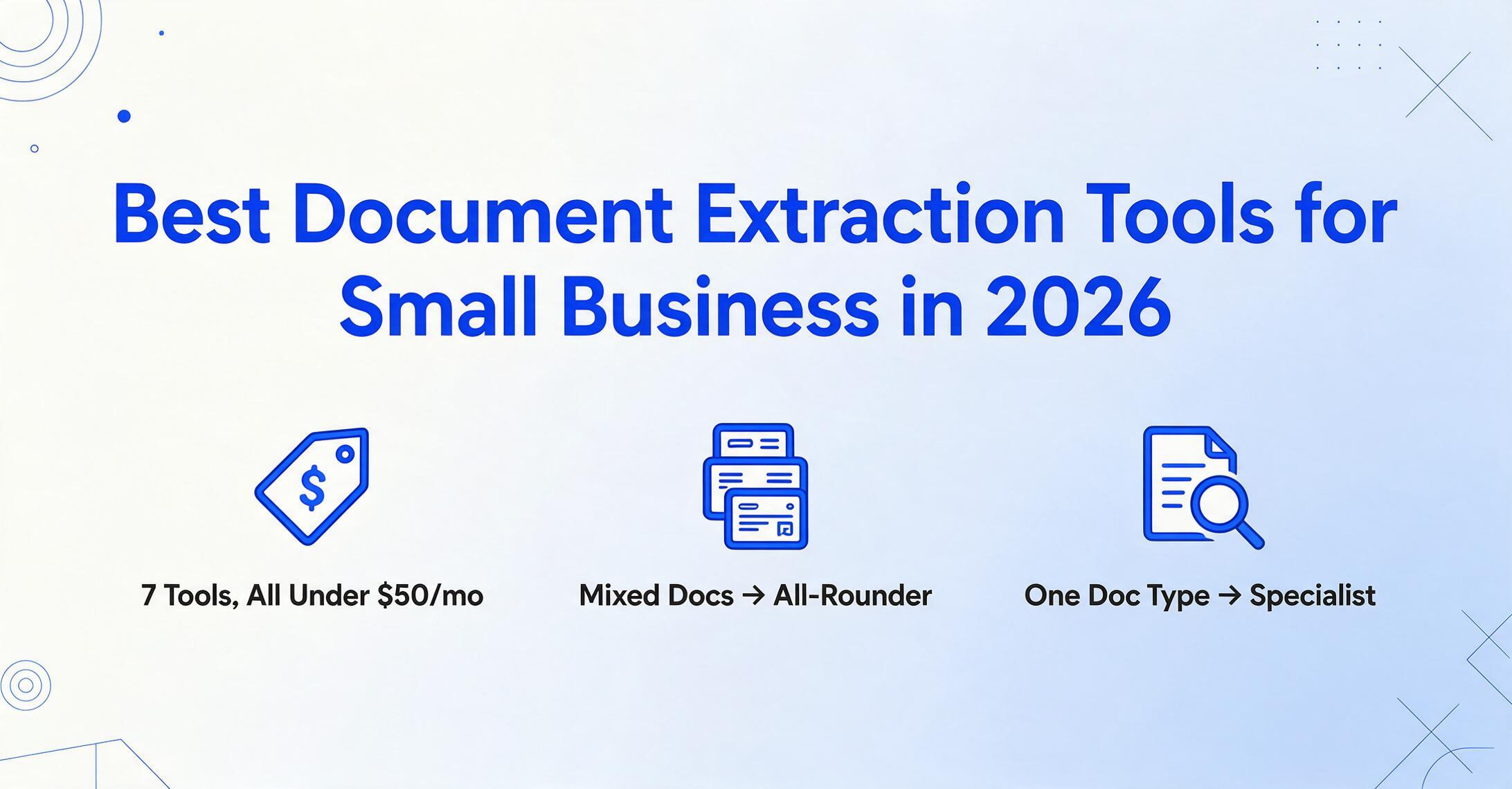
Small business owners spend more than 20 hours a month on financial admin like accounting and invoicing, according to SCORE, the nonprofit small-business mentoring network backed by the U.S. Small Business Administration — roughly a quarter of a standard work week. A big slice of that is the most mechanical task there is: reading a number off an invoice, a receipt, or a bank statement and typing it into a spreadsheet. Document extraction tools automate exactly that step, and there are now seven of them with plans under $50 a month. The hard part isn't finding one you can afford — it's picking the one that fits how a one-or-two-person operation actually works.
Key Takeaways
- Seven extraction tools all sit under $50 a month, and at the entry-level price the comparison table looks like seven copies of the same product — same page counts, same accuracy claims, same "free trial" badge.
- The feature every pricing page leads with — cost per document — is the least useful axis for a one-person shop, because a tool you stop using after two weeks costs more at any price than a tool that fits.
- Skip the spreadsheet and answer one question instead: are your documents a mixed bag of invoices, receipts, and statements, or 90% one type? The tool whose shape matches your mix saves you 20 hours a month; the wrong shape burns hours in workarounds no matter how cheap the plan looked.
How We Picked and Tested These Tools
We started from a hard budget rule and a softer fit rule. The budget rule: every tool here has a real, publicly listed plan under $50 a month — no "contact sales," no enterprise minimums, no usage tiers that quietly balloon past the budget of a business that runs on one bank account. That filter alone cut the field from dozens of vendors to seven.
The fit rule is where this review differs from a pure price chart. For a solo operator or a small team, the cheapest sticker price is the wrong thing to optimize. What actually matters is whether you can run the tool without a developer, whether it handles the messy mix of documents a small business sees — an invoice here, a stack of receipts there, the occasional bank statement — and whether the monthly cost still makes sense at your real volume. So we scored each tool on four dimensions together: ease of use (can a non-technical owner set it up alone), document coverage (which file types it reads well), multi-document-type support (one tool for everything versus one job done deeply), and price at small-business volume.
If your only question is "which tool costs the least per page," that's a narrower comparison with a different answer — and we've written it separately. Our breakdown of the most affordable AI document extraction tools, ranked by per-document cost, normalizes every plan to a single price-per-document number. This article is the selection guide that sits next to it: ease of use, coverage, and document range weighed alongside price, not price on its own.
For pricing, we pulled the lowest publicly listed plan straight from each vendor's own pricing page (all figures labeled "Pricing checked June 2026" below) rather than repeating vague "starting from" language. And we wrote an honest "best for" and "not ideal for" for every tool — including our own.
Disclosure
ImageToTable.ai, the tool published on this site, is one of the seven tools reviewed here. We've placed it where it honestly fits — as a no-code all-rounder for small teams — and named the tools that beat it for specific small-business jobs, like dedicated bank-statement work or a physical-receipt backlog.
The 7 Tools at a Glance
Here is every tool on the same six dimensions. Prices are the lowest publicly available entry point as of June 2026; a "page" or "credit" usually means one document page, one email, or one image, depending on the vendor.
| Tool | Starting Price | Pricing Model | Best For | Key Limitation | Free Trial? |
|---|---|---|---|---|---|
| ImageToTable.ai | Free to try (no sign-up) | Subscription / usage | No-code all-rounder, mixed document types | No ERP posting or approval workflow | Yes — instant, no sign-up |
| DigiParser | $20/mo (annual, 100 pages) | Flat + integrations | No-code teams needing app integrations | Lowest rate needs annual commit | Yes — 7-day trial |
| Airparser | $33/mo (annual, 100 credits) | Credit subscription | LLM parsing of email, scans, handwriting | Only 30 trial credits; per-user fees | Yes — 30 credits |
| DocuClipper | $39/mo (≈$29/mo annual) | Page-based subscription | Bank statements & financial docs | Financial documents only | Yes — 14-day, no card |
| Docparser | $39/mo (Starter) | Flat subscription | Stable, repeating layouts | Zone templates break when layouts vary | Yes — 14-day + free tier |
| Parseur | $39/mo (100 pages) | Flat + volume | Email + PDF intake pipelines | Less suited to ad-hoc uploads | Yes — free 20 pages/mo forever |
| Shoeboxed | $18/mo (Startup, annual) | Subscription + mail-in | Clearing a physical-receipt backlog | Receipts only; mail-in is slow | Yes — 30-day trial |
Pricing checked June 2026 from each vendor's public pricing page. Annual billing usually lowers the monthly rate but requires paying upfront; month-to-month rates run higher. Volume allowances vary, so cost at your real document count is the figure that matters.
The table sorts naturally into two groups, and that split is the most useful way for a small business to think about the choice. Three tools are all-rounders — one tool that reads whatever you throw at it. Four are specialists — narrower, but excellent at the one job they're built for. Which group you want depends entirely on whether your documents are varied or concentrated in a single type.
The All-Rounders: No-Code, Multi-Document Tools
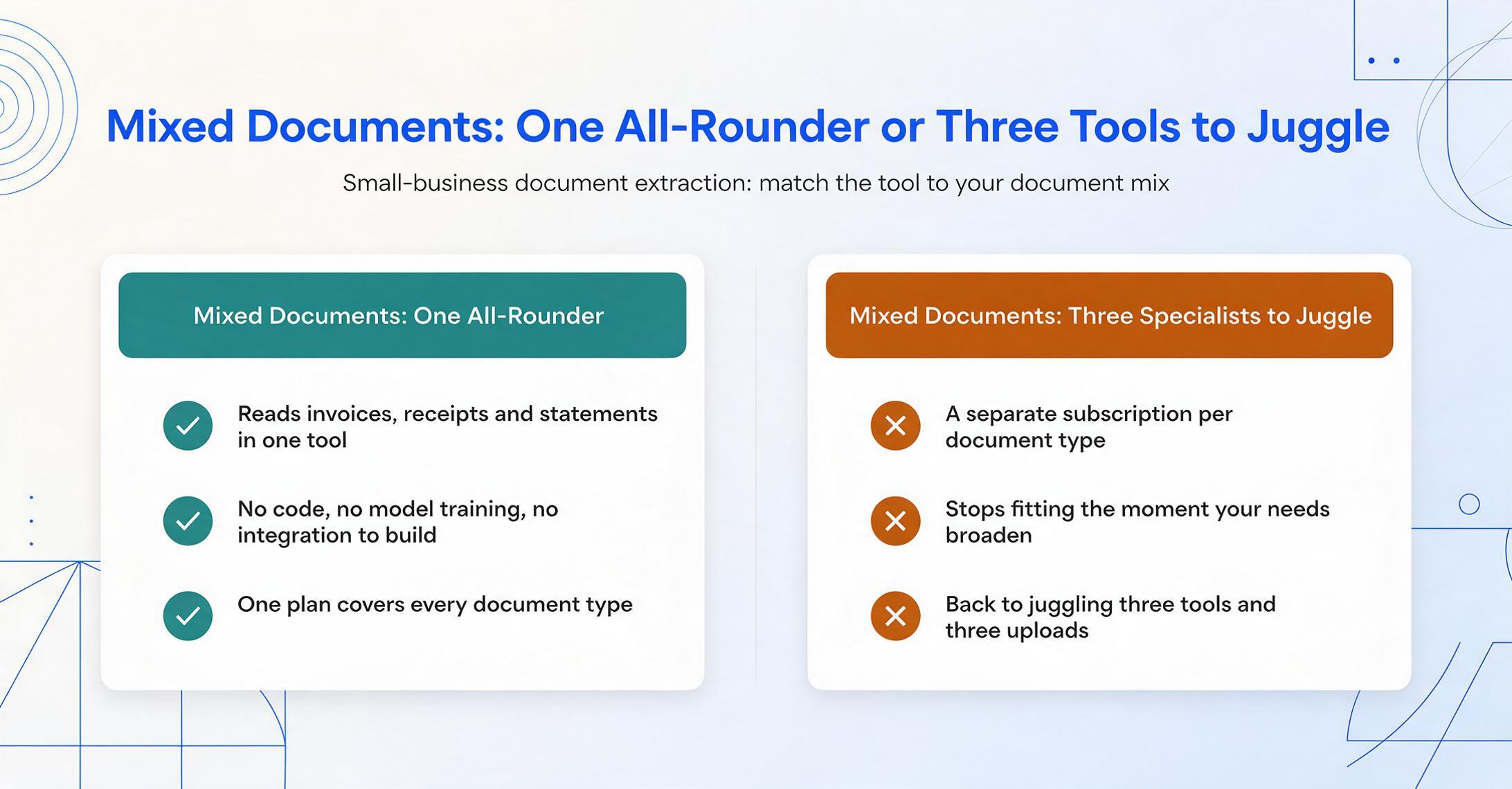
"No-code" means the whole workflow runs in a browser: you upload a file, tell the tool which fields you want, and download a spreadsheet — no script, no model training, no integration to build. These tools became practical in the last two years because vision-language models read documents by meaning rather than by fixed coordinates, which is what lets a single tool handle an invoice, a receipt, and a bank statement without separate setups. This is the group most solo operators and small teams should start in, and the place to look if you want to extract document data without training any model.
ImageToTable.ai
A no-code, vision-LLM extraction tool built around Custom Column Extraction: instead of drawing boxes on a sample document, you type the column names you want — "Invoice Number, Vendor, Total, Due Date" — and the AI locates each value anywhere on the page by understanding what the field means. The names you type become the headers of your output spreadsheet. It's batch-first (upload 40 receipts, get one merged Excel file where each document is a row), supports computed columns (write "Line Total (Qty × Unit Price)" and the math runs during extraction), reads photos, screenshots, scans and PDFs, ships a Google Sheets add-on that writes results into the active sheet, and offers a Collection Link — a shareable URL that lets a client or contractor upload files into your queue without creating an account.
Best for: Small businesses and freelancers with a mixed document diet — invoices one week, receipts the next, a bank statement at month-end — who want one no-code tool, a spreadsheet in under two minutes, and the lowest effective per-document cost.
Not ideal for: Teams that need automatic ERP posting, approval routing, or a compliance-grade review queue. It extracts data extremely well; it doesn't run the accounting workflow before or after extraction.
Pricing (checked June 2026): Free to try with no sign-up; affordable monthly plans with one of the lowest effective per-document costs in this list.
DigiParser
A no-code parser with pre-built models for common business documents and an unusually deep integration layer — it connects to thousands of apps (QuickBooks, Google Sheets, and more) through Zapier, so extracted data can flow straight into the tools a small business already runs on. The trade-off is that its best price is gated behind annual billing.
Best for: No-code teams who want extracted data pushed automatically into their existing apps rather than downloaded as a file.
Not ideal for: Owners who want the lowest rate without committing for a year — month-to-month costs noticeably more.
Pricing (checked June 2026): $20/month for 100 pages on annual billing (about $29/month month-to-month), with a 7-day free trial.
Airparser
An LLM-based parser that leans on a vision engine to read scanned PDFs, images, and even handwriting, alongside its core strength of pulling structured data out of emails. For a small business that receives a lot of documents as email attachments, that intake path is genuinely useful.
Best for: Teams parsing emails plus scanned or handwritten documents without writing per-layout rules.
Not ideal for: Cost-sensitive testers — the free allowance is just 30 one-time credits, barely enough to evaluate, and additional users add cost as you scale.
Pricing (checked June 2026): $33/month on annual billing for 100 credits (one credit = one page, email, or image), rising to $49/month month-to-month.
The Specialists: Built for One Job
If your documents aren't varied — if you're a bookkeeper who lives in bank statements, or a contractor with a shoebox of receipts — a specialist often beats a general tool. These four narrow their focus to one document type or one intake style, and within that lane they're hard to beat. The risk is the reverse of the all-rounders: the moment your needs broaden, a specialist stops fitting.
DocuClipper
Purpose-built for financial documents — bank statements, invoices, checks, and tax forms — with direct push into QuickBooks and Xero and SOC 2 compliance. For a bookkeeper converting client bank statements into clean ledgers, it's one of the most focused options available, and it's the kind of job where a general tool's flexibility isn't an advantage.
Best for: Bookkeepers and small accounting practices doing recurring bank-statement and financial-document work that needs to land in accounting software.
Not ideal for: Anything outside finance — logistics paperwork, HR forms, contracts, or general documents simply aren't supported.
Pricing (checked June 2026): $39/month on the Starter plan (about $29/month billed annually), with a 14-day free trial that doesn't require a credit card.
Shoeboxed
A receipt-digitization service with a feature no software tool matches: prepaid "Magic Envelopes." You physically mail in a pile of paper receipts, and Shoeboxed's team scans, categorizes, and stores them — useful for clearing the literal shoebox of receipts a business has been accumulating for a year. Receipts captured by app or mail are sorted into IRS tax categories.
Best for: Owners drowning in physical receipts who'd rather mail a backlog than scan each one, and who want IRS-ready, human-verified records.
Not ideal for: Real-time workflows or anything beyond receipts — mail-in turnaround is days, not seconds, and it won't touch invoices, statements, or structured multi-field tables.
Pricing (checked June 2026): From $18/month on the Startup plan with annual billing (around $29/month month-to-month), including a 30-day free trial.
Docparser
One of the longest-running parsers in the market, and fundamentally zone-based: you define parsing rules that pull values from specific regions of a document. For documents whose layout never changes — the same supplier, the same form, month after month — that approach is precise and dependable, and it costs nothing extra in AI variability.
Best for: High-volume processing of consistent, repeating layouts where you can set a template once and trust it.
Not ideal for: The mixed-vendor reality of most small businesses. When layouts vary, zone templates need maintenance, and a new vendor format means a new template.
Pricing (checked June 2026): Free tier (30–150 pages/month), Starter from $39/month, with a 14-day free trial.
Docparser pricing → · how ImageToTable compares with Docparser
Parseur
Strong on email and PDF intake. Parseur combines AI extraction with a deep integration layer (1,500+ apps), so it shines when documents arrive as email attachments and need to flow automatically into other systems — order confirmations, shipping notices, lead alerts — rather than being uploaded one at a time.
Best for: Automating recurring inbound documents that land in your inbox and need to move into other apps without manual handling.
Not ideal for: Ad-hoc, one-off uploads where there's no inbound pipeline to automate — the setup is overhead you won't recoup.
Pricing (checked June 2026): Permanent free tier (20 pages/month), with paid plans from $39/month for 100 pages and steep volume discounts as you scale.
How to Choose for a Small Business or Solo Operation
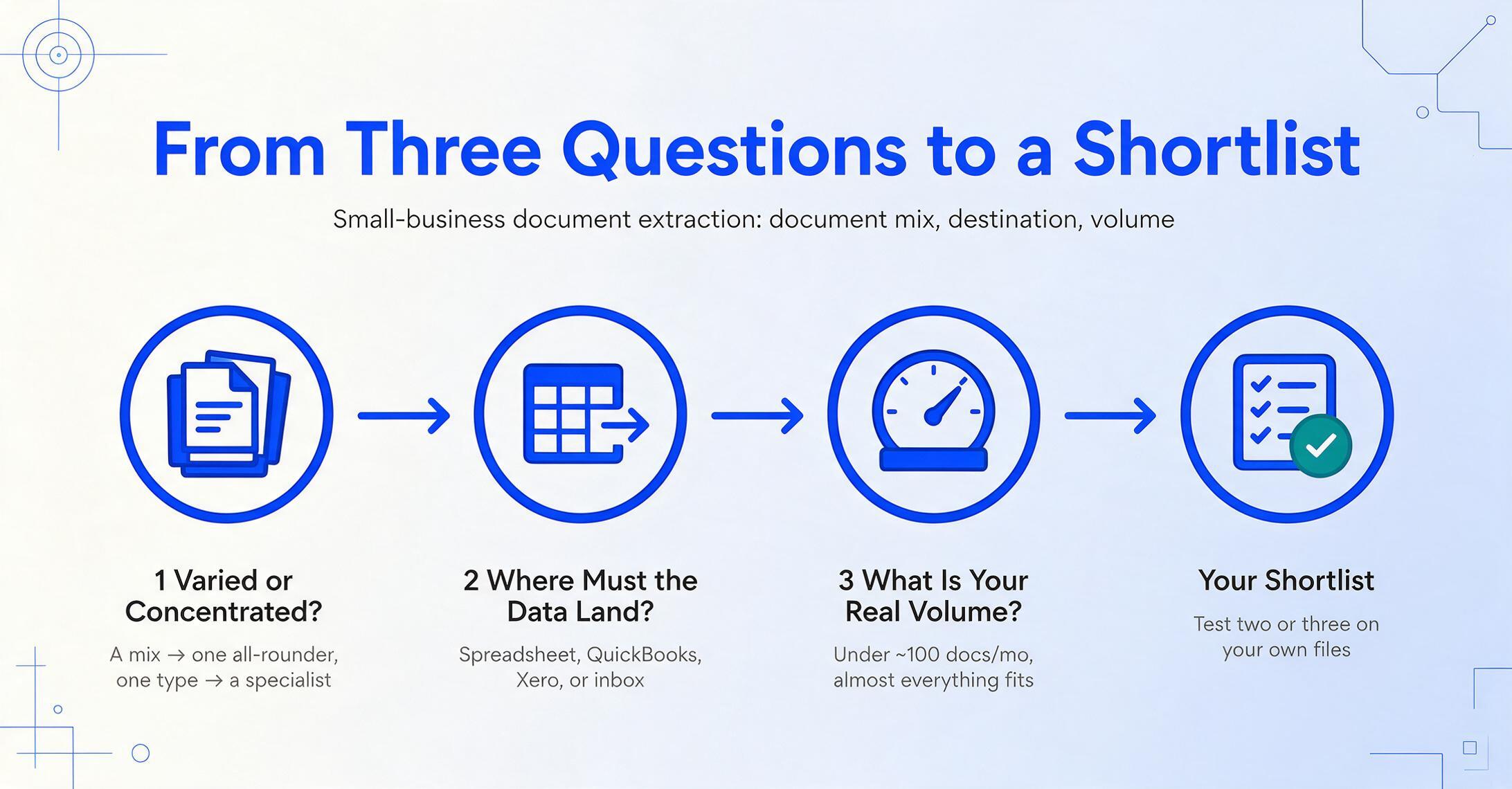
The right tool falls out of three questions, answered in order. On the r/smallbusiness forum, one owner described the moment of reckoning bluntly: "it works until it really doesn't. One missed followup, one weird reconciliation week, one tax deadline, and suddenly the back office is eating your whole day." These three questions get you to a tool before that day arrives.
Are your documents varied or concentrated?
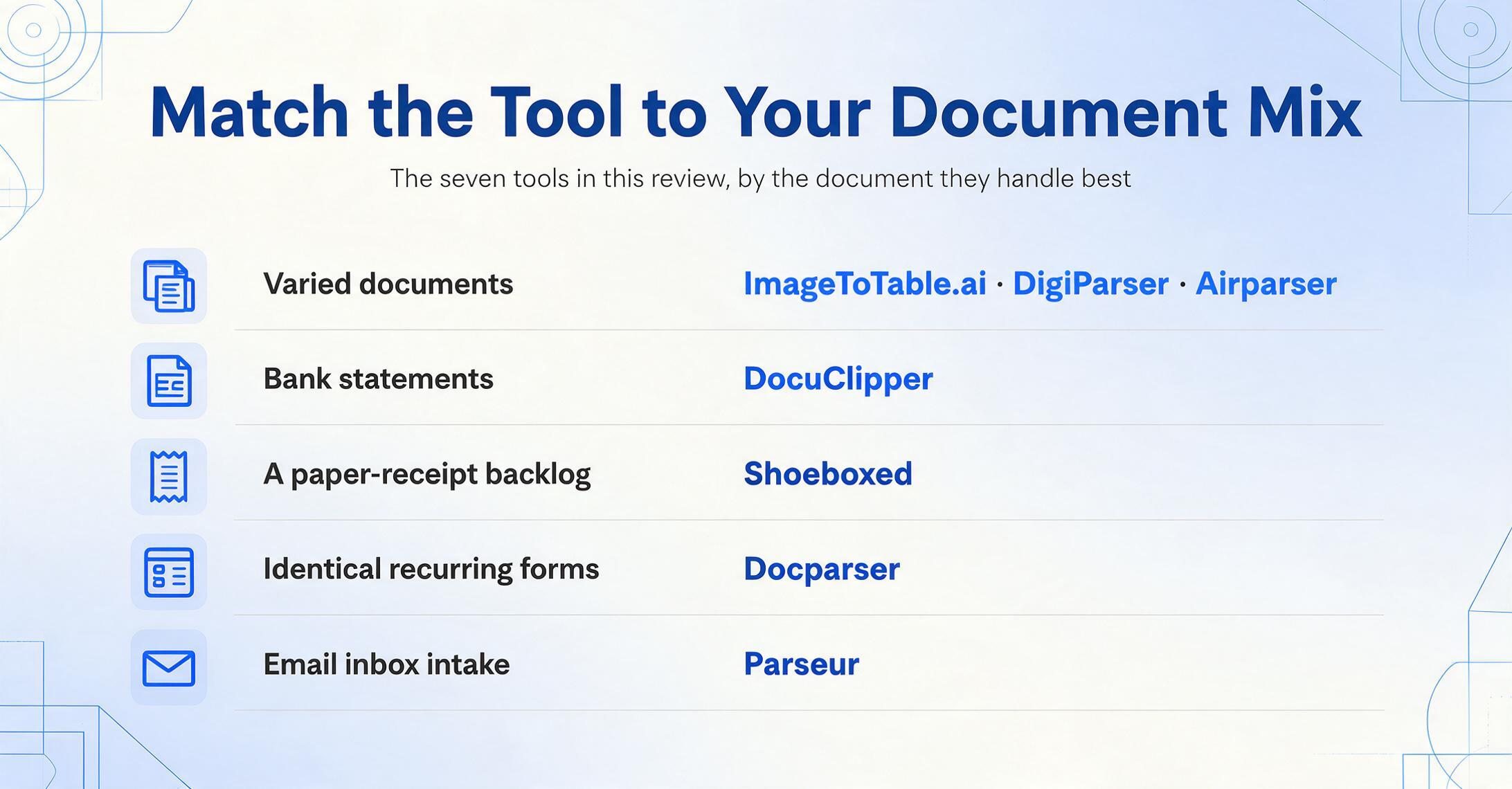
A mix — some invoices, some receipts, the odd bank statement — points to an all-rounder (ImageToTable.ai, DigiParser, Airparser), because one tool covering everything beats juggling three. If almost all your documents are one type, a specialist wins: bank statements lean toward DocuClipper, a paper-receipt backlog toward Shoeboxed, identical recurring forms toward Docparser.
Where does the data need to end up?
Into a spreadsheet you review: any all-rounder works, and ImageToTable.ai's Google Sheets add-on removes the export step entirely. Into QuickBooks or Xero with as little fuss as possible: DocuClipper or DigiParser push there directly. Pulled automatically out of your email inbox: Parseur or Airparser are built for that intake. Match the destination, not just the extraction.
What's your real monthly volume — and budget?
Under ~100 documents a month, almost everything here fits, and free tiers (Parseur's 20 pages, ImageToTable.ai's no-sign-up trial) let you test on your own files first. If you only care which option is cheapest per document at your exact count, our per-document price comparison does that math directly.
One realistic caveat that the marketing pages skip: none of these tools is perfect on a bad photo. A small-business owner managing a high receipt volume put it well on r/smallbusiness: the AI "cuts the manual entry time by at least half," but "the key is to scan them consistently and in good light, right when you get them, so you don't end up with a huge backlog of blurry photos." Feed any of these tools a crumpled, dim receipt and you'll still review a field or two. Capture cleanly and the work nearly disappears.
Frequently Asked Questions
What's the cheapest document extraction tool for a small business?
Among the tools with a published self-serve price, Shoeboxed starts at $18/month (annual), DigiParser at $20/month (annual), and Airparser at $33/month, while ImageToTable.ai is free to try with no sign-up and typically the lowest effective cost per document. But "cheapest" depends on your document type and volume — a $39/month financial-document specialist can be the better deal than a $20/month general tool if all your work is bank statements. Compare cost at your actual monthly count, not the headline rate.
Do I need any technical skills to use these tools?
No. Every tool in this list is no-code: you upload a file in a browser, name the fields you want or pick a pre-built type, and download a spreadsheet. None require writing scripts, training a model, or building an integration. ImageToTable.ai, DigiParser, and Airparser are the most flexible for a non-technical owner with mixed documents; DocuClipper and Shoeboxed are even simpler within their narrow specialties.
Should a solo business pick one all-in-one tool or a specialist?
Pick by your document mix. If you handle several document types, one all-rounder is less to manage and usually cheaper overall than stacking specialists. If 90% of your work is a single type — bank statements, or a receipt backlog — a specialist built for that job will be faster and more accurate within its lane. The mistake is buying a specialist and then discovering you also need to process the document type it doesn't support.
Do these tools work without templates?
Most do. Tools built on large language and vision models — ImageToTable.ai, DigiParser, Airparser, DocuClipper — read documents by meaning, so they handle layouts they've never seen without per-format templates. Docparser is the exception here: it's zone-based, which is precise for fixed, repeating layouts but needs a new template whenever a layout changes. For a small business dealing with many different vendors, template-free tools save the most ongoing effort.
How accurate is AI document extraction on real small-business documents?
On clean, printed text, character-level accuracy is genuinely 99%+ across modern tools. On real-world documents — wrinkled receipts, dim phone photos, handwriting — field-level accuracy usually lands in the 90–98% range depending on capture quality, which is why every tool here keeps a quick review step. The reliable test is running your own messiest documents through a free trial before paying, rather than trusting a "99% accuracy" claim measured on the easy cases.
Is ImageToTable.ai listed here because it's your product?
Yes, and we've said so plainly. ImageToTable.ai is published by the team that wrote this article, and it's reviewed alongside seven competitors on the same six dimensions. We've placed it as a no-code all-rounder for small teams and named the tools that beat it for specific jobs — DocuClipper for dedicated bank-statement work, Shoeboxed for a physical-receipt backlog, Parseur for email-driven pipelines.
The Bottom Line
For a small business, "best" isn't the cheapest plan or the longest feature list — it's the tool whose shape matches yours. If your documents are varied, an all-rounder like ImageToTable.ai, DigiParser, or Airparser gives you one no-code tool for everything. If they're concentrated in one type, a specialist — DocuClipper for bank statements, Shoeboxed for receipts, Docparser for fixed forms, Parseur for inbox pipelines — will do that one job better than any generalist. Price filters the field to these seven; fit decides between them.
So don't shortlist from a table, including this one. Take the one document type that wastes the most of your time — the supplier invoice you retype every week, the bank statement you dread at month-end — and run it through two or three free trials. Five minutes of testing on your own paperwork tells you more than any comparison, and it's how you find the tool that quietly hands you back those 20 hours a month.
Disclosure: This article is published by ImageToTable.ai, which is one of the seven tools reviewed above. All competitor pricing was checked against public pricing pages in June 2026; annual and month-to-month rates differ, and usage allowances vary by plan. We aim to describe every tool — including our own — accurately, and we welcome corrections.