The Batch Job Before Every CMMS:
Processing Years of Maintenance Logs
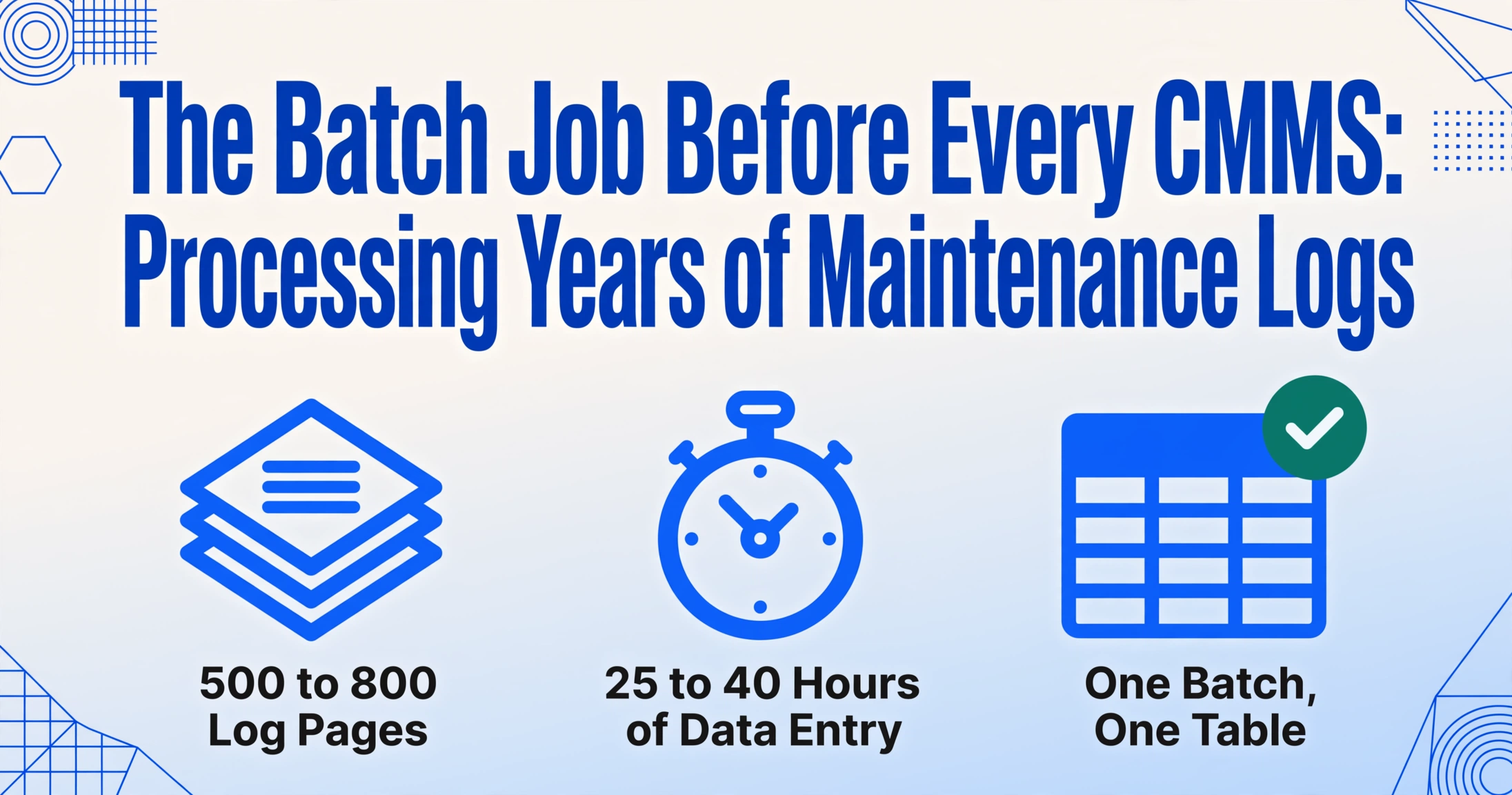
The bottleneck in a CMMS migration is almost never the software. The vendor sets up the system in a week; the asset hierarchy loads in an afternoon. What stalls go-live is the pile of maintenance history sitting in logbooks, binders, and phone photos that has to be turned into a spreadsheet before the new system can be trusted with a single work order. Every CMMS implementation guide treats that pile as a given — "gather, review, and clean your data" — without ever answering the question that actually stops teams cold: how, exactly, do hundreds of paper pages become import-ready rows?
Key Takeaways
- A two-year maintenance backlog is 25–40 hours of typing before your CMMS import button does anything — a full work week that every migration plan accidentally budgets at zero.
- Manual transcription does not just take time — it creates ghost assets when "AHU-01" and "Air Handler 1" go in as two machines, corrupting the CMMS from the first import.
- Batch processing defines your columns once and reads every logbook page, phone photo, and scanned form against the same rules — 18× faster and the deduplication happens in the same pass.
The Migration Math: Years of Logs vs. Your Go-Live Date
A CMMS go-live date is a deadline, but the work that determines whether you hit it is the batch of historical logs that has to be structured before the system goes live. That work is measured in pages and hours, and almost nobody budgets for it.
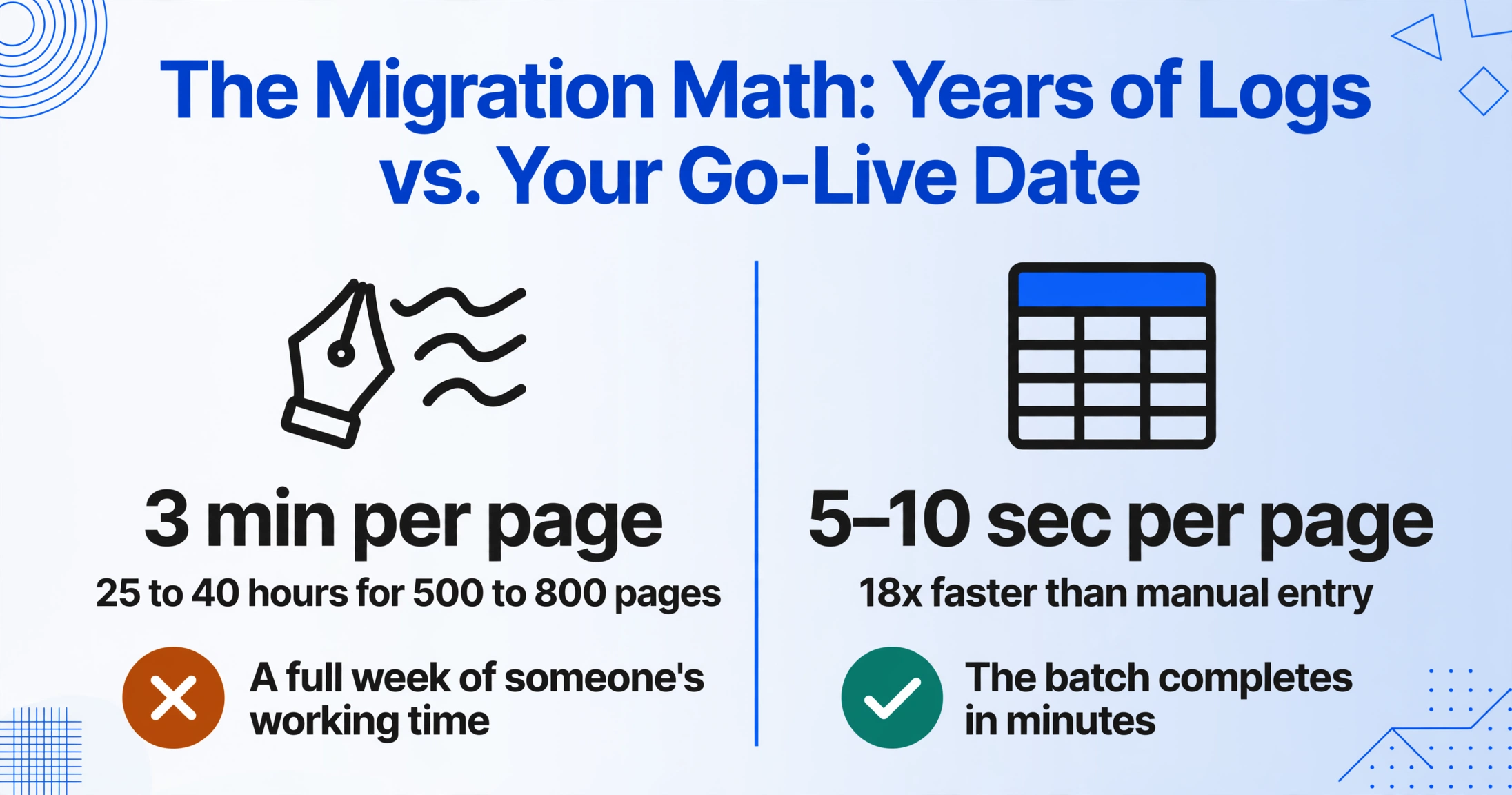
Run the math on a small facility: 30 pieces of equipment, each with a logbook entry for every service or inspection over three years. That is roughly 500 to 800 log pages, each holding an equipment name, a date, a task description, meter hours, parts used, and a technician's handwritten notes. At the 3 minutes per page that manual transcription actually takes — typing the date, the asset ID, the task, the notes, checking the handwriting — one person is looking at 25 to 40 hours of pure data entry before a single row can be imported. That is not a Saturday; that is a full week of someone's working time, and it is the best case, because it assumes the logs are legible.
The stakes of doing that entry badly are quantified by Gartner, which estimates that poor data quality costs organizations at least $12.9 million per year on average. For a maintenance department the mechanism is simple: misspelled asset names split one machine into two records, wrong dates make PM intervals drift, and a bad row imported into a CMMS is worse than no row, because the system now reports the bad data as fact. The cleanup that every CMMS guide demands is not an abstract best practice — it is the direct consequence of transcribing hundreds of pages by hand.
This is why the question on the original poster's mind in a widely-shared r/manufacturing thread on maintenance tracking is the question most facilities face before any CMMS purchase: "Are people really keeping perfect logs somewhere? I know of some softwares but that seems too expensive and bloated for their use case, or is everyone just doing some version of Excel + paper + texts and hoping for the best?" The answer most teams discover is: the logs exist, the software is affordable, and the gap between them is data entry.
The Step Every CMMS Guide Skips
Read the import documentation of any modern CMMS and you will notice the same pattern: the tool makes importing fast and easy, provided the data already sits in a spreadsheet. The hard part — producing that spreadsheet from years of unstructured records — is simply not part of the product.
The import limits make this concrete. Limble allows 2,000 completed tasks per bulk import from a CSV or XLSX file. UpKeep caps work order imports at 2,000 rows per upload. Fiix and MaintainX both require a CSV template with specific date formats and field mappings. None of them will read a logbook photo, parse a handwritten "greased all 3 pump bearings," and turn it into a row with a compliant date format. That conversion step is entirely on you — and it is the one step every CMMS tutorial skips, because the vendors assume you already did it.
The tools practitioners actually run their maintenance on — IBM Maximo, SAP PM, Fiix, UpKeep, Limble, eMaint, Cryotos — all accept bulk CSV/XLSX imports with column mapping. They differ in limits and formats, but they share one requirement: clean, consistent, structured rows. Which means the real work of a CMMS migration is not picking software. It is batch-processing the historical logs into the spreadsheet the import expects.
That is exactly what batch extraction does: it converts the log pile into structured rows before the CMMS ever sees them, closing the gap the vendors leave open. The rest of this article covers the three challenges that only appear when you process hundreds of logs at once — naming rules, merging, and exceptions — and a workflow that handles all three.
Batch Challenge #1: Naming Rules Across Decades of Logs
A CMMS import will happily create two assets for one machine if the logs spell its name two ways. The first challenge of batch processing is enforcing naming consistency across records that were never written with consistency in mind.
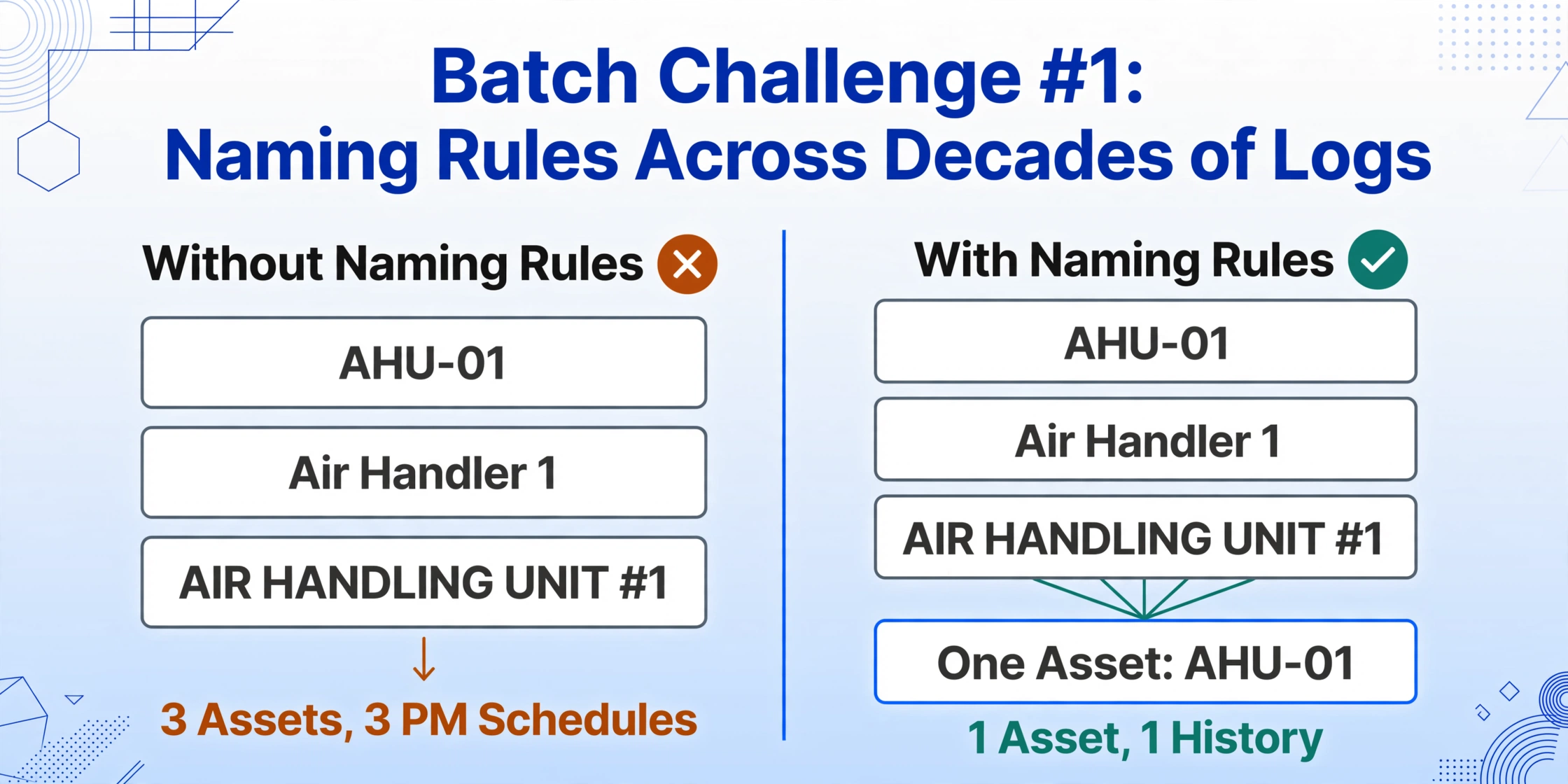
This is the classic "ghost asset" problem. A technician writes "AHU-01" in the logbook; another writes "Air Handler 1"; a PM checklist from the vendor says "AIR HANDLING UNIT #1." All three are the same rooftop unit, but a CMMS import treats them as three assets — three maintenance histories, three PM schedules, three spare-parts records. The HVAC migration guides that do discuss this warn that "AHU-01" and "Air Handler 1" are the same asset and must be deduplicated before import, because consistent naming prevents exactly this problem. It is the difference between a clean import and a system that starts its life wrong.
Batch processing is where naming rules get enforced cheaply, because you define them once and apply them to every page in the pile. In an extraction workflow, you name the columns you want — "Asset ID," "Service Date," "Task Performed," "Parts Used" — and the AI locates each value in every log by understanding what the field means, not by matching a fixed position on the page. That is Custom Column Extraction, and it is format-independent: the same column definitions work on printed PM checklists, handwritten logbook pages, and phone photos of equipment tags, because the extraction reads for meaning rather than layout.
For the naming problem specifically, an inferred column does the normalization during extraction. You add a column like "Asset ID (standardize to format: AHU-01, PUMP-02, CONV-03)" and the AI reads whatever identifier appears on each page — "Air Handler 1," "air handling unit #1," "AHU-1" — and outputs the standardized code in every row. The deduplication that CMMS guides describe as a manual cleanup step happens in the same pass as the extraction, before the data reaches the import file.
If your facility is in a regulated industry, there is a standard to align with here. ISO 14224, the international standard for the collection and exchange of reliability and maintenance data, was written for the oil and gas sector, but its core pattern applies anywhere: define a minimum dataset, collect it in a standardized format, and record failure modes distinctly from their causes. Even a modest facility can borrow that discipline — fixed asset codes, standardized task types, consistent date fields — and enforce it at the batch level instead of hoping each technician happens to write consistently.
Batch Challenge #2: Merging Handwritten Pages, Photos, and Old Spreadsheets Into One Table
The second thing that only surfaces at scale is format mixing. A three-year backlog is rarely one tidy format — it is printed PM checklists in a binder, a spiral notebook with handwritten entries, a folder of phone photos from before a rule about logging, and maybe an old Excel file a former manager started. A single-document tool forces you to handle each format differently. Batch processing is specifically the workflow for uploading all of them together and merging the results into one table — one row per log entry, across every binder, every notebook, every site, regardless of source format.
The merging works because the extraction is column-driven rather than template-driven. Define your columns once — Asset ID, Date, Task, Meter Hours, Technician, Parts Used, Findings — and the AI reads every page against those same definitions. A hand-drawn logbook and a printed PM checklist produce rows with identical structure, which is exactly what a CMMS import template requires. The output lands in a single spreadsheet where each row is already in the shape the import expects.
For multi-technician or multi-site collection, the practical problem is gathering the pages in the first place. A Collection Link — a shareable upload link that lets anyone push files into your processing queue without an account — collects photos from every technician and every site into one place, instead of chasing logbooks across the facility. One link, one queue, one batch.
Try it on a page from your own logpile — no preset needed, just upload and name your columns:
Files are processed securely and not stored.
Batch Challenge #3: What Happens When a Page Is Unreadable
In a batch of hundreds of pages, some will be smudged, some will be coffee-stained, and some will be written in a hand only their author could read. A realistic batch workflow expects exceptions — it does not pretend every page extracts perfectly.
Handwriting is the honest limitation here. Printed logbook entries and mixed printed-plus-handwritten forms extract reliably, because the AI anchors on the printed labels and interprets the handwritten values in context. Legible block letters work well. Cursive, heavy smudging, and very low-contrast photos reduce accuracy. The 99% accuracy figure ImageToTable.ai cites applies to printed table data; handwriting accuracy depends on legibility. Anyone promising otherwise is not being straight with you.
What batch processing changes is how you handle the exceptions. Instead of discovering a bad page three months into a CMMS rollout, you review the batch output before import. Review Mode lets you hover over any extracted cell and see the exact spot on the original log where the value came from — a bbox drawn on the image, so you check whether the AI read the right handwriting, not whether you trust the tool in general. A scanned batch of 500 pages that would take days to hand-verify becomes a spot-check of the flagged rows, because the verification step targets the cells that matter rather than every keystroke.
For pages that genuinely cannot be read: re-photograph them with better light, or leave them out of the batch and mark the equipment record accordingly. An honest import that omits a few unreadable entries beats a dishonest one that fabricates them. The CMMS does not know the difference; the equipment it schedules PM for does.
The Batch Workflow: From Log Pile to CMMS Import File
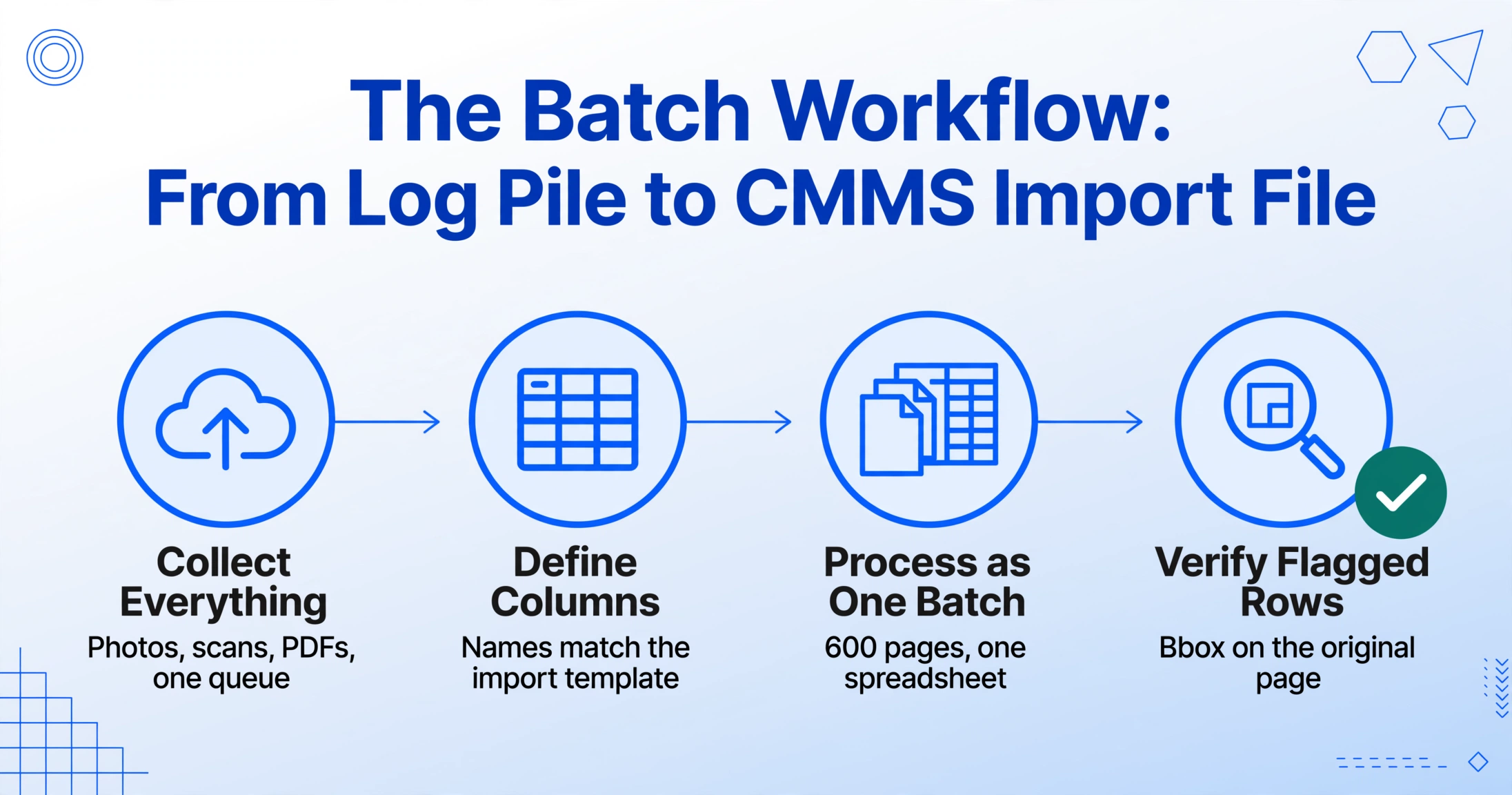
Here is the end-to-end workflow that handles all three challenges in one pass — designed for the person whose go-live date is three weeks away and whose logs are in a binder.
For teams who already run their day-to-day tracking in a spreadsheet rather than a CMMS, the same batch feeds the sheet they already use — the photo-to-spreadsheet pipeline works identically when the destination is a tracking workbook instead of an import file. And the starting point — turning a single log into structured rows — is the step-by-step extraction workflow covered separately; this article is what happens when you multiply that workflow by hundreds of pages.
What to Migrate and What to Archive
You do not need to digitize a decade of logs to have a successful CMMS go-live. The industry consensus is 12 to 24 months of maintenance history for critical assets — and the discipline of deciding what stays out of the system is part of keeping the data that goes in clean.
The temptation to migrate everything is understandable — the data is precious, and throwing away history feels wasteful. But a CMMS filled with 10 years of inconsistent records performs worse than one filled with two years of clean ones. CMMS implementation guidance consistently recommends migrating roughly the last 12 to 24 months of maintenance history, archiving the rest as read-only reference, and prioritizing the most critical 20% of assets first — the 80/20 rule that gets the assets that matter most into the system with the highest data quality, instead of a uniformly shallow import of everything.
Batch processing supports this phasing naturally: you can run the critical-asset logbooks first as a clean batch, verify them, import them, and go live on time — then batch the remaining assets in follow-up passes. Go-live does not wait for the full backlog; the full backlog becomes a series of batches instead of one overwhelming project.
This is also where the data-quality stakes come home. ISO 55001:2024, the certifiable standard for asset management systems, treats documented, reliable asset information as a core requirement — the 2024 revision strengthened the emphasis on data quality and knowledge management. The SMRP Best Practices compendium, the maintenance industry's 70+ standard metrics, cannot be computed at all without structured history: planned maintenance percentage, PM compliance, mean time between failures — every one of them is a query over clean, consistent rows. Bad or missing history does not just look bad in an audit; it makes the entire measurement program uncomputable.
FAQ
How many maintenance log pages can I realistically batch at once?
Batch processing is designed for volume — upload hundreds of pages in one batch and the AI processes them together into a single merged table. The practical ceiling is the output side: most CMMS imports cap at 2,000 rows per upload (Limble and UpKeep both do), so for very large backlogs you split the export into chunks under the limit. A two-year backlog that would take a clerk a week to type becomes a single afternoon of processing and review.
Will extraction read our handwritten logs accurately enough for a CMMS?
Legible handwriting extracts reliably — block letters and separated characters especially, and mixed printed-and-handwritten forms work well because the AI anchors on printed labels and reads the values in context. Cursive, heavy smudging, and low-contrast photos reduce accuracy. That is why the verification step exists: you review flagged cells against the original page rather than trusting every value blindly. For a compliance-bound system like a CMMS, that review is the right trade — it is far faster than transcription and catches the errors that matter.
Our CMMS has its own import template. Does the extracted spreadsheet match it?
Yes, because you control the column names. Custom Column Extraction uses the names you type as the output headers, so you name your columns to match the CMMS import template — Asset ID, Completed On, Task Description, and so on. Date and number standardization happens during extraction, so rows come out in the format the import expects rather than in whatever the logbook used.
Our logs are a mix of printed forms, handwritten pages, and old spreadsheets. Do we need a different process for each?
No. Because extraction is column-driven rather than template-driven, the same column definitions work across printed checklists, handwritten logbook pages, and phone photos. Old digital spreadsheets you already have can be exported as PDFs and included in the same batch, which also normalizes their formatting into the same output structure.
How do we avoid duplicate assets after import?
Two layers: first, add an inferred column during extraction that standardizes asset identifiers — the AI reads "AHU-01," "Air Handler 1," and "air handling unit #1" and outputs one consistent code per row. Second, run a quick pivot on the extracted Asset ID column before import to confirm every row maps to an existing asset. Both take minutes and prevent the ghost-asset problem that corrupts maintenance history at the source.
Does this replace the CMMS itself?
No — it feeds the CMMS. Extraction converts the historical logs into the structured, clean spreadsheet that any CMMS import requires. It solves the step the vendors leave to you: turning years of paper and photos into import-ready rows. Once the history is in, the CMMS takes over scheduling, work orders, and reporting exactly as designed.
The insight to carry into your migration is this: a CMMS is only as good as the history you give it, and the history is only as good as the batch that digitized it. The import limits and templates your vendor provides are not the hard part — the hard part is the pile of logs sitting in the binder, and that is precisely the part a batch workflow is built to eliminate.