AI Document Routing Comes Down
to Document Classification
The question at the top of every document workflow reads like a routing problem: which queue should this file enter, which system should receive its data, which person should look at it next. The platforms that sell "AI document routing" bundle the full answer together: a classifier that says what a document is, a splitter for files that bundle several documents, and destination hooks that push results into QuickBooks, Xero, or an API. For teams that process mixed batches of invoices, statements, and receipts into one spreadsheet or ledger, most of that machinery is beside the point. The part that actually does the sorting, deciding what each document is, fits in a single column of the batch output, with no workflow to wire and nothing to maintain.
Key Takeaways
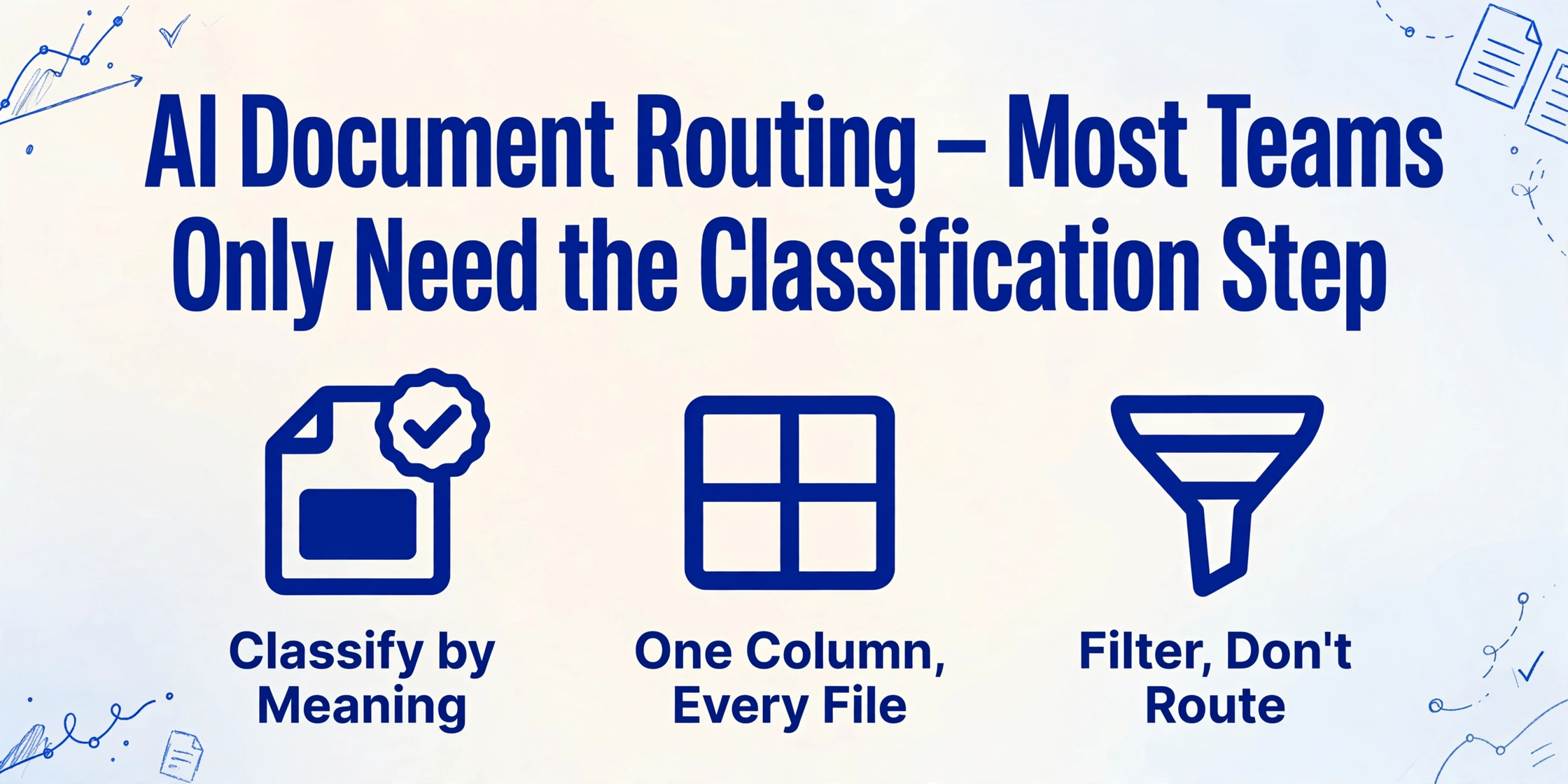
- AI document routing bundles three jobs into one product: classify a document, split PDFs holding several documents, and push results into QuickBooks, Xero, or an API.
- If every file in your batch lands in the same spreadsheet, the splitter and the destination hooks have nothing to do, so you pay setup for a delivery layer that never delivers.
- The part that actually sorts the pile is one column: name it "Document Type", and the AI reads each file by meaning and fills Invoice, Statement, Receipt, or Other.
Two Decisions Are Hiding Inside "Where Does It Go?"
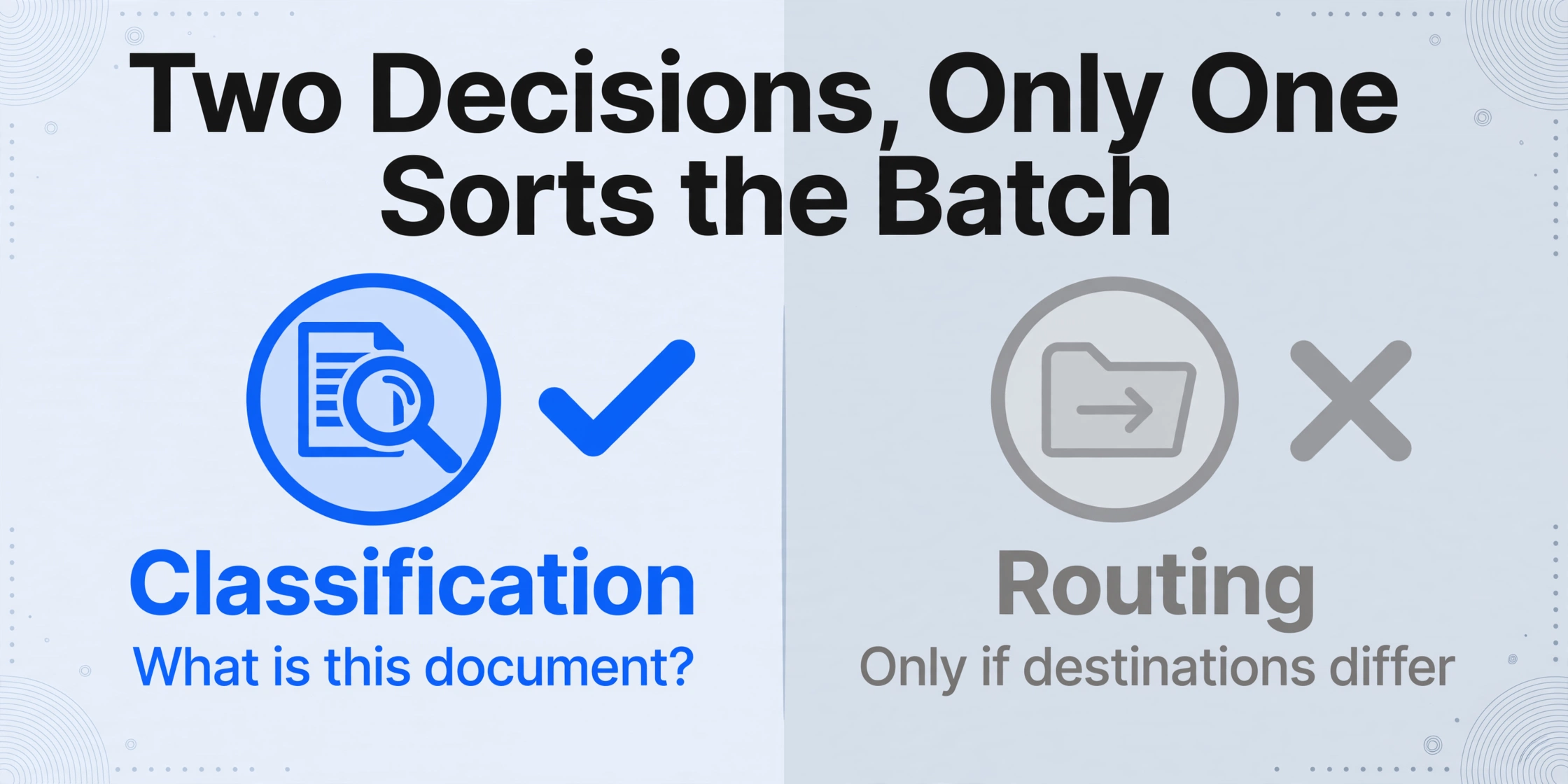
Document classification and document routing are two different decisions that usually get sold as one product. Classification answers "what is this document?": an invoice, a bank statement, a receipt, a delivery note. Routing answers "where does it go?": which parser reads it, which system receives the data, which person approves it. Industry definitions put classification first. AIIM, the association for intelligent information management, describes intelligent document processing as starting from classifying documents by content and structure, before extraction and validation happen (AIIM). Without the classification label, a routing platform has nothing to route on.
The manual version of the flow is easy to walk through, because most teams have lived it. Documents arrive through an inbox, a shared folder, a scanner, or a forwarded email address. Someone opens each file to see what it is. That same person decides where it should go, and then the document gets processed: an invoice is entered and filed for approval, a receipt is coded to an expense category, a statement is reconciled line by line. The person in the middle is the classifier. An AP assistant opens every invoice from forty vendors. A bookkeeper sorts client receipts by month and type. An ops coordinator separates delivery notes from return labels. All of them run the same step: read the document, decide what it is, act on the answer.
The Manual Sort Breaks at Volume, Not at Complexity
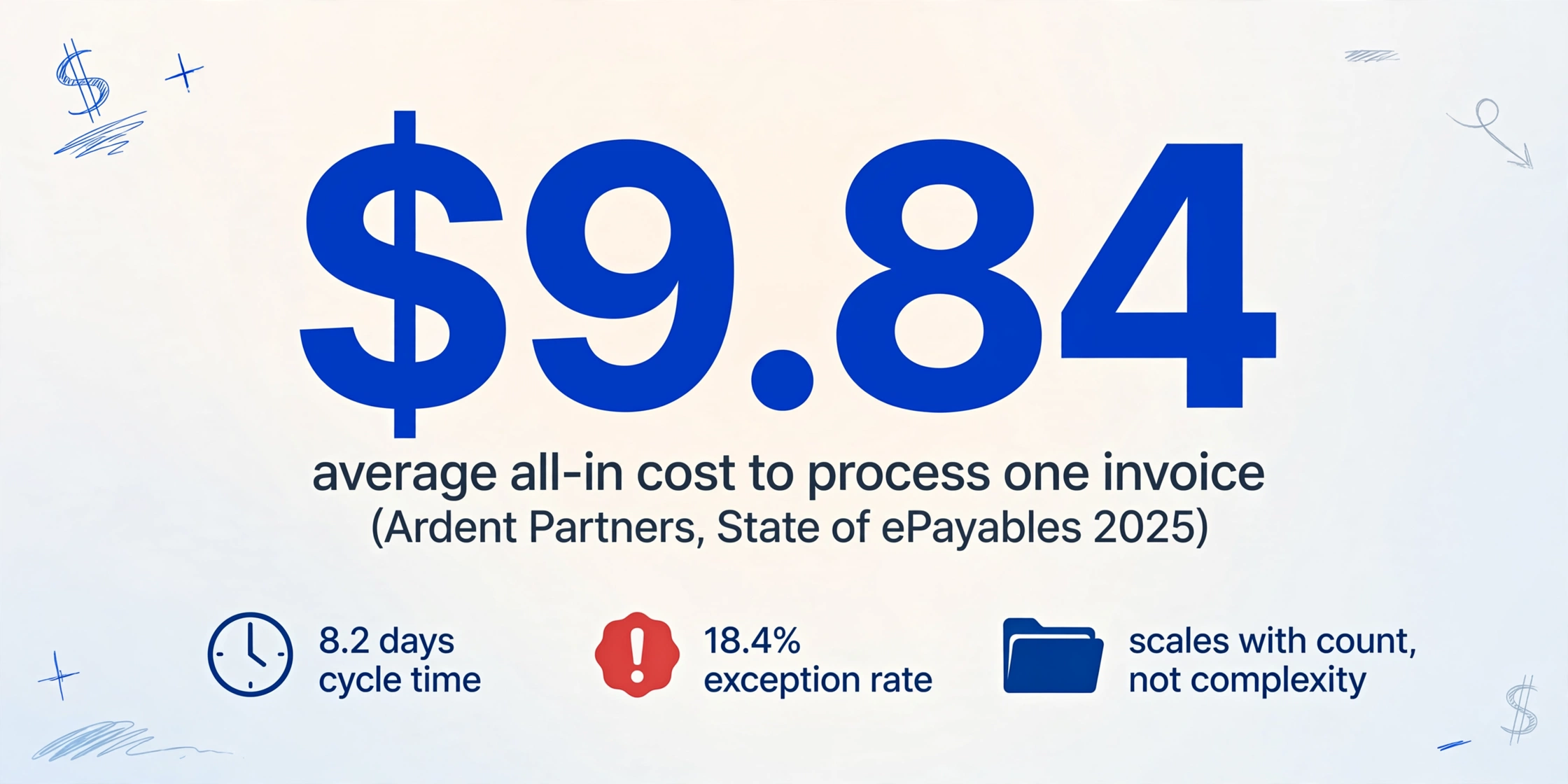
Manual classification is not a hard job, and that is exactly why it keeps getting done by hand at a size where it stops making sense. The sort step rarely shows up in cost benchmarks, but it is inside them. Ardent Partners' State of ePayables 2025 puts the average all-in cost to process a single invoice at $9.84, with an average cycle time of 8.2 days and an 18.4 percent exception rate (State of ePayables 2025). Receiving, opening, sorting, and forwarding are the manual touches inside that number, and they scale with the document count, not with how complicated each document is.
Errors at volume come from speed, not difficulty. One practitioner described a finance colleague who spent about an hour a week dragging PDFs into the right folders for the tax preparer, with files landing in the wrong place whenever she rushed. The question that came back from the preparer was direct: "why is a hotel bill in the medical folder?" (r/VibeCodersNest). Nothing about sorting a hotel bill is hard to understand. It is hard to do consistently a hundred times in a row.
Rule-based sorting fails in the opposite direction: consistent until a new input arrives. A logistics team processing 500 to 1,000 documents a day started with regex rules that held up across five vendors and quietly fell apart at fifty, because every new vendor layout meant rewriting the rules (r/dataengineering). The same brittleness that makes template-based extraction painful applies to position-based sorting, and for the same reason: it encodes this vendor, this layout, this page.
The pattern repeats across teams. A finance thread about AP automation summed it up: "A lot of teams buy the scan step, then still end up chasing invoices in email because the routing piece never got cleaned up first" (r/automation). The sorting step has a compliance shape too, not just a convenience one. IRS recordkeeping guidance expects supporting documents to be organized by year and by type of income or expense, and electronic storage systems to stay indexed and retrievable in legible form (IRS recordkeeping guidance). A document that is not classified is a document you cannot find when someone asks for it.
For a mixed batch that all lands in one spreadsheet, the destination decision is already made. The only hand-run decision left is the label: what is this document? That is a classification job, not a routing job.
When Destination Routing Is Genuinely Worth the Setup
Routing platforms earn their place when document types feed different downstream actions. An invoice must enter an approval queue and pay through an accounting system; a bank statement feeds reconciliation; a contract needs legal review. When the destination systems have different schemas and different owners, the delivery layer carries real value. Teams in that position typically run purpose-built stacks, the same ones that appear in practitioner threads: AP platforms such as Bill, Tipalti, Rossum, or Dext for invoice flows, and lighter workflow tools such as n8n, Unstract, or Docsumo for the middle layer. Those tools exist because the documents share nothing downstream.
Routing platforms also split multi-document PDFs, separating one scanned file that holds five invoices into five documents, before routing each part to its own parser. Splitting is a separate capability from classification, and it matters whenever the unit that arrives messy is the file itself.
The counter-case is just as real. When every file in the batch ends at the same destination, routing is setup cost without sorting value. Nothing downstream acts differently by document type: no approval flow to trigger, no second system waiting for rows. The team needs the label, fast and consistent, applied to hundreds of files, and nothing else. Most small and mid-size finance teams taking mixed email batches live here. Everything lands in the spreadsheet.
Make Classification a Column and Skip the Routing Setup
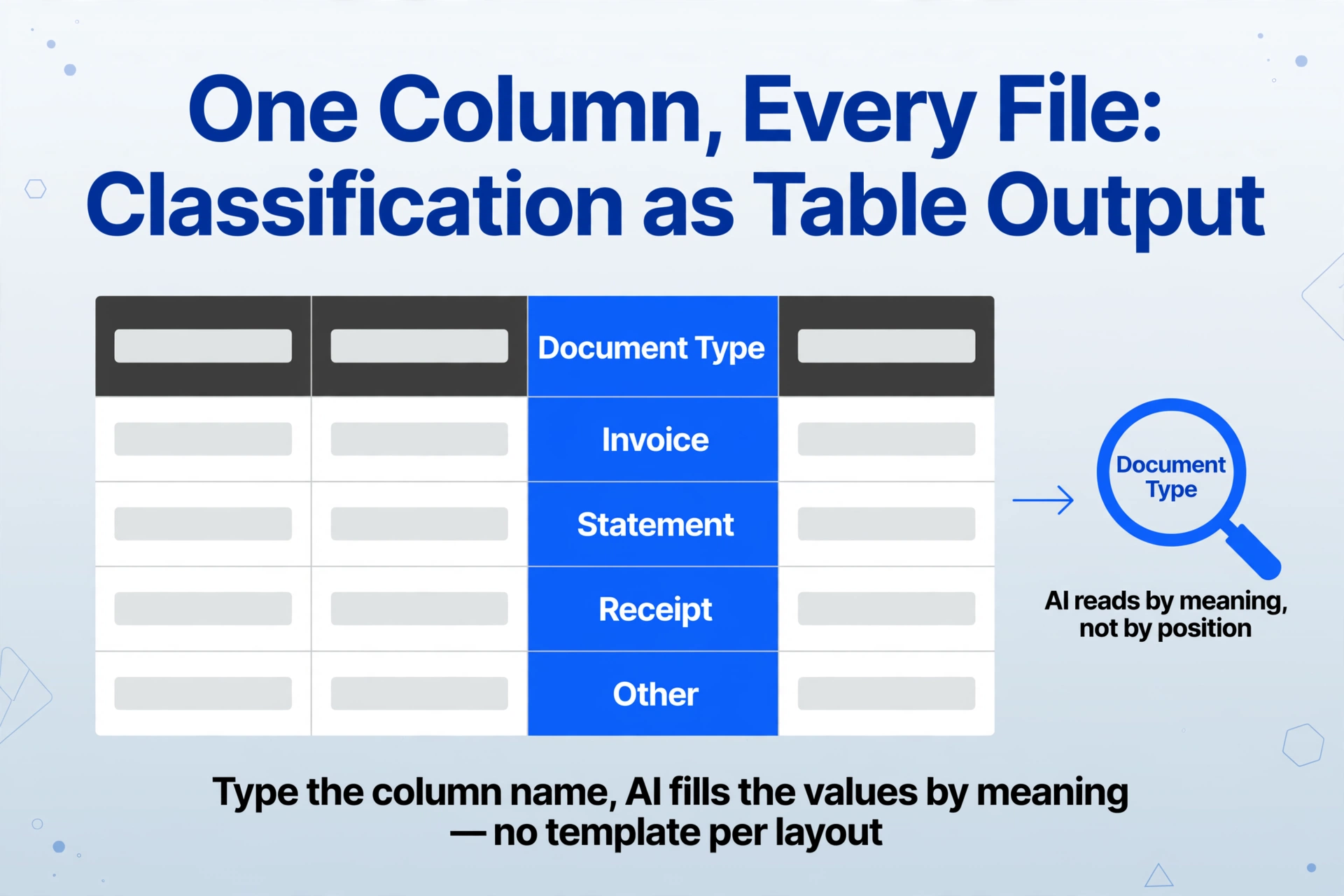
The mechanism that turns classification into plain table output is Custom Column Extraction. You type the column names you want, and the AI reads each document and fills in the values by meaning, not by position on the page. That is what lets one set of column names work across an invoice PDF, a photographed receipt, and a bank statement in the same upload, with no template per layout. The mode that matters here is the inferred column: a column whose value is not printed anywhere on the document but can be decided from what the document contains. No invoice prints the words "I am an invoice." Add a column named "Document Type (options: Invoice / Statement / Receipt / Other)", and the AI reads each file and assigns the category. Extraction and classification happen in the same pass, across the whole batch.
This reverses the usual order of the workflow. Instead of stopping to classify and sort documents before processing, you process first and the sort appears in the output. Upload the mixed folder as one batch. The result is a single Excel file where every row carries its document type. Filter the spreadsheet to "Invoice" and the pile has effectively been sorted for you, once, in a column everyone can see and reuse, instead of inside one person's head. The route out of the bottleneck is a filter, not a destination connection.
Drop the whole mixed pile in one upload
Invoices, statements, receipt photos, and scans together. The same column set works on every file, which is the point of processing any document type in one batch without pre-sorting.
Name the classification column
Type "Document Type (options: Invoice / Statement / Receipt / Other)" alongside the fields you actually extract, like Vendor, Date, and Amount. The category is decided by reading the document, not by a rule you maintain.
Filter the output instead of sorting the pile
Open the merged table and filter by category. Borderline rows get a quick look before they count as sorted, and the judgment lives in a column, not in whoever opened the files.
For recurring batches, intake can feed the same flow without a dedicated routing inbox: forward mail and attachments into an email queue (forwarding invoices and receipts into a processing queue), or collect files from clients through a shareable collection link. The classification column applies the same way no matter how a file arrives. And if the pile is a one-off cleanup, an ad-hoc extract with no workflow at all fits just as well.
Files are processed securely and not stored.
Try the same idea with a "Document Type" column and a mixed upload: a receipt, a statement, a quote. The classification step that routing platforms sell as a platform feature comes back as a column in your output table.
Tax season is where this mechanism got its first full write-up. Our walkthrough of tax source document triage uses a classification column to separate pages a return depends on from pages that are only there for the file. The decision there is relevance to one specific return. The decision here is type and destination for a mixed batch, and the same column does the work.
What a Classification Column Can't Do
A label column sorts the batch; it moves nothing. It will not push an invoice into QuickBooks or fire a Zapier workflow. If different document types must land in different live systems, the destination layer still has to be built. In that case the spreadsheet becomes the routing layer: export the filtered rows to whichever system owns that document type, and the people who should approve them handle the handoff from there.
It also will not split a single PDF that bundles several documents. One file containing five invoices, each needing its own record and its own destination, calls for splitting and routing, which is a separate question from sorting a mixed folder. For batches of one document per file, splitting never comes up.
Judgment calls exist, mostly between similar documents: a statement that looks like an invoice at a glance, two receipts from the same vendor. The check belongs in a human review pass. Hover over any cell in the output and the tool highlights exactly where that value came from on the original page, so a document type you are unsure about takes one click to verify against the source (where the human review step belongs in an extraction workflow). A wrong label hurts less when the label is cheap to check.
FAQ
What is the difference between document classification and document routing?
Classification labels what a document is: invoice, statement, receipt, contract. Routing moves it to the workflow or system that should handle it. Classification is a step inside routing, and a routing platform classifies first and delivers second.
Do I need AI document routing software if every document ends up in a spreadsheet?
If nothing downstream acts differently by document type, the destination layer adds setup without adding sorting value. A classification column covers the judgment that actually takes time: deciding what each document is.
How is the document type decided without templates or training?
The AI reads the document as a whole and matches what it contains against the category options in the column name. It works by meaning, so a new vendor or a redesigned layout does not require a new template, which is why the same column can classify documents it has never seen.
What if a single PDF contains several different documents?
That is a splitting job, separate from classification. Files that bundle multiple documents need to be separated before each part can be treated on its own. Batches of one document per file are not affected.
How do I verify that the right label was assigned?
Review mode highlights the source region on the original document for any cell you click, including the document type cell. Spot-check the borderline files instead of reading the whole pile, and the batch is verified in minutes.
The expensive part of document routing is rarely the delivery hop. It is the judgment call, "what is this", repeated a hundred times by whoever opens the files, with no record of the answer. A classification column records that judgment once per row, per batch, and hands it back as something you can filter, audit, and act on. Put your next mixed batch through one upload and see how quickly the sort-and-forward step stops needing a person.