5 T4 Box Entry Errors That Trigger
CRA Payroll Audits and PIER Assessments
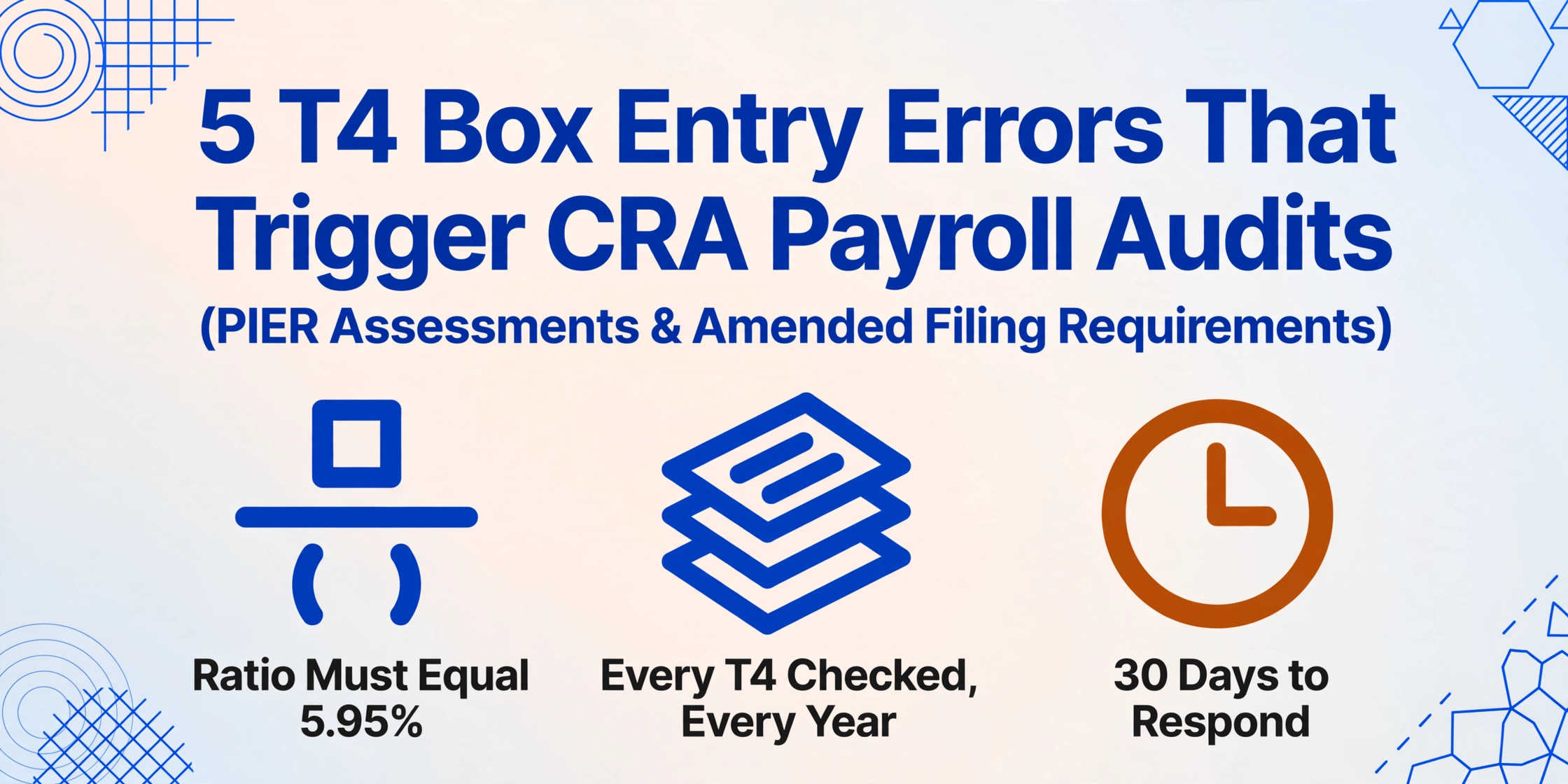
In August, a payroll administrator at a mid-sized Ontario manufacturer opens a letter from the CRA's Pensionable and Insurable Earnings Review unit. Ten employees are listed. Each listing is a mismatch between the CPP contributions the employer reported on a February T4 slip and the CPP contributions the employer should have deducted based on the pensionable earnings reported on that same slip. The PIER algorithm found the mismatch with deterministic math. The employer has 30 calendar days to respond. The root cause — whether it was a transposed Box 16 digit, a blank Box 16A on an employee earning above the YMPE, or a Box 14 figure that omitted a taxable benefit — was frozen into the T4 filing in February. Nobody caught it then. Now it is August, and the clock is ticking.
Key Takeaways
- You blamed yourself for the Box 16 CPP figure that triggered a PIER listing — but at a 0.5% per-field human transcription error rate, a 150-employee payroll batch with 14 core T4 boxes produces 10 to 11 undetectable errors in every single filing cycle.
- The PIER algorithm does not distinguish between a $99 transcription slip and a genuine contribution shortfall — the same deterministic math that catches intentional underpayment also catches a value you typed from the wrong line of a Ceridian T4 in February, and nobody noticed.
- Your job is not to transcribe T4 boxes more carefully — it is to remove the transcription step entirely so that your validation formulas check what the T4 actually contains, not what someone typed into a spreadsheet cell.
How PIER Finds T4 Box Entry Errors — and Why It Always Does
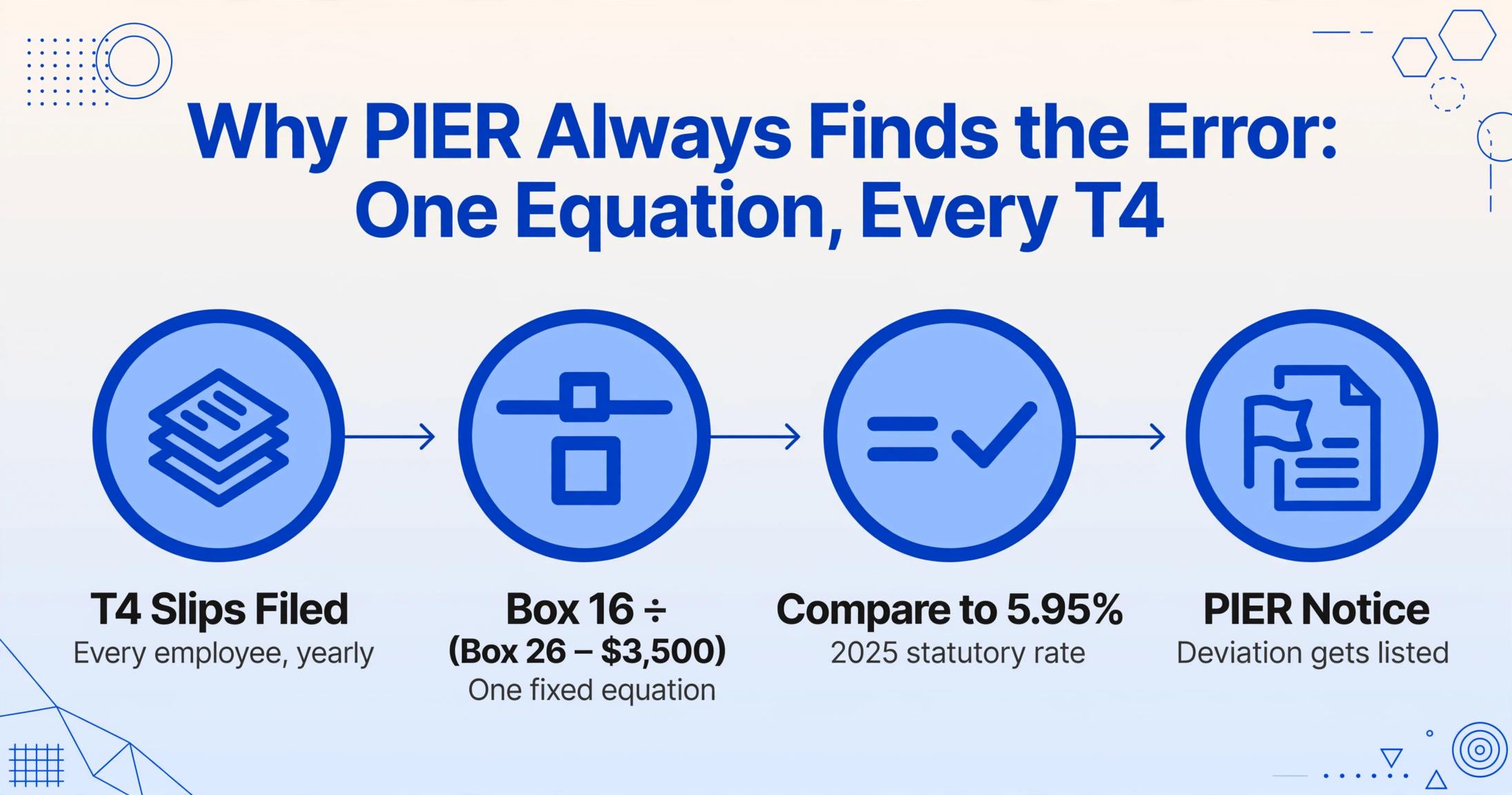
The Pensionable and Insurable Earnings Review is not a random audit program. It is a deterministic cross-matching algorithm the CRA runs every year against every T4 slip filed. The calculation is arithmetic: divide Box 16 (CPP contributions) by (Box 26 pensionable earnings minus the $3,500 basic exemption) and compare the result to the statutory contribution rate — 5.95% for the base CPP tier in 2025. If the effective rate deviates, the employee appears on a PIER report. The same logic applies to EI: Box 18 divided by Box 24 must approximate 1.64%.
This means the PIER algorithm is not looking for employers who cheated. It is looking for employers whose T4 box values do not satisfy a simple equation. A transcription error — typing $3,891 instead of $3,981 into the Box 16 column — produces the same PIER listing as an intentional misreporting. The algorithm does not distinguish between a payroll software bug, a data entry slip, and a genuine contribution shortfall. It only sees that Box 16 divided by (Box 26 minus $3,500) does not equal 5.95%.
The five errors below are the ones that survive format validation, pass preliminary reconciliation checks, and surface months later — most often as a PIER notice between May and October, but increasingly as a broader payroll audit if the CRA's automated matching flags a pattern across multiple employees or multiple tax years. Each error is a specific box entry mistake. Each has a specific CRA consequence. And each shares a structural cause that no amount of "check your work more carefully" can eliminate at scale.
Mistake #1: Box 16 CPP vs Box 26 CPP Pensionable Earnings Mismatch
This is the error the PIER algorithm was designed to find. Box 16 reports the total employee CPP contributions deducted during the year. Box 26 reports the pensionable earnings those contributions were calculated on. The two numbers are mathematically linked by the statutory rate and the $3,500 basic exemption. Any deviation — even a small one — triggers a PIER listing.
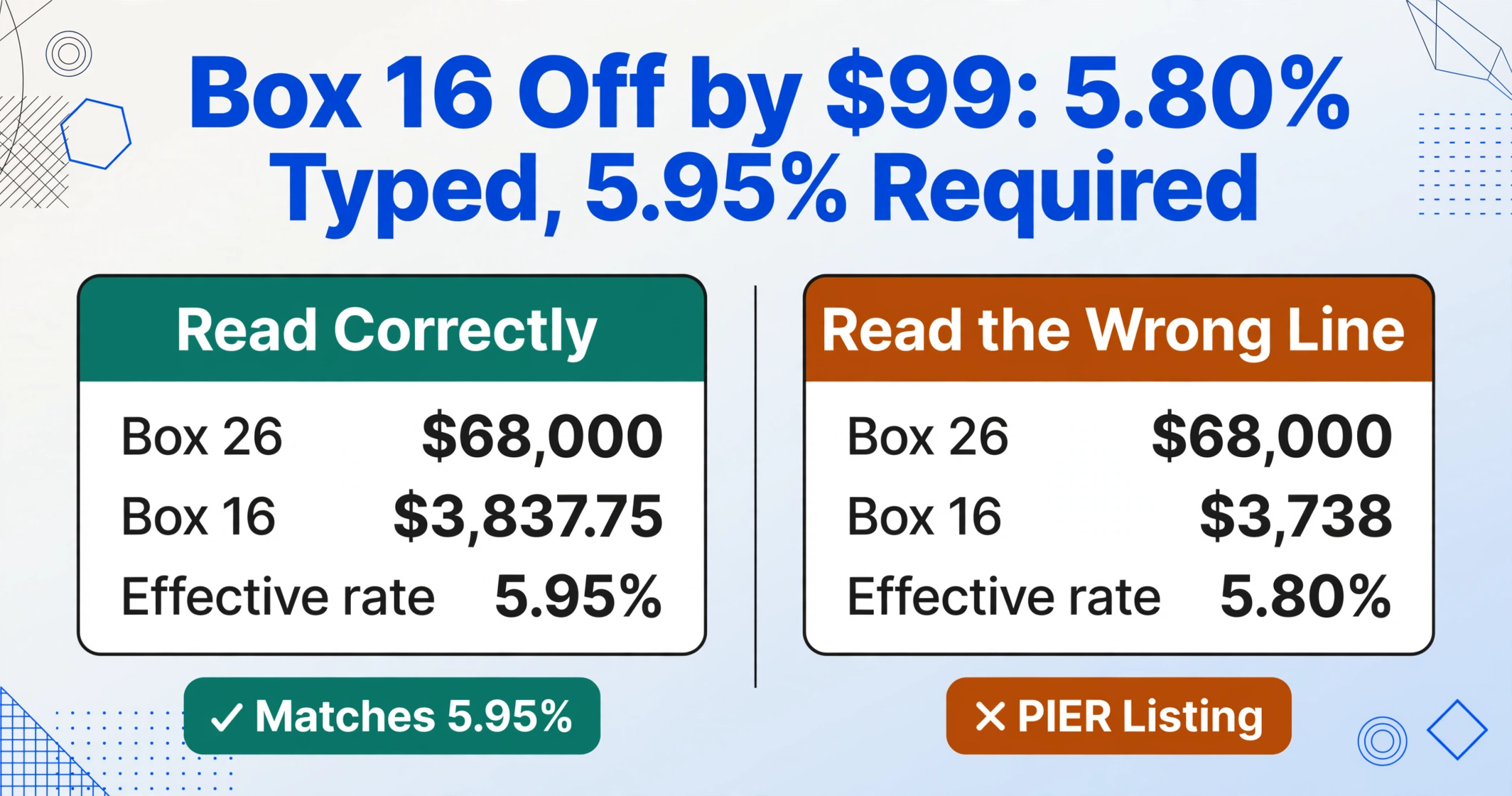
The most common transcription scenario is not an entirely wrong Box 16 value. It is a Box 16 value that is plausible. An employee whose Box 26 shows $68,000 of pensionable earnings should have CPP contributions of approximately ($68,000 − $3,500) × 0.0595 = $3,837.75. A payroll operator transcribing from a Ceridian Dayforce T4 might type $3,837 but accidentally read the wrong line and enter $3,738 — off by $99. The format check passes: it is a positive number, it is under the maximum of $4,034.10, it looks like a CPP contribution. But the PIER algorithm divides $3,738 by ($68,000 − $3,500) and gets 5.80% instead of 5.95%. The deviation is small enough to survive a visual scan of the spreadsheet column but large enough to trigger PIER.
A related variant occurs when payroll software prints Box 16 and Box 16A in a stacked format on the T4 slip — "16 CPP: $3,837.75" followed immediately by "16A CPP2: $142.56" — and the person transcribing reads the wrong line. The CPP2 amount of $142.56 gets entered into the Box 16 column. The resulting Box 16 value of $142.56 against Box 26 earnings of $68,000 produces a PIER listing so extreme it triggers not just a PIER notice but a follow-up inquiry about whether CPP was deducted at all.
PIER consequence: A Box 16/Box 26 mismatch triggers a PIER report listing the employee and requesting the employer confirm the correct CPP contributions. If the employer cannot demonstrate that the correct amount was deducted — for example, because the transcription error in the reconciliation spreadsheet led the payroll team to believe the wrong figure was correct — the employer may be assessed the difference plus interest. For ten employees with an average shortfall of $85, that is $850 in contributions plus compounding interest. And each employee's CPP record of earnings is now wrong until an amended T4 is filed.
Mistake #2: Box 14 Employment Income Missing Taxable Benefits
Box 14 reports total employment income — salary, wages, bonuses, commissions, and all taxable benefits and allowances. The CRA requires that taxable benefits be both itemized in the Other Information area (using codes 30 through 94) and included in the Box 14 total. A common data entry workflow extracts only the base salary figure into Box 14, treating the Other Information codes as separate line items that do not need to be summed back into the total. They do.
For an employee with a company car, the employer reports a standby charge and operating expense benefit using Code 34 in the Other Information area. The dollar value — say $6,200 — must appear in Code 34 and in Box 14. A data entry process that captures Code 34 as a standalone field but does not add it to the Box 14 total produces a T4 where Box 14 shows $72,000 while the CRA's matching expects $78,200. The discrepancy is $6,200 — exactly the taxable benefit amount, and exactly the kind of systematic gap that the CRA's automated matching is designed to flag.
The downstream damage is not limited to the employer. The employee who prepares their T1 tax return from the T4 slip reports $72,000 of employment income because that is what Box 14 says. The CRA's matching program, comparing the employee's filed T1 to the employer's T4 (which should show $78,200 if corrected), identifies a $6,200 underreport and issues a reassessment. The employee now faces a tax bill plus interest — for income the employee never saw on their T4 because the employer's data entry separated the taxable benefit from the employment income total.
The same pattern appears with Code 30 (group term life insurance), Code 40 (other taxable allowances), and Code 34 (personal use of automobile). In each case, a value that appears in an Other Information code must also be embedded in the Box 14 total. A column extraction that treats them as independent fields produces a Box 14 value that is systematically too low by the sum of all taxable benefits and allowances.
Audit consequence: A Box 14 shortfall caused by unmerged taxable benefits triggers a CRA payroll examination — a broader review than PIER. The examiner will request the payroll register, the benefits schedule, and the T4 reconciliation workbook. If the examiner finds that the taxable benefit was correctly calculated by the payroll system but incorrectly excluded from the Box 14 total during manual data compilation, the employer must file amended T4 slips for every affected employee. An amendment does not typically trigger a penalty for a first occurrence, but the cost is the unchargeable staff time to respond to the examiner, recalculate the Box 14 totals, issue amended slips, and explain the discrepancy to employees.
Mistake #3: Box 46 Charitable Donations — Wrong Amount, Wrong Tax Credit
Box 46 reports charitable donations made through payroll deduction — typically to organizations like United Way through a workplace giving program. The employee uses this amount to claim the charitable donation tax credit on Schedule 9 of their T1 return. Unlike most T4 boxes, Box 46 does not feed into the PIER algorithm or the T4SUM reconciliation in a way that produces an automated mismatch flag. A wrong Box 46 amount can sit undetected for the entire filing cycle — until the employee's notice of assessment arrives with a reduced charitable credit and a balance owing.
The transcription error that creates this problem is typically a carry-forward mistake. An employee participates in a payroll giving program contributing $25 per pay period across 26 biweekly periods — total $650. The payroll system prints $650 in Box 46 on the T4. The data entry operator, transcribing from a scanned copy of the T4, reads the figure as $650. But the operator is working on a template column that pre-fills charity amounts from the prior year, and the prior year's amount for this employee was $600. If the operator does not explicitly overwrite the pre-filled figure, Box 46 shows $600 — a $50 shortfall that the employee cannot verify until they receive the T4 and compare it against their own records.
Unlike Box 14 or Box 16 errors, a Box 46 error has no automated CRA cross-check at the employer level during the filing window. The CRA compares the employee's claimed charitable credit on the T1 return against the charitable receipt data that registered charities submit directly to the CRA — not against the employer's T4 Box 46. This means the employee can still claim the correct amount if they have the charity's receipt. But if the employee relies on the T4 Box 46 figure — which the CRA's own guidance says is a valid substitute for a charitable receipt when the donation was payroll-deducted — the employee claims a credit for $600 instead of $650 and loses the tax benefit of the $50 difference. The error is small in absolute dollars but corrosive in the message it sends to an employee who trusted the employer-issued tax slip to be accurate.
The structural gap: Box 46 errors have no automated employer-side detection mechanism. PIER does not check them. T4SUM reconciliation does not flag them. The employer only discovers a Box 46 error when the employee notices and asks — and by that point, the employer has no way of knowing whether other employees have the same error without re-auditing every Box 46 entry against the original T4s one by one.
Mistake #4: CPP2 Box 16A Omission for Employees Earning Above the YMPE
As of the 2024 tax year, a second CPP contribution tier applies to earnings between the YMPE (Year's Maximum Pensionable Earnings) and the YAMPE (Year's Additional Maximum Pensionable Earnings). For 2025, the YMPE is $71,300 and the YAMPE is $81,200. The CPP2 contribution rate is 4% on the portion of pensionable earnings between these two thresholds, with a maximum employee CPP2 contribution of $396. Box 16A reports the total CPP2 contributions for the year.
The error that triggers a PIER listing is not a wrong Box 16A value — it is a blank one. The CRA's guidance is explicit: "Do not report any amount using Box 16A if you did not deduct CPP2." But in practice, payroll software that was not updated for the CPP enhancement may print a T4 slip with no Box 16A at all — the field simply does not appear on the printed certificate. A data entry operator working from this T4 sees no Box 16A field and leaves the spreadsheet column blank. The blank propagates through the reconciliation workbook. When the T4 is filed, the PIER algorithm compares Box 26 ($78,000 — above the YMPE) against the absence of a Box 16A value. The employee should have CPP2 contributions of 4% × ($78,000 − $71,300) = $268. With no Box 16A reported, the algorithm flags a CPP2 deficiency.
A second variant of this error occurs with payroll software that was updated for CPP2 but that the employer configured incorrectly. The software deducted CPP2 from the employee's pay throughout the year and remitted it to the CRA — but the T4 printing module was not configured to include Box 16A in the output. The extracted data captures no Box 16A value. The T4 is filed without it. The PIER algorithm flags the employee. The employer responds to the PIER notice by pointing to the payroll register showing CPP2 deductions. The CRA accepts this, but the employer has now spent response time on a PIER listing that was caused not by a genuine deduction error but by a data field that the payroll software omitted from the printed certificate.
The CRA's own example in the RC4120 guide is instructive: "If you did not deduct CPP2, then do not report an amount in Box 16A." The employer who did deduct CPP2 but did not report it because the data entry operator had no visible field to transcribe is in a different category — the deduction was made and remitted correctly, but the reporting was incomplete. The CRA's remedy is an amended T4 slip showing the correct Box 16A value. The cost is the amended filing process and the PIER response, not additional CPP2 contributions. But for an employer with 150 employees, 40 of whom earn above the YMPE, searching for which of the 40 T4s have a missing Box 16A — after the February filing window has closed — is a manual audit of the entire employee roster.
PIER consequence: A blank Box 16A on any employee whose Box 26 exceeds the YMPE triggers a PIER listing demanding the CPP2 contribution figure. The CRA may also flag the employer's payroll account for a broader review if multiple employees in the same filing have missing Box 16A values — because the pattern suggests a systemic reporting failure rather than an isolated oversight. The 2024 introduction of CPP2 means this error is most common in the 2024 and 2025 tax years, as payroll software transitions from the single-ceiling CPP model to the dual-ceiling CPP+CPP2 model.
Mistake #5: Multi-Province Employee — Province Code Wrong on a T4 That Should Never Have Been a Single Slip
An employee who worked in Ontario from January to June and transferred to your Alberta operation from July to December requires two separate T4 slips — one for each province of employment, each with its own Box 10 province code, each carrying only the income and deductions attributable to that province's employment period. The two slips share the same SIN and employee name. They carry different Box 14 amounts (pro-rated by province), potentially different Box 26 figures (if the annual CPP ceiling was reached during the second province's employment period), and — this is where the data entry error occurs — different Box 10 province codes.
The error that payroll data entry produces is deceptively simple: the operator sees one employee name, types one row, and enters "ON" in the province column because the employer's head office is in Ontario. The second T4 slip — the one for the Alberta employment period — is either never transcribed (it was filed separately and missed during data compilation) or its amounts are merged into the single row for the employee, producing a row where Box 14 shows the combined Ontario+Alberta income and Box 10 shows "ON." The combined income figure might even match the payroll register's YTD total — which makes the reconciliation check pass for that employee — but the province code and the split are wrong.
The CRA's RC4120 guide is explicit: "Enter the provincial or territorial abbreviation for the province or territory of employment. This is not always the province where the employer is located." An employee whose T4 shows the wrong province code has provincial tax calculated incorrectly. The employer withheld Ontario provincial tax on income that should have been taxed at Alberta rates — or vice versa. The employee's T1 return, compiled from the employer-issued T4, reports income under the wrong province. The CRA's matching program compares the T4 Box 10 code against the employee's residency data from the T1 and flags the mismatch. The employee receives a reassessment. The employer receives a notice that the T4 province code is incorrect and must file an amended T4 — or two amended T4s, splitting the single slip into the two slips that should have been filed originally.
This error is more common than it appears because multi-province employment is more common than payroll teams assume. An employee who transferred between company locations in different provinces. An employee who worked remotely from a different province than the office. An employee whose role involved travel between provinces and whose province of employment was determined by the payroll system based on the reporting establishment, not the employee's physical location. The CRA's T4 guide explicitly addresses the case where "you give the same employee more than one T4 slip for the year" — and the existence of that guidance, with detailed examples for calculating Box 26 across multiple slips, confirms that the CRA expects employers to handle this correctly and that many do not.
Audit consequence: Multi-province T4 errors are the most expensive to correct because they require amending or replacing the original T4 slips, re-filing with the correct province splits, and potentially re-issuing employee copies — all after the February filing deadline. If the error is discovered during a PIER review or a CRA payroll examination, the examiner will extend the review to all employees with the potential for multi-province status, not just the one employee whose error triggered the inquiry. For an employer with operations in three provinces and 60 employees who transferred between locations during the year, a single Box 10 error can expand into a full-scope T4 audit across every multi-province employee.
The Same Five Errors, Different Tax Authorities
The pattern is not unique to Canadian T4 slips. In the United Kingdom, payroll administrators transcribing P60 End of Year Certificates encounter the same class of errors — NI number transpositions that pass format validation, pay and tax figures swapped into adjacent columns, tax code basis indicators dropped during transcription. The five most common P60 data entry mistakes follow an identical structural logic: the error survives format checks, feeds into a reconciliation report, and surfaces months later when the downstream damage is already done.
In Australia, PAYG Payment Summaries from Xero, MYOB, and KeyPay present the same gross payments and total tax withheld fields across different payroll platform layouts. When the transcription step is manual, the same errors recur — gross payment entered into the tax withheld column, a wrong payment type code that changes the employee's tax treatment, a leaving date that doesn't align with the next employment. The most damaging PAYG summary data entry errors are the ones the ATO's matching system catches eighteen months later, not the ones that bounce during data upload. The tax authority changes — CRA, HMRC, ATO — but the mechanism is the same: a person reading a tax certificate and typing its box values into a spreadsheet, making errors that format validation cannot detect.
How AI Semantic Extraction Eliminates These Five Errors
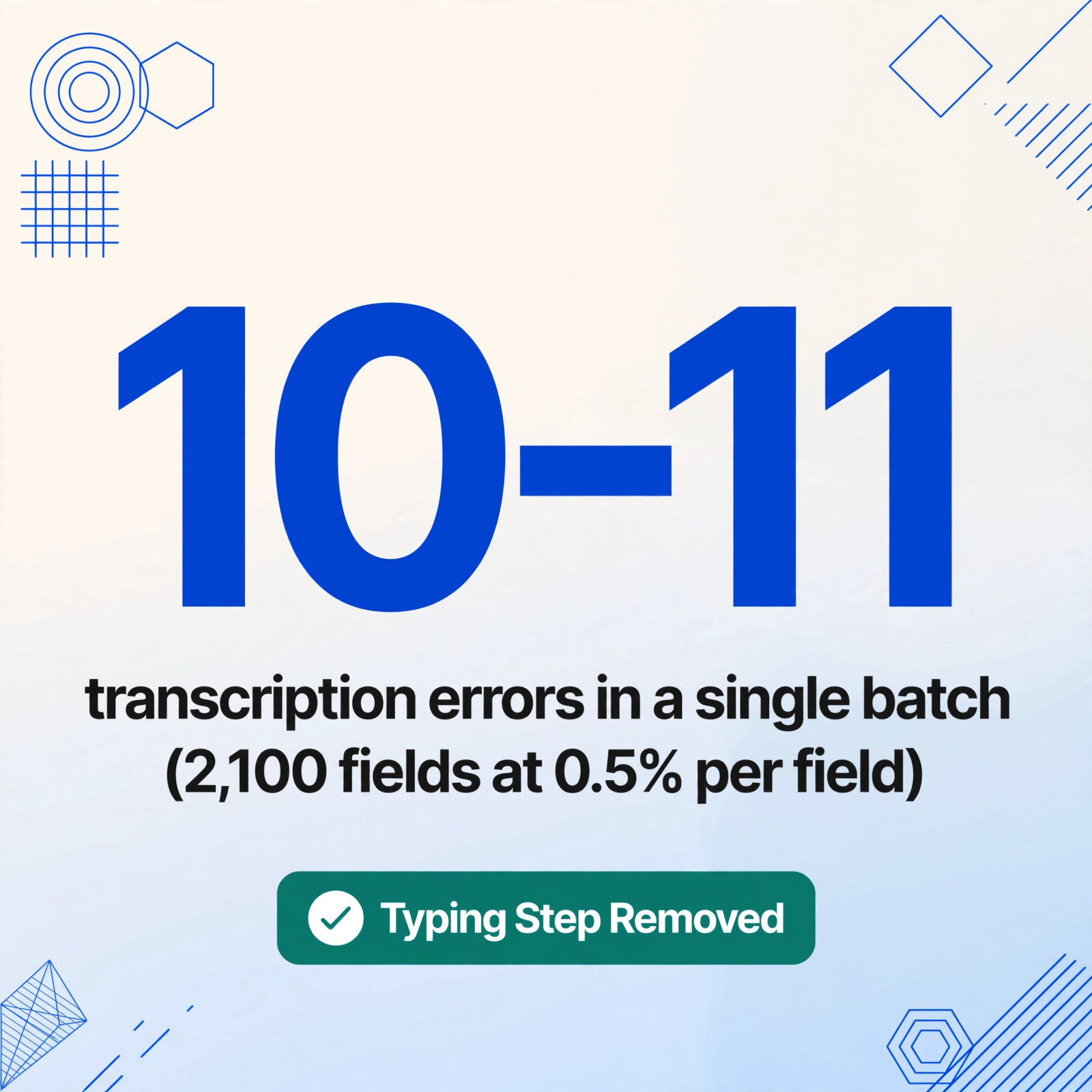
The five errors above share a root cause that is not about payroll knowledge, attention to detail, or training. It is about the transcription step itself — the moment when a pair of human eyes reads a value from a T4 slip and a pair of human hands types it into a spreadsheet cell. The error rate on this task, across all document types and data entry operators, is approximately 0.5% to 1% per field. For a 150-employee payroll batch with 14 core T4 boxes per employee, that is 2,100 fields. A 0.5% per-field error rate produces approximately 10 to 11 transcription errors in a single batch — errors distributed across employees and boxes, indistinguishable by format from correct values, and undetectable without a full row-by-row, box-by-box comparison against the original T4 slips.
AI-powered document extraction changes the mechanism at the point of failure. Instead of a person reading box values from a T4 PDF and typing them, Custom Column Extraction lets you define the output columns your spreadsheet needs — "Box 14 Employment Income," "Box 16 CPP," "Box 16A CPP2," "Box 26 CPP Pensionable Earnings," "Box 46 Charitable Donations," "Province of Employment" — and the AI reads the T4 slip by understanding what each field label means rather than where it sits on the page. The data flows from the document to the spreadsheet without a typing step. The box values that arrive in the spreadsheet are the values the AI read from the document — read by semantic field meaning, not by coordinate zone, so the same column definition works across Ceridian Dayforce, ADP Workforce Now, QuickBooks Canada Payroll, Wagepoint, and a phone photo of a paper T4 from an acquired subsidiary.
The five errors disappear not because the AI is more accurate than a human at transcribing — although it is — but because the transcription step itself is removed. There is no moment when a person types $3,738 instead of $3,837 into the Box 16 column. There is no moment when a taxable benefit value in Code 34 is captured but not added to the Box 14 total. There is no moment when Box 16A is left blank because the operator did not see it on the printed T4. The extraction captures what the document contains. The validation step — checking that Box 16 ÷ (Box 26 − $3,500) ≈ 0.0595, that Box 16A is populated whenever Box 26 exceeds $71,300, that the province codes match the employee's employment history — moves from checking for transcription errors to checking the underlying payroll data, which is what the reconciliation should have been doing all along.
For the step-by-step extraction workflow that turns T4 PDFs into a CRA-ready reconciliation spreadsheet without a single typed box value, see how to extract Canadian T4 slip data into Excel for payroll year-end reconciliation. For the structural problem underlying every one of these errors — why the manual entry step persists despite the predictable error rate — see why Canadian payroll teams still re-key T4 box numbers every February. And for the complete reference mapping every T4 box, every PIER cross-check, and every extraction workflow, see the complete guide to Canadian T4 slip data extraction.
See T4 Extraction — Read by Box Meaning, Not by Pixel Position
The demo below is a live extraction interface. Type the T4 box names you need — "SIN," "Box 14 Employment Income," "Box 16 CPP," "Box 16A CPP2," "Box 26 CPP Pensionable Earnings" — and the AI extracts each value by understanding the box label's statutory meaning rather than its page position. Upload a Ceridian T4, an ADP T4, a QuickBooks T4, or a phone photo of a paper T4 slip. The same column definition works across all of them.
Files are processed securely and not stored.
FAQ: T4 Box Entry Errors and CRA Audit Triggers
Which T4 box errors are most likely to trigger a PIER report?
Any Box 16 (CPP) to Box 26 (CPP pensionable earnings) ratio deviation from the statutory 5.95% rate and any Box 18 (EI) to Box 24 (EI insurable earnings) ratio deviation from 1.64% will trigger a PIER listing. The PIER algorithm is deterministic — it does not weigh the size of the deviation differently. A $50 misfield and a $500 misfield both appear on the report. As of 2024, a third PIER trigger has been added: any T4 where Box 26 exceeds the YMPE ($71,300 for 2025) and Box 16A is either blank or inconsistent with the 4% CPP2 rate on earnings above the YMPE.
How long do I have to respond to a PIER notice?
The CRA's standard PIER response window is 30 calendar days from the date of the notice. If you cannot respond within 30 days, you can request an extension by contacting the PIER unit at your tax services office. The PIER notice will specify the employees listed, the box values the CRA compared, and the discrepancy found. Your response must confirm whether the originally reported figures are correct (with supporting documentation) or acknowledge the error and provide the corrected values. If you do not respond within the window, the CRA may issue an assessment for the CPP and EI contribution shortfall based on the PIER findings.
Does an amended T4 after a PIER notice carry a penalty?
There is no automatic penalty for filing an amended T4 in response to a PIER listing. The CRA's interest is in correcting the CPP and EI contribution records so the employee receives the correct benefit entitlements. However, if the employer's original T4 contained a CPP or EI contribution shortfall — meaning the employer deducted less than the statutory amount and must now remit the difference — the employer owes the shortfall amount plus interest from the date the contribution should have been remitted. The interest rate is the CRA's prescribed rate, which for employer payroll remittances is set quarterly. If the employer deducted the correct amount but reported it incorrectly on the T4, no additional remittance is required — only the amended T4 slip to correct the reporting.
Can I catch these errors before the PIER report arrives?
Yes — and the most efficient method is to build the PIER simulation formulas directly into your extracted spreadsheet. For each employee row: =ROUND(Box16/(Box26−3500),4) should equal approximately 0.0595; =ROUND(Box18/Box24,4) should equal approximately 0.0164. Add a conditional flag: if Box26 > 71300 AND Box16A = blank → highlight the row. Add another: if Box14 is less than the sum of all Other Information code amounts plus the base salary → the taxable benefit is not embedded. These four formulas take under five minutes to write and catch every error class described above — but they only work if the spreadsheet data was extracted from the T4 slips without transcription errors in the first place. A validation formula cannot distinguish between a transcription error in the Box 16 cell and a genuine payroll system under-deduction. Removing the transcription step gives the validation formulas a clean dataset to work on. For the complete reference, see the step-by-step extraction and validation guide.
Does extraction handle Quebec RL-1 slips for multi-province employees?
For employees whose province of employment is Quebec, the employer must issue both a federal T4 and a provincial RL-1 (Relevé 1) through Revenu Québec. The RL-1 carries QPP contributions instead of CPP, QPIP premiums instead of EI, and a different set of box identifiers. A T4 extraction captures the federal-side data — the T4 will show zero or reduced CPP/EI values for Quebec employees. The RL-1 requires a separate extraction pass with column names matching the Relevé 1 box identifiers (Box A through Box P plus Case O through Case T). The two extracted datasets must be reconciled together to produce a complete earnings picture for each Quebec employee. This dual-document requirement is unique to Quebec and is one of the most common sources of incomplete data for payroll teams managing multi-province workforces.