T4 February Deadline
A Canadian Payroll Data Preparation Checklist
The calendar says you have eight weeks between the close of the last December pay period and the T4 filing deadline at the end of February — but the calendar is not a timesheet. Two of those weeks are consumed by finalizing payroll year-end entries, issuing the last pay stub corrections, and closing the books. The final week is reserved for CRA submission and employee distribution. Every intervening day is pulled in three directions: employee questions about taxable benefit adjustments, financial controller requests for payroll register extracts, and the external auditor's sample selection arriving in the same inbox. A Canadian payroll manager who starts T4 data preparation in February is already behind. The checklist below is organized by phase — if you are reading this before late January, start at Phase 1. If it is already February and Phase 1 is not complete, execute Phases 1 and 2 concurrently, but know that every skipped verification from Phase 1 will surface as a PIER assessment letter from the Canada Revenue Agency between May and October.
Key Takeaways
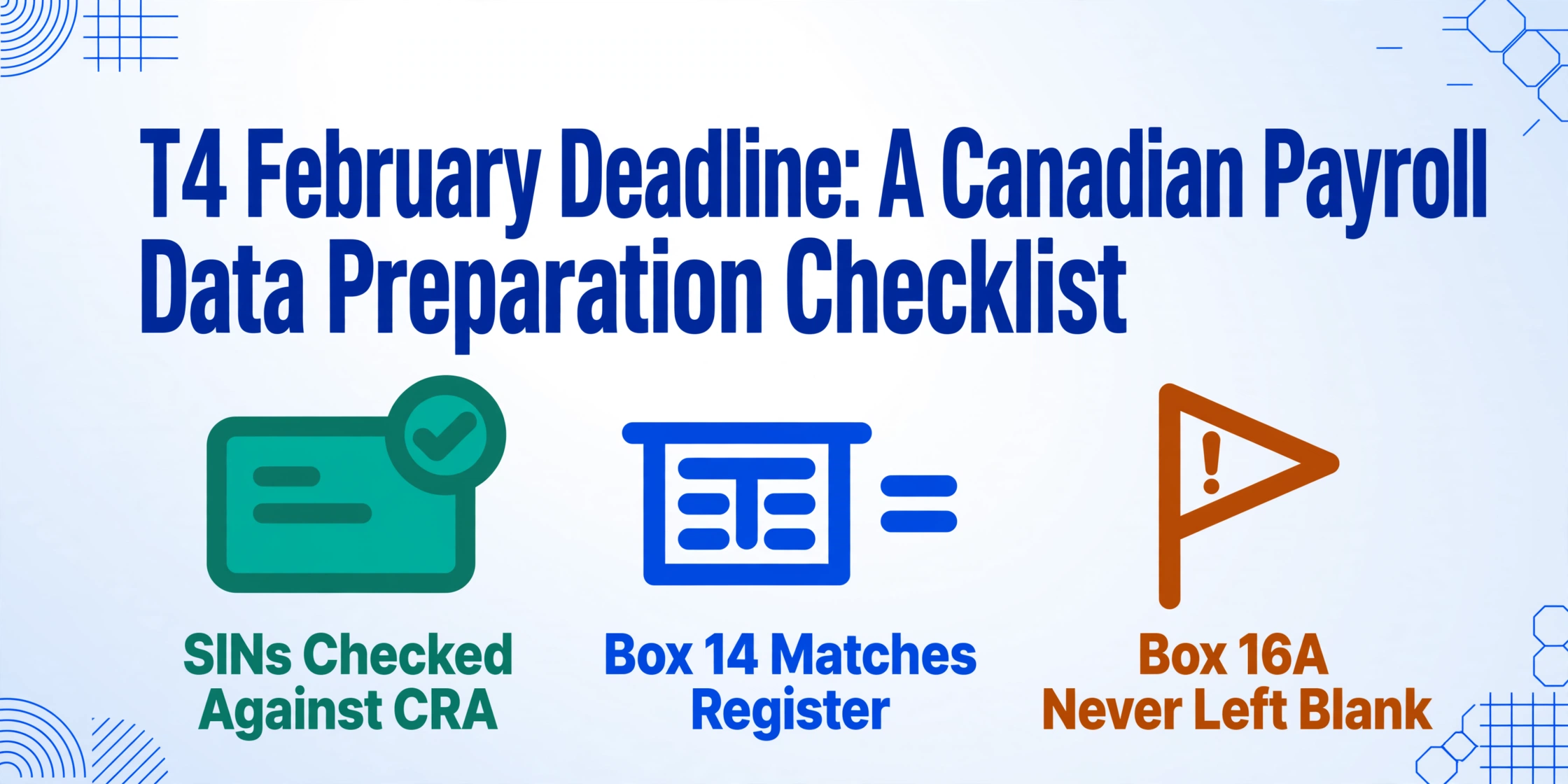
- The T4 filing deadline is February 28 — but the five verification phases can only be completed if Phase 1's employee audit finishes by January 15.
- Late filing costs $100 per day — but a single CPP2 Box 16A omission triggers a PIER reassessment with compound daily interest, not a flat penalty.
- The one step that removes the largest source of PIER triggers: extracting T4 Box values directly from the slip PDF instead of retyping them.
The T4 Filing Clock: What the CRA Requires and When
For the 2025 tax year, every employer who paid employment income — salary, wages, commissions, bonuses, taxable benefits — during the calendar year must issue a T4 (Statement of Remuneration Paid) to each employee and file the slips with the CRA by the last day of February. In 2026, February 28 is a Saturday, which pushes the effective deadline to Monday, March 2. Do not plan around the grace day. Plan around having clean data in time to catch errors before they are submitted.
The filing obligation is binary — you either meet the deadline or you do not. There is no extension for a payroll system migration that took longer than expected, for a payroll administrator who was on leave during the critical window, or for a taxable benefit discovered in late January that should have been tracked all year. Late T4 filing incurs a penalty of $100 per day to a maximum of $7,500. Filing more than five slips on paper when electronic filing is mandatory triggers a separate $125 penalty. These are the penalties payroll managers memorize. They are not the penalties that matter — the PIER reassessment that follows a misaligned CPP contribution or a mistyped Box 22 income tax figure costs orders of magnitude more in correction labor, employee communication, and compound daily interest calculated from the first pay period where the under-remittance occurred.
| Deadline | What Must Be Done | Electronic Filing Rule |
|---|---|---|
| Last day of February | T4 slips distributed to employees and filed with CRA along with T4 Summary (T4SUM) | Mandatory for 6+ slips — Internet file transfer (XML, up to 150 MB) or Web Forms (up to 100 slips) |
| March 2, 2026 | Effective deadline for the 2025 tax year — February 28, 2026 falls on a Saturday | Same electronic filing thresholds apply |
| Each pay period | CPP/EI remittances due throughout the year — T4SUM reconciliation must match cumulative remittances | PD7A statement of account serves as the source for Line 82 remittances on the T4 Summary |
If your organization operates payroll on Ceridian Dayforce, ADP Workforce Now, QuickBooks Canada Payroll, Wagepoint, or a platform inherited through acquisition, the software will generate the T4 slips. That part is automated. The gap between "the PDFs exist" and "the CRA has accepted the filing" is where this checklist lives — and it is larger than most payroll teams realize when they open the first January spreadsheet.
Files are processed securely and not stored.
Phase 1 — January Weeks 1-2: Employee Data Audit (Complete by January 15)
Phase 1 is the audit pass every payroll department intends to do and almost none actually schedules. Its output is a single piece of information: "is every employee record in my payroll system correct?" The question sounds trivial until you answer it. This phase has no dependency on T4 slip generation — it is purely a system-of-record reconciliation that must be complete before anyone touches the T4 data because errors caught after reconciliation cascade into every downstream process.
Verify every employee's Social Insurance Number and legal name against CRA records
A single digit wrong in a SIN — transposed, missing, or entered for the wrong employee — will flag the entire T4 filing. The CRA validates SINs against the Social Insurance Register at the point of electronic submission, and mismatched SINs trigger a rejection of the individual slip or, depending on the filing method, the entire batch. Deadline sensitivity: if a SIN error is discovered after T4 slips are generated but before filing, you need to re-generate the affected slip with the corrected SIN. If discovered after filing, you need to file an amended T4 — which consumes a minimum of one hour per slip in correction overhead. Run a SIN format validation: all nine digits, passes the Luhn checksum, format NNN-NNN-NNN. For employees whose SIN starts with a 9 — indicating temporary resident status — confirm the SIN is still valid and has not expired.
Define the T4 distribution list — who left, who started, and who changed status
Your payroll software's employee list on January 1 is not automatically the T4 distribution list. An employee who earned $500 or more during the calendar year and left in November 2025 still needs a T4 — but their record may have been archived, their SIN may have been inactivated, and their mailing address may be out of date. An employee whose status changed from full-time to contract partway through the year may need a T4A for the contract portion and a T4 for the employment portion. Run a report showing every individual who received employment income from any payroll account during the calendar year, including terminated employees, seasonal workers, and employees on long-term disability. Cross-reference against the current payroll register. Edge case: a leaver who received a top-up payment in January 2026 for work performed in December 2025 — that payment belongs to the 2026 tax year, not the 2025 T4. The payment date is what determines the tax year, not the work date.
Reconcile taxable benefits — the line items that are not on the pay stub but must be on the T4
Every taxable benefit and allowance the employee received during the year must be reported in Box 14 (Employment Income) and separately identified in the Other Information area using the appropriate codes. This includes automobile standby charges and operating expenses (Code 34), employer-paid group term life insurance premiums (Code 30 for premiums > $25,000 coverage), interest-free or low-interest loans (Code 36), employer contributions to an RPP (reported in Box 20 and the Pension Adjustment in Box 52), and security options benefits (Codes 38-41 or 90-92, depending on the year and filing date). The deadline risk is not forgetting a benefit — the payroll software may track them — it is the benefit that was tracked in a separate spreadsheet, an HR system, or an expense management tool that did not feed into payroll. Common gap: a company car benefit that the HR administrator calculated using the CRA's prescribed formula but never entered into the payroll module — it exists in a spreadsheet on a shared drive, and on February 27 someone asks whether it was included.
Identify multi-province employees and confirm province-of-employment codes
An employee who worked in Ontario for the first six months of the year and Alberta for the second six months must have their T4 reflect the correct province of employment for each period. The province code on the T4 determines which provincial tax rates the CRA applies to the employee's return — and a wrong code means a year of wrong provincial tax withholdings that the employee discovers in April of the following year. For 2025, the province codes include ON, BC, AB, SK, MB, QC, NB, NS, PE, NL, YT, NT, and NU. For employees working remotely from a different province than their employer's physical office, confirm which province's employment standards and tax rules apply — the answer depends on the employment contract and the CRA's province of employment determination rules, not on the employee's mailing address.
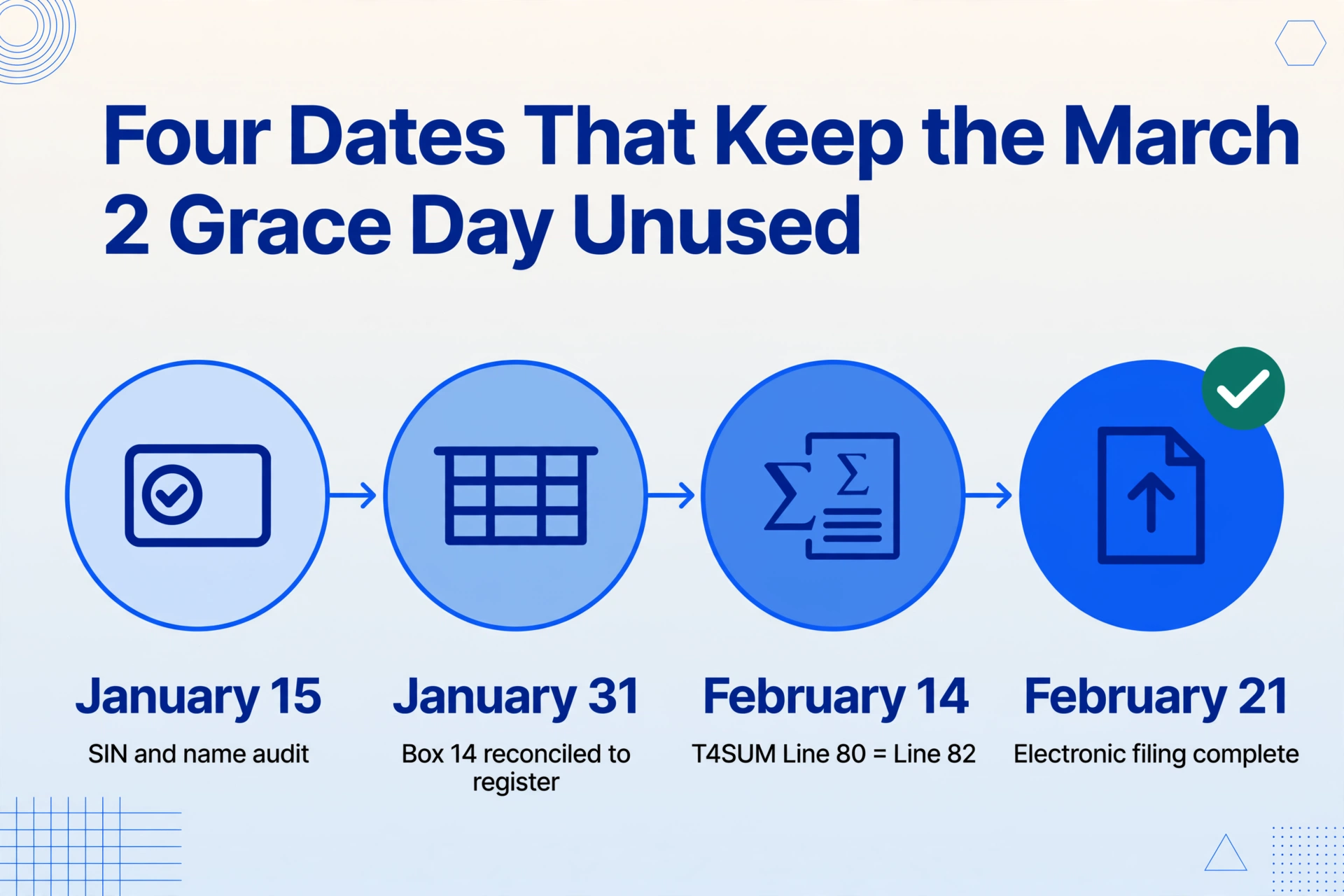
Phase 1 goal: by January 15, every employee record is verified — SINs correct, distribution list locked, taxable benefits accounted for, province codes confirmed. The remainder of the checklist depends on this being true. A SIN corrected in Phase 3 costs an hour of rework. A taxable benefit discovered in Phase 4 costs the filing deadline.
Phase 2 — January Weeks 3-4: Payroll-to-T4 Box Reconciliation (Complete by January 31)
Phase 2 is where the data on every employee's T4 slip gets verified against the payroll register before the slip is submitted. This is the highest-stakes phase — a reconciliation error here produces a CRA discrepancy that surfaces months later through the PIER program, by which point the payroll administrator who did the reconciliation may have moved on and the original spreadsheet is buried in a backup.
Reconcile Box 14 — Employment Income
Box 14 is the sum of every taxable employment payment made to the employee during the calendar year: salary or wages, bonuses and commissions, taxable allowances and benefits reported in the Other Information area, vacation pay, and retroactive payments. It excludes employer contributions to an RPP, amounts reported on a T4A, and non-taxable allowances. For each employee, Box 14 on the T4 must equal total gross earnings from the payroll register plus the cash value of taxable benefits not already included in gross pay. A mismatch of even a few dollars — caused by a rounding difference, a corrected pay stub that was updated in the system but not reflected in the T4 generation — produces a PIER flag. Verification step: run a report from your payroll software showing total year-to-date earnings for each employee. Compare against Box 14 on the draft T4. Investigate every discrepancy larger than $2.
Reconcile Box 16 (CPP) and Box 26 (CPP Pensionable Earnings) — and verify Box 16A (CPP2)
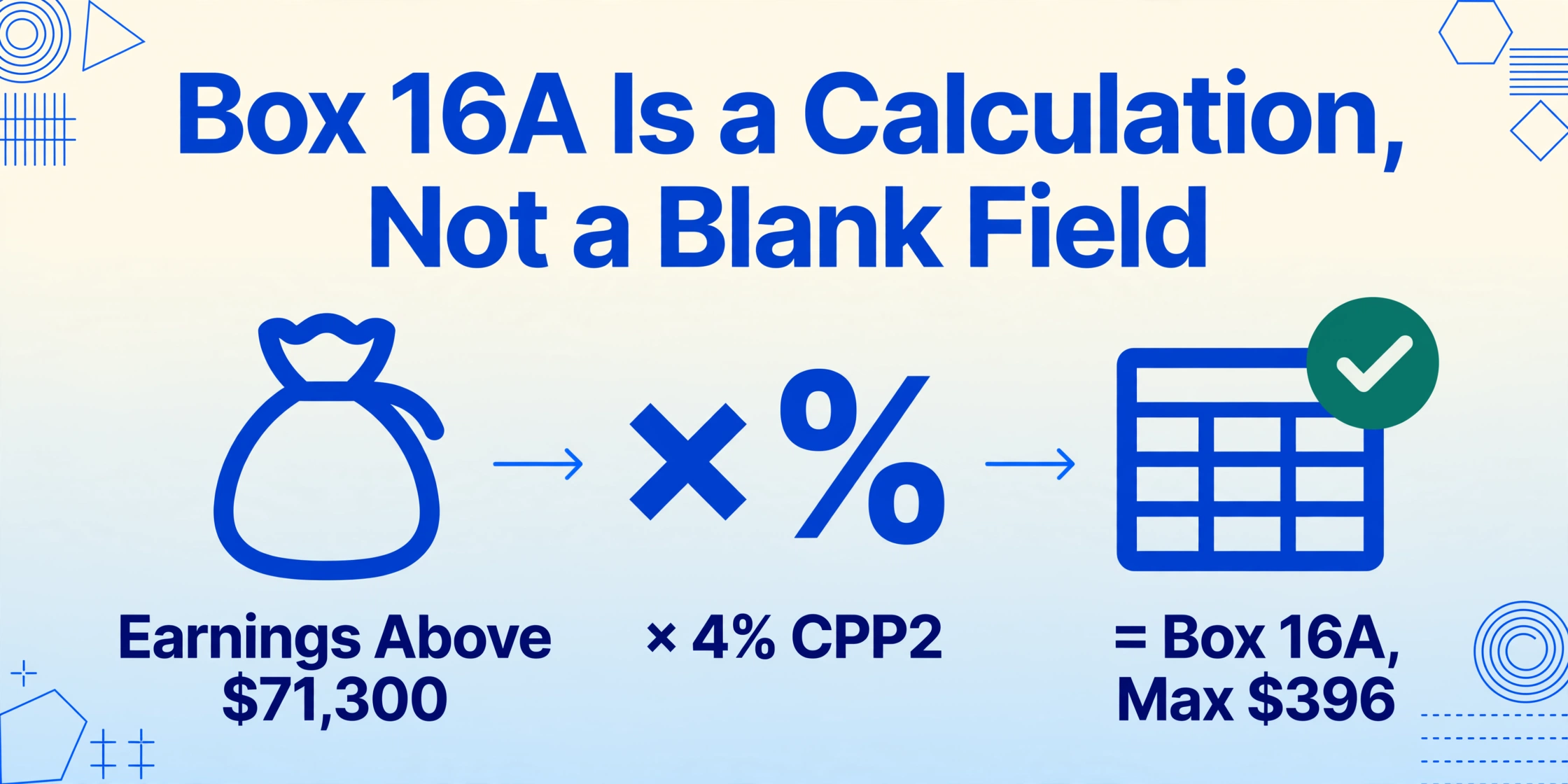
Box 16 reports the employee's total CPP contributions for the year. Box 26 reports the pensionable earnings on which those contributions were calculated. The CRA's PIER program divides Box 16 by (Box 26 minus the $3,500 basic exemption) and compares the result to the statutory rate — 5.95% for the 2025 tax year. If the effective rate deviates, the employee is flagged. The fast verification: for every employee earning at or above the 2025 YMPE of $71,300, Box 16 should show the maximum contribution of $4,034.10. For every employee earning below the YMPE, Box 16 ÷ (Box 26 − $3,500) should equal 0.0595. Box 16A — CPP2: introduced for the 2024 tax year, this box captures second additional CPP contributions (CPP2) of 4% on pensionable earnings between the YMPE ($71,300 for 2025) and the YAMPE ($81,200 for 2025). If an employee earned $78,000 in 2025, their CPP2 contribution in Box 16A should be ($78,000 − $71,300) × 4% = $268. The maximum CPP2 contribution for 2025 is $396. If your payroll software was updated mid-year or you have employees whose earnings cross the YMPE threshold partway through a pay period, verify that CPP2 was only deducted on earnings above the YMPE and that the total does not exceed the annual maximum. A blank Box 16A when the employee's earnings exceeded the YMPE is the single most common CPP-related PIER trigger for the 2024 and 2025 tax years.
Reconcile Box 18 (EI Premiums) and Box 24 (EI Insurable Earnings)
For 2025, the EI employee premium rate is 1.64% on insurable earnings up to $65,700, producing a maximum employee premium of $1,077.48. Box 18 should report the total EI premiums deducted. Box 24 should report the total insurable earnings — in most cases equal to Box 14 up to the maximum. If the employee's insurable earnings exceed the maximum, Box 24 should show $65,700 and Box 18 should show $1,077.48. Verification edge case: an employee who transferred from a Quebec work location to an Ontario location mid-year will have reduced EI premiums during the Quebec portion (QPIP replaces EI parental benefits) and standard EI premiums during the Ontario portion. The payroll system must track this proration correctly, and the T4 must reflect the split. A single full-year QPIP employee receives a Relevé 1, not a T4 — confirm that Quebec employees are correctly excluded from the T4 batch.
Reconcile Box 22 — Income Tax Deducted — against PD7A remittance totals
Box 22 reports the total federal and provincial income tax deducted from the employee's pay throughout the year. This figure must equal the cumulative remittances reported on the employer's PD7A statements. The mechanics of the verification: sum Box 22 across all employees. Compare to total income tax remitted per the PD7A. If the sums differ by more than a rounding tolerance, one of four things has happened: a remittance was credited to the wrong payroll account, a pay period deduction was reversed but the year-to-date total was not corrected, a statutory deduction (CPP/EI/income tax) was misclassified, or a manual adjustment was entered directly into the payroll register without a corresponding remittance entry. Track each discrepancy individually — do not net them against each other. A $500 over-remittance for Employee A plus a $500 under-remittance for Employee B does not equal zero on the T4 Summary.
Verify Other Information codes: RPP (Box 20/52), Union Dues (Box 44), Charitable Donations (Box 46)
Box 20 reports the employee's Registered Pension Plan contributions — these must match the total RPP deductions per the payroll register. Box 52 reports the Pension Adjustment (PA), which reduces the employee's RRSP contribution room — the PA is calculated as (9 × annual pension credits) minus $600, and an incorrectly reported PA affects the employee's Notice of Assessment. Box 44 reports union dues, deductible under paragraph 8(1)(i) of the Income Tax Act. Box 46 reports charitable donations made through payroll deduction. These fields are frequently the last to be verified because they sit in the Other Information area of the T4 rather than the core Box grid, and a payroll administrator who has verified Boxes 14 through 26 may consider the slip complete. Every field on the T4 is part of the employee's tax return. An omission in Box 44 means the employee cannot claim the union dues deduction — and they will discover this when their tax preparer asks for the figure.
Phase 2 goal: by January 31, every Box value on every draft T4 has been verified against the payroll register, the PD7A, and the taxable benefits schedule. Every discrepancy larger than $2 has been investigated and either corrected or documented with an explanation. If the draft T4s are not yet generated, complete the payroll register reconciliation — the numbers exist in the system even if the formatted slips do not.
Phase 3 — February Weeks 1-2: T4 Summary Assembly (February 1-14)
The T4 Summary (T4SUM) is the control document that accompanies the T4 slips when filed with the CRA. It totals every Box value across all employees and reconciles the cumulative deductions against the employer's remittances. A mismatch on the T4SUM — even if every individual T4 slip is correct — is what generates the CRA's PD4R request for reconciliation. Phase 3 is not a data-entry exercise. It is a final validation pass that tests whether the numbers verified in Phase 2 add up to a defensible submission.
Assemble the T4SUM: cross-foot the totals and reconcile Line 80 against Line 82
The T4SUM contains a line for each Box total — Line 14 (total employment income), Line 16 (total CPP contributions), Line 16A (total CPP2 contributions), Line 18 (total EI premiums), Line 19 (total union dues), Line 22 (total income tax deducted), and Line 52 (total pension adjustment). Line 80 sums Lines 16, 16A, 18, 19, and 22 to produce total deductions reported. Line 82 is the total remittances made to the CRA during the year per the PD7A. The difference between Line 80 and Line 82 is either an overpayment (Line 84) or a balance due (Line 86). Generally, the CRA does not charge or refund a difference of $2 or less. The single most common T4SUM error: Line 82 is copied from the wrong PD7A or from a partial-year statement that does not reflect the final calendar-year remittances. Pull the PD7A for the full calendar year. Cross-check the remittance total against the general ledger payroll liability account.
Run the pre-filing PIER simulation
Before you file, simulate what the CRA's Pensionable and Insurable Earnings Review (PIER) program will do when it receives your data. For each employee: divide Box 16 by (Box 26 − $3,500) — the result should be 0.0595 for employees at or below the YMPE. Divide Box 18 by Box 24 — the result should be 0.0164 for employees at or below the $65,700 maximum. For employees who reached either ceiling, confirm the Box value equals the 2025 maximum. For employees with multiple payroll accounts under the same Business Number, the CRA will aggregate all T4s for PIER purposes — ensure that Box 28 (Exempt CPP/QPP, EI, or PPIP) is correctly completed if an employee's earnings are exempt from CPP or EI contributions. A retired employee receiving pension income from the same employer after age 70 is CPP-exempt — failing to report code "06" in Box 28 for that employee triggers a PIER calculation that assumes CPP should have been deducted.
Prepare the contact information and certification
The T4SUM requires a contact person name and telephone number (Lines 76 and 78) whom the CRA can call for clarification. This should be someone who will be reachable in March through October — not the payroll administrator who takes a vacation in March. The T4SUM also requires a certification signature from an authorized person. If the contact person and the authorized signer are different individuals, ensure the contact person has access to the underlying payroll data and can explain any discrepancy the CRA queries.
Phase 3 goal: by February 14, the T4SUM is assembled, every total cross-foots to the penny, the Line 80-to-82 reconciliation is complete with documentation for any difference, and the contact person knows they are the contact person.
Phase 4 — February Week 3: CRA Electronic Filing (February 15-21)
Electronic filing is mandatory for employers issuing six or more T4 slips. The CRA reduced the threshold from 50 slips — effectively, if you have more than five employees, you are filing electronically. The two methods are Internet File Transfer and Web Forms. Both require the data to be in XML format, and both validate the XML schema on submission — a validation error at 9 PM on February 27 is the scenario this phase is designed to prevent.
Choose your filing method and verify the XML output
Internet File Transfer accepts an XML file generated by certified payroll software or an in-house system. The file can be up to 150 MB compressed (maximum 1 GB uncompressed) and must include a T619 Electronic Transmittal record. Web Forms is a browser-based application that builds the XML format from data you enter — suitable for up to 100 slips. Regardless of method: run the XML through your payroll software's validation tool before submitting. The CRA validates the Transmitter Account Number against login credentials, the Business Number against the payroll account, the email address field (now mandatory), and the XML schema. Since January 2025, all returns in a single submission must be the same information return type — you cannot mix T4 and T4A slips in one XML batch. Since October 2025, the CRA rejects XML files containing optional fields without values — remove all empty optional tags.
Submit early — file by February 21 even though the deadline is March 2
The CRA does not guarantee system availability during the final days of filing season. A rejected XML submission on February 27 that requires re-formatting, re-validating, and re-submitting means you are fixing XML tags at 10 PM for a deadline measured in hours. File by February 21. If the submission is accepted, the confirmation number gives you a week of margin. If the submission is rejected, you have a week to correct the format and re-submit. The rejection reasons are usually technical — a schema mismatch, a missing Transmitter Account Number, an incorrect Business Number — and they can be fixed in minutes once identified. The risk is not the complexity of the fix. It is the time remaining when you discover you need to make it.
Retain the confirmation of submission and the original payroll records
The CRA requires employers to retain payroll records for six years from the end of the last tax year to which they relate. For the 2025 tax year, that means retaining records until at least December 31, 2031. Keep the confirmation of submission, the final XML file, the T4SUM, the PIER simulation spreadsheet, the payroll register extracts used in Phase 2, and the taxable benefits reconciliation. If a PIER assessment arrives in August and the payroll administrator who prepared the T4s has left the organization, these records are the only way to respond without reconstructing the entire filing from memory.
Phase 5 — February Week 4: Distribution and Post-Filing (February 22-28)
Phase 5 is the shortest phase but it determines whether the filing was successful or whether you will spend March issuing amended T4s. The CRA filing is complete — the final checklist is about delivering the slips to employees and preparing for the queries that will arrive.
Distribute T4 slips to employees — electronic or paper, by the deadline
Employers must provide T4 slips to employees by the last day of February. Electronic distribution — PDF copies emailed or posted to an employee portal — requires employee consent, which should have been obtained during onboarding or before the distribution. For paper copies, mail to the employee's last known address. For former employees: confirm the mailing address is current — a T4 mailed to an address the employee vacated 18 months ago will not reach them, and when they do not receive it, the call goes to payroll. For the 2025 tax year, T4 slips must also be available to employees through CRA My Account — but this does not relieve the employer of the obligation to issue the slip directly.
Prepare an amended-T4 workflow — not for the errors you made, but for the corrections that arrive from employees
Every February, a percentage of employees will review their T4 and report an error the employer did not catch. The most common: an employee who changed address mid-year and whose province-of-employment code is wrong, a taxable benefit that was incorrectly excluded because the HR department categorized it as non-taxable, and the employee who insists Box 14 is wrong because it includes a bonus they forgot they received. Amended T4 slips are filed electronically using the same method as the original — the slip must be marked "AMENDED" and include all Box values, not just the corrected ones. If the correction changes Box 16, 16A, or 18, the employer must also remit any additional CPP, CPP2, or EI amounts plus the employer's matching portion — and the CRA will calculate interest from the first pay period where the under-remittance should have been made. For the corrected procedure, see the companion article on why manual T4 entry creates a PIER problem that compounds every February.
Archive the reconciliation workbook — it is your first line of defense against the PIER letter
When the CRA's PIER program cross-matches your T4 data and flags an employee for a CPP or EI discrepancy — typically between May and October — the letter asks you to explain or correct the reported amounts. The reconciliation workbook from Phase 2, showing every Box value verified against the payroll register, is your response. It demonstrates that the reported figures match the payroll system, and any discrepancy flagged by the PIER program is a genuine payroll error rather than a transcription error. Without that workbook, the PIER response involves reconstructing the Box values from the payroll register for each flagged employee individually — at roughly four hours per response.
The checklist is complete when: every T4 slip has been filed with the CRA and distributed to employees, the T4SUM has been accepted, the confirmation of submission is retained, the reconciliation workbook is archived, and the amended-T4 workflow is ready for the employee queries that will arrive within two weeks of distribution.
Three Common Pitfalls That Survive Every Phase of This Checklist
Even with a seventeen-step verification checklist, three issues break through more often than any other — not because they are technically complex, but because they sit at the boundary between payroll, HR, and finance where no single department owns the data.
CPP2 Box 16A — The Box That Did Not Exist Before 2024
The second additional CPP contribution (CPP2) and the corresponding Box 16A were introduced for the 2024 tax year. For payroll systems that were updated in time, this is straightforward. For organizations running older versions of payroll software, using manual CPP calculations in Excel for a subset of employees, or operating a payroll platform inherited through acquisition that was never updated for CPP2, Box 16A is either blank or incorrectly populated. A blank Box 16A for an employee whose earnings exceeded the YMPE means the CRA's PIER program sees $0 in CPP2 contributions where a value should exist. For 2025, the maximum CPP2 contribution is $396 per employee — a small enough figure that the PIER flag may go unnoticed until the employee's Notice of Assessment references a CPP2 discrepancy. The fix: before filing, run a report showing every employee whose 2025 earnings exceeded the YMPE of $71,300 and verify that Box 16A contains a non-zero value unless the employee has a valid CPP2 exemption. For employees who changed age categories during the year — turning 18 (CPP begins) or 70 (CPP stops) — verify the prorated CPP2 contribution limit.
Multi-Province and Cross-Jurisdiction Employees
An employee who worked in two provinces during the same calendar year, or who moved from Quebec (where QPP and QPIP replace CPP and EI respectively) to another province, requires two layers of verification: the province-of-employment code on the T4, and the CPP/QPP and EI/QPIP split on the remittance side. A Quebec employee who transferred to Ontario in July has QPP contributions through June and CPP contributions from July. The T4 must reflect the CPP-only portion, while the RL-1 (Relevé 1) from Revenu Québec captures the QPP portion. The CRA compares the T4's Box 16 against Box 26 — if Box 26 reflects full-year pensionable earnings but Box 16 only reflects half-year CPP contributions, the PIER ratio calculation will produce an apparent under-contribution. The solution is to correctly reduce Box 26 for the Quebec period — Box 26 should reflect only the pensionable earnings for the period the employee was outside Quebec. This is a payroll system configuration issue, not a data-entry issue, and it is one of the most common causes of PIER listings for employers with multi-jurisdiction workforces.
The Taxable Benefit That Lives in a Spreadsheet, Not in Payroll
Personal use of a company vehicle. Employer-paid parking in a downtown office building. Group term life insurance premiums above $25,000 of coverage. Employer contributions to an RESP. Tuition reimbursement above the CRA's threshold. Each of these is a taxable benefit that must appear in Box 14 and be identified with a code in the Other Information area. The payroll system knows about them — if someone entered them. The HR department knows about them — if the benefit was tracked in the benefits administration system. The employee knows about them — when they received the benefit. The gap is the handoff. A company car benefit that the HR administrator calculated on a spreadsheet in January, saved on a shared drive, and never uploaded to the payroll module, will not appear on the T4. The employee receives a T4 that under-reports Box 14 by the value of the benefit, files their tax return, and months later receives a Notice of Reassessment when the CRA cross-references the vehicle ownership records against the reported income. The reconciliation in Step 3 of Phase 1 — cross-checking every known taxable benefit against the payroll system's year-to-date totals — is the only defence against this gap.
The Step That Replaces the Typing
Every phase of this checklist assumes data is available — that you can see the Box 14 value from the payroll register, compare it to the T4 draft, and flag the discrepancy. In a multi-platform payroll environment — Ceridian Dayforce for the head office, ADP Workforce Now for the acquired subsidiary, QuickBooks Canada Payroll for the project-based division — the data exists in three separate systems, each generating T4 slips in a visually distinct layout. The payroll administrator who opens those PDFs in February and retypes 12 Box values per employee into a reconciliation spreadsheet is adding a transcription layer on top of the verification layer — and at a per-field error rate of 0.5% to 1%, a 150-employee batch introduces 9 to 18 transcription errors before reconciliation even begins.
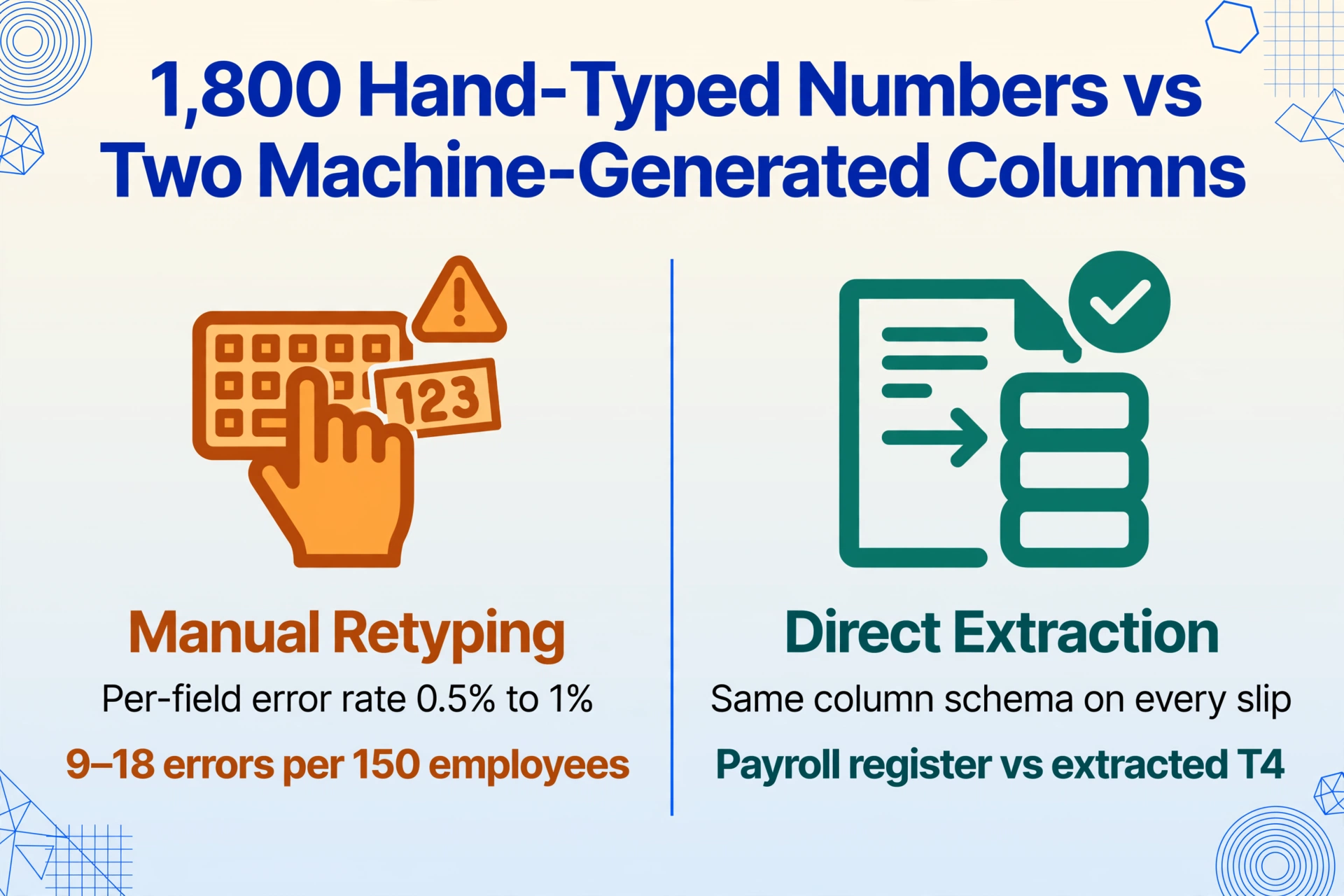
The alternative — extracting T4 data directly from the slip PDF into a spreadsheet, with the same column schema applied to every slip regardless of which payroll platform generated it — eliminates the transcription step entirely. Each Box value appears in the spreadsheet in the same column position for every employee, and the reconciliation in Phase 2 becomes a comparison of two machine-generated datasets (payroll register vs extracted T4) rather than a visual audit of 1,800 hand-typed numbers. For the full extraction workflow, see the how-to guide on extracting Canadian T4 slip data into Excel. For the batch approach that processes all 150 employees' T4s into one CRA-ready spreadsheet, see the batch T4 processing guide. And if you want to measure what the transcription step is actually costing — not in typing hours but in the PIER response, amended filing, and opportunity cost that the typing triggers — the four-line cost calculation for manual T4 processing breaks down every dollar by source.
The Same Checklist, Different Tax Authorities
The structural problem — a payroll system generates a year-end certificate, and the data must be verified, reconciled, and filed before a statutory deadline — is not unique to Canada. In the United Kingdom, the P60 May 31 deadline checklist covers the same verification sequence for HMRC P60 end-of-year certificates: employee list audit in April, P60-to-FPS reconciliation in late April and early May, P14/P35 assembly, and electronic submission. The tax authority changes, the legal references change, the Box names change — but the verification stages are identical because the gap between what a payroll system outputs and what a tax authority requires is the same structural gap in every jurisdiction. In Australia, the PAYG July 14 deadline checklist maps the same pattern to the STP finalisation window: TFN verification before 30 June, payment summary extraction and reconciliation in the first 10 days of July, ATO annual report lodgment by 14 August. The four-or-five-phase structure — data audit, reconciliation, summary assembly, electronic filing, distribution — works for any country's year-end reporting cycle because the sequence of what must be verified before what can be filed is not a policy choice. It is an information dependency graph.
FAQ: T4 February Deadline Preparation and CRA Filing
When is the T4 filing deadline for the 2025 tax year?
The T4 filing deadline for the 2025 tax year is February 28, 2026. Because February 28 falls on a Saturday, the CRA extends the deadline to the next business day — Monday, March 2, 2026. Both the T4 slips and the T4 Summary (T4SUM) must be filed with the CRA and distributed to employees by this date. The deadline applies to both electronic and paper filers, though electronic filing is mandatory for employers issuing six or more T4 slips. Employers with five or fewer slips may still file on paper, but electronic filing reduces the risk of data-entry errors at the CRA's end and provides an immediate confirmation of submission.
What is Box 16A, and when must it be completed?
Box 16A was introduced for the 2024 tax year to report second additional Canada Pension Plan contributions (CPP2). It must be completed for any employee whose pensionable earnings exceeded the Year's Maximum Pensionable Earnings (YMPE). For the 2025 tax year, the YMPE is $71,300 and the Year's Additional Maximum Pensionable Earnings (YAMPE) is $81,200. If an employee earned between $71,300 and $81,200, you must report CPP2 contributions of 4% on the earnings above $71,300 in Box 16A. The maximum CPP2 contribution for 2025 is $396. If the employee earned $71,300 or less, Box 16A should show $0.00 — not be left blank. A blank Box 16A triggers a CRA PIER flag because the system cannot distinguish between "no CPP2 required" and "CPP2 was required but not reported." Even if an employee earning $90,000 already maximized their CPP2 contribution, Box 16A must show $396.
What happens if the T4 Summary remittances do not match the PD7A?
If Line 80 (total deductions reported on the T4 Summary) does not match Line 82 (total remittances per the PD7A), the CRA will issue a PD4R request for reconciliation. This request asks you to explain the difference or correct the filing. If the difference results in a balance due — meaning you reported more deductions on the T4 Summary than you remitted — the CRA will assess the shortfall plus compound daily interest calculated from the first pay period where the under-remittance should have been made. If the difference results in an overpayment, you can request a transfer to another account, a transfer to another year, or a refund. The most common cause of a PD4R: the PD7A used for Line 82 does not reflect the full calendar year's remittances. Always pull the PD7A covering the period January 1 through December 31 before completing the T4 Summary.
Can I file T4 slips through CRA My Business Account?
Yes. CRA My Business Account provides access to both Internet File Transfer and Web Forms for electronic filing. Internet File Transfer accepts an XML file up to 150 MB compressed (maximum 1 GB uncompressed) generated by certified payroll software or an in-house system. Web Forms is a browser-based application that builds the XML from data you enter, suitable for up to 100 slips. Both methods require a valid Web Access Code (WAC), which you can retrieve through the CRA's Online Web Access Code service or by calling Business Enquiries at 1-800-959-5525. If you use Represent a Client (RAC) to file on behalf of an employer, you access the same filing methods through the RAC portal. The key requirement is that the Transmitter Account Number in the XML must match the login credentials used to access the filing system — a mismatch is an automatic rejection.
What is the fastest way to correct a T4 error after filing?
File an amended T4 slip marked "AMENDED" through the same electronic filing method used for the original submission. The amended slip must contain all Box values — not just the corrected ones — because the CRA replaces the original slip in its records with the amended version. If the amendment changes Box 16 (CPP), Box 16A (CPP2), or Box 18 (EI), calculate the additional amount owing, remit it along with the employer's matching portion, and calculate interest from the first pay period where the under-remittance should have been made. If the amendment changes the T4 Summary totals, you may need to file an amended T4 Summary as well. For changes that only affect the employee's personal tax return — such as a corrected province-of-employment code with no CPP, EI, or income tax adjustment — the amended T4 slip alone is sufficient. For the full analysis of how manual T4 entry errors trigger the PIER amendment cycle, see the companion article on why manual T4 entry keeps getting worse every February.
How early should I start T4 preparation to avoid the February crunch?
Phase 1 — the employee data audit covering SINs, distribution list, taxable benefits, and province codes — should start in the first week of January, immediately after the final December pay period closes. Phase 2 — the Box-by-Box payroll-to-T4 reconciliation — requires the draft T4s from your payroll software, which are typically available by mid-to-late January. Phase 3 — T4SUM assembly — depends on Phases 1 and 2 being complete and should be finished by the second week of February. Phase 4 — CRA electronic filing — should be executed by the third week of February to leave a buffer for rejected submissions. The payroll teams that start T4 preparation in February are the ones that file amended slips in March. The checklist above is structured around this timeline — if you are reading this in late January, you can compress Phases 1 and 2 into concurrent streams, but you will not recover the verification thoroughness that starting in early January provides.
February 28 is not the deadline. It is the end of a chain of dependencies that begins on the first working day of January. The payroll manager who executes this checklist will discover, around February 20, that the filing is done, the distribution list is verified, the reconciliation workbook is archived, and the remaining eight days are buffer. At 5 PM on March 2, the difference between that payroll manager and the one who started data preparation on February 15 is not a matter of effort. It is a matter of which phase was completed in January.