Scaling Manufacturing Procurement:
When 200 POs Become 2,000
The most dangerous number in procurement isn't the PO volume your team is processing. It's the gap between how many POs they're handling and how many they believe they can handle — before something breaks. That gap is invisible to most KPI dashboards. It doesn't show up in monthly reports. And by the time someone notices it, three separate systems have already begun to fail in a sequence that no amount of overtime can reverse.
Key Takeaways
- The most reliable warning signal of a procurement breakdown — POs untouched more than 48 hours — is invisible to standard KPI dashboards because almost none of them track backlog age rather than volume.
- Top procurement teams don't process 11 times more POs per person by working harder — they process more because they redesigned which parts of the job go through a machine and which parts need a human decision.
- Escaping the trap of manual data entry — which 70% of manufacturers are still caught in — does not require an 18-month ERP rollout; it requires putting automated extraction at the front of the workflow so buyers spend their day on exceptions, not typing.
The Three Systems That Break — and Why Nobody Sees It Coming
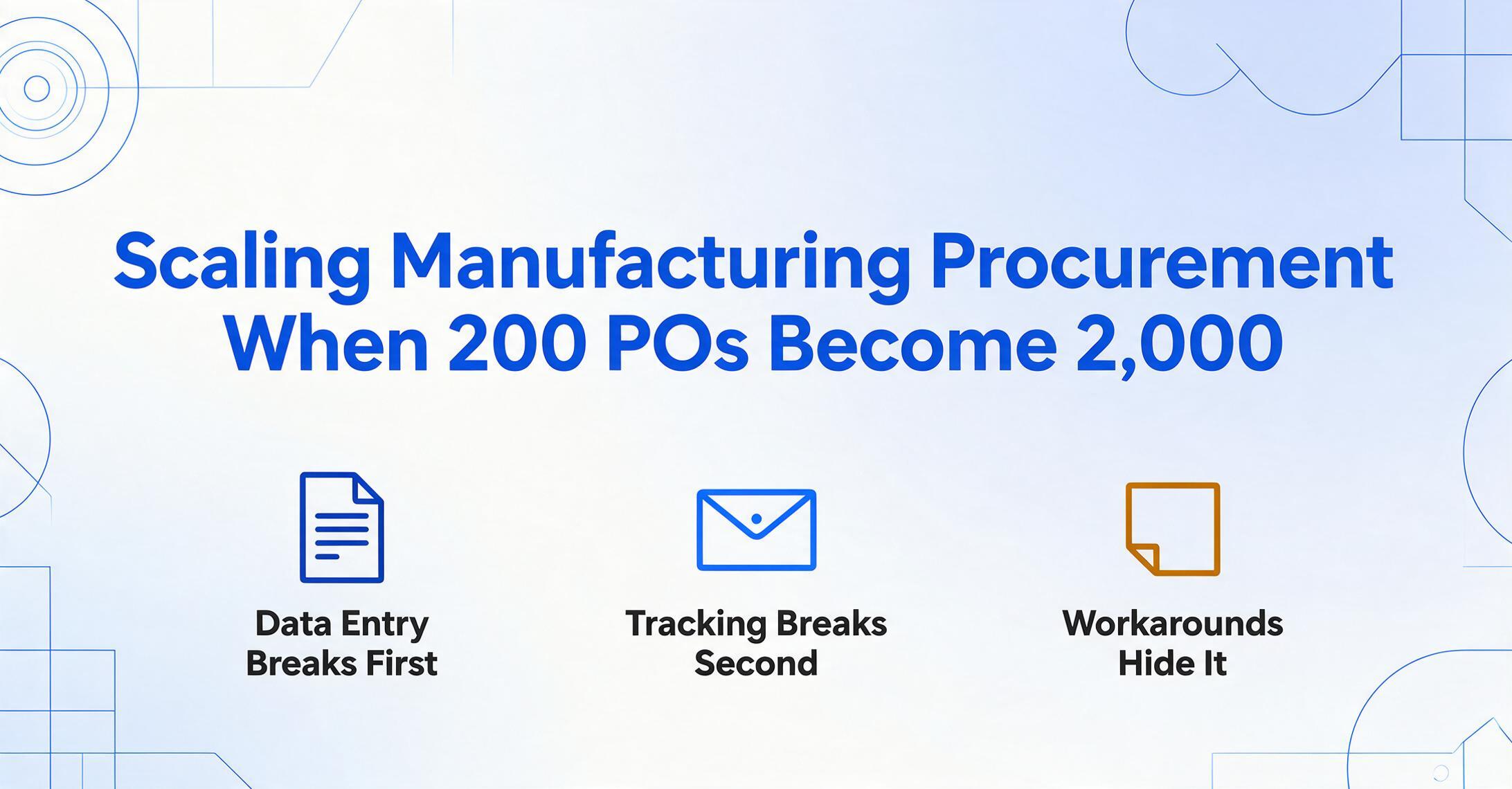
Purchase order processing is not one activity. It is three interdependent systems stacked on top of each other, each with its own breaking point. When a team is handling 100 to 200 POs per month, all three systems usually hold up. Informal workarounds — a sticky note on the monitor, a mental note about a late supplier, a quick Slack message to accounting — are enough to bridge the gaps. But each of these systems has a volume threshold beyond which the workarounds stop working, and they don't all break at the same time.
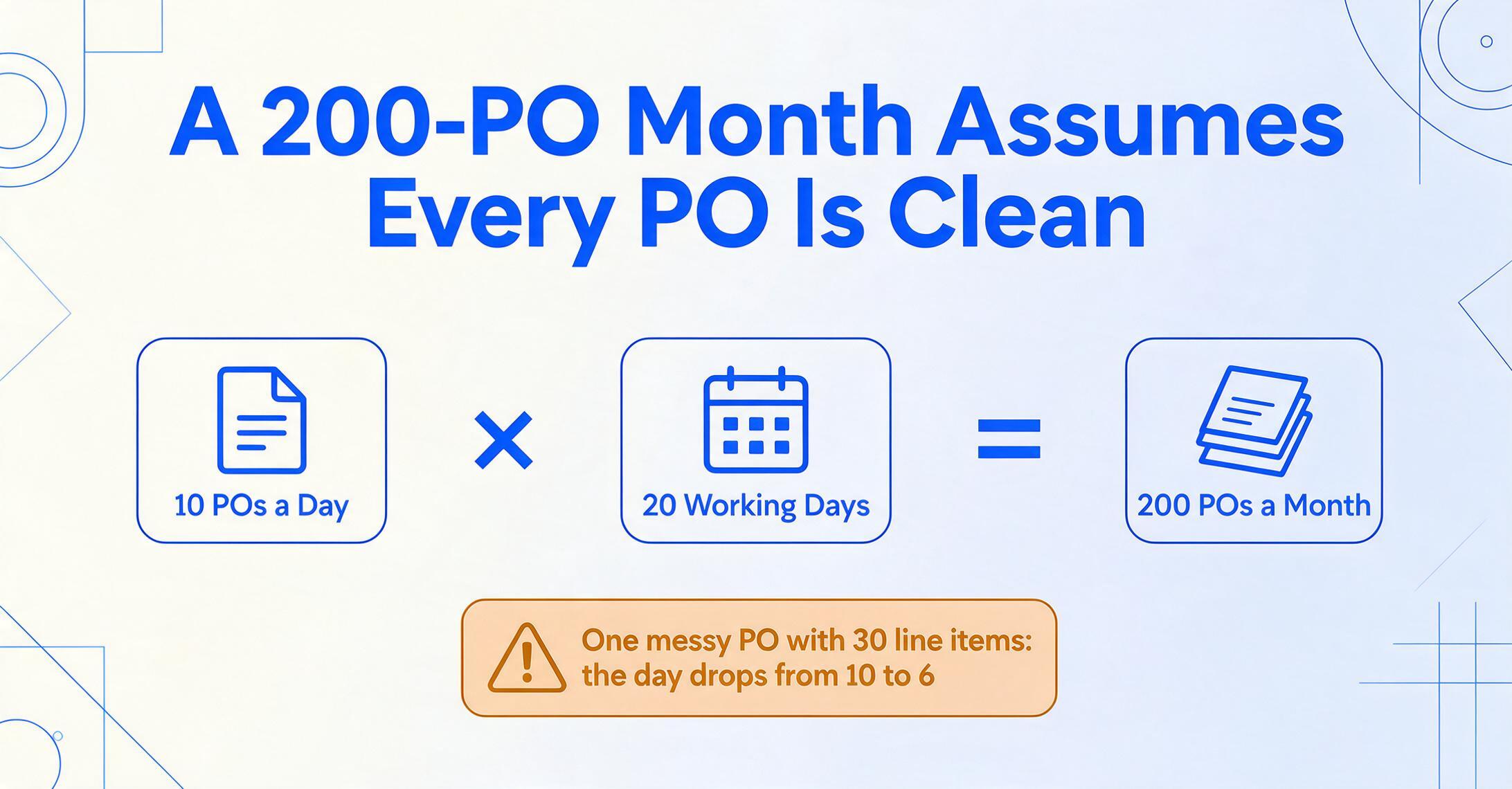
The first system to fail is data entry throughput — the pipeline that converts a supplier's PO format into something your internal systems can use. At 200 POs per month, one full-time buyer can process roughly 10 POs per day if each takes about 30 minutes of data entry, follow-up, and filing. The math is tight but manageable: 10 POs × 20 working days = 200. But that math assumes every PO is clean, every supplier responds to email within the same day, and no exceptions require extra time. In practice, a single PO with 30 line items across two pages of a scanned PDF can consume an hour by itself — and that buyer's throughput for the day drops from 10 to 6.
The second system to break is tracking and communication. As one procurement buyer posted on r/procurement: "Hundreds of emails can be involved a day, from the endless Read/Not read emails, to POs you are currently working on, to POs you're waiting for a response on from the vendor." When volume passes roughly 300 POs per month, the informal mental tracking system collapses. POs that were "in revision" or "waiting on supplier confirmation" start slipping into limbo. Nobody notices until a production line is waiting on material that was supposed to ship three days ago.
The third system — and the one most procurement managers don't see coming — is exception handling. Every batch of POs contains outliers: a supplier changed their PO format, a new vendor sent a handwritten order confirmation, a line item description doesn't match the product code in your ERP. At 200 POs per month, these exceptions are maybe 10–15% of the total — 20 to 30 items that an experienced buyer can resolve ad hoc. At 500 POs per month, exceptions are still 10–15% — but now that's 50 to 75 items. Each one requires a human decision, a phone call, or a manual lookup. There is no automation cure for exceptions — but there is a point at which the cumulative decision load exceeds what a team can process without errors, delays, or both.
The cascade works like this: data entry bottlenecks create a backlog → the backlog overwhelms the tracking system → untracked POs generate more exceptions → exceptions consume the time that should have gone to data entry. Each system failure feeds the next. And the organizational response — "everyone just work harder" — accelerates the cycle by burning out the people who were holding it together.
How to Calculate Your Breaking Point Before You Hit It
The difference between a team that scales smoothly and one that hits a wall is not the tools they use — it's whether they recognized the wall was coming 18 months before they reached it.
APQC's Open Standards Benchmarking data provides the anchor: organizations spend anywhere from $14 to over $54 to process a single purchase order. The median is roughly $50 to $100 when you account for full loaded labor costs, systems overhead, and error correction. But the more instructive number is the performance spread. Top performers process more than 11 times the number of POs per procurement FTE as bottom-quartile organizations. That 11x gap is not explained by smarter people — it's explained by process design and tooling.
Here is a diagnostic framework for locating your organization on the scaling curve. Track these four metrics for one month:
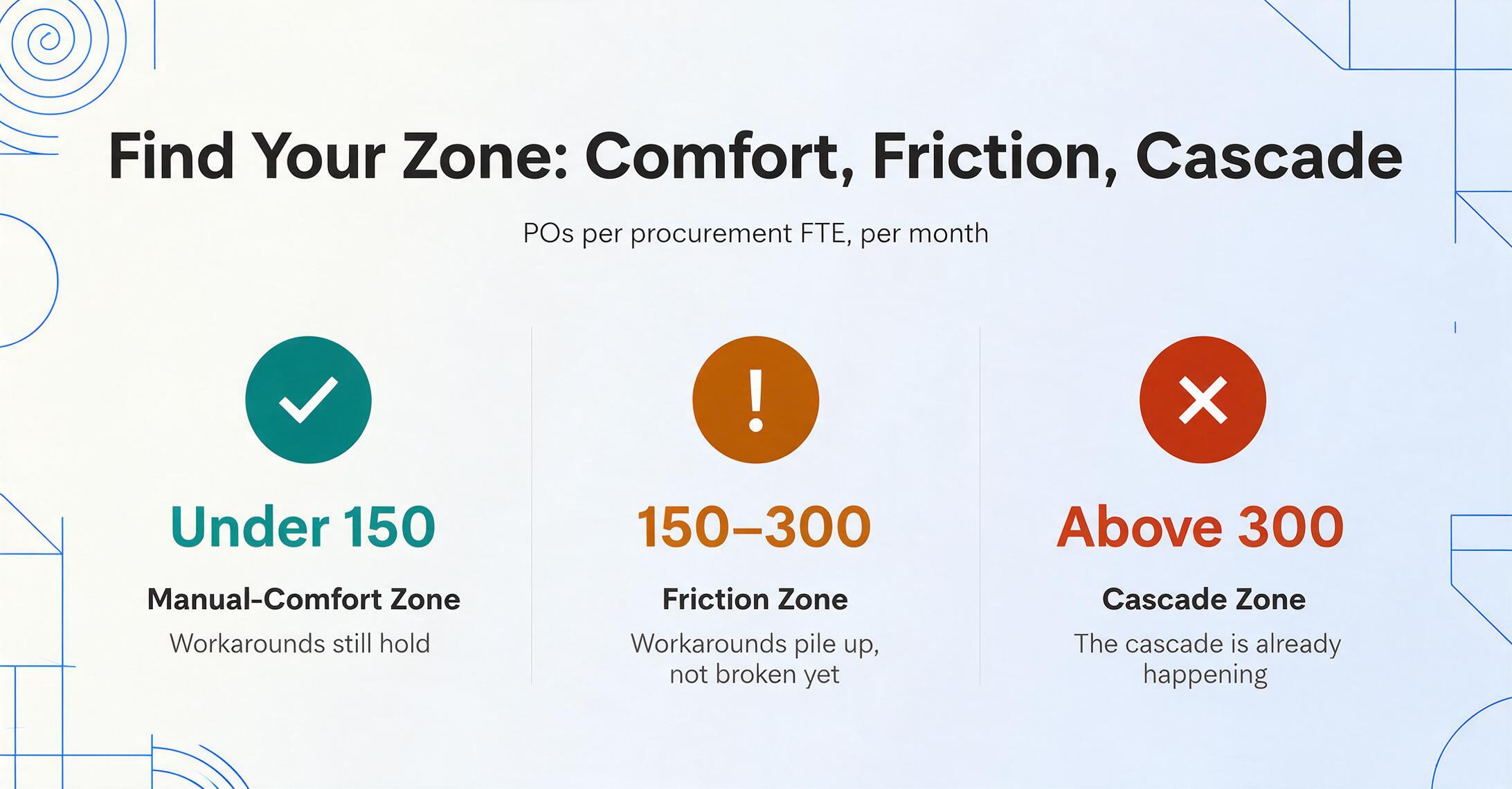
- POs per procurement FTE per month. Divide total POs by the number of FTEs whose primary job is PO processing. If the number is under 150, you're in the manual-comfort zone. Between 150 and 300, you're in the friction zone — workarounds are accumulating but haven't broken yet. Above 300, the cascade described above is either happening already or imminent.
- Exception rate. Count POs that require a manual intervention beyond the standard data entry flow — format issues, missing fields, supplier clarification, approval re-routing. If this exceeds 20%, your data entry pipeline is bottlenecked not by volume but by format inconsistency. Adding people won't fix this; standardizing intake will.
- Cycle time from receipt to entry. Measure the hours between when a PO arrives (email timestamp, upload time) and when its data is fully entered into your system. If the 75th percentile exceeds 8 hours — the median cycle time for APQC's top performers — you have a throughput problem that will amplify with every volume increase.
- Invisible backlog. Count POs older than 48 hours that haven't been entered, acknowledged, or escalated. This is the metric that most teams don't track and that most reliably predicts an imminent breakdown.
The output of this diagnostic is not a number to compare against an industry benchmark. It's a map of where your breaking point will appear and how much time you have before it arrives. A team at 180 POs per FTE per month with a 12% exception rate has room to plan. A team at 260 with a 25% exception rate is already in the cascade — they just haven't realized it's systematic yet.
CAPS Research's cross-industry data shows that procurement staff represent an average of 1.90% of total company headcount, with procurement spend averaging 55.64% of revenue. These ratios are structural — they don't flex upward when volume spikes. Which means growth in PO volume almost never comes with proportional growth in procurement headcount.
Why Adding Headcount Doesn't Scale Either
The intuitive response to a procurement team at capacity is to hire another buyer. It's also the wrong one — and the APQC data shows why.
If hiring solved the problem, the gap between top performers and bottom-quartile organizations on POs per FTE would be small — maybe 2x or 3x, reflecting individual productivity differences. The actual gap is 11x. What separates the top from the bottom is not headcount. It's that top performers have systematized the parts of procurement that don't require human judgment, so their people spend their time on the parts that do.
Adding a second buyer to a team processing 300 POs per month doesn't double throughput. It creates a coordination overhead that compounds with every additional person: who handles which suppliers, whose backlog is whose, which exceptions get escalated to whom. At three buyers, you need a procurement manager. At five, you need documented processes. At eight, you've built a department whose primary activity is managing itself — and the original problem (PO data not moving fast enough) is worse than when you had three people.
There is an organizational physics at work here. A famous observation from the Manufacturing Leadership Council — the NAM's digital transformation arm — is that 70% of manufacturers still collect data manually. That number hasn't moved significantly in years despite the availability of automation tools, because the default organizational response to volume pressure is "add headcount and add process," not "redesign the system." The 70% figure isn't a technology adoption stat — it's an organizational inertia stat.
For a deeper look at why manual PO data entry persists as a structural problem despite decades of available technology, see our analysis of the purchase order data entry problem — and what keeps it in place.
The Pre-Breaking-Point Preparation Framework
If you score your team using the four diagnostic metrics and find yourself in the friction zone — or trending toward it — the following four-stage preparation sequence buys you time and capacity without requiring an ERP implementation or a headcount increase. The sequence matters: each stage builds capability that the next stage depends on.
Stage 1: Standardize intake. Before any tool can help, you need to eliminate the format chaos at the point of entry. This doesn't mean asking every supplier to comply with your format — they won't. It means implementing a single intake channel that accepts any format (PDF, scanned image, email attachment, Excel export from the supplier's ERP) and consistently feeds it into the same processing pipeline. A Collection Link — a shareable upload URL that routes files directly into a processing queue — solves the intake problem without requiring supplier cooperation. Suppliers send what they have, the same way they always have; the difference is that everything lands in one place instead of scattered across inboxes.
Stage 2: Automate extraction, not the entire process. This is where most procurement digitization projects go wrong. They attempt to automate the full source-to-pay cycle — requisition, approval, PO creation, receipt, invoice matching, payment — in a single initiative. The result is an 18-month implementation that costs more than the problem it solves. Enterprise procurement suites like SAP Ariba, Coupa, and Jaggaer are powerful but carry implementation timelines and price tags designed for organizations with procurement teams of 20 or more. Mid-market manufacturers — companies with $10 million to $100 million in revenue — fall into a gap: enterprise tools are too expensive and complex, while entry-level purchasing software handles approvals but not extraction.
The highest-leverage single step is automating the extraction of data from incoming POs — converting the fields on a PDF into structured rows in a spreadsheet. This one step eliminates the largest variable-cost component of PO processing: the time spent typing. Column-name extraction — where you specify the fields you want (PO Number, Supplier Name, Line Item Description, Quantity, Unit Price) and the AI locates them by understanding what they mean, not where they sit on the page — works across any PO format without per-supplier templates. For a step-by-step guide to this approach, see our article on extracting specific purchase order fields to Excel using AI column-name extraction.
Stage 3: Move from single-PO to batch processing. Once extraction is automated per document, the next scaling lever is processing multiple POs simultaneously. Instead of uploading one PO, waiting for extraction, reviewing, and repeating — batch processing lets you upload a folder of POs from multiple suppliers and get a single consolidated spreadsheet back. The extraction pipeline runs the same column definitions across every document. The output is not 50 separate extractions to review — it's one table with 50 rows, one per PO. This changes the review step from "check 50 files individually" to "scan one spreadsheet for anomalies." For the operational detail, see our guide on batch processing purchase orders from different vendors into one consolidated spreadsheet.
Stage 4: Connect output to downstream systems. Only after extraction is automated and batched does it make sense to think about integration. The extraction output — a structured Excel or CSV file — can be imported into your ERP, accounting system, or order management platform as is. The critical insight is that this stage does not require changing how your ERP works. The extraction layer produces data in the format your downstream system expects; the integration is a file import, not a system rebuild. For the full workflow — from upload through extraction to ERP-ready output — see our article on automating purchase order data entry without an ERP.
A mid-market manufacturer who completes stages 1 and 2 — standardize intake through a collection link, automate extraction — can typically handle a 3–4x increase in PO volume without adding procurement headcount. Stages 3 and 4 extend that to 8–10x. The 11x gap between APQC's top and bottom performers starts to look less like magic and more like arithmetic.
Where AI Document Extraction Fits — and Where It Doesn't
Every scaling framework needs an honest accounting of its limits. AI document extraction — the kind that reads a purchase order PDF and outputs structured data to a spreadsheet — addresses the data entry bottleneck and, indirectly, the exception-handling bottleneck by reducing the cognitive load per document. It does not address supplier relationship management, strategic sourcing, contract negotiation, or compliance auditing.
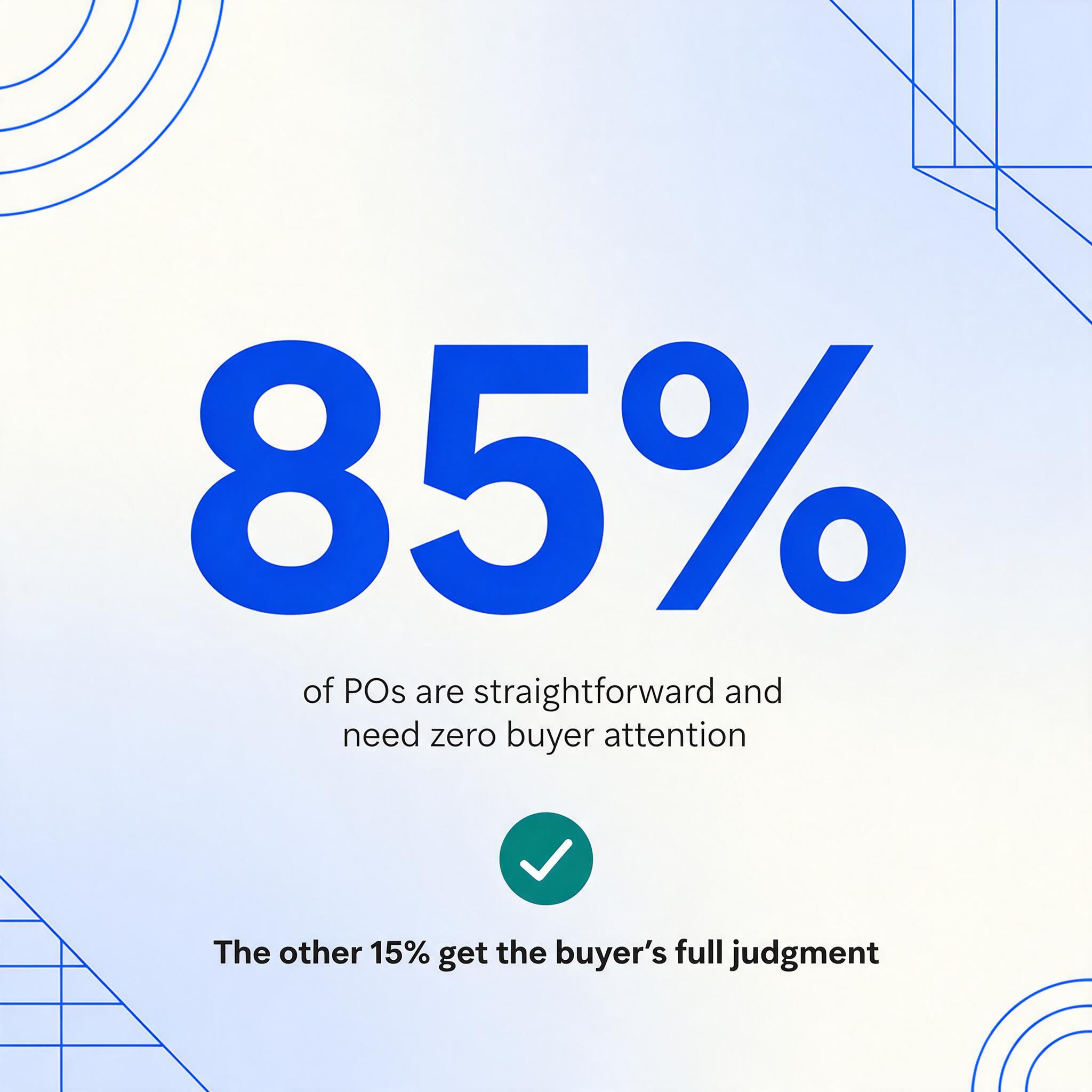
What it does is replace the most expensive minute in the procurement workflow: the minute someone spends reading a field off a PDF and typing it into a cell. Tool-based extraction processes a page in 5 to 10 seconds with up to 99% accuracy for printed text — roughly 18 times faster than manual entry for the same data. But the number that matters for scaling is not the per-page speed. It's what happens to the buyer's cognitive bandwidth when they're no longer doing data entry. A buyer freed from typing can handle exception review for a much higher volume of POs — because the 85% of POs that are straightforward don't consume their attention at all. They only need to focus on the 15% that require a human decision.
This is the scaling principle that the framework depends on: automation doesn't eliminate the need for human judgment. It concentrates it where it adds value.
ISO standards underscore this balance. ISO 9001 Section 8.4 requires that organizations verify purchased products conform to specified requirements — a compliance obligation that scales linearly with PO volume. ISO 20400 adds the dimension of sustainable procurement, requiring supplier assessments that consider environmental and social criteria. Neither standard demands that every PO be manually typed into a system — but both demand that someone, somewhere, has verified the data is correct and the supplier is qualified. AI extraction handles the data movement; the buyer handles the verification. The standard is met without the labor penalty.
For a direct path from PO upload to structured data in your preferred format, try our purchase order to Excel converter — it handles both header fields and multi-row line items from any PO layout, with no templates to configure per supplier.
FAQ
How many POs per month is too many for one person?
There is no universal number, but APQC benchmarking data provides a useful reference. At the median, procurement organizations process anywhere from 100 to 300 POs per FTE per month depending on industry and complexity. Manufacturing POs — which tend to include multi-row line items, part numbers, and delivery schedules — fall toward the lower end. The more useful question is not "how many" but "what's the exception rate and cycle time." A buyer processing 150 clean POs per month is under less strain than one processing 100 POs where 30% require manual intervention.
Do I need a full procurement suite like SAP Ariba or Coupa?
Not if your primary bottleneck is data entry. Enterprise procurement suites solve a different set of problems — spend visibility, approval workflows, supplier lifecycle management, contract compliance. They cost six to seven figures and take 12 to 18 months to implement. If your team's pain point is "we can't get PO data into our system fast enough," start with extraction automation. It deploys in hours, not months, and costs a fraction of an enterprise suite. The enterprise suite can come later — or not at all, depending on your growth trajectory.
Does AI extraction work with handwritten purchase orders?
Yes, with qualification. ImageToTable.ai's vision model can read handwriting — including cursive — but accuracy is lower than for printed text, especially on dense forms with small handwriting. For POs where handwriting is the exception rather than the rule (a supplier jots a note on a printed form), the tool handles it well. For fully handwritten POs, expect to review the extracted data more carefully. The accuracy of 99% quoted in our specifications applies to printed table data; handwriting accuracy depends on legibility and density.
What's the smallest PO volume where automation makes financial sense?
At roughly 100 POs per month — about 5 per working day — the time savings from automated extraction begin to exceed the cost of the tool. Below that threshold, the time spent setting up extraction columns and reviewing output may not beat the time spent just typing the data. But the framework in this article is about scaling: if you're at 100 POs per month today and your company is growing, the question isn't "do I need automation now" but "at what volume will I need it, and how much lead time do I need to deploy it." The diagnostic metrics in this article are designed to help you answer that question months before the volume itself forces the answer.
Can suppliers upload POs directly into my processing queue?
Yes. A Collection Link — a shareable URL that you generate and send to suppliers — lets them upload POs directly into your processing pipeline without needing an account or login. They open the link, verify with a short code, and upload the file. It lands in your queue for extraction. This eliminates the email attachment dance and ensures every PO enters through the same standardized channel, which directly improves the throughput metrics described in the diagnostic framework.
The investment in procurement automation does not pay off when you implement it. It pays off when your volume reaches the point where you would have broken without it. The framework in this article exists to help you deploy before that moment — because deploying after means rebuilding a team while it's still processing backlog.