The Purchase Order Data Entry Problem
— and What Keeps It in Place
APQC's Open Standards Benchmarking data reveals that organizations spend anywhere from $14 to over $54 to process a single purchase order. For a mid-sized manufacturer issuing 5,000 POs per year, the gap between top and bottom performers is the difference between $70,000 and $270,000 in annual processing cost. CAPS Research puts the cross-industry average even higher, at $527 per PO in their most recent survey. The data has been available for years. EDI 850 — the ANSI X12 standard for electronic purchase orders — has existed for decades. And yet 75% of purchase orders are still sent via email or fax, according to an AutoQuotes industry survey, landing in inboxes where someone opens the attachment and starts typing. This is not a technology gap. It is a structural problem that most automation tools were never designed to address.
Key Takeaways
- Two hundred purchase orders a month at $120 each burns $288,000 a year on manual data entry — a cost absorbed into buyer salaries so completely that no CFO has ever approved a line item called “Manual PO Processing.”
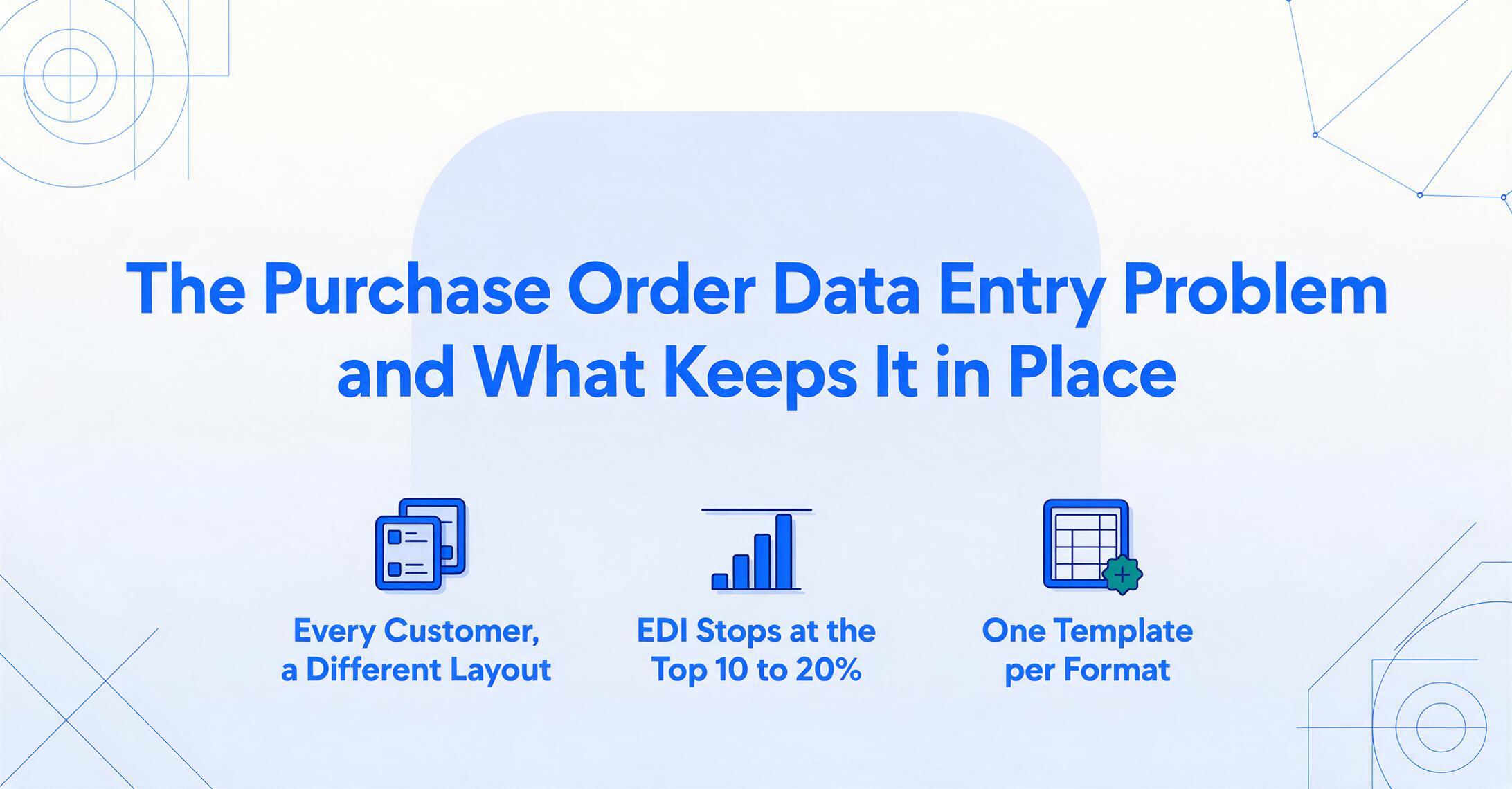
- Template-based extraction tools did not eliminate manual PO work — they relocated it from typing numbers into building and maintaining forty separate templates, where failures are silent and discovered only after orders ship wrong.
- Extraction that reads a PO field by what it means rather than where it sits works identically across every customer’s purchase order format — one column definition covers them all, with zero templates to build or break.
The $217 Problem Nobody Talks About
Ask a procurement manager what a purchase order costs to process and you'll usually get a blank look. Not because they don't care about costs — they do. But because the cost of manual PO data entry is distributed so evenly across daily operations that it disappears into the background. It's not a line item on anyone's budget. It's just "what we do."
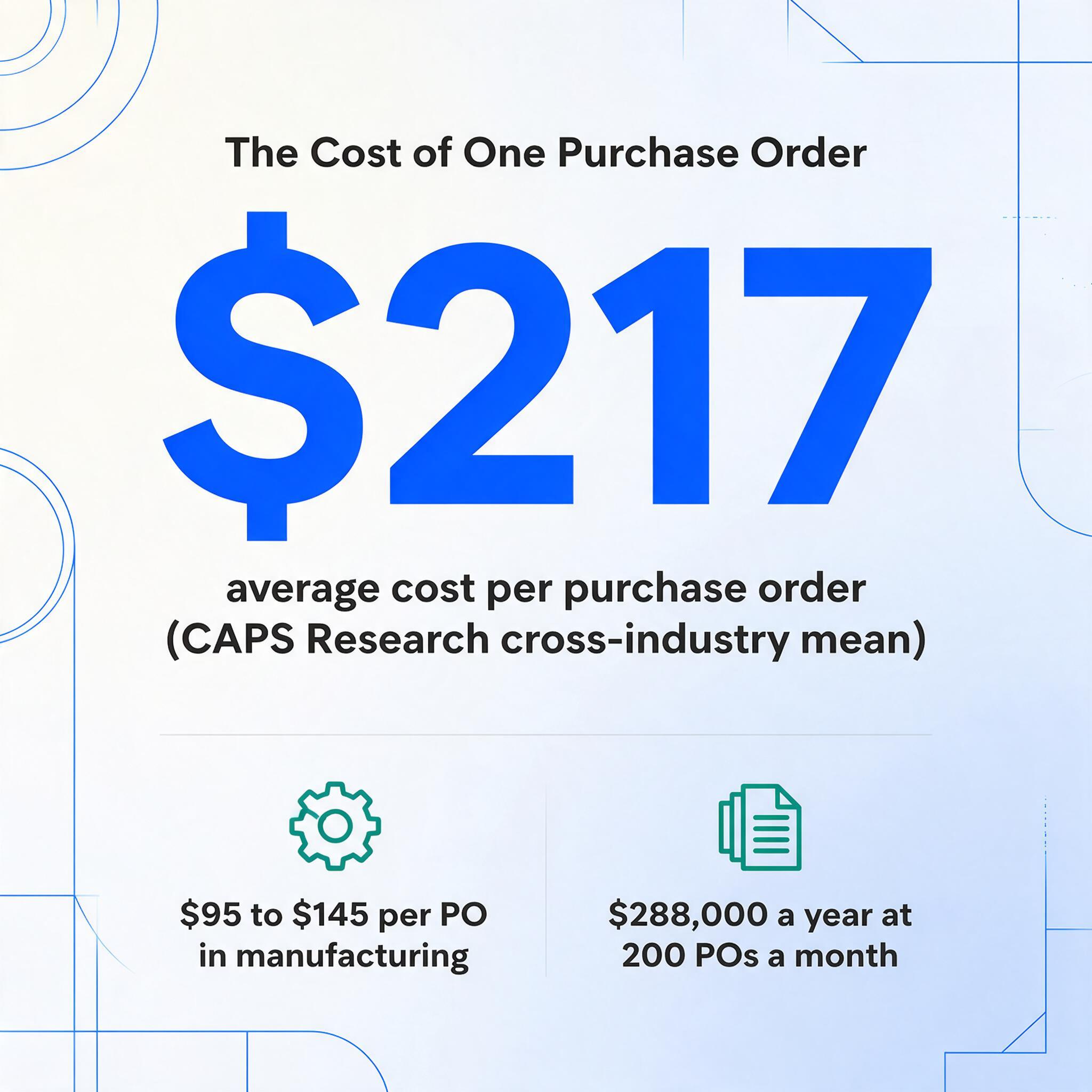
The Center for Advanced Procurement Strategy (CAPS Research) has been measuring PO processing costs for years. Their cross-industry data shows an average cost per PO ranging from roughly $50 to over $1,000, depending on industry, with a mean around $217. Manufacturing-specific estimates from multiple sources converge on $95–$145 per PO. That number includes not just the visible labor of typing data — it includes email follow-ups, status checks, error corrections, duplicate order resolution, and the time spent reconciling inconsistencies between what the PO says and what the supplier actually shipped.
A company processing 200 POs a month at $120 each is spending $288,000 a year just on the administrative cost of moving order data from one document to another. And that's the median case. At the high end — complex manufacturing POs with 50-line item tables and multi-level approvals — the cost can exceed $500 per PO.
The number itself is not the point. The point is that these costs have been measured, published, and benchmarked by independent research organizations for over a decade. Every procurement leader has access to this data. The automation tools that could reduce these costs exist. And yet the gap between "knowing the number" and "changing the number" persists across the majority of mid-market manufacturing and distribution companies. The question worth asking is not "how much does it cost" — it's why does it keep costing that much, year after year, when the fix is not a mystery?
It's Not One Problem. It's a Stack of Three.
Ask a software vendor what's wrong with manual PO processing and they'll give you a one-sentence answer: data entry is slow and error-prone. That answer is technically true. It's also useless as a diagnosis. The real problem isn't that procurement teams are typing when they could be clicking. The real problem is a three-layer structure that makes the typing functionally unavoidable under current industry conditions.
Layer one: format fragmentation. Every customer's purchase order is laid out differently. One puts the PO number in the top-right corner. Another puts it in a header block on the left. A third embeds it in a barcode on page two. The line-item table — which can be 5, 50, or 300 rows deep — might be six columns wide, or fourteen. Item codes might be in column one or column four. Delivery dates might appear per line item or as a single field in the header. As one Reddit user in r/manufacturing put it: "The biggest issue for us is that customer purchase orders don't come in the same format. Everyone uses a different PO format, even down to the field names."
This is not a new observation. Every procurement professional knows it. What's less understood is that format fragmentation is not a bug — it's the equilibrium state of the system. Each company's PO format is generated by their ERP, which was configured to match their internal data structures, which evolved over years of business-specific decisions. Asking 80 customers to standardize their PO formats is not a procurement request. It's asking 80 companies to reconfigure their ERP outputs — a task with zero ROI from their perspective.
Layer two: the supplier incentive misalignment. If you're a manufacturer receiving POs from customers, you have strong incentives to automate data entry. Every minute saved on typing is a minute returned to production planning, inventory management, or supplier negotiation. But if you're the customer sending the PO, you have exactly zero incentive to change your format to make the supplier's life easier. The PO goes out the same way it always has — generated by your ERP, PDF-attached to an email — and the supplier's data entry burden is invisible to you. This asymmetry is fundamental. The party that controls the format has no incentive to standardize it, and the party that needs standardization has no leverage to demand it.
Layer three: tool mismatch. The dominant approach to document data extraction for the last two decades has been template-based: you draw boxes around fields on a sample document, label them, and the tool extracts data from any subsequent document that matches the same layout. This works for invoices from a single vendor. It collapses for POs from 40 different customers. Each customer needs a separate template. Each template takes time to build. And when a customer upgrades their ERP or changes their PO layout — which happens during system migrations, acquisitions, or rebranding — the template silently breaks, producing either garbled data or nothing at all. The work you were trying to eliminate (manual data entry) has been replaced by a different kind of manual work (template maintenance).
These three layers compound each other. Format fragmentation is the baseline reality. Supplier incentives prevent it from resolving on its own. Template-based tools turn it into a scalability ceiling — you can automate PO data entry for five customers, but not for fifty. The result is a procurement landscape where 57% of procurement leaders still rely on manual data entry for purchase orders, not because they haven't heard of automation, but because the automation they've tried couldn't handle the format diversity of their actual supplier base.
EDI Solved This for the World's Largest Companies. For Everyone Else, It Created a Ceiling.
If you've been in procurement for more than a few years, you've heard the EDI pitch. EDI 850 — the ANSI X12 standard for electronic purchase orders — defines a structured format for machine-to-machine PO exchange. When both parties use EDI, purchase orders flow from the buyer's ERP directly into the supplier's order management system with zero human intervention. No PDFs. No typing. No format variation, because both sides are conforming to the same transaction set.
It works beautifully — for the relationships where it's implemented. Large automotive manufacturers, big-box retailers, and aerospace primes have been running EDI with their tier-one suppliers for decades. Walmart's supply chain would collapse without it.
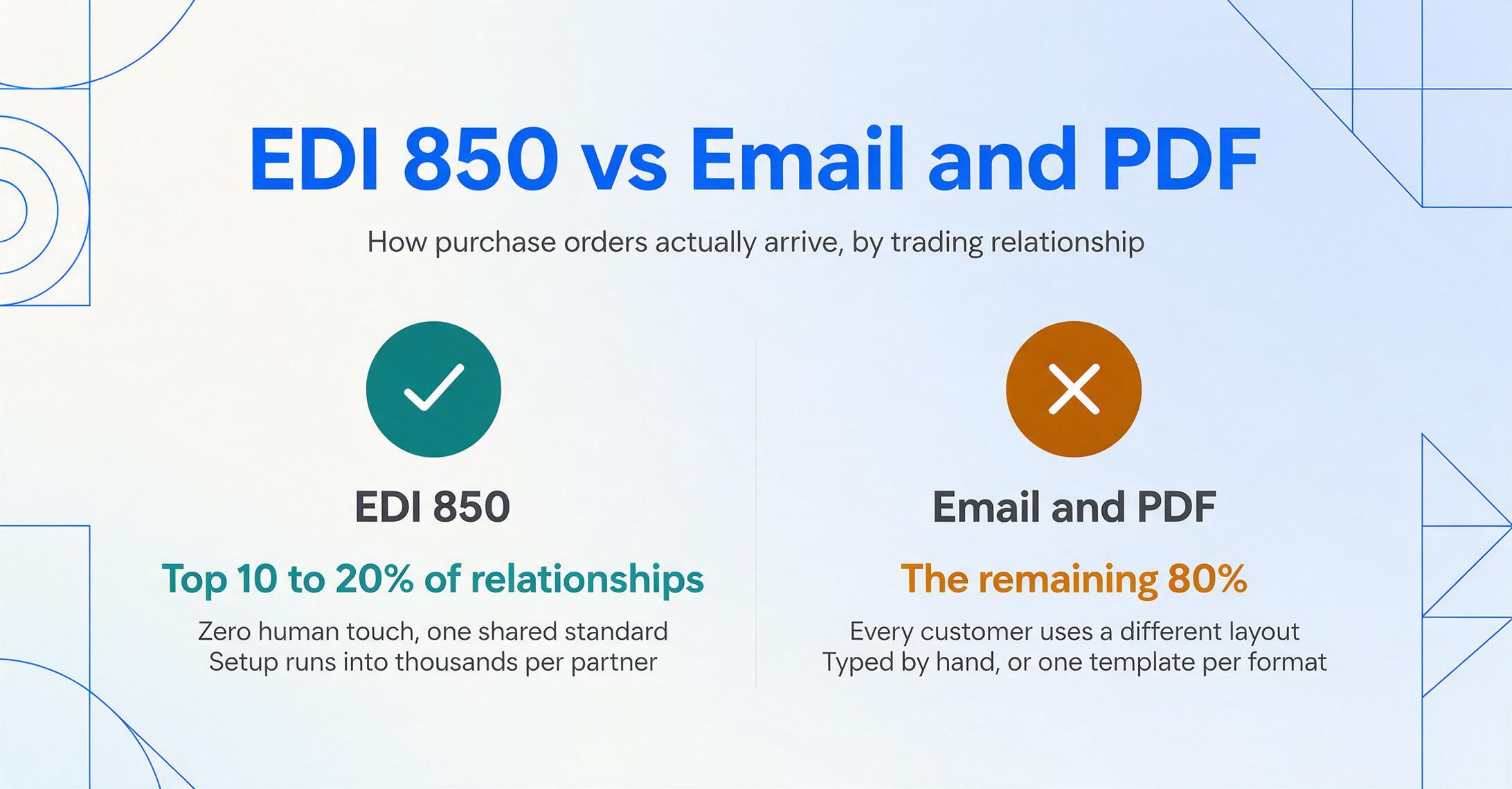
The problem is that EDI's adoption curve has a hard ceiling. Implementing EDI requires technical infrastructure on both ends — EDI translation software, communication protocols (AS2, VAN), and mapping logic to translate between the EDI 850 segments (BEG, N1, PO1, PID, CTT) and each party's internal data structures. The setup cost runs into thousands of dollars per trading partner. For high-volume relationships — a manufacturer placing weekly orders worth millions — the ROI closes instantly. For the long tail of customers who order quarterly or sporadically — which describes most mid-market B2B relationships — it never closes.
The result is a two-tier procurement reality. The top 10–20% of trading relationships run on EDI. The remaining 80% run on email and PDF. The second group is where manual data entry lives — and where it will continue to live as long as the automation options require format standardization that these relationships can't economically support.
CAPS Research found that 31% of supply chain leaders say outdated procurement software blocks execution, and 37% cite data access issues as a top barrier. These numbers don't describe companies that are unaware of automation. They describe companies that have evaluated it and found the economics don't work for the majority of their supplier portfolio.
The Template Trap: Automation That Creates New Manual Work
In theory, template-based extraction is a reasonable approach. You show the tool a sample document, mark where each field sits, and the tool replicates that extraction pattern on future documents. It's how most document automation tools — from enterprise IDP platforms to lighter SaaS products — have worked since the early days of OCR.
In practice, template-based extraction has a fatal scaling property: the number of templates you need scales linearly with the number of distinct document formats you receive. If you have 40 customers and each uses a different PO layout, you need 40 templates. Every new customer requires a new template setup session — typically 10 to 15 minutes of identifying fields, drawing regions, and verifying extraction accuracy. When customer #41 comes onboard, someone has to stop what they're doing and build template #41.
This creates an inversion of the automation promise. The tool was supposed to eliminate repetitive manual work. Instead, it has created a new class of repetitive manual work — template maintenance — that is less visible but equally time-consuming. And unlike data entry, template failures are silent. When a customer quietly changes their PO format (new ERP, new branding, merger-driven format consolidation), the template doesn't throw an error. It extracts incorrect data, or missing data, that you discover downstream — when the order is wrong, the shipment is misrouted, or the invoice doesn't match.
The cost structure is insidious. A manual data entry error — a mistyped quantity or a transposed part number — is usually caught within the same workflow, by the same person, or by downstream validation. A template failure produces systematic errors: every PO from Customer X is now missing the delivery date field, and nobody knows until the warehouse calls asking where to ship. The error cost per incident is higher, and the detection latency is longer.
For a mid-sized manufacturer processing POs from 20–80 different customers across multiple ERP ecosystems — SAP, NetSuite, Microsoft Dynamics, Epicor, Sage, Infor — the template approach doesn't reduce work. It relocates it from the data-entry desk to the template-configuration screen. And for procurement teams that don't have dedicated automation engineers, that relocation makes the problem worse, not better.
What Procurement Teams Actually Do Every Day
Behind the cost benchmarks and the structural analysis, there's a real workflow that plays out thousands of times a day across manufacturing procurement departments. It's worth describing it plainly — not as a fabricated scene, but as a composite of what procurement professionals describe on Reddit and in industry forums.
The inbox has new messages from customers. Each one is a purchase order attachment, usually a PDF. Some come through a customer portal; most come through email. The procurement coordinator opens the first one. It's from a customer running NetSuite — the PO number is in the header, vendor code is in a reference field, line items are in a 9-column table. They open their spreadsheet or ERP and start typing: PO number, date, customer name, ship-to address. Then the line items, one row at a time: item code, description, quantity, unit of measure, unit price, extended price. If the PO has 15 line items, that's 90 individual data points to transfer, manually, without transposing a digit or skipping a row.
The second PO is from a customer running SAP. The layout is completely different. The PO number is in the top-right corner. The customer name is in a different position. The line-item table has 12 columns instead of 9, with additional fields for warehouse location and delivery date per line. The field names are different — SAP calls it "Material" where NetSuite says "Item Code."
The third PO is from a customer with no ERP at all — it's a Word document converted to PDF, with line items formatted as a bulleted list rather than a table. A template-based extraction tool would choke on this immediately. A person can read it, but the cognitive friction of switching between three completely different document structures multiple times per hour is the real productivity drain — not the typing speed.
As one Reddit user in r/procurement described it: "We were literally taking PDFs from suppliers, copying values into spreadsheets, checking every line against the PO, emailing suppliers about mismatches, pasting everything into ERP because none of these systems speak to each other. Half the job is admin disguised as supplier management."
What's striking about this description isn't the inefficiency — it's the accuracy. The systems genuinely don't speak to each other. The PDF is a dead-end format: it preserves visual layout but destroys data structure. The ERP on the receiving end expects structured, field-mapped input. Between those two formats is a human being, manually reconstructing the data structure that was lost when the PO left the customer's system. That human being is not adding value. They are performing format translation — a task that software should handle, but can't, because the formats keep changing.
The Organizational Inertia That Normalizes Manual Entry
If the cost of manual PO data entry is measurable and the tools to reduce it exist, why hasn't the market fixed this? The answer goes beyond technology — it's embedded in organizational behavior and vendor incentives.
The cost is invisible to decision-makers. Manual PO data entry doesn't show up as a discrete expense. It's hours of buyer and coordinator time distributed across the workweek, categorized under "operational overhead" rather than "data entry labor." No CFO approves a line item called "Manual PO Processing — $288,000." The cost is real, but it's absorbed into salaries that would exist regardless. This accounting invisibility means there's no natural budget owner for the fix. IT doesn't own procurement efficiency. Procurement doesn't own software evaluation. Finance doesn't see the line item. The problem falls into the gaps between departments.
Automation failures are more visible than manual drudgery. When manual data entry produces an error, the fix is straightforward: find the mistake, correct it, send an updated order. It's annoying but routine. When an automation tool produces an error, the failure is larger, more visible, and harder to diagnose. A batch of 50 POs processed automatically with a broken field mapping can create 50 incorrect orders — a crisis that lands on a manager's desk. The procurement professional who championed the automation gets the blame. The lesson most organizations draw from one bad automation experience is "our documents are too complex for tools to handle" rather than "we used the wrong type of tool for our format diversity." This risk asymmetry — automated failures carry higher organizational cost than manual ones — creates a powerful bias toward the status quo.
ERP vendors have the wrong incentives. The companies best positioned to solve PO data entry — SAP, Oracle, Microsoft, NetSuite, Epicor — are the companies with the least incentive to do so. Their procurement modules assume structured input. Their sales motion is built around full-suite adoption, not point-solution extraction. When a customer asks "how do I get my customers' PO data into your system," the answer is typically "get your customers to use our portal," or "set up EDI," or "enter it manually." All three answers accept the format problem as external to the solution. The ERP vendor's business model depends on you adopting their end-to-end platform — not on solving the extraction step that sits at the boundary between your system and your customers' systems.
The problem has been normalized across generations of procurement professionals. People who have been in procurement for 15 years don't remember a time when PO data entry wasn't manual. They've built their workflow around it. They have Excel shortcuts, macros, and mental models that make manual entry tolerable. Suggesting automation doesn't sound like efficiency improvement — it sounds like threatening a system that, for all its flaws, has been reliably getting orders out the door for years. The operational cost of change — learning a new tool, trusting its output, handling the edge cases when it fails — feels larger than the operational cost of the status quo, even when the math says otherwise.
None of these factors is about technology capability. They are about incentive structures, risk perception, and organizational habit. The tools to automate PO data entry exist. The reason they haven't been widely adopted is not that they don't work — it's that the most widely available tools (template-based extraction, full-suite ERP modules, EDI) impose requirements — format standardization, per-supplier setup, integration overhead — that make their adoption cost exceed their ROI for the majority of procurement relationships.
What Would Actually Change the Equation
If the root problem is format fragmentation — documents that carry the same logical information (PO number, line items, quantities, prices) arranged in unlimited physical layouts — then the solution cannot be a tool that requires you to account for each layout individually. It has to be a tool that doesn't care what the layout is.
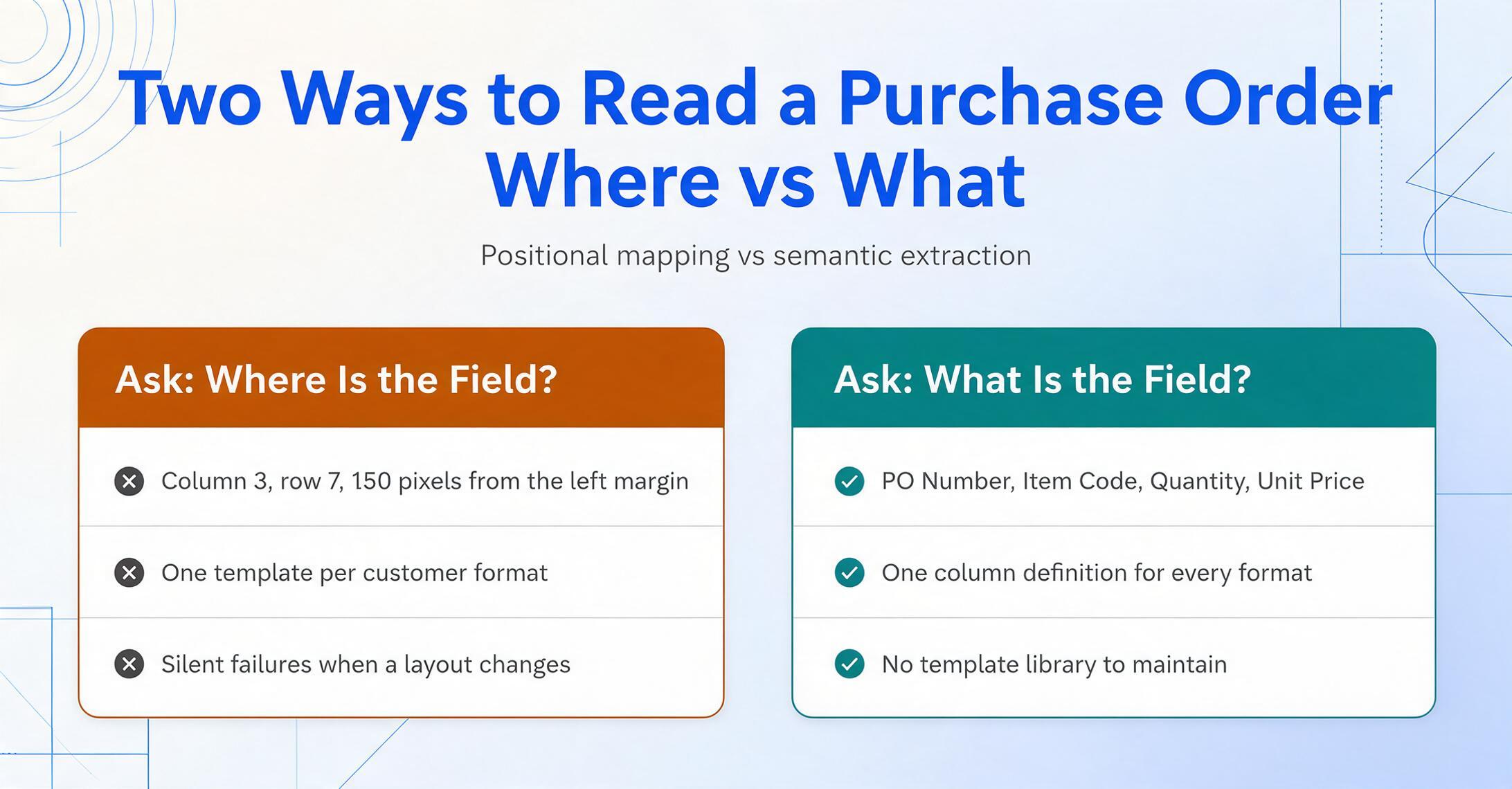
This is the difference between template-based extraction and meaning-based extraction. A template asks: where is the field? Column 3, row 7, 150 pixels from the left margin. A meaning-based approach asks: what is the field? It looks for text that matches the semantic role of "PO Number" — a unique identifier near the top of the document, typically alphanumeric, often labeled with a variation of "PO #" or "Order Number" or "Purchase Order No." — and extracts the value regardless of where it sits on the page.
This is what column-name extraction does: you define the columns you want — "PO Number," "Supplier Name," "Item Code," "Quantity," "Unit Price," "Line Total" — and the AI locates each value by understanding what it means, not where it sits. The column names you enter become the headers of the output table. One column definition works across every customer's PO format, because the extraction logic is semantic, not positional.
The structural implications are significant:
- Zero-template operation. No per-customer setup. No template library to maintain. No silent failures when a customer changes their PO layout. The extraction adapts to each document's structure automatically.
- Line-item handling. A purchase order's primary payload is its line-item table, which can span dozens of rows with varying column configurations. Column-name extraction reads each row as a complete record, mapping the correct quantity, description, and price to each line — including tables split across multiple pages.
- Multi-format inputs. The same column definition works on PDFs, scanned documents, and even email screenshots. The extraction logic doesn't distinguish between a PO generated by SAP and one typed into a Word document — it reads the content, not the format.
For a deeper walkthrough of how this works in practice, including a field-by-field guide to PO extraction, see our article on extracting specific fields from purchase orders to Excel without templates. For batch processing — running the same column definition across POs from dozens of different customers in a single operation — see our guide on batch processing purchase orders from every supplier format into one spreadsheet. And for the end-to-end automation workflow, including how to connect extraction output to your existing order management system, see our article on automating purchase order data entry without an ERP.
Files are processed securely and not stored.
Frequently Asked Questions
Why can't we just require all our customers to use our PO format?
You can try — and large enterprises with significant purchasing leverage sometimes succeed with their biggest suppliers. But for most mid-market companies, the leverage flows the other direction: you need your customers' business more than they need to standardize their PO output. Even if a customer agrees, implementing the change means their IT team reconfigures an ERP output, tests it, and deploys it — a project with real cost and zero direct benefit to them. Most procurement teams find that the effort required to enforce format standardization exceeds the effort of dealing with format diversity.
Doesn't my ERP already handle PO data entry?
Most ERP procurement modules handle PO creation — generating purchase orders to your suppliers — but are far weaker at PO receipt — ingesting purchase orders from your customers. ERPs expect structured input (EDI, CSV imports, or direct data entry) and provide no built-in mechanism for extracting structured data from unstructured PDFs. If your customers send you POs as PDF attachments, your ERP can store them as attachments but cannot read them without additional extraction tools or manual entry.
How accurate is AI-based extraction for purchase orders with complex line-item tables?
Printed table data can be recognized with up to 99% accuracy using visual AI models. The hardest cases are not the long tables — AI handles repetitive structure well — but documents where line items are formatted as narrative text rather than rows (common in service-based POs), or where handwritten annotations have been added to printed tables. For these edge cases, the extraction should be treated as a first pass that reduces manual work by 80–90% rather than eliminating it entirely. Results should always be reviewed before being committed to an ERP or order management system.
What if my customers send POs with handwritten changes or annotations?
Column-name extraction can handle handwriting, including annotations on printed documents. The AI reads the handwritten text as part of the document's content and maps it to the appropriate fields based on meaning. Accuracy for handwriting is lower than for printed text — particularly for cursive or light pencil annotations — so handwritten POs should be reviewed more carefully than clean printed ones.
Is this just another software subscription on top of the ERP we already pay for?
It addresses a specific gap that most ERPs don't cover: the extraction step between receiving a PDF PO and having structured data to work with. If you're currently paying for that step with buyer and coordinator time — and the cost benchmarks suggest most mid-market manufacturers are, at $95–$145 per PO — the comparison isn't "software vs. no software." It's "software vs. labor cost." For a manufacturer processing 200 POs per month, even a conservative estimate puts the annual manual processing cost above $200,000. The relevant question is whether an extraction tool reduces that number by more than it costs — a calculation that depends on your PO volume and complexity, not on whether the tool fits inside your existing ERP budget category.
Where the Problem Actually Lives
The purchase order data entry problem has survived decades of automation technology for a reason. It's not that procurement teams are technophobic or uninformed. It's that the structure of the problem — infinite format variation, misaligned incentives between buyers and suppliers, a tool landscape dominated by template-based approaches that can't scale across diverse formats — makes the obvious fix (buy automation software) ineffective for the majority of procurement relationships.
EDI 850 solved it for the high-volume partnerships that can justify the setup cost. Template-based extraction solved it for the cases where format stability is guaranteed. But between those two solutions is a gap that contains the majority of real-world procurement: dozens of customers, each with their own PO format, none of whom will ever standardize for your benefit. That gap is where manual data entry lives, and it will continue to live there until procurement teams adopt tools that don't need format standardization to function.
The shift from template-based to meaning-based extraction — from asking "where is the field" to asking "what is the field" — changes the economics of the problem at its structural root. When extraction accuracy depends on semantic understanding rather than positional mapping, format diversity stops being a barrier and starts being irrelevant. The cost of automation drops from "one template per supplier" to "one column definition for all suppliers." The adoption barrier isn't technical capability — it's recognizing that the previous generation of automation tools was designed for a world where document formats were stable, and procurement reality is the opposite.
See how column-name extraction handles your actual POs — across every customer format, without templates.
Try It Now →