Why Is My Multi-Language Extraction Accuracy Dropping?
3 Scenarios & Specific Fixes
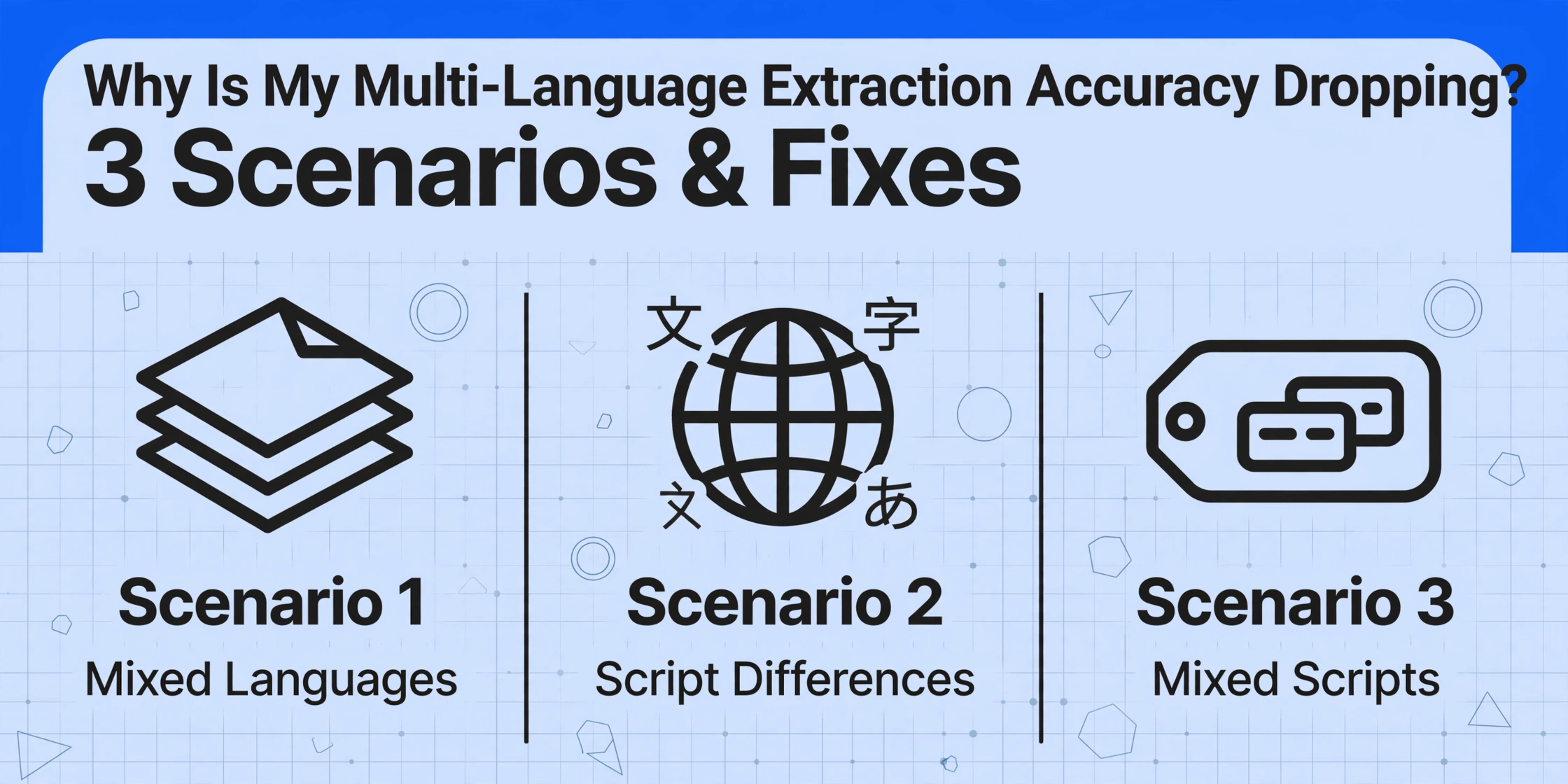
Your English invoice extracts at 96% accuracy. The same tool on a German invoice drops to 88%. Add French line items to that German header and it's closer to 80%. This isn't the AI failing — it's a language density problem with specific, addressable causes.
Key Takeaways
- 96% on English drops to 88% on your German invoice — not because the tool is weaker at German but because your document secretly contains four languages sharing one recognition pass.
- A CJK document burns double the tokens of its English equivalent, filling the model's context window before it can give each field the same attention.
- One diagnostic question — per-field, per-document, or per-mixed-script-field — tells you which of three scenarios you are in, and none of the three fixes is switching tools.
The pattern is always the same: you test on English documents, get results that feel like magic, then switch to your real document mix — invoices from suppliers in three countries, shipping labels with addresses in two scripts, contracts that switch languages mid-clause — and the accuracy drops. Not catastrophically, but enough that you start wondering whether the tool actually works.
It works. The question is what you're asking it to do. A single English invoice is a uniform input: one language, one script, one reading direction. A German invoice with French line items and Spanish payment terms is not the same category of problem — and accuracy reflects that. Understanding which of three distinct scenarios you're dealing with is the difference between knowing what to fix and blaming the wrong thing.
This guide covers the three most common accuracy-drop scenarios, how to tell which one is happening to your documents, and what to do about each. For a broader overview of how vision AI handles multiple languages at the architectural level, see can AI read multiple languages in one document — this article assumes that background and focuses on the troubleshoot side.
Scenario 1: Single Document, Multiple Languages
This is the most common cause of accuracy drop, and the one users typically don't realize they're dealing with. Your document is "in German" — but the header is in English (company name and address), the line items mix German product descriptions with French ingredient names, and the footer contains legal boilerplate in whatever language the corporate legal team chose last quarter.
Most AI vision models process the entire page as a single visual context. They don't "switch languages" the way traditional OCR does — they read everything at once and figure out each character's script as part of the same inference pass. This is an advantage over OCR engines that require a pre-selected language pack, but it creates a subtle problem: when text in different languages appears in the same visual field, the model's character confidence drops because it must simultaneously resolve script boundaries, special characters (é, ü, ñ, ß), and context-dependent letterforms.
Here's what happens in practice on a single multilingual invoice:
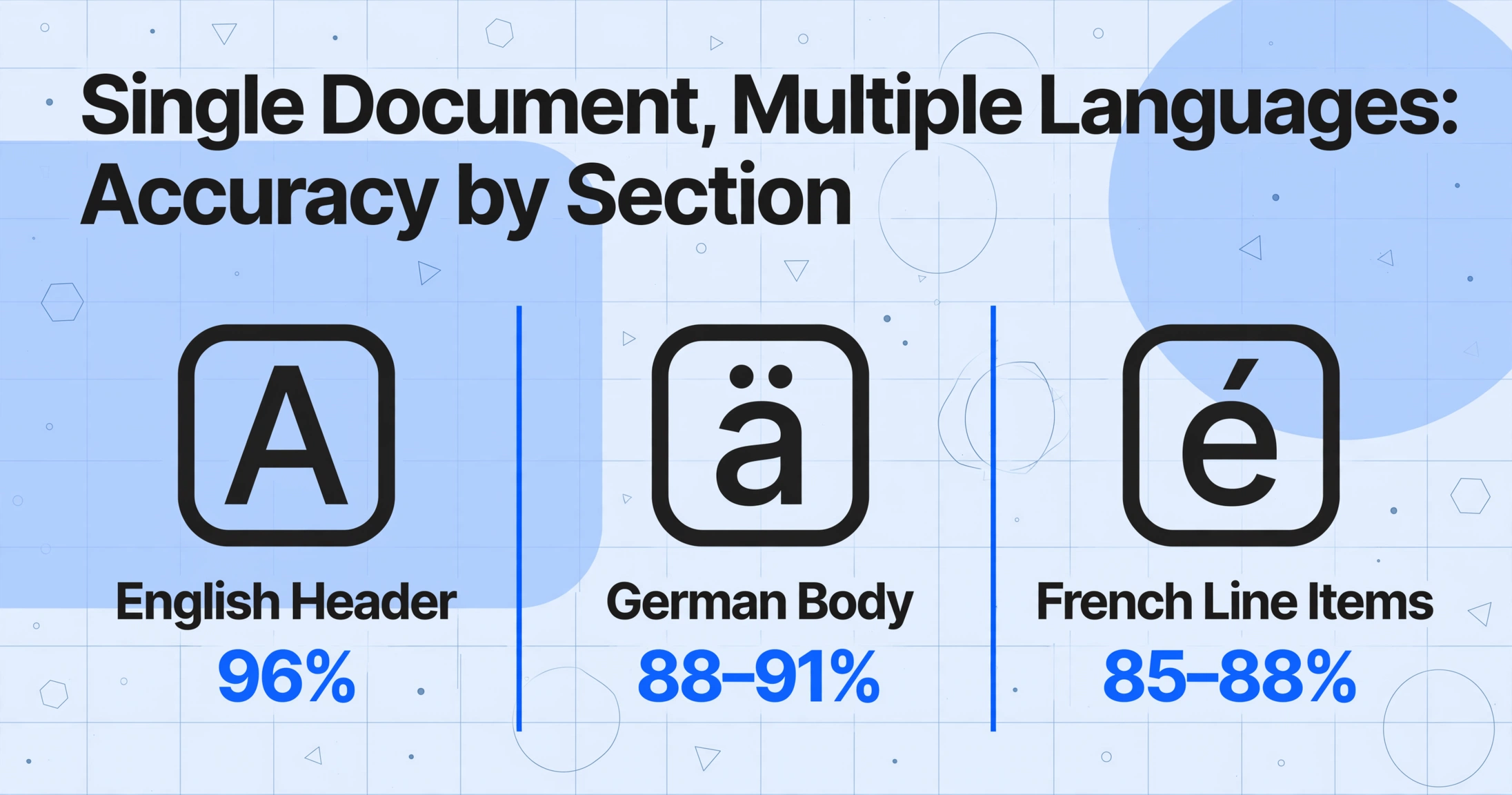
- English header (company name, address) — 96% accuracy. The model is in its strongest regime.
- German body (item descriptions with Umlauts, "€" currency, German date format) — 88–91% accuracy. Umlauts (ä, ö, ü) get dropped or substituted; "14.03.2026" gets confused with English "03/14/2026."
- French line items (accented characters: é, è, ê, œ) — 85–88% accuracy. Accents on mixed-glyph lines accumulate errors; a word like "générique" becomes "generique" or "g6n6rique."
- Spanish payment terms (ñ and inverted punctuation) — 82–87% accuracy. The model has already spent its character-resolution budget on the German and French sections by the time it reaches the footer.
These are not worst-case numbers. They are typical for a document that switches between three Latin-script languages — all sharing the same alphabet but diverging on special characters, date formats, and currency notations.
Diagnosis: If your per-field accuracy varies within the same document — dates being more reliable than vendor names, or numbers being clean while accented characters are corrupted — you're likely in Scenario 1.
Fix: Use Custom Column Extraction instead of full-page OCR. When you define specific output columns (like "Supplier Name," "Invoice Date," "Total Amount"), the AI focuses on finding those values by semantic meaning rather than trying to process every character on the page equally. A column called "Total Amount (EUR)" tells the model to look for a number near a currency symbol, regardless of whether the surrounding text is German, French, or Spanish. For a deeper look at how column-based extraction works across document types, see how AI document extraction works and why column definition matters.
If your document mixes multiple Latin-script languages, the fix is almost never a better model — it's a better extraction strategy. Instead of telling the AI to "read everything," tell it exactly what fields you need. The accuracy difference between raw OCR and targeted column extraction on a mixed-language document is typically 5–10%.
Scenario 2: Script Differences — Latin vs. CJK vs. Arabic
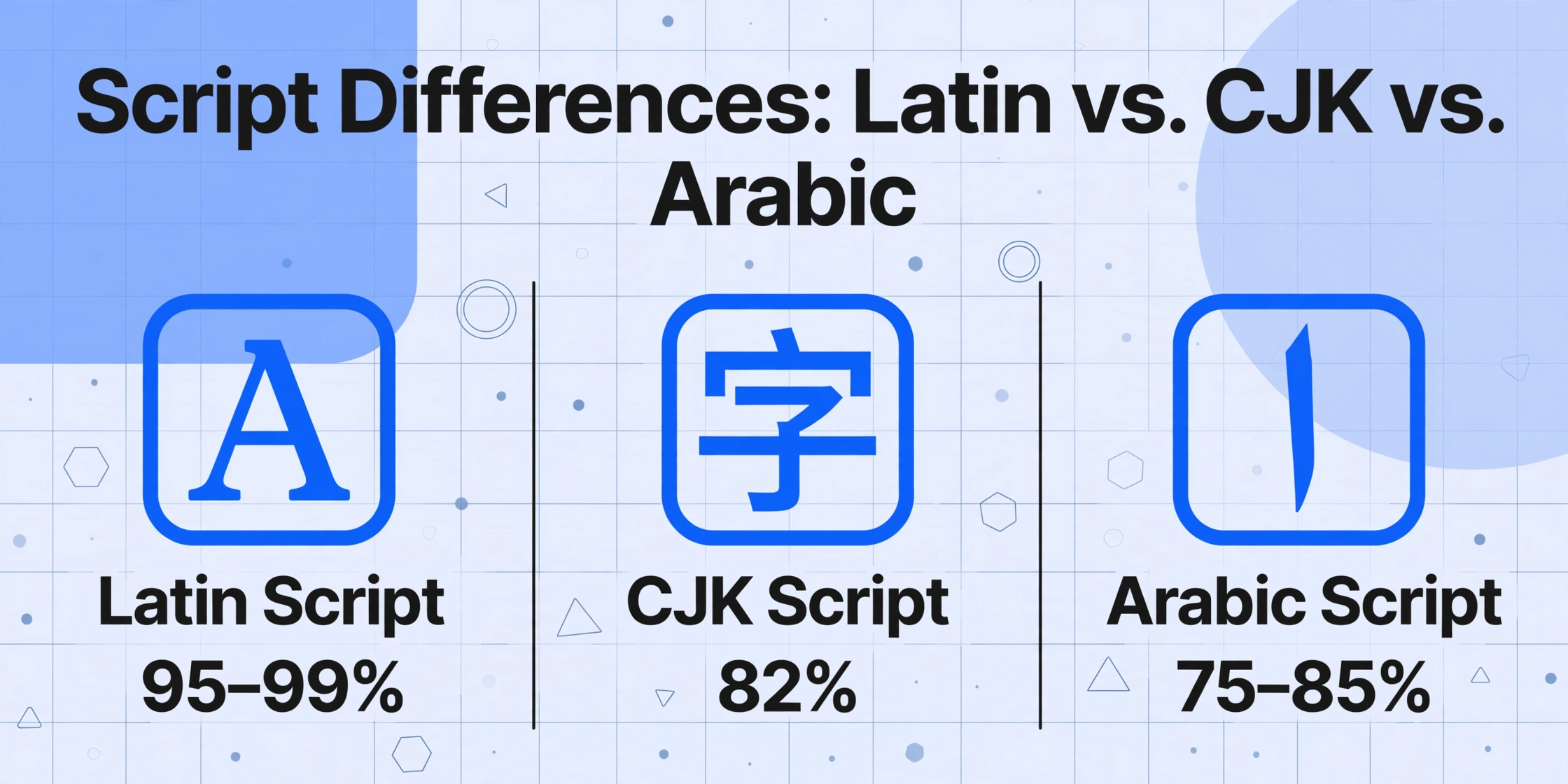
This is where accuracy drops cross the line from "annoying" to "workflow-breaking." An English invoice extracts at 96% and a Japanese invoice extracts at 82% — not because the Japanese document is lower quality, but because the script families are fundamentally different in how they challenge vision models.
Latin scripts (English, French, German, Spanish, Portuguese, Italian, Dutch) share a 26-character alphabet, left-to-right reading direction, and abundant training data. They are a solved problem for modern vision AI — accuracy on clean printed Latin text consistently hits 95–99%.
CJK scripts (Chinese, Japanese, Korean) are a different tier of difficulty. A single Japanese sentence can contain Kanji (thousands of Chinese-origin characters), Hiragana (46 phonetic characters), Katakana (46 phonetic characters for loanwords), Latin characters for English terms, and Arabic numerals — all on one line. The same semantic content in Japanese consumes roughly 2× the tokens of its English equivalent, which means the model fills its context window faster on CJK documents and has less information available per field. For a practical example of this density problem, see our coverage of extracting Japanese receipt data to Excel.
Arabic and Hebrew add the right-to-left direction challenge. The model must detect that the reading direction reverses, apply it correctly per text block, and handle Arabic's four-position letterforms (a letter changes shape depending on whether it appears at the start, middle, end, or in isolation of a word). Accuracy on printed Arabic documents ranges from 75–85% — not because the model is weak on Arabic characters specifically, but because the RTL typographic conventions create a different visual parsing problem than left-to-right scripts.
Diagnosis: If your English documents extract at 95%+ and non-Latin documents consistently land 10–20% lower — across different documents, not just one — you're in Scenario 2.
Fix: Two approaches work here. First, verify the tool's language support for the specific script you're processing. Not all tools that claim "100+ language support" train equally on all scripts. Some vision models are disproportionately trained on Latin data with CJK and Arabic added as a smaller secondary corpus. Ask specifically whether the model's training data includes the script family you need. Second, test with a representative sample of your actual documents, not the tool's demo images. A vendor's demo invoice in Japanese will be a clean, digitally-created image with perfect contrast — your scanned Japanese invoice from 2019 with a faded stamp over the supplier name is a very different recognition problem.
Scenario 3: Mixed Scripts in the Same Field
This is the hardest case — and the one most documentation skips. A single field on your document contains characters from multiple scripts. A part number like "ABC-1234-안전밸브" (English letters, Arabic numerals, Korean Hangul). A supplier name field that reads "株式会社Yamada (Osaka Branch)." A date field written as "2026年03月14日" — Arabic numerals embedded in CJK text.
Vision models handle mixed-script fields by recognizing each character cluster independently and assembling them into a coherent string. But this process introduces several failure modes specific to mixed-script scenarios:
- Script boundary misdetection: The model incorrectly judges where one script ends and another begins. A Korean Hangul character that visually resembles a CJK ideograph may get classified into the wrong script group, causing the following characters to be parsed with the wrong recognition context.
- Character substitution: Lookalike characters across scripts get swapped. The Latin letter "A," the Cyrillic "А," and the Greek "Α" are visually nearly identical but are different Unicode characters. A product code that contains Latin "A" could be output as Cyrillic "А" — visually identical, semantically wrong, and undetectable in a spot-check because it looks correct.
- Direction confusion in mixed LTR/RTL fields: An Arabic company name followed by an English registration number in parentheses creates a bidirectional string that the model must order correctly. Output like "(ABC-1234 شركة") instead of "شركة (ABC-1234)" is common — both characters are present, but the reading order is reversed.
Diagnosis: If your extracted data looks visually plausible but fails against a known reference — a part number that looks like it has all the right characters but doesn't match your ERP, or a supplier name that passes a human glance but causes a lookup failure — Scenario 3 is the likely cause.
Fix: Pre-processing with language hints reduces mixed-script errors significantly. While most vision models auto-detect language, explicitly anchoring extraction context helps. In tools that support it, passing a hint like "the primary language of this document is Korean with embedded English product codes" tells the model to expect script boundaries rather than treat them as recognition errors. For fields where accuracy is critical — tax IDs, part numbers, registration codes — per-language spot-check validation is the most reliable safeguard: extract the data, then verify the non-Latin portion separately from the Latin portion. If you have a reference database (ERP, CRM, supplier list), cross-referencing extracted values catches character substitution errors that no amount of visual inspection will find.
How to Diagnose Which Scenario You're In
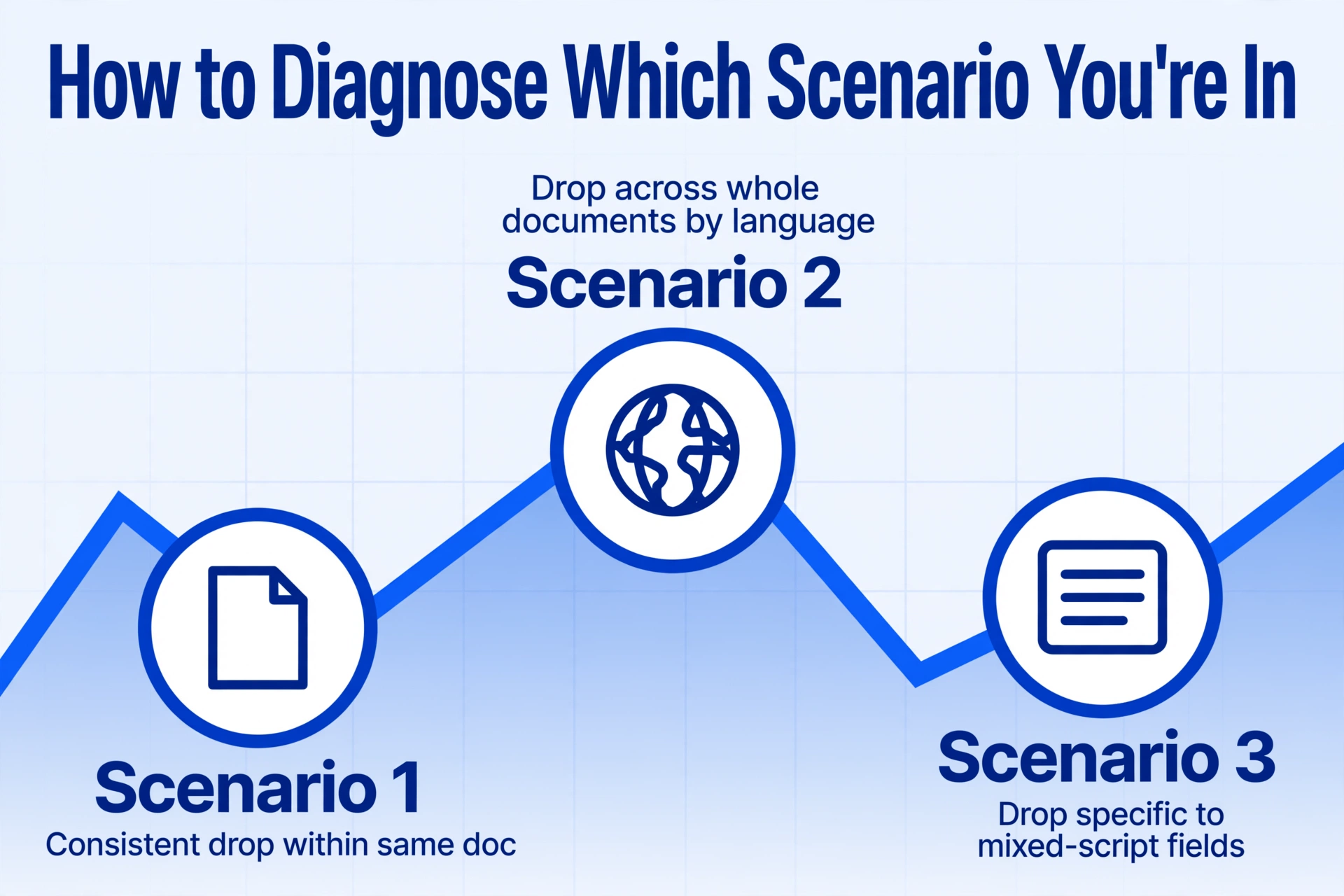
When you notice accuracy dropping on multilingual documents, run through this three-question diagnostic before changing anything else:
- Is the accuracy drop consistent across languages but within the same document? If your English fields are always clean and your French/Umlaut fields are consistently degraded in the same document → Scenario 1. Try column-based extraction with semantic field definitions.
- Is the drop consistent across entire documents by language family? If every Japanese document extracts worse than every English document, regardless of content → Scenario 2. Verify the tool's training data coverage for the specific script.
- Is the drop specific to certain fields that contain mixed-script content? If supplier names are fine but part numbers with embedded Kanji or Arabic are error-prone → Scenario 3. Add pre-processing language hints and implement per-field cross-referencing.
These three scenarios often overlap — a document can contain multiple languages (Scenario 1) across different scripts (Scenario 2) with mixed-script fields (Scenario 3) in the same page. The diagnostic question tells you which layer to fix first, because fixing the wrong layer wastes time. If you're in Scenario 2, no amount of column refinement (Scenario 1 fix) will recover the accuracy gap — the model needs different training coverage, not a better prompt.
Prevention: Three Habits That Reduce Multi-Language Accuracy Drops
Once you've identified your scenario, these practices prevent the same problem from recurring across new document types and languages:
1. Separate documents by script family when possible. If you process 200 invoices daily — 150 in Latin-script languages and 50 in CJK — batching them separately gives you two independent accuracy baselines. You know Latin-script extraction runs at 95%+ and CJK at 82%. If a CJK batch suddenly drops to 70%, you notice immediately. Mixed in one batch, the overall average might drop from 93% to 90% and nobody escalates.
2. Maintain per-language verification samples. Pick 5–10 representative documents for each language family you process. Every time you update your extraction workflow or switch tools, run the verification set through and compare accuracy per language. This catches regressions before they reach production. A tool that improved Latin accuracy by 2% but degraded CJK accuracy by 8% is not a net improvement for a multilingual workflow.
3. Use field-level confidence thresholds that vary by language. Don't apply the same "accept if confidence > 90%" rule to English and Arabic fields from the same document. A 90% confidence threshold on English might be too strict (everything passes), while the same threshold on Arabic might reject every extraction. Set per-language thresholds informed by your verification sample results — Arabic 75%, Latin 90%, CJK 80% — and route anything below threshold to manual review rather than accepting it silently.
When to Escalate — What Still Needs Manual Handling
Honesty matters here more than anywhere else in this article. Vision AI is remarkably capable across languages, but there are boundary conditions where no amount of prompt tuning or preprocessing will close the accuracy gap to production levels.
- Documents with four or more languages spanning different script families. A document that contains English (Latin), Arabic (RTL), Japanese (CJK vertical + horizontal), and Korean (CJK horizontal) — all on the same page — is at the edge of current vision model capabilities. Expect 5–15% accuracy drop from single-language baseline.
- Mixed RTL/LTR within the same sentence or table cell. When Arabic and English appear in the same line with a parenthetical relationship (e.g., "البند (Item) 4.2" in a contract clause), the bidirectional parsing creates structural errors that preprocessing hints only partially fix.
- Handwritten content in a non-Latin script. Handwriting alone drops accuracy 15–30% compared to printed text. Add a second language on top — handwritten Arabic numerals in handwritten Japanese — and the compounding effect puts most extractions below usable thresholds. These documents still benefit from AI extraction for the printed portions, but the handwritten fields should be routed for manual entry as a default workflow, not as an exception.
- Low-resource language pairings. Thai/Arabic, Swahili/Cyrillic, Burmese/English — pairs where neither language is individually high-resource for vision model training. The accuracy floor for these documents is lower than for well-covered pairings like English/Spanish or English/Chinese.
The practical workflow: AI extraction handles 80–90% of multilingual data automatically. The remaining 10–20% — high-risk fields in mixed-script documents, critical numeric fields in RTL/LTR mixed text, and handwritten non-Latin entries — get routed to a human review step that is faster than full manual entry and more reliable than trusting AI on the hardest cases.
FAQ
Why does my AI extraction tool work great on English invoices but worse on German or French ones?
This is typically Scenario 1. The English document is a single-language input with no script ambiguity. The German or French document likely contains special characters (Umlauts, accents) that the vision model treats as variations on standard Latin letters — and those variations have lower confidence because they appear less frequently in training data than unaccented characters. The accuracy gap between English and other Latin-script languages is usually 5–8% — noticeable but fixable with column-based extraction that focuses the model on specific fields rather than full-page OCR.
Can I improve multi-language extraction accuracy by converting documents to a single language first?
Not reliably. Machine translation before extraction introduces a separate error layer — you're now extracting from translated text, which may lose field labels, numeric formats, and document structure. The original document contains the author's intended layout and data. Extraction works best when it reads the original, not a translated version. The better approach is to extract from the original document using semantic column definitions, then validate the extracted data against whatever language your downstream system requires.
Does the AI need to know which languages are in the document before processing?
No for detection — modern vision models detect scripts and languages automatically as part of reading the page. But yes for context — if your document contains a rare language pairing or mixed-script fields, providing a language hint (e.g., "this document contains Korean and English with embedded Arabic numerals") improves accuracy by 3–7% on the secondary language portions because the model allocates recognition resources more efficiently.
What's the expected accuracy difference between Latin-script and CJK documents using the same tool?
For clean printed documents of similar quality, expect CJK accuracy to be 8–15% lower than Latin accuracy on the same tool. This is not a tool quality issue — it reflects the fundamental difference in character inventory (26 vs thousands), token consumption (2× per semantic unit), and training data volume. A tool scoring 97% on English that scores 83% on Japanese is performing normally for the current state of vision AI.
Should I use different AI extraction tools for different languages?
If your document mix spans multiple script families (not just multiple languages within the same script family), you can achieve higher per-language accuracy by using tools optimized for specific regional scripts. PaddleOCR, for example, performs better on CJK documents than general-purpose vision models because its training data is CJK-heavy. However, managing multiple tools introduces workflow complexity that may outweigh the accuracy gain for most teams. One approach that works well: use a general-purpose vision AI tool as the primary extractor for all languages, then route documents in specific scripts to specialized fallback engines only when the primary tool's confidence falls below threshold.
The accuracy drop between a single Latin-script document and a multilingual document is not a failure of the technology — it's a predictable, diagnosable, and largely fixable gap. Start with the diagnostic question, apply the fix for the scenario you find, and reserve manual review for the edge cases where current vision models are still learning. Test on your own multilingual documents and see which scenario applies to your workflow.