How to Extract Wells Fargo Bank Statements
to Excel
A Wells Fargo statement from a combined checking and savings account, with a credit card attached, prints across five pages — and that's a light month. The Account Summary block at the top lists three ending balances, the transaction table splits debits and credits into separate columns, check numbers appear as "CHECK #1042" embedded in the description, and Way2Save automatic transfers show up as their own line items mixed between your mortgage payment and the coffee shop debit. Copy-pasting that into a spreadsheet produces a row for every page header, a running balance column that no longer runs, and a reconciliation dead end you only discover forty minutes later.
Key Takeaways
- Most extraction tools silently fail on Wells Fargo statements — the format uses separate debit and credit columns, bundles checking/savings/credit card into one PDF, and breaks running balance continuity across pages.
- Wells Fargo's multi-page statements with 300+ transactions cause copy-paste tools to misalign data at every page boundary, producing a spreadsheet that fails the opening + credits − debits = closing balance check.
- A semantic extraction engine reads column headers like "Withdrawals/Debits" instead of pixel positions — handling all four Wells Fargo format quirks in a single pass without template setup.
Why Wells Fargo Statement Formats Break Most Extraction Methods
Bank statements from different US banks share enough visual DNA that most extraction tools assume a single template can handle them all. Wells Fargo's statement layout has four structural quirks that collectively defeat tools that rely on position-based parsing or naive table detection.
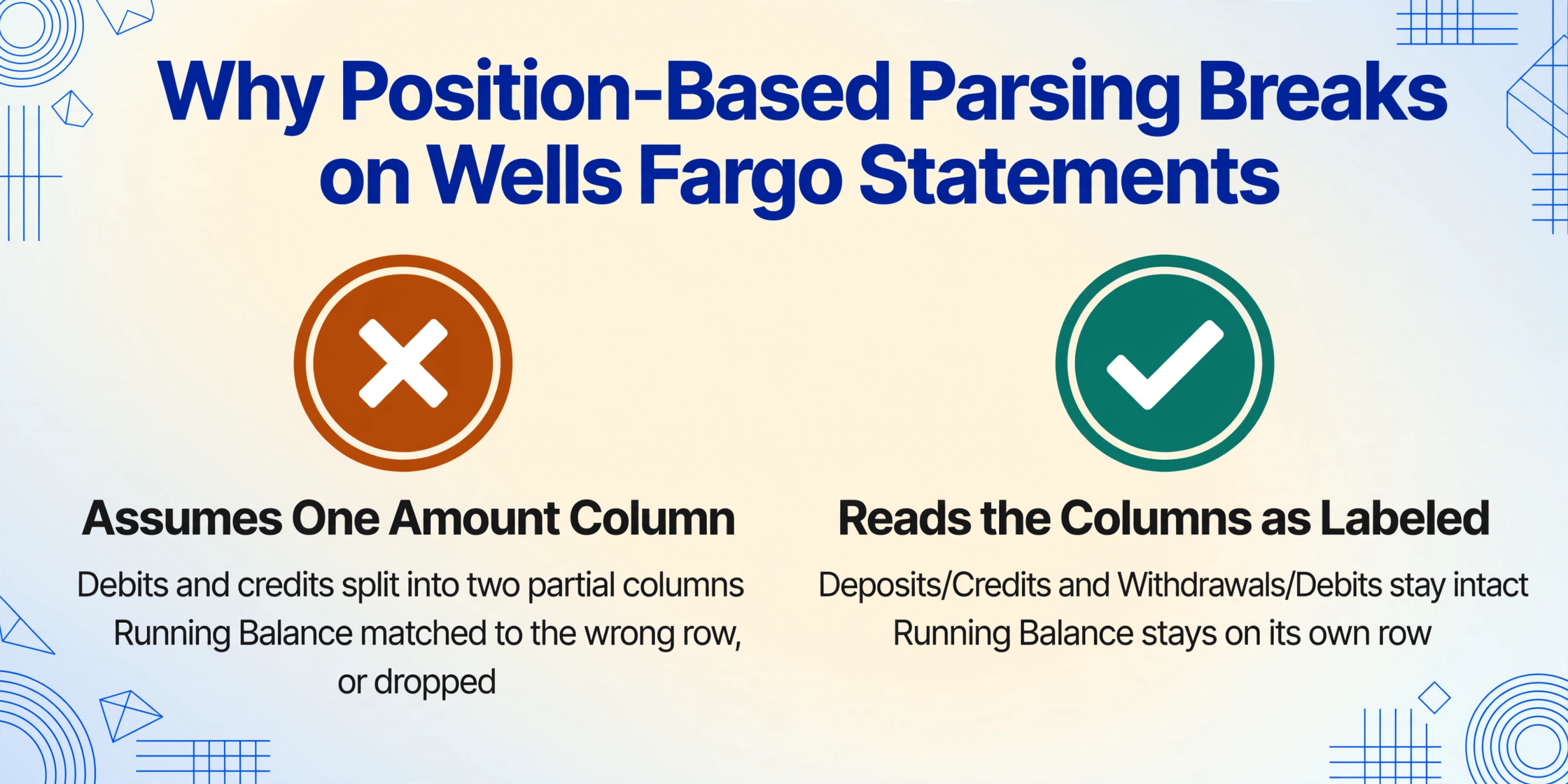
Separate debit and credit columns. Many banks — Chase included — present transactions in a single amount column with a signed value (positive for deposits, negative for withdrawals). Wells Fargo splits them: deposits and credits occupy one column, withdrawals and debits sit in another. Copy-paste tools that expect a single amount column produce two columns of partial data, and the running balance — which Wells Fargo places in a fourth column to the right — gets matched to the wrong row or dropped entirely.
Combined statement structure. Wells Fargo offers combined statements that bundle checking, savings, and sometimes credit card accounts (Active Cash, Autograph, or legacy Propel cards) into a single PDF. Each account gets its own Account Summary block at the top of the statement and its own transaction history section. A position-based extraction engine — which assumes "the table starts at line 40" — will mix transactions from two accounts into one output table, or silently skip the second account entirely.
Business Account Analysis section. Business checking accounts — including Business Choice Checking, Navigate Business Checking, and Optimize Business Checking — include an additional "Business Account Analysis" page. This section details the Earnings Allowance Rate (EAR), investable balance, earnings credit, and any service fees charged against the account. Standard extraction tools that only look for transaction tables will miss this section entirely. For accountants reconciling a business account, the EAR and compensating balance data is essential for verifying whether the bank's fee structure was correctly applied that month — and it sits in a completely different table layout from the transaction history.
Multi-page running balance continuity. A Wells Fargo account with 300+ monthly transactions can produce a statement that runs 8 to 12 pages. The transaction table spans every one of those pages. When an extraction engine processes each page as an independent document — or when it paginates inside a <table> tag without carrying the running balance forward — the first row on page 3 inherits a running balance of $0 instead of picking up from page 2's closing figure. Every subsequent running balance is wrong, and the statement's opening + credits − debits = closing math fails at the final row.
These four format characteristics explain why the same small business owner who can extract a Chase statement to Excel in two minutes using a free online tool hits a wall with their Wells Fargo account. The format itself resists position-based extraction.
Three Ways to Get Wells Fargo Statement Data into Excel
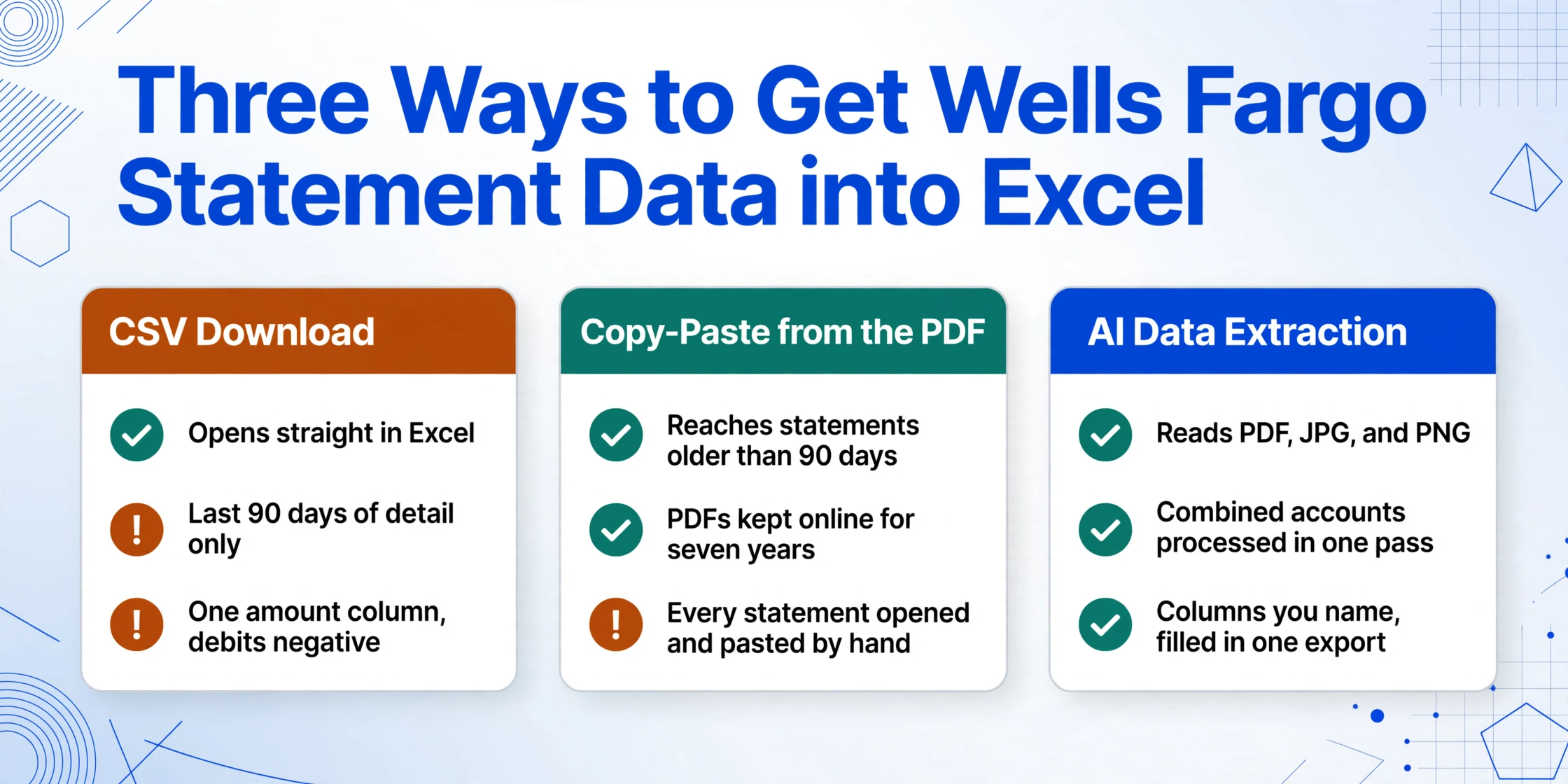
Three distinct approaches exist, each with a different trade-off between setup effort, data freshness, and long-term scalability.
Approach 1: CSV Download from Wells Fargo Online
Wells Fargo Online provides a transaction download feature for checking and savings accounts. After signing in and navigating to the account's transaction history, the "Download" option offers Comma Delimited (CSV/ASCII) and Quicken Web Connect (.QFX) formats.
The CSV output opens directly in Excel with columns for date, description, amount, and running balance. This is the fastest path to structured data — when it works. The limitation is time range: Wells Fargo makes the last 90 days of detailed transaction history available by default, and up to 18 months for certain account types. If you need last year's January statement for an annual reconciliation, the CSV export won't return it. The data for older months exists only on archived PDF statements, which Wells Fargo retains online for up to seven years for deposit accounts.
Another CSV-specific issue: Wells Fargo places all amounts in a single column, using negative values for debits and positive for credits. This means the CSV output has one amount column rather than separate debit and credit columns. If your accounting workflow expects separate columns — or if your import template maps debits to a specific field — you'll need to add an intermediate step to split the amounts.
Approach 2: Copy-Paste from the PDF
Opening the PDF in a reader, selecting the transaction table, and pasting into Excel is the zero-cost option — and the most likely to produce a misaligned spreadsheet. Wells Fargo's PDF layout places deposits and withdrawals in separate columns, and multi-line transaction descriptions cause Excel to split a single transaction across two rows. The running balance column, which appears at the right edge of the printed table, either lands in the wrong column or disappears entirely depending on how the PDF reader renders the table as text.
For a short statement with fewer than 30 transactions and a single account, copy-paste might be tolerable if you budget time for cleanup. For combined statements, business statements with Account Analysis sections, or any statement longer than three pages, the cleanup time typically exceeds the time it would take to enter the data manually from scratch.
Approach 3: AI-Powered Semantic Extraction
Instead of defining where each field sits on the page, AI-powered extraction reads the document the same way a human does — by understanding what each piece of information means. A column labeled "Withdrawals/Debits" is identified as debit amounts regardless of whether it sits on the left, center, or right side of the page. The Account Summary block is recognized as header metadata, not as a transaction row. Page breaks don't break the table because the engine tracks the table state — column alignment, row ordering, running balance — across the entire multi-page document as one continuous structure.
This semantic approach handles all four of the Wells Fargo format quirks described above: separate debit and credit columns map correctly to their own output columns, combined statements produce separate tables per account, the Business Account Analysis section is extracted as structured data rather than ignored, and running balances remain mathematically continuous across page breaks. The complete guide to bank statement extraction covers the technical differences between position-based and semantic extraction in more detail.
For bookkeepers who handle clients at multiple banks — where a single month might include Chase, Bank of America, and Wells Fargo statements in different PDF formats — semantic extraction avoids the per-bank template configuration that makes Approach 1 and Approach 2 impractical at scale.
A well-extracted bank statement validates itself. If opening balance + total credits − total debits equals closing balance across every row, the extraction is almost certainly correct. No manual approach guarantees this arithmetic check at row level — and no AI tool that skips it can claim bank statement accuracy.
Step-by-Step: Extract Wells Fargo Statements Using AI
The extraction workflow follows three steps across all account types — personal checking, savings, business checking, and combined accounts.
Before starting, gather the PDF statements from Wells Fargo Online. Navigate to the account's Statements & Documents section, select the statement month, and download the PDF. For business accounts, both the transaction statement and the Account Analysis statement are available through the same interface. Wells Fargo retains deposit account statements online for up to seven years, so even statements from 2020 or 2021 are accessible as PDFs.
Open ImageToTable.ai's guest demo or upload through your account dashboard. Drop the downloaded PDF — or a photo taken with your phone if you only have a paper copy. The tool accepts PDF, JPG, and PNG. For combined statements, a single PDF containing all accounts is processed in one pass.
Enter column names such as "Date," "Description," "Deposits," "Withdrawals," and "Running Balance." For business accounts, add "EAR" and "Service Fees" to capture the Account Analysis data. The bank-statement preset pre-configures the standard columns — select it from the preset dropdown and adjust if your Wells Fargo account has specific fields you want to track, such as check numbers or Way2Save transfer amounts.
After processing, review the extracted rows in the results panel. The running balance column should increment consistently from the opening balance to the closing balance. Export as XLSX (Excel), CSV, or directly to Google Sheets. For multi-account combined statements, each account's transactions are grouped sequentially in the output table.
For multi-file batch processing — say, 12 months of Wells Fargo statements from two accounts — upload all PDFs at once. The batch-first design processes them in parallel and merges the output into one spreadsheet sorted by account and date. Batch 12 months of bank statements into one reconciliation spreadsheet covers the full workflow for annual-level extraction.
Files are processed securely and not stored.
What You Can Extract from a Wells Fargo Statement
The columns you define in the extraction step map to specific fields in a Wells Fargo statement. Here is what each field looks like in the source document and what the output contains:
| Column | Where It Appears on the Statement | Notes for Wells Fargo Format |
|---|---|---|
| Date | Leftmost column in the transaction table; date format is "MM/DD" within the statement month | For combined statements, verify the month matches the statement period header — year-end December statements show dates as "12/01" through "12/31" |
| Description | Second column; contains payee name, check numbers, ACH descriptors, and Mobile Deposit notations | ACH descriptors follow a five-field sequence: Company Name / Entry Description / Descriptive Date / Individual ID / Recipient Name. For example, "FUNDRISE G 2025840550 A19100 2J5JFW58EZM41A8 SAM AARONS" — each segment provides reconciliation context even though it reads as a single string |
| Deposits / Credits | Third column in the printed statement; labeled "Deposits/Credits" | Includes direct deposits, mobile check deposits (described as "Wells Fargo Mobile Deposit"), wire transfers, and interest payments. Amounts are positive |
| Withdrawals / Debits | Fourth column; labeled "Withdrawals/Debits" on consumer statements | Includes debit card purchases, ACH payments, checks, fees, and Way2Save transfers. On business statements, this column also records account analysis fees and EAR-based service charges |
| Running Balance | Rightmost column; labeled "Ending Daily Balance" on consumer statements | This is the most critical column for verification. Every row's balance = previous row's balance + deposits − withdrawals. A break in continuity anywhere in the table means the extraction missed a transaction at that page boundary |
| Check Number | Embedded in the Description column as "CHECK #XXXX" or in a separate "Check No." column on business statements | Consumer statements embed check numbers in the description text. Business statements sometimes include a dedicated check number column. An extraction tool must detect this formatting difference and route the check number to the correct output column |
| Way2Save Transfer | Description field shows "Way2Save Transfer" or "SAVINGS TRANSFER" | These appear as withdrawal line items on the checking side and as deposit line items on the savings statement. Preserve the description text exactly to distinguish automatic savings transfers from discretionary debits |
| Foreign Transaction Fee | Description includes "FOREIGN TRANSACTION FEE" with the fee amount in the debits column | Wells Fargo charges a foreign transaction fee (3% of the transaction amount) on international purchases made with debit or credit cards linked to the account. These appear as separate line items immediately after or before the underlying transaction |
| EAR / Earnings Allowance | Business Account Analysis section (business statements only) | The EAR is a variable rate set by the bank that determines how much earnings credit the business earns on its collected balance. The analysis statement shows the investable balance, the earnings credit rate applied, the total earnings allowance, and any service fees deducted. For Optimize Business Checking, this section includes the earnings allowance offset |
| Monthly Service Fee Summary | Below the transaction table on consumer checking statements | Lists the fee period dates and whether the monthly service fee was assessed or waived. For Clear Access Banking accounts, this section confirms whether the under-25 age waiver or the direct deposit minimum was met |
For credit card transactions that appear on a combined statement — Active Cash, Autograph, or legacy Propel card activity — the extraction handles them as a separate section within the same PDF. If you need credit card transaction data separately from checking activity, specify a column like "Card Type" or run the credit card statement through its own extraction with card-specific column names.
How to Validate Your Extracted Data
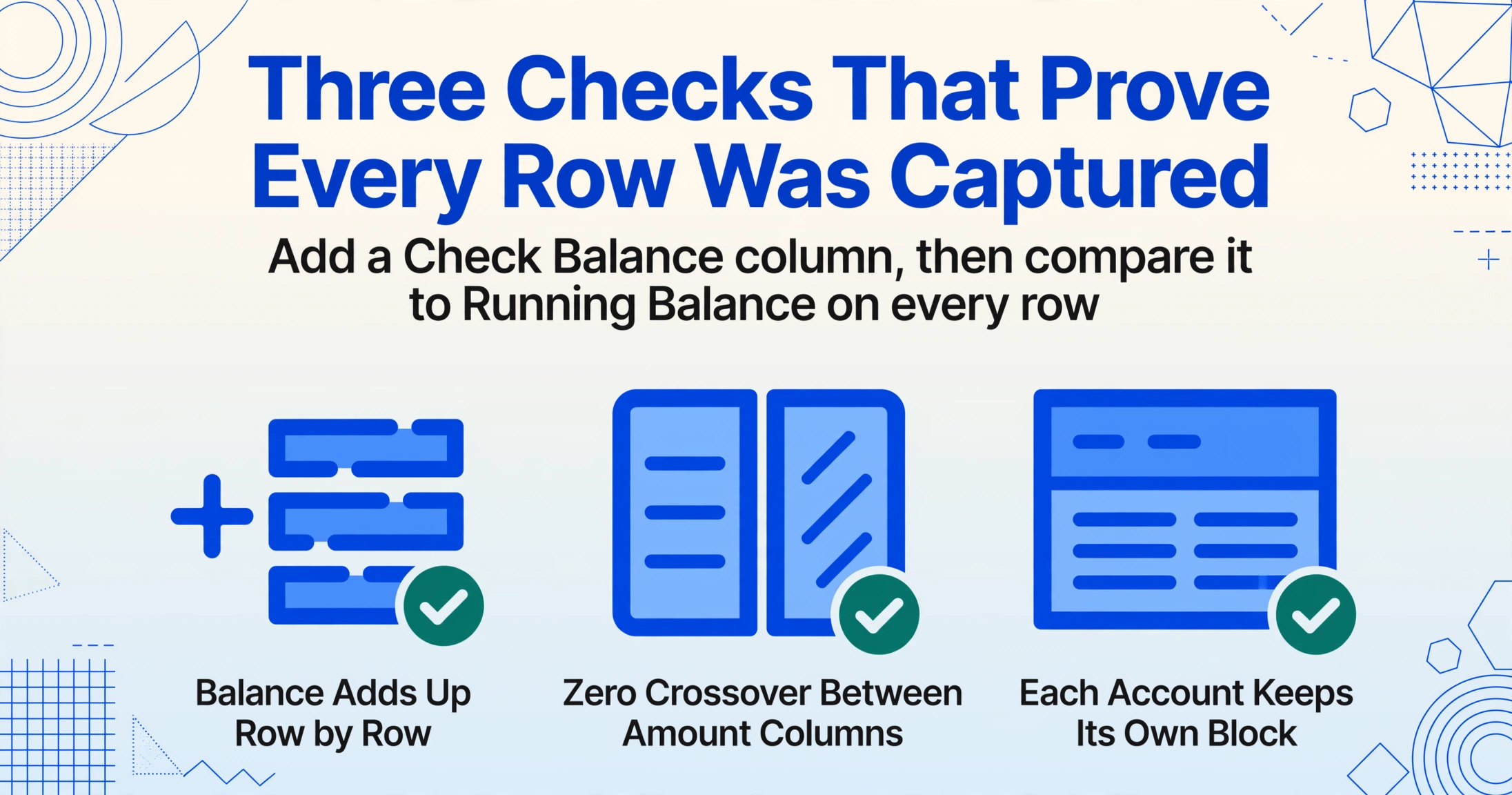
Bank statement extraction produces trustworthy data only when the output passes a mathematical verification that no manual entry process can guarantee. The following three checks apply specifically to Wells Fargo statement data.
Running balance continuity check. Add a column to your Excel output called "Check Balance" and set the first row equal to the opening balance. For each subsequent row, set the value to the previous row's check balance plus deposits minus withdrawals. If every "Check Balance" value matches the extracted "Running Balance" value, every transaction was captured and no rows were dropped at page boundaries. A single mismatch pinpoints the exact page break where the extraction lost continuity.
Column alignment check. Wells Fargo's separate debit and credit columns are the most common source of misalignment errors. Scan the Deposits column for any negative values — if a debit amount landed in the deposits column, the tool parsed the wrong column. Similarly, check the withdrawals column for any positive values. A clean extraction should have zero crossover between the two amount columns.
Combined statement account separation check. For combined account statements, verify that the last transaction of the checking section is followed by the beginning balance of the savings section — not mixed together. The Account Summary at the top of the statement lists each included account and its ending balance. Compare your extracted closing balances against these figures. The complete guide to bank statement extraction includes a validation spreadsheet template with these checks pre-configured.
IRS Publication 583 requires businesses to retain bank statements for at least three years, and recommends seven. Having the PDFs stored somewhere is one thing — but having the transaction data in a structured, searchable spreadsheet means you can run reports, prepare for audits, and reconcile accounts without re-extracting the same statement every time a question comes up.
Frequently Asked Questions
Can I extract data from a combined Wells Fargo statement — checking, savings, and credit card in one PDF?
Yes. Semantic extraction reads the statement as a whole document and identifies each account section independently. The checking transactions, savings transactions, and any credit card activity are extracted as separate data blocks within the same processing pass. The output preserves the account context for each row so you can filter or sort by account type in Excel.
Why does Wells Fargo put all amounts in one column when I download the CSV, but in two columns on the PDF?
The CSV download uses a simplified format where debits are represented as negative numbers in a single amount column — a design intended for direct import into Quicken and QuickBooks. The PDF statement uses the traditional two-column layout for human readability. Both formats contain the same data, but the PDF requires an extraction engine that can recognize and preserve the two-column structure rather than collapsing everything into one column.
Can I extract Way2Save automatic transfer amounts separately from other debits?
Yes, if you include a column like "Transfer Type" or specify "Way2Save Transfer" as a dedicated column in your extraction template. The AI identifies the "Way2Save Transfer" description text in the transaction description and classifies it accordingly. The same approach works for distinguishing "FOREIGN TRANSACTION FEE" line items, ATM fee refunds, and monthly service fee deductions.
Does AI extraction work with Wells Fargo business statements that include an Account Analysis section?
Yes. The Business Account Analysis page, including the EAR, investable balance, earnings credit, and service fee deductions, is extracted as structured data when you include columns like "EAR," "Service Fees," and "Earnings Allowance." The analysis section uses a different table layout from the transaction history, but semantic extraction identifies it by reading the section headers, not by assuming a fixed position on the page.
What if I have a scanned paper statement or a photo taken with my phone?
Scanned paper statements and phone photos are supported as input formats. The AI engine includes OCR capabilities for photographed documents. For best results, ensure the photo is in focus and the full statement is visible — including the page edges with the running balance column. The image-only processing pipeline applies the same semantic extraction logic as PDF processing.
Can I batch-process 12 months of Wells Fargo statements from multiple accounts at once?
Yes. Upload all PDFs in a single batch — different accounts, different months, different bank formats if you mix Chase or Bank of America statements into the same job. The batch processing engine handles each file independently and merges the results into one output workbook, sorted by account and statement period. This is covered in detail in the guide on batch-processing bank statements for annual reconciliation.
Does the tool handle password-protected PDF statements from Wells Fargo?
Yes, provided you supply the password. Wells Fargo customer statements downloaded from online banking are not typically password-protected, but statements forwarded through email or downloaded from third-party portals may have encryption. You can configure passwords in your account settings, and the tool will attempt them automatically against incoming encrypted files.
How do I handle the Wells Fargo running balance column when it wraps across a page break?
Semantic extraction carries the table state — including the last running balance from the previous page — across the page boundary automatically. The output running balance column will be mathematically continuous. You can verify this by running the continuity check described in the validation section above: if every row passes the check, the page break was handled correctly.
Want the full workflow? Our guide to converting PDF bank statements to spreadsheets covers multi-page statements, running balance validation, and batch processing for any bank — step by step.