How to Extract HSBC UK Bank Statements to Excel
for Accounting
HSBC UK does not design one bank statement layout. It designs at least five — one for Advance current accounts, one for Premier, one for Basic accounts, one for Business Direct, and one for Business Banking — and each layout places the account details, transaction columns, and running balance in slightly different positions. None of them export natively as a complete Excel file. The CSV download from the transactions list covers at most the last 90 days of activity, and HSBC UK's formal monthly statement PDFs — which go back seven years in the online archive — are the only complete record of any given statement period. The question is whether you retype the rows or extract them in one pass.
Key Takeaways
- HSBC UK uses at least five different statement layouts across Advance, Premier, Basic, Business Direct, and Business Banking accounts — and each places the transaction columns in slightly different positions.
- The running balance on HSBC personal statements prints only on the last transaction of each day — a 300-row statement has roughly 22 balance entries, not 300.
- Transaction type codes like BGC, CHG, D/D, and SO are embedded in the description text — extracting them as a separate column lets you auto-categorize every row during the same pass.
Why HSBC UK Bank Statements Need Their Own Walkthrough
A generic article about extracting UK bank statements will tell you that every bank's PDF looks different. What it will not tell you is that HSBC UK produces multiple statement layouts within the same bank depending on the account tier, and the layout differences are subtle enough to trip up a template-based extraction tool but structural enough that the output will not reconcile correctly.
The running balance is the most common casualty. On HSBC UK personal statements, the balance column does not print on every transaction row. It prints only on the closing line of each day — the last transaction of that date. A statement with 300 transactions across 22 business days will have 22 running balance rows, not 300. This is not an error in the statement design; it is a deliberate space-saving convention. But a template-based OCR parser that expects a running balance on every row either inserts phantom values or skips rows when it cannot find a balance where one "should" be.
Between the account tier layouts, the daily closing balance convention, the transaction type codes embedded in the description column, and the HSBC UK-specific sections for International Banking Centre transactions and Global Money multi-currency activity, a statement from this bank requires extraction logic that understands what it is reading — not one that remembers where a field sat on a reference copy.
Inside an HSBC UK Statement: Account Tier Differences
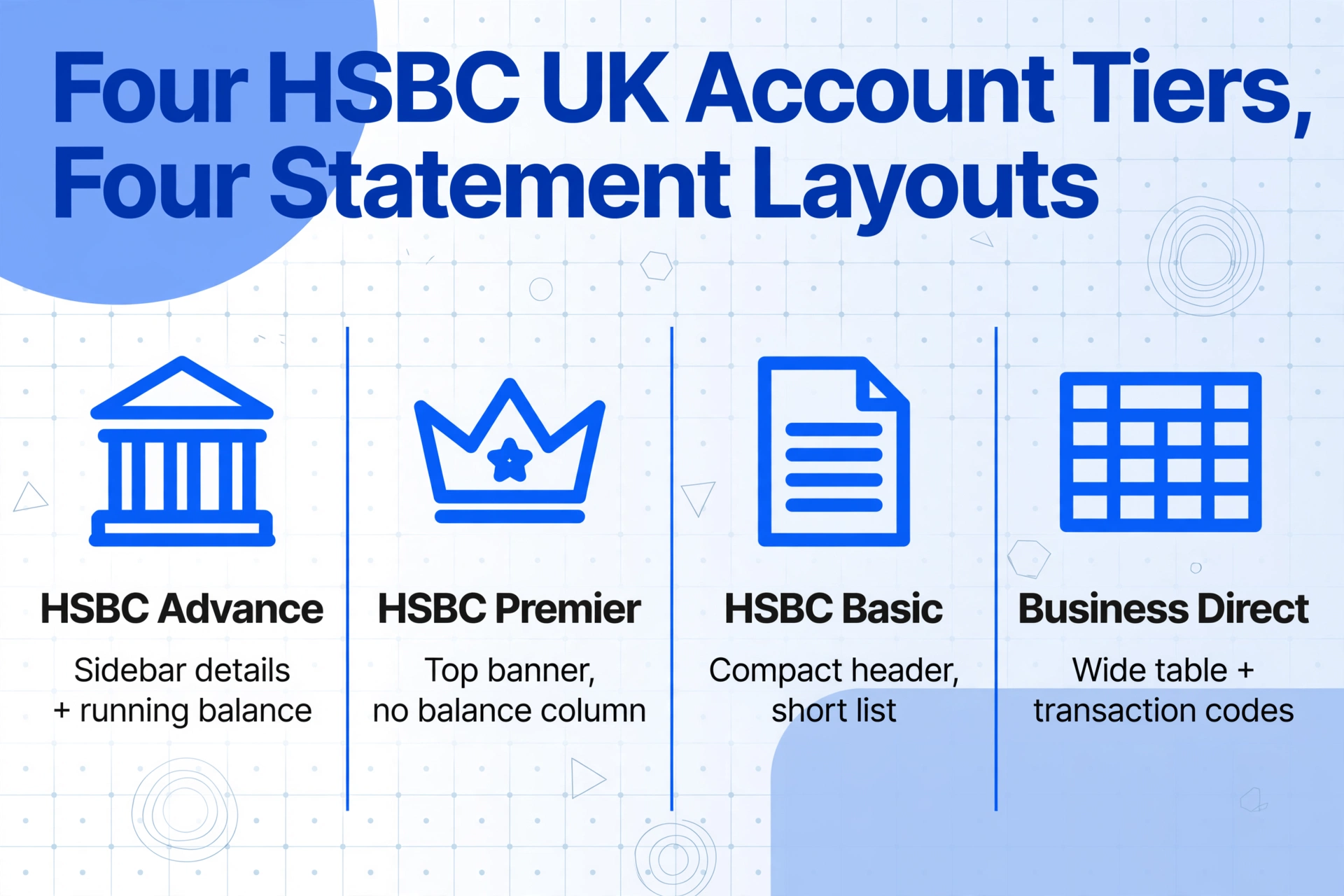
Every HSBC UK statement opens with an account summary block, but the fields shown and their positions vary by account type.
| Account Tier | Header Layout | Key Differences |
|---|---|---|
| HSBC Advance (current account) | Sidebar account details panel: Account Number, Sort Code, and IBAN grouped together; BIC code shown below | Running balance column present in transaction table; "Advance" branding in the summary; debit interest rate shown as AER/gross/net |
| HSBC Premier | Top-banner header row with Account Number, Sort Code, and IBAN on a single line; "Premier" labeling in the title | Some Premier statement variants omit the running balance column entirely; credit interest rates are shown separately for GBP and foreign currency balances; Worldwide Banking contact numbers replace standard branch details |
| HSBC Basic (no-frills account) | Compact header: Account Number and Sort Code only (no IBAN printed unless international activity occurred); minimal summary layout | Transaction list is typically shorter (fewer than 50 rows per month); no overdraft or credit interest sections; FSCS text is the same |
| Business Direct | Top banner: Account Name, Sort Code, Account Number, IBAN, BIC, and Sheet Number in a single header block | Adds a "Transaction Type" column to the table (codes include CHAPS, BAC, DD, SO, FPS); multi-page statements include a "Balance Brought Forward" carry line; separate summary of debits vs credits at statement end |
| Business Banking | Full-width header with registered address and company registration number alongside account details; Terms and conditions reference at bottom | Transaction table can span 10+ pages for active accounts; "Nominal Code" column sometimes appears for internal accounting reference; summary section includes VAT breakdown |
The practical consequence for extraction is that asking "where is the sort code on an HSBC UK statement?" has five different answers depending on the account type you are working with. A semantic extraction tool — one that reads the document by understanding what each label means rather than memorising position coordinates — handles all five layouts with the same set of column names because it finds the sort code by looking for the label "Sort Code" and reading the value next to it, regardless of which corner of the page that label sits in.
Transaction Type Codes: The Accounting Data Hidden in Plain Sight
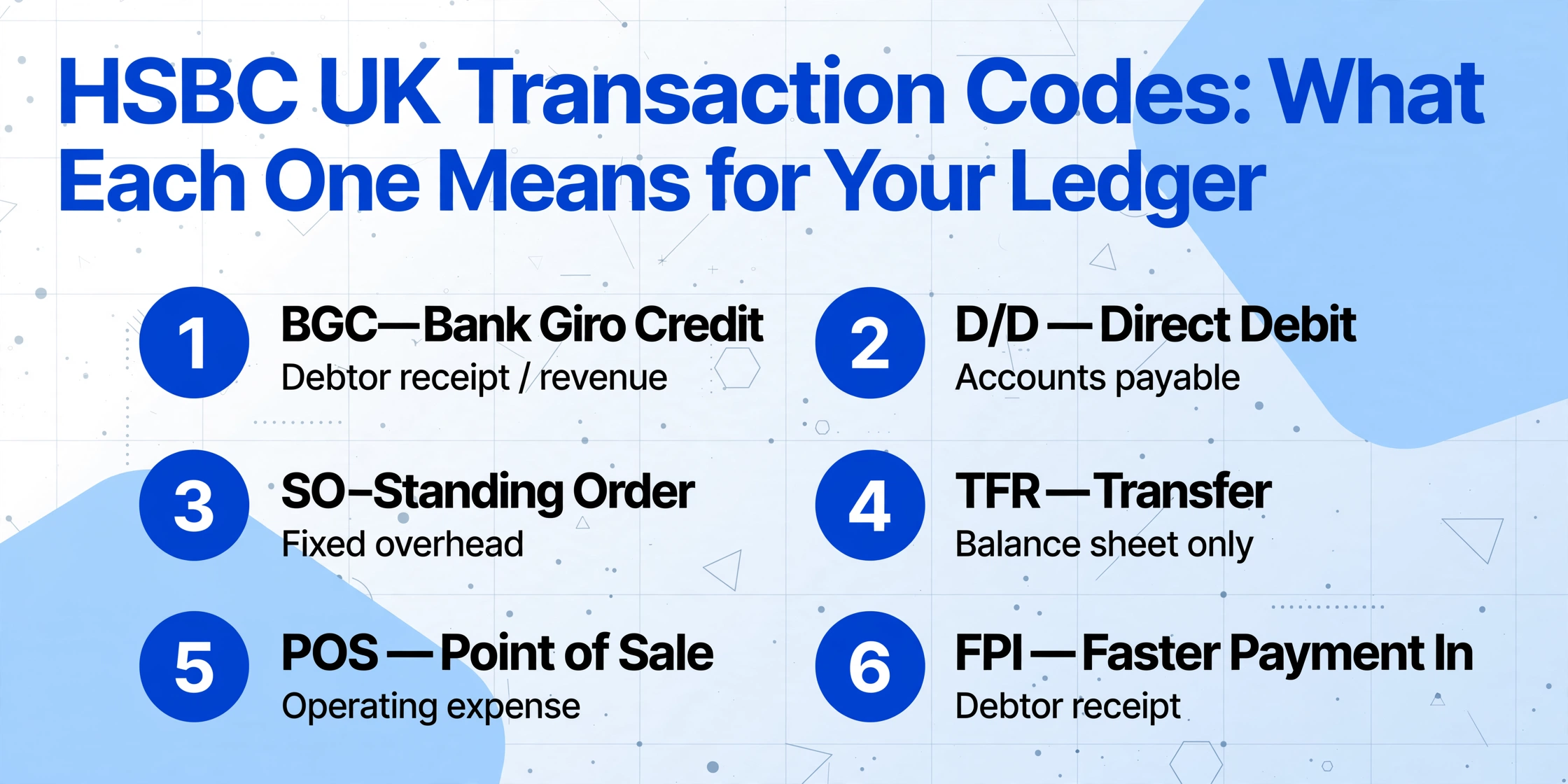
HSBC UK statements use a short alphabetic code at the start of each transaction's description row to indicate the payment method. These codes are not an accounting column — they are printed as part of the description text — but they carry information that determines how a transaction should be categorised in your general ledger.
| Code | Meaning | Accounting Treatment |
|---|---|---|
| BGC | Bank Giro Credit — deposit made at a branch or post office | Debtor receipt / cash sale; usually a revenue item |
| CHG | Service Charge or Fee | Bank charges expense account (P&L) |
| D/D | Direct Debit — variable-amount recurring payment | Accounts Payable — utilities, subscriptions, loan payments |
| SO | Standing Order — fixed-amount recurring payment | Fixed overhead — rent, savings transfers, insurance premiums |
| TFR | Transfer between HSBC UK accounts | Inter-account transfer (balance sheet only — no P&L impact) |
| POS | Point of Sale — debit card purchase | Operating expense (purchases, supplies) or Cost of Sales |
| BP | Bill Payment — online banking payment to a payee | Accounts Payable — supplier invoices, HMRC payments |
| VIS | Visa Debit transaction | Operating expense (similar to POS but branded Visa) |
| CR | Credit — incoming payment | Revenue or debtor receipt (depending on counterparty) |
| ATM | Cash withdrawal | Cash expense or owner's draw (depending on business structure) |
| FPI | Faster Payment Incoming | Debtor receipt — same-day bank transfer |
| CHG (Intl) | International transaction fee or foreign currency charge | Foreign exchange loss / bank charges |
When you extract an HSBC UK statement into Excel for accounting, you want these codes to become a categorisation input — not to be discarded as part of a raw description string. If you define a column named Transaction Type and a computed column named Category (options: Revenue/Expense/Transfer/Bank Charge), a semantic extraction tool can read the code, understand its accounting meaning, and classify each row during the same extraction pass. The output lands in your spreadsheet with the category already filled in.
Statement Features Specific to HSBC UK
Beyond the account-tier layout differences, several HSBC UK statement conventions affect how extraction should handle the document.
Daily Balance Convention
As noted earlier, the running balance appears only on the final transaction of each day. This means a multi-line description that wraps across rows can visually suggest a running balance where none exists. An AI extraction tool that treats each row independently will handle this correctly because it reads each row as a complete transaction record — it does not assume every row has a balance and does not hallucinate a value where the column is blank.
International Banking Centre Transactions
HSBC UK statements flag overseas transactions with an "International Banking Centre" notation in the description or as a separate section in the transaction list. These transactions may show the foreign currency amount alongside the GBP equivalent. For UK accounting purposes, the GBP equivalent is the value that enters the P&L — the foreign currency amount is informational. An extraction that keeps both values in separate columns (Transaction Currency, Transaction Amount, GBP Amount) preserves the audit trail without breaking the reconciliation arithmetic.
Global Money Multi-Currency Transactions
HSBC UK's Global Money account is a multi-currency wallet that supports holding and spending in GBP, USD, EUR, and other currencies. Its statement format differs from the standard current account layout: each currency appears as a separate sub-ledger section with its own opening balance, transaction list, and closing balance. Extraction output for a Global Money statement should carry a Currency column on every row so that per-currency balances reconcile independently.
FSCS Text and Interest Rate Information
The bottom of every HSBC UK statement carries the Financial Services Compensation Scheme disclosure text ("Most deposits made by HSBC customers are eligible for protection under the Financial Services Compensation Scheme") and an interest rate section showing AER (Annual Equivalent Rate), gross rate, and net rate for credit and debit balances. These sections are noise for transaction extraction — they are not transaction rows and must be excluded from the output. A vision-based extraction tool distinguishes them from the transaction table naturally because the model reads the page structure: it recognises that the interest rate information sits outside the table boundaries and does not share the same column format.
Three Ways to Get HSBC UK Transaction Data Into Excel
Each method corresponds to a different data window and use case.
Native CSV Export (90-Day Window)
Log in to HSBC UK Online Banking, navigate to your account's transaction list, click the download icon, and choose "Excel (xls)" or "CSV." This produces a clean transaction file that opens directly in Excel. The limitation is the window: HSBC UK's transaction download covers at most the last 90 days. The formal monthly statement PDFs stored in "Statements" under "View/Save Statements" — which go back seven years as required by HSBC UK's statement retention policy — are not downloadable in any structured format. If you need data older than 90 days, or if you need the formal statement with opening and closing balances for audit purposes, the PDF is your only source.
Manual PDF Data Entry (Complete, but Slow)
Download each HSBC UK statement PDF from online banking, open it, and type every transaction row into Excel. At 3 minutes per page — a conservative benchmark for a bookkeeper working at normal pace — a six-page Business Direct statement with 250 transactions takes roughly 18 minutes of uninterrupted typing. A full year of monthly statements for a single account consumes about 3.5 hours. For a small practice handling five HSBC UK clients, each with two accounts, the annual manual entry time exceeds 35 hours. And every hundred rows typed carries an expected error rate of 1 to 4 transcription mistakes that will surface only when the statement's closing balance fails to reconcile.
AI Extraction (Any Statement, Any Age)
Upload the HSBC UK statement PDF — whether it is an Advance, Premier, Basic, Business Direct, or Business Banking layout — to a vision-based extraction tool. The AI reads the document by understanding what each label means ("Sort Code," "Account Number," "Date," "Description," "Paid In," "Paid Out," "Balance") rather than memorising where each column sits. A six-page statement processes in roughly 60 seconds. The output is a structured Excel file where the arithmetic — opening balance plus total credits minus total debits equals closing balance — can be verified before the data enters your accounting system.
To see method three in action on a real bank statement, the embedded demo below accepts any HSBC UK statement PDF or image:
Files are processed securely and not stored.
How Semantic Extraction Handles HSBC UK Format Variants
The reason a single extraction workflow works across all HSBC UK account types — without templates, without training, and without per-format configuration — is Custom Column Extraction. You type the column names you want in your output table, and the AI locates each value on every page by understanding what the label means, not by matching a memorised pixel position.
Define five columns — Date, Description, Paid Out, Paid In, Balance — and the same definition extracts an Advance statement's transaction table and a Business Direct statement's wider table identically. The AI finds "Date" wherever that label appears on the page, reads the values beneath it, and moves to the next column. It does not care whether the Date column is the first column (Advance layout) or the second column after a Transaction Type column (Business Direct layout).
This matters for HSBC UK specifically because the bank has updated its statement layout at least three times in the past decade — migrating from a two-column debit/credit format to a single amount column with direction indicators, adding mobile banking deposit labels, and adjusting the header layout for Premier and Advance accounts. A template-based tool that was configured for the 2019 HSBC UK layout will produce corrupted output on a 2025 statement. A semantic extraction tool adapts to both without reconfiguration.
For a deeper look at why template-free extraction makes a practical difference for bank statements, the explanation of how bank statement extraction works covers the structural differences between document types. And for the full breadth of bank statement extraction strategies across personal and business accounts, the complete guide to bank statement data extraction lays out the validation and reconciliation methods.
Batch-Processing Multiple HSBC UK Accounts for Monthly Close
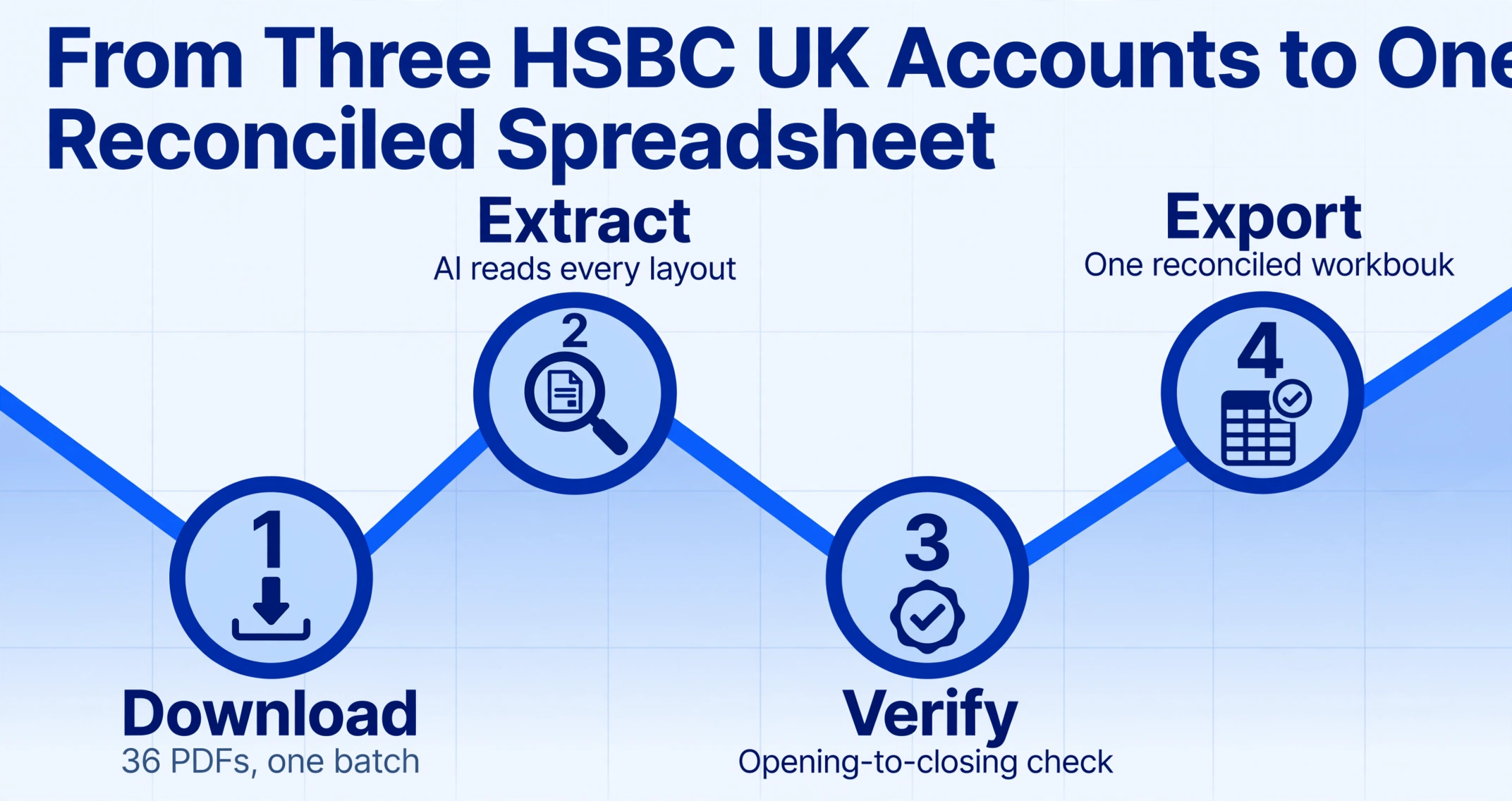
A typical HSBC UK customer with a blended personal-and-business banking setup might hold three accounts: an Advance personal current account, a Business Direct account for day-to-day trading, and a Global Money account for overseas supplier payments. Each account produces a separate monthly statement with a different layout and page count. At year-end, the bookkeeper needs all three sets of transactions in one spreadsheet that reconciles across accounts.
With batch extraction, you download all three statements from HSBC UK's online banking — thirty-six PDFs for a full year — and upload them in one operation. The AI reads each statement's header to identify the account type and applies the same column-name extraction uniformly across Advance, Business Direct, and Global Money layouts. The output is a single Excel workbook with all transactions from all accounts, merged and source-traceable.
The time comparison is not subtle. Thirty-six statements at 3 minutes per page (manual) runs to roughly 10 to 12 hours of data entry. Batch AI extraction of the same set takes approximately 6 to 10 minutes of processing time, and the resulting spreadsheet has already passed the opening-to-closing balance verification for every statement in the set. For a more detailed walkthrough of the multi-bank version of this workflow, the guide to processing 12 months of bank statements for cash flow and tax season covers the full process.
Every HSBC UK statement carries its own arithmetic check: opening balance plus total credits minus total debits must equal the closing balance printed on the PDF. If the extracted numbers satisfy that equation for every statement in the batch, you have a complete data set. If one statement fails, you know exactly which one to inspect. No manual transcription workflow provides this level of automated integrity verification.
Frequently Asked Questions
Can I download my HSBC UK statement as a CSV file directly?
Partially. HSBC UK's Online Banking lets you download transaction activity in Excel (xls) or CSV format from the transaction list view. This covers approximately the last 90 days of cleared transactions. The formal monthly statement PDFs stored in the "eStatements / eAdvice" section — which provide the full account summary with opening and closing balances — are available as PDF only. For accounting purposes that require the complete statement period with verified running balances, the PDF is the correct source document.
Are HSBC UK statement PDFs password protected?
Standard HSBC UK personal and business statement PDFs downloaded from Online Banking are not password-protected. However, HSBC UK's legacy statement delivery systems or statements forwarded through third-party platforms may apply PDF-level encryption. Extraction tools that support encrypted PDF input — with the password supplied separately — can process these without requiring you to strip the protection first.
Does the extraction work on older HSBC UK statement formats?
Yes, if the extraction tool reads documents visually rather than relying on a text layer or template. HSBC UK has updated its statement layout multiple times — the current design uses a clean sans-serif layout with colour-coded summary sections, while older statements (pre-2019) used a denser monochrome format with a different table structure. A vision-based AI model reads both formats by understanding the document structure, not by matching a reference template. There is no need to specify which layout version you are processing.
How do I handle Global Money multi-currency transactions in extraction?
Global Money statements present each currency as a separate sub-ledger section with its own opening balance, transaction list, and closing balance. When extracting, include a Currency column in your output definition so each row carries the relevant currency code. The AI reads the sub-ledger header ("GBP Transactions," "USD Transactions") and applies the currency to every transaction in that section. The per-currency closing balances should reconcile independently — this is the verification check for a correct multi-currency extraction.
Can I import extracted HSBC UK data into Xero or QuickBooks?
Yes. The structured Excel or CSV output from extraction can be imported into Xero using the "Import Bank Statement" feature and into QuickBooks UK via the "Import Data" tool. The column names need to match your accounting software's import template — typically Date, Description, and Amount (with positive values for income and negative values for outgoings). Extracting an additional "Transaction Type" column from the HSBC UK code system makes the category mapping step during import faster and less prone to manual classification errors.
Is there a difference in extraction accuracy between HSBC UK personal and business statements?
Both personal and business HSBC UK statements are printed documents with clearly labelled transaction tables — the accuracy ceiling is the same for both. The practical difference is that business statements are typically longer (10 to 15 pages vs 3 to 5 for personal) and include the Transaction Type column, which adds one more field to extract correctly. A longer document increases the exposure to page-break issues and running balance verification requirements, but the extraction method — semantic column reading — is identical.
Want the full workflow? Our guide to extracting bank statement data into Excel covers multi-page statements, running balance validation, and batch processing for any bank — step by step.