How to Extract DKB Bank Statements
to Excel for Steuerberater
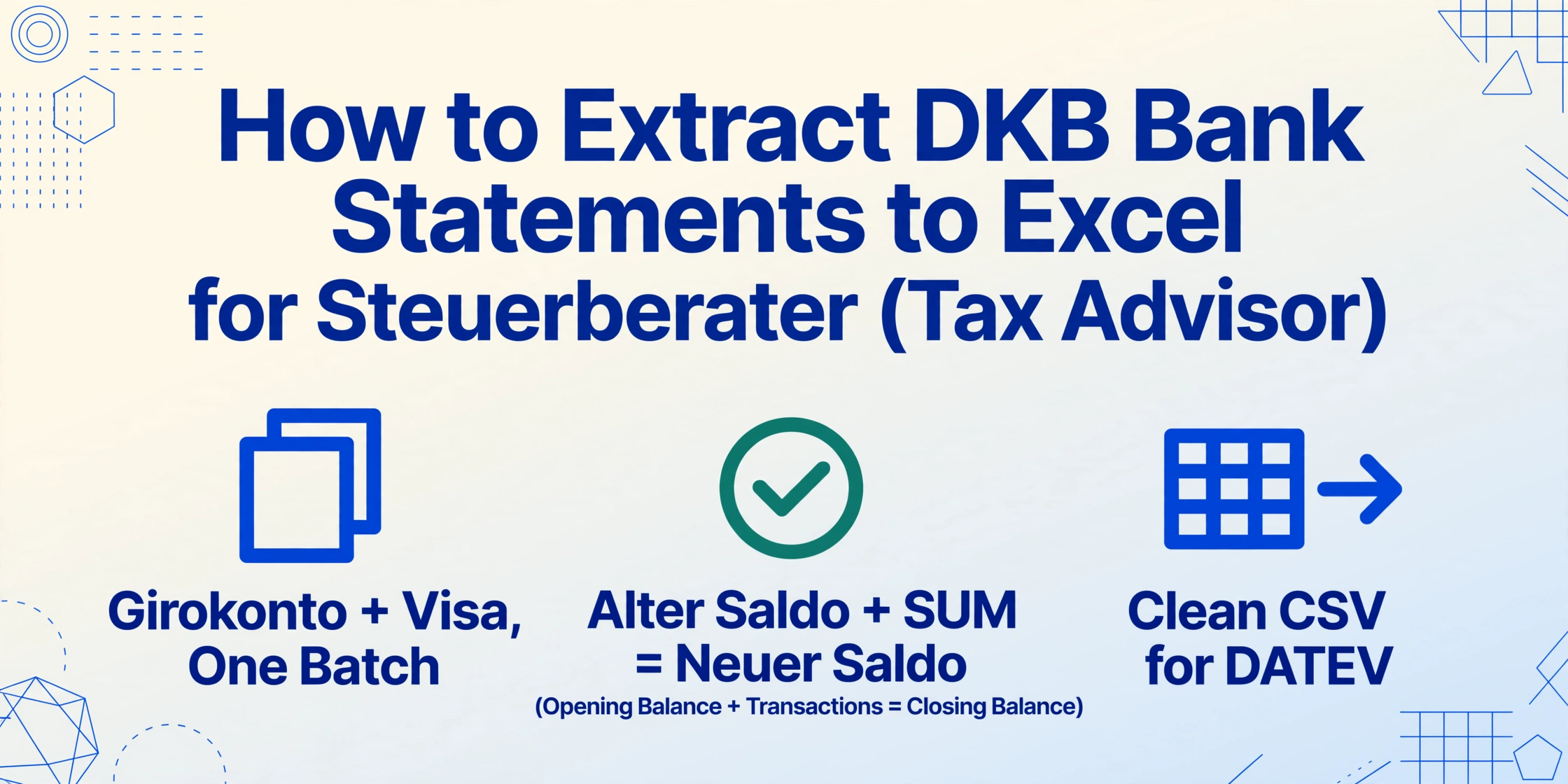
If you are a freelancer or self-employed professional in Germany who banks with DKB, your Steuerberater (tax advisor) does not want your DKB online banking CSV export — and they definitely do not want a phone screenshot of your account balance. What they need is a structured, balance-validated transaction list that can be imported into DATEV or Lexware without manual re-entry. The problem is that DKB is not a traditional German bank: it has no branch network, no BLZ/Kontonummer format, and its Visa credit card generates a settlement document that looks nothing like the Girokonto statement. This article shows how to extract both document types into a single spreadsheet that your Steuerberater can work with directly.
Key Takeaways
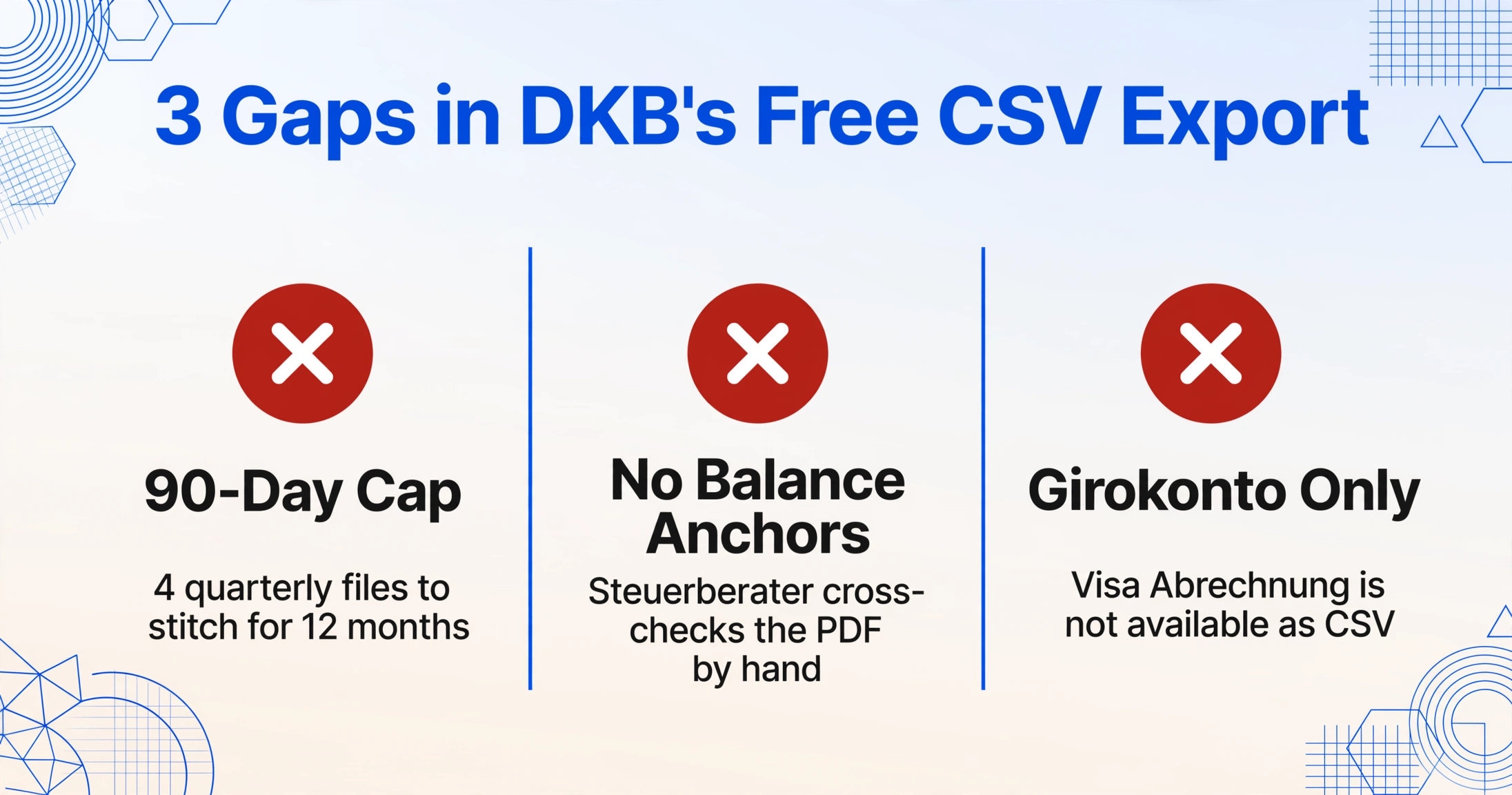
- DKB offers a free CSV export that covers the last 90 days of your Girokonto — it looks like the problem is solved, until your Steuerberater asks for a full year's data.
- Three silent gaps no one tells you about: no Visa Abrechnung data, no opening/closing balance lines for validation, and no way to get 12 months in one export.
- AI PDF extraction handles Girokonto statements and Visa Abrechnungen in the same batch with built-in balance validation — one upload, complete data for your Steuerberater.
What Makes DKB Kontoauszüge Different from Other German Bank Statements
DKB (Deutsche Kreditbank AG) is Germany's largest direct bank (Direktbank), serving over 4 million customers. As a pure online bank, it has no physical branches and no Kontoauszugsdrucker (statement printers). Every document is digital — downloaded from the DKB banking portal or the DKB App. This sounds like it would make extraction easier, but the digital-native format introduces several peculiarities that differ from traditional German banks like Sparkasse or Volksbank.
A Kontoauszug (German bank account statement) from DKB follows a cleaner, more modern layout than the multi-column formats used by Sparkassen or VR-Banken. The statement header shows your name, IBAN (no legacy Kontonummer/BLZ — DKB transitioned to IBAN-only years ago), and the statement period. Below it, the transaction table uses a simpler visual structure with wider columns and fewer visual separators between rows. The running balance is clearly displayed for each row, and the statement footer repeats the opening and closing balance for arithmetic verification.
What makes DKB statements different is not just the layout — it is that DKB customers typically have three distinct document types that all need to reach the Steuerberater:
The DKB-Cash Girokonto statement — the standard monthly Kontoauszug for your current account. This document follows the standard German Kontoauszug structure with Buchungstag, Verwendungszweck, Umsatz (signed amount), and Saldo. DKB-Cash is the primary account for most customers, receiving freelance income, paying business expenses, and handling SEPA debits.
The DKB-Visa card statement (Abrechnung) — a completely separate document type. DKB-Visa is famous among frequent travellers and expats for offering free worldwide ATM withdrawals and no foreign transaction fees. But the Visa Abrechnung is not a bank statement; it is a credit card settlement document with its own layout: the posting date, the merchant name, the amount in EUR (with the original foreign currency amount noted), and the total payable. Most extraction tools that handle bank statements do not recognise this format.
The DKB-Tagesgeld statement — savings account statements that show interest accrual, deposits, and withdrawals. These are simpler documents with fewer transactions but can be mixed into the same PDF as the Girokonto statement depending on how you set up your account.
DKB also offers Geschäftskonto (business account) and Vertragskonto (loan agreement account) statements, each with minor layout variations. For a complete overview of bank statement extraction approaches, see the complete guide to bank statement data extraction.
Why Your Steuerberater Needs More Than DKB's Free CSV Export
DKB's online banking offers a free CSV export. It is the first thing most people try, and it works — up to a point. Log into the DKB portal, select your account, choose a date range, and click "Export" → "CSV". The result is a semicolon-delimited file with your transaction data. Your Steuerberater can import this into DATEV or Lexware. So why would you need anything else?
The free CSV export from DKB caps at 90 days. For the Jahresabschluss (annual closing) that every German freelancer and business must prepare, you need a full 12 months of data — and DKB's CSV will not give it to you in one file. You have to export quarter by quarter and stitch the four files together in Excel, manually reconciling the overlapping periods and ensuring no transaction is duplicated or missing.
The second limitation is that the CSV export does not include the opening and closing balance lines. Your Steuerberater relies on the Alter Saldo + SUM(transactions) = Neuer Saldo equation to verify that the transaction set is complete. Without these balance anchors, they have to cross-reference the CSV against the PDF, which is the manual work you were trying to eliminate.
The third limitation is specific to DKB: the CSV export only covers the Girokonto. If you also have a DKB-Visa card — and most DKB customers do — the Visa Abrechnung is not available as CSV at all. It must be handled separately, either manually typed into your expense tracking system or extracted from the PDF by another method.
The Key Fields a Steuerberater Needs from a DKB Statement
When you hand your Steuerberater a spreadsheet extracted from your DKB Kontoauszug, they will look for specific fields to populate their DATEV Buchungsstapel. Missing fields mean manual follow-up — exactly the work extraction is meant to avoid.
| Field | What It Maps To in DATEV | DKB Source |
|---|---|---|
| Buchungstag | Belegdatum (document date) | First transaction column, DD.MM.YYYY format |
| Verwendungszweck | Buchungstext (booking text) — used for open-item matching | SEPA description field; DKB uses compact single-line references rather than multi-line blocks |
| Umsatz (signed) | Betrag (amount) with Soll/Haben sign | Single amount column, credits positive, debits negative |
| Saldo (fortlaufend) | Not imported, but used for validation | Running balance column, right-aligned |
| IBAN | Account identification (Kontonummer mapping) | Statement header — DKB does not display counterparty IBAN per row (unlike Sparkasse) |
| Währung | Currency code for multi-currency handling | EUR by default; USD/CHF appear for foreign transactions |
| Alter Saldo / Neuer Saldo | Validation — ensures completeness of the transaction set | Statement footer section |
| Kartenzahlung-Referenz | Expense categorisation (for DKB-Visa transactions) | For card payments: merchant name and transaction date |
DKB's Verwendungszweck field is notably different from Sparkasse or VR-Bank statements. Instead of a multi-line block with SEPA codes (SVWZ+, EREF+, MREF+), DKB uses a compact single-line format where the purpose text, creditor reference, and mandate reference are condensed into a shorter field. This is easier for extraction but harder for the Steuerberater to parse, because the invoice number and customer ID are not as clearly delineated as in the multi-line format. If your Steuerberater uses the Verwendungszweck for open-item matching, ensure the extracted field preserves the full reference without truncation.
How to Extract Your DKB Statement for Your Steuerberater in 4 Steps
The extraction workflow for DKB statements is straightforward — but the two-step planning (knowing whether you need a Girokonto export, a Visa settlement export, or both) makes the difference between a complete handover and a partial one.
Buchungstag, Verwendungszweck, Umsatz (signed), Saldo, Konto. For DKB-Visa Abrechnungen, you may want additional columns: Belegdatum, Händler, Betrag EUR, Originalwährung, Fremdwährungsbetrag. Because Custom Column Extraction lets you define any column names you want, you can create a column set that matches exactly what your Steuerberater expects — no need to adapt your spreadsheet to the tool's predefined schema.Konto column or export them as separate sheets. Share the file with your Steuerberater via secure upload or email.Files are processed securely and not stored. Try it with a sample DKB Kontoauszug.
DKB Visa Abrechnung: The Document Format Most Tools Miss
DKB-Visa is the most popular feature of DKB for freelancers and frequent travellers — no foreign transaction fees, free ATM withdrawals worldwide, and a clean monthly settlement. But the DKB-Visa Abrechnung (monthly Visa statement) is a structurally different document from the Girokonto Kontoauszug. Most bank statement extraction tools that work perfectly on the Girokonto fail silently on the Visa Abrechnung because they expect the standard German Kontoauszug format that simply is not there.
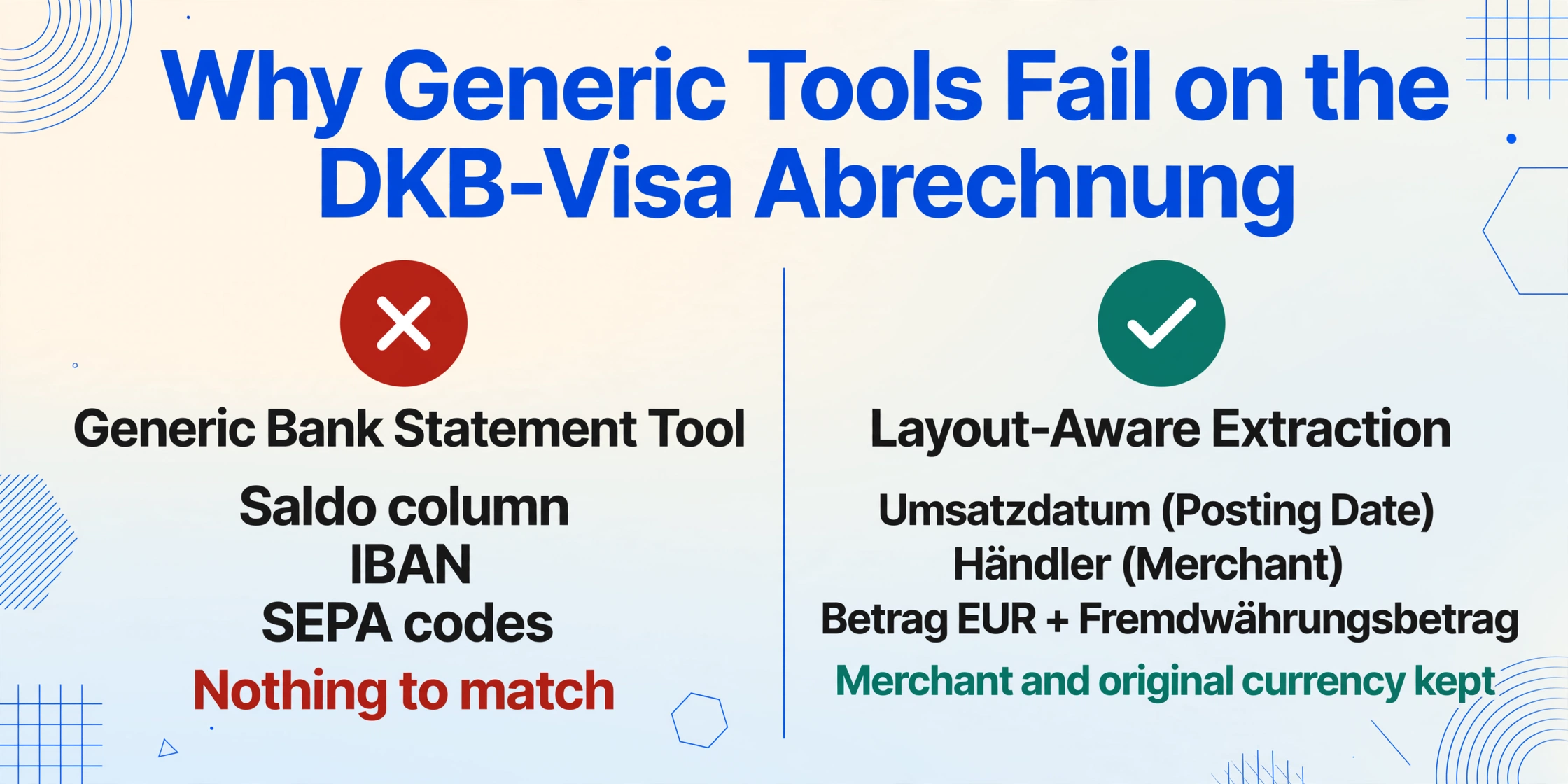
A DKB-Visa Abrechnung has a header showing your card number, the billing period, the total amount due, and the payment date (fällig am). Below it, the transaction table lists every card transaction with: the posting date (Umsatzdatum), the merchant name, the amount in EUR (with the original foreign currency and amount in parentheses for non-EUR transactions), and the transaction reference. There is no running balance column, no IBAN, no SEPA transaction codes — because this is a credit card settlement, not a bank account statement.
The implications for extraction are significant. A tool trained to identify "transactions" by finding running balance columns and SEPA codes will look at a Visa Abrechnung and see no recognised data. Key extraction requirements for Visa Abrechnungen include:
- Capturing the merchant name clearly — this is what your Steuerberater uses for expense categorisation (e.g., "Amazon EU" vs "Lidl" vs "Deutsche Bahn")
- Preserving the original foreign currency amount for non-EUR transactions — important for VAT reporting on business travel expenses
- Extracting the EUR settlement amount that was actually debited from your account — this must match your Girokonto statement
- Including the payment due date — your Steuerberater may need to verify that payments were made on time
Because semantic AI reads each document independently, you can process a DKB Girokonto statement and a DKB-Visa Abrechnung in the same batch. The AI identifies the document type from the layout and applies the appropriate field mapping — no need to sort files into separate folders based on document type.
Preparing DKB Data for German Accounting Software
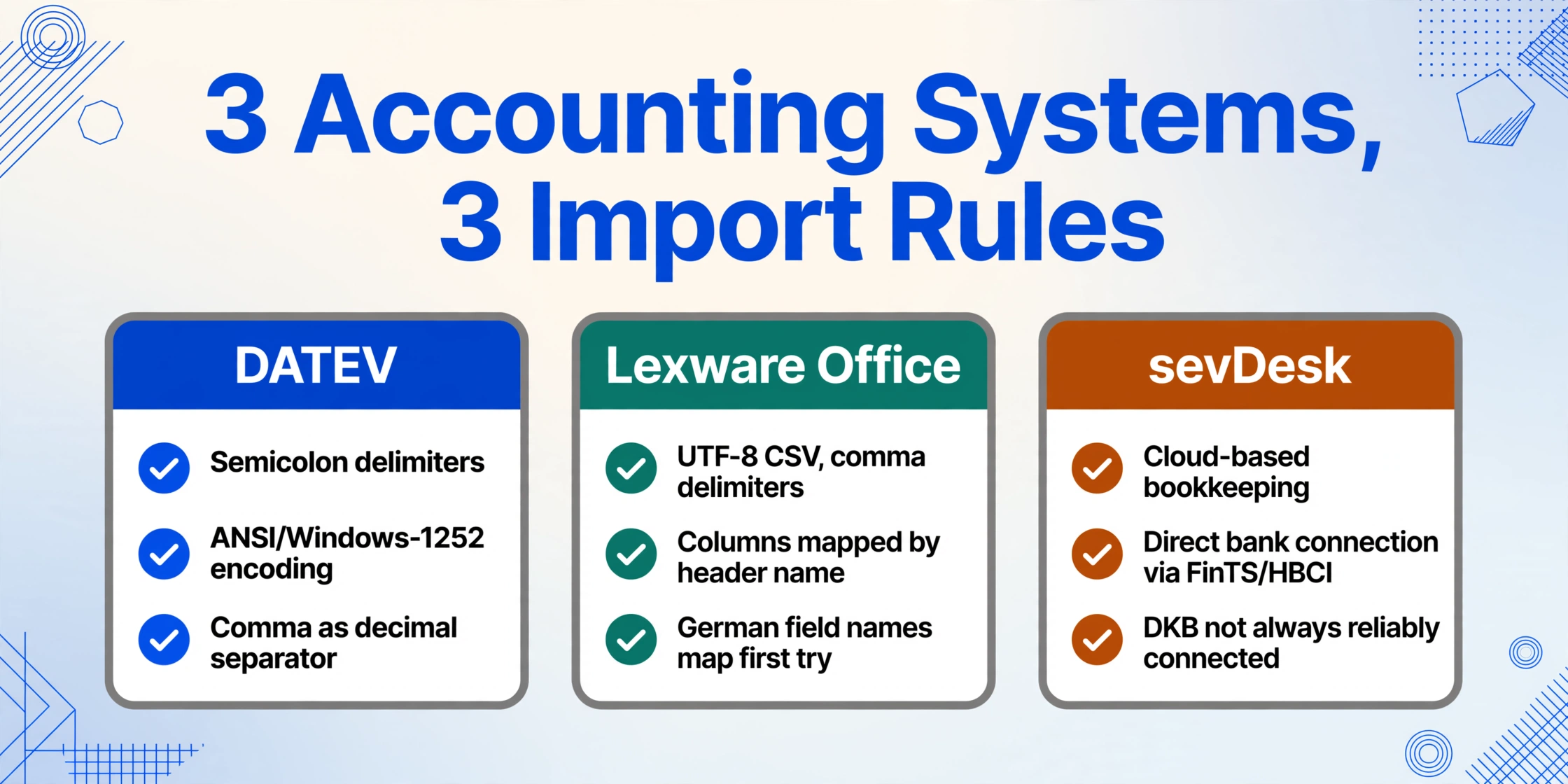
The final step — getting your extracted data into your Steuerberater's workflow — depends on which accounting system they use. The three most common scenarios for DKB customers are DATEV (used by the majority of German Steuerberaterkanzleien), Lexware Office (popular with freelancers who do their own bookkeeping), and sevDesk (cloud-based, popular with start-ups and solo professionals).
DATEV expects a CSV with specific encoding and delimiter conventions: semicolons as delimiters, ANSI/Windows-1252 character encoding (not UTF-8), and a comma as the decimal separator. The column order must follow the DATEV Buchungsstapel schema, which varies by account framework (SKR03 or SKR04). If your Steuerberater works with DATEV, the cleanest handover is often a standard CSV with clearly named columns — they will handle the re-encoding in their import tool. What matters more is that the transaction data is complete and balance-validated, so their import process does not reject the file halfway through.
Lexware Office and Lexware buchhalter accept UTF-8 CSV files with comma delimiters, which is the default export format for most extraction tools. The platform maps incoming CSV columns to its own schema based on column header names — so using consistent German field names (Buchungstag, Verwendungszweck, Betrag) helps the auto-mapping succeed on the first attempt.
sevDesk supports direct bank connection (via FinTS/HBCI) for some banks, but DKB is not always reliably connected through this channel. The fallback is CSV import, which sevDesk handles flexibly — you can map columns manually during import. The advantage of a cleanly extracted CSV is that this mapping is a one-time setup; subsequent monthly imports reuse the same mapping.
For businesses handling multiple accounts or annual closing, batch processing is particularly valuable. For a detailed guide on batch-processing multiple German bank statements, see batch-processing German bank statements for Buchhaltung.
GoBD Compliance for DKB Statement Extraction
Germany's GoBD regulations (Grundsätze zur ordnungsmäßigen Führung und Aufbewahrung von Büchern, Aufzeichnungen und Unterlagen in elektronischer Form) apply to every business and freelancer who maintains tax-relevant records. For DKB customers, GoBD compliance is particularly relevant because DKB is a digital-only bank — there is no paper backup, so the digital extraction workflow is your only record.
The original DKB PDF Kontoauszug must be retained. The GoBD require that original-format documents be stored immutably for 10 years under §147 AO (Abgabenordnung). Your extracted Excel spreadsheet is a working copy — useful for analysis, accounting, and Steuerberater handover — but it does not replace the original PDF. DKB's digital signatures on their PDFs satisfy the GoBD requirement for a qualified electronic signature (qualifizierte elektronische Signatur), which the Finanzamt recognises as equivalent to a paper statement.
DKB-Visa Abrechnungen are also tax-relevant documents. Many freelancers assume only the Girokonto statement matters for tax purposes, but the Visa Abrechnung contains the merchant-level transaction data that the Finanzamt may request during a Betriebsprüfung (tax audit). Your Steuerberater needs both document types — the Girokonto statement for cash-flow verification and the Visa Abrechnung for expense substantiation.
English-language accessibility for expat customers. DKB offers an English-language version of its web-banking interface, which is unusual for German banks and a major reason why DKB is popular with expats. However, the Kontoauszüge themselves are in German — the field labels, transaction descriptions, and SEPA codes are all in German regardless of the interface language. For expat freelancers who need to understand their own statements or provide English-commented records to an international accountant, the extraction tool preserves the original German terms as they appear, and you can add English translations by defining bilingual column names (e.g., Verwendungszweck (Purpose)).
Frequently Asked Questions
Can the tool extract DKB-Visa Abrechnungen?
Yes. The AI identifies the Visa settlement layout independently from the Girokonto statement format and extracts the merchant names, amounts (in EUR and original currency), and posting dates. You can upload both document types in the same batch. The output includes a column identifying which document type each row came from.
Should I use DKB's free CSV export or AI PDF extraction?
For routine monthly exports covering the most recent 90 days, the free CSV export is sufficient if you only need Girokonto data and your Steuerberater accepts the CSV format directly. Use AI PDF extraction when you need: (1) full 12-month data for Jahresabschluss, (2) DKB-Visa Abrechnung data (not available as CSV), (3) balance validation with Alter Saldo and Neuer Saldo, or (4) to combine Girokonto and Visa data in one unified spreadsheet.
How does the tool handle foreign-currency transactions on DKB-Visa?
DKB-Visa Abrechnungen display foreign transactions with the EUR settlement amount and the original currency amount in parentheses (e.g., "1.234,56 EUR (USD 1.500,00)"). The AI extracts both values into separate columns if you define them: Betrag EUR and Fremdwährungsbetrag (Original Currency). This is useful for VAT reporting on international business travel expenses.
Can I extract DKB statements if the online banking is set to English?
Yes — the statement PDF content is in German regardless of the portal language setting. The AI reads the German field labels and transaction descriptions as they appear. If you need an English output, define your column names bilingually (e.g., Verwendungszweck (Purpose), Betrag (Amount)) and the AI fills the corresponding values. The German-to-English field content conversion is not automated — the transaction descriptions will still be in the original language.
Does the tool support DKB Geschäftskonto (business account) statements?
Yes. DKB Geschäftskonto statements use a slightly different layout from the standard DKB-Cash Kontoauszug, with additional fields for VAT-related transaction types. The AI adapts to this layout automatically. Business account statements may also show Echtzeit-Überweisung (instant transfer) markers and Apple Pay / Google Pay transaction indicators, both of which are preserved in the extracted output.
Are DKB statement PDFs password-protected?
Unlike some VR-Banken, DKB does not typically issue password-protected Kontoauszüge. The PDFs downloaded from the DKB portal or app are standard unencrypted PDFs. If you have a business account with enhanced security settings, password protection may apply — the tool supports encrypted PDFs if you have the password.
Can I export directly in DATEV format from the tool?
The tool exports standard CSV and Excel with UTF-8 encoding. For DATEV compatibility — which requires ANSI/Windows-1252 encoding, semicolons as delimiters, and SKR03/SKR04 account frameworks — you can either post-process the CSV in Excel (Save As → CSV UTF-8 with semicolons) or hand the clean data to your Steuerberater who will use their DATEV import tool to handle the format conversion.
Can I batch-process 12 months of DKB statements at once?
Yes. Upload all 12 PDFs (or more, if you have multiple accounts) in a single batch. The tool processes them together and merges all transactions into one output table with a Kontoauszug Nr. or date column to identify the source month. The running balance across consecutive statements should reconcile — each statement's Neuer Saldo becomes the next month's Alter Saldo — giving you end-to-end validation for the full year.