80,000 Lines per Year, One Spreadsheet
How to Batch-Process SPED Layout Files for Cross-Year Analysis
A mid-sized Brazilian company files around 80,000 to 150,000 lines of Digital Accounting Bookkeeping (Escrituração Contábil Digital, or ECD) data per year. Over a three-year comparison window, that is a quarter-million lines of pipe-delimited Registro codes sitting across three separate text files — each one structured for machine validation by the Receita Federal, not for human analysis. Every line is a record you might need: a trial balance entry, a journal line, or an e-Lalur tax adjustment. But extracting the specific accounts you need across multiple years means opening each file, filtering by Registro code, aligning columns manually, and stitching the results together in a new spreadsheet. That work repeats every time someone asks a cross-year question.
This article is about the alternative: treating multiple years of SPED files as a single batch, defining your output columns once, and extracting only the data you need into one analysis-ready table — whether the source data spans two ECD files, one ECF file, or three tax years with different Leiaute versions. The approach does not require a parser for every Registro type. It works across years, across layout versions, and across the ECD↔ECF boundary.
Why "Open One File at a Time" Does Not Work for Cross-Year Analysis
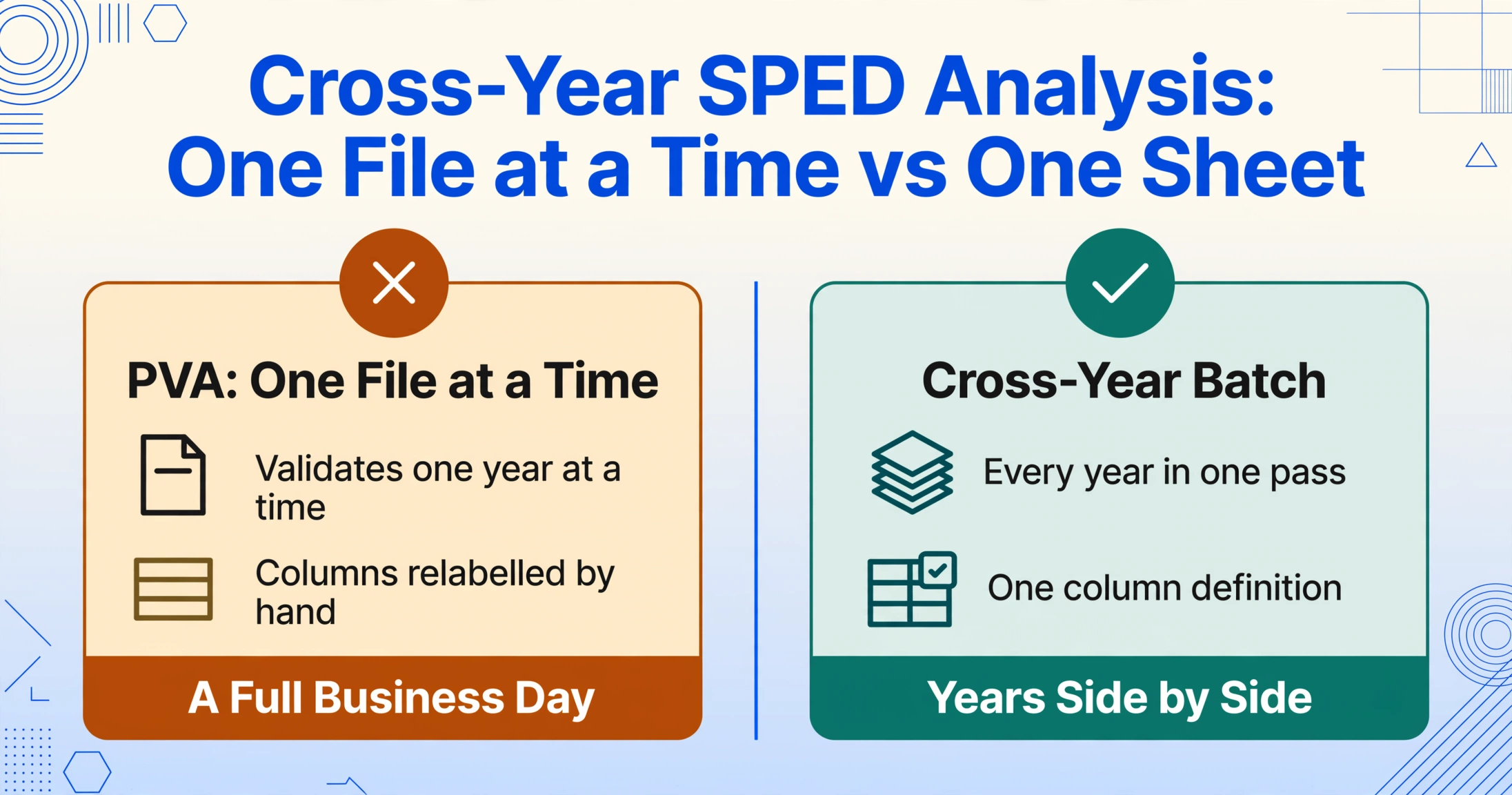
The Public Digital Bookkeeping System (Sistema Público de Escrituração Digital, or SPED) was designed to give the Receita Federal a single, standardized pipeline for receiving accounting records. It succeeded at that. What it does not provide is any built-in mechanism for comparing one year's data against another's. Each fiscal year produces its own ECD file and its own Digital Tax Bookkeeping (Escrituração Contábil Fiscal, or ECF) file. The Programas Validadores e Assinadores (PVAs) validate and transmit individual files. They do not open two side by side.
This means every cross-year analysis follows the same manual sequence: export Year 1 ECD from the PVA, export Year 2 ECD, open each in Excel with the text import wizard (pipe delimiter), filter for the relevant Registro codes, relabel the columns (which shift position depending on which Registro you filtered), build a comparison table from scratch, and repeat for the ECF's tax adjustment data. The work is not technically difficult — it is mechanically repetitive, error-prone, and takes hours each time.
A contabilidade team handling three years of ECD data across two tax regimes (Lucro Real one year, a merger in the second) could easily spend a full business day just preparing the input data for a single analytical question.
What a Cross-Year SPED Analysis Actually Needs
When a financial controller or tax manager asks for a multi-year comparison, they typically want one of the following views:
"Show me every account's opening balance, closing balance, and net movement for the last three years — side by side."
This requires extracting the C155 Registro (trial balance) from each year's ECD, aligning account codes from the C050 chart of accounts, and building a horizontal comparison table where each row is a Referential Account Code and each year's balances appear in adjacent columns.
"Which permanent differences in the e-Lalur changed significantly year over year?"
This means extracting M300 Registro (e-Lalur Part A adjustments) from each year's ECF, filtering by adjustment type (additions, exclusions, compensations), and comparing the annual values side by side. A 30% swing in a specific adjustment type signals either a business change or a classification error worth investigating.
"How did our effective tax rate move over three years, and which adjustments drove the movement?"
This requires combining ECD data (accounting profit basis from Bloco E in the ECF) with ECF data (e-Lalur adjustments from Bloco M) across multiple years — two different file types, two different Registro structures, one analytical question.
The common thread: every question spans multiple files, multiple Registro types, and multiple years. The bottleneck is not whether the data exists — it does, in exhaustive detail. The bottleneck is restructuring it from the file-oriented layout of the SPED ecosystem into a question-oriented layout.
Batch Processing Strategy: Think in Output Columns, Not File Formats
The key insight for batch-processing SPED files is that the Registro structure — while obscure — is internally consistent. The same C155 Registro layout that carried last year's trial balance carries this year's. The same M300 fields that described last year's permanent differences describe this year's. The layout changes are infrequent and field-level (the transition from Leiaute 8 to 9 for ECD, or 11 to 12 for ECF), and they do not change the fundamental relationship between Registro types and the accounting concepts they represent.
This consistency means you can define your output structure once and apply it across years. Instead of thinking "I need to open the 2024 ECD, filter for C155, map the fields, then repeat for 2025," you think "I need account balances for 2024 and 2025 side by side" — and let the extraction layer handle the per-file restructuring.
Custom Column Extraction is designed for exactly this scenario. You name the columns you want — "Account Code," "Account Name," "Opening Balance," "Closing Balance" — and the AI reads the SPED file to locate and extract those values from the relevant Registro records, regardless of which year's file you point it at. The same column definition that produced a clean trial balance from the 2023 ECD produces an identical structure from the 2024 and 2025 ECD files, because the semantic relationship between Registro C155 and the concept of "trial balance" has not changed between years.
The practical effect: processing three years of ECD data requires defining your columns once, not three times. The work shifts from "filter and align 150,000 lines three times" to "point at three files with one column definition."
Step-by-Step: Batch-Processing Multiple Years of ECD Data into a Cross-Year Trial Balance
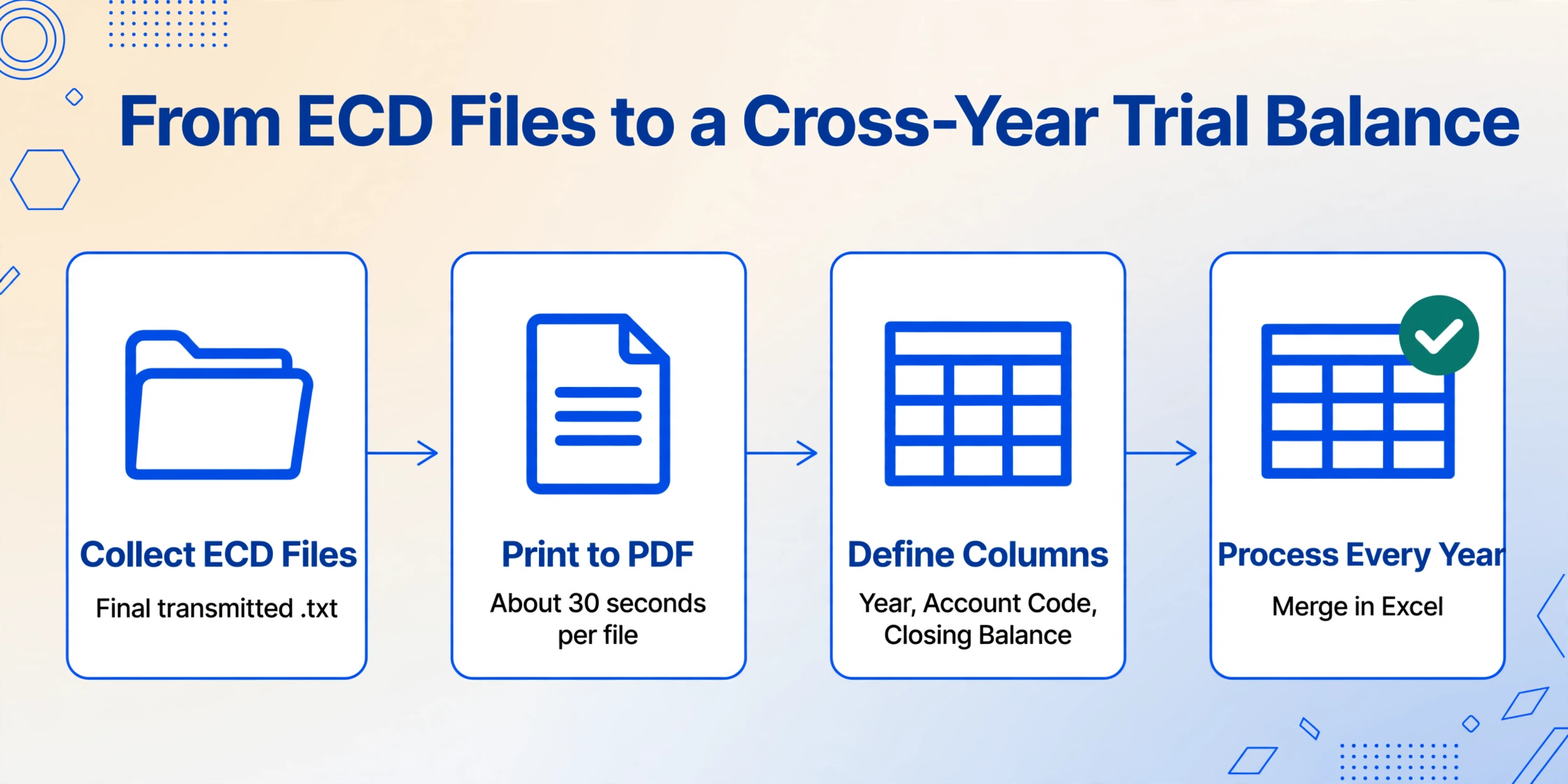
Here is the workflow for turning two or three years of ECD files into a year-over-year account comparison table. The same logic applies to ECF data or mixed ECD+ECF analyses.
Export the validated .txt files from your ERP (Omie, Conta Azul, Senior, Domínio, SAP TDF, or whichever system you use for SPED generation) or from the PVA archives. You need the final, transmitted version — not a draft — because the transmitted file is the one that matches what the Receita Federal received. Store all years in a single folder.
ImageToTable.ai accepts PDF, JPG, PNG, and WebP inputs. For .txt files, open each ECD in a text viewer or in the PVA's file viewer and print to PDF. The fixed-width layout of the SPED format (pipe delimiters, aligned columns) is visually consistent, so a PDF preserves the structure the AI reads. This step takes about 30 seconds per file.
Set up one column definition that captures the trial balance from any year's ECD. Your columns: Year, Account Code, Account Name, Opening Balance, Debit Movement, Credit Movement, Closing Balance. Adding a "Year" column lets you compile results from multiple years into a single table. The account code should map to the Referential Chart of Accounts (Plano de Contas Referencial) from C050 for cross-year standardization.
Upload the PDF for Year 1 and run the extraction with your column definition. Repeat for Year 2 and Year 3. Because the column definition is semantic — it asks the AI to find "Account Code," "Closing Balance," etc. by meaning, not by byte offset — it works identically across files even if the PVA exported the layout with minor formatting differences between years. Each run produces a clean table with your headers.
Export each year's results as .xlsx and stack them into one file using the "Year" column to identify each row's source period. Build your comparison table: filter by account code, and place each year's opening and closing balance in adjacent columns. Add calculated columns for year-over-year variance (absolute and percentage) and conditional formatting to flag accounts where the movement exceeded a threshold, such as 20% or R$100,000.
The full cycle — from .txt files to a structured cross-year table — takes roughly 30 minutes for three years of data, once the column definition is saved. For the same work done entirely in Excel with text import wizard and manual alignment, the estimate is three to four hours with a higher error rate from manual filtering and field mapping.
If you repeat this analysis annually (comparing each new year against the prior year as part of the ECF preparation cycle), you save the column definition as a template. Next year, you run step 4 on the new file only and append the results to your existing cross-year spreadsheet.
Extending the Batch: Adding ECF Tax Adjustment Data
The same batch logic applies to ECF files. The ECF's Bloco M contains the e-Lalur adjustments that determine your IRPJ and CSLL liability — and comparing these adjustments year over year reveals how tax planning and permanent differences are evolving.
To add ECF data to your cross-year analysis, create a second column definition targeting the ECF's M300 (e-Lalur Part A) and M350 (e-Lacs Part A) Registros:
Year, Registro, Account Code, Adjustment Type (Addition/Exclusion/Compensation), Adjustment Amount, Reference Process Number
Process each year's ECF PDF using this definition, export, and merge into your consolidated spreadsheet alongside the ECD trial balance data. Now you have a single file where you can answer questions that cross the ECD↔ECF boundary — like "did the permanent difference for goodwill amortization change between 2024 and 2025, and was the corresponding accounting provision recorded correctly in each year's ECD?"
Key insight: The ECF's Bloco E (E010, E015) contains the mapped accounts that link ECD accounting balances to ECF tax adjustments. Including these in your batch gives you the cross-reference table you need to trace any ECF adjustment back to its original ECD account — a check the PVA does not perform for you.
What Happens When the Layout Changes
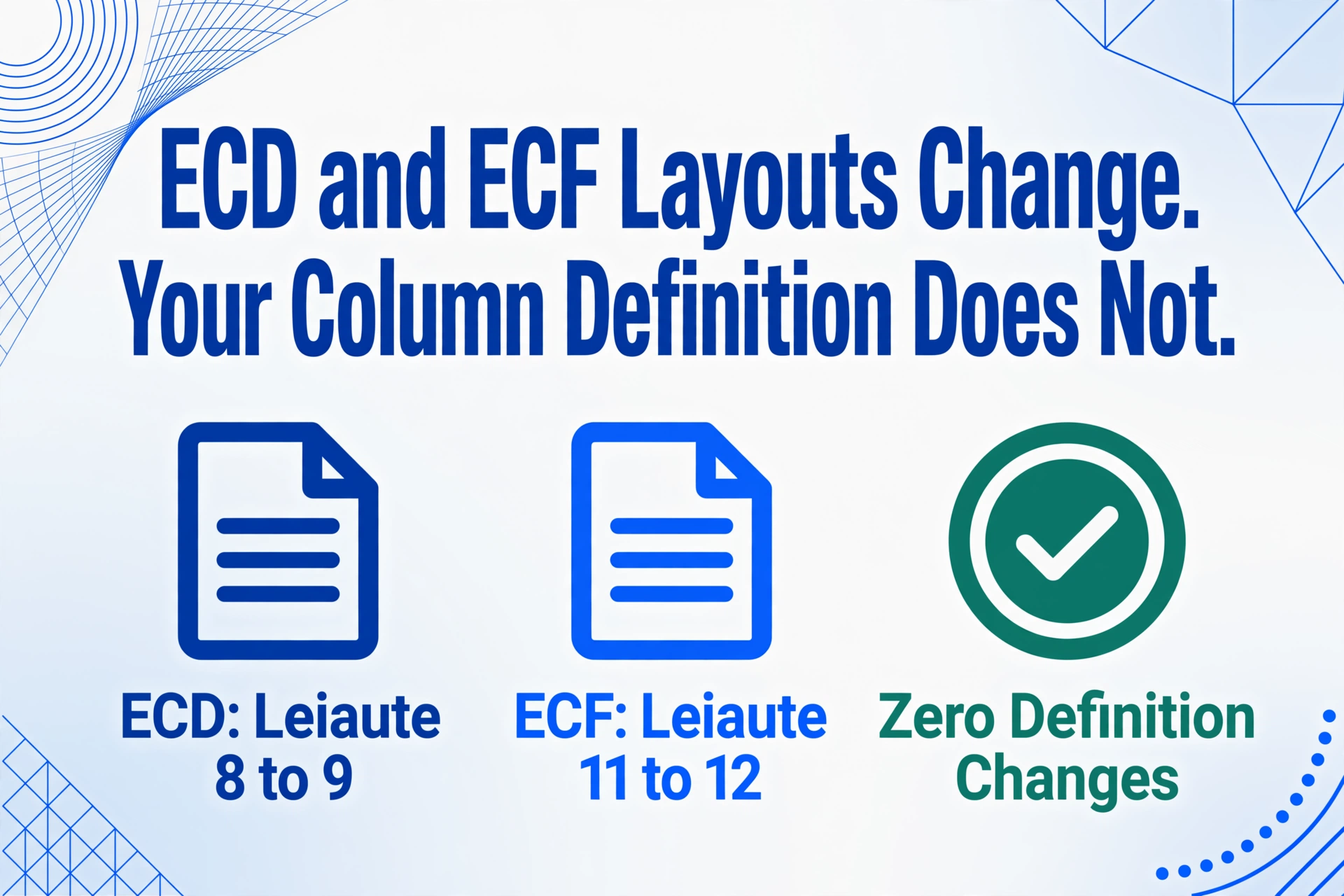
Brazilian SPED layouts evolve. The ECD moved to Leiaute 9 in 2020 (stable since, with field-level updates via ADE Cofis rulings). The ECF adopted Leiaute 12 for calendar year 2025 filings in 2026. When a layout changes, script-based parsers need code updates. A semantic extraction approach handles the transition differently: because the AI reads by meaning — "this fixed-width block describes a trial balance entry" — rather than by absolute byte position, the same column definition frequently works across layout versions, as long as the Registro code and the conceptual structure of the record are preserved. In practice, the transition from Leiaute 8 to 9 for ECD and from 11 to 12 for ECF did not require column definition changes for trial balance or e-Lalur extraction, because the core Registro structures (C155, M300) remained stable.
Frequently Asked Questions
Q: Can I process the ECD and ECF as a single batch?
Each file needs its own extraction pass because the Registro structures are different. But the column definitions, once created, can be saved as templates and reused each year. Processing the ECD takes one pass, the ECF takes a second, and the consolidation happens in Excel after both are exported.
Q: How does this handle companies with departmental books (Bloco K) in the ECD?
If your ECD includes Bloco K records, you can add a "Cost Center" or "Department" column to your definition. The AI reads the K-level cost center tags from the ECD's C100 and K-specific Registros and includes them in the output table. This is particularly useful for cross-year profitability analysis by business unit.
Q: What if the account codes changed between years due to a merger or restructuring?
This is a data-matching problem, not an extraction problem. Extract the C050 chart of accounts from each year's ECD alongside the trial balance data. Use the reference account codes (from the Plano de Contas Referencial, which is standardized by the Receita Federal) as the cross-year matching key instead of the company's internal account numbers, which may have changed.
Q: Is there a limit on file size for batch processing?
ImageToTable.ai handles the ECD file as a PDF or set of page images. For a typical ECD file (80,000-150,000 lines), the PDF version runs about 200-400 pages. The tool processes page by page. For very large files you can split into sections by Bloco (e.g., process Bloco C in one pass, Bloco I in another) using page-range PDF splitting.
Q: Does this approach work for Lucro Presumido companies?
Yes. Lucro Presumido companies file the ECD with the same Registro structure and have the same need for cross-year account comparisons. The ECF scope is narrower (no e-Lalur with permanent differences), but the ECD extraction and the cross-year trial balance analysis work identically.
From Compliance Burden to Analytical Asset
Every SPED submission is, in a sense, a waste of analytical potential. The data your accounting system produced all year — every journal entry, every account balance, every tax adjustment — is restructured into a format optimized for one reader (the Receita Federal's validation system) and effectively unusable for any other purpose without significant manual work. The irony is that this is the most complete financial record of your company's fiscal year, more detailed than any management report your ERP exports.
Batch processing changes the equation. When you can extract trial balances, tax adjustments, and cost center data from multiple years in a single afternoon, the SPED file shifts from a compliance deliverable you submit and forget to an analytical dataset you actively use. Year-over-year variance analysis. Effective tax rate trend tracking. Departmental profitability trend lines. All of these become output of the same extraction workflow — not separate projects that require separate data preparation cycles.
The column definition you write this year is a reusable asset. Next year, when the new ECD file lands on your desk, you run it against the same definition. The comparison is ready in minutes, not hours.