One Airbnb Booking, Several Emails,
One Row
A booking confirmation, a date change and a cancellation can belong to the same reservation, and each one arrives as its own email. Forward all three into a spreadsheet and the reservation becomes three rows, one of them still showing the dates the guest first booked. The hard part is deciding which message wins.
That decision gets easier once you see what each message is for. A confirmation opens a booking. A change moves it. A cancellation closes it. A payout pays for it, often along with several other bookings. Treat all four as one kind of document and the table drifts. Treat them as four kinds and it stays a record.
Key Takeaways
- The wrong check-in date usually comes from an update that never reached the row, not from a mistyped cell.
- Forward a confirmation, a change and a cancellation and one booking becomes three rows, with the oldest still looking complete.
- One row per confirmation code, newest event on top, is what keeps the date from the last email and not the first.
What a Reservation Email Carries, and What It Leaves Out
A reservation email is a complete booking document for the moment it was sent and an incomplete one for every moment after. The confirmation carries the confirmation code, the guest's name, the listing, the check-in and check-out dates, the number of nights, the number of guests, the total the guest paid, your earnings for the stay, and, when the guest wrote one at booking, their note.
The data sits in the message body. If a calendar file arrives alongside the confirmation, it holds dates and a summary line, not the confirmation code, the guest or the money. That is the first thing to settle before choosing a forwarding rule: the body is the document.
Airbnb also sends from more than one address. Its own help page on missing notifications names [email protected], [email protected] and [email protected] as the addresses to add to your contacts, which is a useful hint for any sender whitelist: allow the addresses Airbnb actually uses, not one guessed address.
What the email leaves out matters just as much. It does not contain the guest's email address. The guest's phone number becomes available only after the reservation is confirmed, and it disappears from the reservation once a cancellation is processed. The message does not carry the payout date, the current status of the booking, or a history of what changed. Those gaps are why a confirmation can open a record but cannot be the record.
The confirmation tells you a booking exists. It cannot tell you whether that booking still looks the way it did when the email was sent.
Three Messages That Change One Booking
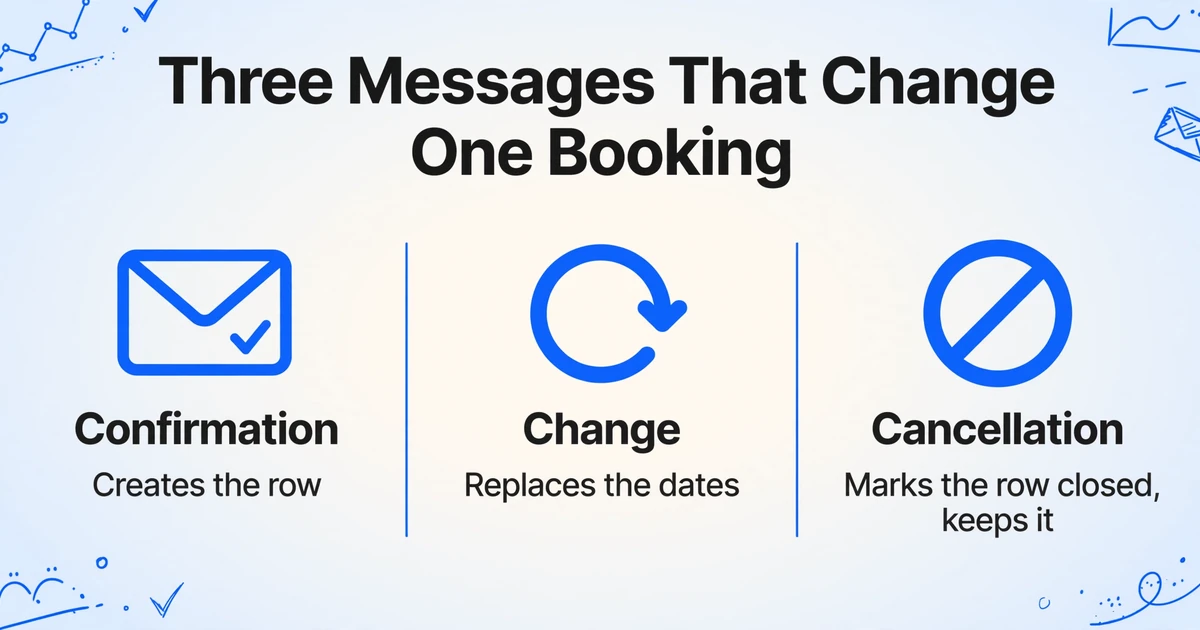
A booking that never changes still produces a confirmation and a payout. A booking that changes produces a second document that contradicts the first, and that contradiction is what the sheet has to resolve.
| Message | What triggered it | What it changes | What it should do to the row |
|---|---|---|---|
| Confirmation | A booking is accepted, either instantly or after a request is approved | Everything, for the first time: guest, listing, dates, nights, guests, totals, payout estimate | Creates the row |
| Change | A trip change request is accepted, by the guest or by the host | Check-in, check-out, nights, guest count, total, and the payout that follows from them | Replaces the dates on the existing row |
| Cancellation | The guest cancels, or the host cancels | Status, payout, calendar availability, and access to the guest's phone number | Marks the row closed and keeps it |
| Payout | Airbnb initiates a payout | An amount and a date, covering one or several reservations | Goes in a money tab, not in a booking row |
An alteration starts as a request. Airbnb's help page for hosts explains that a guest can send a trip change request and that guests can also modify their reservation through the link in the confirmation email. The change is negotiated and applied inside Airbnb. The more revealing line sits in Airbnb's own note on managing alterations with software: reservation changes cannot be accepted or declined through your software and must be handled in the Airbnb account. If a property management system cannot absorb that event on its own, a spreadsheet downstream of it has no chance unless the change email is captured.
A cancellation is a separate message with three consequences at once. Airbnb's help page for hosts says that when a guest cancels, the host is notified immediately, the dates are unblocked, and payouts and refunds are coordinated. None of that is a new booking, and none of it can be inferred from the original confirmation.
Payouts run on a different clock. Airbnb's payments terms state that the host is notified by email when each payout is initiated. One payout can cover several reservations, which is why a payout row and a booking row rarely line up one to one.
A change message is often shorter than a confirmation. It is written to say what moved, not to repeat the whole booking, so a column that fills from a confirmation can come back empty from a change. That is expected. The confirmation code and the event type are the fields a change message has to deliver.
Why the Sheet Misses the Change
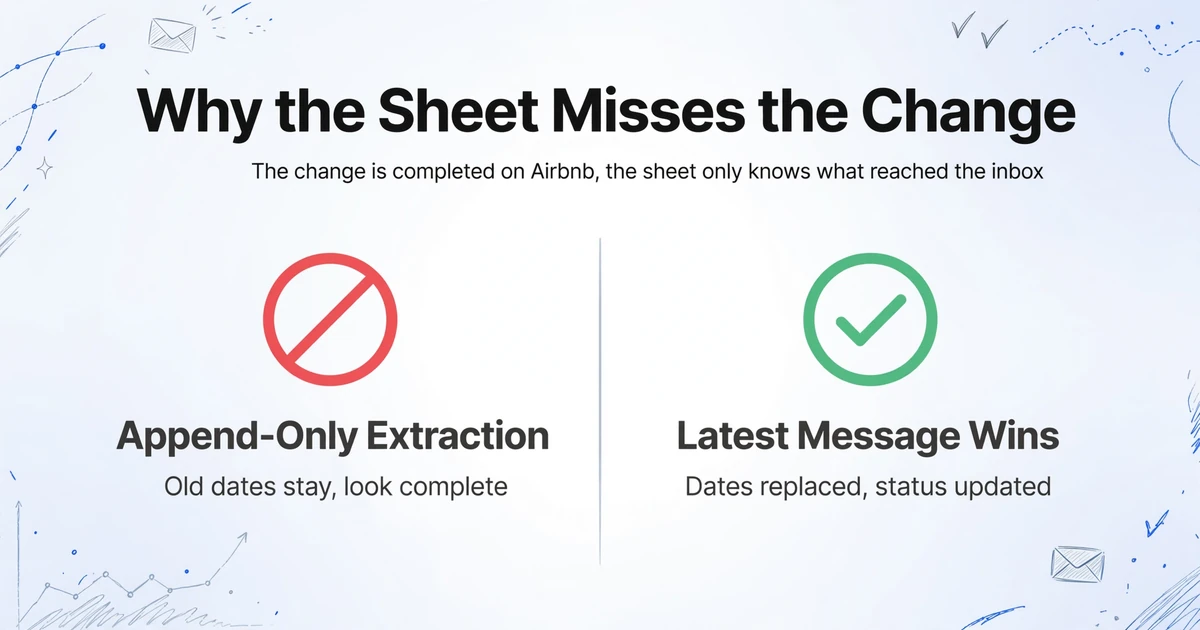
The sheet misses a change because the change is completed on Airbnb, and the sheet only knows what reached the inbox.
Most forwarding rules are written against the first message. A filter built around the words "reservation confirmed" will not catch a later message about a cancellation, and a rule built from one subject line only ever catches one event. The messages that matter most are the ones that arrive after the rule was written.
The second cause is append-only extraction. Each processed email becomes a row, which is the right behavior for an audit trail and the wrong behavior for a status field. Nothing overwrites the earlier row, so the confirmation keeps its old dates and looks complete while doing it.
The third is the join key. A subject line usually names the guest, not the confirmation code. When the code is missing, or sits in a different place in a different template, the two rows share no value that lets the spreadsheet match them. You end up with two plausible rows and no rule for which one is current.
Forward everything and a fourth problem appears: inquiries, booking requests and reminders mention the same guest and the same dates, so they read like reservations. A request that is later declined has already created a row. A reminder for a stay that was cancelled keeps the old dates alive in the log.
The result is a specific kind of error. A guest moves a two night stay by two days. The confirmation row still says Tuesday. The cleaner builds the turnover from the sheet, the bookkeeper counts the original nights, and the row looks finished, which is why nobody rechecks it. The data was never mistyped. A later event was simply never applied to an earlier row.
A reservation email is an event. A booking sheet is a record. The gap between them is where the wrong check-in date lives.
The same snapshot problem shows up in ecommerce order confirmation emails, where an address change or a cancellation can leave a row that looks right and ships wrong. The difference here is volume: a shop sends one confirmation per order, while a short term rental sends a confirmation, a change, a cancellation and a payout, and each one describes the same reservation from a different angle.
Route the Emails Into an Inbox That Reads the Body
The entry point is an inbox address, not an Airbnb integration. Email Inbox gives an account a dedicated address for Airbnb booking emails: anything sent or forwarded to it lands in the processing queue, and a sender whitelist keeps unrelated mail out. The setting that matters for Airbnb is the one that tells it where to read.
Create the address and allow the real senders
Add the Airbnb addresses that send booking mail to the whitelist, not a single address you copied from one old email. If you forward messages by hand from your own mailbox, the inbox sees your address as the sender, so that address belongs on the list too.
Set processing to the message body
The default mode reads attachments and ignores the body. Airbnb puts the booking in the body, so switch to body-only. If your confirmations also arrive with a PDF you want read, choose attachments and body, and both are read.
Name the columns you want
Custom Column Extraction means you type the column headers and the AI finds each value by what it means, not by where it sits in the message. A workable set: Confirmation code, Event type, Guest name, Listing, Check-in, Check-out, Nights, Guests, Guest total, Your payout, Cleaning fee, Guest note.
Add Event type as an inferred column
An inferred column is one where the AI works out a value the document does not state, from the options you give it. Write Event type (options: Confirmation / Change / Cancellation / Payout) and the wording of the message decides the answer. That single column is what lets one table hold four message shapes.
Bind the template and let it run
Attach the column set to the inbox as a template and turn on Auto-Process. From then on, each message is processed when it arrives, with no upload step and no one deciding whether this one counts.
One template covers all four message shapes because the match is semantic. That is enough to extract Airbnb booking data from a confirmation, a change, a cancellation and a payout without a parser for each one. A change message that never repeats the check-in date leaves that cell empty rather than filling it with a guess, which is the behavior you want in a ledger. If the booking reaches you as a screenshot instead of an email, the field-by-field guide to pulling confirmation codes and dates from booking screenshots handles that input. The same body-only setting is also what makes invoices written into an email body extractable, and the general version of this routing pattern is covered by the email parser workflow.
Keep Every Event, Show One Row Per Reservation
The table that arrives from the inbox is an event log, and it should stay one, because the cancellation message is the only proof the booking was cancelled. Add a second tab for the view you work from, and let the confirmation code decide which row represents the booking.
On the raw tab, keep every processed message in arrival order and add a sequence column with =ROW(). A higher row number means a later message, which is the only clock you need if the export carries no received timestamp. On the working tab in Google Sheets, point a formula at the raw tab, sort by the code and then by the sequence number newest first, and keep the first row for each code:
=UNIQUE(SORT(Emails!A2:L, 1, TRUE, 2, FALSE))
That returns one row per confirmation code, and because the sort puts the newest event on top, the row that survives is the latest one. A change replaces the dates. A cancellation replaces the status. The earlier rows are still on the raw tab, which is what you want when a bookkeeper asks why a payout moved.
Adjust the column letters to match your own layout, since the formula assumes the confirmation code is column A and the sequence number is column B. Keep cancelled rows in the working view and filter them out when you need the current occupancy list. Deleting a cancellation row removes the explanation for a refund, and next month nobody will remember why the money is short.
One case does not resolve automatically. A message that genuinely lacks a confirmation code cannot be joined by it, so it stays visible on the raw tab and gets matched by hand. That should be rare, and it is better to see the orphan row than to have a formula quietly drop it.
Who Reads Which Column
One table can serve a host, a co-host, a cleaner and a bookkeeper, but only if each of them opens the view built for their job.
The host works from the deduplicated tab. It is the occupancy record and the income record at once: dates, nights, guest count, payout and status on one line per reservation. The raw tab is for checking a claim, not for planning a month.
The co-host needs the guest's name, the dates, the guest count and the note the guest left with the booking. A shared sheet view gives that without handing over an Airbnb login, which matters when a co-host is added to some listings and not others.
The cleaner or ops lead needs three things: the check-out date, the listing, and whether another guest checks in the same day. Point this person at the deduplicated tab, never the raw one. A cleaner reading the raw tab is the most common way a corrected date turns back into a wrong one.
The bookkeeper needs the guest total, the cleaning fee, your payout and the month, and needs the cancelled rows left in place. Payout messages belong in their own tab because one payout can cover several reservations, and the reconciliation is a comparison between two grains: bookings and bank events. If the destination is a CRM rather than a sheet, the same field set moves across through a CSV import; the pattern for turning email into CRM contacts applies to the guest record, with the reservation code as the identifier that keeps duplicates out.
What This Setup Cannot Do
The boundary is the inbox. This reads the mail Airbnb sends and nothing else, and a few of the limits are worth stating before you build the sheet.
There is no Airbnb API behind it. Airbnb does not offer an open reservation API to hosts; access belongs to its software partners, and the 2025 Preferred Software Partner list is made up of property management and channel management systems such as Guesty, Hostaway, Hospitable, OwnerRez, Lodgify, Beds24, Uplisting and Hostfully. If you need two way sync, that is the category to buy from, and it is a different purchase from a spreadsheet workflow.
There is no calendar or PMS sync. Airbnb's calendar export is an .ics feed used to block dates on another calendar. It carries dates, not the guest, the code or the payout, so it cannot stand in for the reservation record.
Nothing is written back to Airbnb. The sheet cannot change a price, open or close dates, message a guest or process a cancellation. It records what happened; it does not manage the listing.
Guest messaging automation is a different job. Most results for "Airbnb email automation" are about scheduled replies and message templates. This covers the data side of the same inbox, and the two can sit side by side without touching each other.
An event that never arrives by email stays invisible. If booking notifications are switched off, if a guest phones instead of writing, or if a change is agreed in the app thread, the sheet will not know. The email is a copy of the platform's events, not the platform itself.
The contact data is thin by design. No guest email address, a phone number only after confirmation, and no phone at all after a cancellation. Treat the sheet as an operations record, not a marketing list.
FAQ
Does this connect to Airbnb directly?
No. It reads emails you forward to a dedicated inbox. There is no Airbnb login, no API connection and no calendar sync. The advantage is that it works with the messages Airbnb already sends, including from addresses and templates that change without notice.
Which Airbnb emails should I forward?
The confirmation, the change, the cancellation and the payout. Inquiries, booking requests and reminders can go in too if you want the full log, but they will add rows, so filter by Event type before you hand the sheet to anyone. A request that was declined is not a reservation.
Can it tell a change email from a new booking?
Yes. A new booking carries a new confirmation code, while a change reuses the code of the reservation it modifies, and the inferred Event type column records which kind of message arrived. When a change message omits the code, the event type still marks it, and you join that row by hand.
Do cancellations delete the row?
No. A cancellation adds a row with a different status, and the working view shows the latest status for that code. Keep the row: it explains the missing payout and the reopened dates, and it is the only record that the booking did not simply vanish.
Does it work for Vrbo, Booking.com and direct bookings?
Yes. The inbox does not care which platform sent the message. Add the other senders to the whitelist, keep the same columns, and a portfolio that books across several channels lands in one table. Direct booking confirmations from your own site work the same way.
Where does the finished table go?
Export it as XLSX or CSV and open or import it in Google Sheets, or import the CSV into a CRM. The Google Sheets add-on is built around files you upload from its sidebar, so an inbox message follows the export path instead. If you searched for a way to get Airbnb reservations to Google Sheets, the export is the last step, and the work that decides whether the sheet is right happened earlier, when the columns and the event type were defined.
The Row Is a Decision About Which Message Counts
An Airbnb reservation is not one document. It is a short series of messages, and the row in your sheet is a decision about which of them wins. Once the confirmation code is the key and the latest message survives, the sheet stops being a copy of your inbox and becomes something you can hand to a cleaner, a co-host or an accountant without adding a warning about which date to trust.
Try it with one reservation that changed. Forward the confirmation and the change, set the columns once, and see which row the view keeps. If the dates in the row match the dates in the last email, the setup is doing the job the manual version made easy to skip.