Supplier Email Is Where Your
Purchase Order Status Lives
Ask a buyer where a purchase order actually stands and the ERP gives one answer. The supplier's replies give another. A confirmation PDF revises the ship date, a message reduces the quantity, a note on page two adds a surcharge, and none of it is written back to the order record. The gap between those two answers is not a data-entry backlog. It is a record that was never created, because supplier correspondence has no system of its own.
Suppliers feel the same gap from their side of the table. HICX's Voice of the Supplier Survey 2024, which polled 1,000 suppliers serving large multinationals, found that 98% want their biggest customers to communicate better, and 48% say they struggle to resolve queries with those customers. The messages exist. What is missing is a place for them to land.
Key Takeaways
- Fifteen minutes to answer a simple status question is not disorganization, it is a buyer searching a mailbox for an answer that was never stored as a field.
- The supplier email that revises your ship date has no row anywhere, so it survives only as long as the person who received it remembers it.
- Make supplier email land as a structured row and the hunt disappears, leaving you the judgment calls that were always the real job.
What Procurement Teams Mean by "Email Chaos"
The purchase-order lifecycle is not complicated on paper. A buyer raises a PO and sends it to the supplier. The supplier acknowledges it. Goods ship, receiving logs what arrived, and accounts payable matches the invoice to the PO and the goods receipt before releasing payment. Three roles, three documents, one flow.
The complication is that almost every transition between those steps happens in a message. The acknowledgment arrives by email. The revised delivery date arrives by email. The partial-shipment notice arrives by email. So does the certificate of analysis, the packing list, and eventually the invoice. By the time AP runs the match, the two documents it is comparing have each been touched by a stream of correspondence that lives only in someone's mailbox.
Email is the corridor between the buyer, the receiving dock, AP, and the supplier. No purchasing system owns it, and no supplier has to change anything to use it.
Procurement email management is usually framed as an inbox-discipline problem: folder rules, shared mailboxes, a flag on anything urgent. Those habits help a person find a message. They do not turn the message into a field, and a field is what survives a handover, a leave of absence, or an audit request.
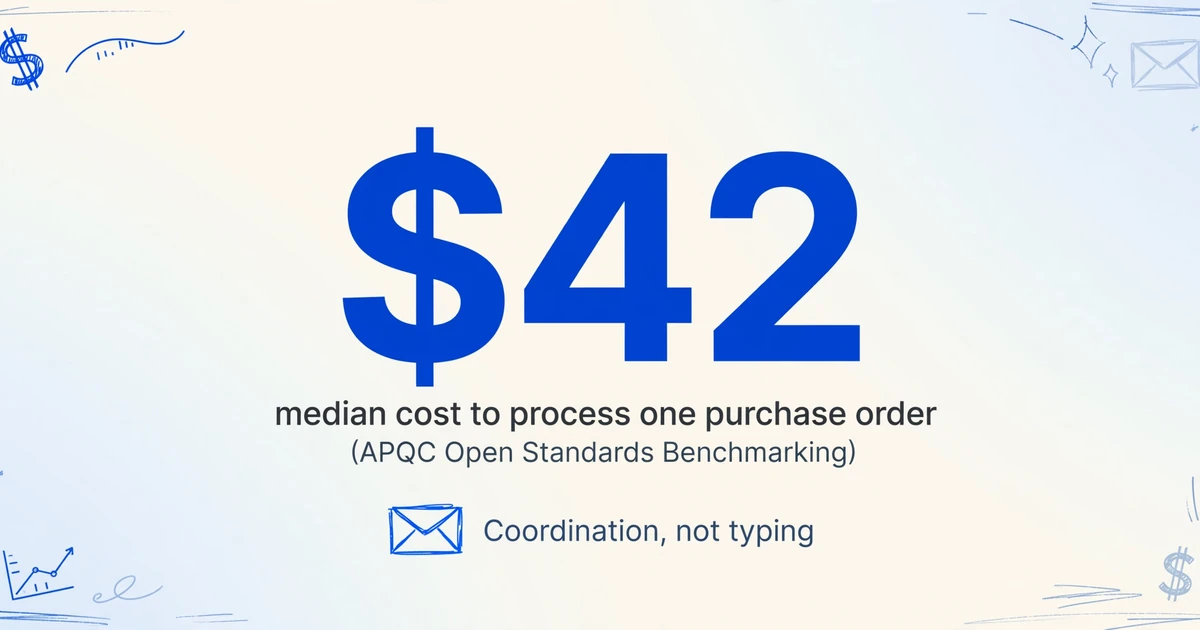
That corridor is expensive to run. APQC's Open Standards Benchmarking puts the cost of processing a single purchase order between $14 and $54, with a median of $42, and the bulk of that cost is coordination rather than typing. Every supplier confirmation that lands in an inbox and stays there is a small piece of that number.
The platforms procurement teams are told to buy do not close this gap, because they were built for the step after the data is already in the system. SAP Ariba, Coupa, Oracle Procurement Cloud, Zip, and Precoro automate requisitions, approval routing, budget checks, and matching logic once a document exists as structured data. None of them reads the supplier's reply for you, and none of them owns the inbox where that reply arrives. Email stays the operating layer underneath the suite.
Practitioners increasingly treat that as the real constraint rather than a staffing one. The tooling is not failing to plan. It is failing to reach the messages that carry the reality.
Where It Breaks: The Correspondence Has No Row
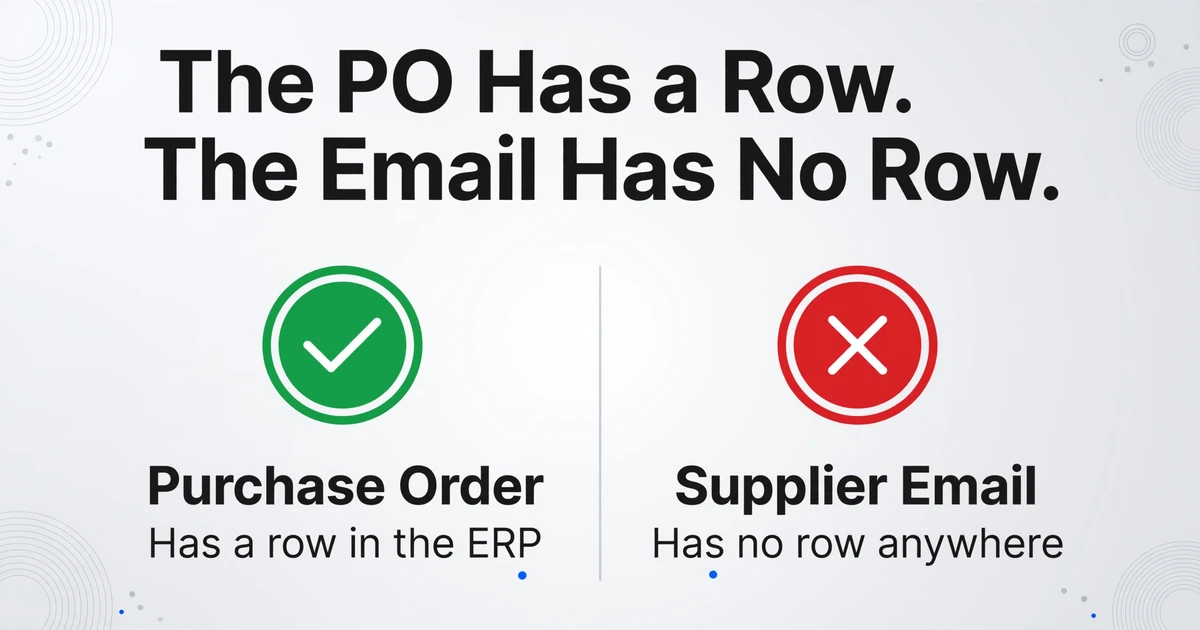
Here is the structural failure, stated plainly. The purchase order has a row in the ERP. The goods receipt may have a row in the warehouse system. The supplier's email has no row anywhere. The one document that explains the change between "ordered" and "received" exists as a message in a human's mailbox, which means it exists only for as long as that human remembers it.
That is why the answer to a simple status question takes fifteen minutes. A VP asks where a given order stands, and the buyer opens a search, filters by supplier name, scrolls two threads, finds a date someone mentioned in a reply ten days ago, and tries to work out whether a later message superseded it. The information was always there. It was never a field.
Buyers describe this as information chaos rather than workload. In an r/procurement thread on the first months in the role, one buyer wrote: "Another problem is information chaos. Supplier updates in emails, pricing in spreadsheets, delivery changes in chat messages. Endless emails." The pattern behind the original "email chaos" complaint is that the correspondence is scattered across channels and hard to tie back to the orders it describes.
The cost of that pattern is not only slow answers. Context disappears when someone takes leave or leaves the company, because it was never stored anywhere a colleague can open. A revised ship date that never made it out of an inbox becomes a production surprise when the parts do not arrive. A duplicate or superseded quantity instruction becomes an over-order.
Under SOX Section 404, three-way matching is one of the most heavily tested preventive controls in accounts payable, and audit-trail completeness requires unbroken documentation linking each invoice to its source document and approval chain. When supplier confirmations and revisions live in personal inboxes, that chain has gaps no spreadsheet of invoices can repair.
Email is not a transitional state that will resolve itself. It is the default, and it is going to stay that way.
Why a Supplier Portal Does Not Close the Gap
The standard answer is to move suppliers off email. Put them on a portal, connect them through a network, or stand up EDI, and the correspondence becomes structured at the source. For the largest trading partners, this works, and it works well. For everyone else, it does not, for a reason that has nothing to do with technology: a supplier that represents a small fraction of its customer's spend will not maintain another login to serve that customer.
So the long tail stays on email. EDI projects are justified by volume and cover the few partners who can support them. The mid-market supplier who confirms an order by replying to your buyer, attaching a PDF, or typing a number into the message body is not going to change.
Any approach that requires the supplier to change behavior inherits an adoption problem before it processes its first document.
Enterprise software has started to meet email where it is. Microsoft's Dynamics 365 Supply Chain Management includes a Procurement Agent that reads vendor emails, classifies their intent (purchase order confirmation, change request, rejection), identifies the purchase orders the message refers to, and matches extracted details such as quantity, unit of measure, price, and delivery date to fields in the system for a buyer to review. It is a real answer, and it is honest about leaving the decision with the buyer.
It also arrives with prerequisites that most mid-market teams cannot meet: a specific Dynamics 365 release, mailbox synchronization through Dataverse, published agent configurations, and defined security roles. If you already run Dynamics and have an integration team, the agent is a strong option. If you do not, the email still has no row, and the question becomes how to give it one without replacing the systems you already have.
The Fix: Make Supplier Email Land in Structured Rows
The move that changes the equation is small and specific. Instead of trying to eliminate email or force suppliers onto a portal, make the supplier correspondence produce a structured row the moment it arrives. Two product capabilities do that work.
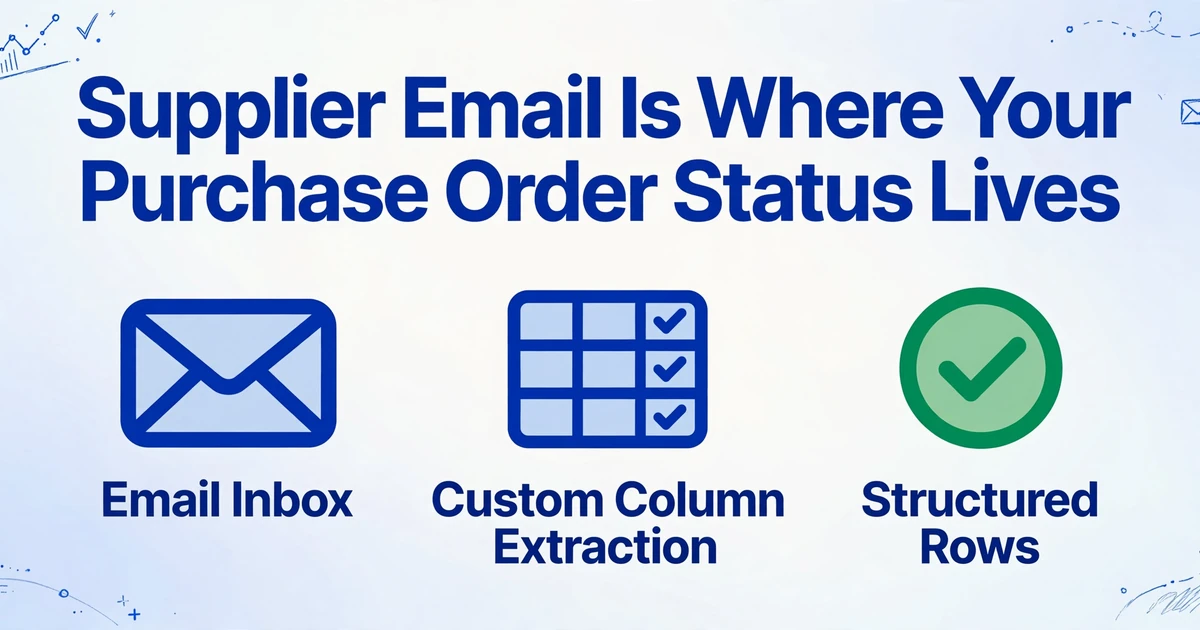
The first is Email Inbox. Every ImageToTable.ai account gets a dedicated inbox address that you can share with suppliers or forward your own mail to. You do not need to open an upload page or be at your desk: a supplier's message, with its attachment, lands in your processing queue automatically. The second is Custom Column Extraction. Instead of drawing boxes around fields on a template, you type the column names you want, such as Supplier, PO Number, Confirmed Ship Date, Quantity Confirmed, Unit Price, and Total. The AI reads each document to find those values by understanding what they mean, and the column names you entered become the headers of your output sheet.
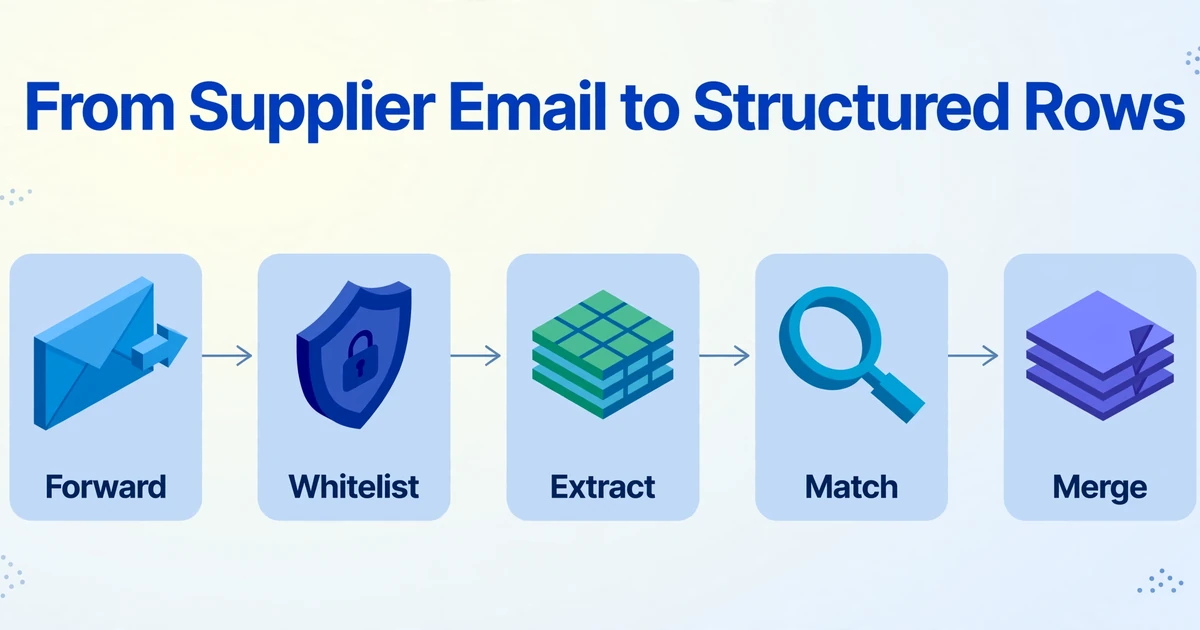
Put the two together and each step of the correspondence process maps to a setting you configure once:
Forward, do not upload
Set a forwarding rule in Outlook or Gmail so supplier mail goes to your dedicated inbox address. From that point the message and its attachment enter the queue on their own. Suppliers change nothing and never create a login.
Restrict who can feed it
Turn on the sender whitelist so only approved supplier addresses reach the queue. This keeps newsletters, quotes you did not request, and unrelated mail from becoming rows you have to delete.
Bind one extraction template
Save the column set you care about as a template and bind it to the inbox, with auto-process switched on. Each message is then read against the same columns, so a confirmation from one supplier and a revision from another land in the same structure without reconfiguration.
Match the reading to the sender
Some suppliers write the confirmation into the email body. Others attach a PDF. The inbox can be set to process attachments only, body only, or both together, which matters when your supplier base does not agree on a single habit.
Merge everything into one sheet
Batch processing collects the queue into a single Excel file where every message is a consecutive row under the same headers. Encrypted PDFs, such as statements and some confirmations, are tried against passwords you stored in advance, so they unlock without manual handling.
The output is a correspondence register: one sheet, one row per supplier message, with the PO number, dates, quantities, and amounts pulled out as columns. That sheet is the record the mailbox never provided, and it is searchable, sortable, and handover-ready.
The inbox turns a message into a row. The lookup turns a row into a PO association. Keeping those two jobs separate is what makes the register something you can check rather than something you have to trust.
This is the point to be precise about the boundary, because it is where most procurement-automation claims overreach. ImageToTable.ai extracts structured data from the email or attachment into a spreadsheet. It does not decide on its own which purchase order an ambiguous email belongs to, and it does not perform field-by-field judgment across two documents. The tie back to your PO records is a sheet step, and a reliable one: once the PO number is a column, you join the correspondence register to your PO list with a lookup, or use a computed column to flag a mismatch. A computed column can carry logic such as outputting the difference when a confirmed total does not equal the PO total, so the exceptions surface instead of hiding in a thread.
Files are processed securely and not stored.
For the extraction step in isolation, the complete guide to purchase order data extraction walks through the field list, and the purchase order to Excel workflow shows what the output looks like. What this article adds is the part the field guides leave out: the supplier correspondence that arrives before and between those documents, and how to stop it from evaporating.
What This Does Not Do
A tool that improves one step of a process is worth adopting only when its edges are clear. Here are the edges.
It reads email, not chat. Attachments and message body are supported, including PDF, JPG, PNG, WebP, and AVIF. If your supplier updates arrive in WhatsApp, Slack, or Teams, this does not capture them. Email is the channel it works in, and the channel where most supplier paperwork still travels.
It extracts; it does not judge. The tool will not infer that a message with no PO number belongs to a particular order, and it will not produce a verdict that two documents agree. It produces the columns; the join and the exception rule are yours to define in the sheet. That division is deliberate, because the alternative, a black box that asserts a match, is harder to audit than a formula you can read.
It does not become your procurement system. There is no approval routing, no budget enforcement, and no write-back to your ERP. If you need governed purchase-to-pay workflow, a platform like SAP Ariba or Coupa is built for that. The correspondence register is an input to that world, not a replacement for it. For teams comparing extraction tools specifically rather than full suites, the 2026 purchase order extraction software comparison covers that ground.
Accuracy is high, not perfect. We state up to 99% accuracy on printed table data, which is our own figure for a specific input type, not a guarantee for handwriting or a poor scan. Review Mode and Bbox verification exist for this reason: hover an extracted cell and the source region highlights on the original, and an edited value can be reverted to the AI's read. Use that check on the fields with financial weight, such as amounts, dates, and reference numbers.
A human still owns the exceptions. The tool removes the transcription and the where-is-it hunt. It does not remove the decision about whether a supplier's revised date is acceptable, or whether a price change should be disputed. Those remain the buyer's job, which is the point: the work that needed judgment keeps it, and the work that did not stops consuming the day.
Frequently Asked Questions
Can it read a PO confirmation the supplier wrote in the email body?
Yes. The Email Inbox can be configured to process attachments only, the message body only, or both together. If a supplier pastes the confirmation details into the text instead of attaching a file, switching to the body or combined setting lets those values be extracted the same way.
Does ImageToTable.ai automatically match each supplier email to the right purchase order?
No, and it is worth being exact about why. The tool extracts the PO number and the other columns you define from each message into a sheet. Matching a message to a specific order is a cross-document judgment, and that is deliberately left to a spreadsheet lookup or a computed column rather than asserted by the model. The practical result is the same for most teams, a correspondence register with a PO Number column you can join to your PO list, but the logic stays visible and auditable instead of hidden behind an automatic claim.
Will it work with scanned or handwritten confirmations?
PDFs, scans, and photos in JPG, PNG, WebP, and AVIF are all supported, including phone photos of paper documents. Accuracy on clear printed text is highest; heavy handwriting or a skewed, shadowed photo lowers it. For a supplier who confirms on a printed form, spot-check a sample of extractions before the register becomes your reference. The purchase order data entry problem looks at why manual handling persists for exactly these harder documents.
Do my suppliers have to create an account or use a portal?
No. The inbox works on forwarding. You share the dedicated address or set a rule in your own mailbox, and the supplier keeps sending to the same contact they always have. A sender whitelist limits the queue to approved addresses, so opening the channel does not open it to everyone.
What about password-protected PDFs?
Encrypted attachments are handled without manual intervention. You store the passwords you commonly receive in advance, and incoming encrypted files are tried against them in turn; a successful unlock sends the file straight into the processing queue. This covers the recurring formats that tend to be locked, such as bank and card statements.
Is the register an audit trail?
It is a structured record of what the correspondence contained, and Review Mode lets you point any extracted value back to the region on the source document it came from. That is useful for internal verification and handover. It is not a compliance system of record, so keep the original emails alongside the sheet, and treat the register as the index that makes them findable. For building a full matching pipeline across PO, delivery note, and invoice, the supplier-to-AP sheet pipeline and the regional PO, delivery, and invoice matching breakdown go deeper on the downstream steps.
The Order Record Is Not Where the Change Lives
The ERP will keep showing the plan, because a plan is what it was built to hold. The supplier email will keep holding the reality, because that is where people and attachments actually arrive. The teams that stop treating that split as an accepted condition do one thing differently: they give the correspondence a row of its own, in the same structured form as everything else they reconcile against. Once the messages are columns, the status question stops being a search and starts being a filter.