What Is Manufacturing PO Extraction?
Turning BOMs into ERP Data
Manufacturing purchase order data extraction is the automated process of reading procurement and production fields — part numbers with revision levels, material grades and standard references, per-line delivery dates, quality clauses, and lot or batch traceability requirements — from supplier PO documents and converting them into structured data ready for ERP import, MRP planning, and three-way matching against goods receipts and supplier invoices. In a manufacturing environment, a purchase order is not simply a procurement record — it is a production trigger. The part number on line 3 determines which engineering drawing revision the receiving inspector pulls. The material grade in the specification column dictates whether the incoming aluminum stock needs a mill test report (EN 10204 Type 3.1) on file before the warehouse can accept it. The per-line delivery dates govern when each assembly station receives its components. When those fields have to be manually rekeyed from PDFs, spreadsheets, and paper forms sent by dozens of suppliers who each format their POs differently, the data entry layer becomes the bottleneck between procurement and the production floor — and a source of latent quality issues that may not surface until final inspection.
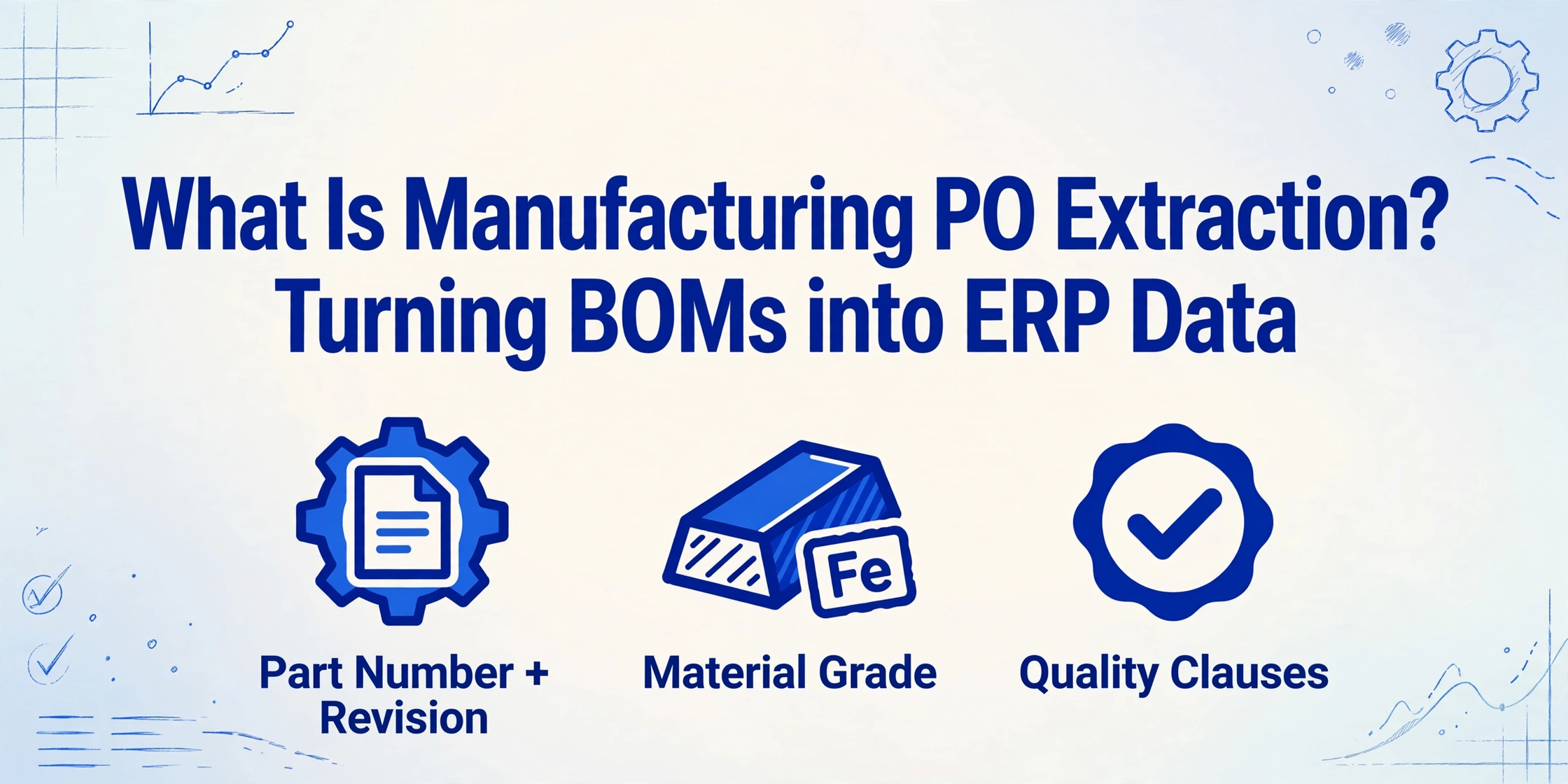
What Manufacturing Purchase Order Extraction Actually Is
Purchase order extraction, at its broadest, is the process of taking a supplier's PO document and turning its fields — PO number, supplier name, line items, quantities, prices — into structured data. If that sounds like standard procurement automation, it is, until you look at what a manufacturing PO carries that a standard PO does not.
A standard commercial PO has an item code, a quantity, and a price. A manufacturing PO has a part number — with a revision letter that tells the receiving inspector which version of the engineering drawing to validate against. It has a material specification that determines whether the incoming raw stock needs chemical composition and tensile test results on file (EN 10204 Type 3.1 certification). It may carry delivery dates broken out per line item for just-in-time (JIT) scheduling, where a two-day slip on one component idles an entire assembly station. It may embed quality clauses — "first article inspection per AS9102 required," "supplier must provide certificate of conformance with each shipment, traceable to heat or lot number" — that are legally binding obligations, not optional notes.
Manufacturing PO extraction reads all of these fields from whatever format the supplier sends — a PDF from a steel mill, a spreadsheet from an electronics component distributor, a scanned fax from a specialty machine shop — and outputs them as structured rows where Part Number, Revision, Material Grade, Quantity, UOM, Unit Price, Delivery Date, and Quality Clause are separate columns, each populated with the correct value from each line item. If this is new territory, start with the broader overview of purchase order data extraction — the fundamentals apply across all industries, and manufacturing is the most demanding application because its POs carry an engineering and compliance payload that standard procurement documents do not.
Manufacturing PO vs Standard PO — Key Differences
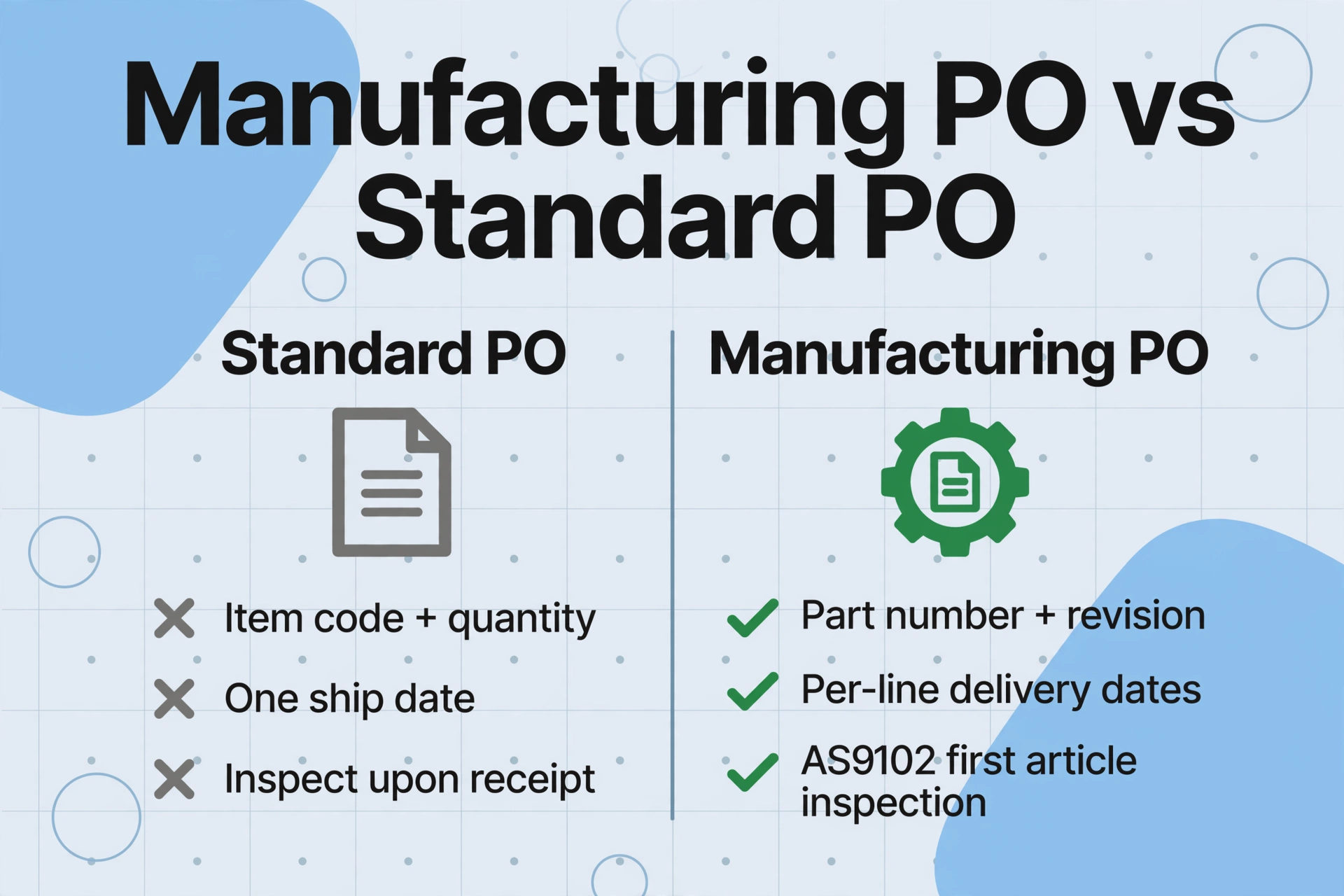
A standard purchase order answers "what did we buy, from whom, at what price?" A manufacturing PO answers that — plus "which revision of the part are we buying, what grade of material must it meet, on what date does each line item need to arrive to keep the production schedule intact, and what quality documentation must accompany the shipment?"
| Dimension | Standard PO | Manufacturing PO |
|---|---|---|
| Item identification | Item code, description, quantity, unit price | Part number with revision level (e.g. BRG-6205-2RS Rev C), description, quantity, UOM, unit price — plus engineering drawing reference and specification sheet |
| Material specification | Rarely specified; "as per sample" | Material grade, alloy designation, ASTM/EN standard (e.g. Al6061-T6, ASTM A106 Gr B, 316L Stainless per ASTM A240), required certification type (EN 10204 3.1 / MTR) |
| BOM structure | Flat line items — one row per product | Hierarchical BOM references — a single PO may embed a multi-level BOM with parent-child relationships, sub-assembly references, and phantom or kit items |
| Delivery schedule | One ship date for the entire order | Per-line delivery dates supporting JIT production — line 1 due June 15, line 2 due June 22, line 3 due July 1. A two-day slip on one component can idle an assembly station |
| Quality clauses | "Inspect upon receipt" | First article inspection per AS9102, certificate of conformance (C of C) traceable to heat/lot number, mill test report (MTR) requirements, supplier quality manual compliance (ISO 9001:2015, IATF 16949), sampling per ANSI/ASQ Z1.4, lot/batch traceability per MIL-STD-1916 |
| Unit of measure (UOM) | Usually "each" or "case" | EA, lot, kg, meter, liter, sheet, coil, foot — mixed UOMs on the same PO, each driving different receiving and inventory unit conversions in the ERP |
| Downstream system | QuickBooks, Xero, NetSuite | SAP S/4HANA, Oracle EBS, Microsoft Dynamics 365, Infor LN, Epicor Kinetic, Plex, QAD — manufacturing ERPs with MRP, shop floor control, and quality management modules |
The most consequential difference is the material and quality payload. A standard PO extraction tool that reads "Aluminum Plate — 10 units" has missed the two critical pieces of information buried in the spec line: the alloy grade (6061-T6 vs 7075-T6 — entirely different strength profiles) and the certification requirement (MTR required — without it, receiving cannot accept the shipment). In manufacturing, a PO that captures the part number correctly but misses the revision letter has not been correctly processed — it has created a latent quality nonconformance that may not surface until the assembly fails final inspection.
Manufacturing PO Extraction vs ERP PO Modules vs Manual Entry
Most manufacturing companies already have a PO module inside their ERP. The question procurement and AP managers ask is: "My ERP creates POs — why would I need a separate extraction step?"
The answer is data flow direction. An ERP PO module handles outbound POs — creating purchase orders from approved requisitions and sending them to suppliers. It does not solve the inbound problem: receiving supplier PO confirmations, order acknowledgments, and amended schedules back in formats the ERP cannot read. When a raw material mill sends a PDF confirmation with 40 line items of steel coil — each with a different heat number, gauge, width, and delivery window — the ERP PO module offers no help. Someone has to type those 40 rows into the system. That is the gap extraction fills: the bridge between the supplier's document format and your ERP's data structure.
Three paths exist, and the choice depends on your supplier mix and processing volume:
| Dimension | Manual Entry | ERP PO Module + EDI | AI PO Extraction |
|---|---|---|---|
| Handles inbound POs from suppliers? | Yes — by rekeying every field | No for non-EDI suppliers. EDI covers only suppliers with the infrastructure — typically the top 10–20% of your supply base | Yes — reads any supplier's PO format, structured or unstructured, and outputs data ready for ERP import |
| Processing time (50-line PO) | 20–40 minutes — longer if BOM hierarchy, material specs, and quality clauses must be verified | N/A for inbound; EDI setup is 2–6 weeks per supplier at $1,500–$5,000 per trading partner | Upload + verify: 2–5 minutes total. The same column definition works across all suppliers regardless of format |
| Format flexibility | Flexible — human adapts to any format | Rigid — EDI requires standardized formats (ANSI X12, EDIFACT). Most small and mid-size suppliers do not support EDI | Format-independent — reads a PDF from Mill A, an Excel from Component Supplier B, and a scan from Contract Manufacturer C with the same column definition |
| Error risk | High — over 30% of PO discrepancies trace back to manual entry. Revision letter swaps and material grade typos are the hardest to catch because they look plausible | Low for EDI-covered suppliers — but the 80% of suppliers not on EDI still route through manual entry upstream | Low — semantic reading means revision "C" does not become "B" because the field moved on the page; material grades are read as complete strings, not character-by-character OCR |
| Coverage across supply base | 100% — but at the cost of full-time headcount | 10–20% of suppliers (Tier 1 typically). The remaining 80% fall back to manual entry | 100% — works with any supplier, any format, no per-supplier setup |
| Cost per PO | $95–$145 per PO in manufacturing (industry benchmark). $50–$150 median per APQC | EDI reduces per-transaction cost but carries high fixed setup cost per trading partner — viable only for high-volume suppliers | $15–$35 per PO when automated — 65–80% lower than manual, with no per-supplier setup cost |
EDI is often presented as the answer to inbound PO automation, but in real manufacturing supply chains the picture is fragmented. A mid-sized manufacturer may have 200 active suppliers. The top 20 — Tier 1 component suppliers and large raw material mills — support EDI. The remaining 180 — specialty processors, local distributors, small job shops — send POs as PDFs, spreadsheets, or paper. EDI covers the 20. Extraction covers all 200. For manufacturers who also process supplier invoices from the same supply base, manufacturing invoice extraction follows the same principle — reading production-critical fields from supplier invoices to enable the three-way match that verifies PO, goods receipt, and invoice before payment is released.
How Manufacturing PO Extraction Works
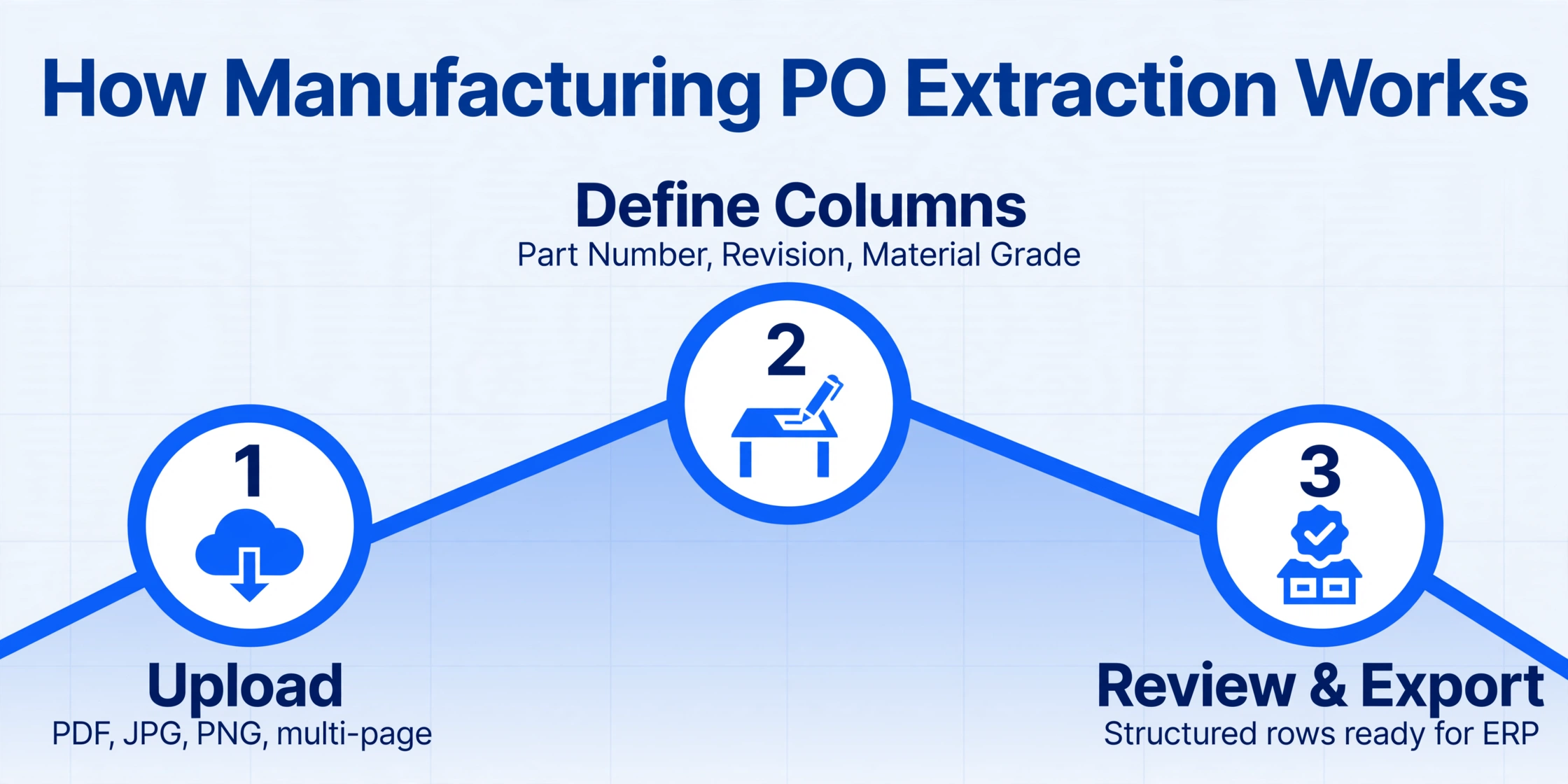
Manufacturing PO extraction is built on semantic understanding — the AI reads a purchase order the way an experienced buyer reads it: by understanding what each piece of information means, not where it sits on the page. This is fundamentally different from template-based OCR, which looks for data at fixed pixel coordinates and breaks the moment a supplier changes their PO layout — or when a new supplier sends their first order in a format the system has never encountered.
The extraction process follows three steps:
Part Number, Revision, Material Grade, Description, Quantity, UOM, Unit Price, Line Total, Delivery Date, Quality Clause. These column names become the exact headers of your output table. The AI reads each supplier's PO by understanding what each field means — not where it sits. A field labeled "Part #" on one supplier's PO, "Item No." on another, and "Material Code" on a third is recognized as the same thing because the AI understands the semantic role.This semantic approach is critical in manufacturing because PO layouts vary wildly across the supply base. A steel mill's PO confirmation lists heat numbers, coil IDs, gauges, and weights in a grid that looks nothing like an electronic component distributor's PO — which has manufacturer part numbers, customer part numbers, and RoHS compliance codes in its own column layout. A contract manufacturer's PO may include a nested BOM with parent-child indentation spanning multiple pages. In a template-based system, each supplier needs its own parsing template — built, tested, and maintained. In a semantic extraction system, you define your columns once. The AI reads across all three formats.
Files are processed securely and not stored.
When You Need Manufacturing PO Extraction
Not every manufacturer needs dedicated PO extraction. A shop that buys from five long-term suppliers who all use the same EDI format and a consistent layout likely does not. But four scenarios reliably signal that extraction will pay for itself within the first month:
What to Look For in a Manufacturing PO Extraction Tool
Not every document extraction tool handles manufacturing POs well. Here are the capabilities that separate tools built for production procurement from general-purpose OCR or document parsing solutions:
| Capability | Why It Matters in Manufacturing |
|---|---|
| Multi-line item extraction at scale | Manufacturing POs can carry 50+ line items spanning multiple pages. The tool must extract every row as a discrete record — not truncate at 10 lines or merge adjacent rows into a single garbled entry. |
| Material specification recognition | Material grades (6061-T6, 316L, AISI 4140, ASTM A106 Gr B) contain numbers, letters, hyphens, and slashes that confuse simpler OCR engines — a "6" that reads as "G" sends the wrong alloy to production. The tool must read these strings verbatim. |
| Revision-aware extraction | Part number "BRG-6205-2RS" is not the same as "BRG-6205-2RS Rev C." The tool must capture the revision as a separate field — or as part of the identifier string — exactly as it appears on the PO. A revision mismatch is a quality nonconformance, not a data entry quirk. |
| UOM normalization | One supplier uses "EA," another uses "PCS," a third spells out "Each." The extraction should capture the value as-is and ideally support post-extraction normalization so all three map to the same receiving UOM code in the ERP. |
| Per-line delivery dates | Line 1 ships June 15, line 2 ships June 22. The tool must extract delivery dates at the line-item level, not assume a single PO-level ship date. JIT scheduling lives or dies on per-line date accuracy. |
| ERP export compatibility | Output must be import-ready for the manufacturing ERP you actually run — SAP S/4HANA, Oracle EBS, Microsoft Dynamics 365, Infor LN, Epicor Kinetic, Plex, or QAD. Excel (XLSX) and CSV cover most import paths, but check if the tool supports field mappings that match your ERP import template. |
| Template-free, supplier-independent setup | This is the differentiator. If the tool requires you to build a template or train a model per supplier, you are back to the same maintenance burden as manual entry — just digitized. A manufacturing supply base with 200+ suppliers needs a tool that reads any format without per-supplier configuration. |
For a deeper look at how AI extraction fits into the broader PO processing workflow — from receipt through three-way matching — see automating purchase order data entry. For the full field-by-field reference covering every header and line-item field, batch processing, export formats, and tool-selection criteria, the complete guide to purchase order data extraction is the definitive walkthrough. If you are evaluating the economics of scaling PO processing across a growing manufacturing operation, scaling purchase order processing in manufacturing breaks down the cost comparison at different volume thresholds.
FAQ
Is manufacturing PO extraction different from regular PO extraction?
Yes — and the difference is not subtle. Manufacturing POs carry engineering specs (revision levels, material grades, ASTM/EN standard references), quality obligations (AS9102 first article inspection, lot traceability per MIL-STD-1916), and per-line delivery schedules that standard commercial POs do not. A general-purpose PO extraction tool that handles item codes and quantities competently may still miss the revision letter or material spec that determines whether the incoming material can be accepted by the quality department.
Does manufacturing PO extraction require an ERP to be useful?
No. The output is a structured spreadsheet — Excel (XLSX) or CSV — that can be used directly by procurement teams, production planners, and quality inspectors without an ERP. Many mid-market manufacturers run on QuickBooks Enterprise or spreadsheets, and the extracted PO data feeds their MRP calculations, goods receipt checks, and supplier performance tracking without any system integration. For companies that do have an ERP, the same spreadsheet output can be imported into SAP, Oracle, Dynamics 365, or any system that supports CSV or Excel import.
Can it extract data from a multi-level BOM embedded in the PO body?
Yes. If the PO document contains a bill of materials — whether as a flat table or a multi-level indented BOM with parent-child indentation — the extraction reads it as a table and outputs each row as a separate record. Multi-level BOMs with hierarchy may require post-extraction sorting in Excel to restore the indentation structure, but the raw data capture works across all table formats, including the nested layouts common in aerospace and automotive manufacturing.
How does the tool handle part numbers with special characters?
Semantic AI extraction reads part numbers verbatim as they appear on the document, including hyphens, slashes, dots, and alphanumeric combinations. Unlike template OCR which may strip special characters or interpret a hyphen as a minus sign, the extraction preserves the original string because it understands that "BRG-6205-2RS/C3" is a complete bearing identifier — not a mathematical expression. This is especially important for manufacturers who follow engineering part numbering schemes with embedded revision codes, material identifiers, and supplier codes.
What about delivery dates that differ per line item?
This is one of the core reasons manufacturing PO extraction exists as a distinct category. General-purpose PO tools often assume one delivery date for the entire order. Manufacturing-grade extraction reads delivery dates at the line-item level and outputs each one in its corresponding row, so line 1 with a June 15 date and line 2 with a June 22 date land in the correct rows of your spreadsheet — and the production planner can see each line's expected arrival without cross-referencing multiple documents.
Will this work with handwritten changes on supplier POs?
Modern AI vision models read printed text at up to 99% accuracy and reasonably legible handwriting at 85–95%. Handwritten quantity adjustments, manual revision updates, and last-minute delivery date changes written in by the supplier — common on smaller suppliers' POs — are typically captured. Severely degraded paper quality, faint pencil marks, or dense cursive in low-contrast scans will reduce accuracy. For manufacturers dealing with a mix of printed and hand-annotated POs, the practical workflow is: AI extracts the baseline data, and a 10–15% verification pass catches any handwritten fields the model read with low confidence.
How does PO extraction connect to three-way matching with invoices?
PO extraction is the first step in the three-way matching workflow: it turns the supplier's PO document into structured data that can be compared against the goods receipt and the supplier invoice. If the PO data is wrong — a revision letter mistyped, a quantity transposed — the three-way match flags a false discrepancy that someone has to investigate. Getting PO extraction right is what makes touchless three-way matching possible. For a deeper look at the invoice side of this equation, see manufacturing invoice extraction — it covers how supplier invoice fields are read and matched against the same PO data in the ERP.