Multi-State Payroll Tax Compliance at Scale Is a Data Problem
Running payroll in two states is not twice as hard as running it in one. Keeping the paper trail straight is. In a thread on r/Payroll about expansion, one practitioner put it plainly: "As we've expanded into more states, payroll taxes have become a whole different beast. Every state seems to have its own rules" (r/Payroll).
The quote is not about the math. Payroll software already calculates state withholding and SUTA. The difficulty sits one layer up, in the records: the payroll register, the state withholding return, the SUTA wage report, Box 15 of the W-2, and for public-works contractors the weekly certified payroll. Each carries the same facts about the same employee, and each is produced in a different system, a different format, and often a different portal. This article maps what actually multiplies when you add a state, where those records stop agreeing, and how document extraction turns the whole set into one table you can check instead of re-keying by hand.
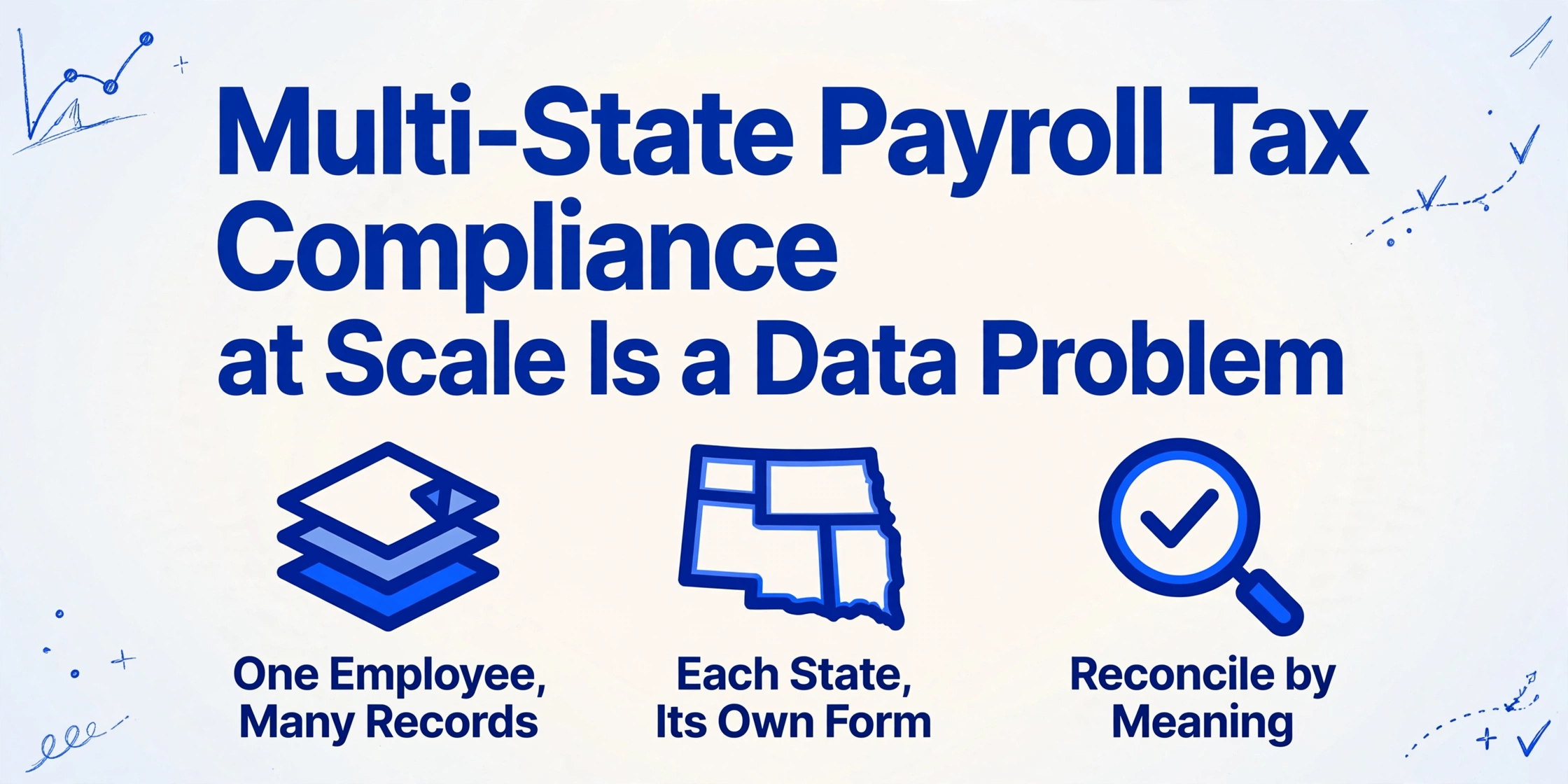
Key Takeaways
- The tax math is not the hard part of adding a state, the records behind every employee are.
- Payroll software calculates the withholding and SUTA, so nothing looks wrong until an agency notice reveals the records never agreed.
- Line the register, the state returns, and Box 15 up in one table, and a silent mismatch turns into a row you can fix.
Adding a State Multiplies the Paperwork, Not the Paycheck
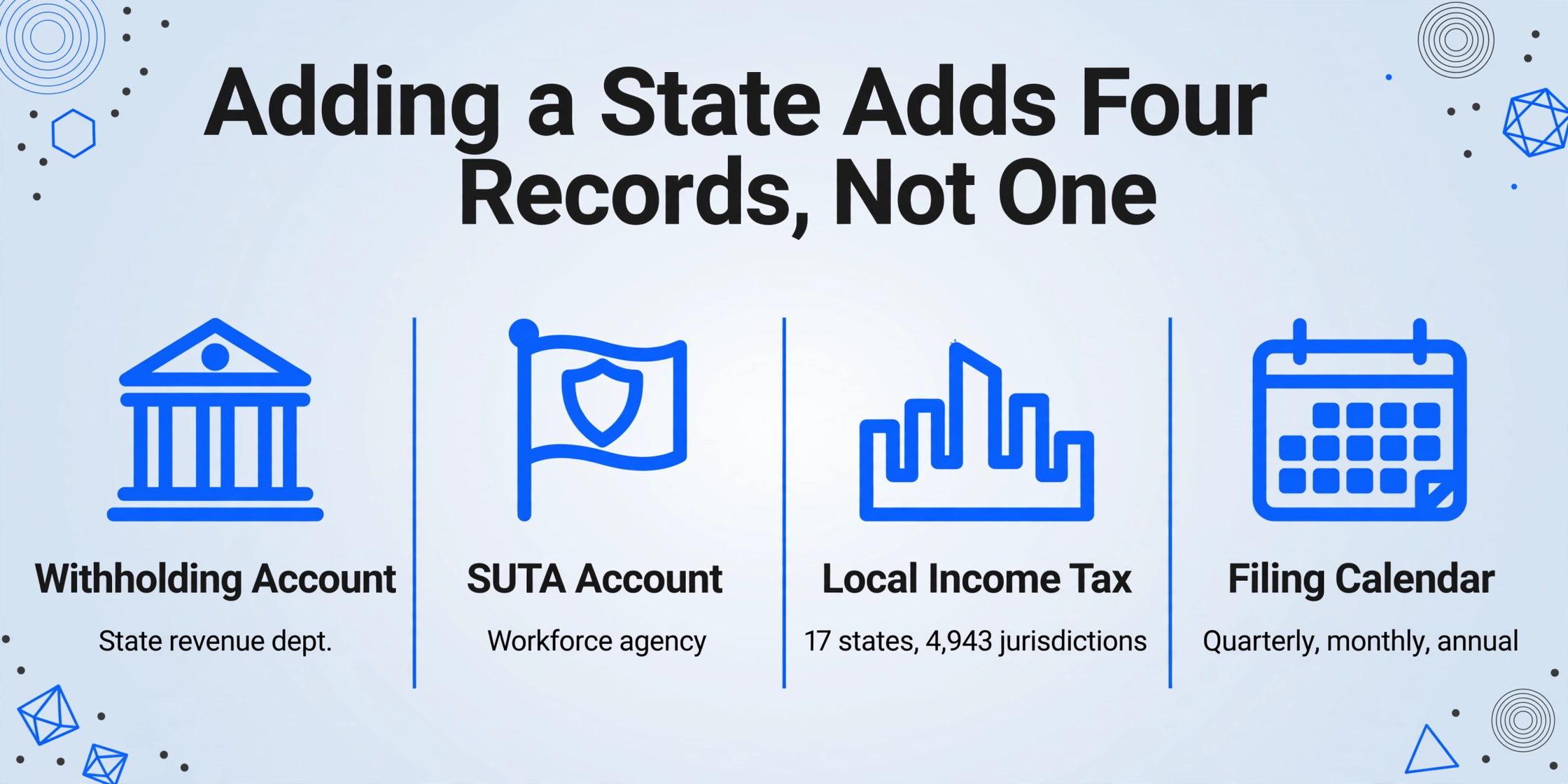
A second state adds a parallel set of records, and each record answers to its own agency on its own schedule. PayrollOrg, the industry association formerly known as the American Payroll Association, describes the default rule that drives all of this: state income tax is withheld for the state where the employee performs services, the work state, even when the employee is a nonresident there (PayrollOrg, Multi-State Taxation). The moment that work state is not your home state, the record count grows.
| What you add | Who it reports to | Where it typically breaks |
|---|---|---|
| Withholding account (state income tax) | The state department of revenue | Registration lags the first payroll, so the first returns are filed late or amended |
| SUTA account (state unemployment) | The state workforce or unemployment agency | A separate agency, form, and timeline from withholding, so teams register once and miss the second account |
| Local income tax | Cities, counties, and school districts | Exists in 17 states across 4,943 jurisdictions, easy to overlook when only state tax is set up |
| Filing calendar | Each agency independently | Monthly, quarterly, and annual cadences differ by state and by tax type |
| Year-end W-2 (Boxes 15 to 17) | Social Security Administration and the states | The state wages in Box 16 and the state tax in Box 17 must match what you already reported |
| Certified payroll (public works) | Federal and state labor agencies | A weekly report, sometimes a state form in place of or in addition to the federal WH-347 |
The scale of the local layer surprises people. The Tax Foundation counts 4,943 local income tax jurisdictions across 17 states, with Pennsylvania alone containing 2,961 and Ohio 774 (Tax Foundation). A remote hire in the wrong county can create a withholding obligation that never appears on any state-level checklist.
There is also a financial thread connecting the state records to the federal ones. Employers pay FUTA at 6 percent on the first $7,000 of each employee's wages, but a timely, complete SUTA payment earns a credit of up to 5.4 percent, which drops the effective federal rate to 0.6 percent. A late or incomplete state payment can reduce or erase that credit, so a state-level lapse raises the federal bill too (IRS). The state records and the federal return are not independent after all.
Where Multi-State Payroll Records Stop Agreeing
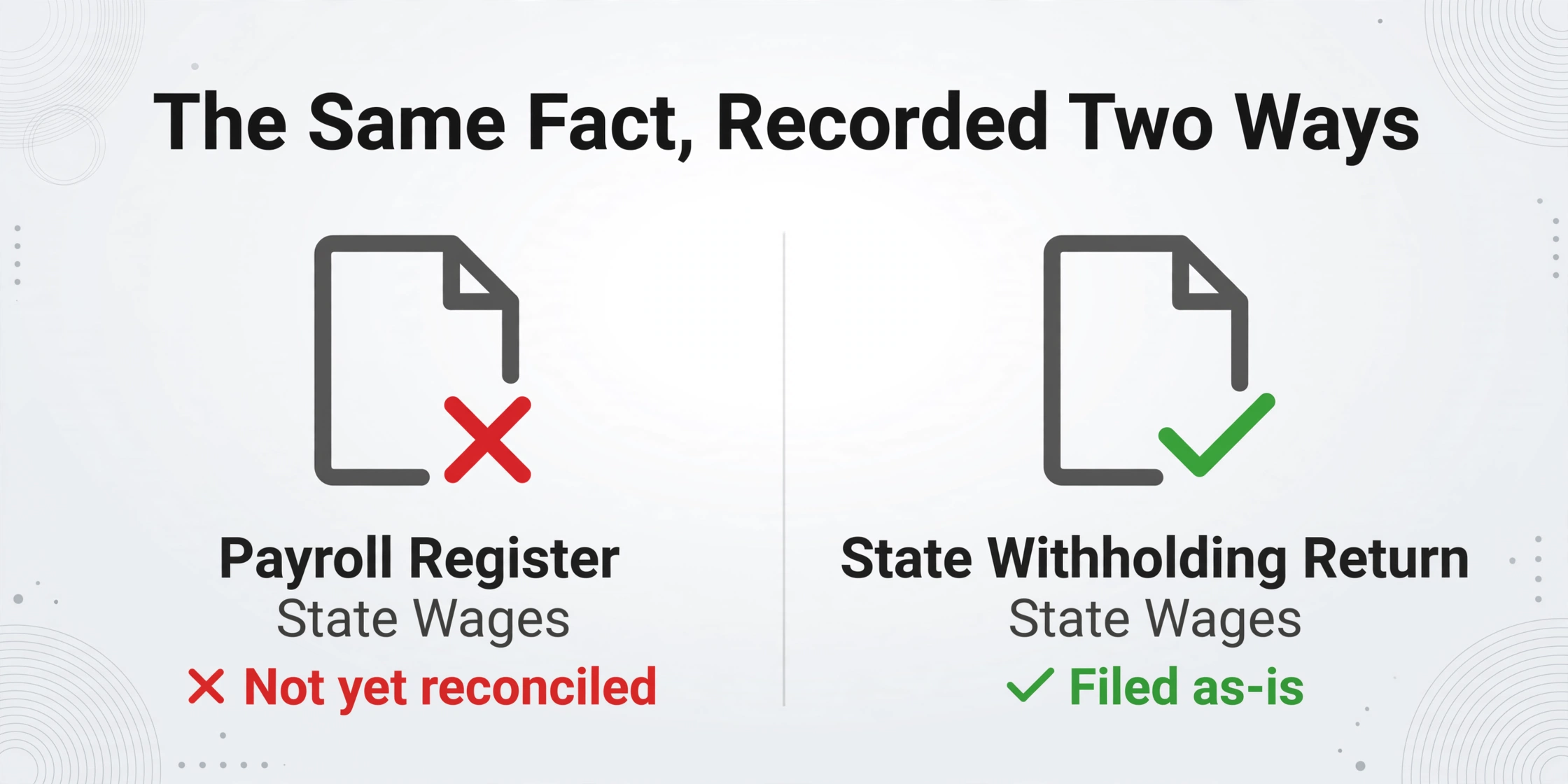
Multi-state payroll failures usually trace back to the same fact recorded two ways in two documents that never get compared, rather than to a wrong tax rate. Three versions of this show up again and again.
Registration starts after the first payroll, and the returns have to be rebuilt. Withholding and SUTA accounts usually take weeks to open, so the first one or two runs under the new state often happen before the account exists. The fix is to amend the returns you already filed and reconcile the deposits. A practitioner on r/Payroll described the aftermath of catching this late: "This is going to be a nightmare getting amended returns filed and everything corrected" (r/Payroll). The amended return is a data problem: to file it, someone has to go back through the register and pull the exact state wages and withholding for each affected period.
Work location drifts, and every downstream record keys off it. An employee relocates mid-year, takes a temporary assignment in another state, or works a hybrid schedule. The withholding state, the SUTA state, and Box 15 of the W-2 all follow where the work is performed, not where the company is headquartered. PayrollOrg's own multi-state example is a Connecticut-headquartered company with an employee who lives in New Jersey and travels across six jurisdictions in a year, each with its own answer to where tax should be withheld. Reciprocity agreements and the convenience-of-the-employer test (used in states such as New York, Connecticut, Delaware, Nebraska, New Jersey, and Pennsylvania) change the answer further, and a reciprocity claim only applies once the employee's exemption form is on file.
By year end, the payroll register, the quarterly state returns, and Box 15 of the W-2 are three separate records of the same state wages. When they disagree, the mismatch surfaces as an agency notice, not as an error you can see while running payroll.
Public-works projects add a weekly record on top. For contractors, each project also generates a certified payroll report that ties a specific worker's hours and rate to a specific job. We cover the multi-rate cross-project case in detail in handling certified payroll for public-works projects in bulk, so this article stays on the tax side. The point here is that the certified payroll is one more column of the same facts, and it arrives every week.
Why the Fix Is One Reconciliation Table, Not Another Dashboard
You cannot reconcile documents you cannot read in a common structure. Before any judgment about which number is right, someone has to get the state wages out of a quarter's worth of PDFs and scanned forms and onto the same line as the same employee. That reading step is where the manual process fails, because it depends on a person opening each document and re-typing values into a spreadsheet.
The reading step is also the one ImageToTable.ai is built for. The core mechanism is Custom Column Extraction: you type the column names you want, and the AI locates each value anywhere on the page by understanding what the column name means, not by matching a fixed position or a per-format template. If you ask for "Employee ID", "Work State", "State Wages", and "State Tax Withheld", the same four columns are filled from every document you upload, whether it is a payroll register exported from ADP or Gusto, a scanned state withholding return, or a PDF W-2.
The reason this matters specifically for multi-state work is that each state publishes its own form. Template-based tools that draw fixed zones around fields assume a stable layout, and a payroll register from one provider looks nothing like a state return from another. Semantic extraction does not care which agency designed the page. The practical result, explained further in the guide to what AI document extraction actually does, is that every document becomes a row in one table with the same columns.
Once the same field from every document sits in one vertical column, a disagreement becomes visible. You do not need the tool to decide anything: sort the state wages column, or point a spreadsheet formula at it, and the rows that do not match the return or the register stand out. That is the whole shift. The comparison is a sort away instead of a second reading of every file.
How to Build That Table from Registers, W-2s, and State Forms
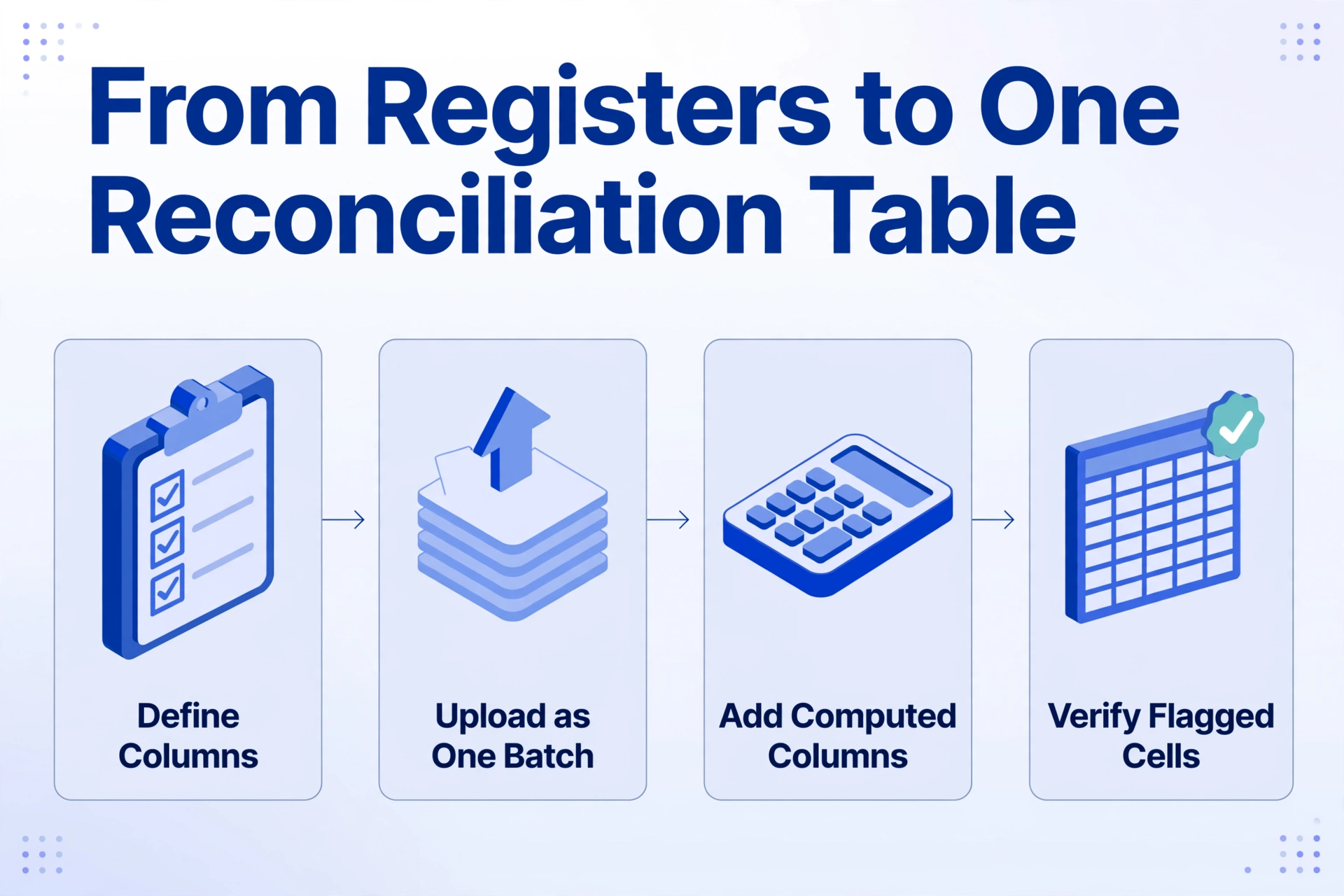
The build is four steps, and each one maps to a specific point in the reconciliation.
Fix the set of fields that has to agree
Decide the columns once: Employee ID, Work State, Pay Period, State Wages, State Tax Withheld, SUTA Wages, and for public-works jobs Classification and Rate. These are the fields that recur across the register, the returns, the W-2, and the certified payroll, so they are the fields worth lining up.
Upload the whole set as one batch
ImageToTable.ai is batch-first: upload the quarter's payroll registers, the state withholding returns, the SUTA wage reports, and the W-2s together, and the results merge into a single Excel or Google Sheets table. Documents that span several pages, like a multi-page state return, are handled with merge rules that fold a split document back into one row. The payroll register itself can also be pulled straight into a sheet with the payroll register to Excel workflow.
Add computed columns for the checks the documents do not print
A computed column performs the arithmetic during extraction, so the answer arrives as its own column. For prevailing-wage hours, a column such as Line Pay (Hours x Rate) gives you the gross owed on each certified payroll line without a follow-up spreadsheet pass. A conditional column can output the difference when a stated total does not match the sum of the line items on the same register. The pre-run payroll check is the natural home for both.
Verify the flagged cells against the source
Review Mode with Bbox shows you exactly where each value came from: hover a cell and the tool highlights the spot on the original document, or click a region on the page and it jumps back to the matching cell. When a state wages figure in the table disagrees with what you expected, this is how you confirm the AI read the right box instead of trusting the number blind.
Files are processed securely and not stored.
The Prevailing-Wage Layer on Top of Multi-State Payroll
Public-works contractors run the same reconciliation on a weekly clock, with one extra variable: the prevailing wage changes by project and by classification. Federal Davis-Bacon rules apply to federally funded construction contracts over $2,000, and the standard report is Form WH-347, submitted weekly within seven days of the pay date (U.S. Department of Labor). Twenty-eight states also run their own "Little Davis-Bacon" prevailing-wage laws on state-funded work, each with its own thresholds, forms, and filing cadence (LIUNA).
That is where the tax reconciliation and the prevailing-wage report overlap. A contractor working across two states may file a federal WH-347, a state-specific certified payroll form, and a state withholding return for the same crew, all in the same week. The extraction approach is the same: pull Worker, Classification, Project, Hours, and Rate from every project's certified payroll into one table, add a computed column for hours times rate, and let the rows show where a rate or an hour count does not match the source. For the field-by-field detail of pulling those reports apart, see extracting certified payroll reports for compliance review and the broader certified payroll compliance problem.
What this article deliberately does not repeat is the case of one worker whose hours are split across several prevailing-wage projects at different rates. That scenario, and how to keep the worker's records straight across jobs, belongs to batch certified payroll for public-works projects. Here the relevant point is narrower: that weekly certified payroll is simply one more source of the same employee-level facts you are already reconciling for state tax.
What This Approach Still Cannot Do
A reconciliation table shows you where records disagree. It does not decide which record is right, register your business, or file anything on your behalf.
Registration stays a project with lead time of its own. Opening a withholding account and a separate SUTA account, often with two different agencies, is a sequence of portal steps that no extraction tool performs. This is genuinely the territory of a payroll provider, a PEO, or a tax consultant, and the work that benefits from clean data is everything that comes after registration.
The judgment calls stay human as well. When the register says one state wage figure and the amended return says another, the table can point at both, but which figure governs is a tax question that depends on where the work was actually performed and which correction the agency will accept. Likewise, whether a reciprocity claim applies depends on an exemption form being on file, which is a document you have to collect, not one the tool can infer. The W-2 to table workflow makes Boxes 15 to 17 easy to line up, but it will faithfully report a Box 15 that was wrong in the source.
The tool removes the reading and re-keying that sits between you and the disagreement. Which number is correct, and whether you owe a correction, remains a decision you make with the documents in front of you.
FAQ
Doesn't my payroll software already handle multi-state tax compliance?
Payroll platforms such as ADP, Paylocity, Gusto, Rippling, and OnPay calculate multi-state withholding and SUTA and produce the returns and W-2s. What they do not do is check that the numbers on today's register agree with the returns you already filed and with the prior period, across documents that may come from different systems and portals. The calculation and the reconciliation are separate jobs, and the second one is still largely manual.
Can document extraction really handle each state's different forms?
Yes, because it reads by meaning rather than by layout. You define the columns you want once, and the same columns are filled from a state withholding return in one format, a SUTA wage report in another, and a PDF W-2 in a third. A template-based tool that assumes a fixed field position would need a new template for every form; semantic extraction does not. The output is one table where the states sit side by side.
How does it handle an employee who works in more than one state?
By putting that employee's records from each state into the same columns, so the work-state wages and withholding for every period are visible together. It does not decide which state should have withheld. The default work-state rule, reciprocity agreements, and the convenience-of-the-employer test determine that, and the extraction simply makes the conflicting values easy to find before you act on them.
Is this a replacement for a PEO or payroll provider?
No. Registration, filing, and remittance stay with your payroll provider, PEO, or tax consultant. What the extraction table replaces is the manual work of reading the register and the state forms and re-typing values to check them. It gives you and your advisor a single reconciled view instead of a search across separate systems.
The lesson from expansion is that the records, not the arithmetic, are where multi-state payroll tax breaks once a second state appears. The records all describe the same employees and the same wages, and they only disagree when they are kept apart in different systems. Read them into one table with the same columns, and the disagreement turns into a row you can see, review, and fix while it is still a spreadsheet cell rather than an agency notice. Upload a payroll register and a state form, and see how quickly the two land side by side.