How to Extract Subcontractor Certified
Payroll Reports for Davis-Bacon Compliance
On a federal highway project with 15 subcontractors, the general contractor's payroll administrator faces a weekly data assembly operation that has nothing to do with understanding Davis-Bacon regulations and everything to do with the mechanics of extracting data from 15 documents that arrived in 15 different formats. One sub sends a Sage 300 CRE export formatted in columns that don't match the WH-347 grid. Another emails a QuickBooks PDF. A third — a two-person earthmoving outfit — fills the form by hand, scans it, and sends a JPEG. The compliance knowledge is there. The extraction process is the bottleneck.
Key Takeaways
- Template-based OCR needs a fixed form layout, but your 15 subcontractors send reports in 15 different formats.
- Small subcontractors change their report format whenever they switch payroll software, and every format change means a new extraction template to build from scratch.
- Semantic extraction reads WH-347 fields by understanding what they mean rather than where they sit on the page — every format works on first contact without any setup.
Why WH-347 Data Extraction Is Different from Regular Payroll Extraction
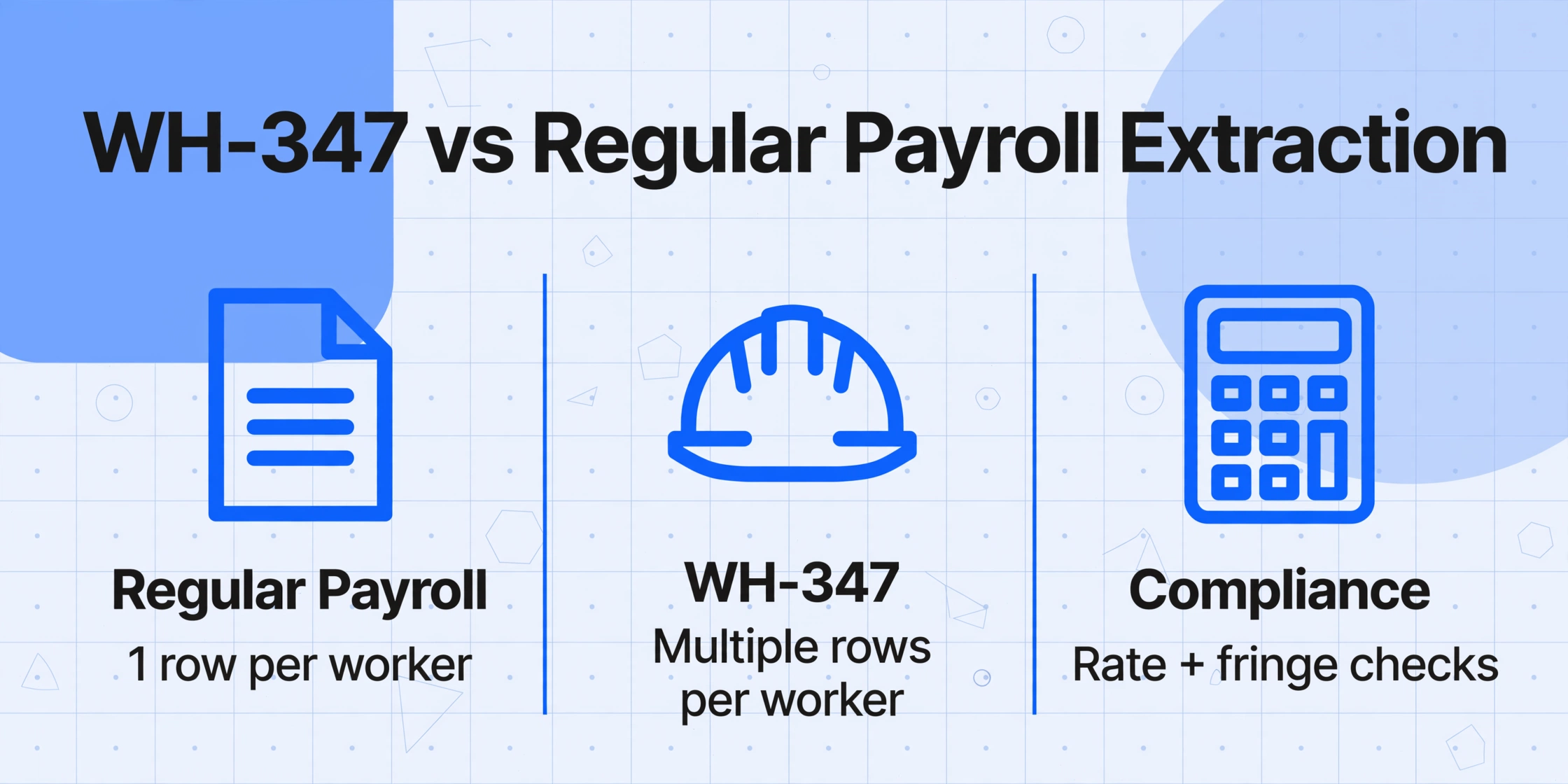
A standard payroll data extraction job involves pulling employee names, gross amounts, and net pay from a pay stub or timesheet. The extraction is straightforward because the information you need corresponds one-to-one with the printed fields on the document. Certified payroll under the Davis-Bacon Act (40 U.S.C. §3141 et seq.) introduces three structural complications that make extraction fundamentally harder.
First, the same worker can appear under multiple classifications in the same week. If a carpenter spends Monday through Wednesday doing formwork and Thursday through Friday doing drywall hanging, the WH-347 requires two separate rows for that worker — one for each classification with its own prevailing wage rate. An extraction tool that simply reads "worker name" and "total hours" will miss this critical distinction, and the compliance submission will be wrong because each classification requires a different base rate and fringe benefit allocation.
Second, the rate structure has two components that must be tracked separately. The Davis-Bacon prevailing wage consists of a base hourly rate plus a fringe benefit rate. Contractors meet the fringe obligation either by contributing to a bona fide benefit plan (pension, health insurance, apprenticeship) or by paying the cash equivalent directly to the worker. Column 6A on the WH-347 captures the base rate, Column 6B captures the total fringe benefit credit per worker, and Column 6C captures cash-in-lieu payments. Extraction must preserve all three, because the compliance question here — "did each worker receive at least the prevailing wage including fringe benefits?" — can only be answered when these components are kept separate.
Third, the overtime rules under the Contract Work Hours and Safety Standards Act (CWHSSA) add a verification dimension. Hours over 40 in a week on covered contracts must be paid at 1.5× the base rate. The WH-347 splits Column 4 into straight time and overtime for each day. An extraction that reads "total hours" but not the ST/OT breakdown cannot support the compliance verification that a DOL auditor will perform — checking whether overtime was calculated at the correct rate across the correct hours.
These three structural features — multi-classification rows, dual-rate fringe tracking, and required ST/OT breakdown — mean that certified payroll extraction cannot be treated as a generic "read the numbers off the page" task. The extraction must preserve the relationships between fields, not just the field values themselves.
The WH-347 Data Points That Drive Compliance Verification
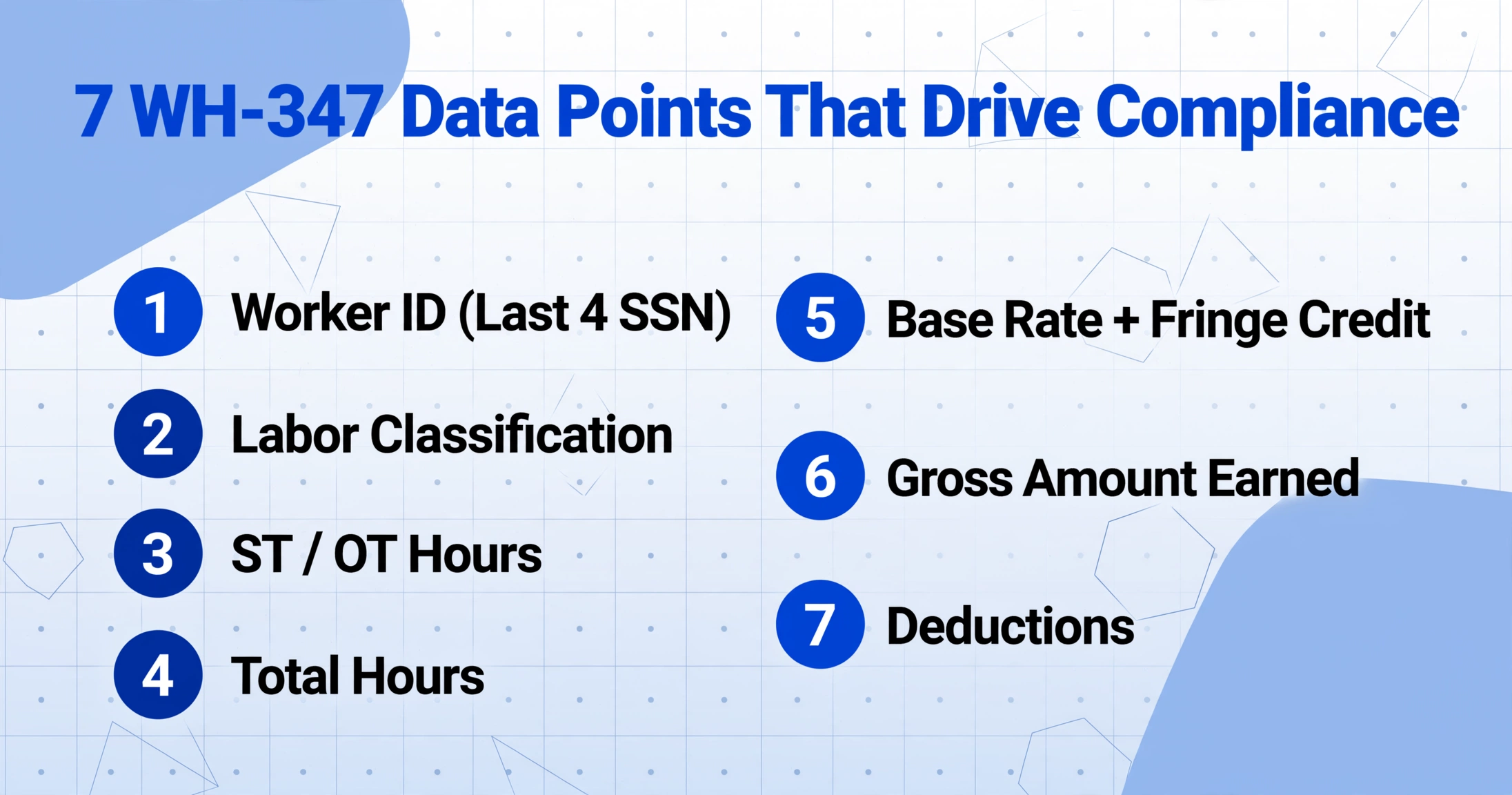
Before choosing an extraction approach, it helps to map the specific data points on the WH-347 that feed into compliance decisions. The form collects approximately 18 data points per worker per classification row, but seven of them carry the highest stakes in an audit.
| WH-347 Field | Column | Why It Matters for Compliance |
|---|---|---|
| Worker ID (Last 4 SSN) | 1E | Must remain consistent week-to-week. A worker who disappears and reappears with a different ID is a red flag. |
| Labor Classification | 3 | Must match a classification on the project's wage determination. Misclassification is the most common DBRA violation. |
| ST / OT Hours (Daily × 7) | 4 | CWHSSA requires OT at 1.5× base rate. Daily breakdown allows cross-check against site access logs. |
| Total Hours | 5 | Sum of daily hours. Must equal ST + OT. Arithmetic errors here cascade into every other calculation. |
| Base Rate + Fringe Credit | 6A / 6B | Base rate + fringe credit must ≥ prevailing wage rate for that classification. Both values needed for audit defense. |
| Gross Amount Earned | 7A | Should approximately equal (ST hours × base rate) + (OT hours × OT rate) + fringe credit. Tolerance ≤1% rounding. |
| Deductions (FICA, Tax, Other) | 8 | Must comply with 29 CFR Part 3. Unauthorized deductions (e.g., tools, uniforms) require DOL approval. |
The verification relationship that matters most is the cross-check between Columns 5, 6A, 6B, and 7A: total hours × rate + fringe credit should reconcile to gross amount within a rounding tolerance. When extraction preserves all seven fields independently, this verification becomes an automated check rather than a manual recalculation. But when extraction collapses classifications or drops the ST/OT split, the verification breaks — and the compliance gap you thought you closed remains open.
The Subcontractor Format Problem Is a Data Problem, Not a Compliance Problem
The existing article Why Certified Payroll Is a Manual Nightmare for Small Contractors lays out the structural compliance challenge in detail — prime contractor strict liability, the 3-year audit window, the 611 investigators covering 120 million workers. But it also identifies a narrower, more mechanical bottleneck that deserves its own treatment: the format problem.
When 15 subcontractors each send certified payroll data in a different format, the prime contractor's data extraction task is not a compliance knowledge problem. It is a document reading problem. Each format carries the same required fields — worker name, classification, hours, rates, gross, deductions, net — but arranges them differently, labels them differently, and sometimes omits them entirely (requiring the prime to chase down missing fringe benefit documentation while the 7-day submission clock counts down).
Template-based OCR tools fail here. They require you to draw a rectangle around each field on a fixed form layout. When Sub A's report has "Rate of Pay" in the upper-right corner and Sub B's report has it in a column header midway down the page, the template breaks. You would need a separate template for every subcontractor format — and small subcontractors change their reporting format whenever they switch payroll software or accounting firms, which is often.
Construction firms that use dedicated compliance software like Procore, Viewpoint Vista, Sage 300 CRE, or hh2 can generate their own certified payroll reports directly from time entry data. But they cannot control what format their subcontractors send back. The format problem sits at the boundary between the prime and its subs, and it is fundamentally an extraction problem: how to read data from any incoming document format and map it into a single standard structure.
The format problem is not about knowing what data you need — it is about reading that data from documents that were never designed to be read by a machine. Every subcontractor's report contains the same compliance-critical fields. The difficulty is that each one embeds those fields in a different visual layout.
How to Extract Certified Payroll Reports Using AI Semantic Extraction
This is where the approach known as Custom Column Extraction — described in detail in our article on template-free AI document extraction — changes the data assembly workflow for certified payroll.
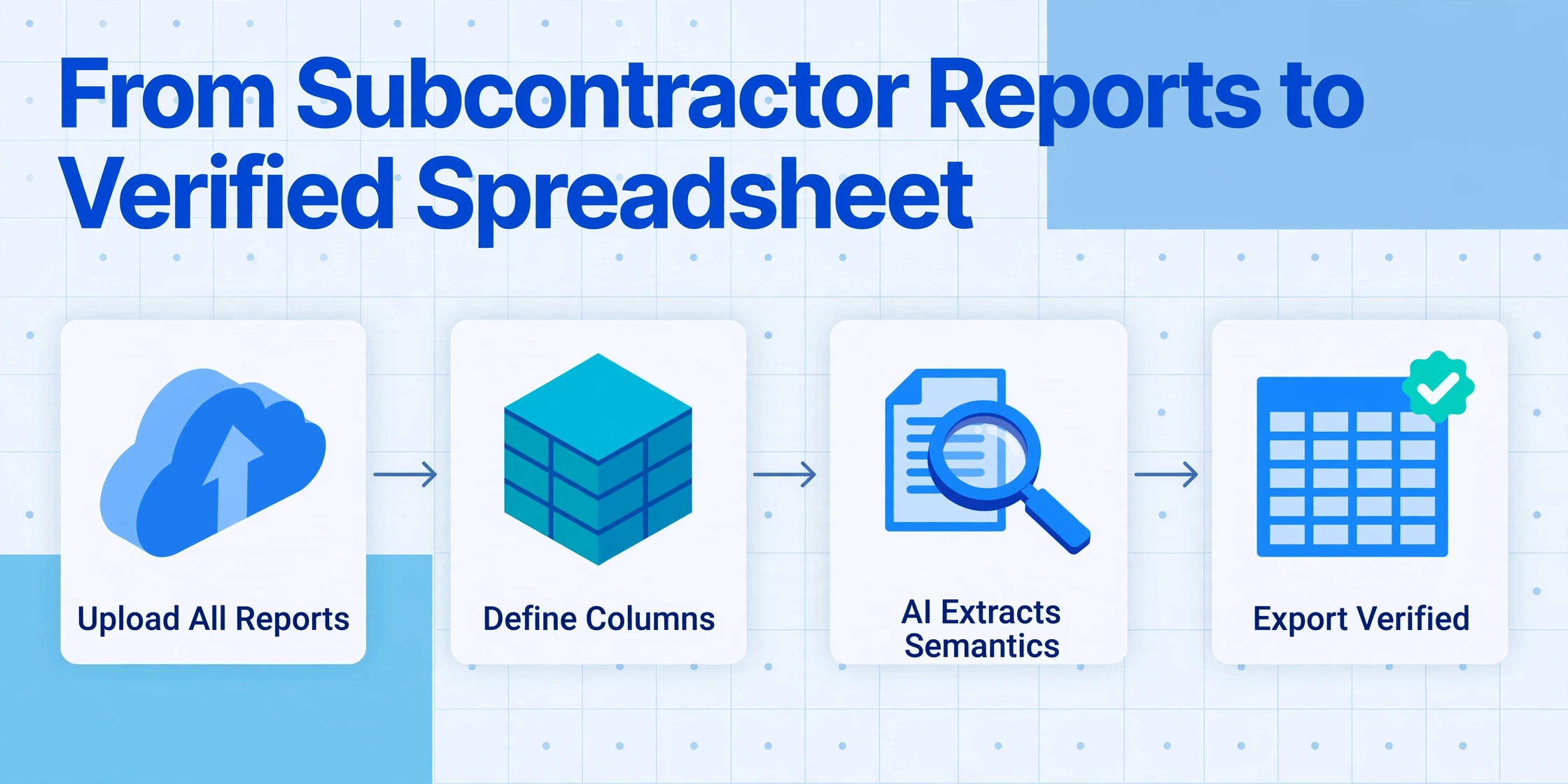
Custom Column Extraction works from the output backward. Instead of analyzing a document's layout and defining extraction rules field by field, you tell the AI what columns you want in your final table — "Worker Name," "Classification," "Base Rate," "Fringe Rate," "ST Hours," "OT Hours," "Gross Amount" — and the AI reads each subcontractor's report, locates the corresponding values by understanding what they mean, and places them in the correct columns. The layout of each subcontractor's form is irrelevant because the AI is matching on semantics, not on pixel coordinates.
The certified payroll extraction workflow looks like this:
Worker Name, Last 4 SSN, Classification, Base Rate, Fringe Rate, ST Hours, OT Hours, Total Hours, Gross Amount, Deductions, Net Pay. The AI uses these names as semantic targets.Subcontractor Name and Batch Name column so you can trace every datum back to its source document.Try it on an actual certified payroll document. Upload a subcontractor WH-347 and enter the column names above — the extraction runs without any setup.
Files are processed securely and not stored.
Automated Compliance Checks on Extracted Data
Once the data is extracted into a structured spreadsheet, the compliance verification shifts from a manual checking task to a set of automated validations. The extracted columns become a single table where you can run the checks that a DOL auditor would perform, but across all 15 subcontractors in minutes instead of hours.
Hours × rate reconciliation. The most fundamental compliance check: does each worker's gross amount equal (ST hours × base rate) + (OT hours × base rate × 1.5) + fringe credit? For a 15-worker report this is 15 calculations by hand. In a spreadsheet with extracted columns, it is a single formula dragged across rows. Flag any row where the variance exceeds 1% and investigate before submission.
Classification-to-wage-determination matching. Compare each extracted classification against the classifications listed on the applicable wage determination from SAM.gov. If a subcontractor reports a worker as "General Laborer" but the wage determination only lists "Laborer (Common)" and "Laborer (Skilled)" at different rates, the classification needs clarification before the report is certified.
Cross-week worker ID consistency. A worker who appears in week 1 with SSN ending 4321 and in week 3 with SSN ending 8765 — same name, same contractor — is a red flag that could indicate a data entry error or, in a worst case, a ghost employee. Extracted data across weeks can be pivot-tabled to flag identity anomalies.
CWHSSA overtime verification. Confirm that every worker who exceeded 40 total hours in the week has an OT rate equal to at least 1.5× the base rate entered in Column 6A. The CWHSSA applies to all prime contracts over $100,000, and the penalty for overtime violations includes liquidated damages equal to the full overtime underpayment — not just the differential.
The compliance value of extraction is not in reading the data faster — it is in making the data computable. A stack of 15 subcontractor PDFs cannot be sorted, filtered, or formula-checked. A spreadsheet with extracted fields can be verified in the time it takes to write a few formulas.
When Handwritten WH-347 Forms Need Extra Care
Small subcontractors make up a significant portion of the construction workforce on federal projects, and a meaningful share of them fill out the WH-347 by hand. A 2023 survey by the Associated General Contractors of America found that over 40% of construction firms with fewer than 20 employees still prepare payroll records manually or with basic spreadsheet software — no dedicated payroll system, no prevailing wage module, just paper and pen.
Handwritten certified payroll reports present a genuine extraction challenge. The AI can read the vast majority of handwriting — including cursive script and numeric entries — as documented in our guide on handwriting OCR issues and solutions. But work classifications written in cramped boxes and rate figures that look like "32.5" or "32.8" (when the intended value is $32.57) are cases where the output carries uncertainty that a compliance submission cannot absorb.
The pragmatic approach: Use extraction to get 80-90% of the data into a structured table automatically. Then perform a line-by-line review of handwritten entries — especially rate fields, classification codes, and the handwritten signature on the Statement of Compliance (which must be an original signature, not a photocopy, per 29 CFR 3.3(b)). The spot-check verification workflow provides a framework for this stage. The extraction saves you from re-keying the 15 electronic reports; the manual review focuses your attention on the 2-3 handwritten submissions that carry the highest error risk.
Recordkeeping: Extracted Data Needs to Survive for Three Years
29 CFR 3.4 requires contractors to preserve certified payroll records for at least three years after all work on the prime contract is completed. This is not a suggestion — DOL audits routinely reach back three years, and missing records are treated as a compliance failure in themselves, separate from whatever wage violations the missing records might have revealed.
When extraction feeds into a structured spreadsheet, the recordkeeping requirement becomes easier to satisfy because the data is already in a preservable format. Each batch export should include the following metadata — covered in more depth in our document retention requirements guide — to support future audit defense:
- Batch name and processing date (links back to the original uploaded documents)
- Subcontractor name and payroll period for each row
- The wage determination number that the extracted rates were checked against
- A notes column for any manual corrections made during review
A DOL auditor will want to see both the original WH-347 forms and the summary data. Extraction does not replace the originals; it creates the audit trail between the raw documents and the compliance submission.
Frequently Asked Questions
Can I extract certified payroll data from a scan of a handwritten WH-347?
Generally yes, but with the caveat that handwritten rate figures and classification codes should be verified line-by-line before being used for compliance submission. The AI vision model reads handwriting, including cursive, but cramped handwriting in small WH-347 grid cells can produce ambiguous results. A practical workflow: extract automatically, then prioritize manual review on the 2-3 fields per worker that most directly affect wage compliance — base rate, fringe rate, and classification.
What if my subcontractor uses a format I have never seen before?
That is the specific problem Custom Column Extraction is designed to solve. Because it reads documents by understanding the meaning of each column rather than recognizing a template, it handles unseen formats on first exposure. You do not need to train it on a sample or create a template. The first time a subcontractor sends a Foundation export instead of a Sage export, the AI reads it using the same column names.
Does the extraction handle workers with multiple classifications in the same week?
Yes, as long as the subcontractor's form shows the worker on separate rows for each classification. The AI preserves the row structure it finds on the document. If a single WH-347 row lists a worker with two classifications and combined hours (which some subs do incorrectly), the extraction will flag the row for review rather than silently splitting it — because the compliance submission needs an accurate breakdown.
Can I use this for state-level "Little Davis-Bacon" forms?
The same Custom Column Extraction approach works for state prevailing wage forms from California (DIR), New York (DOL), New Jersey, Pennsylvania, Illinois, and the 25 other states with their own prevailing wage laws. The column definitions remain the same — worker identification, classification, hours, rates, gross, deductions. The AI adapts to the specific layout of each state's form. However, state forms often have unique fields (California's DLSE-certified payroll, for instance), and you may need to add those as additional column names.
How does the 3-year recordkeeping requirement apply to extracted data?
Per 29 CFR 3.4, the original certified payroll records — the WH-347 forms themselves — must be preserved for at least three years after project completion. Extracted spreadsheets are supplementary, not a replacement. A good practice is to keep the extraction output alongside the original uploaded documents in a project folder, tagged with the batch date and wage determination number, so an auditor can trace from summary data back to source documents.
What is the difference between extracting certified payroll data and using compliance software like LCPtracker?
LCPtracker, eCOMM, and similar platforms are submission portals — they accept certified payroll data from prime contractors and pass it to contracting agencies. They do not solve the upstream data extraction problem of reading subcontractor reports in different formats. Extraction tools fill the gap between "a stack of reports from subs" and "data ready to submit." Many primes use both: extraction to assemble the data, then a portal to submit it.
From Extraction to Submission
Certified payroll compliance under the Davis-Bacon Act is not going to get simpler. The 2023 regulatory update expanded the definition of "building or work" to include broadband installation, electric vehicle charging infrastructure, and solar panel construction — bringing new contractor populations into the Davis-Bacon system. The WH-347 revision effective September 2026 adds apprenticeship tracking fields and tighter fringe benefit reporting requirements. More projects, more subcontractors, more data to extract every week.
The question for the prime contractor's payroll administrator is not whether the compliance requirements make sense. It is whether the weekly data assembly task — opening 15 reports in 15 formats, re-keying the same fields into a submission template, checking the same arithmetic every time — is an unavoidable cost of doing federal work or a process gap that extraction can close.
The answer depends on whether the data on those subcontractor reports stays locked inside PDFs and scans, or whether it becomes computable — extractable, sortable, verifiable — in a spreadsheet where the automated checks can run before the signature goes on the Statement of Compliance.