How to Extract Certified Payroll
Data for Public Works Compliance
The U.S. Department of Labor estimates it takes roughly 55 minutes to collect the data and complete a WH-347 certified payroll for just eight employees. Now add five subcontractors, each with 12 workers, submitting reports in different formats every single week — and the transcription step alone becomes a half-day commitment that repeats for the life of the project. If your payroll software's built-in Excel export produces misaligned columns and unreadable output, the number of keystrokes between you and a compliant filing can run into the thousands. Every week.
Key Takeaways
- $13,508 is the federal penalty for one mistyped overtime hour on a WH-347 — the federal certified payroll form — and as the prime contractor you carry that liability for every subcontractor's data-entry error not just your own.
- Five incompatible PDF layouts from five different payroll platforms land in your Monday inbox but template extraction searches for values at fixed cell positions — Sage's own knowledge base confirms the column misalignment as a documented bug — and no amount of typing speed closes a structural gap.
- Semantic extraction reads the form the way a compliance officer does — finding overtime hours next to Maria Ruiz rather than at cell G17 — and ImageToTable.ai lets one column template work across every format from every sub.
What Information Goes into a Certified Payroll Report
Before automating the extraction, it pays to understand exactly what you are pulling out of each report. A standard federal WH-347 certified payroll — required under the Davis-Bacon Act (40 U.S.C. § 3141 et seq.) and governed by 29 CFR Part 5 — demands a field lineup that goes far beyond what a standard payslip contains.
For each worker on a covered project, the WH-347 requires:
| Field Group | Columns | Example Values |
|---|---|---|
| Worker Identity | Name, Last 4 SSN, Work Classification, Apprentice/Journeyworker Status | James Carter, 8921, Carpenter, Journeyworker |
| Daily Hours | Mon, Tue, Wed, Thu, Fri, Sat, Sun — each split into ST and OT | 8 ST, 0 OT; 8 ST, 2 OT; ... |
| Wage Rates | Base Rate of Pay, Fringe Benefit Rate (H&W, Pension, or total package) | $38.15/hr + $12.40/hr fringe |
| Gross Pay | Total ST hours × Base Rate + OT hours × 1.5 × Base Rate | $1,526.00 |
| Deductions | FICA, FIT, SIT, Other (union dues, garnishments) | $94.61, $182.00, $48.23 |
| Net Pay | Net Wages Paid for the Week | $1,188.76 |
Not every contractor uses every field: only the last four SSN digits appear on the form itself (the full number stays in your records). And state equivalents — California's CA A-131, New York's CT-101, Illinois' IL-452CM02 — add their own required columns.
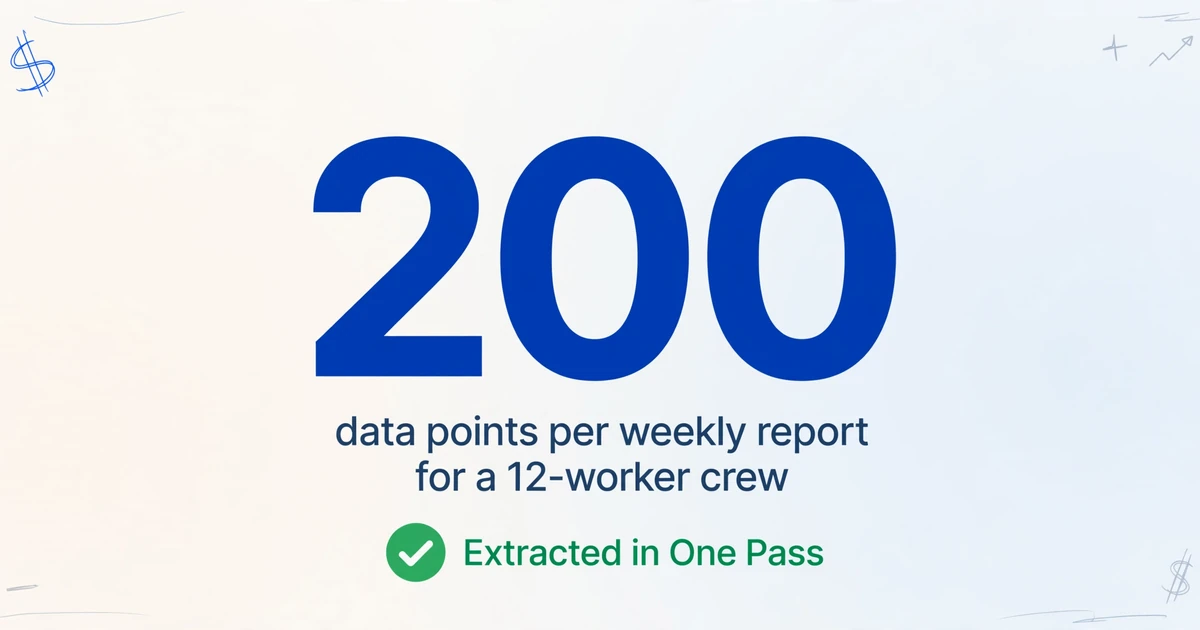
A 12-worker crew with these fields generates roughly 14 to 18 data points per worker per week, or nearly 200 fields per report. Across five subcontractors submitting on the same project, the weekly extraction surface is somewhere between 800 and 1,000 individual data points. That is not a copying-and-pasting problem. It is a structural one.
If you are new to certified payroll conceptually — what it is, why it exists, and when it applies — start with our beginner's guide to certified payroll before continuing here. The rest of this article assumes you know what you need to file and are looking for the fastest way to get the data into Excel.
Step by Step: Extracting WH-347 Data into Excel
The extraction approach that works across certified payroll reports relies on a mechanism fundamentally different from the OCR built into your payroll software. Traditional OCR looks at a page as a grid of coordinates — it searches for "the value in rectangle G17." Semantic extraction works the way a payroll clerk reads the form: it looks for "the number in the column labeled Gross Wages next to the name James Carter." When a sub's PDF has columns shifted by two inches because they use a different software export, the coordinate-based approach breaks. The semantic-based one does not.
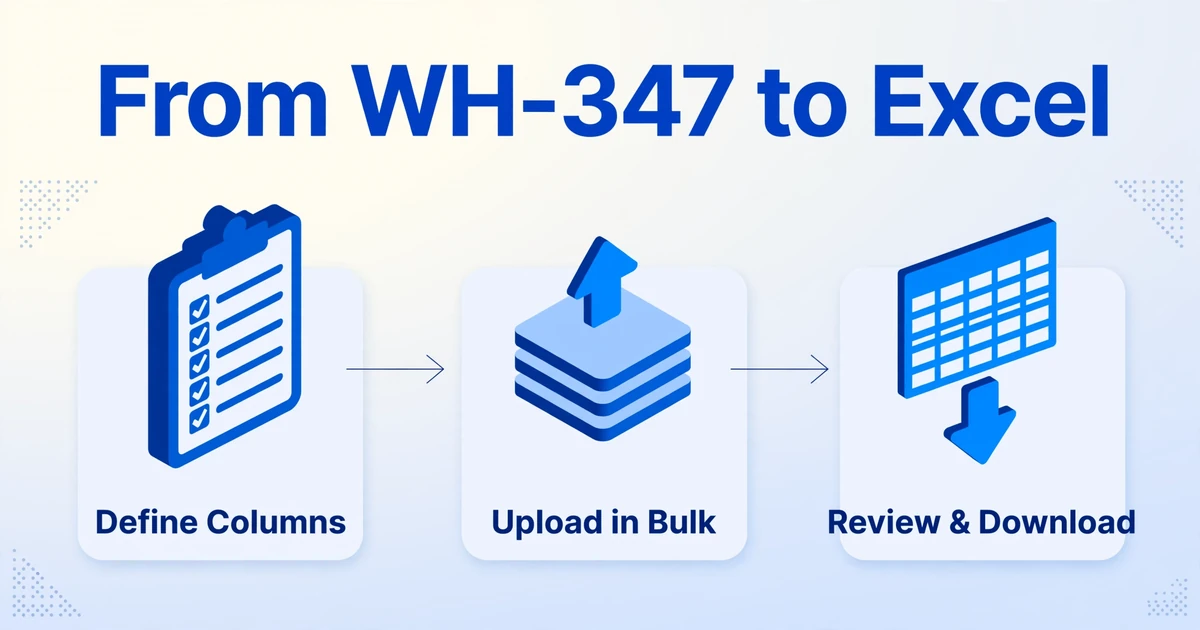
Here is the extraction workflow, step by step:
Define your extraction columns once
Type the column names exactly as you want them to appear in your final Excel table: Employee Name, Last 4 SSN, Classification, Mon, Tue, Wed, Thu, Fri, Sat, Sun, ST Hours, OT Hours, Rate of Pay, Fringe Rate, Gross Wages, FICA, FIT, SIT, Other Deductions, Net Pay. This is a one-time setup — save it and reuse it every week. If your state form requires additional fields like apprentice registration number or prevailing wage supplement, add those columns to the list. The tool will look for those values in whatever report you upload, regardless of where they sit on the page.
Upload all subcontractor reports together
Drag in every certified payroll PDF or scan from every sub — the clean WH-347 export from Foundation Software, the misaligned Sage 300 CRE report, the scanned paper form with handwritten corrections, the screenshot from a QuickBooks screen that refuses to export properly. The AI reads each document visually and locates every field by what it means. One column template applies across every file regardless of which payroll software generated it, because the extraction engine is not looking for cell coordinates. It is looking for the concept of "the overtime hours listed for Wednesday against the name Maria Ruiz."
Review and download the merged Excel file
The tool processes each report at roughly 5 to 10 seconds per page — compared to approximately 3 minutes of manual entry for the same data — and outputs a single XLSX file. Every worker from every sub appears in one table, column headers matching the names you defined. Review the output for accuracy (particularly on handwritten corrections and low-contrast scans) and feed the spreadsheet into your compliance submission workflow, whether that means populating LCPtracker's upload template, formatting for eMars, or generating your own prime contractor's WH-347 filing.
Files are processed securely and not stored.
This is not a theoretical workflow. A contractor on the Sage community forum described his current method: "I've resorted to pasting the PDF version into ChatGPT to format for Excel" because his payroll software's built-in Excel export was unreadable. The difference with a dedicated extraction tool is that it reads the document visually, the way you do, and delivers a clean XLSX with no prompt-chaining and no column reformatting required.
Why Mixed Sub Formats Break Template-Based Tools
Any prime contractor on a public works project knows the Monday morning drill: your electrical sub sends a Foundation Software PDF that exports cleanly. Your plumbing sub sends a Sage 300 CRE report where columns did not survive the export. Your concrete sub sends a scanned paper WH-347 with a handwritten correction on line 4. Your HVAC sub sends a screenshot from QuickBooks, where a known export bug in QuickBooks Desktop Enterprise generates a runtime error instead of an Excel file. Your drywall sub sends nothing at all, and you chase them by phone.
If your extraction tool relies on templates — "Carpenter rate is in cell G17 on WH-347" — you need a separate template for every sub's software, every state's form variant, and every customized export layout. You will spend more time building and debugging templates than you would doing manual data entry. Template-based tools were designed for a world where every document looks the same. Certified payroll reporting is the opposite of that world.
Semantic extraction removes the dependency on layout entirely. The column names you define — "Employee Name," "Classification," "Rate of Pay" — are what the AI searches for semantically. It reads a column labeled "Supplemental Rate" on an Illinois IL-452CM02 and knows it corresponds to "Fringe Rate" on federal WH-347, not because someone mapped the two in a configuration rule, but because it understands what supplemental wage rates represent in the context of prevailing wage law. This is the mechanism that lets one column template work across a Foundation PDF, a Sage export, a scanned paper form, and a QuickBooks screenshot simultaneously.
Even within a single project, the format variance is real. The same sub might change payroll software mid-project. A state prevailing wage determination might update, requiring a different wage rate column format. A subcontractor foreman might hand-write a corrected hour total that the re-exported PDF does not capture. Template-based tools break at each of these inflection points. Semantic extraction does not, because it reads each document the way a payroll compliance officer reads it: by understanding what the information means, not where the printer put it.
The Real Cost of Manual Certified Payroll Entry
It is easy to write off manual data entry as "free — I already pay the payroll person." But the Department of Labor's own time estimate — 55 minutes for eight employees — tells a different story when you project it across a real project.
At three seconds per field for a competent data entry operator (factoring in cross-checking time), a 15-worker report with 16 data columns contains 240 fields and takes about 12 minutes to transcribe from a clean PDF. Three subcontractors: 36 minutes. Five subcontractors: 60 minutes. Add the non-transcription elements — chasing a sub who forgot fringe rates, re-typing a garbled Sage export, verifying a handwritten correction against the wage determination — and a five-sub project's weekly data entry lands at 90 to 120 minutes. Over a 26-week project, that is up to 52 hours of labor spent typing numbers from PDFs into Excel.
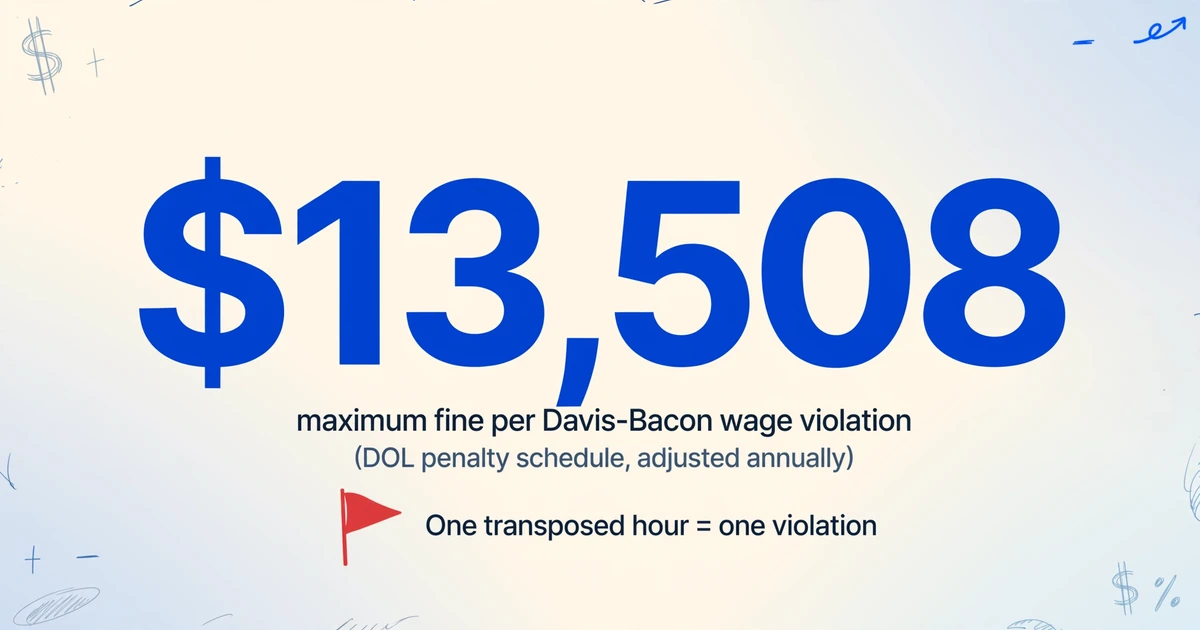
The larger number is not the time cost. It is the liability. Under the Department of Labor penalty schedule, a single Davis-Bacon wage violation carries a fine of up to $13,508 (adjusted annually for inflation). A transposed hour — recording 39.2 hours as 29.3 hours on a certified payroll that you sign and submit as true and correct — is a violation with a financial weight greater than the monthly salary of the person who made the keystroke error.
The 2023 Davis-Bacon Final Rule (88 FR 57730) also clarified that the prime contractor bears full liability for subcontractor violations. You are not just certifying your own crew's wages. You are legally on the hook for every sub's data, which means every sub's PDF is your liability until it is correctly transcribed into your certified payroll filing.
How State Forms Work with the Same Extraction Setup
Contractors working across multiple states face a compounded version of the format problem. Federal WH-347 is one template, but state prevailing wage laws add their own:
- California requires the CA A-131 form submitted through the DIR electronic certified payroll reporting (eCPR) system, which mandates apprentice registration numbers, training fund contributions, and DIR-specific column naming conventions.
- New York uses form CT-101 (or MW-101 for New York City projects), which separates supplemental benefits from base wages in a different layout than federal WH-347.
- Illinois requires IL-452CM02, adding a column for "prevailing wage supplement" that maps differently from the federal fringe benefit column.
- Oregon uses WH-38, which requires apprentice-to-journeyman ratio tracking per classification.
A template-based tool needs a separate configuration for each of these. A semantic extraction tool uses the same column list — with state-specific fields added as needed — because it is reading what the labels say, not where they sit. When your project moves from a federal highway job in Oregon (WH-38) to a municipal sewer contract in Illinois (IL-452CM02), you change the column names in your extraction template and upload the same way. No per-form configuration, no per-state template library to maintain.
Frequently Asked Questions
Does this work with handwritten corrections on a certified payroll report?
Yes, to the extent the handwriting is legible. The vision model that powers the extraction recognizes handwriting including cursive and checkmarks. If a subcontractor wrote a corrected hour total by hand on a printed WH-347, the AI reads the handwritten value. If the handwriting is genuinely illegible — a rushed scrawl, faint pencil on a dark scan — the output field will reflect that uncertainty and should be verified manually before filing.
Can I batch-process all subcontractor reports for a project at once?
Yes. Upload every subcontractor's certified payroll for the reporting week in one batch, and the tool processes them in parallel, outputting a single merged Excel file. Each row preserves the source filename, so you can trace every data point back to the specific sub who submitted it. This is particularly useful when you are also generating your prime contractor's own WH-347 from the aggregated data.
What if my payroll software already exports to Excel?
Then you are in better shape than most. But software exports often do not solve the problem fully: Sage 300 CRE's own knowledge base acknowledges that "columns not aligning properly" is a known issue when exporting reports to Excel. QuickBooks Desktop Enterprise has a documented runtime error when exporting certified payroll reports. And even when your own software exports cleanly, your subcontractors' software may not — and you still need their data in your spreadsheet.
Does this handle split classifications — one worker listed under two different labor types?
Yes. A worker who performed both Carpenter and Laborer hours in the same week should appear on two rows on WH-347 (one per classification), with hours broken out under each. The AI extracts both rows independently. If the report's formatting makes it ambiguous which hours belong to which classification — a layout issue common in non-standard exports where both classifications share a single merged row — manual verification is needed for those specific rows. The tool flags what it can extract with confidence and lets you handle the ambiguous cases directly.
Can the extracted data feed directly into LCPtracker or eMars?
The output is a standard Excel (XLSX) file, which can be used to populate upload templates for LCPtracker, eMars, Elation Systems, or any agency portal that accepts Excel or CSV uploads. The tool handles the extraction half — getting data from a mixed-format stack of contractor PDFs into a structured spreadsheet. That spreadsheet can then be imported into your compliance software of choice. Some contractors use the extracted spreadsheet as the data source before entering into LCPtracker's web interface, cutting the data-gathering step from an hour per week to under a minute.
Does this replace the Statement of Compliance or legal certification?
No. The AI extracts payroll data only. The Statement of Compliance (WH-347 page 2 or equivalent) and the certifying official's signature remain separate legal documents that an authorized company representative must complete and sign. Extraction automates the keyboard — it does not replace the legal attestation that every line is accurate. Think of it as moving the numbers from paper to Excel so you can review and certify, rather than review, type, and certify.
What states and forms does this approach work on?
The approach is form-agnostic. It does not contain pre-built templates for specific state forms; it reads whatever form you upload because it interprets the document visually. As long as columns are labeled with recognizable terms — "Straight Time," "Overtime," "Gross Pay," "Deductions," or equivalent translations — the AI locates them. This applies to CA A-131, NY CT-101, IL IL-452CM02, OR WH-38, WA L&I forms, and any other state-level certified payroll format. If a form uses non-standard abbreviations or foreign-language column headers, the extraction may be less reliable and require closer review.
A typo in certified payroll is not the same as a typo in any other spreadsheet. It is a legal certification to the federal government that you paid workers correctly. The DOL penalty of $13,508 per violation means one mis-typed overtime hour carries more financial weight than the payroll clerk's weekly salary. The question is not whether manual data entry is slow. It is whether it is worth the liability on a process that repeats 26, 52, or 104 times over the life of a single project.
The alternative that makes this liability manageable is straightforward: one column template, defined once and reused every week. All subcontractor reports — regardless of format, software, or state — uploaded together. A single Excel file output, ready for review, cert, and submission. For contractors processing certified payroll entirely within a single integrated platform that manages both payroll and compliance reporting natively (Miter, Foundation Software with built-in certified payroll submission), extraction may add less value. For everyone else — the prime receiving five formats from eight subs every Monday, the specialty sub still filling out paper WH-347s, the office manager wrestling with a garbled Excel export from Sage — it is the difference between a compliance process you manage and one that manages you.
Test it on your next weekly filing. Upload one subcontractor's certified payroll PDF, define the WH-347 columns you need, and see whether the 40-minute transcription step becomes a 30-second review. For a deeper look at the weekly compliance cycle beyond just data extraction, read how batch processing changes the certified payroll workflow when you are managing reports from an entire project at once.