Japan Year-End Payroll Close:
Withholding Certificate Deadline Guide
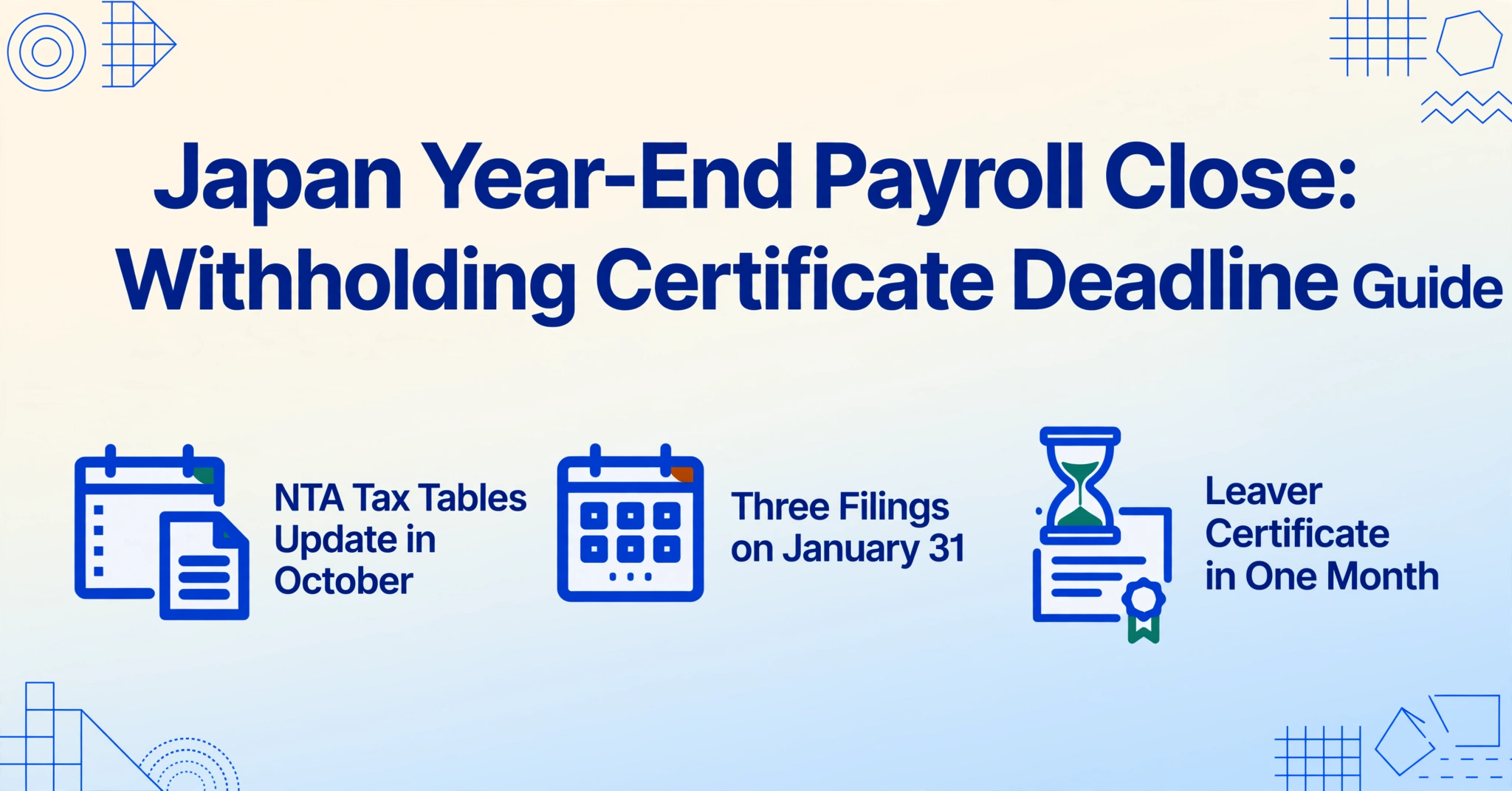
The January 31 deadline for issuing 源泉徵収票 (Gensen Choshu-hyo, the Japanese withholding tax certificate) to every employee is treated as a payroll filing date — something HR handles in late January. By late January it is already too late to get it right. The actual work of preparing accurate withholding certificates for 300 employees begins on October 1, the day you distribute year-end adjustment declaration forms to your workforce. Miss that start date, and January becomes a scramble to collect missing documents from employees who are already on winter vacation. For gaishikei (外資系, foreign-affiliated companies) reporting to regional headquarters in Singapore or London, the timing is even tighter: the same certificate data needs to reach global compensation teams in a format they can read.
Key Takeaways
- The January 31 withholding certificate deadline is a payroll mirage — the compliance chain starts October 1, and by December your data collection window closes under employees on winter vacation and insurance certificates lost in the mail.
- Foreign-subsidiary HR teams face a punishment round after the deadline — translating 300 Japanese withholding certificates into one English spreadsheet costs roughly ¥350,000, for re-entering data that already exists inside the PDFs but was trapped behind incompatible payroll system exports.
- ImageToTable.ai reads each certificate by column name rather than position — upload 300 PDFs from any payroll system, type “Annual Gross Salary” and “Income Tax Withheld” in English, and get one merged spreadsheet regardless of which system generated each PDF.
The deadline no one talks about: October is when the clock starts
The January 31 deadline is specified in Article 190 of Japan’s Income Tax Act (所得税法), which requires employers to complete year-end tax adjustment (年末調整, Nenmatsu Chosei) for all employees and issue a 源泉徵収票 by January 31 of the following year. The calendar reads like a single date. The payroll calendar reads like four months of sequential dependencies.
The chain starts in October because that is when the National Tax Agency releases its updated withholding tax tables and the annual Withholding Tax Guide (源泉徵収の仕方), which contains the official form layouts, deduction formulas, and employer instructions for the coming January submission. By late October, payroll software vendors — 彄生給与 (Yayoi Kyuyo), freee人事勞務 (380,000+ business entities), SmartHR (roughly 60,000 corporate clients), and MoneyForward Cloud Payroll — push out their year-end adjustment module updates. HR teams that wait until December to open these modules walk into a compressed timeline with no room for error correction.
For HR teams at foreign subsidiaries, October has an additional function: it is the window to brief regional headquarters on the Japanese year-end adjustment timeline. Unlike in most OECD countries where employees file their own annual tax returns, the Japanese system places the employer as the tax settlement agent for all employees. Global payroll directors who have never operated in Japan are often unaware that their local HR team carries a statutory obligation to complete the equivalent of 300 individual tax returns in a six-week window. October is when that expectation gets set.
October to-do: Confirm your payroll software’s year-end update schedule. Brief regional HQ on the Jan 31 timeline. Identify any mid-year payroll system migrations that will split employee data across two platforms — these employees will need manual data reconciliation later.
November: What employees must submit — and what you do when they don’t
The year-end adjustment cannot begin until employees return their declaration forms. Three forms form the foundation:
扶養控除等(異動)申告書 (Dependent Deduction Declaration) — each employee declares every dependent: spouse’s estimated income, children’s ages and student status, elderly parents’ living arrangements. For non-resident dependents — common among foreign employees supporting family overseas — the form also requires proof of remittance (送金関係書類) and proof of family relationship (親族関係書類). These supporting documents arrive as bank transfer receipts and family registry extracts. They are not standardizable.
保険料控除申告書 (Insurance Premium Deduction Declaration) — declares life insurance premiums, earthquake insurance premiums, and social insurance paid outside the employer’s system. This form depends on third-party deduction certificates (控除証明書) that insurance companies mail to employees as paper postcards. Employees cannot fill in this form from memory.
基礎控除申告書 (Basic Deduction Declaration) — estimates the employee’s total annual income for purpose of applying the basic deduction and determining dependent eligibility thresholds.
Platforms like SmartHR and freee人事勞務 have built employee self-service portals that digitize these questionnaires, eliminating the paper form. Even with digital questionnaires, the declarable information originates somewhere else — an employee filling in the Insurance Premium Declaration is copying numbers from paper certificates that arrived in the mail. The digital portal shifts the transcription burden from HR to the employee, but does not eliminate the transcription.
The practical deadline for employee submissions is roughly the end of November. Companies that push this to mid-December discover that employees go on winter vacation, insurance certificates get lost, and the data entry window collapses. Smart HR teams set an internal cutoff date of November 25 and begin chasing non-responders by the second week of November.
November to-do: Distribute forms by November 1. Set internal employee deadline of November 25. Begin chasing non-responders by November 10. Flag employees with non-resident dependents (they need additional supporting documents). Verify My Number (マイナンバー) on file for each employee.
December: The year-end adjustment window — getting the numbers right before the data freeze
Once employee declarations are collected, December becomes a calculation sprint. The payroll system needs to reconcile each employee’s actual tax liability against what was withheld during the year, and produce the final withholding certificate data. The arithmetic itself is formulaic: taxable income equals gross salary minus the statutory employment income deduction (給与所得控除), minus social insurance premiums, minus spouse and dependent deductions, minus insurance credits. Apply the NTA withholding tax table (progressive brackets from 5% on the first ¥1.95 million of taxable income to 45% on amounts above ¥40 million), compare against actual withholding, and settle the difference in the December or January paycheck.
What payroll software cannot do is produce the data in a format that works for every stakeholder. Three scenarios illustrate the gap:
Mid-year system migration. A company that switched from an outsourced provider using 彄生給与 to SmartHR in July now has employees whose year-to-date salary, withholding, and social insurance data spans two systems. The CSV layouts differ. Column headers are in Japanese. Encoding varies between Shift-JIS (彄生) and UTF-8 (modern cloud platforms). The year-end calculation for these split-history employees requires manually merging data from two exports — or extracting everything from the final PDF certificates themselves.
Global headquarters reporting. The regional HR lead in Singapore or the global compensation team in New York needs Japan employee salary data in English, in a consistent Excel template, with columns like “Annual Gross Salary,” “Income Tax Withheld,” and “Social Insurance Contributions.” A CSV export from 彄生給与 labeled 支払金額, 源泉徵収税額, and 社会保険料等の金額 requires translation and reformatting every cycle. At ¥1,167 of HR labor per certificate, a company with 300 employees spends roughly ¥350,000 on manual transcription for this step alone.
Retirees whose data is outside your system. When an employee leaves, you issue a 源泉徵収票 within one month. If your company is the new employer receiving a former employee, you get a paper or PDF certificate from their previous job — issued by Payroll System A, when you run Payroll System B. There is no CSV export path for that data.
Custom column-name extraction solves these scenarios by reading the PDFs directly instead of depending on CSV exports. Rather than defining a template with rectangles around each field, you type the column names you want — “Annual Gross Salary,” “Income Tax Withheld,” “Social Insurance Total” — and the AI locates each value on the certificate by understanding what it means semantically, regardless of which payroll system generated the PDF. The output is a spreadsheet with exactly the columns your reporting stakeholder needs, in English.
December to-do: Complete year-end adjustment calculations for all employees. Reconcile split-history employees (mid-year system migrations). Prepare the data infrastructure for January certificate generation. Verify that the final withholding tax reconciliation matches the amount payable by January 10.
January 31: Three deadlines that land on the same day
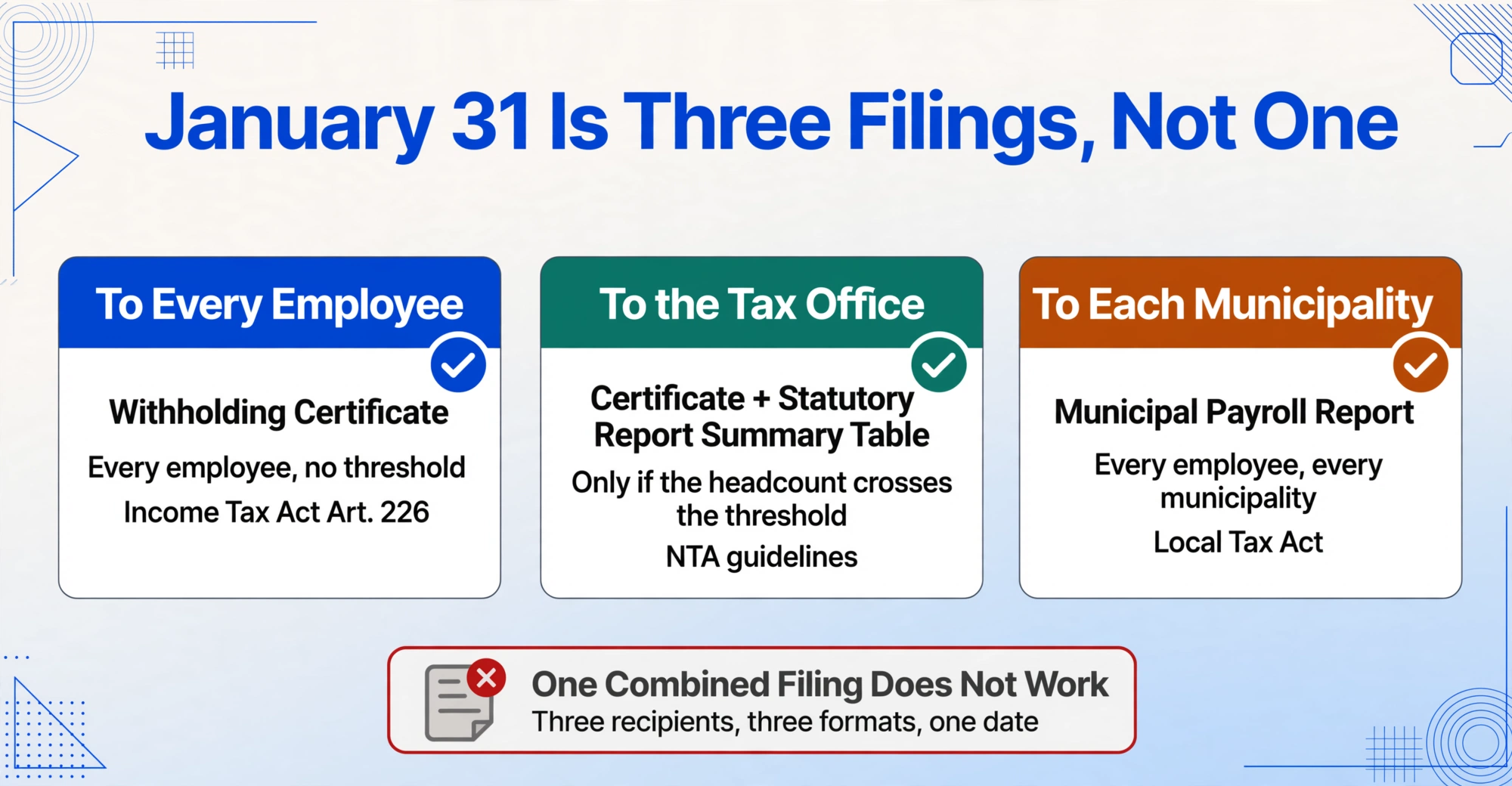
January 31 is not one deadline. It is three distinct obligations converging on the same calendar date, each with different recipients, formats, and consequences for missing them:
| Obligation | Recipient | Scope | Legal Basis |
|---|---|---|---|
| 源泉徵収票 delivery to employees | All current employees + retirees from that year | Mandatory — no threshold. Every employee who received salary during the year gets one. | Income Tax Act Art. 226 |
| 源泉徵収票 + 法定調書合計表 submission to tax office | Tax office (税勝署) | Conditional: required if the employee count meets certain thresholds. The 法定調書合計表 (Statutory Report Summary Table) summarizes all submitted withholding certificates. | NTA guidelines, Income Tax Act enforcement regulations |
| 給与支払報告書 submission to municipalities | Each employee’s municipality of residence (市区町村) | Mandatory for all employees. Used by municipalities to calculate residence tax (住民税) for the following June cycle. | Local Tax Act |
In addition to these three, companies that paid certain types of compensation must also submit 支払調書 (Payment Records) for professional fees paid to lawyers, tax accountants, and other independent contractors where individual payments exceed ¥50,000. The deadline for these is also January 31.
The most common operational mistake at this stage is treating the three obligations as one combined filing. They are not. The 源泉徵収票 delivered to employees must match exactly what is filed with the tax office and what is reported to each municipality, but the delivery mechanism differs: employees receive one copy (paper or electronic, with the latter requiring prior employee consent), the tax office submission follows the e-Tax format (if electronically mandated), and the municipal submission goes through eLTAX or the municipality’s own submission channel. A data discrepancy caught by any of the three recipients triggers a correction cycle that burns time in February, when the HR team should already be moving on to the next compliance cycle.
January to-do: Generate 源泉徵収票 for every employee (current + retirees). Reconcile certificate data across employee copies, tax office submission, and municipal reports before sending anything. Prepare 法定調書合計表 (summary table). Submit all reports by January 31. Remit final withholding tax payment by January 10 (semi-annual payer) or January 20 (special provision for small employers).
The retiree wildcard: 1-month deadlines that don’t wait for January
An employee who resigns in September does not wait until January for their 源泉徵収票. Under the Income Tax Act, the employer must issue the withholding certificate within one month of the retirement date. If the employee leaves on September 15, the certificate is due October 15. If they leave on December 10, the certificate is due January 10 — three weeks before the bulk issuance to remaining employees.
This creates a parallel timeline that many HR departments handle poorly:
Employees who leave January–November. These retirees’ certificates are generated off-cycle, often using partial-year data before the payroll system has locked the final year-end figures. A certificate issued to an April retiree in May will show year-to-date April figures. When you later finalize the year-end adjustment for remaining employees, that retiree’s data is frozen. Any corrections — such as an insurance deduction certificate that arrives in December for a former employee who paid premiums while employed — require issuing a revised 源泉徵収票 and filing an amendment with the tax office. The one-month deadline on retirement certificates forces HR to generate partial-year certificates that may need later correction. There is no grace period for this.
Employees who leave in December. These are the most operationally difficult. The retirement date triggers a 1-month deadline (meaning January 10–31 depending on exact date), which overlaps with the peak year-end adjustment calculation window. HR must simultaneously run year-end adjustment for current employees and generate individual certificates for December retirees — potentially using incomplete deduction data if the employee departed before submitting their declaration forms.
The new employer’s dependency. When a December retiree joins a new company in January, the new employer needs the previous company’s 源泉徵収票 to complete the new employee’s year-end adjustment (for cases where the employee held two jobs in the same calendar year). This creates a handoff dependency — one HR team’s compliance task becomes another HR team’s input data — with the January 31 deadline as the shared endpoint. When every certificate must be processed into one unified report, the retiree certificates cannot be an afterthought.
Retiree to-do: Maintain a separate tracker for all employees who left during the calendar year — departure date, certificate issuance date, and whether the certificate was final or requires amendment after year-end figures lock. Issue certificates within 1 month of departure. Flag any December retirees for prioritized processing.
e-Tax and eLTAX: What you need to set up before December
Japan’s electronic tax filing systems are not things you configure on January 30. They require pre-registration that can take weeks, and the setup cannot be delegated to the last week of the year when tax offices are closed for the New Year holiday period (typically December 29–January 3).
The two systems serve different jurisdictions:
e-Tax (国税電子申告): The National Tax Agency’s electronic filing system for national income tax-related statutory reports. Available as an installable desktop application (e-Tax ソフト) that supports all 63 types of statutory reports, or as a web-based version (e-Tax WEB版) that covers the 9 most common report types including 源泉徵収票. Setup requires obtaining a 利用者識別番号 (user identification number), installing the software or registering for the web version, and configuring an 電子証明書 (electronic certificate) — typically the one stored on your My Number card.
eLTAX (地方税ポータルシステム): The local tax electronic filing system, used for submitting 給与支払報告書 to municipalities. eLTAX’s PCdesk (DL版) application now supports 電子的提出の一元化 (unified electronic submission) — a single transmission that sends 源泉徵収票 data simultaneously to both the tax office (via e-Tax) and all relevant municipalities (via eLTAX), eliminating double data entry. This unified pathway requires its own setup: PCdesk installation, separate user registration, and electronic certificate configuration distinct from the e-Tax certificate.
The practical checklist for first-time electronic filers: (1) confirm your company has an active My Number card with valid electronic certificate for the registered representative; (2) obtain e-Tax user identification number (if not already held for corporate tax filing); (3) install and test e-Tax software or register for WEB version; (4) install and test PCdesk (DL version) for eLTAX; (5) run a test submission with a single sample entry to confirm certificates work before attempting the full batch. This setup should be completed by late November. Tax office phone support lines are overwhelmed from mid-December onward.
The 30-sheet threshold: why 2027 changes the game for mid-sized employers
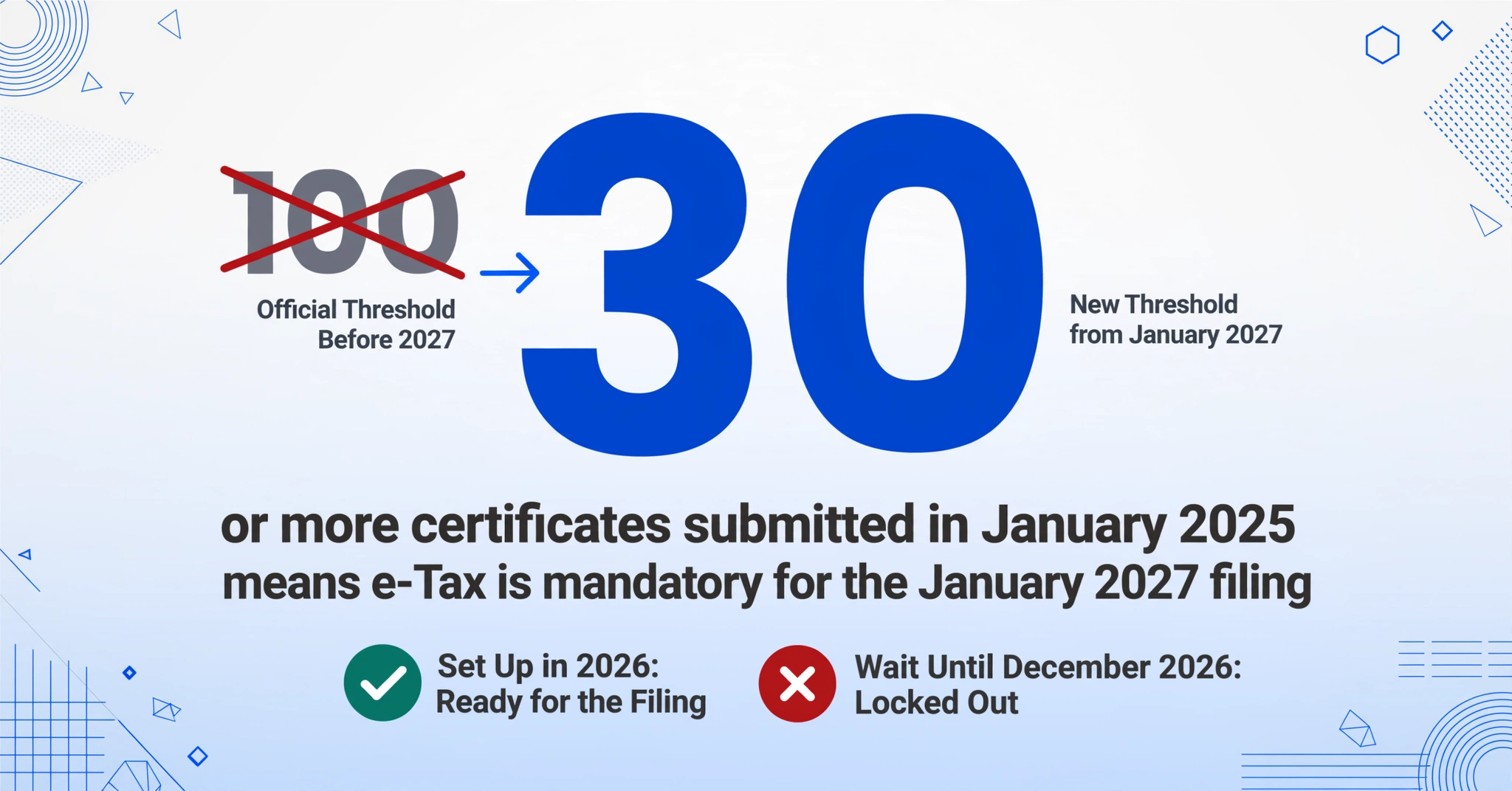
Under current rules, electronic submission of statutory reports becomes mandatory when the number of certificates submitted two years prior reached 100 or more for a given report type. For example, if your company submitted 120 源泉徵収票 in 2024, your January 2026 submission must use e-Tax or optical disc.
Starting with the January 2027 submission (covering the 2026 tax year), the threshold drops from 100 to 30. This means companies with as few as 30 employees will be required to file electronically. A company that currently has 45 employees and submits paper 源泉徵収票 to the tax office is not yet mandated to use e-Tax — but will be for the January 2027 submission.
The catch is that the threshold determination uses the 2025 submission as the reference year. In 2025, if your company submitted 30 or more 源泉徵収票 (which covers essentially any company with 30+ full-time employees plus some part-timers), your 2027 submission will be mandatorily electronic. In other words, the data that determines whether you need e-Tax in 2027 was already submitted — in January 2025. If you crossed the 30-sheet threshold then, you have until January 2027 to complete the e-Tax/eLTAX setup described above. Companies that wait until December 2026 to figure this out will find themselves locked out of a system they are legally required to use.
The threshold applies per report type, not in aggregate. If you submit 40 源泉徵収票 but only 15 支払調書 (Payment Records for professional fees), only the 源泉徵収票 require electronic submission.
2027 preparedness to-do: Check your January 2025 submission count. If 30+, begin e-Tax/eLTAX setup now. If you don’t know the count, retrieve it from your payroll system or tax accountant. This is not a project to start in 2026.
Extracting certificate data into one spreadsheet: the global reporting handoff
Once all 源泉徵収票 are finalized and issued, the reporting cycle begins. This is where the deadline-driven compliance work meets the ongoing business need: getting structured data from 300 individual certificates into a format that regional and global stakeholders can use.
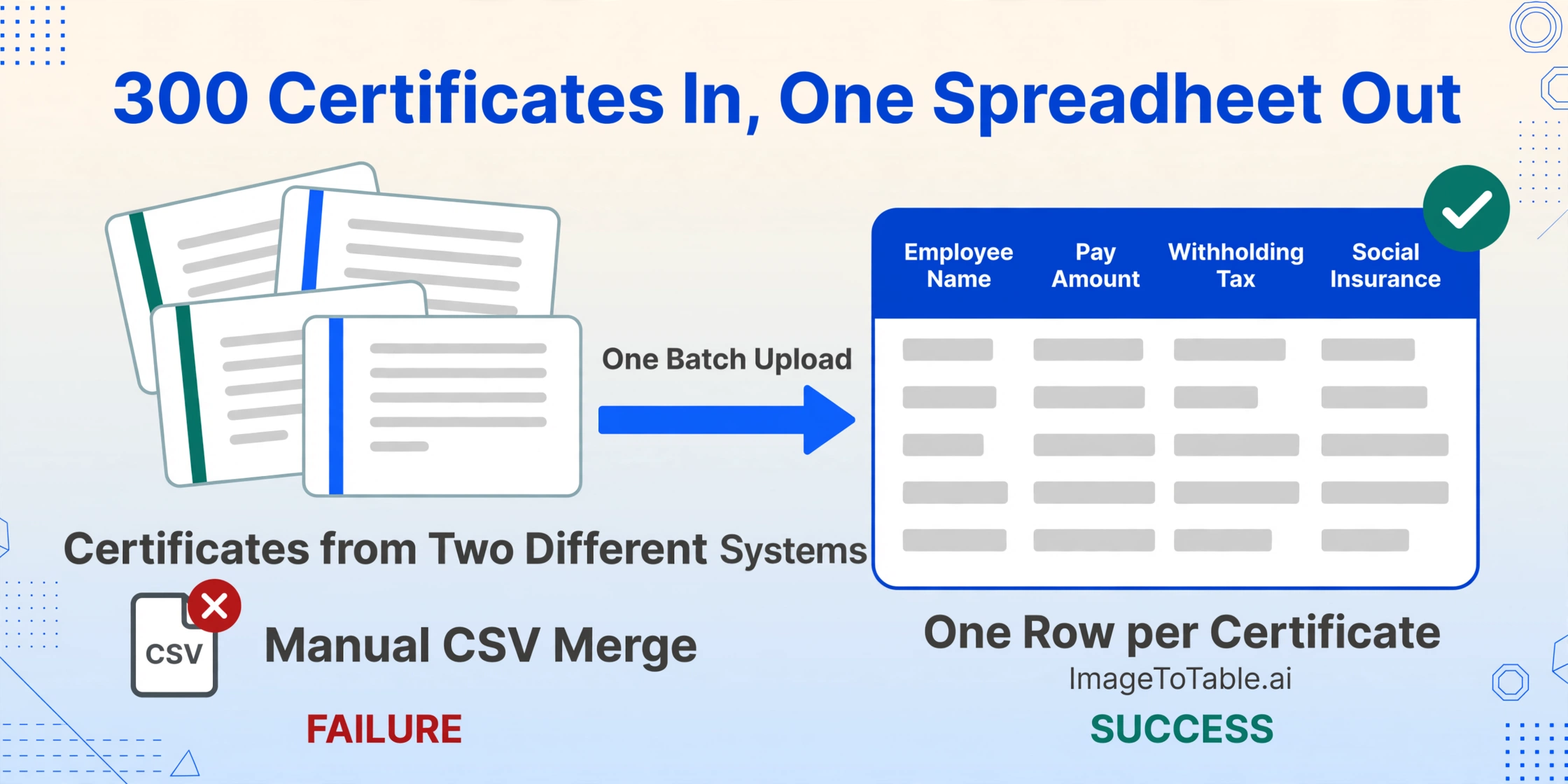
Batch processing — uploading multiple documents at once and receiving a single merged output file, one row per document and one column per field defined — replaces the manual transcription step with instruction. Instead of opening 300 PDF files and typing numbers into Excel, you upload all 300 certificates in a single operation, specify the columns you need extracted (Employee Name, 支払金額, 源泉徵収税額, 社会保険料等の金額), and download the completed spreadsheet.
This workflow addresses the three scenarios that make CSV export paths unreliable: multi-system data (employees whose history spans 彄生給与 and SmartHR produce certificates in different formats — extraction reads both), retiree certificates (PDFs from former employees’ previous payroll systems can be processed alongside your own certificates in the same batch), and language translation (column names in the output spreadsheet are whatever you specify in English, regardless of what the PDF labels are in Japanese). The 26-field extraction walkthrough covers the field-by-field strategy in detail.
Files are processed securely and not stored.
FAQ: Year-end withholding certificate preparation
Can we deliver Withholding Tax Certificates (源泉徴収票) electronically instead of printing paper copies?
Yes, but it requires each employee’s prior written consent. Under the NTA’s electronic delivery guidelines, employers can provide withholding certificates as electronic data (PDF or other digital format) instead of paper, provided the employee has explicitly agreed to receive them electronically. Without consent, paper delivery remains the legal default. Most payroll platforms including SmartHR and freee人事勞務 support electronic delivery, but the consent collection must happen before you attempt electronic-only distribution. Employees who do not consent must still receive paper copies.
What if an employee worked less than the full calendar year?
Anyone who received salary from your company at any point during the calendar year is entitled to a 源泉徵収票, including part-time employees, contract workers classified as salary earners, and those who joined or left mid-year. For mid-year joiners, the certificate reflects only the months they were on your payroll. For mid-year leavers, the certificate reflects year-to-date data up to the departure date and must be issued within one month of departure. Employees who earned less than the taxable threshold still receive a certificate showing zero withholding tax.
What happens if we miss the January 31 deadline?
Missing the employee delivery deadline does not trigger a fixed penalty in itself, but it has cascading consequences. Employees who need the certificate for their own tax return (确定申告, filed between February 16 and March 15) cannot file without it. A delayed certificate that causes an employee to miss their filing deadline exposes the employer to potential liability. For the tax office submission, late filing of statutory reports can trigger administrative penalties and, in cases of persistent non-compliance, the NTA may estimate the employer’s withholding liability and issue a determination. For the municipal submission (給与支払報告書), late filing delays the municipality’s ability to calculate residence tax, which can affect every employee’s tax billing starting in June.
Our payroll software generates 源泉徵収票 automatically. Why would we need extraction?
Payroll software generates certificates for employees currently in that system. It does not generate data for employees whose history spans a previous system, for retirees whose data was archived in another platform, or for output in a format and language that non-Japanese stakeholders can use. Extraction becomes the bridge when the source PDFs exist and the required output is a spreadsheet with translated, consolidated data from multiple payroll sources. It is not a replacement for payroll software — it is the data portability layer that payroll software was never designed to provide.
Can I correct a Withholding Tax Certificate (源泉徴収票) after issuing it?
Yes. If you discover an error after issuance, you must issue a corrected certificate (触記誤りの源泉徵収票) to the employee and file corresponding amendments with the tax office and municipality. The correction should be processed as soon as the error is discovered. If the employee has already used the original certificate for their individual tax return, they will need to file an amended return referencing the corrected certificate. This is one reason it pays to triple-check certificate data before the January 31 issuance — correction cycles that begin in February or March involve both the employer and the employee’s separate filing obligations.
Summary timeline: October through January
| When | What | Who | Risk if delayed |
|---|---|---|---|
| October | Brief regional HQ on Japan year-end timeline. Confirm payroll software year-end module update schedule. Identify split-history employees (mid-year system migrations). | HR / Payroll lead | Global stakeholders blindsided by January data requests. Payroll software not updated in time. |
| Early November | Distribute declaration forms to all employees: Dependent Deduction, Insurance Premium Deduction, Basic Deduction. Set internal submission deadline of November 25. | HR → All employees | Forms not returned, year-end calculation cannot start. |
| Mid November | Begin chasing non-responders. Flag employees with non-resident dependents (need supporting remittance/relationship documents). Verify My Number data. | HR | Supporting documents arrive in December, compressing the calculation window. |
| November (full month) | Complete e-Tax/eLTAX setup: obtain user identification number, install software, test electronic certificate, run test submission. Do not defer to December. | HR / IT / Tax accountant | Tax office support lines overwhelmed from mid-December. January 31 deadline missed due to setup failure. |
| December | Process year-end adjustment for all employees. Reconcile split-history employees. Settle over/under-withholding in December or January paycheck. Generate certificate data. | HR / Payroll | Errors in year-end calculation propagate to 源泉徵収票. Correction cycle pushes into February–March. |
| By January 10 | Remit final withholding tax payment to tax office (semi-annual payer deadline; monthly payers remit by the 10th of each month). | Finance / Accounting | Late payment penalty: 10% of unpaid amount (reduced to 5% if paid within one month of due date). |
| Early January | Generate and issue 源泉徵収票 to employees (current + full-year retirees). Verify data against tax office and municipal submissions before sending. | HR | Data discrepancy across three recipients triggers multi-directional correction cycle. |
| By January 31 | Submit 法定調書合計衣 + 源泉徵収票 to tax office (e-Tax or paper). Submit 給与支払報告書 to municipalities (eLTAX or paper). | HR / Payroll / Tax accountant | Late submission penalties. Municipal residence tax calculation delayed for all employees. |
| February 16–March 15 | Individual tax return (确定申告) filing period. Employees use their 源泉徵収票 to file or claim additional deductions not covered by year-end adjustment. | Employees (employer support) | Employees who did not receive certificates on time cannot file their own returns. |