300 Withholding Certificates,
One Spreadsheet
The arithmetic of Japan’s year-end tax adjustment happens inside the payroll system. Yayoi Payroll (弥生給与) computes it. freee HR (freee人事労務) computes it. SmartHR computes it. The aggravation begins the moment the computation finishes — when 300 individual withholding tax certificate (源泉徴収票, Gensen Choshu-hyo) PDFs need to become one spreadsheet for global headquarters, an external accountant, or the Statutory Report Summary Table (法定調書合計表) due at the tax office on January 31.
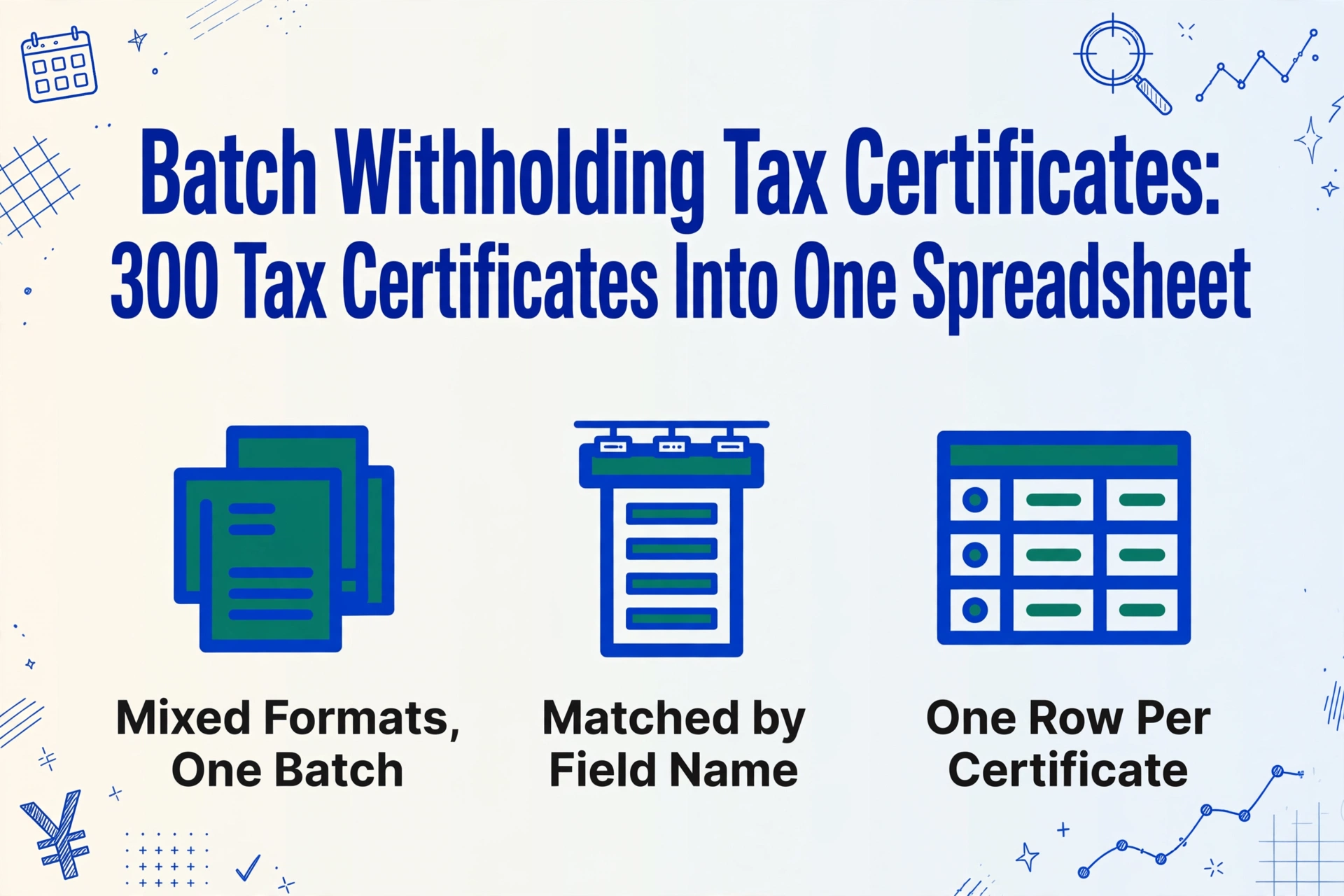
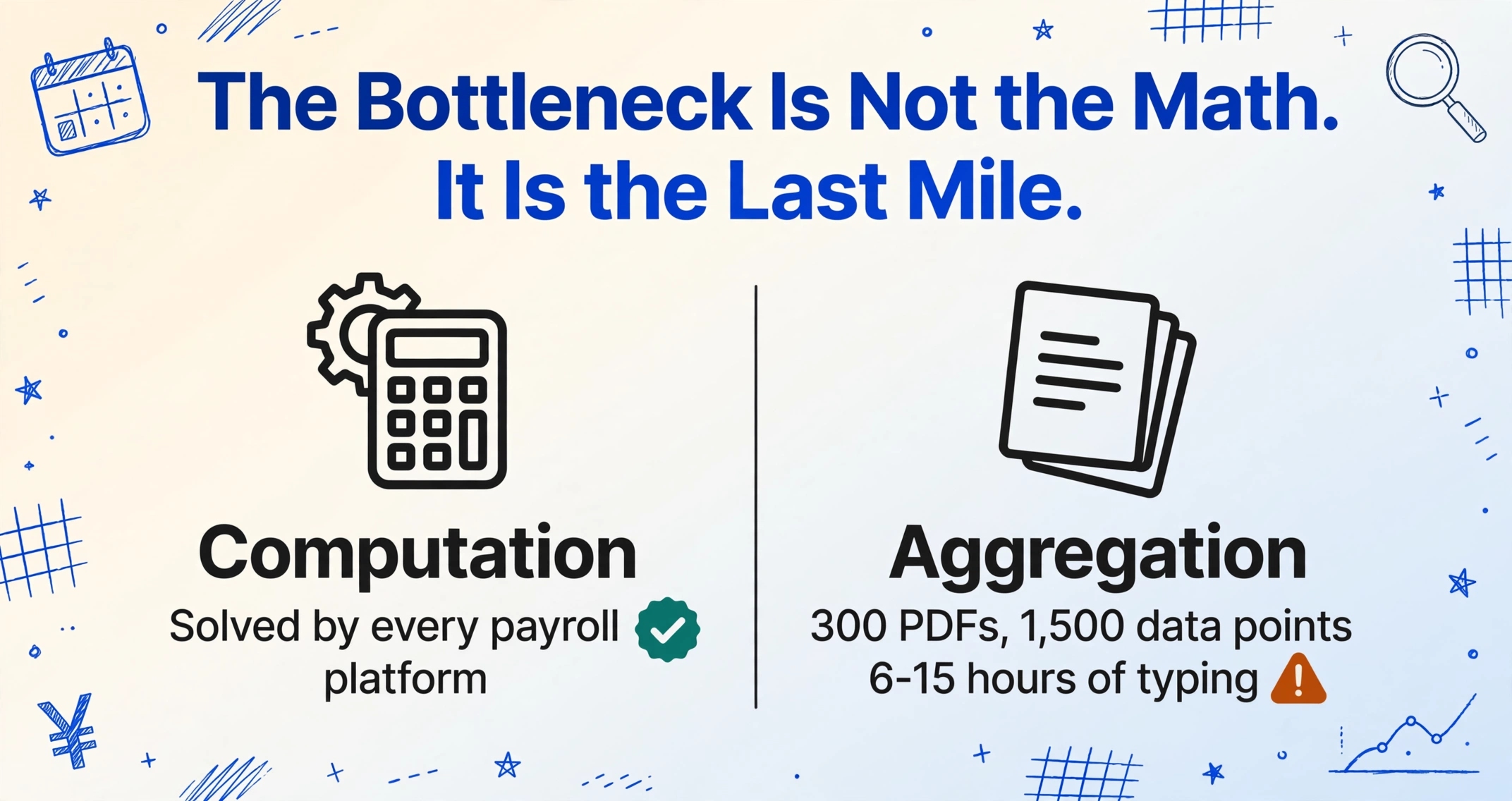
The bottleneck is not the calculation — it is the aggregation
Japan’s year-end adjustment process (年末調整, Nenmatsu Chosei) is computationally deterministic. An employee’s taxable income equals gross salary minus the statutory employment income deduction, minus social insurance premiums, minus spouse and dependent deductions, minus life insurance and earthquake insurance credits — apply the withholding tax table, compare against what was already withheld during the year, and settle the difference in the December paycheck. Every payroll platform on the market can run this arithmetic.
What none of them can do is answer the question that lands on the HR manager’s desk every January: “Send us the annual compensation summary for all Japan employees, in English, in Excel, by Friday.”
Answering that question means opening each employee’s withholding tax certificate (源泉徴収票) — a dense single-page PDF containing 26 defined fields including total gross salary (支払金額), income after the statutory deduction (給与所得控除後の金額), total deductions (所得控除の額の合計額), national income tax withheld (源泉徴収税額), and social insurance premiums paid (社会保険料等の金額) — and manually typing the relevant numbers into a spreadsheet, one employee at a time. For a company with 300 employees, that is 300 PDFs, roughly 1,500 individual data points to transcribe, and somewhere between 6 and 15 hours of data entry depending on how fast you type and how many PDF viewers you can keep open at once.
The computation was free. The transcription is what costs you the first week of January.
Where payroll software stops short: the cross-system reality
Japanese payroll platforms can export data. Yayoi Payroll (弥生給与) outputs CSV from its summary tables and supports the e-Tax CSV format. freee HR (freee人事労務) — the market leader with approximately 380,000 business entities — generates withholding certificates and can export year-end adjustment data. SmartHR supports three import formats for withholding tax certificates (源泉徴収票): CSV (SmartHR format), PDF, and CSV (eLTAX format). MoneyForward Cloud Payroll handles the full cycle from attendance to tax filing. If every employee in your company has been on the same payroll system since the day they joined, and all your reporting stakeholders read Japanese, the export path exists.
Three realities make that path harder than the brochure suggests:
The PDF-only gap is real and widespread. A user review from a manufacturing company with 301 to 1,000 employees, posted on SmartHR’s app marketplace, describes the problem precisely: freee HR outputs withholding tax certificate data as PDF only — the CSV export it provides is for year-end adjustment verification, not for structured withholding certificate data. To import into SmartHR, the HR team had to manually name and save each PDF with the employee ID and name for roughly 560 employees, one file at a time, then upload individually. “導入初回の昨年度は源泉徴収票連携作業に時間を要したため、例年より公開が遅れた経緯がございます” — the first year of migration, the certificate linkage work took so long that the release to employees was delayed compared to previous years. When you multiply that across Japan’s active payroll software migration cycle, the manual labor is measured in person-weeks, not person-hours.
Mid-year payroll migrations fragment the data. A company that switched from an outsourced payroll provider using Yayoi Payroll to SmartHR in July now has employees whose withholding tax certificate data spans two systems. The CSV layouts differ. The column headers are Japanese. Encoding varies between Shift-JIS (Yayoi) and UTF-8 (modern cloud platforms). Merging two system exports into one global report requires a translator, a data-cleaning script, and more spreadsheet gymnastics than the HR team signed up for.
Global headquarters does not read Japanese. For gaishikei (外資系, foreign-affiliated companies) with Japan subsidiaries, the monthly or quarterly reporting cycle to regional headquarters in Singapore, London, or New York requires Japan employee data in English, with columns like “Annual Gross Salary,” “Income Tax Withheld,” and “Social Insurance Contributions.” A CSV export from Yayoi Payroll labeled gross salary (支払金額), withholding tax (源泉徴収税額), and social insurance premiums (社会保険料等の金額) needs manual translation and formatting every single cycle. The data exists. It is just locked inside a PDF and labeled in a language the report recipient cannot read.
The real gap: Japanese payroll software solves the tax calculation problem brilliantly. It was never designed to solve the data portability problem — getting structured, machine-readable, language-agnostic output into the hands of people who need it but do not operate the payroll system.
300 certificates, one upload: how batch extraction bridges the gap
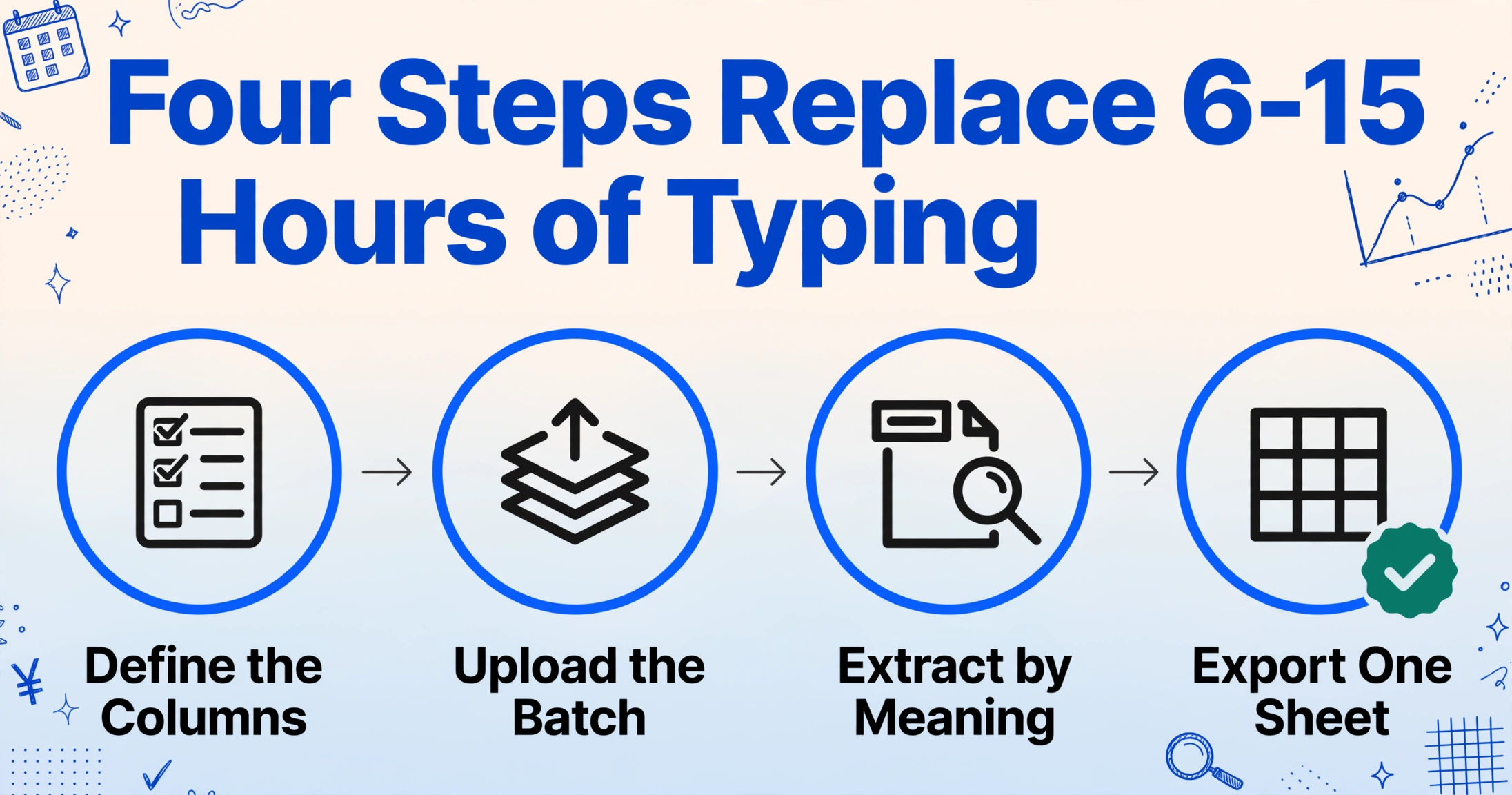
Batch processing means uploading multiple documents at once and receiving a single merged output file — one row per document, one column per field you defined. This is the difference between processing three hundred PDFs one at a time (opening, transcribing, closing, repeat) and processing all three hundred in a single operation.
The workflow replaces transcription with instruction:
Step 1: Define your columns once. Instead of retyping data from each certificate, you define what you want to extract. This uses column-name extraction: you type the field names — “Employee Name,” “Gross Salary (JPY),” “Withholding Tax (JPY),” “Social Insurance Total (JPY)” — and the AI reads each document to locate and extract those values by understanding what they mean, not where they sit on the page. This matters because different payroll software formats withholding tax certificates differently — Yayoi places the corporate number (法人番号) in one position, SmartHR in another, and a paper certificate from a small accounting firm follows yet another layout. Column-name extraction reads the semantic label, not the coordinate.
For a standard batch extraction of withholding tax certificates, these eight columns cover the fields most global HR and finance teams need:
| Column name (English) | Japanese field | Example value |
|---|---|---|
| Employee Name | 氏名 | Tanaka Hiroshi |
| Gross Salary (JPY) | 支払金額 | 8,500,000 |
| Income After Deduction (JPY) | 給与所得控除後の金額 | 7,200,000 |
| Withholding Tax (JPY) | 源泉徴収税額 | 425,000 |
| Social Insurance Total (JPY) | 社会保険料等の金額 | 1,020,000 |
| Deductions Total (JPY) | 所得控除の額の合計額 | 2,500,000 |
| Date of Birth | 生年月日 | 1985-06-15 |
| Employer Name | 給与支払者の名称 | Tokyo Technology KK |
You can add columns for life insurance premium deductions (生命保険料控除), earthquake insurance deductions (地震保険料控除), housing loan credits (住宅借入金等特別控除), dependent counts, and spousal exemption details as your reporting needs expand. No retraining, no template per payroll provider — add the column name and the AI finds the value. For a detailed walkthrough of each of the 26 fields on a Gensen Choshu-hyo and the full single-certificate extraction workflow, see our guide to extracting Japanese withholding tax certificates to Excel.
Step 2: Upload everything in one batch. Drag all withholding tax certificate files — PDFs from payroll software, scanned paper certificates from previous employers, photos of printed copies — into a single upload. The tool processes them together in one session. A single page takes 5 to 10 seconds, roughly 18 times faster than the 3-minute average for manual transcription, but the real savings come from not having to open, transcribe, and close three hundred individual files.
Files are processed securely and not stored.
Step 3: Spot-check, then export. Once extraction completes, you see a preview table — 300 rows, one per employee, with the columns you defined. Verify a handful of rows against the original PDFs (a 5% spot-check on 15 random employees catches most extraction issues), make any corrections directly in the preview, and export as Excel (XLSX) or CSV. The file is immediately ready for global HRIS upload, forwarding to your external accountant, or feeding into your Statutory Report Summary Table preparation.
For companies that need to collect the certificates from employees before processing — for example, employees who have paper-only withholding tax certificates from their previous employer — a Collection Link simplifies intake. You generate a shareable URL (no registration required for the recipient), send it to each employee, and their uploaded files land directly in your processing queue ready for batch extraction.
Why this works across different withholding tax certificate formats: The AI reads fields by semantic understanding, not template coordinates. Whether the certificate was generated by Yayoi, SmartHR, freee, or a small accounting firm, 支払金額 still means gross salary. One column definition works across all sources. This is the property that makes batch extraction economically viable — if you needed a separate template per payroll provider, the setup cost would cancel out the batch savings.
From Individual Certificates to the Statutory Report Summary Table: the NTA Deadline Nobody Budgets For
Every employer in Japan who pays salaries must submit two sets of year-end reports: withholding tax certificates (源泉徴収票) to the local tax office (税務署) and salary payment reports (給与支払報告書) to each employee’s municipality (市区町村). The summary document that ties these together is the Statutory Report Summary Table (給与所得の源泉徴収票等の法定調書合計表), which aggregates the totals from all individual certificates and must be filed by January 31 alongside the individual reports.
Since 2016, the eLTAX unified submission system (電子的提出の一元化) has enabled employers to create and submit both the municipal salary payment reports and the tax office withholding tax certificates in a single operation via PCdesk, using a unified CSV format (統一CSVレイアウト). This eliminated the need to prepare and send the same data twice — but the data still needs to exist in a structured, machine-readable format before it enters the eLTAX pipeline.
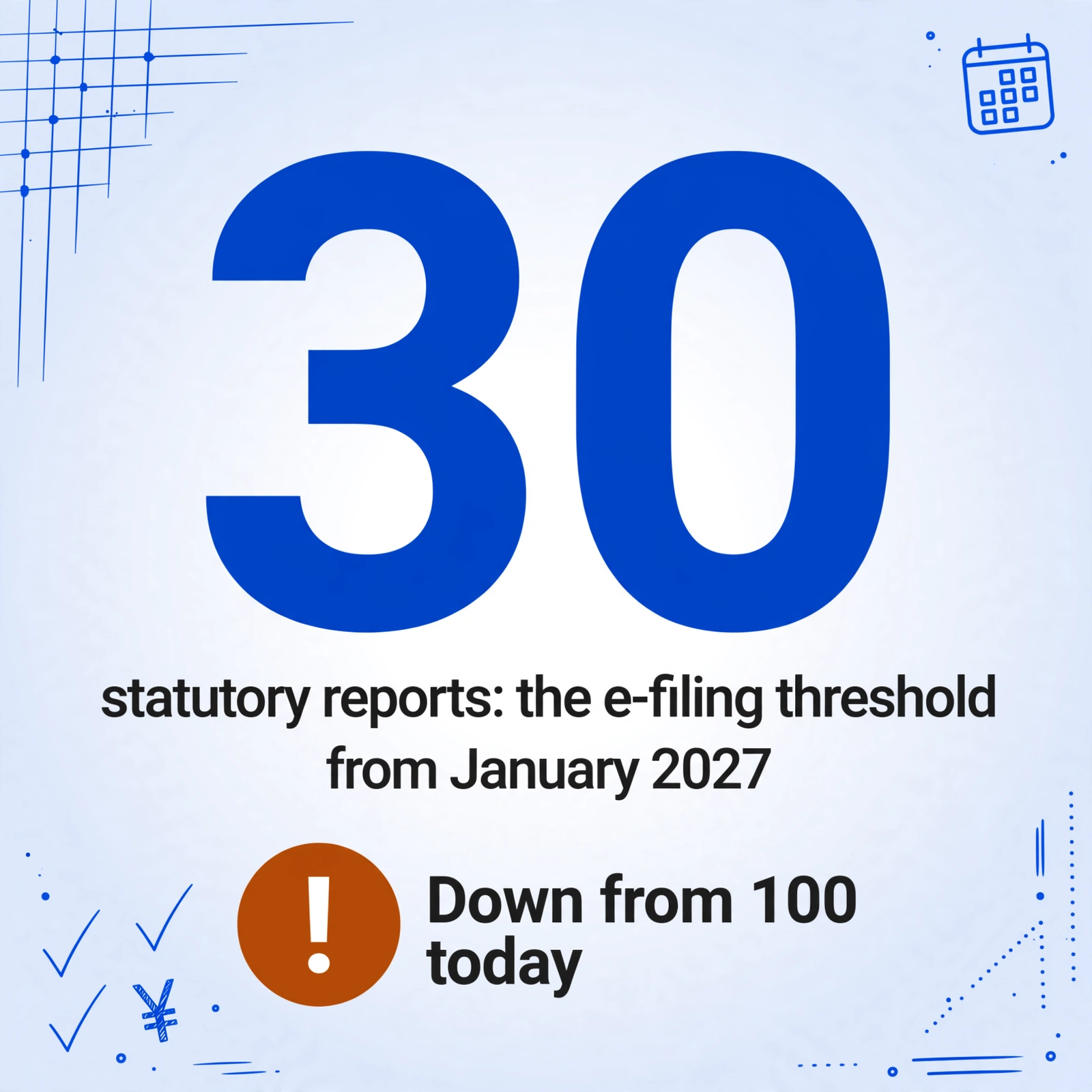
The electronic filing mandate is tightening. Under current rules, employers who submitted 100 or more statutory reports in the prior year must file electronically via e-Tax or optical disk. From January 2027, that threshold drops to 30 reports — meaning a company with as few as 30 employees crosses the mandatory e-filing line. The compliance window is effectively now: the 2025 data you prepare this year determines whether you are required to file electronically when the threshold drops.
For large enterprises, solutions like TKC’s e-TAX statutory report system handle the entire electronic filing workflow — CSV import from payroll systems, batch digital signing, batch submission to both eLTAX and e-Tax, and compliance record retention. These tools solve the filing problem. They do not solve the upstream problem of getting data from a retired employee’s paper certificate, a previous employer’s PDF, or a legacy payroll system’s export into the structured CSV these filing tools expect. Batch extraction closes that upstream gap: when every withholding tax certificate — regardless of origin — lands in the same spreadsheet, preparing the Statutory Report Summary Table becomes a matter of column sums and category counts, not cross-referencing sixty PDFs against your payroll ledger.
When your employees span three different payroll eras
The most common batch-processing challenge is not the volume itself. It is the heterogeneity of sources feeding that volume. Three scenarios that repeat every January:
Mid-year payroll migration. A company that migrated from Yayoi Payroll (弥生給与) to SmartHR in August has six months of data in one system and six months in another. The Yayoi system generated a withholding tax certificate covering January through July; SmartHR issued one covering August through December. For the employee’s personal tax records, the two certificates together represent the full year. For your global compensation report, one employee occupies two source systems and two document formats. Batch extraction handles both PDFs in the same upload — “Employee Name” matches across both, and the output row reflects the combined extracted data.
Mid-year hires with prior employment. Japan’s Income Tax Act requires that every employee who joins mid-year must submit their previous employer’s withholding tax certificate for the year-end adjustment. The new employer factors the prior income into the withholding calculation, then issues a single combined certificate for the full year. But for any analysis that requires separating current-employer and prior-employer data — compensation benchmarking, budget allocation by cost center, expatriate tax equalization — you need both certificates in your spreadsheet. The “Employer Name” column in the extraction table immediately identifies which row belongs to which source.
Post-merger consolidation. Two companies merge. The surviving entity now has employees whose payroll history lives in two different systems, possibly with two different payroll providers, in two different formats, with two different chart-of-accounts mappings for benefits and allowances. The tax year following the merger is the first time all these employees appear on the same Statutory Report Summary Table (法定調書合計表). Batch extraction from the PDFs — rather than attempting to reconcile two incompatible payroll system exports — gives you one table with one schema, defined by you, regardless of origin.
Frequently Asked Questions
What if some certificates are scanned paper copies, not digital PDFs?
The extraction engine handles scanned images, photographs from smartphones, and native PDFs equally. Printed text extracts at up to 99% accuracy given a clean scan at 200 DPI or higher. Handwritten certificates or low-resolution phone photos in poor lighting will have lower accuracy. For employee-submitted paper certificates through a Collection Link, a simple quality guideline — flat surface, good lighting, entire document in frame — eliminates most issues before upload.
Can I just use freee's CSV export instead of batch extraction?
freee HR's CSV export is designed for year-end adjustment data verification, not for structured withholding certificate data export. It does not output the full set of withholding tax certificate fields in a format suitable for importing into another system. This is confirmed by user experience: companies migrating from freee to SmartHR have reported needing to manually process individual PDFs because the CSV export does not contain the withholding certificate data structure. If you operate entirely within freee and your reporting needs are limited to what freee’s built-in reports provide, the CSV export may be sufficient. If you need data in another system, in another language, or aggregated with certificates from other sources, batch extraction from the PDFs is the practical path.
Does the batch extraction output work with e-Tax or eLTAX CSV import?
The batch extraction outputs a clean Excel or CSV file with your defined columns. This is not a direct replacement for the eLTAX unified CSV format (統一CSVレイアウト), which has a specific government-mandated field order and encoding specification. However, having all employee data in one structured spreadsheet makes populating the official CSV template a straightforward mapping exercise — you map your English column headers to the Japanese fields required by the unified CSV format once, and apply the mapping to all rows. This is dramatically faster than extracting data from each PDF individually and entering it into the official format by hand.
What about retirement income withholding tax certificates (退職所得の源泉徴収票)?
Retirement income certificates use a different form with different fields — the taxable amount calculation is (gross payment − ¥400,000 per service year up to 20 years, ¥700,000 per year thereafter) × ½. These should be processed as a separate batch with their own column definitions: “Gross Retirement Payment,” “Years of Service,” “Retirement Income Deduction,” “Withholding Tax.” The extraction method is identical; only the column names differ. If your company processes a significant number of retirements annually, running a separate retirement-certificate batch in parallel with the main employment-income batch keeps both workflows clean.
Does the batch extraction involve My Number (個人番号) data?
No. The employee copy of the withholding tax certificate — the version HR teams typically work with — has the My Number field blank or masked. The unmasked My Number appears only on the employer’s retained copy, which is stored separately for compliance. Batch extraction workflows operating on the employee copy do not encounter My Number data.
How do I verify accuracy across 300 rows?
A cost-effective verification strategy for batch extraction: randomly sample 5% of rows (15 out of 300) and compare each extracted field against the original PDF. If accuracy is high across the sample, the batch is reliable. If you find systematic errors — for example, social insurance totals consistently extracting incorrectly from SmartHR-generated certificates — adjust the column name to use more precise Japanese field labels (社会保険料等の金額 rather than just “Social Insurance”) and re-run. The column definitions are reusable across future batch runs, so the verification investment pays off every January thereafter.
The payroll system does the math. The spreadsheet is the last mile.
Japan’s payroll software ecosystem has solved the computation problem. Yayoi Payroll, freee HR, SmartHR, and MoneyForward all calculate withholding tax, social insurance, and year-end adjustments with accuracy that meets the National Tax Agency’s requirements. The gap is not a math gap — it is a portability gap. Every January, HR teams across Japan spend their first working week not on compensation analysis, not on budget planning, not on employee consultations, but on moving numbers from PDFs to spreadsheets.
The numbers add up. Three hundred certificates at three minutes each: fifteen hours. Repeat for the English-language version for global headquarters. Repeat for the data migration into the new payroll system. Repeat for the Statutory Report Summary Table aggregation. The computation was free; the transcription costs a month of cumulative HR effort every year.
Batch extraction does not replace your payroll software — it picks up where the software stops. One upload, one spreadsheet, one less week of January spent opening PDFs and typing numbers.