50 Client Tax Returns, One
Client Summary Per Filing Season
A mid-sized tax accountant office (税理士事務所) handling 80 individual clients during the kakutei shinkoku (確定申告) season has a workflow problem that disappears on paper and reappears in practice. On paper: the client hands over a PDF of their tax return — generated by freee, Yayoi (弥生), or the NTA's Preparation Corner — and the accountant reviews it. In practice: the accountant opens their own analysis template — a spreadsheet with one row per client and columns for every field on Form B (B様式) — and retypes every figure. Revenue totals from Sheet 1. Deduction amounts from the seven-line deduction block. Taxable income from the calculation section. Prepaid tax credits from the withholding section. Net tax due or refund. Times 80 clients. The math is straightforward: 50-plus fields per return, times 80 clients, at roughly 15 seconds per retyped field, is over 16 hours of data entry — concentrated in a four-week window when every hour is already spoken for. A batch-processing workflow that reads all 80 returns in one upload and outputs one row per client, with every field in its column, collapses that 16 hours to roughly the time it takes to scan the stack.
Key Takeaways
- Retyping 50 fields per client tax return at 15 seconds each means 4,000-plus field transcriptions for an office with 80 clients — 16 hours of data entry concentrated in February, when the March 15 deadline leaves no margin for error.
- The bottleneck is not keystroke speed but cognitive mapping — matching values printed in a PDF's visual layout to cells in a spreadsheet grid, repeated 4,000 times across a season, with error rates compounding through fatigue.
- Define the output columns once, upload all 80 returns in one batch, and the AI reads every field by its meaning — Social Insurance Deduction stays the same column whether the return came from freee, Yayoi, or a hand-filled form from 2022 — so February becomes about finding deduction gaps, not retyping printed numbers.
Why Individual Return Processing Breaks at 50 Clients
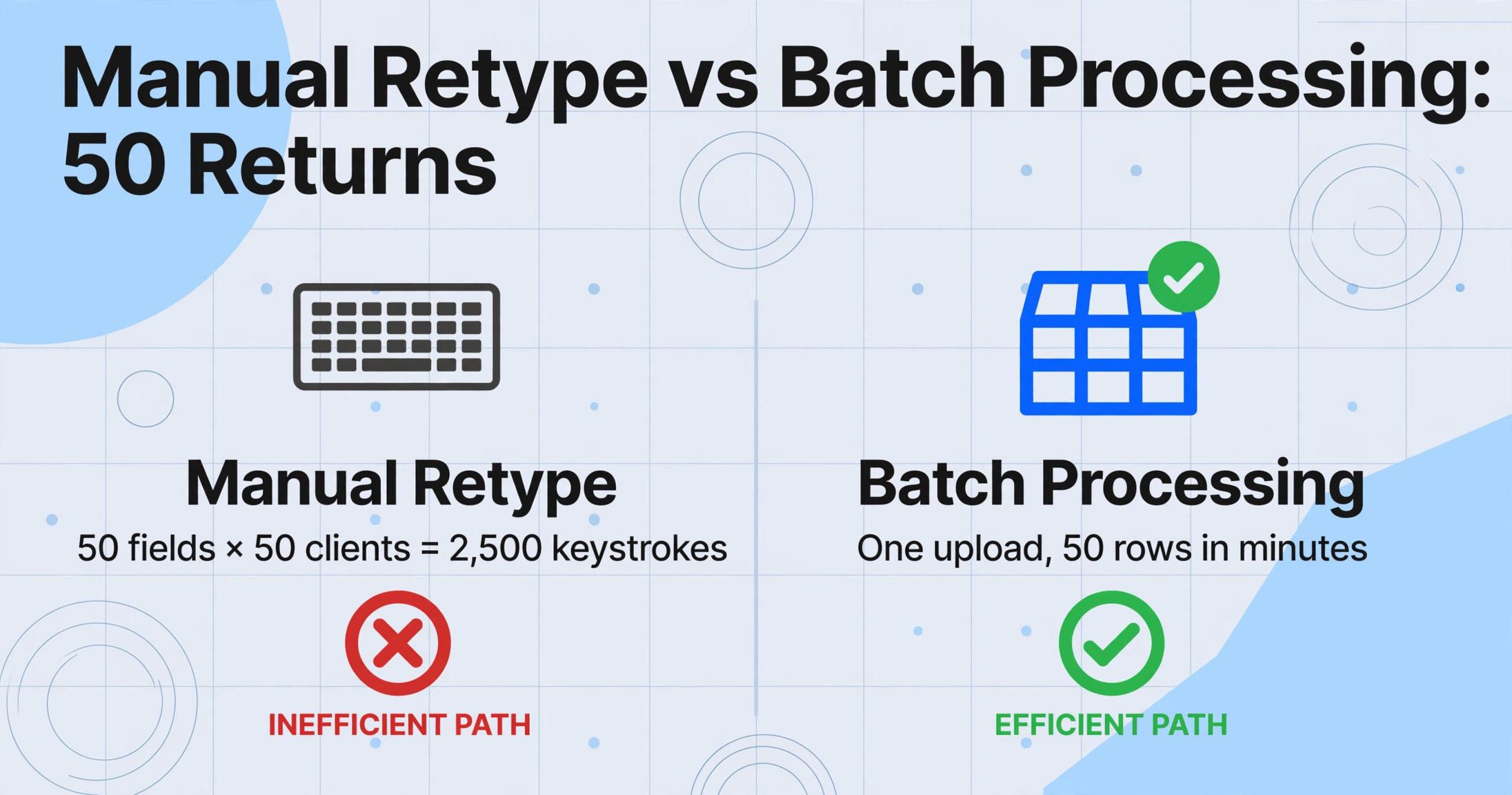
A tax accountant reviewing one client's return opens a PDF, reads the figures, types them into a spreadsheet, and moves to the next. At five minutes per return — 30 seconds per field across 50 fields — one return is efficient. Ten returns is a morning. Fifty returns is a week of billable hours lost to keystrokes. And that week arrives in February, the shortest month of the year, when the filing deadline of March 15 under the Income Tax Act Article 120 (所得税法第120条) means every day spent retyping last year's return is a day not spent reviewing this year's tax strategy with a client.
The structural problem is that the tax return — as a document — is optimized for the tax office, not for the accountant. Form B's fields are organized into seven independent calculation blocks with intermediate subtotals. The deduction block on Sheet 1 is a vertical list. The income breakdown on Sheet 2 is a multi-column horizontal table. The income statement (収支内訳書 or 青色申告決算書) feeds into both. Reading all three documents and collapsing them into a single row in a spreadsheet is a cognitive mapping task — the accountant's brain is doing a join operation across three PDFs per client. At 80 clients, that is 240 PDF evaluations, and the error rate compounds with fatigue.
The real bottleneck is not the typing speed. It is the context switch. An accountant who retypes 50 fields from a PDF is performing a task their brain was not designed for — matching printed values in a visual layout to cells in a spreadsheet grid. The cognitive load of that visual mapping, repeated 4,000 times (50 fields × 80 clients), is what turns an afternoon of review into two days of data entry. Batch extraction eliminates the mapping step entirely — the accountant defines the output columns once, uploads all returns, and receives one row per client with every field already in its column.
What the Batch Final Tax Return (確定申告) Workflow Actually Looks Like
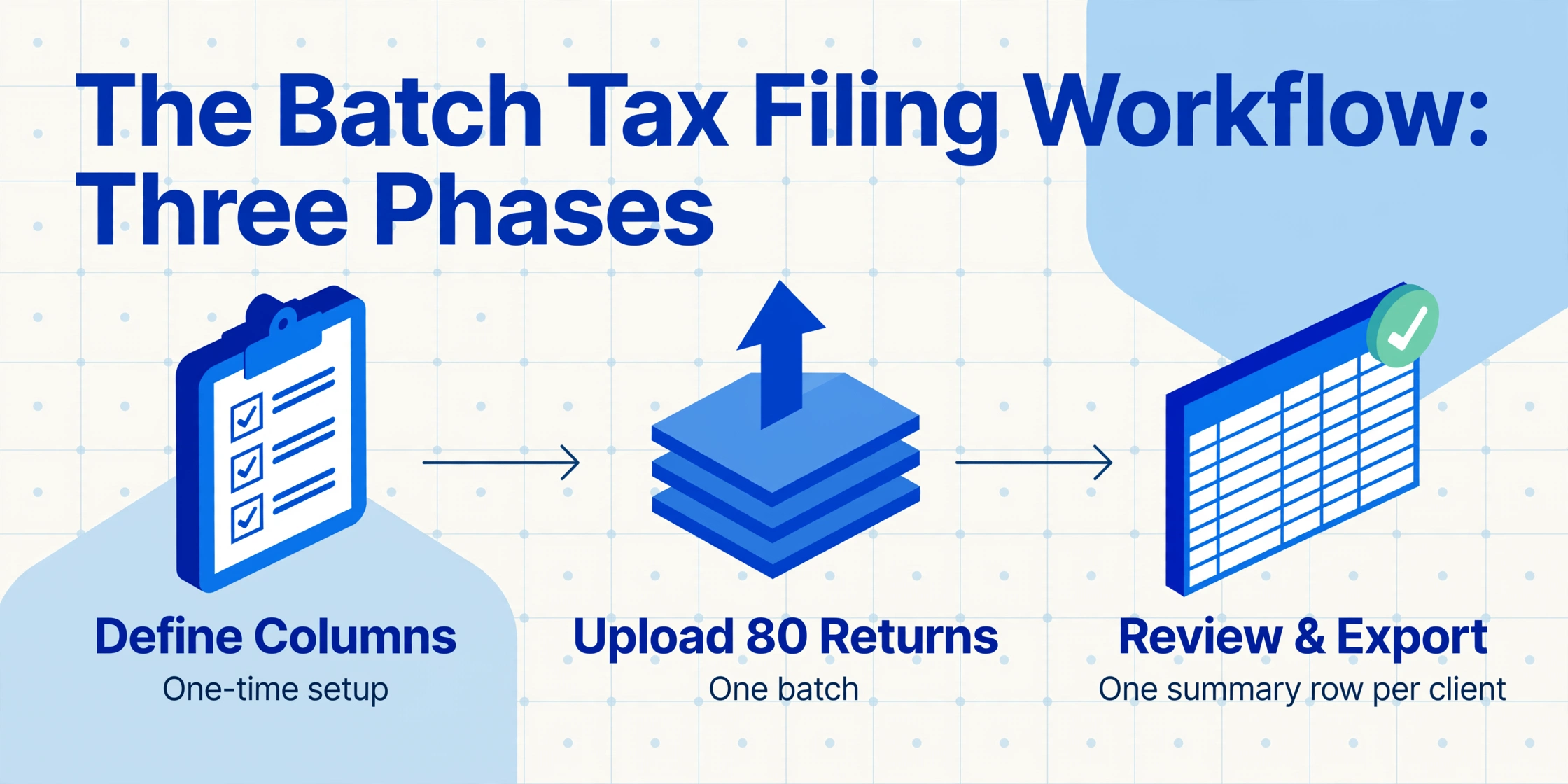
The batch-processing workflow for a tax accountant handling 80 client returns has three phases — and the first phase, column definition, is a one-time investment that pays back every filing season thereafter.
Define the client summary column schema — once
The standard column set for a tax accountant's client summary covers four groups. Revenue fields: Business Income (事業所得, 収入金額), Real Estate Income (不動産所得), Employment Income (給与所得), Miscellaneous Income (雑所得). Expense fields: Necessary Expenses (必要経費), Net Income per income category. Deduction fields: Social Insurance (社会保険料控除), Small Business Mutual Aid (小規模企業共済等掛金控除), Life Insurance (生命保険料控除), Earthquake Insurance (地震保険料控除), Medical Expenses (医療費控除), Spouse Deduction (配偶者控除), Dependents (扶養控除), Basic Deduction (基礎控除). Tax fields: Taxable Income (課税所得金額), Calculated Tax (算出税額), Dividend Credit (配当控除), Foreign Tax Credit (外国税額控除), Prepaid Tax (予定納税額), Withholding Tax (源泉徴収税額), Final Tax Due or Refund (納付税額 or 還付税額). Client metadata: Client name, tax year, blue return or white return indicator (青色/白色), accounting software used. These columns become the permanent output schema — every year's returns, from every client, map to the same columns regardless of which software generated the form or whether the client switched from freee to Yayoi mid-year.
Upload all 80 returns in one batch
Scan or collect the PDFs — each client's return is typically four to six pages: two for Sheet 1 (第一表), one for Sheet 2 (第二表), and one to three for the income statement (収支内訳書 or 青色申告決算書), depending on the number of revenue sources. Upload all returns into a single batch. The AI processes each client's pages independently — it recognizes that pages belonging to the same client form one return, extracts every field defined in the column schema, and outputs one row per client. For a client whose return spans five pages, all five pages are read before the row is assembled, so cross-sheet values — like the total deduction amount on Sheet 1 being verified against individual deduction fields on Sheet 2 — are captured in a single pass. The processing handles mixed formats: a return generated by freee (sans-serif font, right-aligned totals), a Yayoi printout (serif font, different row spacing), and a scanned paper return filled by hand in 2022 — all in the same batch, because semantic extraction reads by field meaning, not by template coordinates.
Export the client summary spreadsheet and begin the review
The output is one Excel file with one row per client and every field in its column. The tax accountant now has a structured dataset rather than 80 individual PDFs. Sort by taxable income to identify clients approaching a bracket threshold. Sort by deduction total to spot clients under-utilizing available deductions — a client showing ¥0 in the medical expense deduction (医療費控除) column, when you know they had hospital visits last year, triggers a review call. Filter by prepaid tax (予定納税額) to identify clients with a large refund due — a scheduling priority before the March 15 deadline. More importantly, add Computed Columns for automated verification: cross-check that the sum of individual deduction fields matches the printed total deduction on Sheet 1, and flag any mismatch with a "CHECK" label. One CHECK in a column of OK values tells you exactly which row needs a second look — without auditing every row manually.
Files are processed securely and not stored.
Deduction Comparison Across Clients: Spotting the Outliers
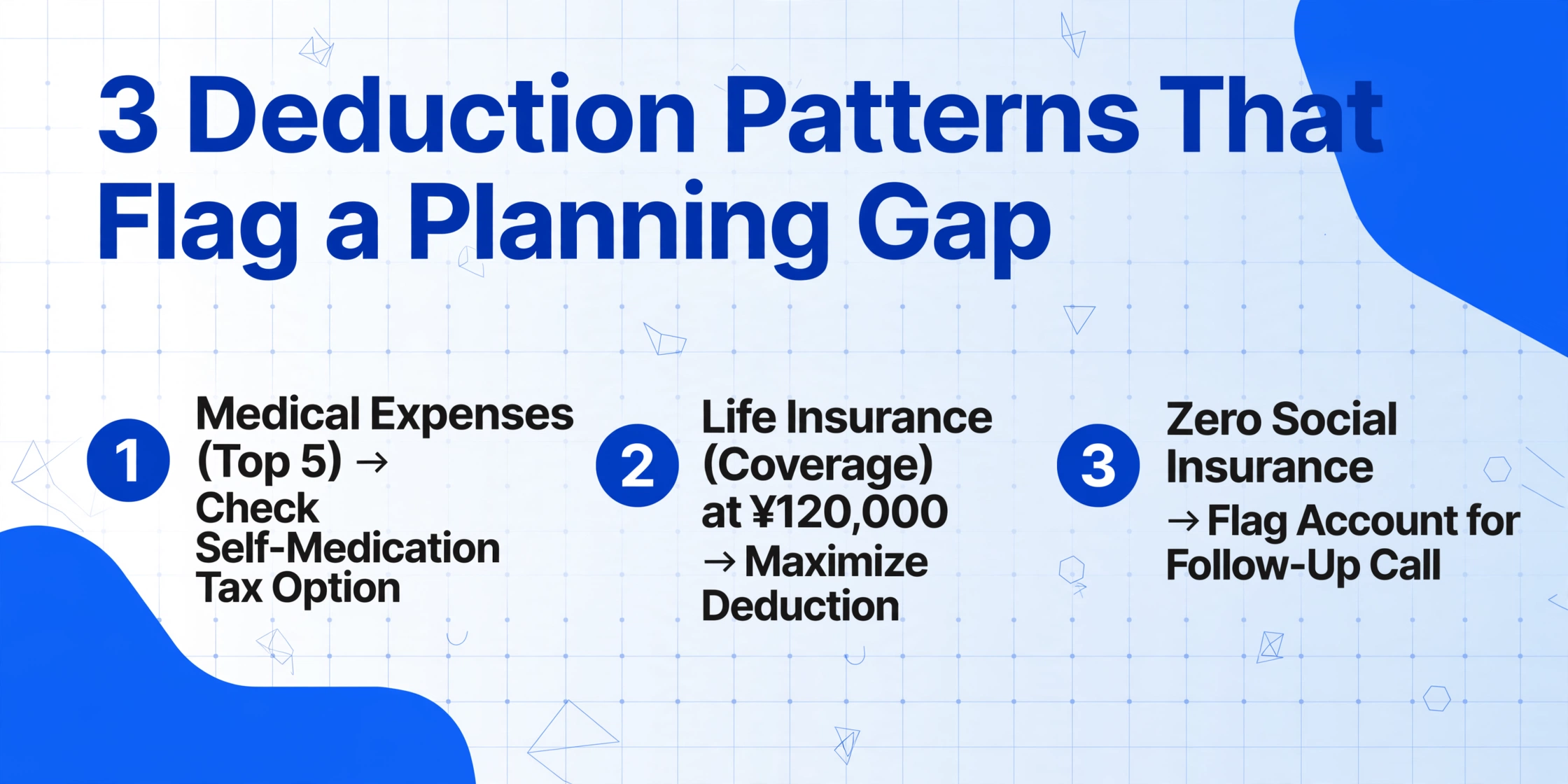
A columnar client summary spreadsheet unlocks something a stack of individual PDFs cannot: cross-client deduction pattern analysis. Sort the "Medical Expenses (医療費控除)" column descending and the top five rows tell you which clients had significant healthcare costs last year — information that prompts the accountant to ask whether the client has considered the Self-Medication Tax System (セルフメディケーション税制), an alternative medical expense deduction introduced under the Special Taxation Measures Act Article 4-5 (租税特別措置法第4条の5) that offers a separate deduction track for OTC drug purchases exceeding ¥12,000.
Sort by "Life Insurance Deduction (生命保険料控除)" and rows showing ¥120,000 — the statutory maximum across the three sub-categories of general life insurance, individual annuity, and nursing care insurance, capped at ¥40,000 each — tell you which clients are maximizing this deduction. Rows showing ¥0 in a deduction category that should apply to that client's profile — a self-employed client with no Small Business Mutual Aid deduction (小規模企業共済等掛金控除), despite iDeCo (イデコ) being widely available — flag a planning gap that a five-minute phone call can close before the filing deadline.
The pattern that matters most: deduction under-utilization. A client paying national pension (国民年金) and national health insurance (国民健康保険) premiums all year should show a social insurance deduction (社会保険料控除) equal to the full amount paid. A null or zero value in that column — when you know the client is self-employed and paying both — means either the field was missed in extraction or the client did not include the certificate. Either way, a column-based sort catches it before the return is filed, while a stack of PDFs leaves it buried on page two of a five-page document.
Prepaid Tax Tracking: Who Owes What, Who Gets a Refund
Japan's prepaid tax system (予定納税, yotei nōzei) requires taxpayers whose previous year's tax liability exceeded ¥150,000 to make two advance payments — roughly one-third of the prior year's tax each, due July 31 and November 30. The prepaid amounts appear on the current year's Form B as credits against the final tax calculation. For the tax accountant managing 80 clients, prepaid tax creates two workflow priorities.
First, clients whose prepaid tax (予定納税額) and withholding tax (源泉徴収税額) together exceed their calculated tax (算出税額) are due a refund — and the sooner they file, the sooner the refund is processed. A column sort on the net difference (Calculated Tax − Prepaid Tax − Withholding Tax, negative = refund) surfaces refund-eligible clients at the top of the filing queue.
Second, clients whose prepaid tax was based on an unusually high-income year — a one-time project that inflated 2024 income, for instance — may have overpaid by hundreds of thousands of yen. The prepaid amount is calculated automatically from the prior year's return under the Income Tax Act Article 107 (所得税法第107条), but the tax office does not adjust it downward for an income drop. A client whose 2025 income was ¥4 million but whose 2024 income was ¥7 million — triggering prepaid installments based on the higher figure — may have paid ¥300,000 more than necessary. In a columnar summary, a row where the "Prepaid Tax" value is significantly larger than "Calculated Tax" stands out immediately. In a stack of PDFs, it is one number in a field on page one of a five-page document — invisible unless the accountant specifically compares those two fields for every client.
| Client Scenario | Prepaid Tax (予定納税) | Calculated Tax (算出税額) | Net Position | Priority |
|---|---|---|---|---|
| Income dropped from ¥7M to ¥4M | ¥420,000 | ¥110,000 | −¥310,000 (refund) | File immediately |
| Steady income, standard withholding | ¥180,000 | ¥210,000 | +¥30,000 (underpaid) | File by deadline |
| First-year freelancer, no prepaid | ¥0 | ¥85,000 | +¥85,000 (underpaid) | File by deadline |
| Salary + side business, withholding covers | ¥0 | ¥12,000 | −¥138,000 (refund via withholding) | File for refund |
Integration With Tax Accountant Software: Yayoi, TKC, and MJS
Japan's tax accountant software ecosystem is dominated by three platforms, and the extracted client summary spreadsheet maps directly to all of them — because they all share one requirement: the client data must be in columns before the software can work with it.
Yayoi Tax (弥生シリーズ). The market leader among small-to-mid-sized tax accountant offices. Yayoi Tax Suite accepts CSV imports for client data migration via the "外部データ取込" (external data import) function. The extracted columns — "Business Income (事業所得)," "Social Insurance Deduction (社会保険料控除)" — map directly to Yayoi's internal account fields. For an office processing 80 returns per season, CSV import replaces approximately 16 hours of manual data entry with a single import operation per client batch. The time saved translates directly to more review time per client file — the work that justifies the accountant's fee.
TKC (FX2/MX Series). The dominant platform for mid-to-large tax accountant corporations. TKC's data migration utility accepts formatted CSV with column headers — the extraction output matches TKC's expected field order when the column schema is defined in TKC's standard sequence. For TKC offices processing 200-plus client returns per season, batch extraction reduces the data entry phase from a multi-week staff assignment to a single afternoon of scanning and upload. The extraction's Computed Column verification — cross-checking individual deduction fields against the Sheet 1 total — catches arithmetic errors before the data enters TKC's review pipeline, reducing the incidence of manual override flags that slow down the firm's quality control workflow.
MJS Accounting (会計大将). Widely used by both in-house corporate accounting departments and independent tax accountant offices. Import via the "他システムデータ取込" function — the extraction's Excel output imports directly without intermediate format conversion. MJS's built-in audit checks — deduction total verification, missing required field detection — operate on the imported column data, providing a second validation layer after the extraction's own Computed Column cross-checks. Two independent verification passes on the same dataset catch errors that either layer alone might miss.
The integration path is consistent regardless of platform: define the columns once in the extraction tool, upload the season's returns in a single batch, export the spreadsheet, and import into the tax software. The column schema survives across tax years — the NTA's annual revisions to Form B (published each January in the 確定申告の手引き, the official filing guide) typically adjust line numbers and instructional text but preserve the field structure. A column named "Medical Expense Deduction" maps to the same concept in 2025, 2026, and 2027 — the extraction reads the field by its meaning, not its form position.
Multi-Year Tracking: Building the Historical Dataset
A tax accountant who processes 80 returns in 2026 and uses the same column schema in 2027 creates a dataset that was previously only possible through years of manual retyping: a multi-year client history where every field is aligned in the same column position. Open the 2027 spreadsheet, merge it with 2026 by client ID, and each client now has two rows — one per year — with every field in the same column. Sort by "Business Income" and compare 2026 vs. 2027 for every client in seconds. Check whether a client whose "Life Insurance Deduction" was ¥120,000 in 2026 dropped to ¥0 in 2027 — and ask why. Track whether the ratio of "Medical Expenses" to "Business Income" is trending up — a signal that the client might be miscategorizing personal expenses.
The dataset you build this year is the review advantage you have next year. A tax accountant reviewing a client's 2027 return with the 2026 columnar data beside it is operating with information density that a PDF-only review cannot match. The columnar history makes every year-over-year comparison instantaneous — and the comparisons that surface anomalies are the ones the accountant would not have time to perform if each year's return sat in a separate PDF folder.
The same batch-processing logic applies across tax jurisdictions with similar return structures. A UK accountant processing 80 SA100 Self Assessment returns into one summary spreadsheet follows an identical workflow: define columns for the return's fields, upload all returns in one batch, and receive one row per client. The form's language and the deduction names change — from "Medical Expense Deduction" to "Blind Person's Allowance" — but the batch-processing principle, and the efficiency gain over per-return manual entry, does not.
Similarly, the batch methodology extends to the supporting documents that feed into the tax return. A procurement department that batch-processes 50 Japanese purchase orders (発注書) into one procurement dashboard uses the same column-definition-once, batch-upload-all pattern — and the output spreadsheet answers spend-by-supplier, consumption-tax-by-rate, and payment-by-settlement-day questions that a flat list of fifty rows cannot. The batch principle is agnostic to document type: define the schema once, upload everything, get one row per document. What changes is the column names and the review questions — not the workflow.
Frequently Asked Questions
Can batch processing handle both white return (白色申告) and blue return (青色申告) clients in the same upload?
Yes. The Form B (B様式) itself is identical for both white and blue return filers — the difference is in the supplementary documents. White return clients attach a simplified Statement of Earnings and Expenses (収支内訳書). Blue return clients attach the detailed Blue Return Financial Statement (青色申告決算書) with balance sheet, profit-and-loss statement, and expense breakdown. Both can be uploaded alongside the return in the same batch. The extraction reads each document independently — blue return clients will have additional columns populated (assets, liabilities, net worth from the balance sheet) that white return rows leave blank. The column schema accommodates both: define all possible columns, and rows for clients without that data simply show empty cells.
What if a client switched accounting software between last year and this year — freee last year, Yayoi this year?
This is where batch processing with semantic extraction matters most. A freee-generated return and a Yayoi-generated return print the same Form B with different fonts, row spacing, and section ordering. A template-based extraction tool calibrated to freee's output misaligns every field on the Yayoi printout. Semantic extraction reads "Social Insurance Deduction (社会保険料控除)" by its field label — the font, row position, and spacing are irrelevant. Upload both years' returns in the same batch, and the "Social Insurance Deduction" column contains the correct value from each year's return, regardless of which software generated it. The multi-year comparison that matters most — has this deduction changed — does not break when the client changes software.
How long does it take to process 80 returns in one batch?
A typical tax return spans four to six pages. At 80 clients, that is roughly 320 to 480 pages. The time-consuming step is scanning or collecting the PDFs — but this is a one-time operation per season, and most accountants already receive PDFs from clients who use accounting software. Once uploaded, the AI processes each return independently; the total processing time depends on page count and server load, but a batch of 80 returns typically completes in under 30 minutes of processing time. Compared to 16-plus hours of manual retyping — two full working days — the workflow shift recovers time that can be spent on the review and advisory work that clients actually pay for.
Can the extraction verify that a client's income statement totals match the amounts carried onto Form B?
Yes, through Computed Columns. Define a verification column — "Income Statement vs. Sheet 1 Revenue Cross-Check (収支内訳書 vs. 第一表 収入金額 — Match? 'OK' : 'CHECK')" — that compares the revenue total on the income statement against the corresponding income field on Sheet 1. The extraction reads both documents in the same client batch and populates the comparison column automatically. A CHECK in this column means the income statement and the return do not reconcile — exactly the type of discrepancy that triggers a tax office inquiry (税務調査) request. Catching it in the accountant's office, before the return is filed, eliminates the most common source of post-filing corrections.
Does batch extraction work for clients who filed on paper in previous years and only have scanned copies?
Yes. A client who filed on paper in 2023 and 2024 before switching to freee in 2025 has two years of returns that exist only as printed forms in a file folder. Scan those forms — or photograph them with a smartphone under even lighting — and upload them alongside the 2025 PDF. The extraction reads scanned paper returns the same way it reads software-generated PDFs: by field meaning, not by format. The three rows in the output — 2023, 2024, 2025 — have identical column structure, enabling the year-over-year comparison that was previously impossible without manually retyping two years of paper returns. This is particularly valuable for loan applications, visa renewals, or audits (税務調査) that require multi-year income documentation.
Making February About Review, Not Data Entry
The Japanese individual income tax filing window — February 16 to March 15 — is fixed by statute. A tax accountant office's profitability during this period is largely determined by how much of February is spent on data entry versus data analysis. The batch-processing workflow described here shifts the ratio: an afternoon of scanning and column definition replaces two days of retyping, and the extracted client summary — one row per client, every field in its column, deduction totals verified against Sheet 1 — becomes the working document from which the review begins.
The column schema, defined once, works for every subsequent season. The comparison analysis — deduction under-utilization, prepaid tax overpayment, income statement reconciliation — happens in seconds because the data is already in columns. And the dataset built across multiple filing seasons becomes an asset that grows in value each year — a multi-year client history that reveals trends invisible in a single year's PDF. What changes each February is not the form structure. It is how much of the month the accountant spends typing numbers that were already printed, and how much they spend finding the patterns that justify their fee.