The Xero Months Before the Bank Feed
Are Still a CSV Job
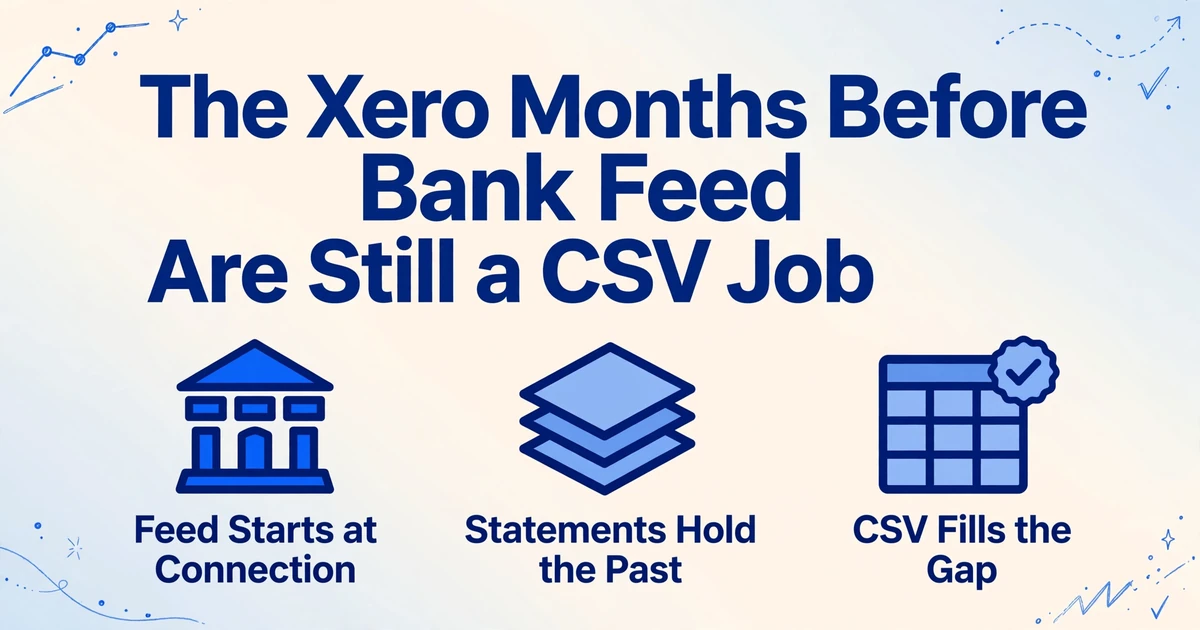
Connect a bank account to Xero and the feed starts downloading from that day forward. The months before the connection are not late; they were never requested. For a bookkeeper catching a client up, that leaves a fixed stretch of history that can only come from the statement PDFs, and turning those PDFs into a file Xero will actually accept is the step most import guides step over.
Key Takeaways
- The months your bank feed skipped are not a failure you caused: a feed begins the day you connect it, and anything before that was never requested.
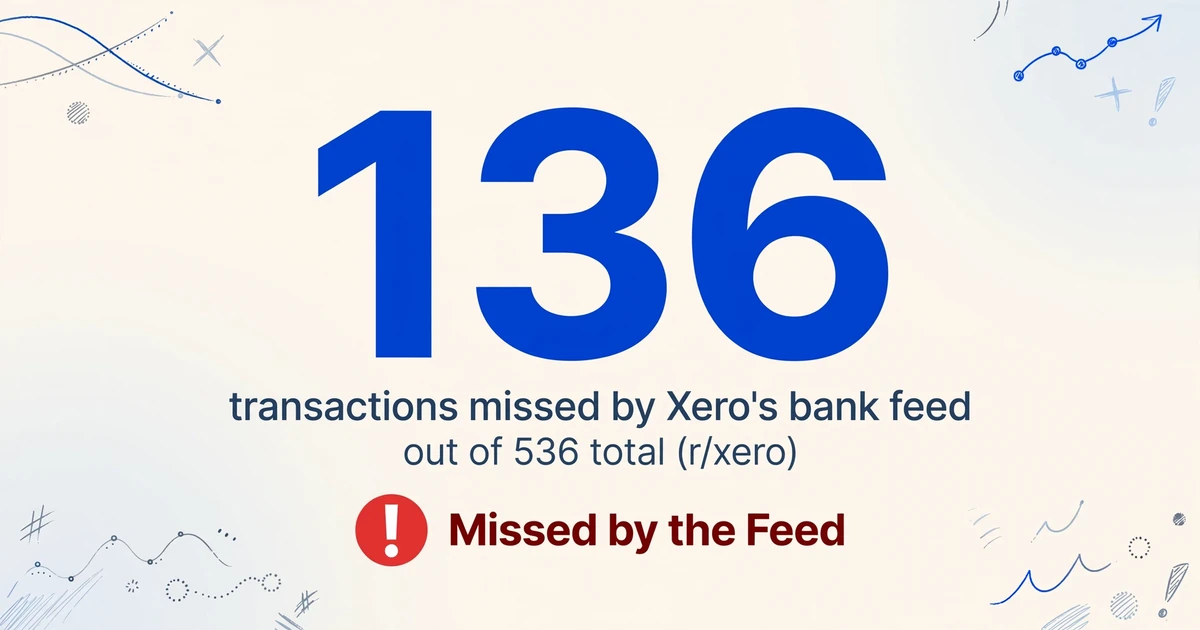
- One accountant watched the feed skip 136 of a client's 536 transactions simply because they sat outside the window the feed serves.
- So the fix is to find where the feed's first line sits, name the columns Xero expects, and merge the older statements into one import-ready CSV.
A Bank Feed Records the Present and Silently Skips the Past
A bank feed answers one question well: what has posted to this account recently. When you connect an account, Xero asks the bank for whatever history it will serve, and most banks will not go back far. Intuit makes the same limitation explicit for its own product, and the behavior is standard across feeds: the connection is a live pipe, not an archive. A transaction posted before the account was connected was never delivered because nobody asked for it.
The feed starts the day you connect, not the day the account opened. Every month before that connection is invisible to it, no matter how many times you click update.
Bookkeepers see the result constantly. On r/xero, one accountant described a client whose account ran to hundreds of transactions and found the feed had simply not seen the older ones: "out of 536 transactions Xero's bank feed missed 136 of them, because I'm looking at past data over 90 days Xero don't want to know." Nothing is broken in that account. The feed is doing exactly what a feed does.
Three other things create the same kind of gap. Pending transactions never appear until the bank settles them. A feed that disconnects and is later reauthorized can drop or skip a stretch in between. And an account that was closed or replaced stops feeding entirely, leaving its history wherever the statements are. Only one of these is an actual malfunction. The rest are the normal edges of a live connection, and all of them funnel to the same conclusion: for the period before the feed, the statement is the record.
What Catching Up a Xero Client Actually Involves
Catching up is a data reconstruction job with a fixed beginning and a fixed end, and the single most important decision is where the manual history stops and the live feed begins. Get that boundary wrong and you import rows Xero already holds, which is how duplicates enter an account.
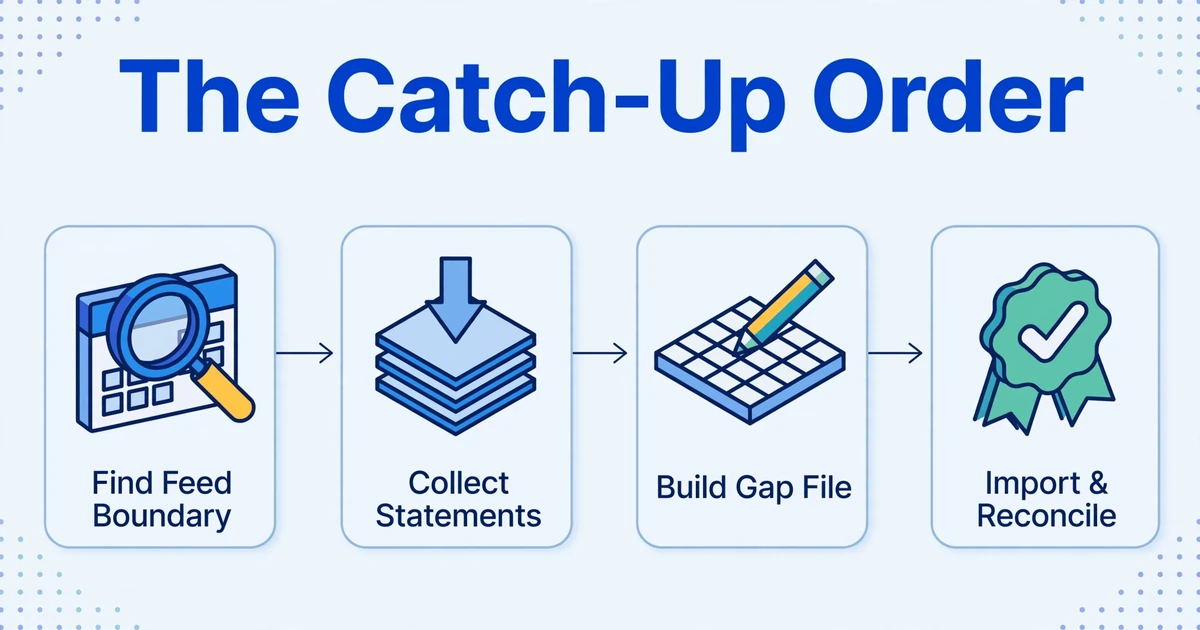
The order that keeps the boundary clean looks like this:
Find the earliest line the feed already delivered
In the Xero bank account, identify the first complete, trustworthy transaction that came through the feed. That date is your boundary, and it is also the handover point between the manual history and the live pipe.
Collect every statement back to where you need history to start
Gather the statements for each account from the required start date up to the day before the boundary. This is where clients usually go quiet: banks that no longer host old exports, or accounts that were closed, leave only PDFs, and sometimes scanned ones.
Build the import file for the gap only
Turn the statements into a single file covering the missing range, with each transaction as one row. Working account by account, and trimming the file so it ends before the feed's first line, is what stops the overlap that creates duplicates.
Import and reconcile period by period
Import into the matching Xero bank account, then reconcile each month against the original statement before moving to the next. Reconciling as you go is how a missing or misread row surfaces in the month it belongs to, instead of at year end.
The role split matters too. The bookkeeper owns the boundary and the import; the client, or the bank directly, owns producing the statements; the bank owns the months it will still serve. When a client cannot get a clean file, the bookkeeper is the one who has to reconstruct it.
None of this is optional housekeeping. The historical months are part of the statutory record, not a convenience. In the UK, HMRC requires limited companies to keep business and accounting records for six years from the end of the last financial year they relate to. A gap in the ledger is a gap in the record the business is obliged to hold.
If the backlog is wider than a single Xero account, the same reconstruction pattern shows up when a bookkeeper has to digitize printed ledgers for QuickBooks and Xero or pull twelve months of statements into one reconciliation spreadsheet. The difference here is only what defines the missing stretch: a feed's connection date rather than a year end.
Where the Gap Breaks the Process
Two things go wrong once the statements are the source. The first is human: keying a statement by hand is slow and leaves mistakes that are easy to miss. A 150-line statement runs to several hundred keyed fields, so a careful operator still leaves wrong amounts and swapped dates in a single month, and importing that across several accounts compounds the errors.
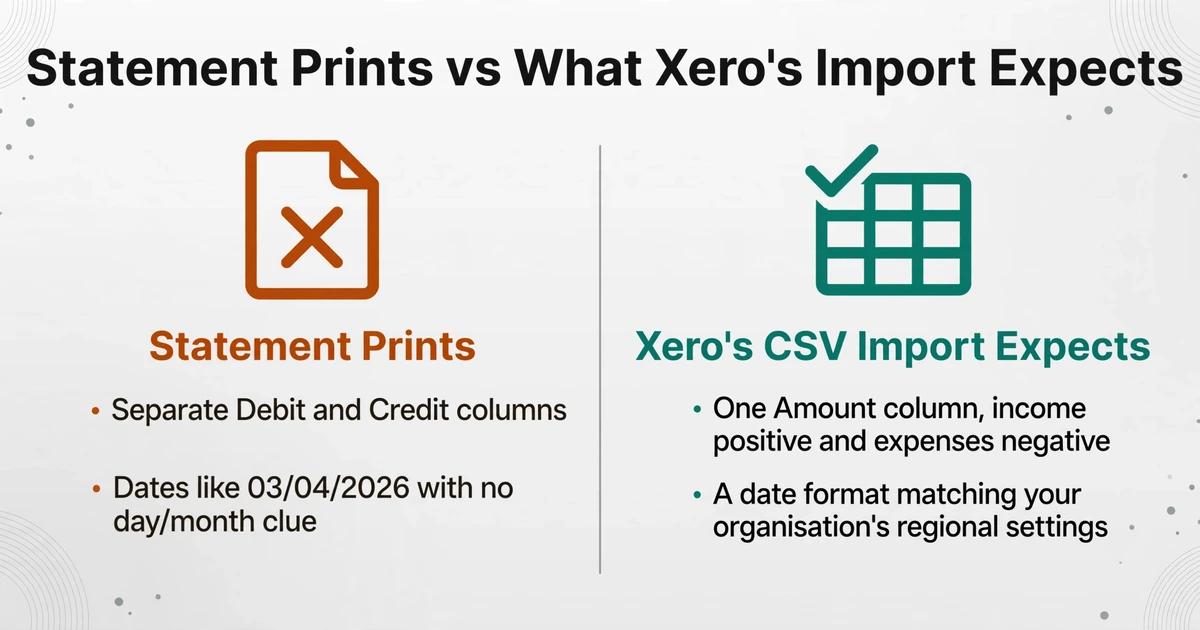
The second is format. A generic PDF-to-CSV converter copies what it sees, and what it sees is rarely what Xero's import wants. Xero's own import guide sets a specific shape: Date and Amount are the required fields, income and expenses must sit in one Amount column with expenses negative, decimal commas are not allowed, and the Description column lands under Particulars once inside Xero. A converter that mirrors the statement instead of the destination hands you two amount columns where Xero needs one, or text amounts carrying currency symbols and thousands separators.
| What the statement often prints | What Xero's CSV import expects |
|---|---|
| Separate Debit and Credit columns | One Amount column, income positive and expenses negative |
| Dates like 03/04/2026 with no day/month clue | A date format matching your organisation's regional setting |
Amounts as $1,234.56 | Digits only, no currency symbol and no thousands separator |
| A payee name close to, but not exactly, the Xero contact | The exact contact name, or Xero creates a duplicate contact |
| An opening and closing balance line | Left out; they are not transactions |
Add the boundary problem and the picture is complete. A file that reaches into dates the feed already covers produces duplicates, and Xero's duplicate detection on a CSV is helpful but not a guarantee. The work of getting a historical year into Xero is therefore less about conversion speed than about producing rows in the right shape, with the wrong ones kept out.
Turning the Statement PDFs Into the CSV Xero Expects
The months the feed never saw are still sitting in the statement PDFs, and they can be read into one table instead of being keyed row by row. The mechanism that makes this work is worth naming, because it is not the same as the template OCR that older converters use. It is Custom Column Extraction: you type the field names you want, and the AI locates each value anywhere on the page by understanding what it means, rather than by matching a fixed layout. The names you type become the exact header row of the output file, which is what lets the result line up with Xero's import mapping instead of arriving as anonymous columns.
Name the columns Xero recognises. For a bank statement the useful set is Date, Amount, Payee, Description, and Reference. Because Description displays as Particulars inside Xero and Payee drives contact matching, keeping the bank's narrative in the file is what makes reconciliation faster later. Name a single Amount column and the extraction reads the statement's debit and credit positions to fill one signed value, which is the layout Xero insists on. If your source prints debit and credit as two columns and you would rather keep them until review, name those instead.
Getting the numbers into import shape is a separate step from reading them, and it is where most of the manual cleanup usually goes. Dates are standardized during extraction rather than copied as printed, so the column matches the format you confirm at the import stage instead of carrying an ambiguous rendering. Amounts come out as real numbers, with currency symbols and thousands separators stripped. Debits and credits resolve into the single signed column Xero requires. A computed column can carry the arithmetic that would otherwise be done in a spreadsheet, such as deriving a value from the extracted figures, so the file is shaped correctly at the point of extraction rather than after it.
Statements arrive in batches, so the handling should be batch-shaped too. Batch processing means uploading every statement across every account at once and merging the results into one spreadsheet rather than downloading twelve files and stacking them by hand. Where a single account's statement runs across several pages, Multi-Page Merge folds the pages back into that account's rows so page two does not become a stray table. Password-protected statements, which banks use often on monthly PDFs, can be unlocked automatically with a stored password instead of being opened one by one. The output of all this is the point to be clear about: it is an import-ready CSV, and the job of this tool ends there.
Files are processed securely and not stored.
If you want the step-by-step mechanics of the extraction itself, they are covered in why traditional OCR fails on bank statements and how AI extraction fixes it, and the field-level fundamentals live in the complete guide to bank statement data extraction. If your destination is a spreadsheet you will reconcile in rather than a ledger import, the same conversion feeds a reconciliation pipeline built in Google Sheets, and the convert page for turning bank statement PDFs into an import-ready CSV covers the file shape in more detail.
How to Judge a Tool for This Job
Most bookkeepers already own a capture tool. Hubdoc ships with many Xero plans, and Dext is common in practices that process receipts and bills at volume. Both touch bank statements, but neither is built around the specific job of reconstructing a missing period, so the real question is not which brand to pick. It is what to test before you trust a tool with a year of someone else's history. Four things separate a tool that finishes this task from one that creates a second cleanup.
| What to test | Why it decides the outcome here |
|---|---|
| Does the output already carry Xero's names, Date, Amount, Payee, Description, Reference? | If the columns are already named the way Xero maps them, the import step is a confirmation. If not, you rename and reformat before importing, which is where date and amount mistakes get introduced. |
| Can you verify a value against the page without re-reading the statement? | A historical batch is exactly where a dropped or misread row hides. Being able to click an extracted figure and see the spot it came from turns a full re-read into a spot check. |
| What does it charge per statement, not per month? | Backfilling several years across several accounts is a burst of volume, not a steady drip. Per-page metering makes a long statement expensive; a subscription can be cheaper for the burst and wasted afterwards. |
| What happens to the file after conversion? | You are handing over bank records. Whether the document is stored, retained, or used to train anything is a legitimate reason to walk away. |
The cost point is concrete. In an r/Bookkeeping thread comparing PDF-to-CSV options, a user noted that AutoEntry processes bank and credit card statements at three credits per page, which makes a long history add up fast; the same thread flags that Hubdoc and Dext offer statement conversion but with some glitches to work around. The pricing models genuinely differ, and which is cheaper depends on whether your volume is a one-off catch-up or an ongoing flow.
The data-handling point is the one that decides the search. A tool for this job should tell you plainly what it does with the file, and should not require the statement to be fed into a pipeline you cannot inspect.
The right test is not brand recognition. It is whether the tool produces Xero-shaped columns, lets you verify a figure against the page, prices the burst of volume sensibly, and is honest about what it keeps.
The last criterion is the least discussed and the most useful: does the tool stop where it should? Converting statements and reconciling an account are different jobs, and a tool that blurs them will overpromise on the part your ledger should own. If you want the arithmetic of manual versus automatic statement entry laid out in cost terms first, the monthly cost comparison puts numbers on it.
What This Approach Does Not Do
Being clear about the boundaries matters more than the capability list, because a historical rebuild is exactly where an inflated promise costs the most time.
There is no Xero connection and no posting
The output is a CSV you import yourself. Nothing is written into Xero automatically, no statement lines are created for you, and no journal entries are posted.
It does not categorize or reconcile
Mapping transactions to your chart of accounts, matching them against the ledger, and reconciling each period stay with you and Xero. The conversion stops at the structured rows.
It cannot recover what the bank no longer issues
If the bank will not supply an old statement and nobody kept it, there is nothing to extract. Older statements sometimes have to be requested from the bank, and some institutions charge for them.
Overlap and locale are still yours to control
Trimming the file to end before the feed's first line is a manual discipline, not an automatic one, and the spreadsheet or tool that opens the CSV still applies its own regional date and decimal settings.
FAQ
Why can't Xero's bank feed show transactions from before I connected the account?
Because a feed only delivers what the bank sends from the moment of connection forward. When you first connect an account, Xero requests whatever history the bank will serve, which is often only a few months, and anything older was never fetched. The transactions are not missing from the bank; they were simply never sent to Xero, so they have to be imported from the statements.
What columns does Xero need in a CSV bank statement import?
Date and Amount are the required fields, and Date and Amount must be mapped at the import step. Income and expenses belong in one Amount column, with expenses negative, written as -30.00 or (30.00). Payee, Description, Reference, and Cheque Number are optional but recommended; Description appears as Particulars in Xero, and Payee should match an existing contact exactly to avoid creating duplicates.
Can I import several years of statements into Xero in one file?
You can build one file from many statements, but it is safer to import account by account and period by period so each month can be reconciled against the original statement. Converting all the PDFs first and then importing in chronological order is also a practical way to spot gaps between months before they reach the ledger.
What happens if I import a period the bank feed already covered?
You get duplicates. Xero flags some suspected duplicates during reconciliation, but it does not block the import outright, so the safe approach is to find the earliest line the feed already delivered and make sure the historical file ends before that date. If duplicates do land, delete the overlapping statement lines before reconciling them.
How accurate is extracting statements compared with typing them?
Extracting the rows removes the typing errors that come with manual entry, but it does not remove the need to check: comparing the first and last extracted balances against the statement's printed opening and closing figures is the fastest way to catch a dropped or misread row.
Does Dext or Hubdoc handle the historical backfill for me?
Both can process bank statements, but they are built primarily around capturing bills and receipts into a ledger, and the historical period is a burst of statement volume rather than their steady workload. Neither will post the transactions into Xero for you, and neither removes the need to set the boundary yourself. The useful question is whether a tool produces the Xero column shape, lets you verify a figure against the page, and handles a run of long statements at a sensible cost.
The point of rebuilding from statements is not to make the feed look more complete than it is. It is to accept that a live connection only ever shows a window, and to close the months it never saw with the one document that records them end to end. The feed keeps handling the present; the statements settle the past.
Gather the statements for the months your feed skipped, name the columns Xero expects, and turn the whole folder into one import-ready CSV. See how it works on your own statements.