How to Convert
Deutsche Bank Statements to Excel
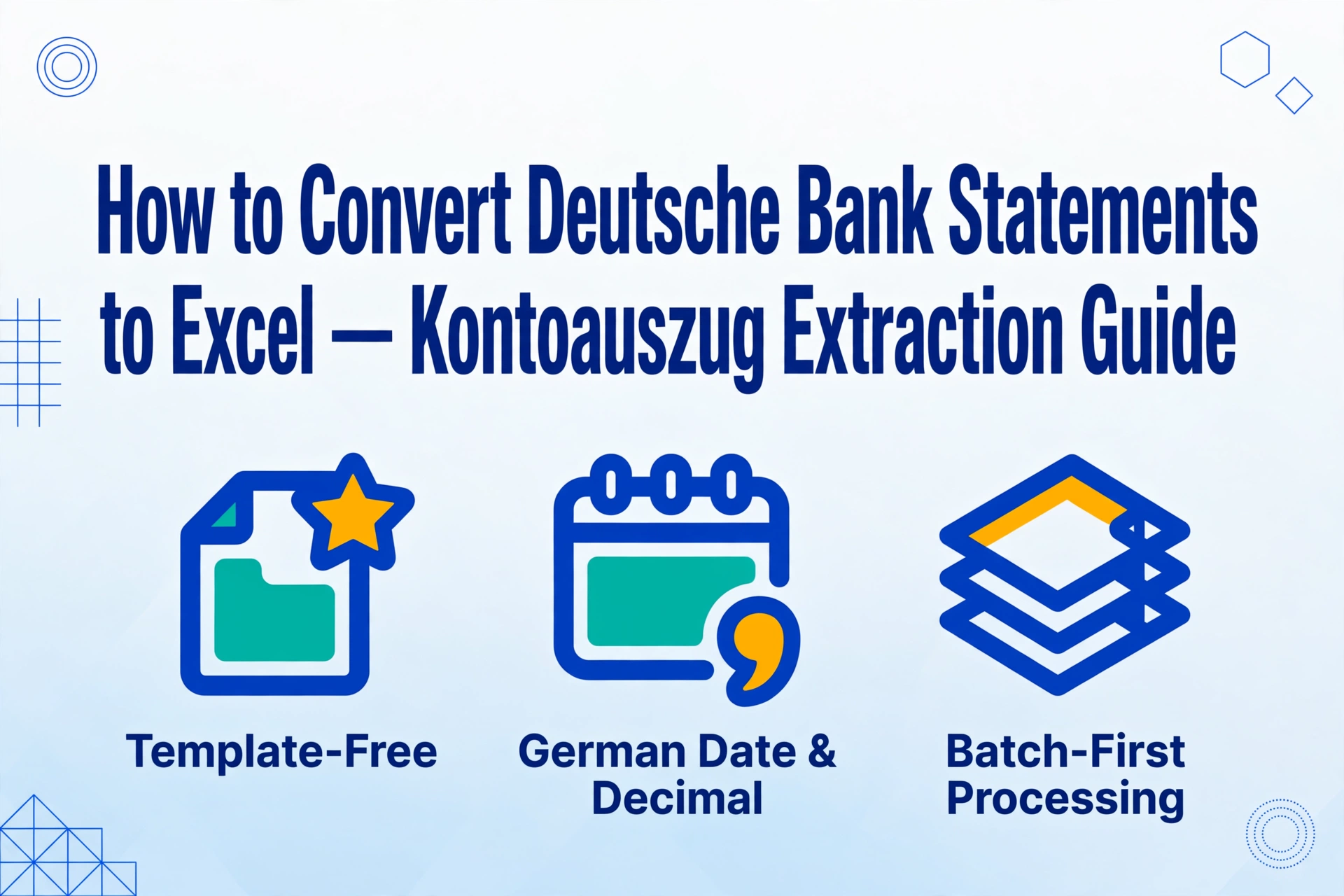
Most bank statement extraction tools treat every PDF the same. But a Deutsche Bank Kontoauszug isn't a generic statement — it carries dual date columns, comma-formatted numbers that Excel misreads, and German transaction codes that don't appear on statements from other countries.
Key Takeaways
- You trust your PDF converter to preserve numbers as-is — but a Deutsche Bank Kontoauszug pasted into English-locale Excel silently flips March 5 to May 3 and drops every fractional cent.
- The comma-decimal notation on a single page looks harmless — but over 12 statements the compounded rounding error can shift your annual totals by hundreds of euros.
- Semantic extraction reads dates and amounts by what they mean, not where they sit on the page — so Buchungstag stays March 5 and €1,234.56 stays €1,234.56 in your export.
Understanding the Deutsche Bank Kontoauszug Format
A Deutsche Bank Kontoauszug looks similar to other bank statements at first glance — a list of transactions with dates and amounts. But the surface similarity hides several quirks that matter when you try to get the data into Excel.
The statement layout uses a four-column structure: a booking date column (Buchungstag), a value date column (Wertstellung), a transaction details column (Verwendungszweck), and an amount column (Umsatz). Each page carries a running balance (Saldo) and a statement number (Kontoauszug Nr.) that increments sequentially with each monthly issue.
The amount column uses German decimal notation — a comma as the decimal separator (1.234,56 instead of 1,234.56). Dates appear in DD.MM.YYYY format. Both of these differences cause problems when you paste the data directly into an English-locale Excel workbook. More subtly, the two date columns serve different purposes: Buchungstag is when the bank processed the transaction, while Wertstellung (value date) determines when interest accrual starts. For cash flow analysis and reconciliation, both are relevant.
Transaction descriptions include type codes specific to the German payment system — SEPA-Basislastschrift (basic direct debit, typically used by businesses collecting from consumers), SEPA-Firmenlastschrift (business-to-business direct debit), Gutschrift (incoming credit), Lastschrift (outgoing debit), Kartenzahlung (card payment), and Dauerauftrag (standing order). Each describes a different payment mechanism, and distinguishing them is important for proper account assignment in German accounting (Buchhaltung).
The statement also includes a Begünstigter/Zahlungspflichtiger (beneficiary/payer) line within the transaction details, the IBAN and BIC of both parties, and sometimes an Info code indicating the transaction channel — whether the payment was initiated through DB Online Banking or the DB Mobile App. For multi-currency accounts, a separate Währung (currency) column appears alongside the amounts.
Deutsche Bank also serves Postbank accounts following the 2010 acquisition, and those statements use a legacy format that differs slightly in column positioning and header style. Investment account statements from db-cash and maxblue introduce additional columns for securities identifiers, share quantities, prices, and exchange fees — extending beyond the standard transaction format.
Why Manual Methods Fall Short for German Bank Statements
The obvious approach — copy the values from the PDF into Excel by hand — has three specific failure points when applied to Deutsche Bank PDFs.
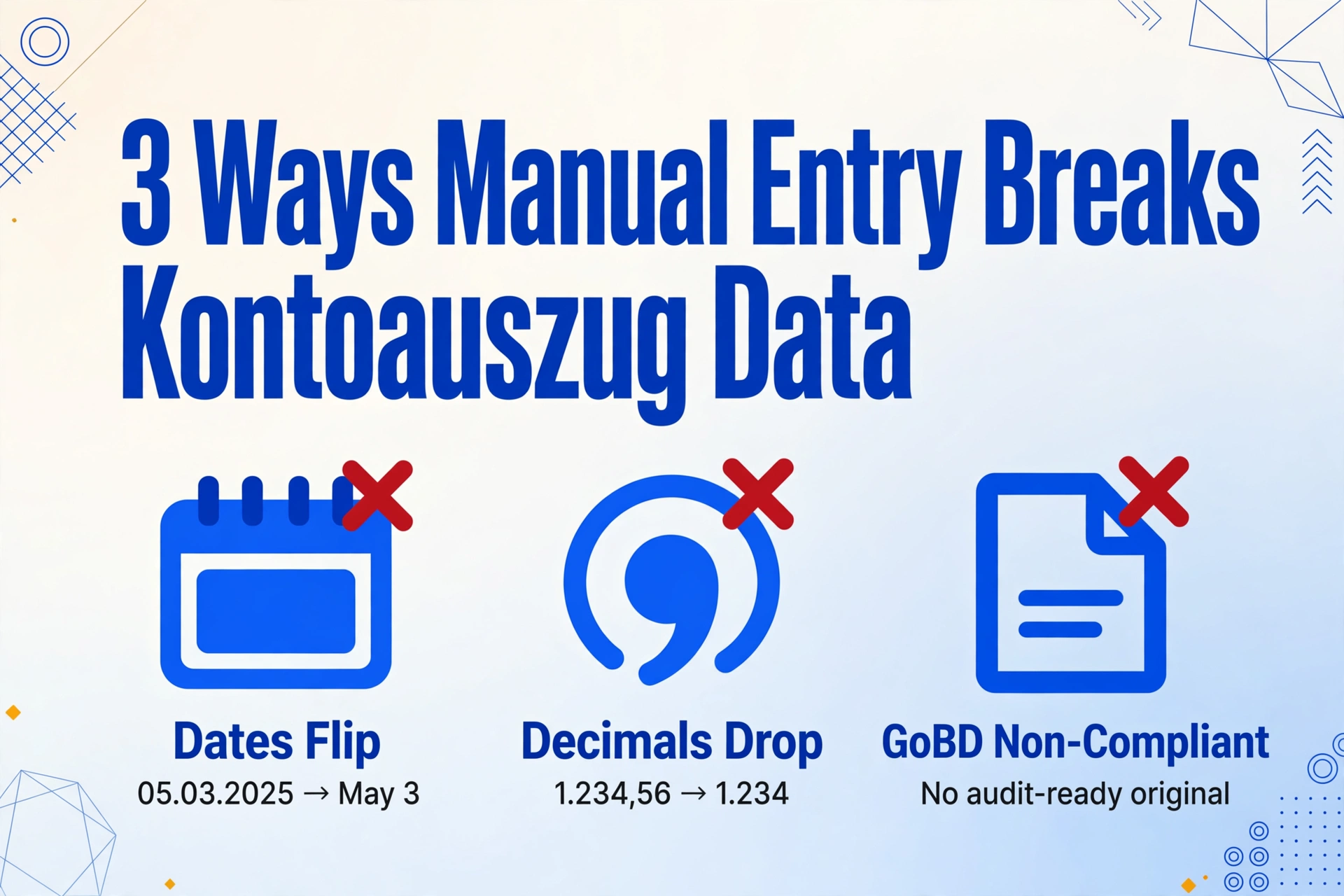
First, the date format. Excel's automatic detection interprets 05.03.2025 as May 3rd instead of March 5th when the workbook locale is set to English. If you process a full year of statements and only notice the flip at reconciliation time, every single date column needs correction. Manual reformatting of 12 months of transactions takes 30–60 minutes even for a focused person.
Second, the decimal notation. When you paste 1.234,56 into an English-locale Excel cell, the software reads the period as the decimal point and sees 1.234, dropping the fractional cent amount entirely. A batch of small-value SEPA debits that should total €4,812.83 becomes €4,776 because the rounding error compounds across dozens of rows. Catching this requires checking every single amount column against the original PDF — which is precisely the work you were trying to avoid.
Third, GoBD compliance. German tax law requires businesses to retain original-format bank statements for 10 years under §147 AO (Abgabenordnung — Fiscal Code) and make them available in machine-readable form during audits. A manually typed Excel sheet does not count as an original record. The GoBD (Grundsätze zur ordnungsgemäßen Führung und Aufbewahrung von Büchern, Aufzeichnungen und Unterlagen in elektronischer Form) framework explicitly requires immutability, traceability, and completeness of digital records. So even if you do the copy-paste work carefully, you still need the original PDF for audit purposes — you've doubled your document workload instead of reducing it.
What AI Extraction Does Differently
AI extraction replaces the position-based approach of traditional OCR with semantic understanding. Instead of saying "find text at coordinates (120, 340) and label it 'transaction date'", a vision-language model reads the document the way a person would — it identifies what each piece of text means based on context, column headers, and spatial relationships.
For Deutsche Bank statements specifically, this means the AI does not need a predefined template for the standard four-column layout, the Postbank legacy variant, or the maxblue investment format. It identifies the Buchungstag column by recognizing the header label, reads the Wertstellung column beside it, and distinguishes between the two even when a statement uses abbreviated column headers. You define the output columns you want — Buchungstag, Wertstellung, Verwendungszweck, Umsatz, Saldo — and the AI locates the corresponding values on every page regardless of layout variations.
This is fundamentally different from template-based tools (Docparser, Parseur, ABBYY) that require you to define a zone for each field per layout. If Deutsche Bank changes its statement design — which they do periodically when updating the Online Banking interface — template-based tools break until someone updates the zones. A semantic extraction engine adapts to the new layout automatically because it reads by meaning, not by position.
The same principle applies to number format handling. The AI outputs amounts in a consistent machine-readable format — standard decimal notation — regardless of whether the source PDF uses a comma or a period as the decimal separator. Dates are converted to ISO format (YYYY-MM-DD) internally, then rendered according to your preference. The DD.MM.YYYY → date confusion problem disappears at the extraction layer instead of needing post-processing fixes in Excel.
How to Convert Your Deutsche Bank Statement in 4 Steps
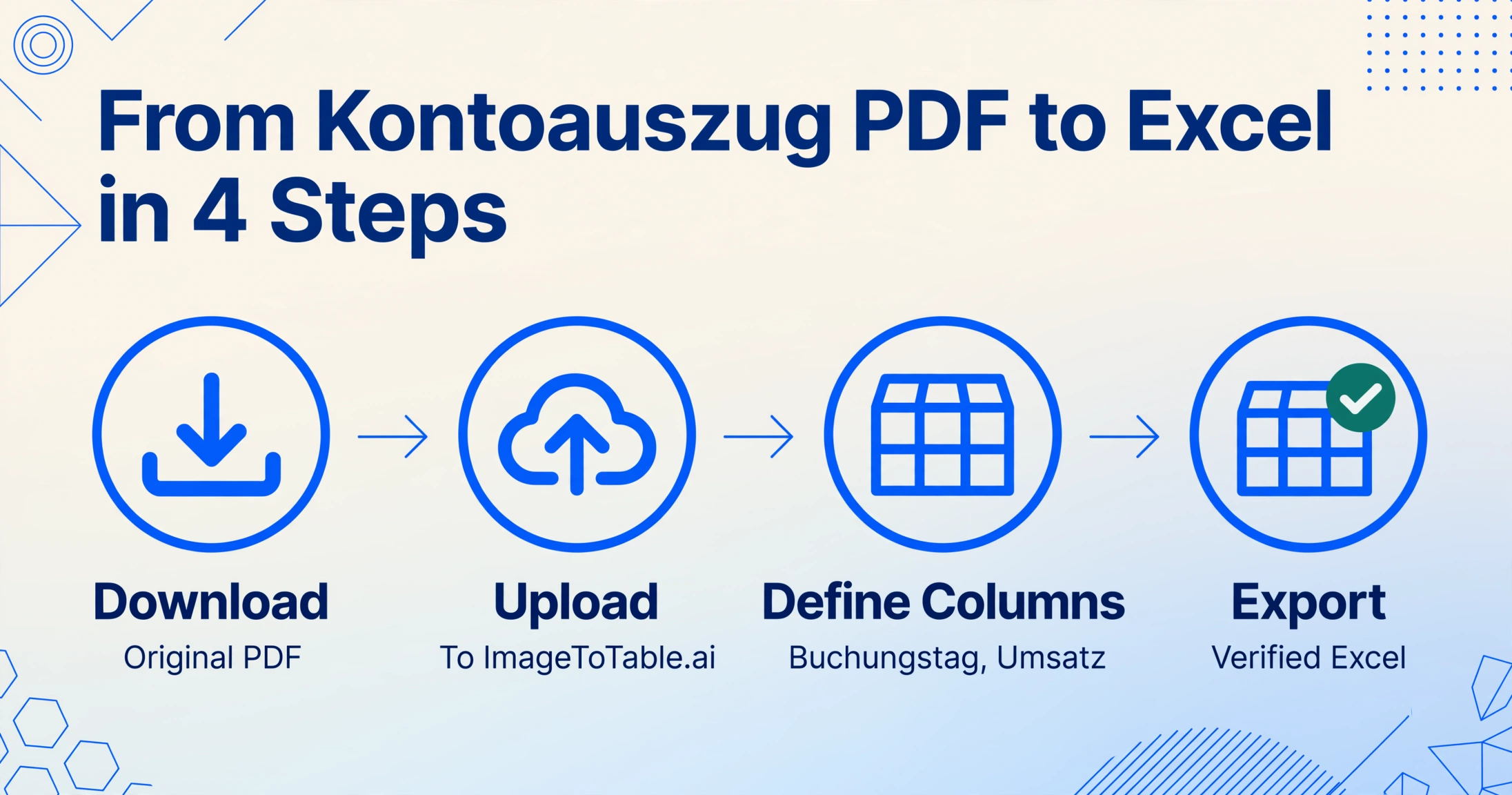
Here is the practical workflow for turning a Deutsche Bank Kontoauszug PDF into a structured Excel table, from download through export.
Log into DB Online Banking, navigate to your account, and open the Statements or Digitales Postfach section. Download the Kontoauszug as an original-quality PDF — not a printed scan, not a screenshot. The PDF generated by the banking system contains machine-embedded text that the AI reads with maximum accuracy. If you only have a paper statement, scan it at 300 DPI or higher with good contrast.
Open the guest upload page or log in to your account. Drag your PDF into the upload area. The tool accepts PDF, JPG, PNG, and WebP — including password-protected PDFs if you have the password saved in your account settings.
Enter the column names you want in your table. For a Deutsche Bank statement, a typical column set would be:
Buchungstag, Wertstellung, Verwendungszweck, Begünstigter/Zahlungspflichtiger, IBAN, Umsatz, Währung, Saldo, Kontoauszug Nr.. If you are not sure which columns you need, select the bank-statement preset — it pre-fills a sensible default set that covers the standard transaction fields. The AI locates each defined column on the document by understanding what the label means.Click to start processing. In 5–10 seconds per statement page, the AI returns the extracted data as a structured table. Export as Excel (.xlsx) or CSV (.csv). If you are working with multiple months, upload all PDFs at once — the batch mode processes them together and merges the output into one unified spreadsheet.
Try it directly on your own Deutsche Bank Kontoauszug: the guest demo works without registration, and no files are stored after processing.
Files are processed securely and not stored.
Handling Buchungstag and Wertstellung in Your Spreadsheet
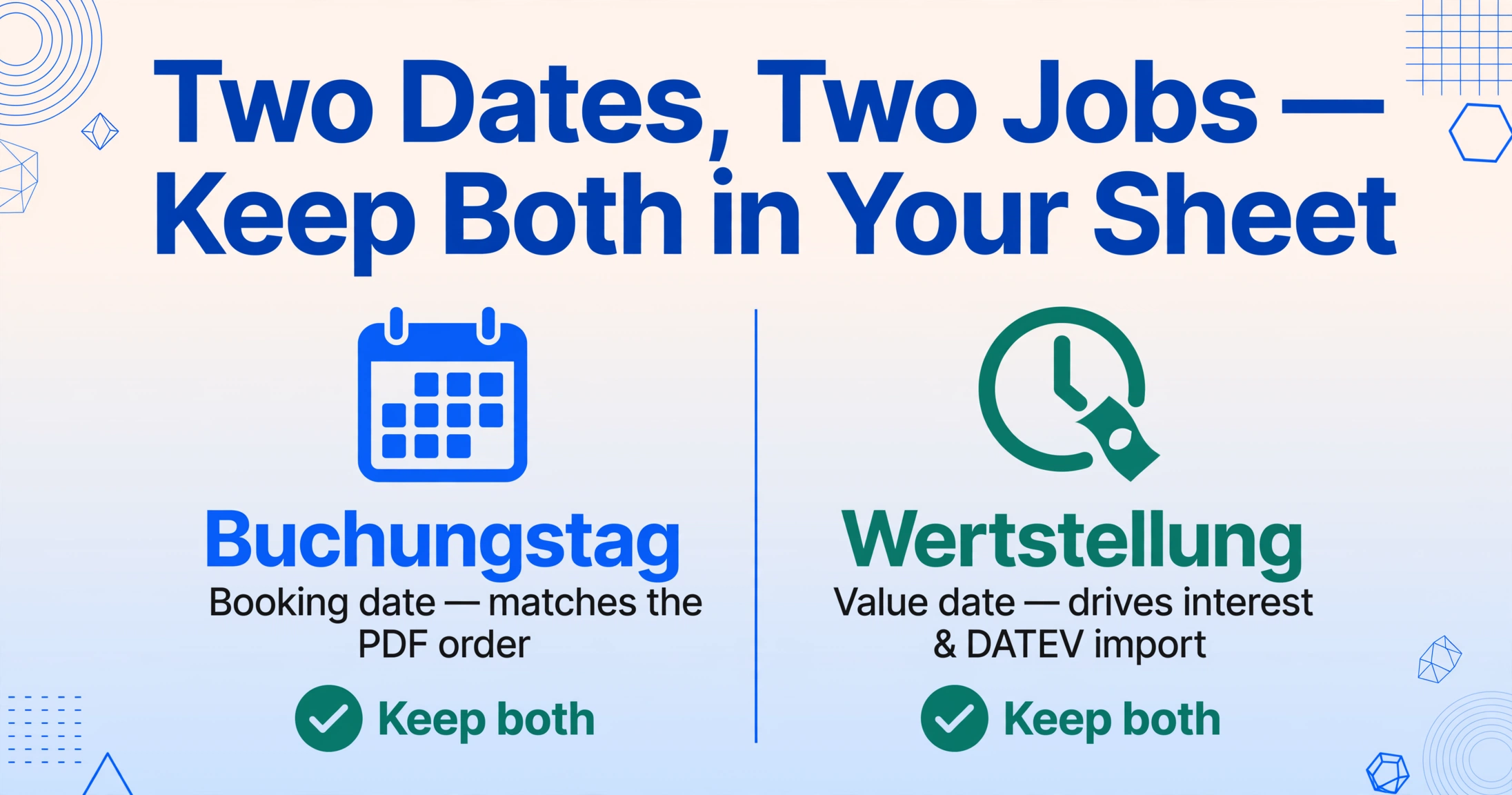
The dual-date format is one feature of German bank statements that consistently trips up first-time users. Buchungstag (booking date) is when the bank credited or debited the account. Wertstellung (value date) is when the funds actually become available or start accruing interest. For a SEPA direct debit, these two dates are usually identical. But for cheques, foreign transfers, or transactions processed over a weekend, they can differ by 1–3 business days.
When you have both dates in your spreadsheet, sorting by Buchungstag gives you the chronological order the bank uses on the statement — useful for matching against the original PDF page by page. Sorting by Wertstellung gives you the actual cash flow timing — useful for interest calculations and cash position analysis. Keeping both columns means you do not have to choose. Many German accounting teams use Wertstellung for DATEV import (where it maps to the Belegdatum field) and Buchungstag for internal matching.
In your extracted spreadsheet, both dates should appear in a consistent machine-readable format — either ISO (2025-03-05) or DD.MM.YYYY depending on your regional preference. The key is that the extraction tool handles the conversion, so you never paste a date into Excel and watch it flip month and day.
Preparing Data for German Accounting Software
A spreadsheet with all transactions extracted is useful. A spreadsheet formatted for your German accounting software is where the time savings compound. The three most common destinations for Deutsche Bank statement data are DATEV, lexoffice, and sevDesk — and each has specific format requirements.
DATEV is the dominant system used by German tax advisors (Steuerberater). It expects CSV files with semicolons as delimiters (not commas), commas as decimal separators, specific character encoding (ANSI/Windows-1252, not UTF-8), and a specific column order. The chart of accounts follows either SKR03 or SKR04 — the two standard German account frameworks. If your exported CSV is intended for direct DATEV import, the booked amounts need correct debit/credit sign conventions and, for business accounts, appropriate tax keys assigned per transaction type. Many accounting teams prefer to export a clean standard CSV and let their tax advisor handle the DATEV mapping, but verifying that the exported CSV uses semicolons and the right encoding avoids a common source of import rejection.
lexoffice (formerly Lexware Office) accepts CSV imports with its own column mapping, and requires that IBAN and BIC be present in the transaction data. sevDesk supports direct bank statement import through its API. For both platforms, having the Wertstellung column mapped to the booking date field and the Verwendungszweck (purpose) field populated with the full transaction description ensures the imported transactions reconcile correctly against the bank feed.
If you export your extracted Deutsche Bank data as a clean CSV with explicitly named columns — Buchungstag, Wertstellung, Verwendungszweck, Umsatz, Währung, IBAN — you or your Steuerberater can map these to the target system's fields with minimal effort. The alternative is retyping 12 months of transactions into a DATEV input mask, which runs 15–30 minutes per statement page depending on transaction count.
Batch Processing Multiple Statements for Year-End
Year-end accounting in Germany means collecting all 12 Monatsauszüge for each business account, extracting the data, and reconciling the annual totals against your Buchhaltung records. For a business with a single Deutsche Bank business account, that is 12 PDFs. For a GmbH with a main operating account, a VAT/cash pool account, and a payroll account, that is 36 PDFs every December.
Uploading them one by one and exporting each separately duplicates the effort of manual entry. A batch-first approach means you upload all PDFs in one session, and the tool processes them together, merging every page into a single output table. The running balance (Saldo) at the end of each page should match the opening balance on the next page — a consistent Saldo across the full output confirms extraction accuracy without checking each number against the source.
For the year-end handover to your Steuerberater, the merged Excel file should include the Kontoauszug Nr. column so each transaction is traceable to its original monthly statement page. This traceability directly supports the GoBD requirement for audit-ready digital records — if the Finanzamt requests supporting documentation for a specific booking in March, you identify the Kontoauszug Nr. from the spreadsheet, pull the original PDF, and the audit trail is complete in under a minute.
Staying GoBD Compliant with Digital Bank Statements
GoBD compliance for bank statements rests on three requirements: completeness (every transaction recorded without gaps), immutability (no subsequent modification of original records), and machine readability (data must be retrievable and evaluable through automated means). A manual copy-paste job into Excel fails all three — it is incomplete by design (you skip fields), editable without audit trail, and lacks a structured data layer that an auditor's IDEA tool could query.
An AI-extracted spreadsheet preserves the complete transaction set from the original PDF. The original PDF remains stored as the immutable record (GoBD requires 10-year retention under §147 AO), while the extracted Excel file serves as the machine-readable working copy. If you store both — the original PDF in a GoBD-compliant archive and the extracted Excel for daily use — you satisfy the auditability requirement without locking yourself into a single workflow.
For password-protected bank statements (many Deutsche Bank digital statements are delivered as encrypted PDFs), the ImageToTable.ai Email Inbox feature can apply pre-configured passwords automatically when forwarding statements from your registered email address — no manual decryption step needed. The extracted data flows straight into your account's processing queue, and the original encrypted PDF is retained for archival.
Frequently Asked Questions
Can the AI handle password-protected Deutsche Bank PDFs?
Yes. You can save passwords in your account settings, and they are tried automatically against incoming encrypted PDFs. This works both for direct uploads and for statements forwarded via the Email Inbox feature.
Does the extraction work for Postbank legacy format statements?
Yes. The AI reads Postbank format statements (which use a slightly different column layout from standard Deutsche Bank statements) without needing a separate template. Layout variations in legacy formats are handled the same way as the current Kontoauszug format.
What about maxblue or db-cash investment account statements?
These statements include additional securities-specific columns — Wertpapierkennnummer (security ID), share quantity, price, and fee breakdowns. The extraction works with these formats too; you simply add the relevant column names when defining your output.
Can I export directly in DATEV format?
The tool exports standard CSV and Excel. DATEV has specific requirements for delimiter (semicolon), encoding (ANSI/Windows-1252), and account framework (SKR03/SKR04). A clean CSV export from the tool can be post-processed into a DATEV-compliant file, or handed directly to your Steuerberater who will handle the import format. Pre-configured DATEV profiles are not currently available — the exported data is a structured intermediary.
How many months of statements can I process at once?
There is no hard limit. Each statement page is counted against your plan's page quota. Batch processing merges all selected files into one output table, with a Kontoauszug Nr. column identifying the source month for each transaction row.
Is the comma-to-period decimal conversion built in?
Yes. The AI reads German decimal notation (1.234,56) from the source PDF and outputs amounts in standard decimal format (1234.56) in the exported Excel or CSV. No post-processing or find-and-replace step is needed.
How does GoBD apply to AI-extracted bank statement data?
The original PDF remains the immutable record (10-year retention under §147 AO). The extracted Excel file is a working copy for analysis and import into accounting software. As long as the original PDF is stored in a compliant archive (unalterable, retrievable, machine-readable), the extraction layer does not create a compliance issue. Always retain the original PDF alongside any generated output.
The key insight: Deutsche Bank statements are not "bank statements with German labels" — they are a structurally different document type with dual dates, alternate decimal conventions, and transaction codes specific to the German payment system. A conversion workflow that ignores these differences produces spreadsheets with offset date values, misplaced amounts, and reconciliation mismatches. Handled correctly, extraction takes 5–10 seconds per page and delivers data ready for DATEV, lexoffice, or direct Excel analysis.
Convert your own Deutsche Bank statement on the guest page — no registration, no file storage. Or sign up for a free account to save templates, process batches, and access the Google Sheets add-on for direct extraction into your workbook.