Receipt Mistakes Costing Freelancers
$2,400 in Deductions Every Year
I found the receipt. It was a Home Depot slip from a project last March — $127.43 for lumber, screws, and sandpaper. The problem wasn't that I couldn't find it. The problem was that after 11 months in a desk drawer, the thermal paper had faded to a ghost. The date was illegible. The merchant name was a pale gray smudge. The deduction was real. The proof wasn't.
Key Takeaways
- Most freelancers who blame themselves for bad record-keeping don't know that thermal paper — the glossy heat-sensitive coating on most retail receipts — chemically self-destructs to illegibility in 6 to 12 months, regardless of how neatly it's filed.
- The IRS requires five documentation elements to substantiate every business expense — Amount, Time, Place, Business Purpose, and Business Relationship (who you met with) — but a standard credit card receipt captures only three, and the missing two aren't missing because you forgot them.
- Fixing this gap doesn't require becoming a bookkeeper — ImageToTable.ai extracts date, vendor, and amount from any receipt format (faded paper, email, phone screenshot) into a structured spreadsheet, so the only thing left to add is the Business Purpose note that transforms an expense into an audit-proof deduction.
The Deduction Was Real. The Receipt Wasn't Ready.
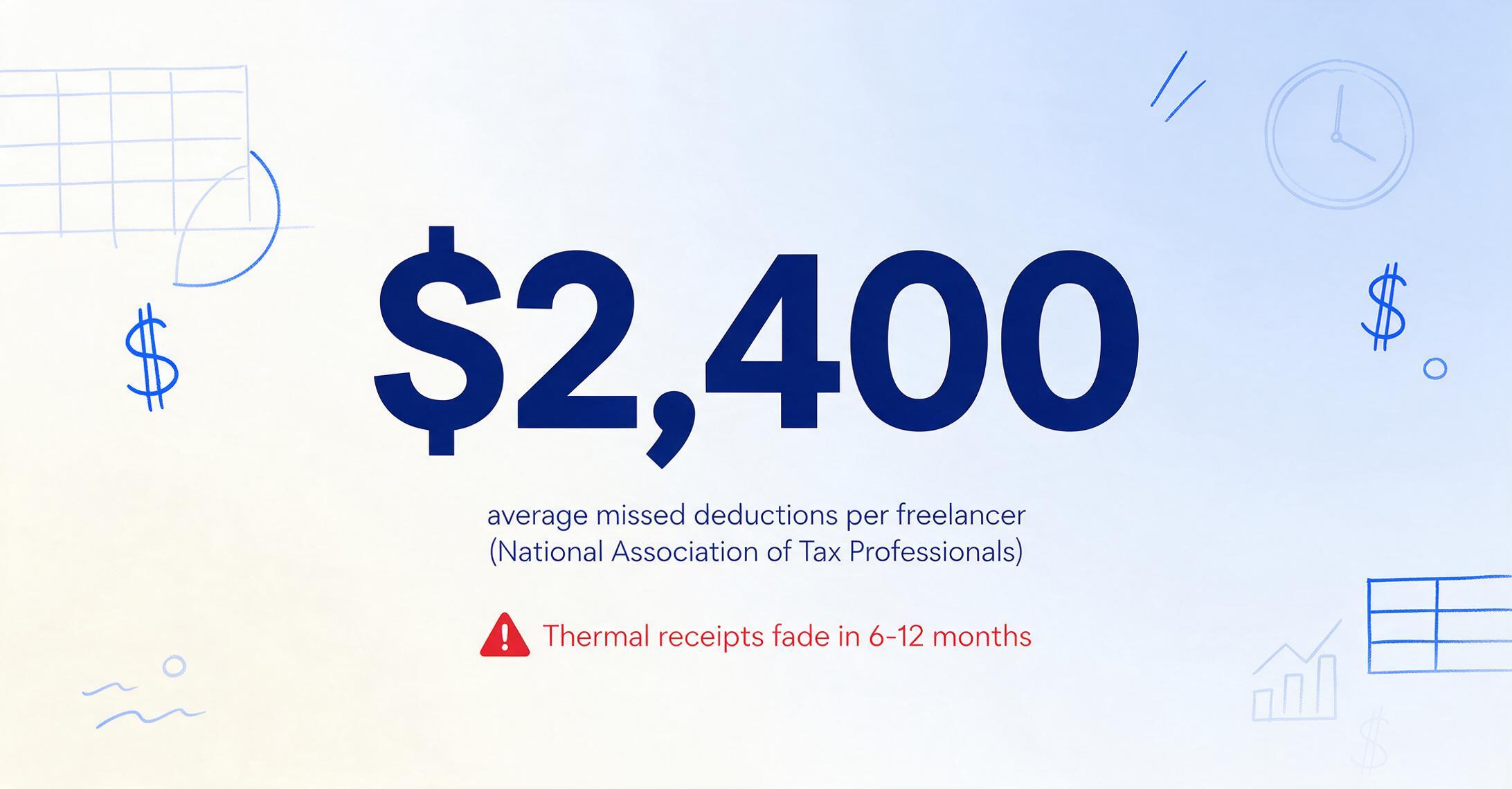
That Home Depot slip isn't a rare failure. It's the default outcome. Most retail receipts are printed on thermal paper — a heat-sensitive coating that darkens when the printer head touches it and oxidizes when exposed to light, heat, or humidity. The U.S. Chamber of Commerce warns that thermal receipts degrade to illegibility within 6 to 12 months under normal storage conditions. If you're a freelancer who collects receipts all year and touches them at tax time, every receipt from the first half of the year has been quietly degrading in whatever container you put it in.
I kept mine neatly filed by month. Still didn't matter. The chemistry doesn't care about your organizational system.
The research backs up what anyone who's filed a Schedule C already suspects. Freelancers without systematic expense tracking miss an average of $2,400 in legitimate deductions annually, according to the National Association of Tax Professionals. The National Association for the Self-Employed puts the figure even higher — $3,000 to $5,000 per year in missed deductions for independent workers. That's not money you failed to spend. It's money you did spend — on materials, software, travel, meals — and then couldn't prove you spent for business.
Missing deductions are one kind of problem. Self-employment tax is 15.3% — your share of Social Security and Medicare, plus the employer share that a W-2 company would have paid on your behalf. Every dollar of deductible expense you fail to claim gets taxed at your marginal income tax rate and that 15.3% on top. A missed $1,000 deduction at a 22% marginal rate plus self-employment tax costs you roughly $373 — not in some hypothetical future, but on this year's actual return. $2,400 in missed deductions translates to roughly $895 in unnecessary tax paid. Every year.
Most freelancers don't lose deductions because they don't know what's deductible. They lose them because the documentation isn't ready when the IRS asks for it — and no deduction survives without documentation. This article is about the specific documentation mistakes that kill deductions, the IRS rules behind them, and what fixes each one.
"I Thought I Had All My Receipts." You Probably Do. They're Just in Five Different Formats That Don't Talk to Each Other.
The freelance receipt pile isn't a single pile. It's at least three formats scattered across different tools:
- Paper stubs — the Home Depot receipt from project materials, the Staples receipt for office supplies, the parking garage ticket from a client meeting. These are actively fading.
- Email confirmations — Amazon Business orders, software subscription receipts (Adobe, Notion, QuickBooks), domain renewals, annual SaaS payments. Buried in an inbox with thousands of other messages, searchable only if you remember the vendor name exactly.
- Phone screenshots — the Uber receipt after a client visit, the Square receipt texted by a supplier, the Venmo payment for a contractor. Your camera roll names them IMG_5821.png, not "March_HomeDepot_ProjectSupplies."
Each format has a different failure mode. Paper receipts fade. Email receipts get lost in search — you know you spent $179 on Adobe, but finding the receipt in your inbox takes three minutes. Phone screenshots have no metadata connecting them to a tax category. At tax time, you're not organizing expenses — you're doing archaeology across three different mediums, each with its own retrieval problem.
A post on r/smallbusiness captured it: "I've been drowning in receipts for tax season. Currently using a shoebox method (don't judge me)." On r/indiebiz, another freelancer wrote: "I've realized I'm terrible at keeping receipts organized — I usually just have random screenshots." And on r/tax, the emotional toll: "Self-employed with zero records/receipts. Paralyzed with fear."
These aren't disorganized people. They're people whose documentation system — "keep everything, figure it out later" — worked until the volume hit a critical point where later meant never. What makes this worse is that most of these receipts could be converted into structured, tax-ready records in minutes with the right approach. A receipt extraction tool that reads fields — date, vendor, amount, category — and outputs them into a spreadsheet simultaneously captures all four IRS documentation elements in a single pass. But most freelancers don't discover this until after they've spent a weekend manually typing 200 receipts into Excel.
Format diversity isn't a personal failure. It's a structural problem. Your receipts arrive in the format the vendor chooses, not the format your tax preparer needs. Until you bridge that gap — with a system that normalizes paper, email, and screenshots into a single record — the gap itself is where deductions die.
The Four Elements Nobody Mentioned Until Your CPA Charged You Extra to Fix It
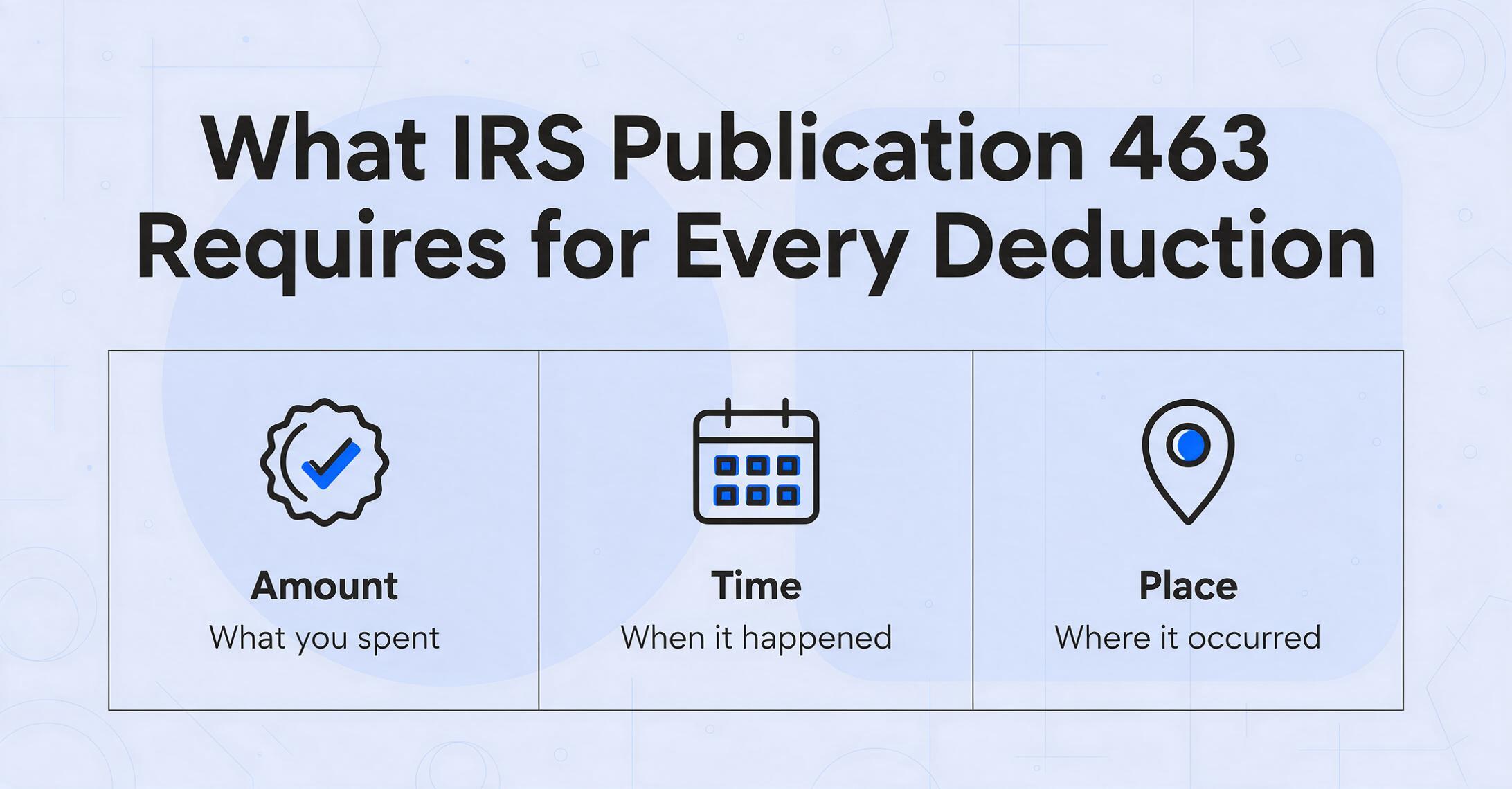
Before we look at specific deduction categories, there's a rule that governs all of them. IRS Publication 463 requires that every deductible business expense be substantiated with four elements: Amount, Time, Place, and Business Purpose. For meals and entertainment, a fifth element is required: Business Relationship — who you met with and their connection to your work.
These aren't suggestions. Treasury Regulation § 1.274-5A codifies them as legal requirements. When a tax court disallows a deduction, it's rarely because the expense wasn't legitimate. It's because the taxpayer couldn't produce records that checked all four boxes. Two recent cases illustrate what happens when documentation falls short:
- In Elbasha v. Commissioner (T.C. Memo. 2022-1), a doctor claimed travel expenses to a medical conference in Cairo. The IRS disallowed them. The Tax Court agreed — not because the trip wasn't professional, but because the taxpayer provided only summary charts without documentation of specific amounts, dates, and business activities for each expense.
- In Eze v. Commissioner (T.C. Memo. 2022-83), an IT consultant claimed vehicle expenses across two businesses. Nearly all were disallowed — not because the miles weren't driven, but because the taxpayer paid many expenses in cash and couldn't produce records linking specific amounts to specific business purposes.
Now look at what a typical freelancer receipt workflow captures. A smartphone photo of a Home Depot receipt captures the amount. The date is usually legible. The place? The merchant name. The business purpose? Almost never captured at the moment of the transaction. Reconstructing "what project was this for?" months later from a receipt that says "2x4x8 KD HT SPF — $3.47" is guesswork. And guesswork is not IRS-compliant documentation.
This gap — between what the law requires and what typical receipt workflows capture — is where the next four mistakes live. Each one is a specific way this documentation gap shows up in a specific deduction category.
The pattern repeats across every deduction category: a legitimate expense, a receipt that captures two or three elements, a missing fourth element (usually business purpose), and a deduction that would fail if tested. Fixing it doesn't require better bookkeeping. It requires changing what information you capture at the moment you incur the expense.
Mistake 1: The Home Office You Can't Prove
The home office deduction is one of the most valuable write-offs for freelancers — and one of the most frequently lost, not because freelancers don't qualify, but because they don't document it correctly or they pick the wrong calculation method.
The IRS requires that a home office be used regularly and exclusively for business (see IRS Publication 587). "Exclusively" means the space serves no other purpose. A spare bedroom with a desk, monitor, and filing cabinet used only for client work? Qualifies. A dining table where you work in the morning and eat dinner at night? Does not. A guest bedroom with a desk that your in-laws use when they visit? Disallowed — and the IRS can request photos to verify.
But the bigger, less obvious mistake is the calculation choice. The IRS offers two methods:
- Simplified method: $5 per square foot, up to 300 square feet. Maximum deduction: $1,500. No Form 8829 required. No depreciation tracking.
- Actual expense method: Percentage of real costs — rent, utilities, insurance, repairs, depreciation. Requires Form 8829.
Most freelancers use the simplified method because it's easy. And for many, it leaves money on the table — sometimes a lot of it.
Take a freelancer renting a 1,200-square-foot apartment for $2,000/month in Chicago, with a dedicated 200-square-foot home office. Under the simplified method: 200 sq ft × $5 = $1,000. Under the actual expense method:
| Expense | Annual Cost | Business % (200/1200 = 16.67%) |
|---|---|---|
| Rent | $24,000 | $4,000 |
| Utilities | $2,400 | $400 |
| Internet | $1,200 | $200 |
| Renter's Insurance | $300 | $50 |
| Total | $4,650 |
Simplified method: $1,000. Actual expense method: $4,650. Difference: $3,650 left on the table — every year. At a 22% marginal rate plus 15.3% self-employment tax, that's an extra $1,361 in unnecessary taxes annually, just from picking the wrong method for one deduction category.
Why freelancers make this mistake: The simplified method takes five minutes. Form 8829 takes 20 minutes and requires tracking actual utility bills, insurance statements, and rent payments throughout the year. The easier option costs thousands. This is the trap — the time you save by picking the simple method gets taken out of your tax refund.
Fix: Calculate both methods before filing. If actual expenses produce a larger deduction (which they usually do for renters in medium-to-high cost areas), invest the extra 15 minutes in Form 8829. Keep monthly utility bills and rent receipts in a digital folder — a once-a-month habit that takes 90 seconds.
Mistake 2: "I Just Estimated My Mileage" — The Log You Never Kept
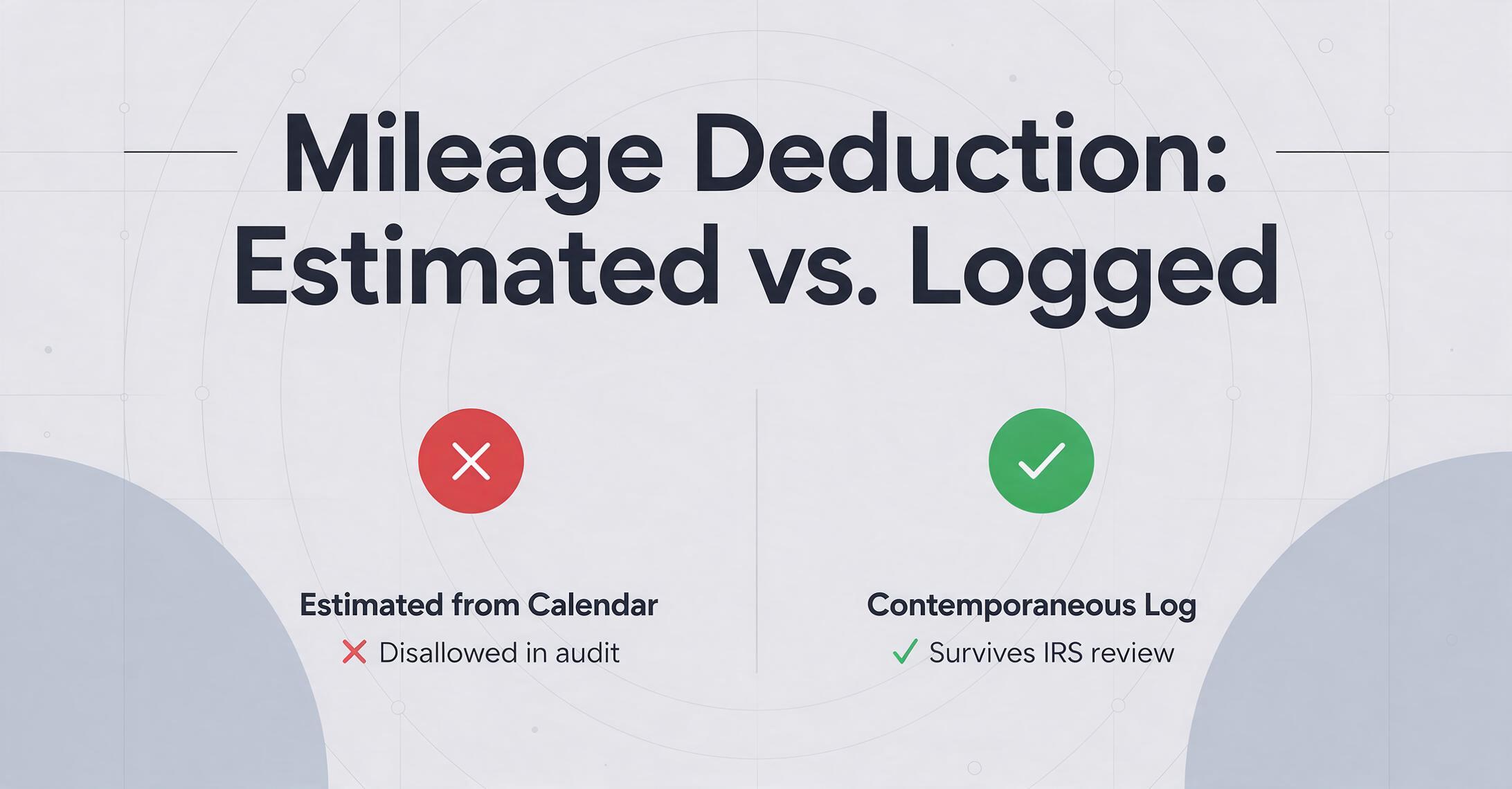
Among freelancers, this might be the single most common documentation mistake. It goes like this: you drive to client meetings, to the office supply store, to the post office to mail contracts. You know these miles are deductible. At tax time, you look at your calendar, count the trips, multiply by a rough distance, and write down a number.
The IRS doesn't accept estimates. IRS rules on business vehicle use require a contemporaneous mileage log — not a reconstruction from your calendar. Each entry must include: date, starting point, destination, business purpose, and miles driven. A log created in March from December's calendar entries will not survive an audit — and the IRS can disallow the entire vehicle deduction, not just the miles you can't prove.
Then there's the election trap, which costs freelancers money years after the fact. When you first place a vehicle in service for business, you choose between two methods:
- Standard mileage rate: 72.5 cents per mile in 2026. Covers gas, maintenance, depreciation, insurance. Simple multiplication: miles × rate.
- Actual expense method: Track every gas receipt, repair invoice, insurance payment, and calculate business-use percentage. More documentation, potentially larger deduction.
Here's the trap: If you use the standard mileage rate in year one, you can switch to actual expenses in future years. If you use actual expenses in year one, you are permanently locked out of the standard mileage rate for that vehicle. Most freelancers who pick actual expenses in year one — because their accountant recommended it, or because they bought an expensive truck they wanted to depreciate — don't realize they've permanently surrendered the simpler method. Two years later, when their mileage drops and actual expenses no longer pencil out, they're stuck.
Why freelancers make this mistake: Nobody tells you about the first-year lock-in when you buy the vehicle. Most CPAs mention it once during an intake meeting. Most freelancers don't remember hearing it. By the time it matters, the election is irrevocable.
Fix: Use the standard mileage rate in year one to preserve flexibility. Use a mileage tracking app (Everlance, MileIQ, Hurdlr) that runs in the background — you don't need to remember to log trips; it detects them automatically and you classify them as business or personal with a tap. At 72.5 cents per mile, 5,000 business miles equals a $3,625 deduction. A contemporaneous log — auto-generated or manual — is the difference between claiming it and losing it.
Mistake 3: The Meal Receipt That Proves Nothing
You take a client to lunch. The bill is $65. You pay with a business credit card. You save the receipt — "Bistro Leopard, 03/14/2026, $65.00." At tax time, you claim $32.50 (50% of $65) as a deductible business meal.
That receipt proves you spent $65 at Bistro Leopard on March 14. It proves Amount, Time, and Place. It does not prove Business Purpose or Business Relationship — the two elements that separate a deductible business meal from a non-deductible personal lunch. An auditor looking at that receipt sees a meal. They don't see a client, a business discussion, or any connection to your freelance work.
In a recent Tax Court case (T.C. Memo. 2024-82), a software consultant deducted nearly $9,000 in "working lunches." The only documentation she provided was bank statements. The court disallowed every meal deduction, noting: "The cost of eating lunch during the workday is not — without more — a deductible business expense."
That one sentence captures the entire problem. A credit card charge from a restaurant shows you ate there. It doesn't show you ate there with a client, that you discussed a project, or that the meal was ordinary and necessary for your business. Without annotation at the time of the meal, the deduction is a receipt with an untold story — and untold stories don't survive audits.
Why freelancers make this mistake: Annotation feels like optional bookkeeping, not a legal requirement. Nobody tells you that the annotation is the documentation — that without it, you have an expense, not a deduction. By the time you're filing in March, reconstructing who you ate with on a Tuesday eight months ago is nearly impossible.
Fix: Write on the receipt — or in your expense app — immediately after the meal. A Sharpie on the back of a paper receipt works: "Lunch with [Client Name], discussed Q3 retainer renewal." On a digital receipt, use the notes field. On a credit card transaction, add a memo: "Business meal — client [Name], discussed [Topic]." This takes 15 seconds at the table. It is the difference between a deduction that stands and one that collapses under scrutiny.
The annotation habit is the cheapest audit insurance you'll ever buy. Fifteen seconds per meal, 30 meals per year = 7.5 minutes annually. Compare that to losing 50% of every meal deduction because you can't prove who was at the table.
Mistake 4: The $75 Myth — Or, "I Didn't Think I Needed a Receipt for That"
There's a pervasive belief among freelancers that the IRS doesn't require receipts for expenses under $75. It's wrong in a way that costs deductions.
The $75 rule comes from Treasury Regulation § 1.274-5(c)(2)(iii) and is detailed in IRS Publication 463. It applies specifically to transportation expenses — not to all business expenses. For non-transportation expenses, there is no dollar threshold that exempts you from keeping records. A $12 parking charge and a $1,200 laptop are subject to the same documentation standard under IRS Section 6001: you must maintain records sufficient to establish the amount and business purpose of the expense.
But the myth persists. Freelancers skip saving receipts for the $8 parking fee, the $14 office supply run, the $23 software subscription. Each one is small. Together they're substantial. A freelancer who makes 50 small business purchases per year at an average of $18 each has $900 in expenses with no documentation. At a 22% marginal rate plus self-employment tax, that's $336 in lost tax savings annually — from purchases so small they felt like they didn't count.
Why freelancers make this mistake: The $75 threshold for transportation receipts has been repeated so often, in so many articles and conversations, that it's been misapplied to all expense categories. Most freelancers hear it secondhand and never check the actual rule. The first time they learn it's wrong is when a CPA tells them — usually after they've already lost deductions.
Fix: Save digital copies of every business receipt, regardless of amount. For in-person purchases, photograph the receipt immediately with your phone — this solves the fading problem and the format problem simultaneously. For online purchases, forward order confirmations to a dedicated email folder or use a receipt-scanning tool that auto-imports from your inbox. A tool that extracts receipt fields into a spreadsheet turns this from a filing chore into a one-click capture — you photograph or upload the receipt, and the date, vendor, and amount are pulled into a Searchable row automatically.
What This Actually Costs When It Hits Your CPA's Desk
These mistakes don't just cost deductions. They cost CPA fees. Disorganized records inflate tax preparation costs because your CPA — who bills at $150 to $400 per hour — is spending billable time doing data entry instead of tax strategy.
A freelancer who hands over a box of receipts, a folder of screenshots, and a login to their email pays a CPA premium. Instead of reviewing categorized expenses and identifying additional deductions, the CPA (or more likely their junior staff) is typing vendor names and amounts into a spreadsheet at the same hourly rate they'd charge for strategic tax planning. Multiple CPAs and accounting firms have observed that disorganized records add $2,000 to $5,000 to a freelancer's tax preparation costs — and that's before any missed deductions.
Meanwhile, the IRS reports that 75% of audit adjustments for self-employed individuals involve inadequate documentation, not fraudulent claims. The National Association of Tax Professionals data show that freelancers without systematic expense tracking miss 35% to 50% of eligible business expenses. And the Schedule C audit rate for businesses reporting $100,000 or more in gross receipts is roughly 2.4% to 2.5% — about five times the overall individual audit rate of approximately 0.5%. These are not remote risks. They're structural features of the freelance tax landscape.
The fix isn't more discipline. It's a different system. The "keep everything, sort later" approach fails because "later" arrives with a compressed timeline, faded receipts, and no memory of why you bought things in March. The alternative is to capture documentation at the moment of the transaction — which takes seconds, not hours, when you have the right setup.
How One Freelancer Fixed It — Without Becoming a Bookkeeper
A freelance digital marketing consultant earning $95,000 annually was spending 12 hours a month on expense management and still missing an estimated 40% of eligible deductions. Her system: a mix of paper receipts in a folder, email confirmations she searched for at tax time, and an Excel spreadsheet she updated (inconsistently) on Sunday nights.
What changed wasn't her discipline. It was her capture method. Instead of manually typing receipt data into a spreadsheet, she started using a tool that extracts the information automatically: she uploads a receipt — paper photo, email screenshot, PDF — and the AI reads the date, vendor name, amount, and tax category directly from the document, then compiles all of it into a single spreadsheet organized by Schedule C line item. No manual entry. No format switching. The business purpose field, which she used to skip, became part of a column she fills in once per upload batch rather than once per individual receipt.
This is where column-name extraction changes the receipt workflow. Instead of typing "Date," "Vendor," "Amount," and "Category" for every receipt, she defines those as the column names once — and the AI locates each value on every subsequent receipt by understanding what it means, not where it sits on the page. The result is a spreadsheet where every receipt becomes a row with all four IRS documentation elements automatically populated: Amount (extracted), Time (extracted), Place (extracted), Business Purpose (added once per group).
For freelancers dealing with format diversity — paper receipts, email confirmations, phone screenshots — batch processing is the efficiency unlock. You gather 50 receipts across all formats, upload them together, and get one spreadsheet back with all 50 rows populated. What used to be a weekend of typing is now a 10-minute upload. More importantly, the documentation is defensible: every receipt is linked to a structured record with a digital timestamp, which is far stronger audit evidence than a shoebox and a memory.
Files are processed securely and not stored.
FAQ: Freelancer Receipt Mistakes and Deduction Documentation
Do I really need to keep paper receipts, or are digital copies OK?
Digital copies are legally sufficient, per IRS Publication 463. The IRS accepts scanned or photographed receipts as long as they're legible and contain the required information (Amount, Time, Place, Business Purpose). In fact, digital copies are stronger evidence than paper because they're timestamped and can't fade.
What's the minimum documentation I need for a business meal deduction to survive an audit?
Five elements documented at the time of the meal: the amount (from the receipt), the date, the restaurant name and location, what business was discussed, and the names and business relationship of everyone at the table. A receipt alone proves nothing — it must be annotated with the business purpose and relationship. Write it on the back of the receipt or in a notes field immediately after the meal.
Can I claim the home office deduction if my "office" is a corner of my living room?
Yes — if the space is used exclusively and regularly for business. The IRS doesn't require a separate room with a door (IRS Publication 587). A dedicated desk area in a larger room can qualify, provided no personal activity occurs in that area. Take a photo of the setup for your records. Don't claim a dining table where you sometimes work — that fails the exclusive use test.
What happens if I lose a receipt entirely — no paper, no photo, no email?
You can still claim the deduction using alternative documentation: bank or credit card statements showing the transaction, calendar entries showing the meeting, or a written contemporaneous note explaining the expense. Under the Cohan rule, tax courts may allow estimated deductions when credible evidence exists — but the burden of proof is on you, and the estimation must be reasonable. This is a fallback, not a strategy.
Does tracking mileage with an app actually satisfy IRS requirements?
Yes. GPS-based mileage tracking apps (Everlance, MileIQ, Hurdlr) that record date, miles, route, and purpose classification in real time produce contemporaneous logs that meet IRS mileage documentation standards. The key requirement is that the log be created at or near the time of the trip, not reconstructed from memory. An auto-detected trip classified as "business" on the day it occurs is far stronger evidence than a spreadsheet you fill out in April.
If I use the simplified home office method, do I need to keep utility bills?
No — that's the advantage of the simplified method. You multiply square footage by $5 (up to 300 sq ft) and claim the result directly on Schedule C. No Form 8829, no utility bills, no depreciation tracking. However, check whether the actual expense method would produce a larger deduction first — for many freelancers, especially renters, the difference can be thousands of dollars.
How long do I need to keep my receipts and tax records?
The IRS generally has three years from the filing date to audit a return, or six years if you underreported income by more than 25%. Keep all business receipts, mileage logs, and supporting documentation for at least six years. Digital copies stored in cloud storage are fine — they don't degrade and can't be lost in a move.
Can I deduct an expense if I used a personal credit card instead of a business card?
Yes — the IRS doesn't require a separate business card for deductions to be valid. What matters is that you can prove the expense was ordinary and necessary for your business. However, using a personal card for business purchases makes documentation harder because you have to manually separate business from personal charges. A dedicated business credit card creates a clean transaction record that's much easier to substantiate at tax time.
One Change That Pays for Itself Before Next Tax Season
Every one of these mistakes has a common cause: documentation created too late, in the wrong format, missing the element that matters most. The fix isn't better memory or more discipline. It's capturing the right information at the right time — which means having a system that normalizes paper, email, and screenshots into a single structured record.
The freelancer who adopts that system before her next quarterly deadline doesn't just save time at tax season. She saves the deductions she was losing — and based on the NATP data, that's an average of $2,400 per year. At a combined tax rate of 37.3% (22% marginal federal income tax + 15.3% self-employment tax), recovering those missed deductions puts roughly $895 back in her pocket annually. That covers the cost of the tool that made it possible, with room to spare.
For a deeper look at what manual receipt tracking actually costs — in labor, missed deductions, and inflated CPA fees — see the full cost breakdown for small business receipt tracking. If you're staring down a tax deadline with a year of unorganized receipts, the one-afternoon tax season receipt prep workflow walks through the entire process from scattered receipts to a Schedule-C-ready expense log.
And if you're still wondering whether a receipt scanning app is enough — or whether AI field extraction changes the equation — the comparison between receipt scanning apps and AI extraction measures both against what the IRS actually expects from your documentation.
Process up to 5 receipts free. No credit card required.