Most Small Business Owners Can Quote Their Rent to the Dollar.
Almost None Know What Receipt Tracking Costs Them.
The average U.S. hourly wage hit $32.23 in April 2026, according to the Bureau of Labor Statistics. A small business owner handling receipts manually — photographing them, naming the files, typing the data into a spreadsheet, filing the paper copies — spends 4 to 10 hours a month on receipt-related bookkeeping alone. At the national average wage, that's $1,547 to $3,867 per year in labor cost before a single tax return is filed. But that's only the first line. Every receipt you process manually charges your business three separate fees. Here's the full invoice.
Key Takeaways
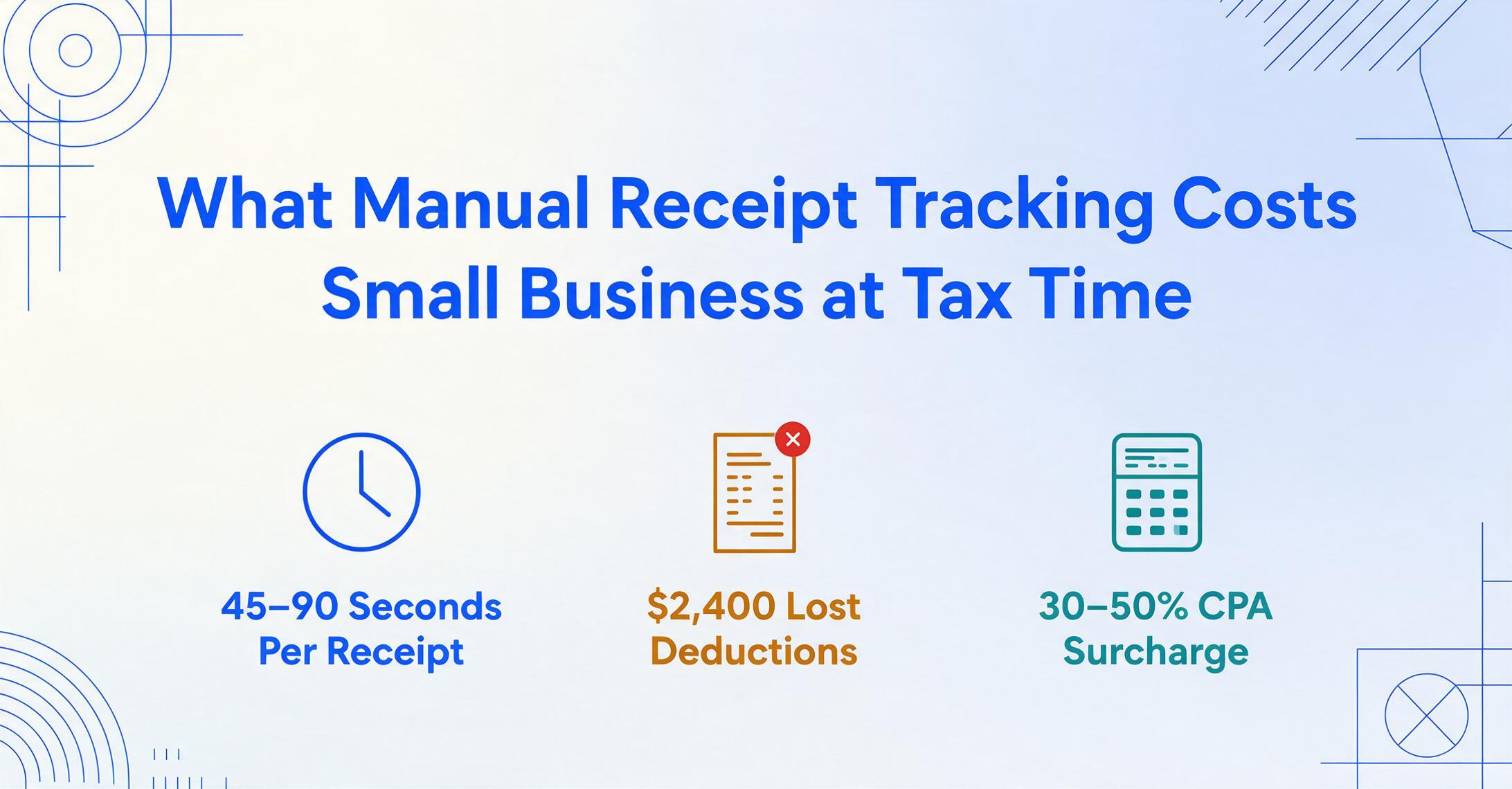
- Your rent and payroll costs appear on bank statements and ledgers as a single number, but receipt tracking has been running a tab since the day you opened, charging you in 30-second increments that compound to $2,400 to $7,600 a year without ever sending an invoice.
- Most retail receipts use thermal paper that chemically fades to blank within 6 to 12 months under normal storage, so a deduction you captured in March becomes illegible by tax time. The IRS requires contemporaneous documentation (records created at or near the time of the expense) to allow the deduction, which means you pay tax on money you already spent.
- The break-even for automating receipt tracking sits at just 20 to 30 receipts a month, and at 150 receipts a month the annual savings on labor, recaptured deductions, and CPA fees reach $3,500 to $5,500, roughly five times the cost of the tool. It returns a clean, consistently formatted spreadsheet your CPA can import straight from a batch upload.
The Cost Nobody Tracks — and Why That's the Problem
Most small business expenses arrive as an invoice. Rent: a number on a lease. Payroll: a number on a W-2. Software subscriptions: a number on a credit card statement. These costs get tracked, categorized, and deducted because they come with built-in documentation.
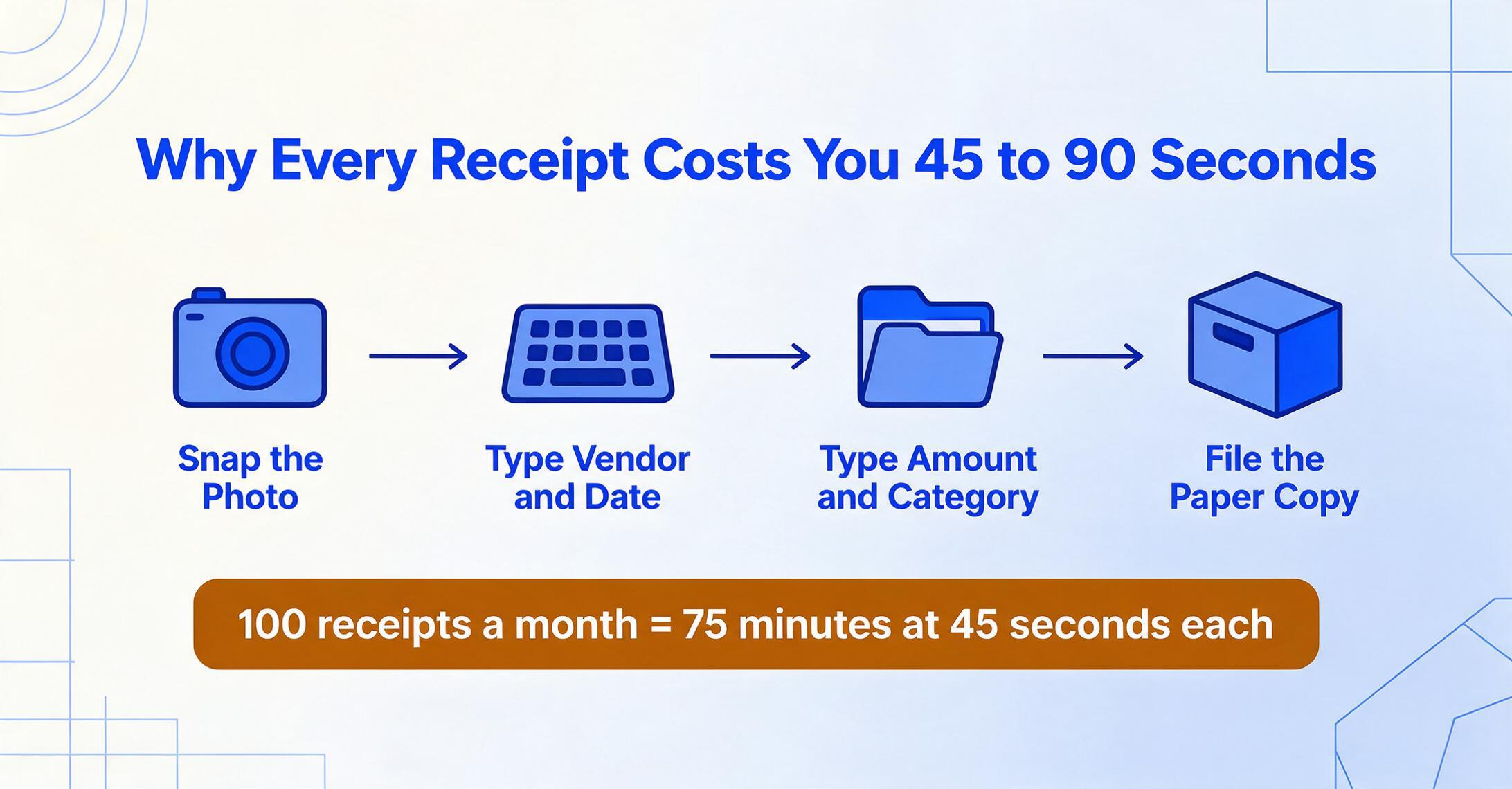
The receipt tracking small business owners do by hand is different. It doesn't send you a bill. It consumes your time in 30-second increments: snap a photo, type a vendor name, type a date, type an amount, decide which Schedule C line it maps to, file the paper copy somewhere retrievable. Each of those 30-second increments is a micro-transaction your business pays without recording. Multiplied by 50 to 200 receipts a month, the total is material, but because it never appears on a bank statement, it stays invisible.
This invisibility is structural. A 2017 National Federation of Independent Business (NFIB) poll found that 42% of small employers spend four hours or more a month on tax compliance activities, with half saying the main activity is paperwork preparation, not strategic tax planning or entity structuring, but the physical act of organizing paper. A 2015 SCORE survey found that 40% of small business owners name bookkeeping and taxes as the worst part of owning a business, and most report spending more than 41 hours a year on tax preparation alone. These aren't people who don't understand their finances. They're people whose receipt processing method imposes a recurring cost they've never quantified.
Receipt tracking is the most measurable cost in a small business that almost nobody measures. Every receipt that enters your possession triggers a three-line charge. The amounts are calculable. They're just not calculated.
Line One: The Labor Cost of Manual Receipt Handling
Manual receipt processing has a per-unit economics that, once you run the numbers, starts to look like a subscription you didn't know you were paying for.
Processing one receipt end-to-end — from "this piece of paper just entered my life" to "this data is in my spreadsheet and the paper is filed where I can find it during an audit" — takes roughly 45 to 90 seconds. The variance depends on format: a clean Home Depot receipt with clear line items processes faster than a faded thermal receipt from a local supplier where the ink has bled, or a Square receipt with an abbreviated merchant name that requires a Google search to identify.
At 45 seconds per receipt and 100 receipts per month, that's 75 minutes. But the real number is higher. Research on cognitive task-switching shows that format diversity — the fact that every store prints a different receipt layout — adds friction that compounds with volume. A post on r/smallbusiness from a business owner describing the manual workflow captured the baseline many still operate from: "Write all your expenses down in an Excel spreadsheet with a note on who you paid and what it was for and save all receipts in an organized way." The post described this as if it were the standard approach — because for many small business owners, it still is.
The math at scale:
| Scenario | Receipts/Month | Time/Month | Annual Labor Cost (at $32.23/hr) |
|---|---|---|---|
| Part-time freelancer | 30 | ~1.5 hrs | $580 |
| Full-time sole proprietor | 80 | ~4 hrs | $1,547 |
| Small business with 2–5 employees | 150 | ~8 hrs | $3,094 |
| Field-service business with crew | 250+ | ~12 hrs | $4,641 |
The labor cost alone, for a business processing 150 receipts a month, exceeds $3,000 a year. And this assumes perfect execution: no rework for data entry errors, no hunting for a receipt you misfiled six months ago, no re-photographing a receipt because the first photo came out blurry. Each of those adds real time the table doesn't capture.
But labor is the most visible cost. The second line is the one that compounds silently.
Line Two: Deductions That Die Between the Wallet and the Tax Return
Every unreceipted business expense is a deduction the IRS will disallow if asked. The mechanics are straightforward: Treasury Regulation § 1.274-5(c)(2)(iii) requires documentary evidence establishing the amount, date, place, and essential character of each expenditure. For business meals and entertainment, the regulation additionally requires the business purpose and the business relationship of attendees. The $75 rule — which says documentary evidence is explicitly required for expenses of $75 or more — is widely misinterpreted as meaning sub-$75 expenses need no documentation. They still need records. A credit card statement or calendar entry may suffice, but the standard for substantiation doesn't disappear below the threshold.
What this means in practice: a receipt that sits in a shoebox or a glove compartment without being logged is an expense in legal limbo. You spent the money. You're legally entitled to the deduction. But without contemporaneous documentation — records created at or near the time of the expense — the deduction may not survive scrutiny. The IRS does not accept "I'll reconstruct it at tax time" as a substitute for contemporaneous records.
Put a number on the gap. A freelancer with $8,000 in small, receipt-backed expenses who logs only seven of every ten leaves $2,400 in legitimate deductions undocumented, a ratio that is realistic for anyone tracking receipts in a shoebox. At a 22% federal rate, that is $528 in tax paid on money the business already spent, before the self-employment tax on the same amount comes due.
The receipts most vulnerable to this gap are the small, frequent ones — parking meters, same-day Amazon supply orders, client coffee meetings, hardware store runs for job materials. Individually $12 to $47. Collectively thousands per year. And because they're small, they're the ones most likely to get tossed in a bag and forgotten. One small business owner on r/tax summarized the conservative approach that results: "I keep track of receipts and don't even claim an expense if I lose the receipt." That policy eliminates audit risk but guarantees overpayment — every lost receipt becomes a voluntary donation to the Treasury.
The thermal paper problem compounds this loss. As we detailed in our analysis of the small business receipt problem, most retail receipts are printed on thermal paper that degrades to illegibility within 6 to 12 months under normal storage conditions. A receipt that was perfectly legible when you stuffed it in the glovebox in March may be blank when you pull it out for tax prep in January. At that point, it's not a missing deduction — it's a deduction you had and then lost to chemistry.
A small business in the 22% federal bracket that misses $3,000 in documented deductions pays roughly $660 to $1,200 in unnecessary tax — the range depends on state tax rate and whether the owner also pays self-employment tax on the lost deduction amount. That's not theoretical. It's the annual tax bill for a filing cabinet.

Line Three: The CPA Bill Premium for Disorganized Receipts
The third cost line appears when you hand your records to a tax preparer. Clean books, receipts categorized by Schedule C line, amounts verified, duplicates removed, cost a predictable amount to file. Messy books cost more. The National Society of Accountants' Income and Fees Survey found that most preparers charge an extra fee when a client's records arrive disorganized or incomplete, averaging about $117 to $166 per return in the 2020-2021 survey.
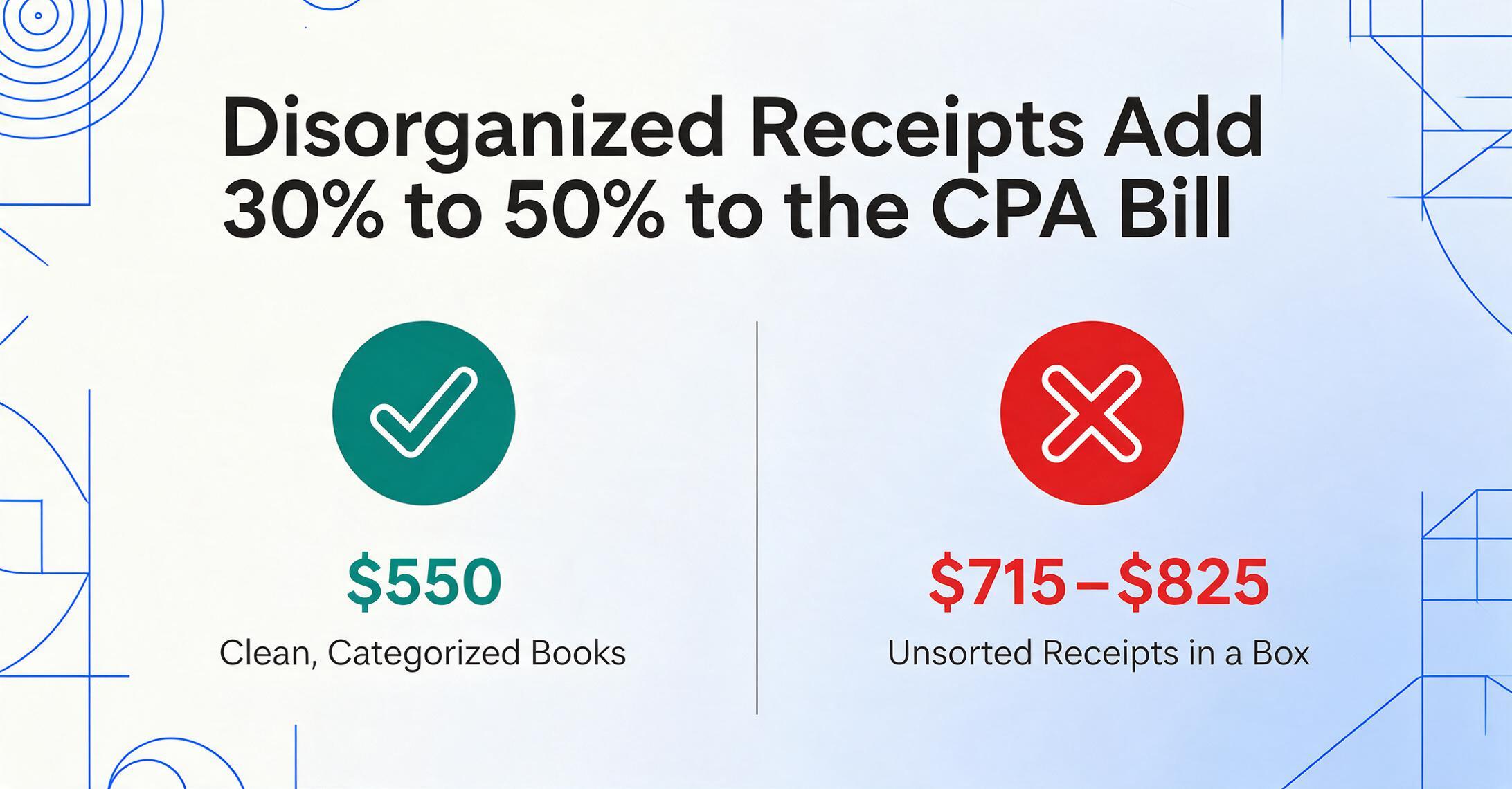
At CPA billing rates of $150 to $400 per hour, the math is straightforward. Sorting unsorted receipts, reconciling credit card statements against paper records, and re-categorizing misclassified expenses is billed time, and across a year of cleanup it adds $300 to $800 to a tax preparation bill. On a single clean $550 Schedule C return, the same disorganization adds $165 to $275, a 30% to 50% premium for records that arrived in a box.
The average Schedule C tax preparation cost runs $500 to $1,500, according to professional fee surveys, with the National Association of Tax Professionals reporting an average of roughly $192 just for the Schedule C form itself. At the high end — a multi-state business with employees, inventory, and 200+ monthly receipts — a CPA bill can reach $2,500 or more. Twenty percent of that bill, attributable to receipt disorganization, is $500 — often exceeding the annual cost of the tools that would have eliminated the disorganization in the first place.
The three lines together form a pattern that's hard to look away from once you see it:
| Cost Line | Annual Range | Root Cause |
|---|---|---|
| Line 1: Labor time | $1,500 – $4,600 | Manual capture + data entry of each receipt |
| Line 2: Lost deductions | $600 – $2,200 | Missing, faded, or unlogged receipts |
| Line 3: CPA surcharge | $300 – $800 | Disorganized records requiring preparer cleanup |
| Total manual cost | $2,400 – $7,600/year |
Ranges vary by business size and transaction volume. Lower bound: ~30 receipts/month freelancer. Upper bound: 250+ receipts/month small employer.
A cost of $2,400 to $7,600 per year, charged in small increments no one tracks as a single expense, is the working definition of a hidden cost. The question isn't whether you're paying it. It's how much.
What the Systematic Approach Costs — and Saves
If the three-line invoice above represents the cost of the manual approach, the alternative needs to be measured against it on the same terms. This is the part most "just buy our software" articles skip: the actual cost of the solution, compared line by line.
The core mechanism that makes systematic receipt tracking work is column-name extraction: instead of typing each receipt's data into a spreadsheet field by field, you tell the tool what you want — "Date," "Merchant," "Total," "Category" — and the AI locates those values on each receipt by understanding what they mean, not where they sit. Unlike template-based OCR systems that require you to train the software on each store's specific receipt layout, column-name extraction works across any format. A Home Depot receipt, an Amazon order screenshot, and a faded Square receipt from a plumbing supply store all produce the same structured output because the extraction logic follows meaning, not coordinates.
This format-independence is what separates a tool that handles one receipt at a time from a tool that handles a batch. In our guide to batch processing business receipts, we covered the three structural problems that only appear at scale: format fragmentation across different POS systems, the naming convention problem that makes "IMG_4287.jpg" useless in an audit, and the anomaly problem where faded or duplicate receipts hide in volume. A batch-capable tool addresses all three simultaneously — extracting data from any format, preserving original filenames for traceability, and flagging low-confidence extractions for review.
Here's the cost comparison on the same three lines:
| Cost Line | Manual Approach | Automated Approach |
|---|---|---|
| Labor time (150 receipts/month) | $3,094/year (8 hrs/month) | ~$300/year (~45 min/month) |
| Lost deductions | $600–$2,200/year | Near zero (every receipt captured) |
| CPA surcharge | $300–$800/year | $0 (clean spreadsheet delivered) |
| Total | $3,994–$6,094/year | ~$500–$600/year |
Automated labor estimate: ~45 min/month at $32.23/hr for review and verification. Tool cost included in total. CPA line drops to $0 because output is a structured spreadsheet ready for direct import.
The net savings for a business processing 150 receipts a month: roughly $3,500 to $5,500 per year. The break-even point — where tool costs equal the labor you'd otherwise spend — is around 20 to 30 receipts per month. Below that volume, the time saved may not justify the subscription. Above it, the ROI is unambiguous.
Files are processed securely and not stored.
ImageToTable.ai processes a single receipt page in 5 to 10 seconds — an 18x improvement over the 3-minute average for manual data entry. But the more important metric isn't speed. It's capture rate: every receipt that enters the system gets logged, structured, and preserved in a format that survives both a fading thermal coating and an IRS records request. You can convert receipts to Excel by naming your columns once and processing all your receipts against the same structure — Date, Merchant, Amount, Category, and any custom fields your Schedule C requires. The output is a single spreadsheet ready for your CPA, not a folder of individual scans they have to open one by one.
Clean output is what removes the third cost line. The tool standardizes as it writes each row: dates settle into one format, amounts shed stray currency symbols, and reference numbers keep a consistent shape. Your CPA opens a spreadsheet that needs no cleanup pass, which is the difference between the clean-books price and the disorganized-records premium.
What Manual Receipt Tracking Costs Your Business: Run the Numbers
The purpose of a cost analysis isn't to tell you what to do. It's to make the trade-off visible so you can decide.
Take your monthly receipt count — not a guess, count them for one month if you haven't. Multiply by 45 seconds per receipt for the manual workflow. Convert to hours and multiply by your effective hourly rate (your revenue divided by your working hours, or the BLS average of $32.23 if you prefer a conservative benchmark). That's your Line 1.
For Line 2, estimate conservatively: if you track receipts inconsistently, assume 5% to 15% of your deductible expenses never make it to Schedule C. Multiply that dollar amount by your combined federal and state marginal tax rate. That's your annual tax overpayment attributable to lost receipts.
For Line 3, check your last CPA bill. If your receipts arrived organized, you're already paying the baseline. If they arrived in a box, estimate 30% to 50% of the bill as the disorganization premium.
Add the three lines. Compare to the annual cost of a receipt-to-spreadsheet automation tool and the 45 minutes a month you'll spend reviewing the output rather than creating it from scratch.
For most small businesses processing more than 30 receipts a month, the math flips decisively. Not because the tool is cheap — because the manual approach is expensive in ways most owners never add up.
The most expensive receipt in your business isn't the one with the biggest total. It's the one you handled manually, forgot to log, lost to thermal paper fade, and then paid tax on — twice. Once when you missed the deduction. Again when your CPA billed you to sort through the pile it was lost in.
Frequently Asked Questions
How much time do small business owners actually spend on receipt tracking?
The NFIB's 2017 poll found that 42% of small employers spend four or more hours per month on tax compliance paperwork. For receipt tracking specifically — photographing, categorizing, entering, and filing — surveys of small business owners consistently report 4 to 10 hours a month, with field-service businesses at the high end due to higher receipt volume and format diversity. A 2015 SCORE survey found the majority of small business owners spend more than 41 hours annually on tax preparation alone, of which receipt organization is the largest single time component.
What's the IRS rule about keeping receipts for business expenses?
The IRS requires documentary evidence for business expenses under Treasury Regulation § 1.274-5. For expenses of $75 or more, a receipt or similar record is explicitly required. For expenses below $75, records are still required — a credit card statement, calendar entry, or contemporaneous note may suffice, but the substantiation requirement does not disappear below the threshold. The IRS also requires records to be contemporaneous — created at or near the time of the expense — which means reconstructing a year of expenses from memory at tax time does not satisfy the standard.
Can I deduct the cost of receipt tracking software?
Yes. Receipt tracking and bookkeeping software subscriptions are deductible as ordinary and necessary business expenses on Schedule C, typically under "Office Expenses" or "Software/Subscriptions." The same applies to cloud-based tools, mobile apps, and spreadsheet software used for business bookkeeping. Keep the subscription receipts — the irony is not lost.
How does AI receipt extraction compare to mobile receipt scanning apps?
Most mobile receipt apps use OCR to read the text on a receipt and auto-fill a few standard fields (date, total, merchant). This works for clean, well-lit photos of standard-format receipts. It struggles with thermal paper fade, unusual layouts, handwritten tip amounts, and receipts that span multiple items. AI-based extraction, powered by vision models that understand document structure rather than matching pixel patterns, handles these edge cases because it interprets the receipt's content semantically rather than optically. The practical difference is the size of the cleanup pile: a phone app can read a clean receipt correctly and still leave a steady share of fields for you to fix by hand, while an AI tool with column-name extraction reads closer to 99% on printed text and handles format diversity without per-store setup. At 50 to 200 receipts at once, that gap is the difference between a task you finish and one that eats the afternoon.
How many receipts per month justify investing in automation?
The break-even is roughly 20 to 30 receipts per month. Below that, the time saved (about 15-20 minutes) may not justify a paid subscription over manual entry. Above 30 receipts per month, the labor savings alone exceed the tool cost. Above 80 to 100 receipts per month, the additional savings from captured deductions and reduced CPA fees push the annual ROI well past 5x. The threshold also depends on receipt format diversity — a business getting receipts from 3 different stores has a lower pain point than one buying from 15 different suppliers with 15 different receipt layouts.