How to Extract QC Lab Reports
into Excel for SPC
The real cost of manual QC lab data entry isn't the typing. It's the gap between when the last test result comes off the instrument and when someone with authority signs off on the batch. In a typical manufacturing plant, that gap is 4 to 8 hours—not because the test takes long, but because the data has to be transcribed from a PDF report into a spreadsheet, then reviewed by a supervisor, then checked again by QA before anyone can make a release decision. Meanwhile, production waits. Every hour of delay after a batch is ready to ship costs real money in working capital, warehouse space, and customer deadlines. The transcription step—the one where a technician types numbers from an instrument printout into Excel—is the bottleneck nobody budgets for.
Key Takeaways
- 40% of two-phase-entry QC records contain errors regardless of who types them — the transcription mistakes in your SPC workbook aren't a carelessness problem, they're a structural guarantee.
- Every phantom out-of-control signal triggered by a keystroke error trains your operators to ignore the SPC chart — and once they learn it's always crying wolf, the real quality signals disappear into the noise.
- Your technicians studied chemistry and engineering to run tests, not to type numbers — replace 90 minutes of daily transcription with a 10-minute validation gate and the recovered hours go back to science.
The Hidden Cost of Manual Lab Data Transcription
Ask a QC manager what slows down batch release and they'll say "waiting for test results." But results are ready within minutes of the sample hitting the instrument. What they're really waiting for is data entry. The Shimadzu HPLC finishes its run, prints (or exports) a PDF report with 15 test parameters. The Mettler Toledo titrator completes its analysis and generates another PDF. The Instron tensile tester spits out a third. Someone now has to read numbers off each of these reports and type them into an Excel workbook. That step routinely takes longer than the tests themselves, and it introduces errors that cascade downstream.
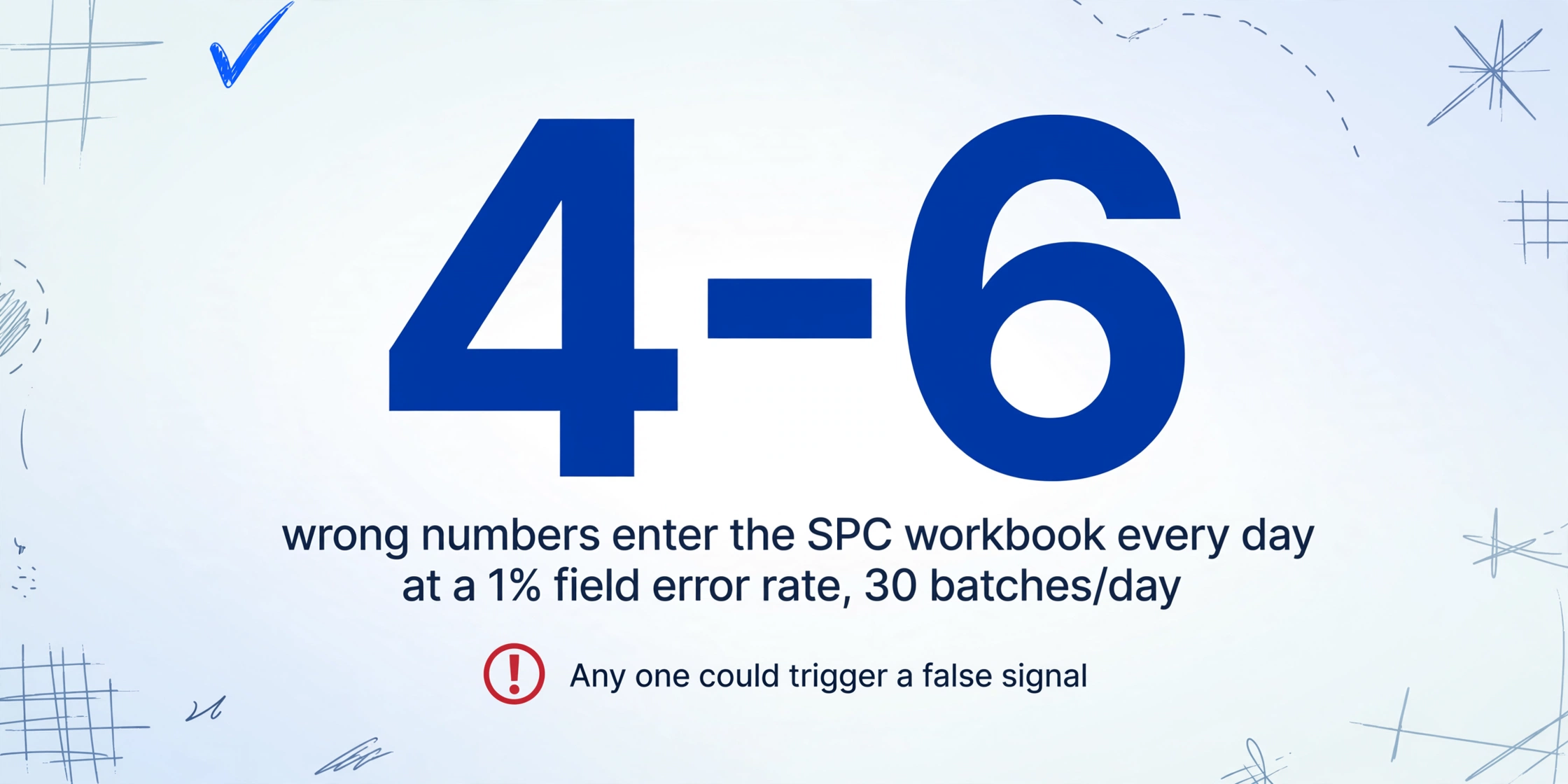
The error rates are well documented. A study cited by Quality Magazine puts the baseline manual data entry error rate at about 1% per field. That sounds manageable until you do the math: a finished-product release report might have 15–20 test parameters. If a lab processes 30 batches per day, that's 450–600 field entries. A 1% field error rate means 4–6 wrong numbers per day enter the SPC workbook—any one of which could trigger an out-of-control signal, a wrongful batch hold, or a release of material that should have failed.
And that's the optimistic scenario. Manufacturing QC labs with paper-based workflows operate a two-phase entry system: the technician records a reading on paper at the instrument, then someone—often the same technician or another person—transcribes that reading into the spreadsheet or database. According to Beamex, when data passes through two manual entry points, roughly 40% of records end up containing at least one error. A plant running 10,000 calibrations or quality tests per year under two-phase entry statistically generates 4,000 faulty data points.
For a single QC lab processing 30 batch release tests per day, a 1% field-level error rate means 120–180 transcription mistakes per month—each requiring investigation, rework, and delayed release decisions.
How QC Lab Reports Move from Instrument to Spreadsheet Today
Walk into a manufacturing QC lab and the workflow is remarkably consistent across industries—pharmaceutical, automotive, food processing, medical devices, chemicals. An instrument like a Shimadzu HPLC or Mettler Toledo Karl Fischer titrator completes its analysis and generates a report. In modern labs this comes as a PDF exported from the instrument's control software—Shimadzu LabSolutions, Mettler Toledo LabX, or Agilent OpenLab. In older facilities it's a thermal printout taped into a logbook. Either way, the data is locked in a document that can't be queried, charted, or statistically analyzed.
The next step is transcription. A QC technician reads the report and types values into a spreadsheet: Test Name, Specification Limit, Measured Value, Pass/Fail. If the plant uses Minitab, InfinityQS ProFicient, or JMP for SPC, the data might go directly into those platforms. But in smaller operations—which is most manufacturing plants—the destination is an Excel workbook with control chart templates, often built years ago by a quality engineer who has since left the company.
This transcription step sits at the intersection of two quality systems that were never designed to talk to each other: the lab instruments that generate data, and the SPC platform that consumes it. Between them is a human bridge, and that bridge is where errors and delays concentrate. The American Society for Quality (ASQ) estimates that the Cost of Poor Quality (COPQ) consumes 15% to 40% of a manufacturer's total revenue—and a meaningful slice of that comes from data integrity failures that trace back to manual transcription.
Regulatory frameworks reinforce why this matters. ISO 9001:2015 Clause 7.5 requires that organizations retain documented information as evidence of conformity, including traceability to the person authorizing release. ISO/IEC 17025:2017 Section 8.4 mandates that testing laboratory records contain enough information to repeat a test under conditions as close as possible to the original—and that any correction to a record must not obscure the original entry. FDA 21 CFR Part 211 Subpart J requires that batch production and laboratory control records be reviewed and approved by a quality control unit before batch release. When data is manually transcribed, every one of these requirements becomes harder to satisfy. An auditor checking traceability may find one value in the instrument log and another in the transcribed spreadsheet, with no documented rationale for the difference.
This isn't just a paperwork problem. According to Tulip, EY estimates that more than 70% of QA effort goes into reviewing documentation—not investigations, not process improvement, just record-checking. Delayed batch release ranks among the top three causes of supply chain disruption in pharmaceutical manufacturing. Every hour a batch sits in quarantine waiting for data verification is an hour of frozen working capital.
What Semantic Extraction Changes About Lab Data Entry
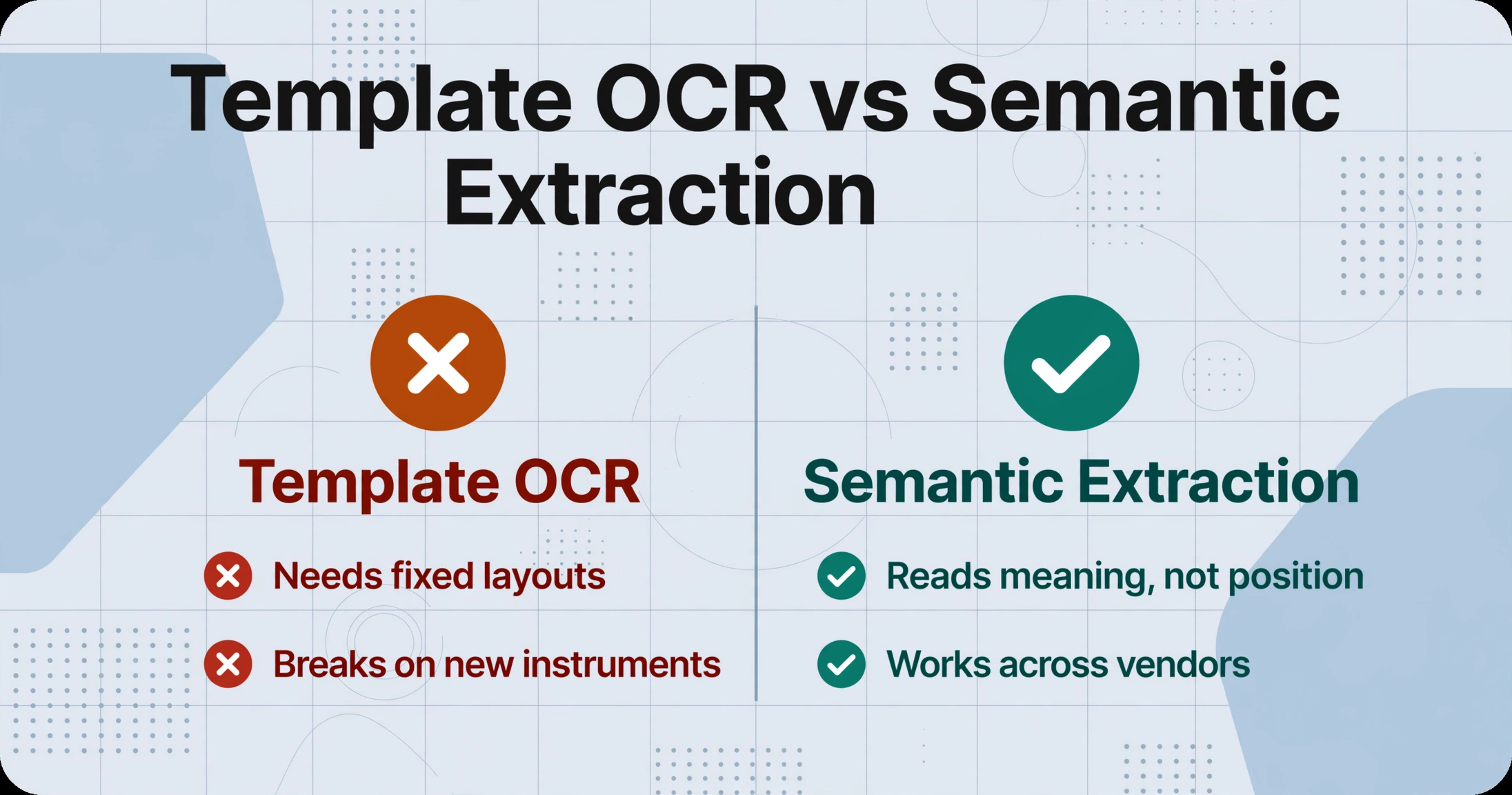
The core bottleneck isn't that QC reports are hard to read. It's that the traditional approach to automating them—template-based OCR—is a poor fit for the reality of a multi-instrument lab. Templates work when every document looks the same. But a Shimadzu HPLC report, a Mettler Toledo titrator printout, and an Instron tensile test PDF have fundamentally different layouts: different column positions, different field naming conventions, different units of measure. Creating and maintaining a parsing template for each instrument-model-report combination is a full-time job in itself—which is why most labs don't bother and stay with manual entry.
Semantic extraction takes a different approach. Instead of defining where data sits on a page (row 3, column 2), you specify what you're looking for (a value called "pH" or "Tensile Strength" or "Assay %"). The AI reads the document the way a technician would—by understanding what words mean in context, not by matching coordinates. This approach is sometimes called Custom Column Extraction: you type the field names you want as column headers—"Test Name," "Specification Limit," "Measured Value," "Pass/Fail"—and the AI locates the corresponding values on each report, regardless of where they appear.
This matters for QC labs because report layouts vary not just between instrument vendors, but between test methods run on the same instrument. A Shimadzu HPLC report for assay testing has a different column structure than one for impurity profiling, even though both come from the same LabSolutions software. Under template-based extraction, each variant needs its own template. Under semantic extraction, the same set of column names works across all of them—because the AI is matching meaning, not position.
Semantic extraction shifts the paradigm from position-based to meaning-based: you define what output you want, and the AI reads each document to find it—no templates to build, no per-format rules to maintain.
This is not a theoretical capability. ImageToTable.ai uses vision-language models (VLMs) to perform extraction that is Template-Free: it doesn't require you to create or maintain parsing templates for each instrument's report format. And it's Zero-Setup: you don't need to collect sample reports, label training data, or configure extraction rules. Upload the PDFs, name your columns, and the AI extracts the values. When Agilent updates their report layout in a software patch next year, the same column names still work—because the AI reads by meaning, not by coordinates. (For a broader view of how this technology applies across lab documents, see the complete guide to lab report data extraction.)
Step 1: Define Your Test Parameters as Extraction Columns
The columns you name are the columns you get. This is the single most important design decision in the whole workflow—get it right and the output feeds directly into your SPC workbook without reformatting.
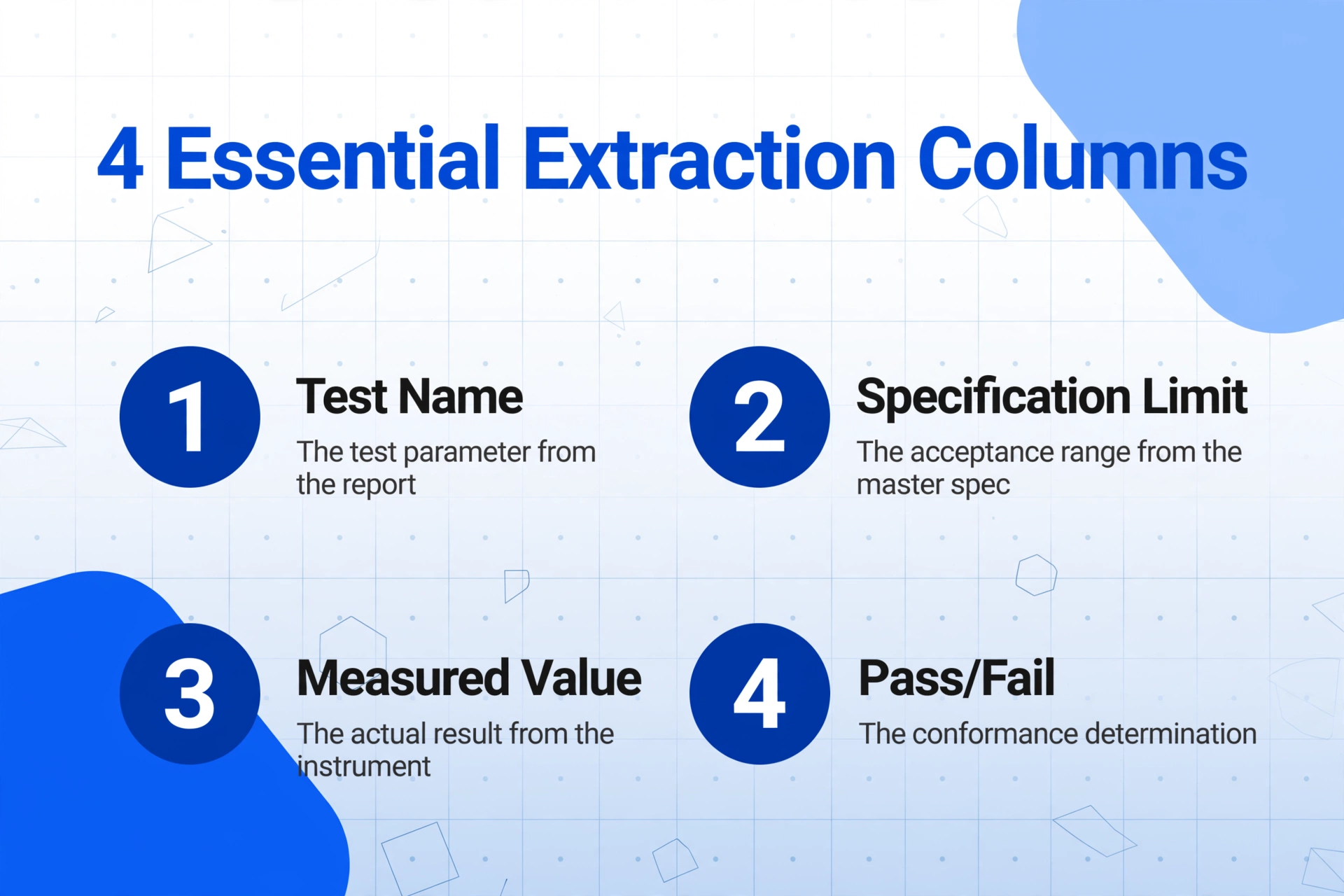
For a finished-product release test report, the essential columns are:
| Column Name | What It Captures | Example Value |
|---|---|---|
| Test Name | The test parameter from the report | pH, Viscosity, Assay, Dissolution |
| Specification Limit | The acceptance range from the master spec | 5.0–7.0, NLT 98.0% |
| Measured Value | The actual result from the instrument | 6.32, 99.1% |
| Pass/Fail | The conformance determination | Pass, Fail |
For in-process testing, you might add "Sample Point," "Target," and "Operator." For raw material inspection, add "Lot Number" and "Supplier." The column names are free-form—you write them the same way you'd label columns in an Excel workbook, and the AI matches them semantically to what it finds on each report.
Two practical tips that make a measurable difference:
Use computed columns for auto-adjudication. Instead of extracting the Pass/Fail status from the report (which may not always be printed), define it as a computed column: the AI compares Measured Value against Specification Limit and outputs "Pass" or "Fail" automatically. This removes judgment calls from the extraction step—the rule is applied consistently across every report. Computed columns can also handle arithmetic: define a column as "Line Total (Qty × Unit Price)" for material components, or "Deviation (Measured − Target)" for in-process checks.
Align significant digits with your test method. ASTM E29, the standard practice for using significant digits in test data, specifies that reported values should reflect the precision of the test method, and that specification limits and measured values should be expressed to the same number of significant figures to avoid misleading precision claims. If your dissolution method reports to one decimal place, your extraction columns should capture (and your SPC charts should display) to one decimal place—not the six decimal places the instrument's raw output might provide. Use the Rule Format feature (available to logged-in users) to set format requirements per column: number of decimal places, unit conventions, and expected value ranges.
Files are processed securely and not stored.
Step 2: Process Reports from Multiple Instruments in One Batch
A single finished-product release decision rarely depends on one report. The QC unit needs the HPLC assay, the Karl Fischer moisture result, the dissolution profile, the pH reading, and the visual inspection record—each likely from a different instrument, each in a different PDF format. Manually collating these into one spreadsheet row per batch is tedious even when everything goes smoothly. When one report arrives late because an instrument was in use, the collation gets spread across hours.
Batch processing solves this by treating the batch of reports, not individual documents, as the unit of work. Upload all reports for a given batch at once—drag and drop PDFs from Shimadzu LabSolutions exports, scanned printouts from older instruments, even phone photos of display panels on standalone testers—and the system processes them together. The output is a single table where each row corresponds to one report, with columns populated from the extraction. A second output sheet merges everything into one row per batch, with test results as columns.
This is a fundamentally different workflow from single-document extraction tools that process one file at a time. In a Batch-First design, multi-file processing is the default, not an afterthought. When you upload 20 reports, you get one Excel file back—not 20 separate files that you then have to copy-paste into a master spreadsheet. (For related scenarios involving batch document processing in manufacturing, see our guide on batch raw material invoice processing for manufacturing cost tracking.)
Real-world lab workflow: The morning shift runs all release tests between 7 AM and 10 AM. By 10:15, all instrument reports are available as PDFs. Upload them in one batch, specify the column names once, and the extraction runs across every report simultaneously. By 10:17, the consolidated Excel table is ready for validation. The time that was spent typing is now spent reviewing—a task that requires judgment rather than keystrokes.
Step 3: Validate Results Before They Hit Your SPC Chart
No extraction system—AI or otherwise—is 100% accurate on 100% of documents. The responsible approach is to build a validation gate into the workflow: a quick human review step between extraction and SPC upload, not a line-by-line re-check of everything the AI produced.
The validation step should be fast because the AI highlights what needs attention. When a measured value falls outside the specification limit, the Pass/Fail column contains "Fail," and that row is visually flagged. When the AI is uncertain about a particular field (low confidence reading from a smudged printout or an unusual report layout), the cell is highlighted for manual verification. You review the exceptions, not the entire table. This is the same principle as review by exception—a method increasingly adopted in pharmaceutical batch release where QA focuses on flagged deviations rather than checking every conforming field.
What constitutes a reasonable validation step depends on your regulatory environment. For an ISO 17025 accredited lab, every value that feeds a certificate of analysis (CoA) should be traceable to the raw instrument data, and any correction to an extracted value must be documented. The extraction system's output serves as the initial data capture—analogous to what a technician would type—and the validated values become the official record. For non-accredited labs, a spot-check of 10–20% of rows is often sufficient, combined with full review of any flagged exceptions.
One practical workflow for regulated environments: export the AI-extracted data, review flagged rows, make any needed corrections, and save the reviewed version as the controlled record. The original extraction output is retained as an intermediate data artifact—not the official record, but useful for audit trail reconstruction if questions arise.
Step 4: Feed Clean Data into Your SPC Platform
This is where the extraction workflow earns its keep. The validated Excel output is structured data: column headers match SPC parameter names, rows correspond to batches or samples, and numerical values are consistent and formatted. It can be loaded directly into whatever SPC system the plant uses.
If you use Minitab Real-Time SPC (the industry standard, with 50 years of statistical methodology), the exported CSV or Excel file can be imported directly into a control chart project. Define your subgroups, assign columns, and the Xbar-R or I-MR charts update with the new data. Minitab's integration with SAP Digital Manufacturing means that for larger operations, the data flow can go from extraction to ERP to SPC dashboard without human touchpoints.
If you use InfinityQS ProFicient (the on-premise SPC leader, deployed across aerospace, automotive, and medical device manufacturing), the structured data format matches the data import specifications. ProFicient's data collection module accepts delimited files, so the extraction output requires no transformation.
If you use Excel with QI Macros or a home-built Xbar-R template—which many small and mid-size manufacturers do—the extracted data pastes directly into the template's data grid. The control chart formulas reference the data cells; new extraction output replaces the previous batch's values. No retyping, no format fixing, no hunting for which cell holds the pH result from batch 4267.
For labs running multiple products with different test panels, maintain a separate extraction column template per product. The column definitions (which tests, what specs, what format rules) stay consistent from batch to batch; only the report PDFs change. This preserves the SPC chart's continuity—control limits calculated from historical data remain valid because the data feeding into them follows the same structure every time.
What Changes When QC Data Flows Without Transcription
Eliminating the transcription step doesn't just save typing time. It reconfigures the relationship between the lab, QA, and production.
Batch release accelerates. When test data moves from instrument to SPC workbook in minutes rather than hours, the QA reviewer can begin their work while the lab is still running the next batch. The review shifts from "did someone type this correctly" to "does this data tell us what we need to know about the batch." For a plant running 20 batch releases per week, reclaiming even 2 hours per batch means 40 hours of production capacity freed up—the equivalent of adding an extra shift's worth of output without adding equipment or headcount.
SPC signals become more reliable. Control charts are only as good as the data behind them. When a transcription error places a data point outside the control limits, it triggers an out-of-control investigation that finds nothing—wasting engineering time on a phantom signal. Over months of operation, these false alarms erode operator trust in the SPC system. When operators believe the control chart is "always crying wolf," they ignore real signals. Direct data flow from instrument to SPC chart eliminates the most common source of spurious out-of-control signals: human keystroke errors.
Audit readiness stops being an emergency. ISO 9001 and ISO 17025 auditors look for data integrity—the ALCOA+ principles: Attributable, Legible, Contemporaneous, Original, Accurate. A manually transcribed spreadsheet breaks "contemporaneous" (values may be entered hours after measurement) and "original" (the instrument's raw output is the original, the spreadsheet is a copy). An extraction workflow that processes reports at the time of test completion and timestamps the output creates a contemporaneous, attributable data trail. When the auditor asks "show me the raw data for batch 3267 from March," you can produce the original instrument PDF and the extraction timestamp, not a manually typed spreadsheet with no chain of custody.
Technician time shifts to higher-value work. QC technicians didn't study chemistry or engineering to spend their shifts typing numbers. Freed from transcription, they can run more tests, investigate borderline results, maintain instruments, or train on new methods. For a lab with 4–6 technicians each spending 45–90 minutes daily on data entry, the recovered hours per week are 15–27—roughly half a full-time employee's productive capacity, redirected from keystrokes to science.
Companies with mature quality management systems achieve 92% on-time delivery versus 74% for those without, according to ASQ research. The gap isn't about faster machines—it's about data moving at the speed of decisions rather than the speed of typing.
For a broader look at how AI-based extraction compares to traditional approaches in manufacturing environments, see our roundup of document extraction tools for manufacturing and our practical guide on extracting quality inspection report data to Excel.
FAQ: Extracting QC Lab Reports to Excel
Can this handle reports from different instrument vendors—Shimadzu, Agilent, Mettler Toledo?
Yes. Because the extraction is semantic (based on understanding what a value means) rather than positional (based on where it sits on the page), the same column names work across reports from different instruments. A "pH" value on a Mettler Toledo report and a "pH" value on a Shimadzu report will both be captured, even though the two reports have completely different layouts. This is the practical advantage of template-free extraction in a multi-instrument lab.
What if our instrument reports are scanned paper printouts, not digital PDFs?
The system processes scanned documents and photos the same way it handles native PDFs. A phone photo of a thermal printer readout, a scan of a handwritten logbook entry, or a PDF exported from instrument software—all go through the same extraction pipeline. The AI reads the visual content regardless of the source format. Image quality does matter: a clean, well-lit scan or photo produces higher-confidence extraction than a shadowy, crooked snapshot.
How do I handle reports with handwritten results or corrections?
Handwritten values on otherwise printed reports are common in labs where technicians annotate instrument outputs—circling a result, writing a note in the margin, or filling in a missing field. The vision-language model can read printed text, handwriting, and mixed-content documents. Recognition accuracy for handwriting is lower than for printed text (as it is with human readers), so handwritten fields benefit from a validation check during the review step.
Does this work for GMP-regulated environments (21 CFR Part 211)?
The tool processes data; it does not replace your quality system. In a GMP environment, the extraction output should be treated as an intermediate step—analogous to a technician's handwritten worksheet. The validated, approved record remains the version that goes into your batch record and CoA. The value proposition for GMP labs is speed: instead of a technician spending 45 minutes transcribing values before QA can even begin their review, extraction produces the initial dataset in seconds. QA then reviews, verifies, and approves—the same process, but starting from a machine-generated first draft instead of a manually typed one.
What if two test reports for the same batch show different pass/fail results?
The extraction system reports what it reads—it won't reconcile contradictory results. If Report A says "Pass" and Report B says "Fail" for the same parameter, both values appear in the output. The conflict surfaces during validation, which is exactly when it should surface. This is an advantage over manual entry, where a technician might notice the discrepancy and "correct" it silently, removing the audit trail. The extraction workflow preserves the original data; the resolution (retest, investigation, deviation report) is a human decision.
Can I set up different column templates for different product families?
Yes. Each product or product family can have its own column definition set—one template for tablet release testing, another for raw material inspection, another for in-process checks. Templates are saved to your account and can be selected when you start a new processing batch. This is how labs with diverse product portfolios maintain test-specific SPC tracking without redefining columns for every run.
How does this compare to buying a LIMS for data entry automation?
A LIMS (Laboratory Information Management System) is a comprehensive platform that manages sample tracking, test scheduling, instrument integration, and compliance workflows. It's the right tool for large, regulated labs with budget and IT support. But LIMS implementations routinely cost $50,000–$200,000+ and take 6–18 months to deploy. For small and mid-size QC labs—the majority of manufacturing plants—the price and timeline are prohibitive. Extraction-based automation addresses the specific pain point (getting data from reports into spreadsheets) without the overhead of a full LIMS migration. For many labs, it's a pragmatic step that delivers measurable improvement without organizational disruption.