How to Extract Commerzbank
Kontoauszug to Excel
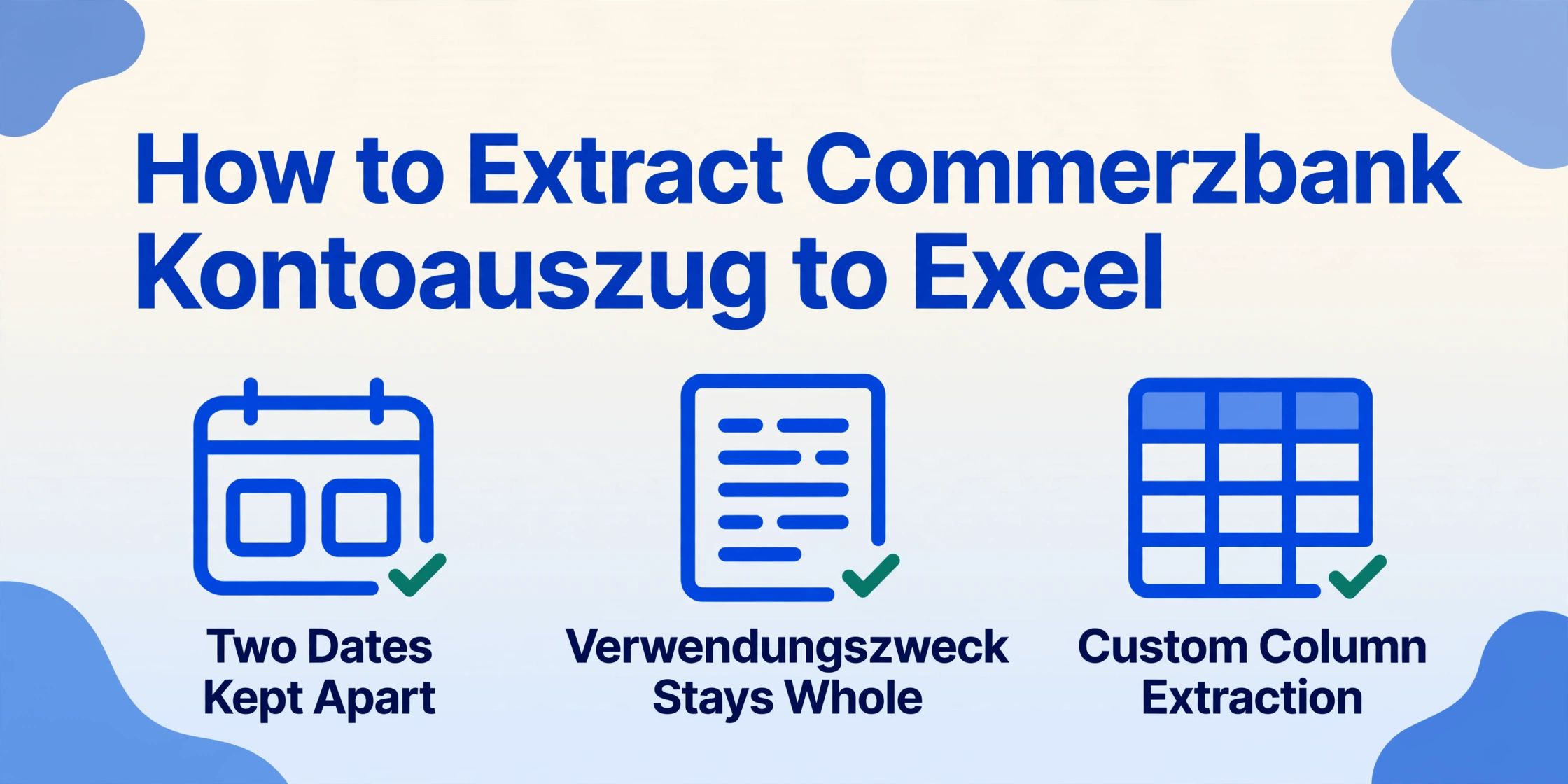
A Commerzbank Kontoauszug carries two dates per transaction (Buchungstag and Wertstellung), a multi-line Verwendungszweck field, and transaction-type codes like SEPA-Überweisung, SEPA-Lastschrift, and Kartenzahlung — each in a different column position depending on whether the account is Privatkunden or Business Banking. A generic PDF-to-Excel converter that extracts a flat table from the page will mix up columns on the second statement because the layout changed. This article shows how to extract every field from a Commerzbank Kontoauszug into a structured Excel spreadsheet — with the right column mapping, running balance verification, and output ready for DATEV or Lexware.
Key Takeaways
- A template-based parser trained on a Commerzbank Privatkunden statement will silently misalign every column when fed a Business Banking page — because the two layouts place transaction types and dates in different positions.
- The Verwendungszweck field on a Commerzbank statement routinely spans 2–4 lines per row — which line-based OCR splits into separate rows, creating phantom columns that cascade through your entire spreadsheet.
- Semantic extraction reads the Verwendungszweck as a single logical field regardless of line breaks or layout — so Privatkunden, Business Banking, and legacy Comdirect statements all produce the same clean output without template changes.
What Makes Commerzbank Kontoauszüge Different from Other Bank Statements
A Commerzbank Kontoauszug (bank account statement) is not a generic bank statement. It follows a layout that originates from Germany's domestic banking conventions — two date columns, a distinct transaction-type taxonomy, and a multi-line purpose field — and it changes depending on whether the account is a private current account (Privatkonto), a business account (Geschäftskonto), or a Comdirect account now absorbed into the Commerzbank group.
A Kontoauszug (German bank account statement) is the official record of account activity required by German banking regulations. Commerzbank is Germany's second-largest private bank by customer base, serving over 17 million private and business customers across its core brand, its digital subsidiary Comdirect, and its Polish arm mBank. The statements share a distinctive design: a blue-and-white header with the "COMMERZBANK" watermark running diagonally across each page, the account holder's name (Kontoinhaber) and IBAN/BIC at the top-left, and a sequential "Blatt" (page number) and "Kontoauszug Nr." at the top-right. What makes extraction non-trivial is that the transaction table's column alignment shifts between consumer and business statements, and the Verwendungszweck field can span two to four lines per transaction row, which causes traditional table-extraction tools — the kind that detect rows by vertical whitespace — to misalign subsequent columns.
The Key Fields on a Commerzbank Kontoauszug
A Commerzbank statement carries roughly a dozen fields per transaction row. Most generic extraction tools will capture the amounts and dates, but the fields that matter for German bookkeeping — Umsatzart, Wertstellung, Verwendungszweck — are precisely the ones that break template-based parsers.
The table below lists every field you need to extract for a complete, audit-ready dataset:
| Field (German) | English | Where It Appears | Why It Matters |
|---|---|---|---|
| Buchungstag | Booking date | First column, left of the transaction row | The date the bank processed the transaction. Used for chronological sorting and reconciliation with online banking records. |
| Wertstellung (Valuta) | Value date | Second date column, immediately after Buchungstag | The date interest is calculated from. EUR transfers often have a 1-2 business day gap between Buchungstag and Wertstellung. Critical for accurate cash-flow analysis and overdraft interest calculation. |
| Vorgang / Umsatzart | Transaction type | Text in the description column, often abbreviated | SEPA-Überweisung (credit transfer), SEPA-Lastschrift (direct debit), Kartenzahlung (card payment), Bargeldauszahlung (ATM withdrawal), Dauerauftrag (standing order), Wechsel (currency exchange). Each type posts differently in DATEV — Lastschrift and Überweisung map to different BU-Schlüssel (booking keys). |
| Umsatzart-Code | Transaction code | Two-letter code, e.g. LG, SG | LG = Lastschrift-Gutschrift (credited direct debit reversal), SG = Scheck-Gutschrift (cheque credit). These codes are used by German accounting software to auto-classify entries. |
| Verwendungszweck | Purpose / reference | Multi-line field below the transaction type | The payer's or payee's structured reference — invoice number, customer ID, period. This is the field your DATEV import uses to match against open items (offene Posten). Missing it means manual lookup for every unmatched transaction. |
| Betrag (signiert) | Signed amount | Right-aligned, single column (debits negative, credits positive) | Commerzbank uses a signed-amount column: outgoing debits appear with a minus sign, incoming credits without. A single-column signed format is easier to validate than split debit/credit columns — one SUM() over the column plus the opening balance should equal the closing balance. |
| Saldo (fortlaufend) | Running balance | Far-right column on each row | The cumulative balance after each transaction. A running balance that does not step by exactly the signed amount above it signals a missing or duplicated row. |
| IBAN / BIC | Account identifier | Statement header (not per row) | 22-character DE-IBAN (DE + 2 check digits + 8-digit BLZ + 10-digit account number). Needed when reconciling across multiple accounts. |
| Kontoauszug Nr. | Statement number | Top-right header | Sequential numbering (e.g. 12/2026). Used to verify no statements are missing during year-end closing. |
The challenge with extracting these fields from a Commerzbank statement is that the column layout is not consistent across statement types. On a Privatkunden statement, the transaction type appears as an icon-like abbreviation directly above the Verwendungszweck. On a Business Banking statement, the transaction type is a longer text string embedded in the same line as the date. A template-based parser that hard-codes column coordinates for one layout will produce garbage when fed the other.
Why Manual Entry Still Dominates — and Where It Fails
Most German small and medium-sized businesses — Mittelstand companies with 10 to 200 employees — still process bank statement data manually. A 2024 survey by DATEV found that roughly 60% of SMEs entering data from bank statements into their accounting software rely on manual typing or copy-paste from the online banking portal. The reasons are structural, not about tool awareness: generic OCR tools produce misaligned columns when the Verwendungszweck wraps to a second line, and the output is rarely structured for DATEV's proprietary CSV format or Lexware's accounting schema.
The cost of manual entry is not just time — it's the invisible errors that surface only during the Steuerberater's year-end review, when fixing a single mis-booked transaction can take longer than entering an entire statement's worth of data.
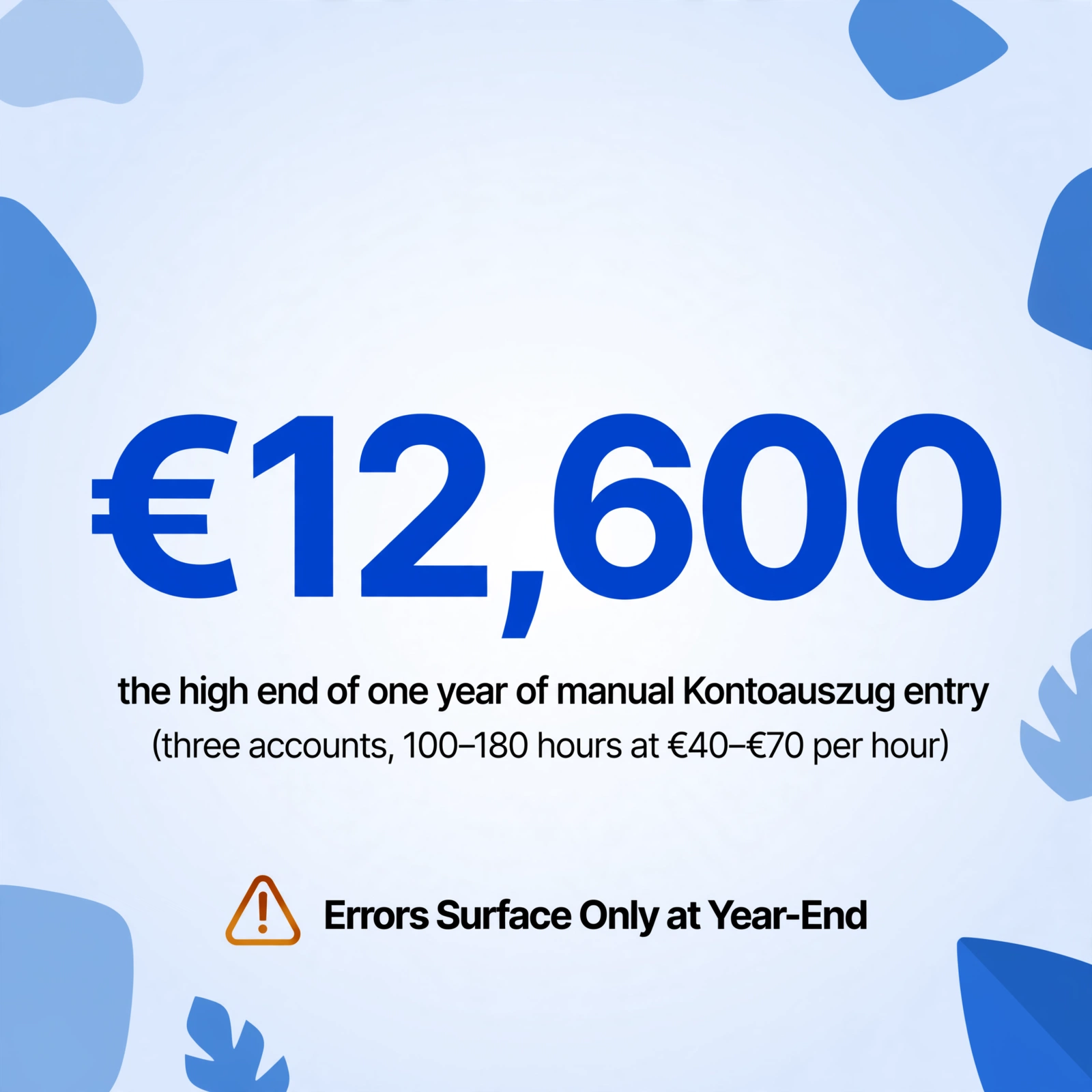
Consider a typical Geschäftskonto (business account) statement from Commerzbank: 150 to 400 transactions per month. An experienced Buchhalter (bookkeeper) entering these into DATEV Rechnungswesen can process roughly 60 to 80 rows per hour. That's 2 to 5 hours per account per month. For a business running three accounts (operating, payroll, VAT) across 12 months, that adds up to 100 to 180 hours of purely mechanical data entry per year — the equivalent of three to four full work weeks. At a typical German bookkeeper's hourly rate of €40 to €70, that's €4,000 to €12,600 in annual labor cost for a task that produces zero analytical value.
The deeper problem is error propagation. A single mistyped amount — typing 1.247,82 instead of 1.274,82, for instance — creates a reconciliation mismatch that the bookkeeper may not notice until the next bank statement arrives, at which point locating the error among 300+ transactions takes longer than re-entering the entire column. When the Steuerberater discovers the mismatch during Jahresabschluss (year-end closing) preparation, the correction effort multiplies because the error has already been posted to the ledger.
How to Extract Commerzbank Kontoauszug Data to Excel
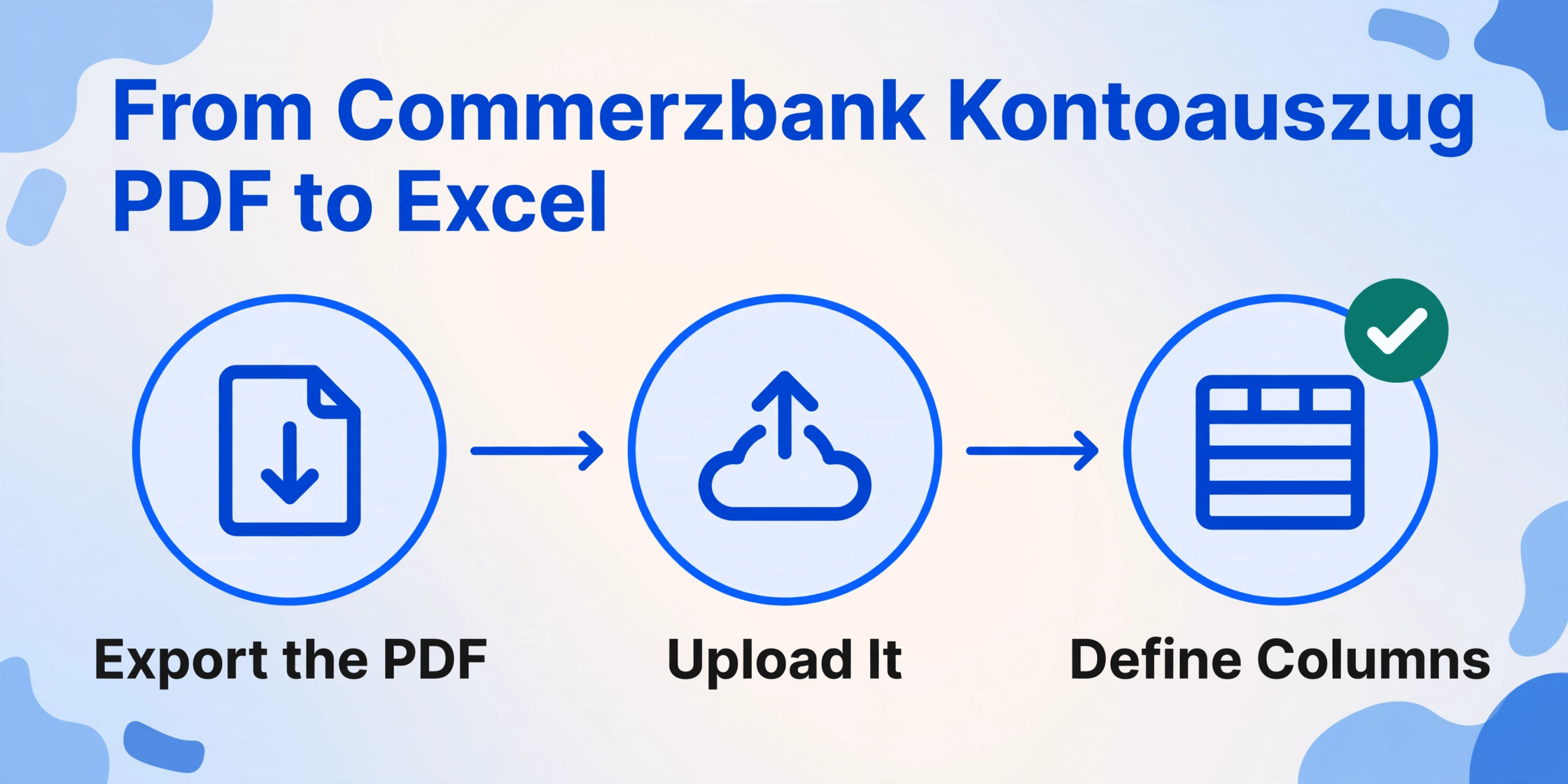
The extraction approach that works for Commerzbank's variable layout is semantic-based extraction rather than position-based template matching. Instead of telling the tool "column 3 is the date, column 5 is the amount," you tell it what fields you want — and the AI locates them by understanding what each value means. This is exactly what bank statement extraction with ImageToTable.ai does.
Here is the step-by-step process:
Buchungstag (booking date), Wertstellung (value date), Vorgang / Umsatzart, Verwendungszweck, Betrag (signed), Saldo (running balance), Kontoauszug Nr.. The tool's Custom Column Extraction means you define the output schema: the AI reads the statement and maps each value to the matching column by understanding what the field means, not by matching template coordinates.Files are processed securely and not stored.
Commerzbank vs. Comdirect: What Changes After the Merger
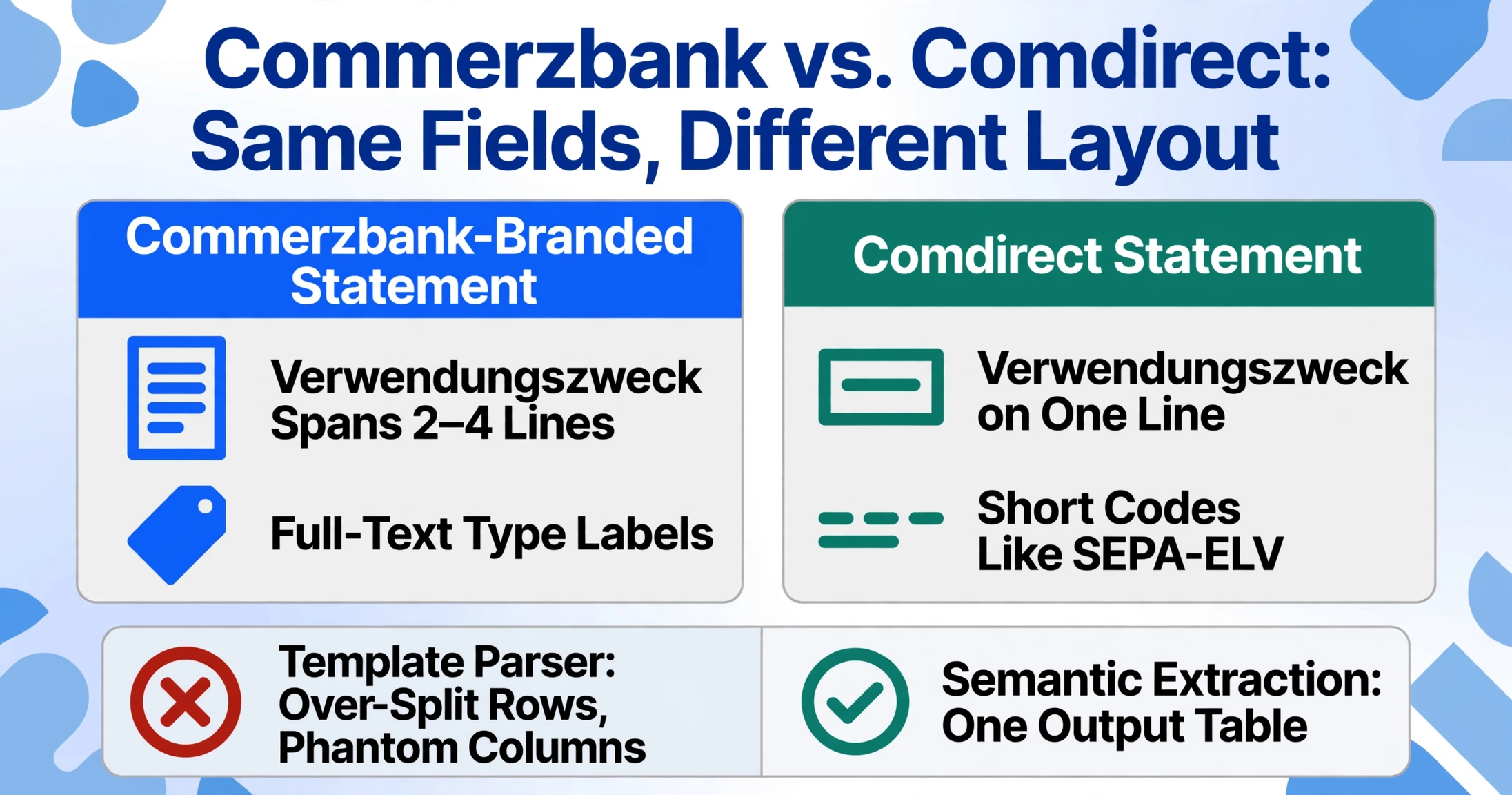
Since Commerzbank's acquisition of Comdirect was fully absorbed into the group, customers of both brands now receive statements under the Commerzbank umbrella — but the layout differences persist. Comdirect statements use a cleaner, more compact table format with fewer visual separators between rows. The header lacks the diagonal "COMMERZBANK" watermark and uses a simpler white/grey palette. Transaction types on Comdirect statements appear as short codes (e.g. "SEPA-ELV" for electronic direct debit) rather than the full-text labels used on Commerzbank-branded statements.
The critical difference for extraction is the Verwendungszweck field: on legacy Comdirect statements, the purpose text is a single continuous line instead of the multi-line block on Commerzbank statements. This means a template-based parser trained on Commerzbank's multi-line layout will over-split the Comdirect rows, creating phantom columns. Semantic-based extraction handles this transparently — the AI recognizes "Verwendungszweck" as a single logical field regardless of whether it spans one line or three.
If you manage accounts under both brands, batch processing them together is safe with a semantic extraction tool. Each statement is parsed independently based on its own layout, and all rows are merged into a single output table with consistent columns. For a detailed walkthrough of combining multiple statement types into one batch, see batch-processing German bank statements for Buchhaltung.
GoBD Compliance: Extraction Is Only Half the Work
Germany's GoBD (Grundsätze zur ordnungsmäßigen Führung und Aufbewahrung von Büchern, Aufzeichnungen und Unterlagen in elektronischer Form sowie zum Datenzugriff) regulations — updated in 2025 alongside the B2B e-invoicing mandate — require that all tax-relevant documents, including bank statements, be retained for 10 years under §147 AO (Abgabenordnung) in an unalterable, machine-readable format. This has two practical implications for extraction.
First: the extracted Excel data does not replace the original PDF. The original Kontoauszug PDF must be stored immutably — the GoBD requires preserving the document in its original format as received from the bank. The extracted spreadsheet is a working copy, not an archival substitute.
Second: the extraction itself should be reproducible. If the tax auditor (Betriebsprüfer) asks how a specific transaction's value was determined, you need to be able to trace it from the Excel cell back to the original PDF. Semantic extraction tools that preserve row-level references — such as the page number and approximate line position of each extracted value — make this traceability achievable. The Bbox verification feature (bounding-box annotation) serves exactly this purpose: hovering over a cell highlights the precise region on the original PDF where the value was read.
For businesses using DATEV or Lexware, the extracted Excel data needs one additional transformation before import. DATEV's CSV format uses ANSI/Windows-1252 encoding with semicolons as delimiters and German decimal notation (comma as decimal separator). Lexware uses a comparable format with slightly different column naming conventions. Most extraction tools export standard UTF-8 CSV with comma delimiters, which DATEV will reject. ImageToTable.ai's export includes a pre-formatted option that uses semicolons and German locale conventions — one less step for the Steuerberater. For more on the German accounting software ecosystem, see the complete guide to bank statement data extraction.
Frequently Asked Questions
Does ImageToTable.ai support Commerzbank Business Banking (Geschäftskonto) statements?
Yes. The tool reads both Privatkunden and Business Banking statement layouts. Business Banking statements use a slightly different column structure — the transaction type field is embedded in the description line rather than appearing as a separate row — and the AI adjusts column mapping accordingly. No template selection or layout configuration is needed.
Are Comdirect statements handled differently now that Comdirect is part of Commerzbank?
The tool processes Comdirect statements using the same semantic extraction approach. Because it reads fields by meaning rather than position, the layout differences between Comdirect's compact format and Commerzbank's standard format do not affect output quality. Both can be uploaded in the same batch.
Can the tool extract data from multi-page Commerzbank statements?
Yes. The tool processes PDFs of any page count — from single-page monthly statements to 30-page year-end archives — in a single upload. The running balance is tracked across page boundaries, so transaction #73 on page 5 carries the correct cumulative balance from page 4.
What if my Commerzbank statement PDF is password-protected?
ImageToTable.ai supports password-protected PDFs. You enter the PDF's PIN or password before processing, and the AI decrypts the file in memory. The password is not stored. If you receive encrypted statements regularly, you can save the password in your account settings for automatic decryption — useful for recurring monthly statements that use the same PIN.
Can I export directly to DATEV CSV format?
Yes. The export options include a DATEV-compatible CSV variant that uses ANSI/Windows-1252 encoding, semicolons as delimiters, and German decimal notation ("," instead of "."). This format can be imported directly into DATEV Rechnungswesen via the "Bankumsätze importieren" function without manual reformatting. Lexware-compatible export is also available.
Does the extracted data satisfy GoBD audit requirements?
The extracted spreadsheet is a working copy — the original PDF must be retained separately as the audit-proof original under §147 AO. However, the tool's Bbox annotation feature (which links each extracted cell to its position on the original document) provides the traceability that auditors look for during a Betriebsprüfung. You can export the spreadsheet with an annotation column that records the page and approximate location of each value.
How do I verify that the running balance is correct after extraction?
The tool includes an automatic validation step: it checks whether opening balance + SUM(signed amounts) = closing balance for each page and for the entire statement. If the equation fails, the specific page where the mismatch occurs is flagged. You can also enable Review Mode, which displays each extracted value overlaid on the original PDF so you can visually confirm alignment row by row.
Can I extract statements from multiple Commerzbank accounts in one batch?
Yes. The tool's batch-first processing is designed for this scenario: upload PDFs from your checking (Girokonto), savings (Tagesgeldkonto), and credit card (Kreditkarte) accounts in a single batch. Each statement is parsed independently, and all rows are merged into one unified Excel table with an "Account" column so you can filter or sort by account.
Does the tool handle multi-currency Commerzbank statements?
Yes. Commerzbank business accounts frequently process EUR, USD, and CHF transactions on the same statement. The AI detects ISO 4217 currency codes per transaction row and preserves them in a separate column. The signed amount is extracted in the original transaction currency.
How much does it cost to extract a Commerzbank Kontoauszug?
Each page of a processed document costs 1 credit. A monthly Commerzbank statement (usually 1-2 pages) costs 1-2 credits. A year-end statement (12-15 pages) costs 12-15 credits. The free plan includes 50 credits to start. Monthly subscription plans range from 500 to 6,000 credits depending on volume. You can try the tool on a single page for free without registering.