How to Extract License & Certificate Data
to a Compliance Spreadsheet
Forty-one states require a contractor license to perform construction work, and the licenses themselves come from more than 70,000 separate issuing authorities across the U.S. — state boards, counties, municipalities, and national certification bodies like the International Code Council (ICC). The compliance spreadsheet your company actually relies on is built by opening each license PDF or scanned certificate, reading the number, the classification, the expiration date, and typing them into a row. When those documents come from a California CSLB wall certificate, an ICC digital credential, and a city business license in the same quarter — each with a different renewal cycle — the typing is where the system breaks.
Key Takeaways
- A single mis-typed expiration date can void a contract mid-project and suspend your bidding rights for six months — and your compliance spreadsheet has zero way to catch the error.
- Template-based extraction tools can't solve the license tracking problem because U.S. contractor licenses come from over 70,000 separate issuing authorities, each with a different certificate layout.
- The same set of column names extracts data from any state's certificate when the AI reads by what the field means — not where it sits on the page.
A Lapsed License Costs More Than the Fine
The real cost of a missed renewal isn't the late fee — it's the work stoppage, the voided contract, and the six months of unbid projects that follow.
Missed renewals in construction licensing carry consequences that scale fast. Industry sources commonly cite fines in the $2,000–$10,000 range for working with an expired license, but the fine is the small part. Project shutdown orders, license suspension, and — in states like Mississippi — the legal doctrine that contracts performed by an unlicensed contractor are voidable or unenforceable, meaning the contractor may be unable to collect payment or file a mechanics lien at all. California's Contractors State License Board (CSLB) is explicit that any work performed while a license is expired is considered unlicensed work, even if the renewal is already in the mail.
A story that circulates in licensing education circles captures the arithmetic: an asbestos supervisor in New York missed his renewal deadline by three weeks and kept working while the renewal "processed." An inspector on a school abatement project asked for his license and found it had expired 21 days earlier. The project shut down immediately, the school district terminated the contract, and the supervisor was fined $8,500 and suspended for six months — no bidding, no working, for half a year. On Reddit's r/RealEstate, a homeowner shared the other side: "Just found out my contractors license expired on 7/13 he start my project on 7/8" — a license that was valid when the job started and wasn't when it mattered.
The uncomfortable detail that makes this systemic: verification is usually a one-time event. A license is checked when a subcontractor is hired, then the certificate goes in a folder and the spreadsheet row gets its date typed in. Nobody re-checks mid-project — and licenses expire during jobs all the time. The spreadsheet doesn't know, because the spreadsheet only knows what someone typed into it.
What a License Compliance Spreadsheet Actually Needs
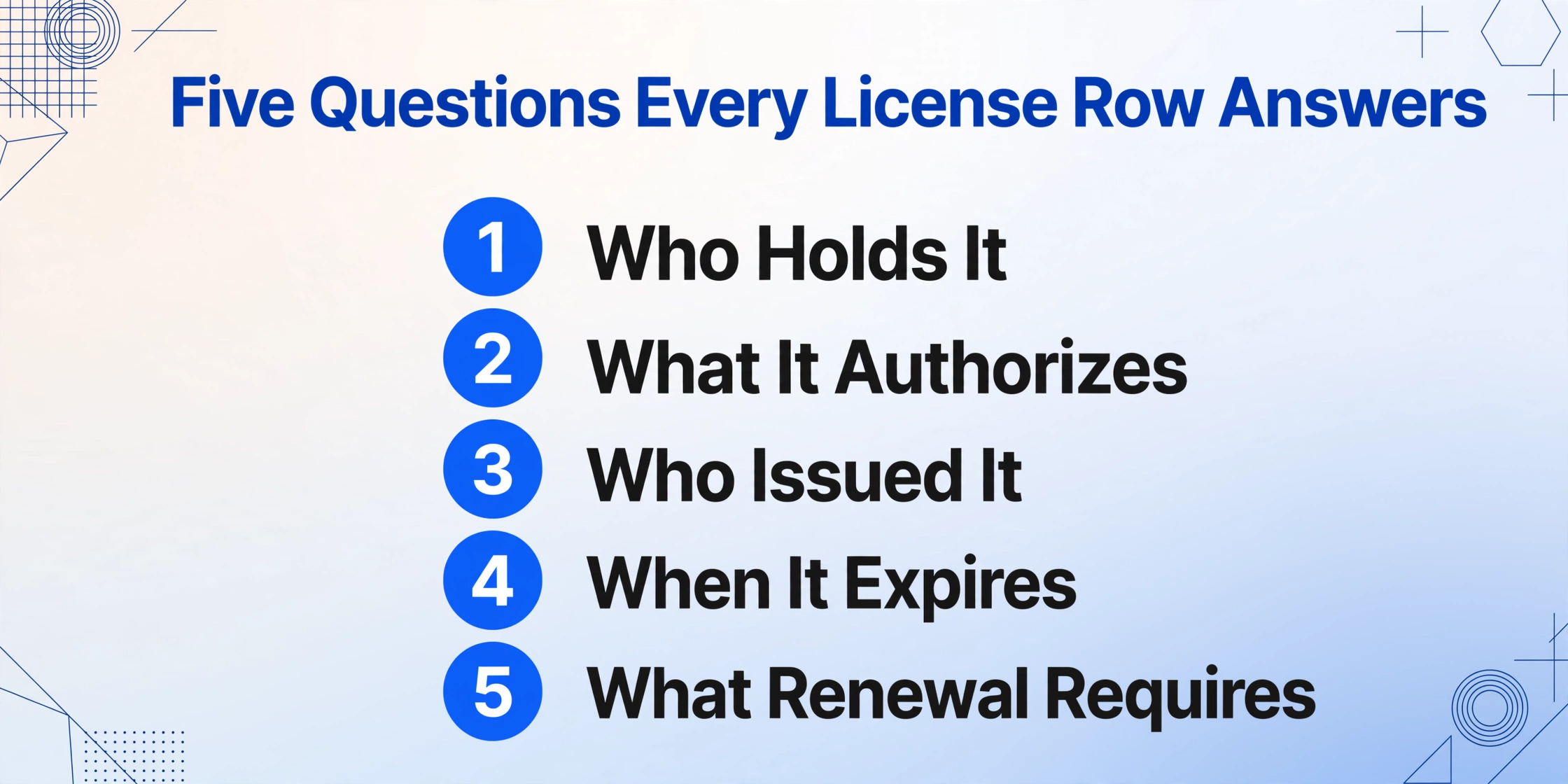
A compliance spreadsheet earns its name when every row answers the same five questions: who holds the credential, what it authorizes, who issued it, when it expires, and what renewal requires. That field set is consistent even though the documents are not.
For a business or contractor license, the columns a construction or professional-services firm typically tracks:
Legal / Business Name  |  DBA  |  License Number
License Type & Classification  |  Issuing Authority
Qualifying Individual / Responsible Officer  |  Issue Date
Expiration Date  |  License Status  |  Bond / Insurance Reference
Renewal Notice Date  |  Renewal Requirements (CE hours, fees)
For professional certificates — engineering licenses, ICC inspector certifications, trade certifications — the same skeleton applies with credential-specific columns:
Certificate Holder  |  Credential Type (PE / ICC B1 / C-10 etc.)
Certificate / Registration Number  |  Certifying Body
Issue Date  |  Expiration Date
CE Hours Required  |  CE Hours Completed  |  Audit Risk Flag
These aren't invented fields — they mirror the actual rules of the issuing bodies. California's CSLB licenses about 285,000 contractors across 45 classifications, each with a seven-digit license number that must appear as "CA Lic. #" in advertising. An ICC certification is valid for three years and requires 1.5 Continuing Education Units (roughly 15 hours) to renew, with the ICC conducting renewal audits monthly. A Florida professional engineer must log 18 continuing education hours every two years, including one hour of state laws and rules and one of professional ethics. A spreadsheet column that says "CE Hours Required" isn't generic — it's the difference between a firm that gets audited clean and one that discovers 15% of its certifications lapsed on audit day.
Why License Documents Break Template-Based Tools
License documents look like they should be easy to parse — they're mostly labeled fields on a fixed form. In practice, the "fixed form" assumption fails across almost every document you'll actually receive.
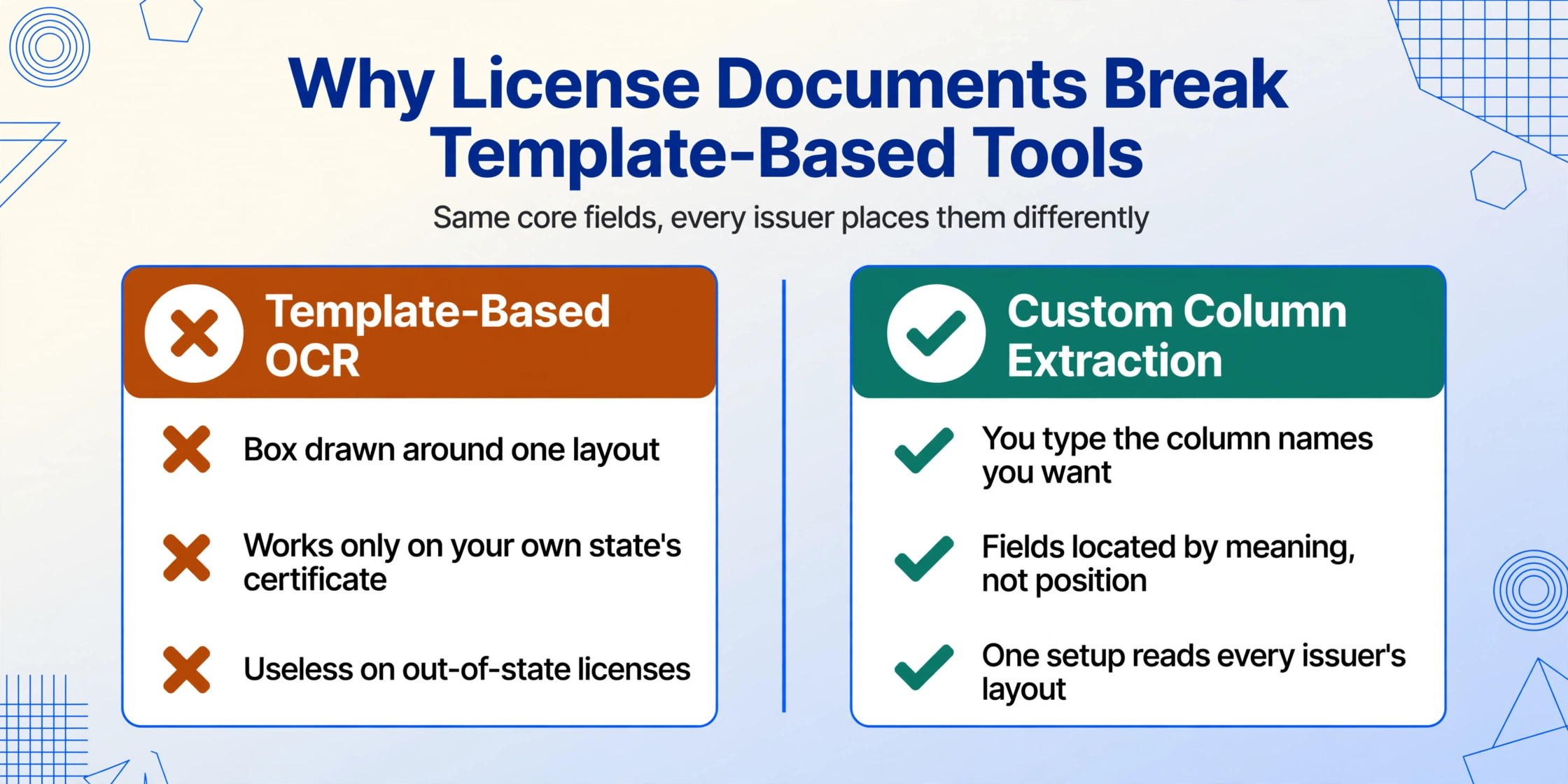
Consider what a compliance coordinator actually holds at renewal season: a California contractor's wall certificate (landscape layout, seal, handwritten qualifier name), a Florida DBPR printout from the state portal, an ICC digital credential PDF, a municipal business license that's a one-page letter, a photographed certificate texted by a subcontractor's office manager, and a professional engineer's pocket-card scan. Each has the same core fields — number, type, issue and expiry — but each places them somewhere different, in a different font, sometimes in a table and sometimes in prose. That's before adding the format drift: one jurisdiction reissues its certificate design every few years, and the scanned copies introduce rotation and shadow.
Template-based extraction — the OCR approach that requires you to draw a box around "Expiration Date" at specific coordinates — is configured for one of those layouts. It works on the document it was built for and degrades on everything else. This is why a template tool feels great on your own state's certificate and useless on the subcontractor's out-of-state license.
Custom Column Extraction takes the opposite approach: you type the column names you want — "License Number," "Expiration Date," "CE Hours Required" — and the AI locates each value by understanding what the field means, not where it sits on the page. The field name "License Number" tells it to look for the identifying number near the issuing authority's name and the holder's name, whether that's on a wall certificate, a state portal printout, or a photographed card. "Expiration Date" tells it to find the date that governs when the credential lapses, not the issue date printed beside it. One set of column definitions therefore works across every state's license and every certifying body's certificate — which is exactly the situation a compliance spreadsheet sits in. If you already track certificates of insurance this way, the pattern is identical: name your columns once, and the AI reads any version of the form. Our guide on extracting certificate of insurance data to Excel covers that parallel workflow in depth.
Step by Step: License PDFs to a Compliance Spreadsheet
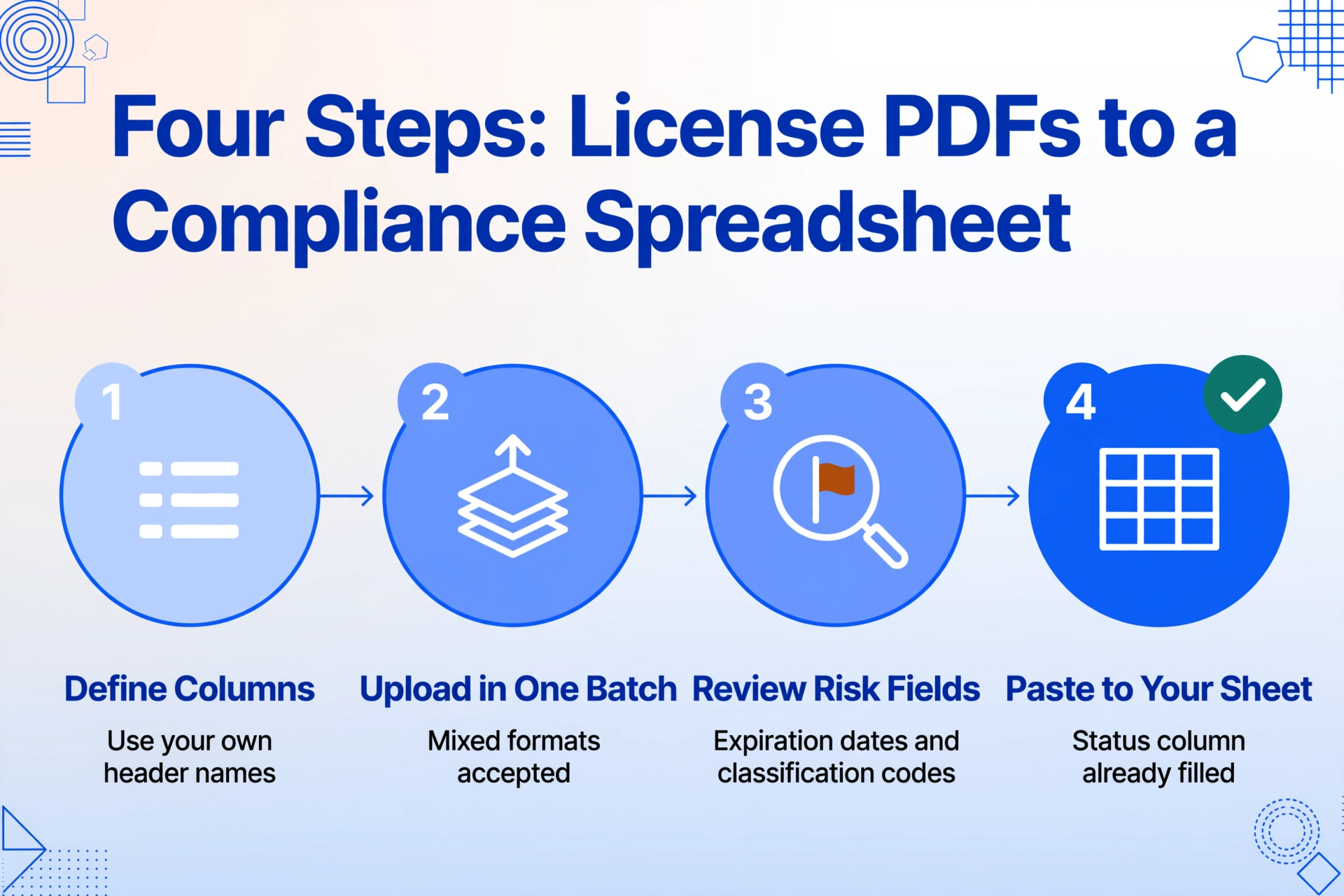
The workflow takes about ten minutes to set up the first time, and then every renewal batch after that is upload, review, and paste.
Files are processed securely and not stored. Type license fields — License Number, Expiration Date, Classification — and upload a sample to test.
What Extraction Won't Do for You
Extraction reads what the document says. It does not tell you whether what the document says is currently true — and in licensing, that gap is where the real compliance risk lives.
The limitation that matters most: a certificate in your file proves the license existed on the day it was issued or renewed. It does not prove the license is active right now. Licenses get suspended between renewals — for an insurance lapse, a disciplinary action, or unpaid obligations in California's case — and the holder rarely volunteers that update. The compliance industry has known for years that a clean certificate of insurance and a suspended license can coexist; the certificate and the license are verified against different registries. This is also why automated license verification platforms exist: services like TrackMyVendor check state board databases (CSLB, DBPR, TDLR, and others) daily and alert on status changes. Extraction doesn't replace that. What it does is eliminate the manual typing so that whatever verification you run — one-time lookup, annual audit, or a daily monitoring service — starts from accurate, complete data instead of a spreadsheet of guessed dates.
Two more honest boundaries. First, extraction doesn't send renewal reminders — your conditional formatting and calendar do that. Second, it won't track continuing education completion against requirements; "CE Hours Required" extracts cleanly, but logging each course remains a manual step unless you use a certification-tracking tool or an HRIS with credential modules. The general contractors and firms that graduate past the spreadsheet stage — dozens of subcontractors, multiple states, license status checked against state boards — typically adopt a compliance module inside their existing project management stack (Procore's compliance tracking on commitments being the common example) or a dedicated license platform. The threshold is the same one that applies everywhere in this workflow: if you spend more time verifying and acting on compliance data than typing it, a platform earns its cost; if you're still hand-copying numbers out of PDFs, extraction is the missing step — and the cheapest one to fix. The same logic applies to the related documents that sit next to licenses in a compliance folder: construction permits carry their own code references and expiration dates, and driver license extraction shows how the same approach handles identity-style documents.
Frequently Asked Questions
Can I extract data from licenses issued by different states and certifying bodies in one batch?
Yes. A California CSLB wall certificate, a Florida DBPR printout, an ICC digital credential, and a city business license have the same information categories — holder, number, classification, issue and expiration dates — arranged differently. Because the AI reads fields by meaning rather than position, one set of column definitions extracts all of them in the same batch, and each document becomes its own row in the merged output.
Does extraction verify that a license is still valid with the state board?
No. Extraction reads what the certificate says; it cannot detect a license that was suspended after the certificate was issued. A license can be suspended between renewal cycles while the printed certificate in your file still shows an active status. For current validity, you need a lookup against the issuing board's database — a one-time check per renewal or a monitoring service that checks daily. Extraction complements those by getting the data into your sheet accurately in the first place.
Can it track renewal dates and send reminders automatically?
Extraction itself doesn't send reminders. After export, apply conditional formatting to the expiration date column — highlight dates within 60 days in yellow and past dates in red — and sort by date to see what needs attention. That gives you renewal visibility without a platform subscription, though it requires someone to check the sheet periodically rather than receiving automated alerts.
What about scanned or photographed paper certificates?
Scanned and photographed certificates work, including handwritten qualifier names and seals. Accuracy is highest on clean digital PDFs — up to 99% on printed numbers and dates. A photo taken at an angle or in low light can reduce accuracy on individual fields, which is why expiration dates and classification codes should be spot-checked against the source document. The AI handles this class of documents better than template-based tools because it isn't depending on exact pixel positions.
What columns should I define for professional certificates like PE licenses or ICC certifications?
Start with holder name, credential type, certificate or registration number, certifying body, issue date, and expiration date. Then add the fields that drive renewal: CE hours required, CE hours completed, and renewal requirements as printed on the certificate. For an ICC certification that's the 1.5 CEU (about 15 hours) per three-year cycle; for a Florida PE it's 18 hours every two years. You can also add a computed column that flags whether the CE requirement appears to be met based on the extracted numbers.
If you're building out a broader construction compliance workflow, the same extraction pattern applies to the documents around licenses — see our guide on extracting COI data to Excel and the workflow for construction permit data extraction.