Document Extraction for Logistics:
An Operations Buyer's Guide
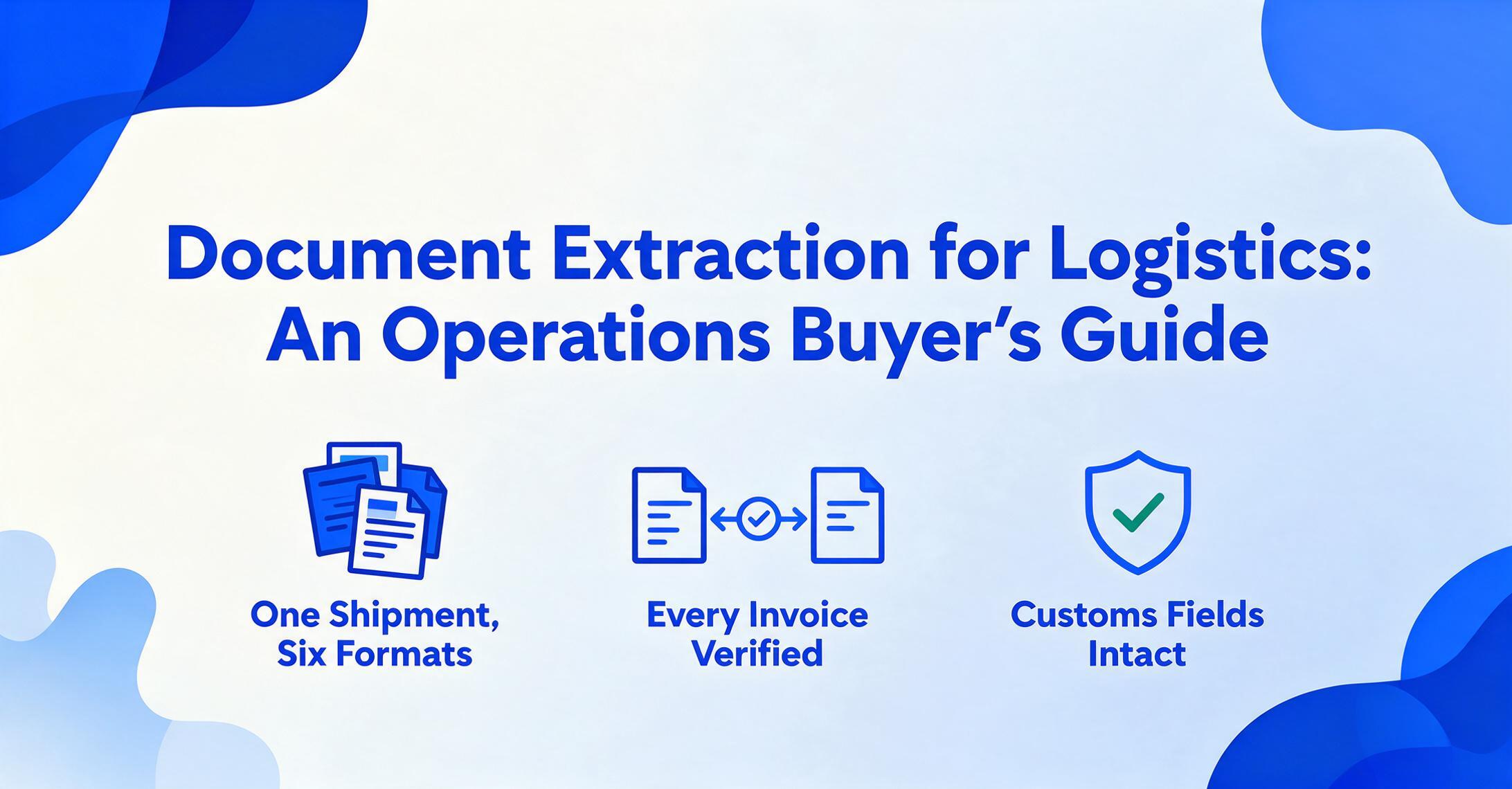
The AI document extraction market has matured to the point where "can it read a PDF" is no longer a useful question — the answer is almost always yes. The question that matters for logistics operations is whether the tool can read six different PDFs from six different trading partners — a straight BOL from one trucking carrier, an order-notify ocean BOL from a steamship line, a commercial invoice from the exporter, a packing list from the warehouse, a CBP 7501 from the customs broker, and a freight invoice from the carrier's billing department — and cross-reference the data so that the piece count on the BOL matches the line-haul charge on the invoice. Those are the logistics documents that arrive with every cross-border shipment. A tool that handles one of them well but none of the others is worse than no tool at all — it creates a partial dataset that still leaves you manually patching gaps.
Key Takeaways
- A mid-size freight forwarder needs 45 extraction templates just to read BOLs from carriers they work with because every carrier prints documents in a different layout.
- Those templates all break silently when a carrier redesigns their documents and the first alert is a demurrage charge on a container that left port three days ago.
- ImageToTable.ai reads Container Number by meaning across any carrier layout so BOL and invoice data land in adjacent rows of the same spreadsheet where cross-referencing becomes a single formula.
The Logistics Document Landscape: One Shipment, Six Formats
A single cross-border shipment generates a paper trail that most office environments never see. The shipper issues a bill of lading — but which kind? A straight BOL, non-negotiable and consigned to a named recipient, is the most common for truck freight. An order-notify BOL, negotiable by endorsement, appears in ocean shipments where goods may change ownership during transit. A multimodal BOL covers container moves that combine truck, rail, and vessel segments under one document — see our complete guide to BOL data extraction for the full breakdown of BOL types and validation standards. Each carrier prints these on its own template: Maersk's ocean BOL arranges shipper and consignee data vertically with port of loading and discharge in dedicated blocks; ODFL's truck BOL groups the same fields horizontally across the top third of the page with handling-unit rows below; a regional LTL carrier may fold everything into a single-column layout with hand-stamped reference numbers.
Then the commercial invoice arrives from the exporter — with HS codes, declared values, incoterms, and country of origin. The packing list comes from the warehouse, itemizing piece count, weight per carton, and SKU-level detail. The customs broker sends over CBP Form 7501 — the Entry Summary filed with U.S. Customs and Border Protection — with 40-plus blocks of data including entry number, port code, HTS classification, entered value, duty calculation, and surety information. If the shipment is ocean freight, there's also the ISF 10+2 filing under 19 CFR Part 149, due 24 hours before vessel loading, with 12 data elements covering manufacturer, seller, buyer, ship-to party, country of origin, and HTS number. And then the freight invoice lands — line-haul charge, fuel surcharge, accessorials, demurrage days, detention clocks.
Six documents, six sources, six formats — and a single container sitting at the port of Long Beach with the demurrage clock already running. According to Federal Maritime Commission rules under 46 CFR Part 541, a carrier's demurrage invoice must include specific fields — BOL number, container number, port of discharge, free time dates, availability date, specific charge dates, rate basis, and dispute contact — or the invoice may be invalid. That means the person auditing the invoice needs BOL data in a structured format before the payment deadline, not after. This is the structural problem: the documents are interdependent, the clock is ticking, and the data is locked in PDFs.
Logistics document extraction isn't about reading one document faster. It's about reading six interdependent documents and surfacing mismatches on the fields that determine whether you pay $4,200 or $8,900 for a container move.
Evaluation Criterion 1: How It Handles Format Diversity
The first test of any document extraction tool for logistics is format diversity — and this means something different than what most vendor demos show. The standard vendor demo loads one perfectly scanned PDF with clean fonts and extracts fields in seconds. A logistics operator needs to know what happens when you load a Maersk BOL, an MSC BOL, a COSCO BOL, and a regional trucking carrier's BOL in the same batch with the same column setup, and the container number sits in a different quadrant of the page on every carrier's format.
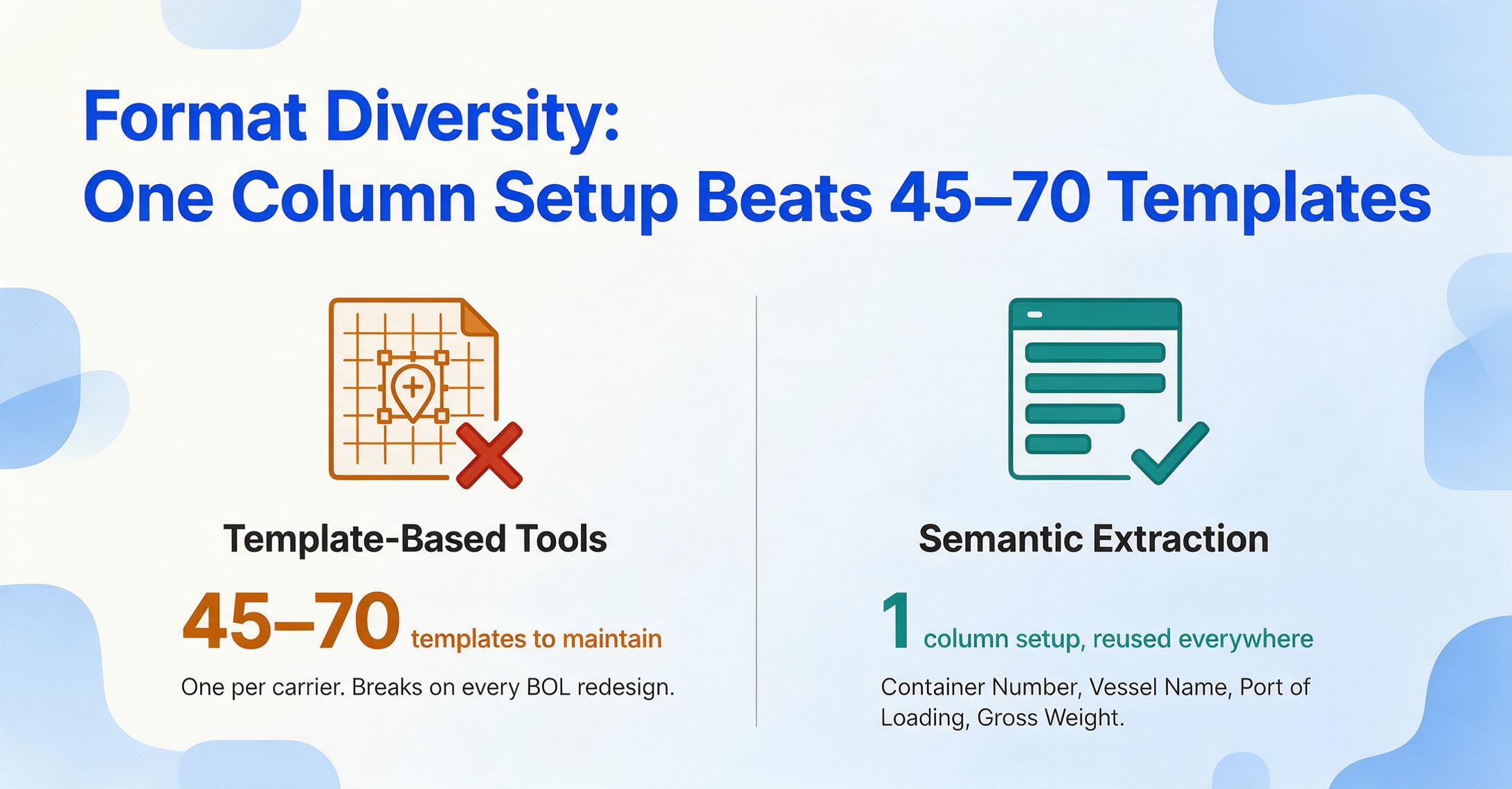
Most extraction tools fall into one of two categories here. Template-based tools require you to draw bounding boxes or define coordinate anchors for each field on each document layout — which means maintaining one template per carrier. A mid-size freight forwarder working with 15 to 20 ocean carriers and another 30 to 50 regional trucking carriers is looking at maintaining 45 to 70 templates, with every one of them breaking the next time a carrier redesigns its BOL. The second category — what ImageToTable.ai uses — is semantic extraction through a vision model: you type the column names you want extracted (Container Number, Vessel Name, Port of Loading, Gross Weight), and the AI locates the values on each document by understanding what those fields mean semantically, not by remembering where they were on a template. The same column setup — what the tool calls Custom Column Extraction — works across all carrier formats simultaneously because the AI reads like a person would: scanning the document for the concept "Container Number" and pulling the alphanumeric string next to it, regardless of where on the page that string appears.
This distinction matters more in logistics than in any other industry. In accounts payable, an invoice format varies — but the variation between a Sysco invoice and a US Foods invoice is modest: both put the total in the bottom right, both list line items in a table. In logistics, the variation between a Maersk ocean BOL and an Estes LTL BOL is architectural — the documents are built for different regulatory frameworks, different modes of transport, different liability structures. A template-based tool that works for AP invoices will fail on the first carrier-switch in a logistics workflow.
When evaluating, test this directly: bring BOLs from three different carriers — one ocean, one national LTL, one regional trucking — into the tool's demo environment with the same set of extraction columns. If you need to create a separate template for each, the time you save on extraction you'll spend on template maintenance. For a side-by-side test of how nine extraction tools actually handle this kind of carrier variance, see our logistics document extraction tools comparison; for the mechanics of running one BOL through the workflow end to end, see how to extract BOL data to Excel.
Evaluation Criterion 2: Can It Cross-Reference Across Documents?
Single-document extraction is table stakes. What separates a logistics-capable tool from a generic document reader is whether it supports the reconciliation workflows that logistics managers actually run — starting with the BOL-to-freight-invoice cross-check.
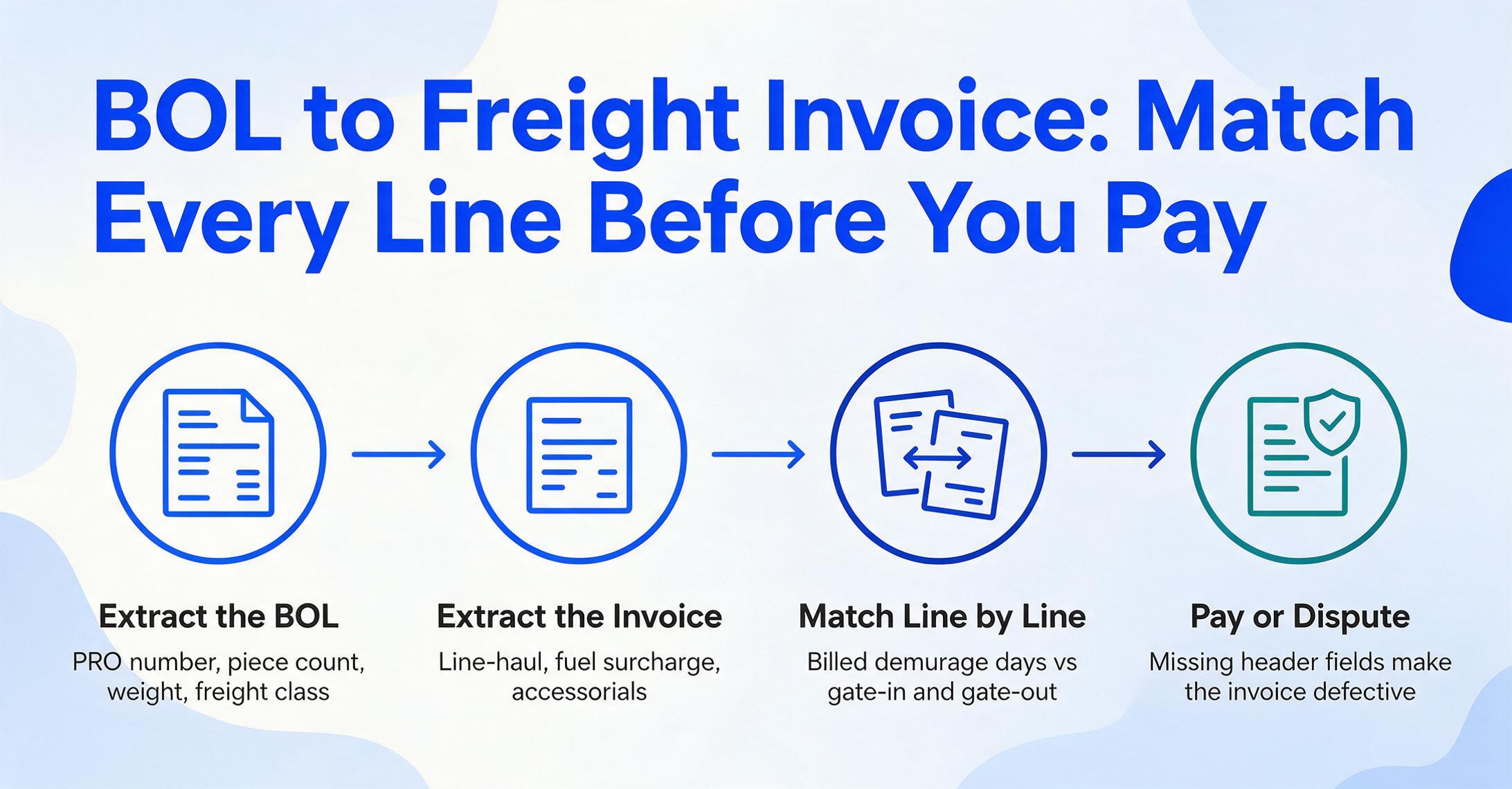
A freight invoice from an ocean carrier is not a simple bill. It itemizes the line-haul charge, a fuel surcharge indexed to a specific bunker fuel rate, any accessorials — chassis usage, demurrage days, detention days, documentation fees, hazardous material surcharges — and a total. Every line item needs verification against a source document. The line-haul charge should match the rate confirmation agreed at booking. The piece count and weight on the invoice should match the BOL's declared cargo description. The demurrage days billed should align with the gate-in and gate-out timestamps against the free time allowance in the terminal's tariff. And under 46 CFR Part 541, the invoice must also contain specific header fields — if the BOL number, container number, availability date, or rate basis is missing, the invoice is defective and may not need to be paid at all.
This is where a tool that extracts both BOLs and freight invoices into the same spreadsheet creates a workflow that single-document tools can't. You upload the BOL, set columns for PRO number, piece count, weight, freight class, and carrier. Then you upload the freight invoice into the same batch, extracting line-haul, fuel surcharge, accessorials, and billed piece count. The two document types feed into adjacent rows or columns of one spreadsheet, and the cross-reference — does the billed weight match the BOL weight? does the piece count align? — becomes a formula check rather than a manual hunt through two separate PDFs and a calculator.
The same logic applies to packing list → warehouse receiving and commercial invoice → customs declaration validation. Once the data from all six documents in a shipment packet lives in the same structured table, the reconciliation step that currently chews up a logistics coordinator's morning becomes a spreadsheet filter. This is the capability that makes a document extraction tool genuinely useful to a logistics operation — not just reading faster, but making mismatches visible before they become demurrage charges.
57% of logistics executives reported shipment delays in the past year directly tied to document errors. Most of those errors weren't missed fields — they were mismatched fields across documents that nobody cross-checked because cross-checking six PDFs by hand takes longer than the shipment's free time window.
Evaluation Criterion 3: Customs-Ready Extraction
If your operation moves goods across borders, the extraction tool needs to handle customs documents — and this is a harder requirement than it sounds. Customs forms are dense, government-standardized documents with field-level precision requirements that a generic "extract all text" approach doesn't satisfy.
CBP Form 7501, the Entry Summary, is a 27-page PDF with over 40 data blocks. Block 1 holds the 11-digit alphanumeric entry number (three-digit filer code + seven-digit entry number + one check digit). Block 2 specifies the entry type code — 01 for consumption, 21 for warehouse. Block 6 holds the port code (2704 for Los Angeles). Blocks 33 through 36 contain the line-item detail: HTS number, country of origin, entered value in USD, and duty calculation. Each of these fields has a downstream consequence. A wrong HTS code — specifically the 10-digit Harmonized Tariff Schedule classification — triggers a different duty rate, which can mean thousands of dollars in overpayment or a CBP audit.
The ISF 10+2 filing, required for all ocean imports, adds 12 more data elements: seller, buyer, importer of record, consignee, manufacturer, ship-to party, country of origin, and HTS number among them. These must be consistent with the commercial invoice and BOL data, or CBP flags the filing and the container doesn't get released from the terminal.
A logistics-grade extraction tool should extract customs fields with their labels intact — not just the numeric string "8471.30.0100" but the association that says "this is the HTS code for the laptop computers on line item 1." It should pull country of origin per line item, not just once from the header. And it should allow you to extract customs data into the same spreadsheet where BOL and invoice data already sit, so the customs broker's entry summary can be validated against the commercial invoice and the BOL cargo description in one view.
The practical test: ask the vendor to process a real CBP 7501 PDF during evaluation. Watch whether the extracted HTS codes match the line items they belong to, or whether the tool outputs a jumbled list of codes without line-item association. In customs, a code without its line-item context is useless.
Evaluation Criterion 4: How Documents Get Into the Tool
Most evaluation frameworks for document extraction focus entirely on what happens after upload — how fast, how accurate, what format the export takes. But the step before extraction — how documents actually enter the processing queue — is where logistics operations lose more time than they expect.
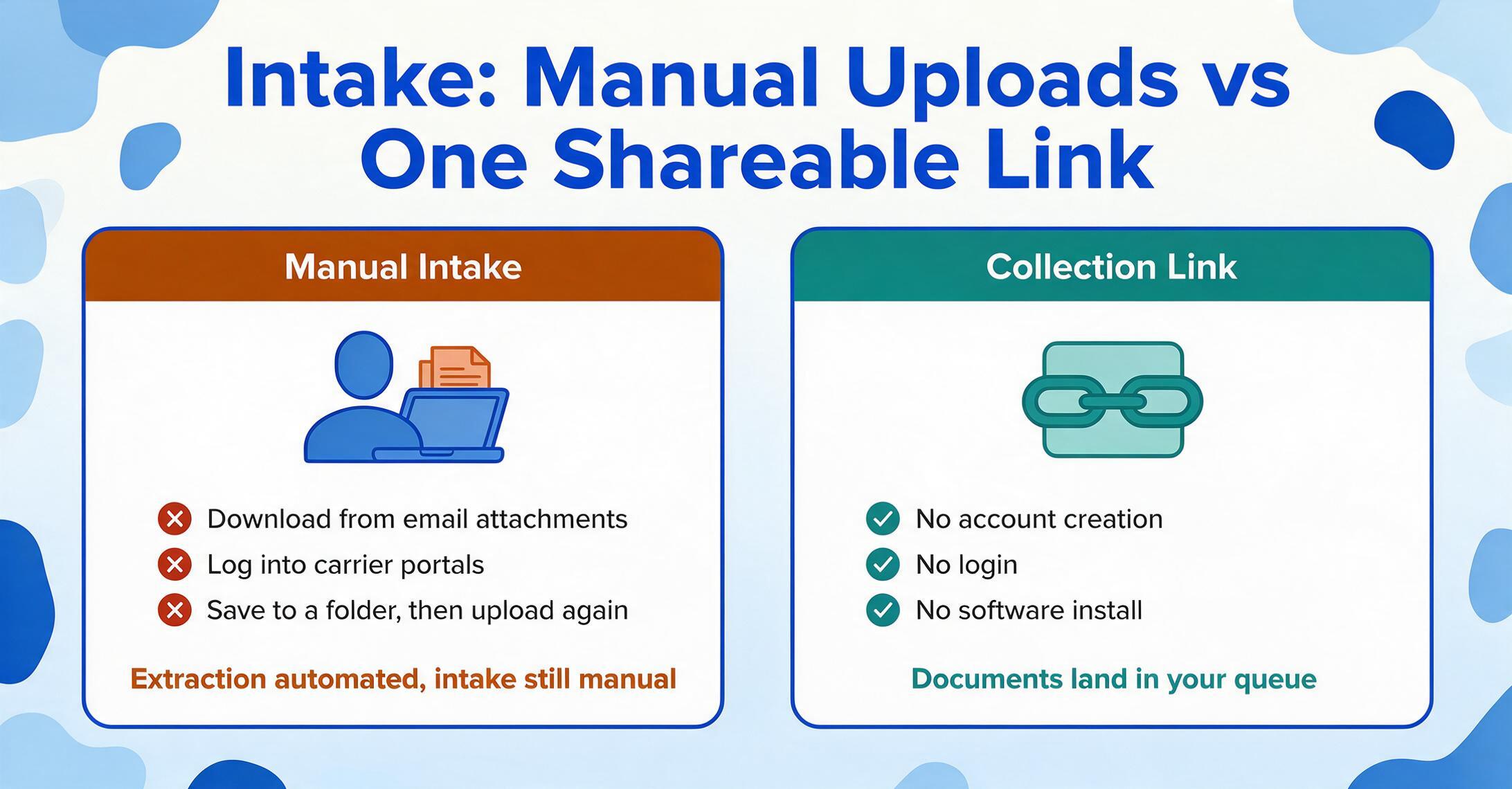
In a typical logistics workflow, BOLs arrive as email attachments from shippers. Carrier invoices come through carrier portals or as PDF attachments from the billing department. Customs declarations come from the broker. Packing lists come from the origin warehouse. Each source is a different person, a different channel, and often a different time zone. If your extraction tool requires you to be the one who uploads everything — downloading attachments from email, logging into carrier portals, saving files to a folder, then uploading them to the tool — you've automated the extraction step but left the intake step entirely manual.
This is where a feature like Collection Link changes the evaluation calculus. A Collection Link is a shareable URL you generate from your account. You send it to a carrier's dispatch desk, a shipper's warehouse, or a customs broker — and they open the link, enter a short verification code, and upload their documents directly into your processing queue. No account creation, no login, no software installation on their end. The BOL from the carrier, the packing list from the warehouse, and the customs declaration from the broker all land in your queue automatically, and your column extraction setup processes them in batch.
When evaluating tools, ask two questions about intake: does the tool require you to be the uploader, or can external parties submit documents directly? And if external submission is possible, does it work without the submitter needing a paid license or account? In logistics, where documents flow from dozens of external trading partners, intake automation is as important as extraction accuracy — and it's the criterion that most evaluation checklists omit entirely.
One Tool vs. Point Solutions: Making the Decision
By now the pattern is clear: logistics document extraction is not a single-document problem. It is a multi-document reconciliation problem where each document feeds data that validates the next. A tool that only handles BOLs creates one structured dataset while leaving freight invoices, customs declarations, and packing lists in their original PDFs — and the cross-reference that actually prevents overpayment and customs delays still has to be done by hand.
Point solutions — one tool for BOL extraction, another for invoice processing, a customs-specific platform for declarations — introduce their own cost: data lives in three separate systems, with no automated way to match container MSCU1234567 across a BOL extraction output in one tool and a freight invoice extraction output in another. The logistics industry's answer to this fragmentation has historically been the TMS: CargoWise, Descartes, MercuryGate, Trinium — platforms that manage the full shipment lifecycle from booking to settlement. But TMS platforms were built for a workflow where data entry already happened. They manage the load after the data is in the system. The moment a paper BOL or a scanned PDF arrives, the TMS is idle — someone still has to type.
One extraction tool that processes all six logistics document types with the same column setup eliminates the data silo problem. The BOL data, freight invoice data, customs data, and packing list data all land in one spreadsheet, and the cross-reference that used to consume hours becomes a set of formula checks — or a visual scan of adjacent rows — that takes minutes.
This doesn't require an enterprise contract. ImageToTable.ai processes all six document types — BOLs, commercial invoices, packing lists, customs declarations, freight invoices, and delivery receipts — with the same Custom Column Extraction setup used for any document. Pricing starts at $19 per month, well below the per-user cost of a TMS module upgrade. For a deeper look at how extraction fits into the broader data entry landscape, see our overview of what document extraction software actually does and the current landscape of tools in 2026. If you're weighing enterprise platforms against lightweight alternatives, the enterprise vs. SMB extraction comparison covers the tradeoffs. And for a structured approach to tool selection, the document extraction evaluation framework provides a general-purpose methodology that complements the logistics-specific criteria covered here.
The right logistics extraction tool doesn't require you to pick between document types. It processes the entire shipment packet — BOL, invoice, packing list, customs declaration — with one column setup, so cross-referencing becomes a formula, not a manual audit.
Frequently Asked Questions
Does document extraction work with handwritten BOLs and delivery receipts?
Yes, with caveats. Vision-model-based extraction tools can read handwriting on BOLs and proof-of-delivery documents — driver signatures, hand-filled piece counts, warehouse stamps — but accuracy drops compared to printed text, particularly for low-resolution scans or carbon-copy duplicates where the third layer is faint. For handwritten fields on otherwise printed documents (a driver hand-writing a piece count correction on a printed BOL), accuracy is generally high. For fully handwritten forms, expect to review extracted data rather than rely on it without verification.
Can it handle multilingual customs documents?
Yes. A commercial invoice from a Chinese supplier written in Mandarin, a German packing list ("Lieferschein" instead of "Packing List"), or a Korean certificate of origin — vision models process the visual text regardless of language, and label the extracted values under your English column names. The tool reads what's on the page; the column header you choose becomes the output label. For a Japanese logistics operation, see our no-code AI data entry guide.
How does extraction fit with my existing TMS — CargoWise, Descartes, MercuryGate?
Document extraction doesn't replace your TMS — it feeds it. You extract structured data from BOLs, invoices, and customs forms into an Excel spreadsheet, then import that spreadsheet into your TMS through its standard data import function. Most TMS platforms — CargoWise via XML upload, Descartes via CSV import, MercuryGate via the data loader — accept bulk spreadsheet imports. The extraction tool handles the PDF-to-spreadsheet step that the TMS doesn't cover; the TMS handles the load management, tracking, and settlement steps it was built for. No API integration required unless your volume justifies building one.
What's the accuracy rate on logistics documents specifically?
For printed BOLs, commercial invoices, and customs forms with clear fonts, printed-table data accuracy reaches up to 99% — which translates to roughly one field needing review per hundred fields extracted, or about one correction per 8-10 documents. Handwritten fields, multi-line cargo descriptions with nested line items, and low-resolution scans (fax-quality PDFs) reduce accuracy and may require human review of the flagged extractions. The practical workflow is: AI extracts everything, you spot-check the flagged low-confidence fields, and you review handwritten or damaged documents. This is faster than full manual entry by roughly 18x even with the review step included. For a deeper comparison of legacy OCR against modern AI extraction specifically on logistics document types, see our OCR for logistics guide.
Do I need separate tools for each document type?
No — and this was the core argument of the evaluation framework above. A tool that uses semantic extraction (reading fields by meaning, not by template position) handles BOLs, freight invoices, packing lists, customs declarations, and commercial invoices with the same column setup. You define the columns once — Container Number, Vessel Name, HS Code, Declared Value, Line-Haul Charge — and the same setup works across all six document types when you upload them in batch. Separate tools per document type create data silos that make cross-referencing harder; one tool creates a unified dataset where cross-referencing becomes a spreadsheet formula.
Evaluate on your own documents
Upload a Maersk BOL, an Estes freight invoice, and a packing list. See if one column setup extracts all three into the same spreadsheet — without building a single template.
Try ImageToTable.ai FreeNo sign-up required. Files processed securely and not stored.