Construction Digital Transformation
Starts With One Document
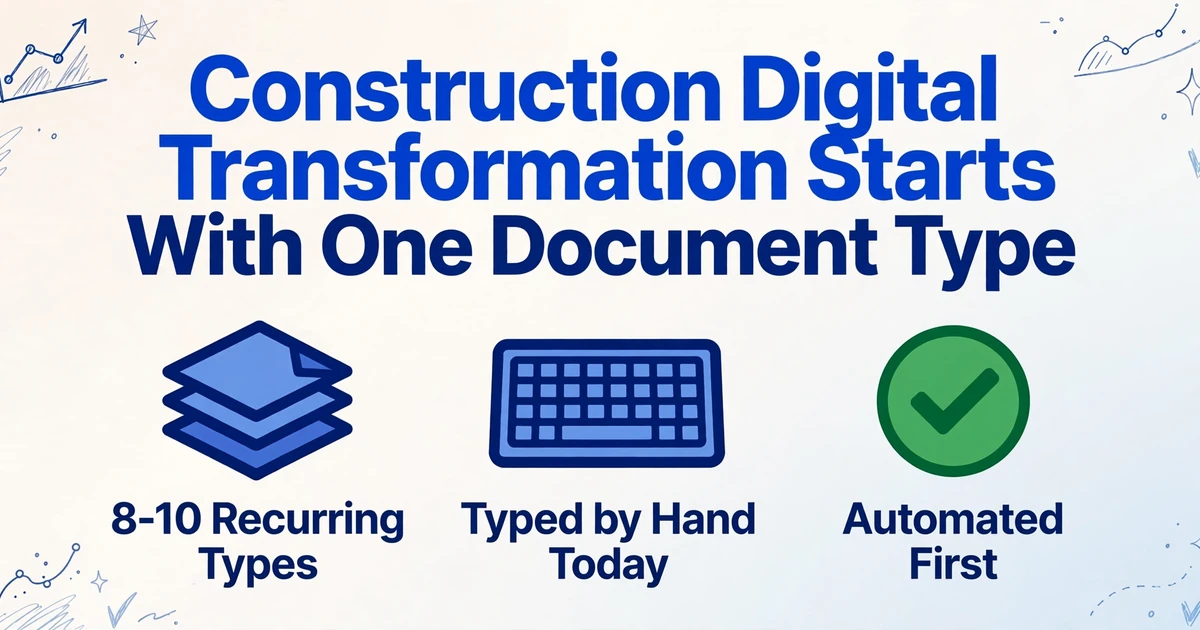
Sixty-one percent of construction firms now use AI or plan to increase what they spend on it this year, and 45 percent of that activity sits in office and administrative work, according to the AGC and Sage 2026 Construction Hiring and Business Outlook. The money is moving. The sequencing is where projects stall, because the first platform many contractors buy assumes the files are already data, while the documents that clog the back office arrive as PDFs, phone photos, and carbon-copy field forms that still have to be read and typed in by hand.
Key Takeaways
- Sixty-one percent of construction firms are putting money into AI, and 45 percent of it lands in office work where invoices and daily reports still get typed in by hand.
- Your platform digitized the workflow it owns but never reads the subcontractor invoice or insurance certificate that arrives from outside, so the software list looks complete while the desk stays manual.
- The document to automate first is the one carrying the longest line of people waiting on its data, not the one that looks best in a demo.
Why Construction Digital Transformation Stalls at the Retype Step
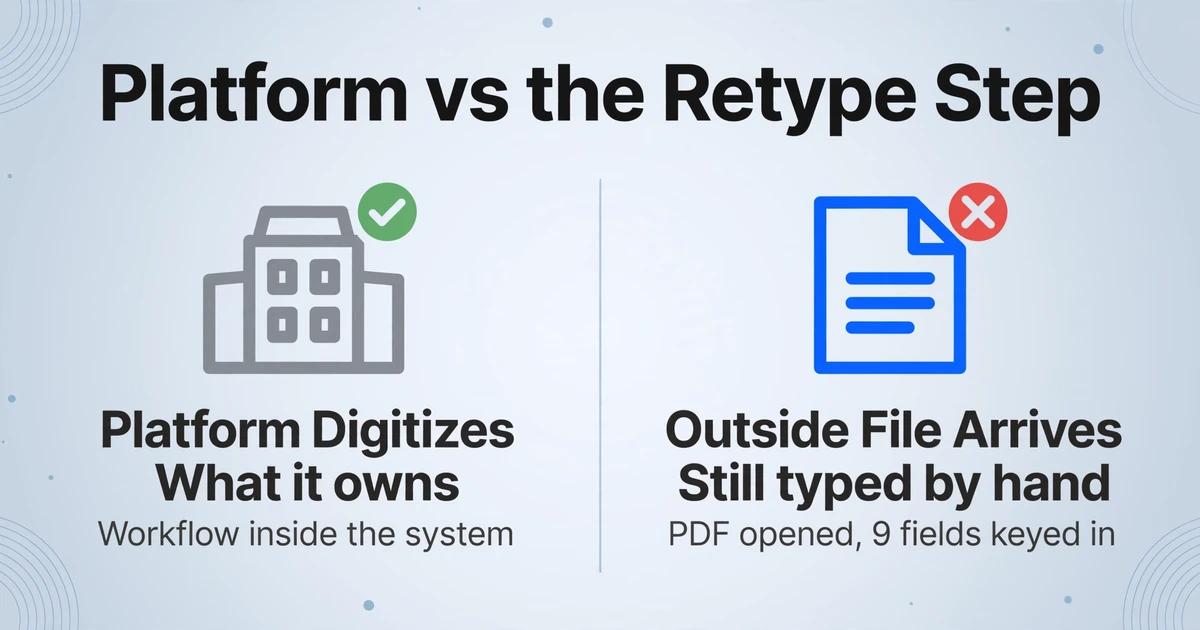
The construction platforms were built to manage what enters them, not to read what arrives from outside them. Procore, Sage 300 CRE, Viewpoint Vista, and Autodesk Construction Cloud all hold the commitment, the approved change order, and the schedule of values. None of them reads the invoice a subcontractor generated in QuickBooks, the ACORD 25 an insurance agent emailed over, or the daily report a superintendent filled out in pen. Those documents are produced by outside parties on outside software, and their data has to cross into your system through a keyboard.
This is the gap that makes a digital transformation roadmap worth writing down. A project management platform digitizes the workflow it owns. It does not touch the file that shows up at 4:40 on the last day of the month. The office still opens the PDF, reads nine fields, and keys them into the ERP. The transformation looks complete in the software list and stays manual on the desk where the work happens.
Digitizing a document and extracting data from it are different jobs. Scanning turns a page into an image. Extraction turns the page into rows that a system can use, which is the part the retype step was doing by hand.
The pattern is not limited to firms that avoided technology. In a recent thread in r/ConstructionManagers, the summary of the industry was blunt: "construction managers are doing tons of admin load manually. Copy pasting invoice data from pdf or sometimes even paper." Software adoption and manual data entry coexist because the software stops at the edge of its own database, and the documents live outside it.
An accounting firm that serves contractors put the volume in perspective in r/Construction: "each month for each client we are looking at hundreds of pages of invoices/receipts that: go to the admin who prints them." Print, sort, key. The chain is long enough that it hides its own cost.
OCR in construction is the entry point for a digital transformation roadmap because it attacks the one step every downstream system depends on. Before a pay app can be reconciled, a cost code can be charged, or a compliance screen can flag an expired certificate, the data has to leave the page. Making that happen is step one, and step one is a choice about which page to start with.
Step 1: Map the Documents That Arrive From Outside Your Platform
Before choosing software, list the documents that enter your business from outside and end the month as manual keystrokes. You do not need a full records audit. You need the recurring files that a person reads and retypes, which are almost always the same eight to ten types every cycle.
The table below is the short list for a general contractor. Your own mix will vary by trade and by how much work you self-perform, but the source and destination columns rarely change.
| Document | Typically arrives as | Data has to land in | Fields that get keyed |
|---|---|---|---|
| Subcontractor invoice | QuickBooks or custom PDF, sometimes a phone photo | AP in Sage 300 CRE / Viewpoint / Foundation | Sub name, job number, cost code, amount billed, retainage, net due, invoice date |
| AIA G702/G703 pay app | Signed and scanned form plus continuation sheet | Draw schedule / job cost ledger | Contract sum to date, completed and stored, retainage, current payment due, balance to finish |
| ACORD 25 certificate (COI) | PDF from an insurance agent | Compliance spreadsheet or COI tracker | Policy number, carrier, coverage type, limits, effective and expiration dates, additional insured |
| Certified payroll (WH-347) | Scanned or PDF report from each sub | Prevailing wage compliance log | Worker name, classification, straight and overtime hours, rate, gross wages, deductions |
| Daily field report | Handwritten page or phone photo | Daily log, payroll, production tracking | Crew, hours by trade, equipment IDs, deliveries, work completed, safety notes |
| Crew timesheet | Paper, texted photo, or a tablet form | Payroll and job cost | Employee, date, hours, phase or cost code |
| Purchase order and delivery ticket | Supplier PDF, packing slip, or handwritten ticket | Receiving log / commitment record | PO number, supplier, item, quantity, unit price, delivery date |
| Lien waiver and change order | Signed, notarized PDF or scanned paper | Lien waiver log / change order log | Claimant, through date, waiver type, amount, CO number, cost impact, signatures |
The list does two things at once. It shows how much of your monthly labor is document handling, and it separates the files your platform already tracks from the ones it never sees. Procore holds the commitment and the approved change order. It does not read the subcontractor's invoice or the agent's certificate. Those are the candidates for automation, and the next step is deciding which one goes first. For a fuller treatment of how these documents tie into a GC's evaluation criteria, see our guide to document extraction software for construction.
Step 2: Rank Those Documents by What They Cost You to Enter
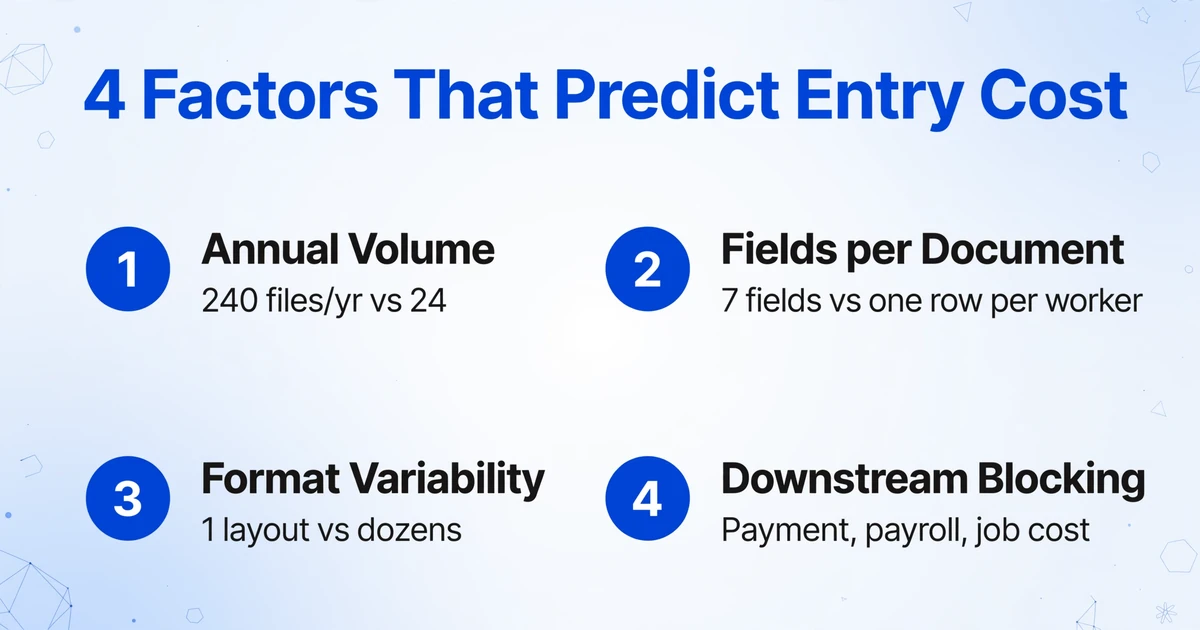
Contractors usually pick the first document by vendor demo, which means the file that looks most impressive in a sales call goes first. A better tiebreaker is the labor the document consumes. Four factors predict that cost, and you can estimate all four from last month's records without buying anything.
Annual volume
How many of these documents pass through in a year. A file that arrives 240 times costs more to handle than one that arrives twice a month, even when the second one is harder to read.
Fields per document
How many values get read and keyed. A one-page invoice with seven fields consumes far less than a WH-347 with a worker row for every person on the crew.
Format variability
How many layouts and handwriting styles the document shows up in. A standardized AIA G702 is one format. A pile of subcontractor invoices is dozens, and each new layout adds reading time.
Downstream blocking
Whether a person is waiting on this data to do the next task. An unkeyed invoice delays a payment. An unkeyed timesheet delays payroll. A delayed field report delays the job cost picture the owner asks about.
Score each candidate from one to three on all four factors and add them. The highest totals are your first automation targets. Subcontractor invoices, daily reports, and timesheets tend to score high because they arrive often, carry many fields, vary in format, and block someone. ACORD 25 certificates score high on blocking even at lower volume, which is why they are often the second or third target rather than the first.
The ranking matters because of arithmetic. Manually entering a page takes about three minutes on average. ImageToTable.ai processes a page in around 5 to 10 seconds, and reports up to 99 percent recognition accuracy on printed table data. Apply that to 240 invoices with eight fields each and the difference stops being a convenience. The task moves from something a person does all week to something a person reviews.
The document worth automating first is the one with the highest volume times the most variability times the longest line of people waiting on its data. Format complexity alone is not the signal. Waiting people are.
Step 3: Choose an Extraction Approach That Survives Format Variety
Once you know which document to start with, the choice of tool decides whether the pilot survives contact with your subs. The two common approaches behave very differently on construction paperwork.
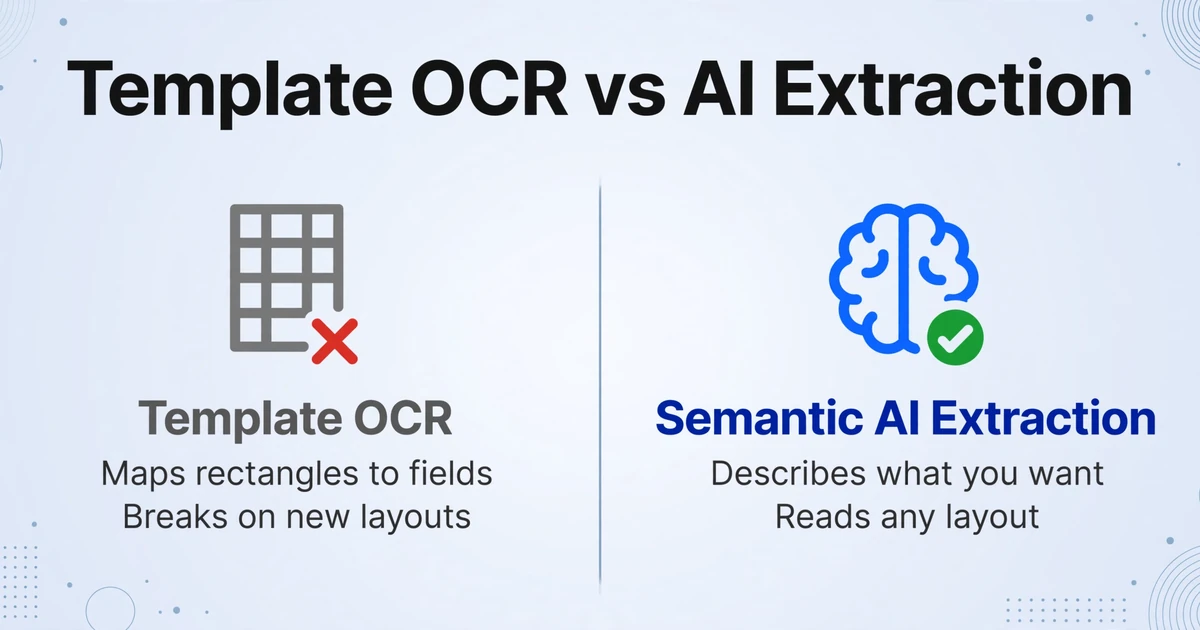
Template and zonal OCR tools map a rectangle to each field on a known form. That works when the number of layouts is small and stable, which is not construction. Ten subcontractors produce ten invoice layouts, a couple of them handwritten, and a template built for one sub's form returns nothing useful on the next sub's. The maintenance grows with every new vendor, and a template is only as good as the last format someone remembered to draw. The distinction between template-based OCR and AI extraction is covered in more depth in our comparison of AI extraction and accounting templates for subcontractor invoices.
Semantic AI extraction reverses the assumption. Instead of describing where a value sits, you describe what you want. This is Custom Column Extraction: you type the column names you need, "Sub Name," "Retainage," "Cost Code," "Expiration Date," and the AI reads each document and locates the value that matches the meaning of the column, wherever it appears on the page and however the sender labeled it. The column names you type become the headers of your output table, so the spreadsheet matches the fields your ERP expects without a reshaping step.
Two features make the approach fit a construction office rather than a demo. Batch processing accepts many files at once and merges the results into a single spreadsheet, which matches how documents actually arrive at month-end instead of one at a time. And custom columns support inferred values, so you can define a column such as "Cost Code (options: Concrete/Steel/Wood Framing/Finishes/Other)" and have the AI assign the category from the document's content even when the invoice never printed a code. Extraction and classification land in the same pass.
Files are processed securely and not stored.
The demo starts from an invoice because that is usually the first document a firm tests. The same mechanism handles a handwritten daily report, an ACORD 25, or a WH-347. You change the column names and upload the files. Nothing about the tool is specific to invoices, which is what makes a single pilot expandable to the rest of the list in Step 1.
Step 4: Pilot One Document Type and Verify Before You Scale
A pilot is a verification exercise, not a demo. Pick the highest-scoring document from Step 2, run 20 to 30 real examples through extraction, and compare the output against the source documents field by field. Use files from more than one sender, and include the messy ones: the photographed invoice, the smudged carbon copy, the certificate from an agent you have never worked with. A pilot on clean samples tells you nothing about December.
Verification is where a review layer earns its place. ImageToTable.ai includes Bbox-assisted verification, which highlights the exact spot on the original document that produced a given cell. Hover or tap a value and the source location lights up, in both directions, so a reviewer can confirm a retainage figure or an expiration date without reading the whole page again. You can trigger the locating per document or set it to run automatically after processing, so it is waiting when the reviewer opens the file.
Set a pass threshold before you start, in the currency of the workflow rather than a percentage. "Every field on a subcontractor invoice is correct in 24 of 25 files" is a threshold a controller can act on. The one file that needs correction is not a failure of the pilot. It is the honest output of a system that reads handwriting, and it is the reason the review step exists.
Two limits belong in the pilot plan from day one. A document that arrives in a format no vision model has seen may need re-uploading as a clearer photo. And high-stakes compliance judgments, such as whether an endorsement actually extends coverage, are not the extraction step's job, no matter how accurate the field capture is. Those stay with a person.
Step 5: Make It a Monitored Habit, Then Expand to the Next Document
The first document type proves the method. The second one proves the platform. After the pilot, track one number per document type: the share of files that pass review without a correction. If invoices hold above your threshold, add the next candidate from the ranking and reuse the same column-based setup. Daily reports, timesheets, and COIs each need their own column names, and none of them need a new tool.
The output stays in the systems you already run. Extraction produces Excel, CSV, and JSON, which map into the import structures your ERP and job cost software expect. If the office works in spreadsheets, a Google Sheets add-on writes extracted rows directly into the active sheet. If the extraction needs to feed software instead of a person, the public API exposes upload, batch processing, and status through REST, with webhooks on completion so no one has to poll a queue. The point at every integration is the same: the data crosses the format gap without passing through someone's fingers. For a broader view of how the available platforms compare on construction documents, see the tested roundup of construction document extraction tools.
Two intake features shorten the trip between the outside party and your queue. Collection Link is a shareable URL that a subcontractor or field employee opens to upload files directly into your account, with no login on their side, which removes a round of forwarding. Email Inbox gives each account an address that accepts forwarded attachments or forwarded invoice mail and drops them straight into processing, with an optional sender whitelist. Both reduce the handling that happens before extraction ever starts, and both keep the document in the same queue as everything else.
A digital transformation roadmap in construction is not a list of platforms to buy. It is a sequence of document types to convert from keystrokes to rows, expanded one at a time as each one proves it holds up in review.
What Document Automation Does Not Fix
Extraction closes the format gap. It does not close every gap in the workflow, and a roadmap that pretends otherwise will lose the pilot.
It does not replace your project management or ERP system. Procore still holds the commitment, Sage still holds the ledger, and extraction feeds them rather than competing with them. If you need approval routing, three-way matching with conditional logic, or a full AP workflow, that lives in the platform you already own or in a specialized system, not in the extraction step.
It does not make the compliance judgment. Extraction can pull the policy number, limits, endorsement form number, and expiration date off an ACORD 25 into a structured row. It cannot decide whether the endorsement a certificate names actually provides completed-operations coverage, and it cannot verify that a lien waiver amount equals the invoice it settles. Those are cross-document or policy questions, and they stay with a risk manager or a controller. What extraction changes is that the data needed for that judgment sits in one table instead of across four PDFs, which is what lets a person do the judgment faster.
It does not reach 100 percent on hard documents. Printed table data extracts at high accuracy. Dense handwriting on a smudged field form is harder, and the review step exists for exactly that reason. The realistic promise is not perfect automation. It is that the person who used to type every value now checks the difficult ones.
It does not fix a process that was already broken. If no one knows which cost code owns a material purchase, faster data capture only produces faster disagreement. Extraction removes the keyboard, which is a real and measurable cost. The decisions about how your business codes, approves, and pays still belong to your business.
FAQ
What is the first step in construction digital transformation?
The first step is to stop treating document data capture as an afterthought. Map the documents that arrive from outside your platform and have to be typed in, rank them by the labor they consume, and automate the highest-cost one first. A platform purchase that assumes the files are already data will not remove the manual entry that stalls the back office.
Does OCR work on handwritten construction documents?
Traditional OCR, which matches character shapes, struggles with handwriting. The vision-model approach behind ImageToTable.ai reads printed text, handwriting, tables, and checkboxes in the same pass, so a column set built for a typed invoice also works on a handwritten daily report. Accuracy on dense or smudged handwriting is lower than on printed tables, which is why review mode matters on those files.
Which construction document should I automate first?
Start with the document that scores highest on volume, fields per document, format variability, and how many people wait on its data. For most general contractors that points to subcontractor invoices, daily reports, or timesheets, with ACORD 25 certificates close behind because they block payment and compliance even at lower volume. Standardized forms such as the AIA G702 are often good second or third pilots.
Will this replace Procore, Sage 300 CRE, or Viewpoint?
No. Document extraction prepares data that your existing platform consumes. It outputs Excel, CSV, JSON, and can write into Google Sheets or feed software through a REST API, but the commitment, ledger, and approval workflow stay in the system that owns them. Extraction removes the manual keystroke between the outside document and the system, and nothing more.
Do I need to build a template for each subcontractor's invoice format?
No. Custom Column Extraction defines the output by the column names you type, not by the document's layout, so the same setup reads a QuickBooks invoice and a handwritten ticket. Template and zonal OCR tools do require a mapping per format, which is the maintenance cost that grows with every new subcontractor you add.
How long does a pilot take before I know it works?
Run 20 to 30 real files of one document type through extraction and compare the output field by field against the originals. Most teams can complete that in a few days, and the result is a pass rate you can put a number on rather than an impression from a sales demo. One document type is enough to judge whether the approach survives your actual paperwork.
The firms that get value from construction digital transformation are not the ones that bought the most software. They are the ones that picked the first document carefully, extracted its data into rows, and verified the result before moving to the next page. The roadmap is short once the sequencing is right: map the outside documents, rank them by labor, choose an extraction approach that ignores format, pilot one, and expand when it holds.
Test the first step on your own paperwork. Upload one subcontractor invoice, one daily report, and one certificate, name the columns you actually need, and see whether the retype step disappears. Start on a few of your own documents without a template setup or a sign-up.