ACORD 140 Claims Surge
How to Prepare Before Hurricane Season
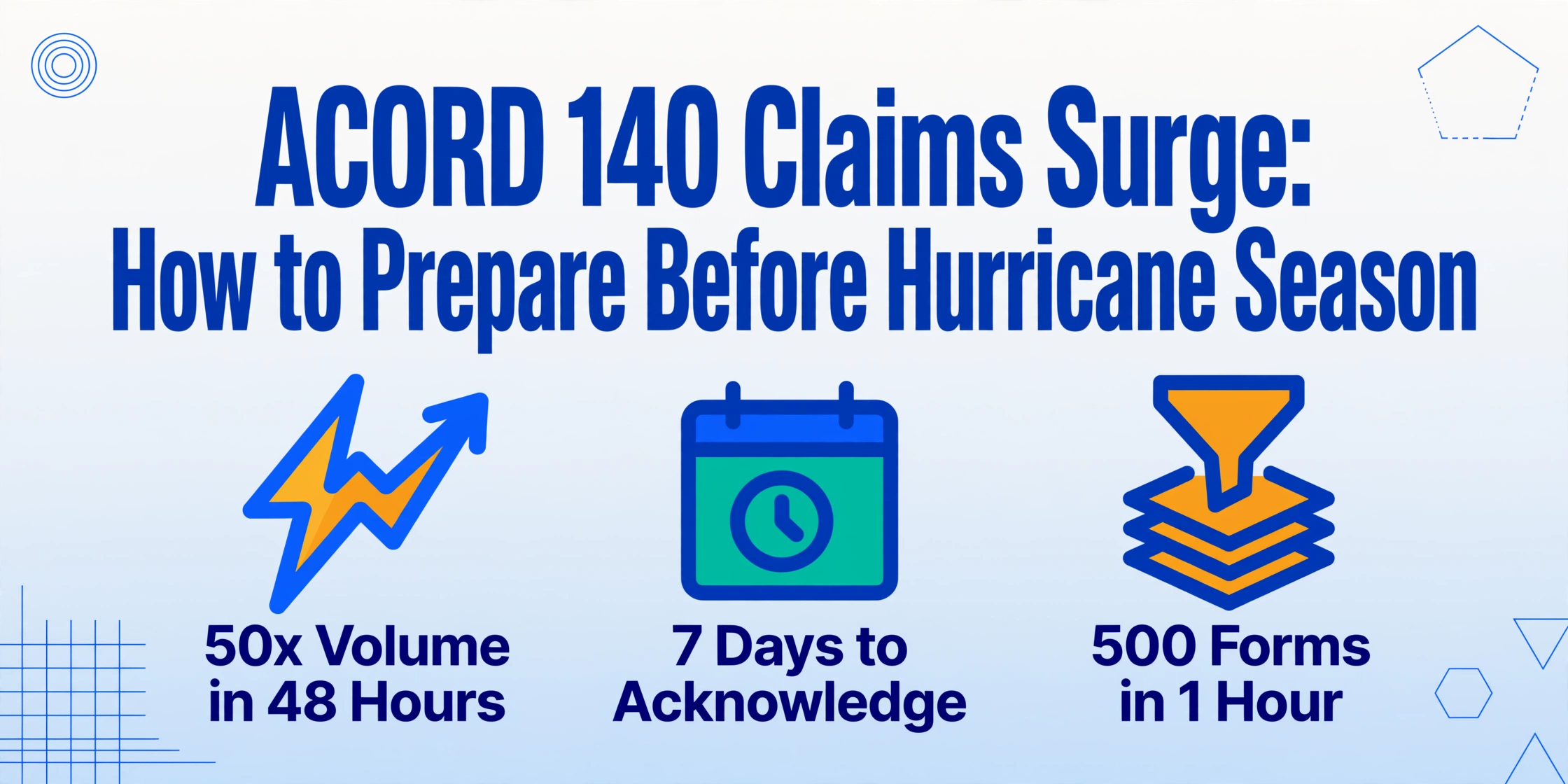
Hurricane Ian made landfall in September 2022 and Florida insurers received more than 500,000 property claims in one week. Fifty adjusters facing 5,000 commercial claims. FNOL queues backing up past 72 hours. And at the center of every claim file: an ACORD 140 property section — 40 fields of COPE data, coverage limits, deductibles, and location schedules that determine triage priority, adjuster assignment, and reserve setting. The bottleneck isn't the damage assessment. It's getting the data off the form and into the claims system fast enough to beat a regulatory clock that, in Florida, now gives carriers seven days to acknowledge receipt — not 14.
Key Takeaways
- Hurricane Ian sent 500,000 property claims crashing into Florida carriers in one week — and every single claim file contained an ACORD 140 form whose 40 COPE fields someone had to manually rekey before any adjuster could start a damage assessment.
- The bottleneck during a catastrophe surge is not your adjuster headcount or their assessment skill — it is the 100 hours of mechanical data rekeying that consumes your team on a 500-form intake before anyone makes a single coverage decision.
- A two-to-three-week semantic extraction pipeline eliminates the data rekeying step entirely by defining what field values you need rather than where they sit on the form, and feeds structured output directly into the Guidewire or Duck Creek system you already run.
The 50x Surge: What Actually Happens to Claims Operations When a Hurricane Makes Landfall
Normal commercial property claims operations run at a predictable rhythm. A mid-size regional carrier might handle 100 claims per day across 50 adjusters — roughly two to five claims each, depending on complexity. An ACORD 140 form arrives, somebody pulls the key fields (location, construction type, coverage limits, deductible structure), enters them into Guidewire ClaimCenter or Duck Creek Claims, and assigns the file. Per form: 10 to 15 minutes of manual data entry.
Then a hurricane hits.
Hurricane Milton (2024) generated roughly 187,000 property claims totaling $2.68 billion in replacement costs, with 8% still outstanding months later according to Verisk's 2025 ClaimSearch Trends Report. Hurricane Ian produced more than 500,000 property claims in Florida in a single week, per data from catastrophe claims platform Regure. Winter Storm Uri (2021) created 400,000-plus claims across Texas in 72 hours. The pattern repeats: a named storm makes landfall, and within 48 hours, claims volume jumps to 10 to 50 times normal operations.
At 50x normal volume, the claims math collapses. Fifty adjusters facing 5,000 ACORD 140 forms means 100 forms per adjuster — at 12 minutes each, that's 20 hours of pure data entry per person before anyone even looks at damage photos. FNOL intake lines back up past 72 hours. Adjusters receive random claim assignments without workload balancing. Forms pile up unprocessed because nobody can see who's handling what.
And the people who work this surge feel it acutely. As one catastrophe desk adjuster put it on Reddit: "All it takes is one bad storm to bury you." Another claims handler, 18 months into the job, posted: "I'm so stressed out as an adjuster all the time." A high-volume adjuster discussion thread captured the new normal: "Volume across the board has skyrocketed."
This isn't a staffing problem — you can't hire and train 200 temporary adjusters in the 72 hours between a hurricane forecast and landfall. It's a data intake problem. The ACORD 140 form, with its 40-plus data fields spanning location schedules, construction classifications, protection features, coverage selections, and deductibles, becomes the chokepoint. Every minute spent rekeying COPE data is a minute not spent on the actual claims decision: coverage analysis, reserve setting, adjuster dispatch.
Why the Regulatory Clock Makes Manual Triage a Compliance Risk
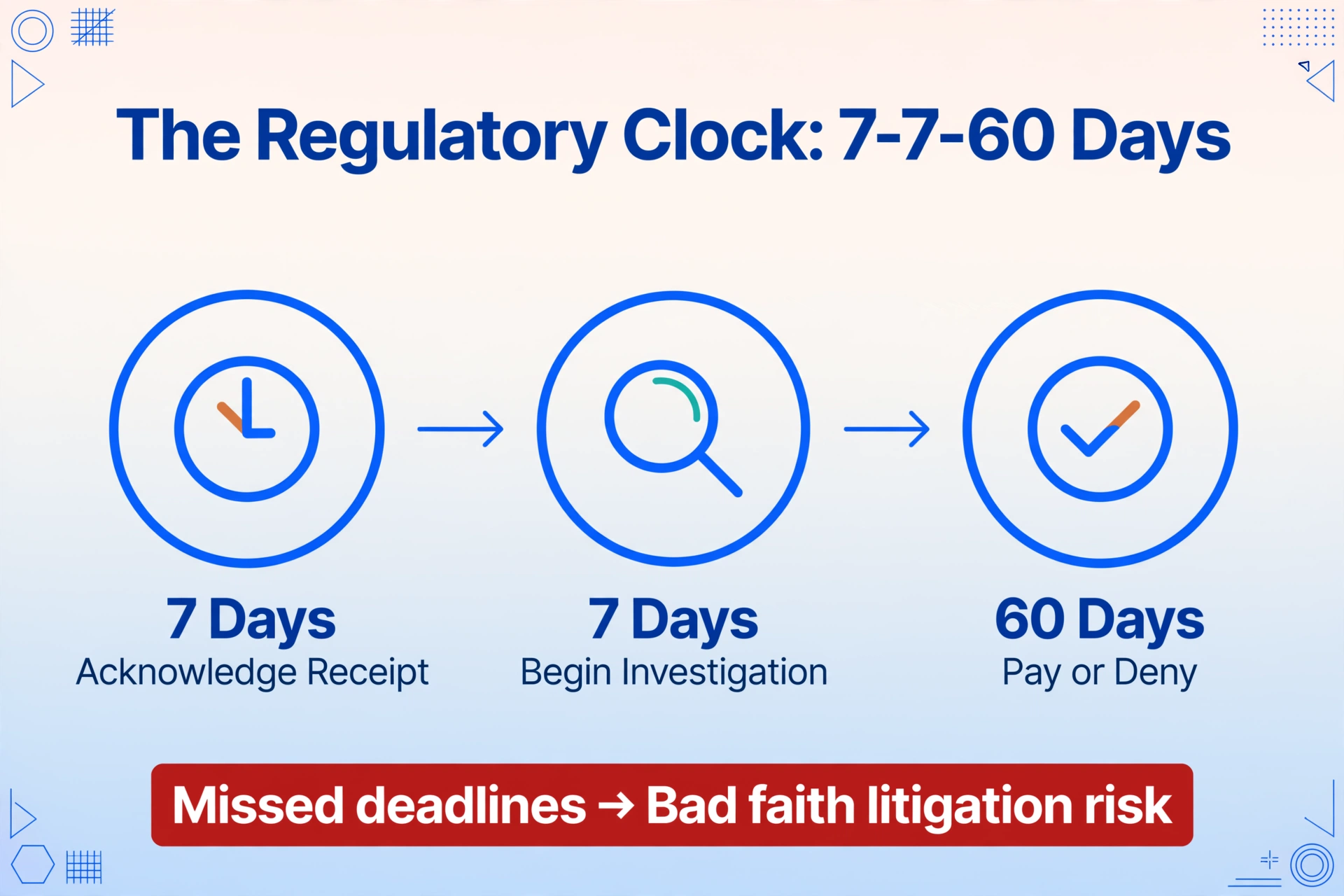
Speed matters for more than just operational reasons. State insurance departments impose hard deadlines on claims processing — and those deadlines are getting shorter.
Florida's Senate Bill 2-A, effective March 2023, rewrote the timeline for property insurance claims under Florida Statute 627.70131. Insurers now have seven calendar days to acknowledge receipt of a claim — down from 14. They have seven days to begin an investigation after receiving proof of loss — also down from 14. The clock to complete the investigation and pay or deny: 60 days, reduced from 90. During a declared state of emergency, payment must be issued within 90 days. These are not guidelines. They are enforceable regulatory requirements, and the Florida Office of Insurance Regulation has the authority to suspend an insurer's certificate of authority for violations.
The math of a catastrophe surge under these timelines is unforgiving. Five thousand claims arriving in one week, each requiring 10 to 15 minutes of manual data entry on the ACORD 140 alone, plus the actual investigation — and only seven days to acknowledge every single one. A carrier that built its claims workflow around manual form processing is structurally incapable of meeting the deadline at 50x volume.
What happens when deadlines are missed? Policyholder complaints spike. DOI scrutiny intensifies. Bad faith litigation risk rises — and when a carrier is demonstrably unable to process claims within the statutory window, plaintiffs' attorneys have a clear line of argument. Milliman's analysis of catastrophe demand surge identified a compounding effect: delays in the claims process "are associated with increased claim costs over time." The carrier that can't process forms fast enough ends up paying more per claim — on top of the regulatory exposure.
The ACORD 140 is ground zero for this bottleneck because it carries the structured property data that drives every downstream decision: triage, adjuster assignment, coverage verification, and reserve estimation. Getting that data into the system in minutes instead of hours isn't an efficiency gain — it's regulatory survival.
Setting Up the Bulk Extraction Pipeline: A 7-Step Preparation Checklist
The goal is straightforward: when 500 ACORD 140 forms land in your intake queue after a hurricane, they should flow into a structured spreadsheet — all COPE data, all coverage limits, all location schedules across every form — in under an hour, without a single adjuster opening a PDF. Here's how to build that capability before the next storm.
For a detailed walkthrough of extracting a single ACORD 140 form — which fields to pull, how the AI interprets the COPE data structure, and what the output looks like — see our companion guide to extracting ACORD 140 property loss notice data to Excel. This article assumes you have that single-form extraction capability and focuses on what changes when you scale it to catastrophe volumes.
Audit Your ACORD 140 Format Variation
Before you can extract anything, you need to know what you're extracting from. Pull 200 sample ACORD 140 forms from your book — across all MGAs, all carriers, all states. Map the format variation: How many are digitally filled PDFs vs. scanned paper? Do different carriers use different versions of the form? Are handwritten annotations common? This audit tells you how many extraction templates you'll need — and whether your pipeline needs to handle handwriting recognition, which adds a processing dimension that template-based OCR tools typically can't handle.
Define the Claims Triage Extraction Schema
Not every field on the ACORD 140 matters for catastrophe triage. Define a schema that captures what claims operations actually needs in the first hour: Named Insured, Location Address, Building Construction Type (ISO class), Year Built, Total Square Footage, Building Value, Business Personal Property Value, Cause of Loss (Basic/Broad/Special), Wind/Hail Deductible, All Other Perils Deductible, Sprinkler Percentage, Protection Class, and any location-specific remarks. This schema becomes your extraction template — the column names you'll feed into the AI extraction engine. Every field you add to the schema is one more data point triangulated across the entire batch.
Build the Custom Column Extraction Template
This is where ImageToTable.ai's core mechanism — Custom Column Extraction — does the heavy lifting. Instead of drawing boxes around fields on a template (which breaks the moment a different carrier's ACORD 140 uses a slightly different layout), you define the column names you want extracted: "Building Value," "Wind Deductible," "Construction Type." The AI locates each value on every form by understanding what the field means semantically, not where it sits on the page. You define the output. The AI handles the input. This semantic approach is what makes a single extraction template work across the ACORD 140 format variations you found in Step 1 — different carrier layouts, different PDF renderings, scanned vs. digital. The template is format-independent.
Design the Integration Point With Your Claims System
The structured output from bulk extraction needs to land somewhere your team already works. If you use Guidewire ClaimCenter or Duck Creek Claims, the extracted data arrives as a structured spreadsheet (Excel or CSV) that can be imported into the claims system's intake module. The column names from Step 2 map directly to the corresponding fields in ClaimCenter's FNOL intake screen or Duck Creek's claim creation workflow. For Xactimate users, the extracted building values, construction type, square footage, and year built feed directly into the property estimation workflow — reducing the time between claim intake and first estimate. The integration layer is a spreadsheet import, not an API build. That's what makes this something you can deploy in days, not months.
Run a Dry-Season Benchmark Test
Before hurricane season starts, run a benchmark using 100 real ACORD 140 forms from your book. Upload them as a batch. Time the complete cycle: upload → extraction → output spreadsheet. Measure extraction accuracy by spot-checking 20 random fields across 20 random forms. Document any edge cases: forms with handwritten sections, multi-location schedules that span pages, non-standard deductible structures. This benchmark gives you two things: a baseline for what "ready" looks like, and early warning of format issues to address before the real surge hits. Run this test quarterly to catch drift — new carrier form versions, MGA format changes, PDF rendering updates.
Write the Catastrophe Activation Playbook
A pipeline that works in dry-season testing fails in catastrophe conditions if nobody knows the activation sequence. Document the playbook: Who has access to the extraction tool (claims intake team lead + designated backup). Where form files land (shared drive, email intake folder, or FNOL system export). How batch names are structured (storm-name-date convention for traceability). What the triage spreadsheet output looks like and who receives it. How extraction exceptions are handled (forms that fail extraction get flagged for manual review, not silently dropped). A one-page PDF that any claims supervisor can follow when the hurricane watch is issued. The playbook is what turns a technical capability into an operational capability.
Train Adjusters on the New Triage Workflow
The adjusters who will use this pipeline need to understand what changed — and what didn't. What changed: they no longer open individual ACORD 140 PDFs and rekey property data. Instead, they receive a pre-populated triage spreadsheet with all forms extracted and organized. What didn't change: they still make the coverage determinations, still set reserves, still manage the policyholder relationship. The pipeline eliminates the data entry step. It doesn't touch the judgment step. Run a 30-minute training session during your pre-season prep week. Walk through one batch end-to-end: upload → extraction → triage spreadsheet → first adjuster action. When adjusters see the workflow live, the resistance to "new technology" typically evaporates because what they're losing is the part of the job nobody wants.
Before and After: What 500 Claims Look Like With and Without Bulk Extraction
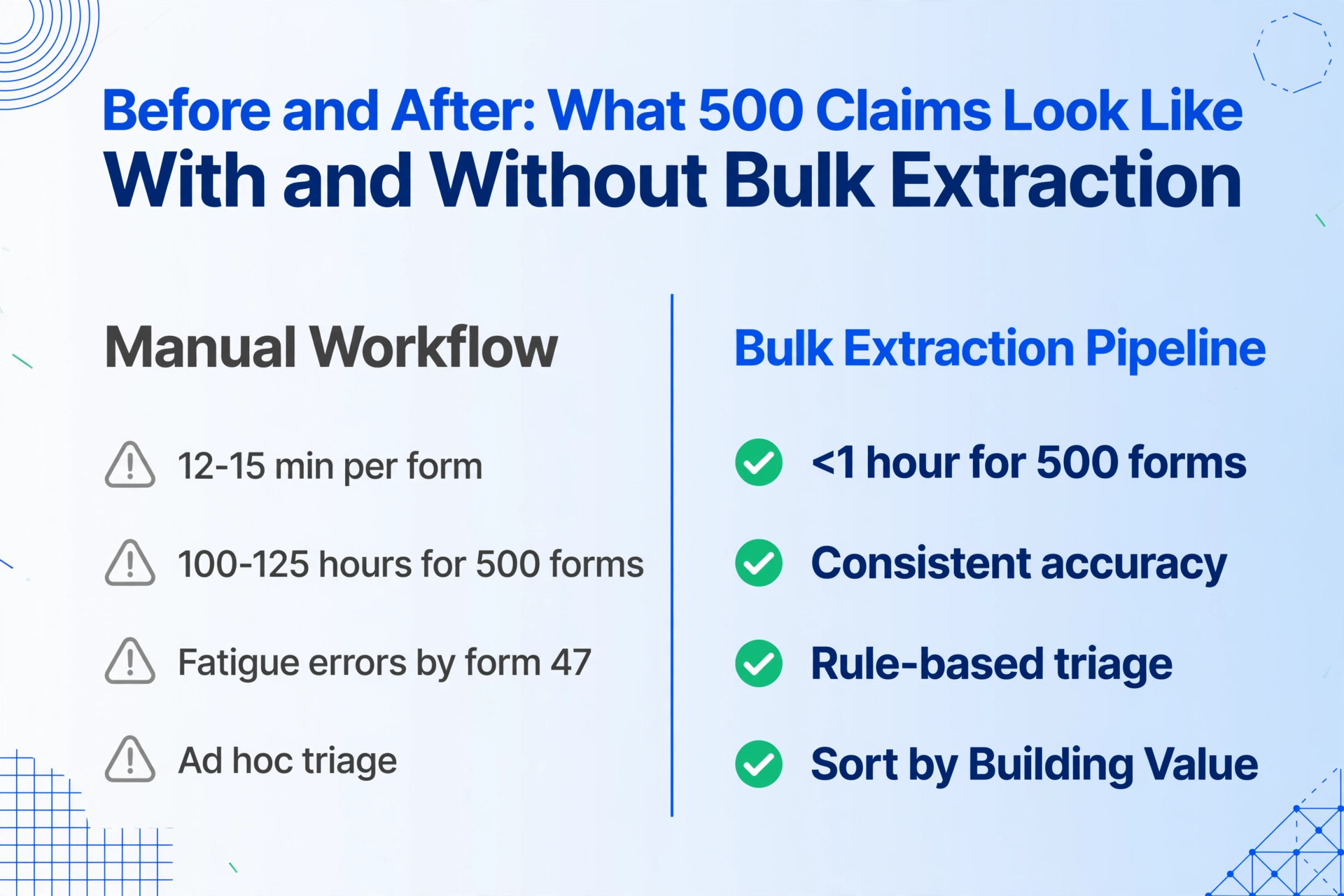
Here is the operational difference, quantified against a 500-form catastrophe surge — a realistic mid-size carrier scenario based on the actual ACORD 140 data entry workload.
| Stage | Manual Workflow | Bulk Extraction Pipeline |
|---|---|---|
| Form intake | PDFs arrive in email/FNOL system. No organization. Adjuster opens each one individually. | All PDFs uploaded as a single batch. Processing begins automatically. |
| Data extraction | 12-15 minutes per form × 500 = 100-125 hours of manual rekeying. Across 10 adjusters, that's 10-12.5 hours each — before any actual claims work. | AI extracts all forms in a single batch. 500 forms processed in under 1 hour. Structured spreadsheet output with all schema fields populated. |
| Error rate | At ACORD 140 number 47, fatigue sets in. Construction type "Joisted Masonry" becomes "Joisted Mason" — a misclassification that feeds into incorrect ISO rating. Deductible amounts transposed. Coverage limits misread. | AI extraction is consistent across all 500 forms — no fatigue drift. Spot-check verification catches edge cases; the majority of fields are extracted with the same accuracy on form 500 as on form 1. |
| Triage | Ad hoc. Adjuster opens a form, reads building value and construction type, mentally prioritizes, moves to the next. No systematic prioritization. | Extracted spreadsheet enables rule-based triage: sort by Building Value descending (largest exposures first), filter by Wind Deductible >$50K (high-deductible commercial properties needing closer review), group by Construction Type (wood frame = higher severity risk). Triage decisions made in minutes, not hours. |
| Regulatory compliance | 7-day acknowledgment deadline: 5,000 claims ÷ 50 adjusters = 100 forms each. At 12 minutes per form, that's 20 hours of data entry per adjuster in a 7-day window — plus investigation time. Some claims will miss the deadline. | All 500 forms acknowledged in the system within hours of intake — well within Florida's 7-day window. Adjusters start investigation from a position of data readiness, not data deficit. |
The table doesn't capture the second-order effect: adjuster retention. When adjusters spend the first 20 hours of a catastrophe deployment rekeying ACORD 140 fields instead of doing the work they were trained for — evaluating damage, setting reserves, talking to policyholders — burnout accelerates. The Reddit thread where a CAT adjuster says "all it takes is one bad storm to bury you" is not a complaint about hard work. It's a statement about structural waste — work that shouldn't exist, filling hours that should be spent on decisions.
Where This Fits Into Your Existing Claims Stack
A common objection to any new claims processing tool is integration friction: "We already have Guidewire. We're not replacing it." The bulk extraction pipeline described here is not a replacement for your claims management system. It's a layer that sits before the system — at the data intake point — and feeds structured data into what you already use.
The three most widely deployed claims platforms — Guidewire ClaimCenter, Duck Creek Claims, and Xactimate — share a common architecture pattern: they assume structured data enters the system through manual entry or API integration. During normal operations, that assumption holds. During a catastrophe surge, it collapses because the manual entry bandwidth doesn't exist and API integration with every carrier's form format isn't built.
Bulk extraction bridges this gap. The output is a structured spreadsheet — the universal format that every claims system can ingest. For Guidewire ClaimCenter, the extracted data maps to the FNOL intake fields and can be imported via the system's standard data import workflow. For Duck Creek Claims, the same spreadsheet feeds into claim creation, with field mappings matching the intake configuration. For Xactimate, the building characteristics extracted from ACORD 140 — construction type, square footage, year built, protection class — feed directly into the property estimation module, significantly reducing the time between claim creation and first estimate generation.
This architecture matters because it means the extraction pipeline can be deployed without an IT project. No API development. No system migration. No vendor procurement cycle. The spreadsheet import path already exists in every major claims platform. The only new component is the extraction step itself — which you control through a web interface, not a development contract.
For a different ACORD form type — certificates of insurance — the same batch extraction approach applies with a different set of validation rules: checking coverage limits against contractual requirements, flagging expiring policies, and generating compliance dashboards. See our article on batch-verifying ACORD 25 certificates against contractual limits for that parallel workflow.
Maintenance Between Seasons: Keeping the Pipeline Ready
A bulk extraction pipeline that worked perfectly in June and hasn't been touched since won't work in October when a hurricane actually hits. Between catastrophe seasons, the pipeline requires deliberate maintenance — not because the technology degrades, but because the forms and the business change around it.
Three maintenance activities, scheduled quarterly:
1. Form version drift check. Carriers update their ACORD 140 templates. New MGAs join your book with different PDF rendering engines. A form that extracted cleanly in Q1 may have a new field layout in Q3. Run a quarterly benchmark test (Step 5 from the checklist) on 20-30 recent forms to catch version drift before it becomes a surge-day problem.
2. Extraction schema review. The triage schema you defined in Step 2 should evolve with operational experience. After each catastrophe season, the claims team should review: Which extracted fields were most useful for triage? Which fields were extracted but never used? Are there new data points that would improve prioritization? Update the schema, re-run a benchmark, and update the playbook.
3. Personnel and access audit. The activation playbook (Step 6) depends on specific people with specific access. People leave. Roles change. Passwords expire. Quarterly: verify that the designated extraction operators still have active accounts, still know the workflow, and can still execute a test batch end-to-end. If the primary operator left in April, you don't want to discover that on June 2 when a hurricane is 48 hours from landfall.
This maintenance workload is approximately 3-4 hours per quarter. Against the cost of a single missed regulatory deadline or a bad faith claim filing, it's negligible.
Frequently Asked Questions
Does this work with scanned or handwritten ACORD 140 forms?
Yes. ImageToTable.ai's AI models are trained on handwriting recognition, including cursive, printed handwriting, and mixed print/handwriting documents. This matters for catastrophe claims because smaller commercial agencies often submit scanned paper ACORD 140s with handwritten annotations — coverage changes, deductible adjustments, location notes. A pipeline that only handles digitally filled PDFs leaves those claims behind. Semantic AI extraction reads handwriting the same way it reads printed text — by understanding what the field means, not by matching pixel patterns.
Can the extracted data feed directly into Guidewire or Duck Creek via API?
The direct output format is structured spreadsheet (Excel/CSV). Both Guidewire ClaimCenter and Duck Creek Claims support spreadsheet-based data import as a standard feature — no custom API development required. For teams that need programmatic integration, the extracted data can also be exported as JSON for use with the claims system's API. The architecture supports both paths; spreadsheet import is the fastest to deploy, API integration provides automation but requires development effort on the claims system side.
How long does it take to set up the pipeline from scratch?
Steps 1-3 (audit, schema definition, template creation) take roughly one to two weeks for a typical mid-size carrier, assuming access to sample ACORD 140 forms. Steps 4-7 (integration design, benchmark testing, playbook writing, training) add another week. Total: two to three weeks from decision to operational readiness. The longest lead-time item is typically the forms audit (Step 1) — gathering representative samples from across your book — not the technical setup.
What if carriers use non-standard property loss forms instead of ACORD 140?
Because the extraction is semantic rather than template-based, the same column schema works on any form that contains the defined data fields — whether it's a standard ACORD 140, a carrier-specific property supplement, or a broker-generated schedule of values. You're extracting based on what the data means (building value, construction type, deductible), not where it sits on a specific form template. The pipeline adapts to format variation automatically. This is the same mechanism that powers all batch extraction workflows — for a broader overview of how batch processing works across document types, see our guide to batch OCR and document extraction.
Is this only for hurricane claims?
The same pipeline works for any catastrophe event that generates a property claims surge: wildfires (California carriers), tornado outbreaks (Midwest/Southeast), floods (coastal and riverine), winter storms and freeze events (Texas, Northeast). The ACORD 140 is the universal commercial property data carrier. The seasonal preparation framework — audit, schema, benchmark, playbook — applies to wildfire season (June-November in the West), tornado season (March-June in the South), and winter storm season (November-March in the North). The specific regulatory deadlines vary by state — Texas allows 15 days for acknowledgment versus Florida's 7 — but the operational pressure is the same: extract the data before the deadline clock runs out.
How does this compare to hiring more catastrophe adjusters?
Catastrophe adjuster deployment has hard scaling limits. There are approximately 125,000 claims professionals in the United States, per the Association of Claims Professionals. During a major hurricane, every carrier in the affected region competes for the same limited pool of independent adjusters. Demand surge drives up daily rates. And even if you secure the adjusters, the data entry step — rekeying ACORD 140 fields into the claims system — doesn't benefit from adjuster expertise. It's a mechanical task consuming hours that should be spent on coverage analysis and reserve setting. The bulk extraction pipeline handles the mechanical part at machine speed, so the adjusters you do have — staff and independent — spend their time on decisions.
The Window Between Seasons Is Now
Atlantic hurricane season runs June 1 to November 30 — but the preparation window closes the moment a named storm appears on the NHC forecast cone. The checklist in this article takes two to three weeks to execute from scratch. That means the window for building this capability before the next hurricane is the time between now and the next June 1 — or, if you're reading this mid-season, the time between now and the next tropical depression forming in the Atlantic.
Every claims leader who has lived through a major catastrophe deployment knows what the first 72 hours feel like. The unread emails. The backlogged FNOL queue. The adjusters working 16-hour days just to keep up with data entry. And the sinking realization that some claims are going to miss regulatory deadlines — not because of bad faith, not because of insufficient reserves, but because the ACORD 140 data couldn't be extracted fast enough.
That bottleneck is solvable. Two to three weeks of preparation. One extraction template. Seven thousand five hundred minutes of manual data entry eliminated per 500-form surge. The next hurricane is a statistical certainty. Whether your claims team processes the ACORD 140s in hours or weeks is a choice you make before the storm arrives.