Can AI Extract
Medical Lab Reports?
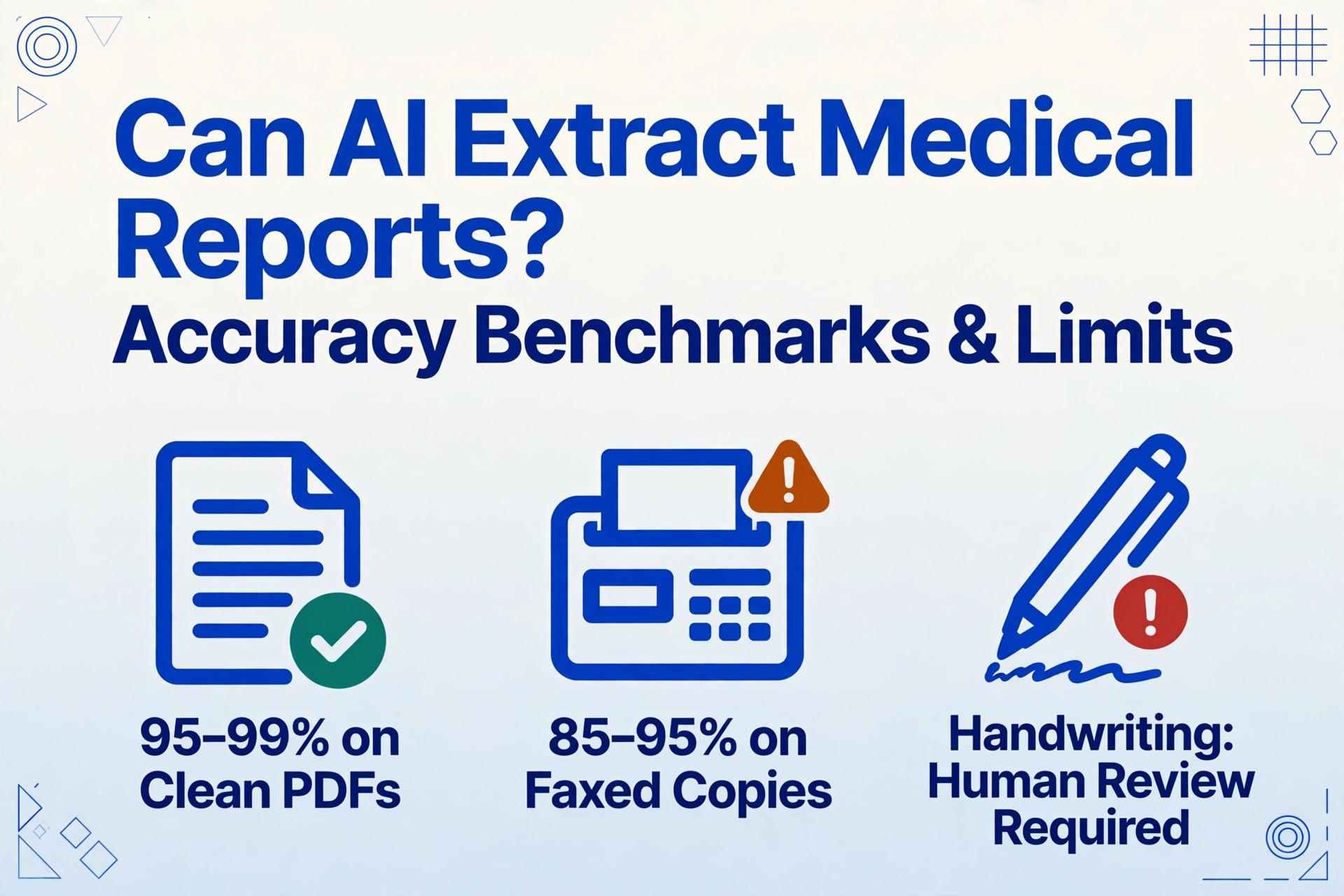
Yes. Modern AI vision models can extract data from medical lab reports with 95-99% accuracy on standard printed reports from major labs like Quest Diagnostics and LabCorp, though accuracy drops to 85-95% on faxed copies and 70-85% when handwritten physician annotations are present.
Key Takeaways
- 95-99% accuracy on a clean Quest or LabCorp PDF — the kind you download from a patient portal — is not a future milestone. It is the performance of vision AI available today.
- The drop to 70-85% on faxed and annotated reports is not a model deficiency. A third-generation fax loses detail at the pixel level that no downstream AI can recover, and rushed cursive handwriting in margins lacks the field boundaries the AI relies on for contextual reading.
- The productive question has shifted: not "can AI extract lab reports" but "which reports bypass manual entry entirely, which need a 10-second spot-check, and which get routed to a human queue."
Those ranges are not a limitation of AI — they reflect input quality. A clean PDF from Quest's patient portal preserves every decimal and flag. A third-generation fax does not. The real question is: at what input quality does extraction become reliable enough for your workflow?
Bottom line: AI vision models reliably extract structured test results from printed lab reports — Quest, LabCorp, hospital LIS printouts, reference lab PDFs. But the edge cases (handwriting, fax artifacts, poor scans) require process design, not just better AI.
Accuracy by Document Condition
The same vision model that reads a LabCorp PDF with near-perfect accuracy may struggle with the same data on a crumpled fax scanned with a smartphone. Here is what you can expect based on input quality.
| Document Condition | Field-Level Accuracy | Key Limiting Factor |
|---|---|---|
| Standard printed report (Quest / LabCorp / hospital LIS) | 95–99% | Clean machine-printed text, consistent columnar layout |
| PDF from patient portal or EMR export | 95–99% | Digital origin — no quality degradation, the ideal input |
| Clean photocopy / scan at ≥300 DPI | 90–97% | Contrast loss and minor skew affect line detection |
| Faxed copy (single-pass) | 85–95% | ~200 DPI resolution, horizontal striping, dropped fine characters |
| Multi-generation fax or poor photocopy | 75–88% | Blurred characters, merged decimals, faded column boundaries |
| Handwritten annotations on printout | 70–85% | Legibility varies — block print captured, rushed cursive missed |
| Smartphone photo in variable lighting | 65–85% | Glare, shadow, perspective distortion, motion blur |
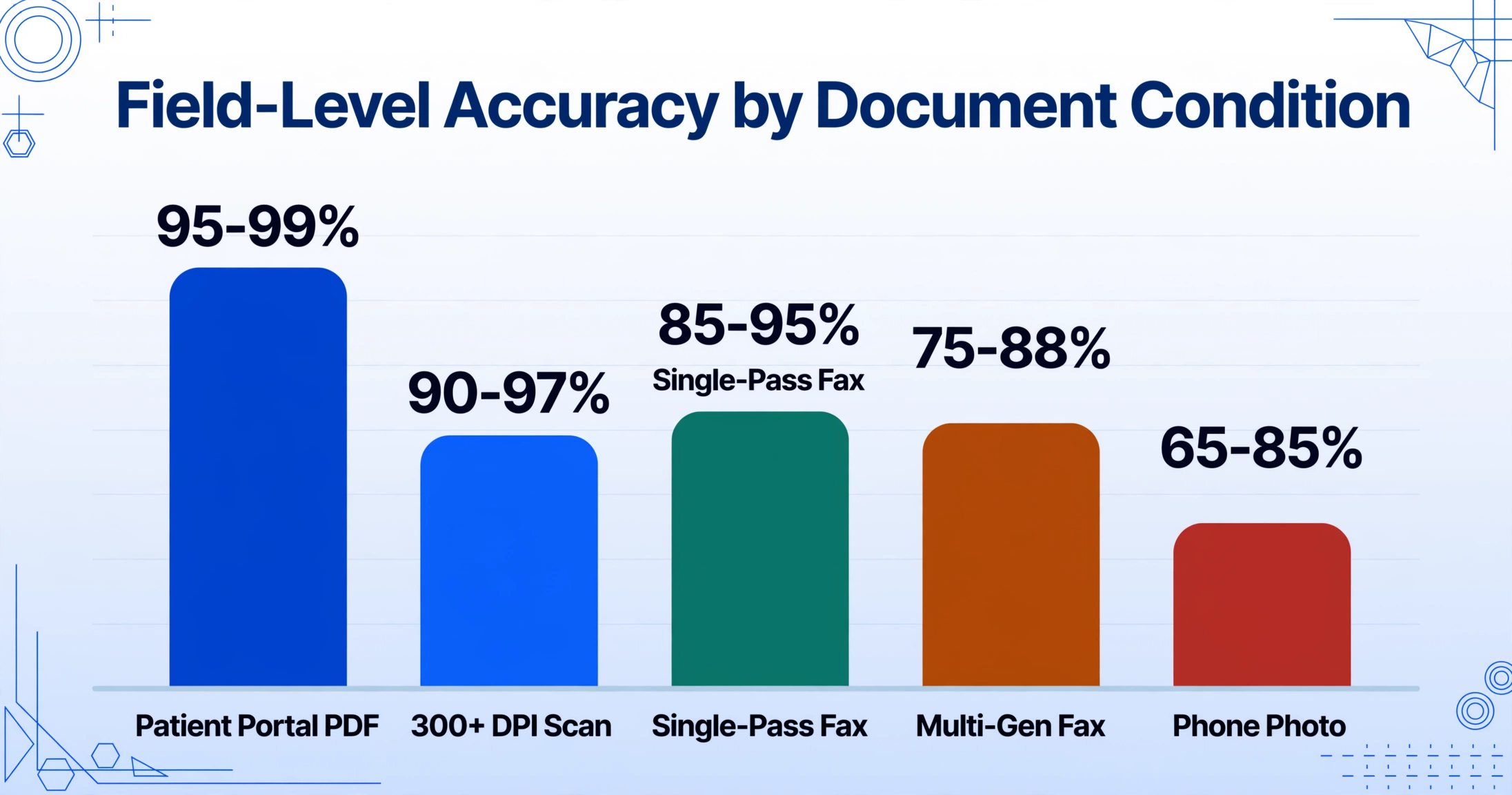
These ranges come from testing across multiple healthcare deployments, including internal validation on 500+ lab reports from 12 different LIS platforms. The high end assumes good document condition and well-defined columns. The low end represents edge cases — unusual layouts or degraded text.
Practical takeaway: clean PDFs and good scans are accurate enough for a spot-check workflow (verify a sample, trust the rest). Faxed and annotated reports need human review — no AI model change fixes that.
What AI Gets Right
Vision AI brings three capabilities that make it uniquely suited to lab report extraction, none of which traditional OCR or template-based tools provide reliably.
Semantic field mapping. Traditional OCR outputs raw text boxes — a separate step must figure out which is a test name, which is a result, and which is a reference range. Vision AI reads the document holistically, understanding that "Glucose" is the test name, "95" is its result, "mg/dL" is the unit, and "(70–99)" is the reference range. This is what Custom Column Extraction is built on: you define the columns you want, and the AI finds the data by understanding what each field means rather than where it sits. A Quest report that lists tests vertically and a hospital report using a horizontal table work with the same column definitions.
Flag and reference range preservation. A lab result is a number plus the context that tells a clinician whether it is normal, abnormal, or critical. AI that extracts "115 mg/dL" but misses the "H" flag has delivered incomplete data — the output looks normal even though the original flagged it high. Vision AI treats the result, unit, range, and flag as a single semantic group, preserving the clinical signal in the structured output.
Format independence across LIS platforms. A CBC from Epic Beaker lists results in a three-column table. The same CBC from Sunquest uses a single column with ranges in parentheses. Quest puts flags in a far-right column; LabCorp prints them after the value. A template-based tool needs separate configurations for each. Vision AI reads relationships between text elements regardless of position — you define "Result" and it finds the numeric value adjacent to each test name whether it sits to the right, below, or in a separate cell. For deeper coverage, see our complete guide to lab report data extraction.
Where AI Still Struggles
Honesty about limitations is what separates a useful recommendation from a sales pitch.
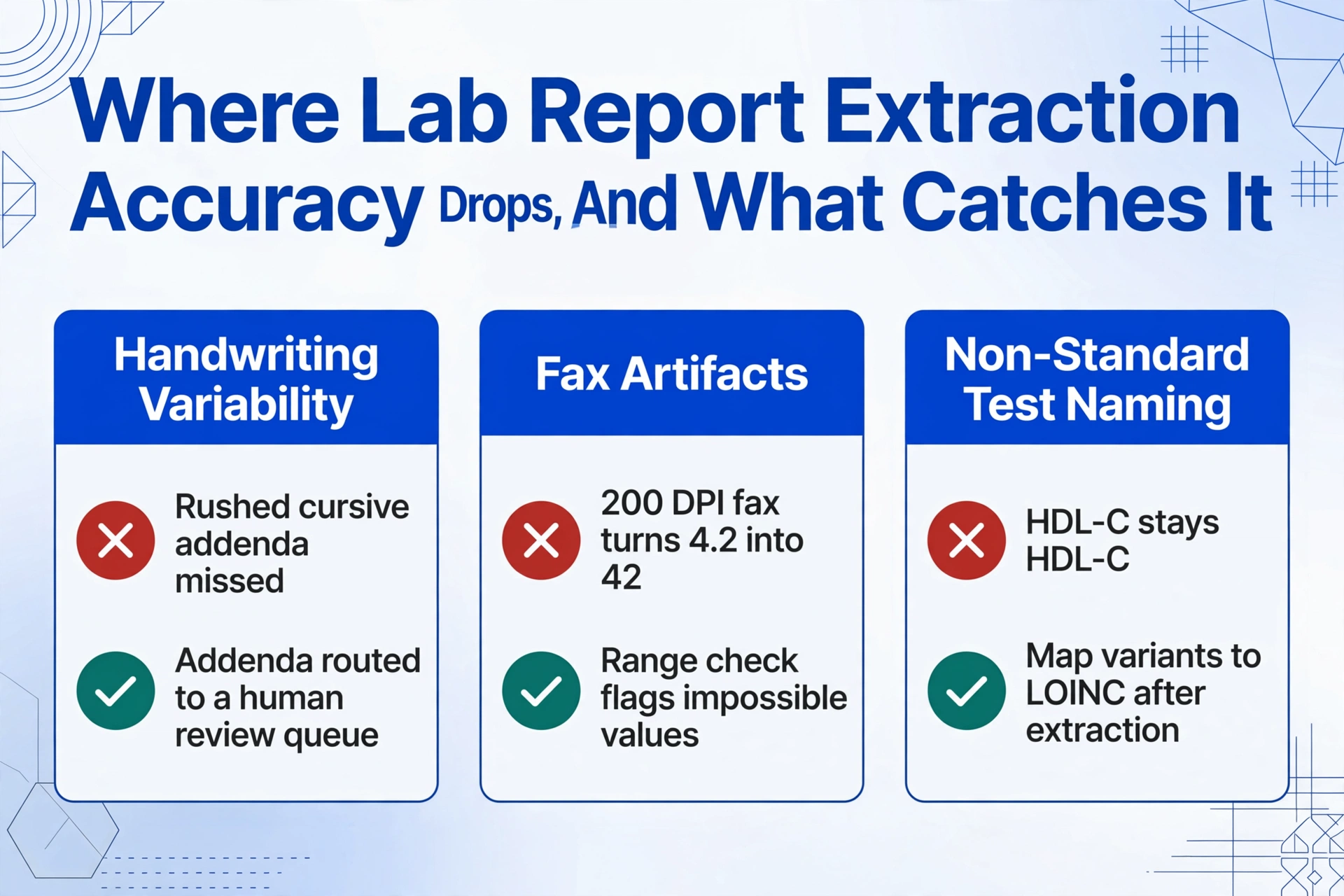
Handwriting variability. The single biggest accuracy gap. Clear block-print annotations in margins ("Add TSH") are typically captured. Rushed cursive notes ("repeat in 6 wks — recheck if >5.0") are not — the problem is context ambiguity: annotations overlap printed text, lack clear field boundaries, and use abbreviations that vary by provider. What to do: Extract machine-printed values first (those are the authoritative clinical results). Route handwritten addenda to a human review queue.
Fax artifacts and poor scans. Fax transmission compresses to ~200 DPI. A decimal point in "4.2" occupies roughly 2×2 pixels — if the fax auto-thresholds that region as white, "4.2" becomes "42," a tenfold error no downstream system catches without range checking. This is an input quality problem, not an AI problem. What to do: Replace fax delivery with secure PDF where possible. Where fax is unavoidable, validate results against reference ranges: any value outside biologically reasonable boundaries flags for manual review.
Non-standard test naming. "HDL Cholesterol," "HDL-C," "HDL," and "High-Density Lipoprotein" all refer to the same analyte. AI extracts whatever text is on the page — it does not normalize these to a standard term. What to do: Post-extraction normalization with a lookup table or LOINC code mapping. The extraction delivers the text as printed; normalization is a separate step with well-established mappings available.
How to Get the Best Results
Accuracy depends on input quality, column design, and validation workflow. These five choices move you toward the high end of the ranges above.
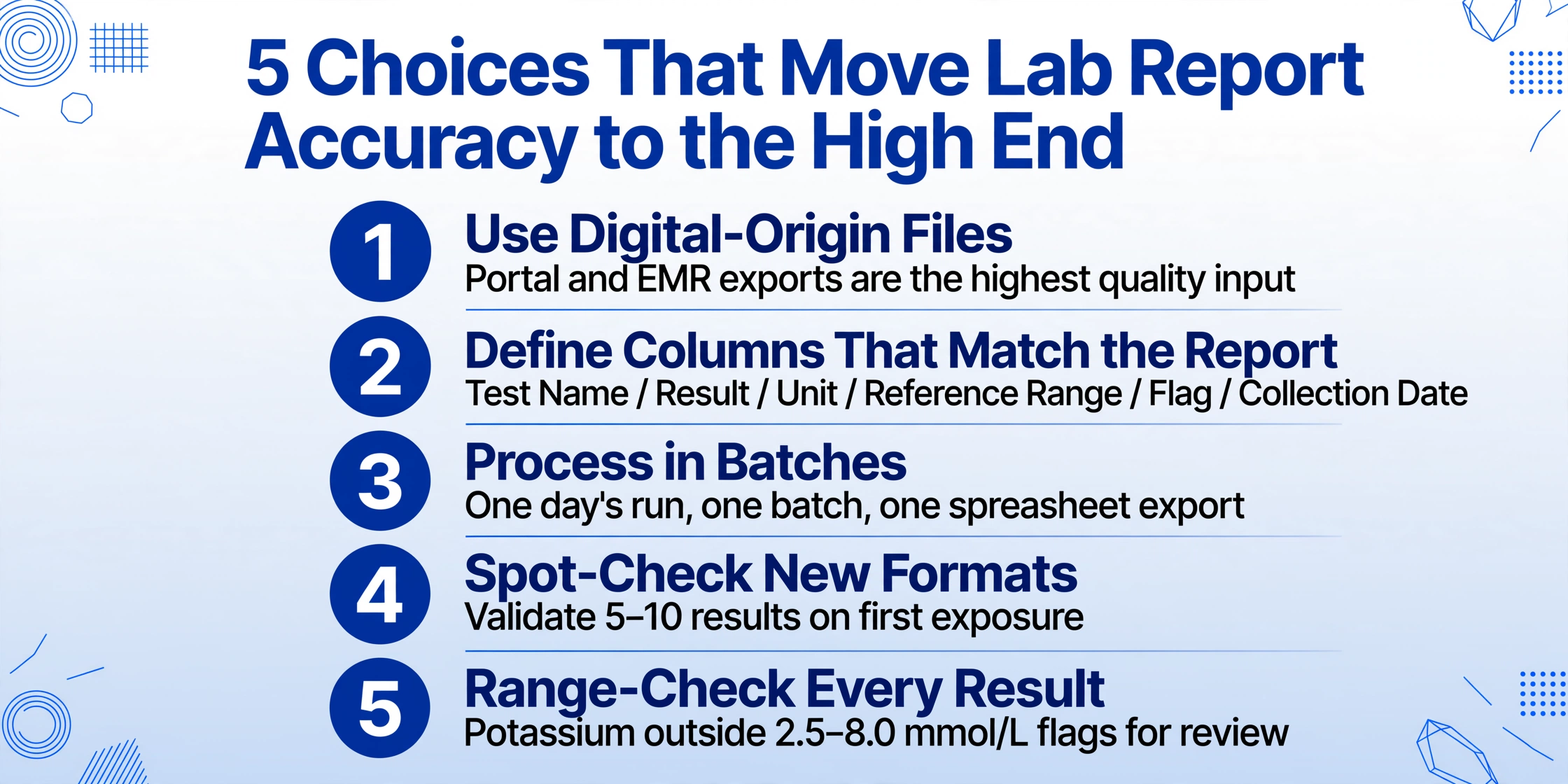
Test Name / Result / Unit / Reference Range / Flag / Collection Date covers 90%+ of use cases. Avoid catch-all columns — the AI works best when each output field has a clear semantic target.Real-World Examples
Patient result tracking. A primary care practice receives lab reports from Quest, LabCorp, and a local hospital in three formats. A medical assistant previously spent 45–90 minutes per day typing HbA1c, LDL, and creatinine values from PDFs into an Excel tracker. With AI extraction, the assistant uploads the daily batch (15–25 reports), defines four columns, and exports results in under two minutes. The 45 minutes of daily transcription becomes 10 minutes of spot-check verification — roughly 140 hours of recovered staff time per year.
Clinical trial data aggregation. A research coordinator manages a multi-site trial with lab results from 8 sites using different LIS platforms, tracking 20 parameters per patient per visit. Manual extraction consumes 8 hours per week for 60 patients. AI extraction with a defined column set processes all site reports in one batch, dropping the weekly time to about 45 minutes of validation.
Lab operations monitoring. A hospital lab quality manager needs trend data on critical value reporting and turnaround times, but pulling ad-hoc LIS reports requires IT involvement. Daily AI extraction of lab reports into a structured spreadsheet — capturing test name, completion time, and critical flags — feeds a self-service Power BI dashboard. What previously needed a data analyst is now an automated daily batch.
For a broader look at AI document extraction across healthcare — including EOBs, CMS-1500 forms, and patient intake documents — see our guide to OCR for healthcare documents.
Frequently Asked Questions
Can AI extract lab reports at 100% accuracy?
No extraction system operates at 100% accuracy indefinitely. Vision AI achieves 95-99% field-level accuracy on clean printed reports. The remaining 1-5% includes edge cases like ambiguous decimal placement or merged text from poor print quality. Best practice: expect 99%+ on digital-origin PDFs, validate on first exposure to a new format, and range-check numeric results.
Is AI lab report extraction HIPAA compliant?
HIPAA compliance depends on the tool's data handling, not its extraction capability. Key requirements include encrypted transmission (TLS 1.2+), encrypted storage at rest, and a Business Associate Agreement (BAA) where applicable. Verify that any platform's security practices meet your organization's obligations.
Does the same AI work for Quest, LabCorp, and hospital reports?
Yes — that is the advantage of template-free semantic extraction over positional OCR. You define columns once (Test Name, Result, Unit, Reference Range, Flag) and the AI locates corresponding values on any lab format by understanding what each field means. A Quest metabolic panel, a LabCorp lipid profile, and a hospital's Epic Beaker CBC all use the same column definitions with no per-lab configuration. The same columns also read a patient's health checkup report screenshot, where the practical goal is usually stacking this year's panel against last year's without retyping either one.
Can AI extract handwritten numbers on lab reports?
Clearly printed block numerals — a technician writing "142" in a blank field — are typically captured. Accuracy drops when handwriting overlaps printed text or uses non-standard numeral shapes. For machine-printed results (the vast majority of lab data), accuracy is high. For handwritten additions, treat extraction as a draft requiring human verification.
How many reports can AI process in a batch?
There is no fixed upper limit. Vision AI platforms process files concurrently. In practice, 50–100 lab reports (1–4 pages each) process in minutes, not hours. The output is a single spreadsheet with consistent column headers, ready for sorting, filtering, and pivot analysis.
Does AI capture abnormal flags like H, L, and Critical?
Yes, when the column definition includes a Flag field, the AI captures H/L/Critical annotations alongside each result — preserving the clinical alert signal in the structured output. Include a dedicated Flag column and verify it on the first batch from each lab.
From "Can AI Do This?" to "How Do I Set It Up?"
The answer for most real-world scenarios is yes: 95-99% accuracy on the printed reports that make up a typical lab's output. High enough to eliminate manual transcription of routine results and free staff for work that requires human judgment.
The productive question has shifted. It is no longer whether the technology works — it is how to design a workflow that routes clean digital reports to full automation, flags faxed or annotated ones for human review, and validates output with range checks that catch the rare but consequential error before it reaches a patient record.
Define your column set. Upload a batch. Spot-check the output. That is the workflow that works today — not in a future AI upgrade, but with the vision models available right now.