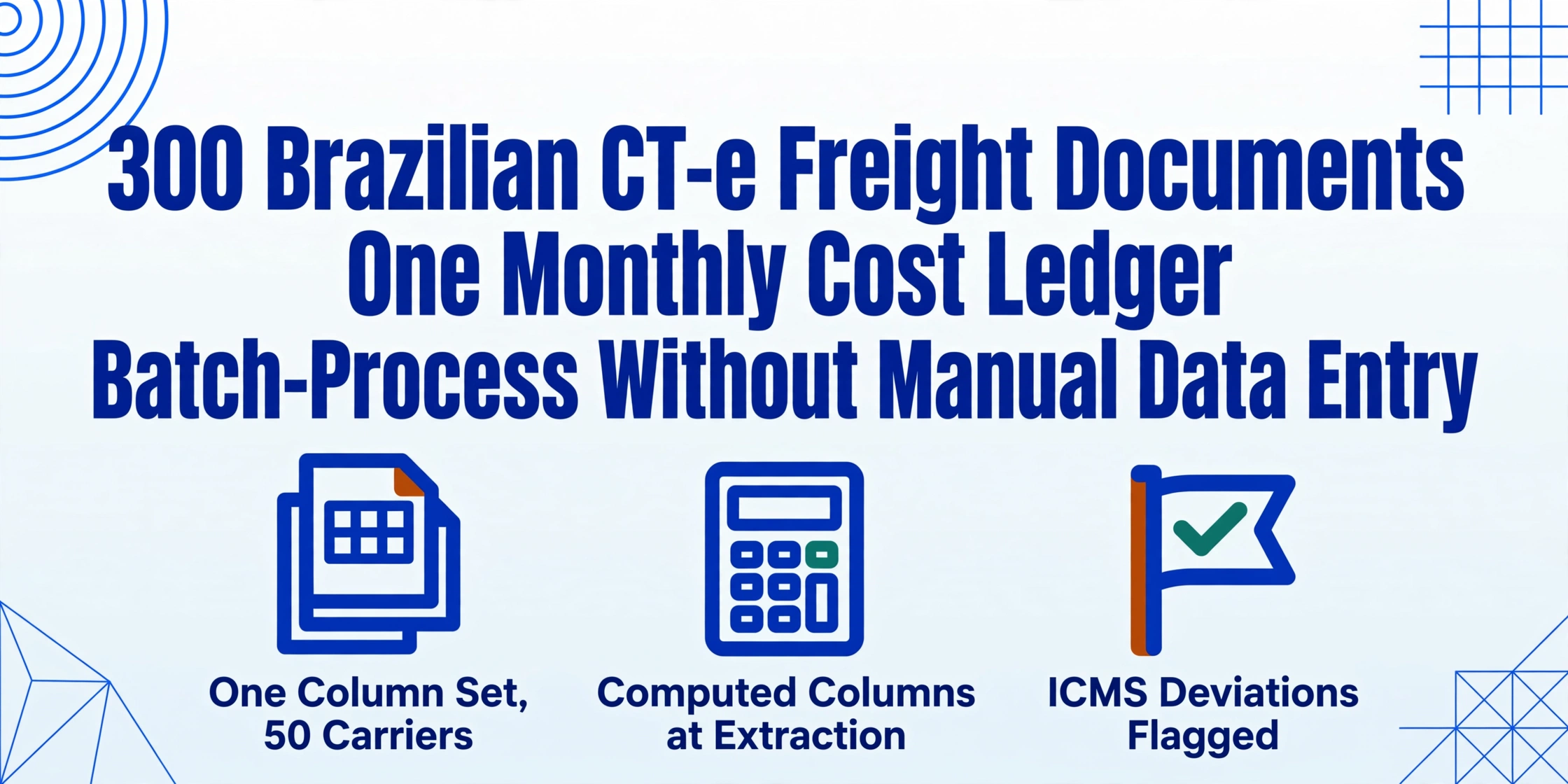
300 CT-e Freight Documents,
One Monthly Cost Ledger
A freight analyst processing 300 CT-e documents per month — typical volume for a mid-sized manufacturer shipping across the Southeast and Center-West regions — will open each DACTE printout or PDF, locate the carrier CNPJ, the service value (valor do serviço), the gross weight, the ICMS amount, the origin and destination municipalities, and type those twelve data points into a spreadsheet row. At 90 seconds per document for an experienced analyst, that is 7.5 hours of pure data entry per month. Add the time to detect typos, verify tax rates, find attachments that arrived via email instead of the billing portal, and reconcile freight costs against the corresponding purchase invoices, and the monthly freight cost sheet becomes a two-to-three-day task that no one wants to own. It does not have to be.
Key Takeaways
- An analyst typing 300 CT-e documents per month produces a spreadsheet that looks complete but has hidden gaps — columns drop, fields get estimated from memory.
- Batch extraction guarantees every row has the same structure because the column set is defined once and applied to all 300 documents — no drift.
- Real leverage comes from computed columns — freight cost per kg, effective ICMS rate — calculated during extraction without a single formula typed after the fact.
The Batch Gap in Brazilian Freight Cost Tracking
Batch processing and manual entry share a hidden difference that is not about speed. It is about consistency. When an analyst types 300 CT-e documents one by one, the set of columns she enters changes over the course of the task. The first 50 documents get a "notes" column that is dropped by document 120 because it takes too long; the ICMS rate is captured in the early batch but estimated from memory by the end. The result is a spreadsheet where some rows have data others do not, and the analyst herself cannot tell you after the fact which rows are complete and which are not.
Batch extraction — processing all 300 DACTE printouts through the same set of column definitions — guarantees that every row in the output has the same data structure. The same carrier CNPJ, service value, ICMS amount, gross weight, and route fields are extracted from every document in the batch. The column set you define once at the start is the column set every document receives. The difference between manual and batch is not hours saved — it is that the output of manual entry is unreliable in ways you cannot measure without re-entering everything.
For a detailed understanding of what each CT-e carries and why the DACTE printout is the information source most logistics teams work from, see our CT-e data extraction to Excel guide, which covers every key field on the document. This article builds on that core extraction workflow to address the specific challenges of batch-scale processing.
The batch difference: Manual entry produces a spreadsheet that looks complete but has hidden gaps. Batch extraction produces a spreadsheet where every row is structurally identical — and you can tell immediately if a field was not found.
What a Proper CT-e Freight Cost Ledger Actually Needs
Before building a batch workflow, the column set needs to support the three things a freight cost ledger does: track what you paid per shipment, compare rates across carriers and routes, and provide the ICMS data needed for tax credit recovery on inbound freight. These three purposes impose different requirements on the data structure.
A minimum viable CT-e cost ledger contains the following field groups:
| Field Group | Columns | Purpose in Cost Ledger |
|---|---|---|
| Document identifiers | Chave de Acesso (44-digit), CT-e number, series, issuance date | Primary key for linking to NF-e, ERP posting, and SEFAZ verification |
| Party identifiers | Carrier CNPJ and name, sender CNPJ, consignee CNPJ | Cost allocation by carrier, supplier, or receiving business unit |
| Freight cost | Valor do Serviço (vTPrest), Valor a Receber (vRec), deductions breakdown | Primary cost figure, net cost after withholdings, carrier payment validation |
| Tax details | ICMS base, ICMS rate (alíquota), ICMS amount | Inbound freight ICMS credit recovery, SPED EFD compliance |
| Cargo details | Gross weight (kg), cargo nature (natureza da carga), cargo value (if available) | Cost-per-kg benchmarking, route profitability analysis |
| Route | Origin municipality (IBGE code), destination municipality (IBGE code), CFOP | Route-based cost comparison, modal analysis, fiscal classification |
These 15–18 columns form the backbone of a freight cost tracking system that can support carrier performance reviews, route optimization, and tax compliance. The specific column set varies by company: a manufacturer focused on inbound freight may prioritize the sender CNPJ and ICMS rate for credit recovery, while a distribution company may emphasize the consignee CNPJ and CFOP for cost allocation by business unit.
The key design decision is to include computed columns at extraction time rather than adding them as post-extraction Excel formulas. Because the AI performs calculations during extraction — for example, Freight Cost per Kg (Valor do Serviço ÷ Peso Bruto) — the computed value lands directly in the output spreadsheet as a column, eliminating the step where an analyst adds a formula column and copies it down 300 rows. The distinction between direct extraction, computed columns, and inferred columns is described in the computed columns guide, which covers how each mode fits into a batch workflow.
Building the Batch Workflow: From DACTE to Monthly Spreadsheet
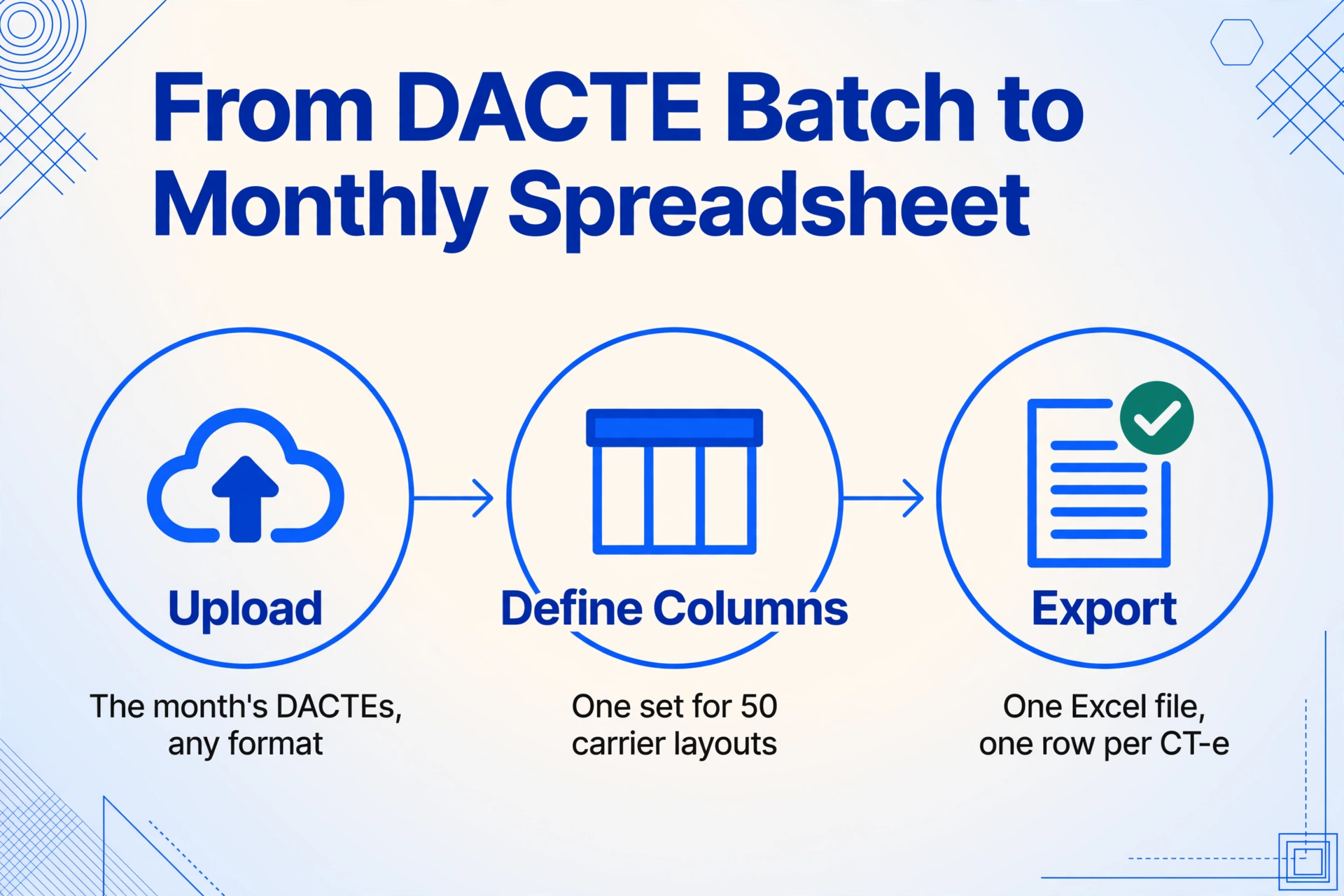
The batch workflow for CT-e freight documents consists of three stages that replace the per-document manual entry cycle with a single per-batch process.
Collect all CT-e DACTE PDFs for the month — from carrier emails, the billing portal, or scanned printouts. Upload them together in a single batch. The interface accepts PDF, JPG, PNG, and WebP. A month's files for a mid-sized manufacturer typically run 200–400 documents, and the batch upload handles them all in one pass.
Enter the column names that correspond to the freight cost fields you need. These become the output spreadsheet headers. Because the extraction is template-free — the AI reads by semantic meaning, not by layout position — the same column definitions work for every carrier's DACTE layout. A CT-e from JSL and one from Braspress, which place the ICMS data in different page positions, are both read by the same column set. Save the column set as a template after the first batch; every subsequent month uses the same template with zero reconfiguration.
The AI processes all documents in the batch and produces a single Excel file with one row per CT-e. The column headers match your definitions exactly. The downloaded file is ready for ERP import (most systems accept XLSX as a flat file), for pivot analysis of carrier costs, or for matching against NF-e purchase values.
The three steps replace what was a multi-day manual data entry task with a process that completes in minutes. The bottleneck shifts from "how fast can we type" to "how fast can we collect the DACTE files from carriers" — which is itself a process that batch collection workflows can address, but that falls outside the scope of the extraction step.
Computed Columns for Freight Cost Analysis in Batch
The batch workflow's real leverage comes not from extracting what is on the document faster, but from adding columns that require calculation or inference — work that a manual entry process cannot scale because each additional calculation requires a formula step per row.
Three computed columns that transform a basic CT-e extraction into a decision-support tool:
| Computed Column Name | Logic | What It Enables |
|---|---|---|
Freight Cost per Kg (Valor do Serviço ÷ Peso Bruto) | Divide vTPrest by gross weight | Route-level cost benchmarking — which carriers charge the highest R$/kg on which routes |
Effective ICMS % (vICMS ÷ Base de Cálculo) | Divide actual ICMS amount by the taxable base | Rate validation — flags documents where the applied rate deviates from the expected interstate rate (7% or 12%) |
Vendor Payment Gap (Valor a Receber - Valor do Serviço) | Subtract vRec from vTPrest | Withholding analysis — shows tax deductions (IRRF, PIS, COFINS, CSLL) and flags unexpected gaps |
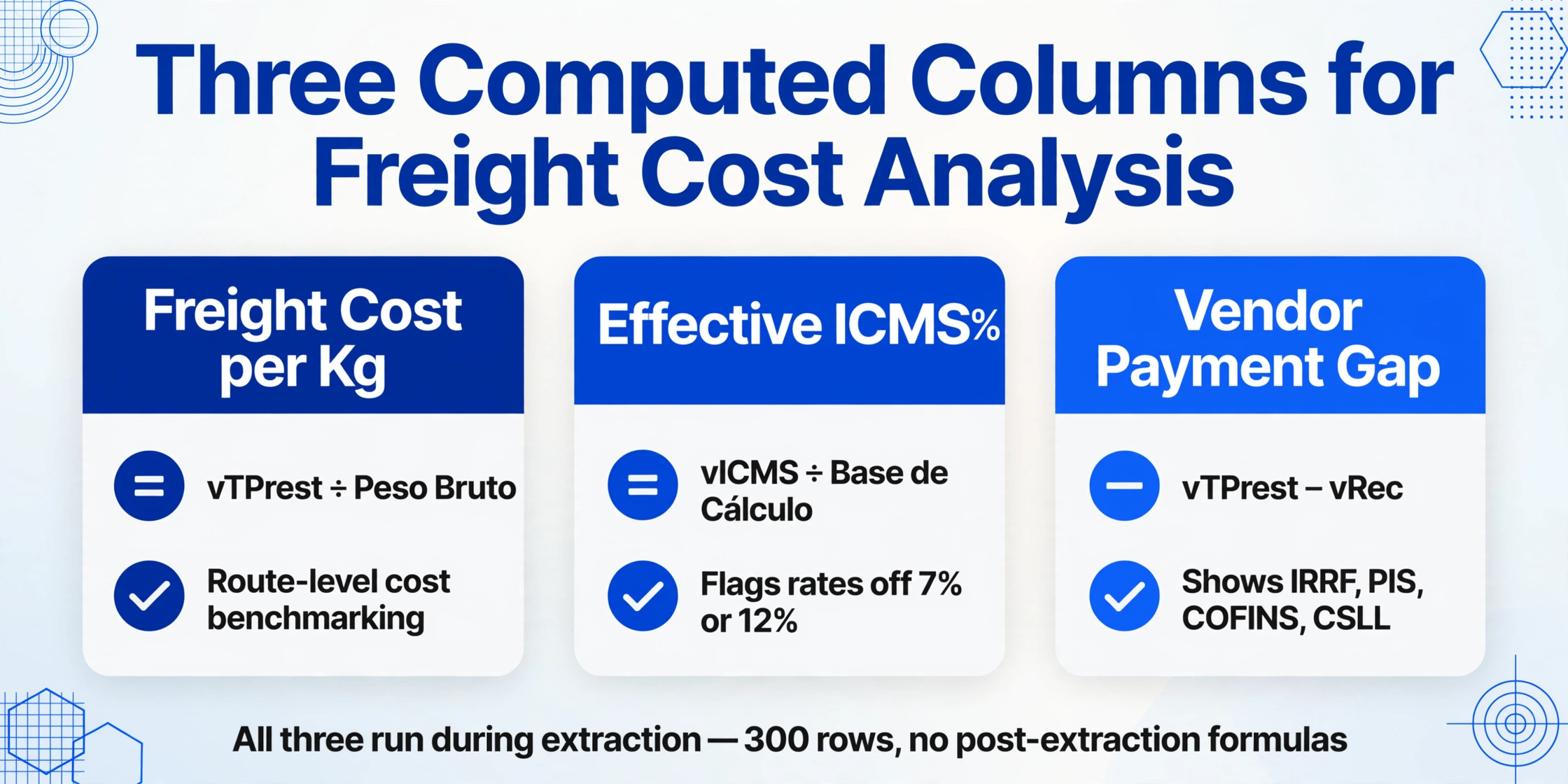
Each computed column executes during extraction — the AI reads the source fields from the DACTE, performs the calculation, and writes the result to the output spreadsheet. The batch of 300 documents produces 300 values in each computed column without any post-extraction formula work. For teams managing carrier contracts, the Freight Cost per Kg column alone can replace weeks of manual data collection.
An inferred column — the third mode of Custom Column Extraction — can further enrich the batch output. For example, a column named Route Type (options: Within-Region / Cross-Region) instructs the AI to evaluate the origin and destination municipalities and classify the route, adding a segmentation dimension that no manual process would have the time to apply to every document in a batch.
Batch extraction insight: The value of batch processing is not that it types faster than a human. It is that it applies the same logic to every document, every time — and computed columns extend that logic without adding labor.
Handling Carrier Layout Variations in a Single Batch
Brazil's road freight industry is highly fragmented. ANTT (Agência Nacional de Transportes Terrestres) reports over 650,000 carriers registered in the RNTRC system, ranging from large publicly traded logistics providers like JSL and Sequoia to individual owner-operators (transportador autônomo) who own a single truck. Each carrier's DACTE layout is a variation on the SEFAZ template, but the variation is significant enough that a template-based OCR system would require a separate configuration per carrier.
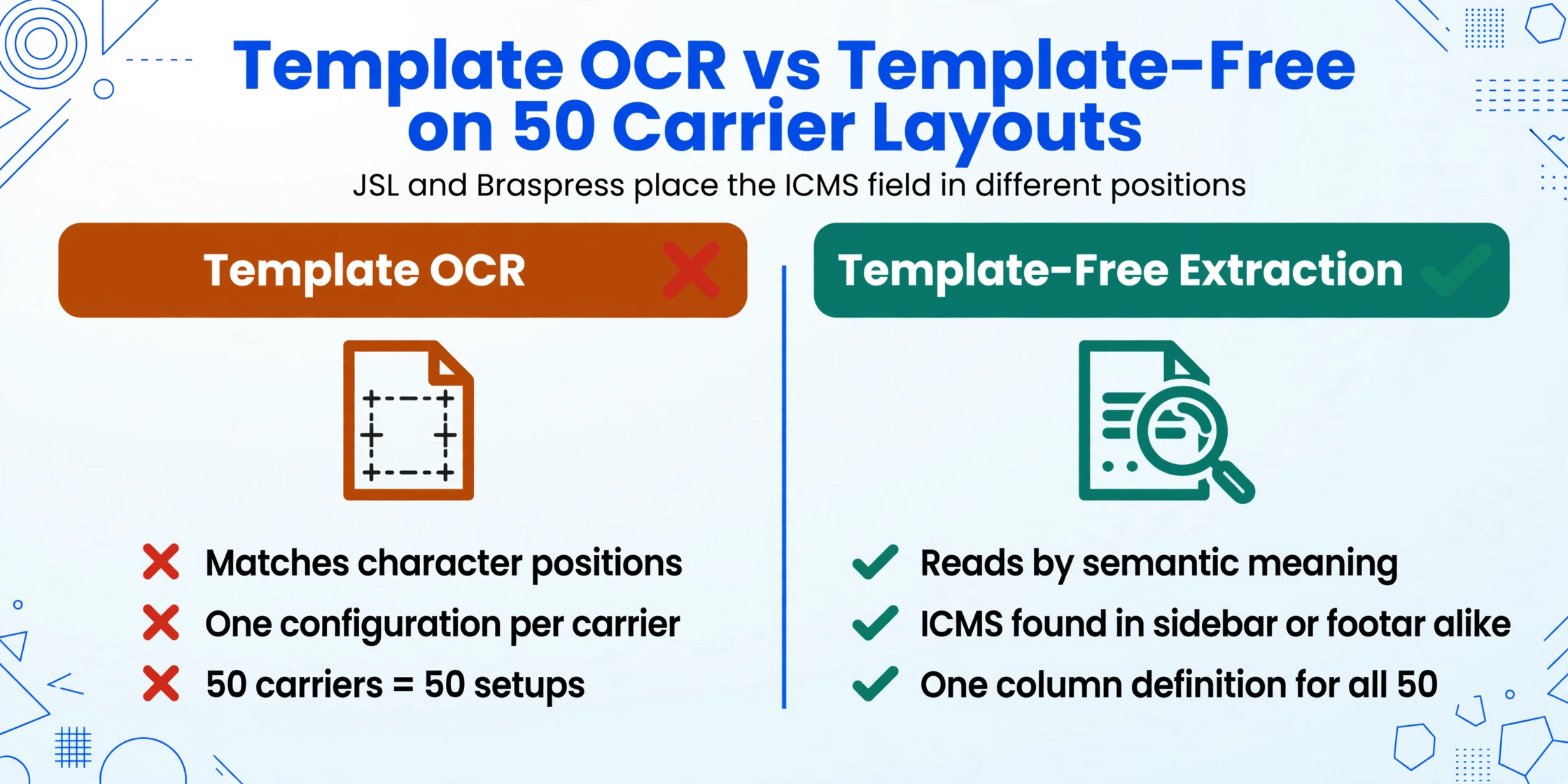
This fragmentation is the primary reason batch extraction has historically been impractical for CT-e freight documents. A batch of 300 documents from a large manufacturer's inbound freight may include CT-e documents from 30–50 different carriers. Traditional OCR — which extracts data by matching character positions — breaks when it encounters a layout it has not been trained on, and training it on 50 carrier layouts is not a realistic workflow for a freight analyst.
Template-free extraction solves this because the AI reads by semantic meaning. "Valor do Serviço" printed in a sidebar table on JSL's DACTE and "Valor do Serviço" printed in a footer row on Braspress's DACTE are both located by the same column definition — the model understands what "service value" looks like in any position on a Brazilian freight document. A single batch can process CT-e documents from 50 carriers with the same column definition file, and the output spreadsheet has complete rows for every document — not just the ones from carriers whose layout the system has seen before.
The practical implication for the freight analyst: you collect all DACTE files for the month, regardless of carrier, and upload them together. The batch workflow does not require you to sort by carrier, create sub-batches, or reconfigure settings between runs.
Matching Batch CT-e Costs to NF-e Purchase Values for Landed Cost
A monthly cost ledger that tracks freight costs in isolation provides carrier performance data. A ledger that matches each CT-e freight charge to the corresponding NF-e goods value provides landed cost per unit — the figure that procurement teams actually need for margin analysis.
The matching mechanism is the same as in the single-document workflow: every CT-e references the chave de acesso of the NF-e it transports (or multiple NF-e access keys in the case of consolidated loads). By extracting the referenced NF-e access key from each CT-e in the batch, the freight cost spreadsheet gains a column that acts as a foreign key into the NF-e purchase ledger. An XLOOKUP between the two spreadsheets creates a combined view showing, for each shipment, the goods value from the NF-e, the freight cost from the CT-e, and the computed landed cost.
This matching becomes more powerful when both the CT-e batch and the NF-e batch are processed through the same extraction workflow. The NF-e data extraction guide covers the column definitions for NF-e purchase documents, and the two output spreadsheets — one for goods values, one for freight costs — merge on the access key column. A quarterly landed cost analysis that used to require a full day of cross-referencing becomes a spreadsheet merge that completes in minutes.
For a broader view of how the CT-e fits into Brazil's electronic document ecosystem alongside the NF-e (goods invoice) and MDF-e (freight manifest), see the Brazilian electronic document hub guide, which covers the SEFAZ authorization flow common to all Brazilian tax documents.
Frequently Asked Questions
How many CT-e documents can I process in a single batch?
There is no per-batch file limit. The practical constraint is your plan's total page allowance. A single CT-e DACTE is 1–2 pages. On the Pro plan (1,500 pages per month), a team processing 500 CT-e documents (at 1 page each) uses one-third of their monthly capacity, leaving room for other document types. The batch output combines all documents into one Excel file regardless of volume.
Do I need a different template for each carrier's DACTE layout?
No. Template-free extraction reads by semantic meaning, not position. An ICMS field on JSL's DACTE (which may appear in a sidebar box) and on Braspress's DACTE (which may appear in a footer table) are both located by the same column definition because the AI understands what "ICMS" is on a freight document. A batch containing 50 different carriers uses one column definition file.
Can computed columns validate ICMS rates across a batch?
Yes, and this is one of their most valuable applications. A computed column that calculates the effective ICMS rate (vICMS ÷ Base de Cálculo) produces a value that should match the expected interstate rate — 7% or 12% — for every document in the batch. Rows where the computed rate deviates from the expected rate are flagged in the output by a simple conditional formatting rule in Excel, turning a 300-row validation problem into a spot-check of the flagged exceptions. The CT-e ICMS calculation errors guide covers the specific rate rules and what each type of deviation indicates.
What if some DACTE PDFs are scanned sideways or at low resolution?
The AI vision model handles orientation and moderate resolution variation. A scanned DACTE at 200 DPI with a 15-degree skew is processed correctly — the model detects text orientation and reads contextually, unlike traditional OCR that requires deskew preprocessing. For very low resolutions (below 150 DPI) or severe lighting artifacts, field-level accuracy may decrease, but the extraction still returns partial results that can be reviewed rather than requiring a re-scan.
How do I compare freight costs month over month using batch extraction?
Export each month's batch to a separate Excel file, then append the monthly files into a single year-to-date spreadsheet. Because every month uses the same column definitions, the files have identical column structures and can be stacked by appending rows. With computed columns like "Freight Cost per Kg" built into each monthly export, month-over-month rate trend analysis requires nothing more than a pivot table on the stacked dataset — no per-month formula adjustment.
How do I transition my freight team from manual entry to batch extraction?
Start with a parallel-run month: process the month's CT-e documents both manually (existing workflow) and through batch extraction (new workflow). Compare the two outputs — the extraction output will have fewer typos, a more consistent column structure, and complete coverage of the document set. The parallel run provides the concrete evidence needed to switch the team to extraction-only in the following month. Most teams find that the transition requires one cycle to build trust in the output and zero additional cycles to maintain it.