300 PAYG Summaries, One Payroll Report
Without Retyping a Single TFN
In June 2025, the payroll team at a mid-size Australian manufacturing company with 310 employees ran the numbers on their year-end process. Each employee's PAYG payment summary — whether generated by Xero for the head office staff, MYOB for the warehouse team, or Employment Hero for the sales division — needed to be consolidated into a single reconciliation spreadsheet for the CFO, the external auditor, and the company's tax agent ahead of the 14 August ATO annual report lodgment. The familiar bottleneck: three different payroll platforms producing three different visual layouts of the same ATO-mandated data, and one payroll administrator staring at 310 PDFs.
Key Takeaways
- 310 employees on three payroll platforms produce 310 PDFs where the same field — "Gross Payments" — lives in four different visual positions, yet all must converge into a single reconciliation spreadsheet before anyone can verify a single total.
- At 2,700 TFN digits across 300 summaries, a conservative 0.5% transcription error rate produces roughly 13 miskeyed digits per batch — and each one triggers an ATO query that burns 30 minutes to two hours.
- Define your output columns once, upload every format in one batch, and Computed Columns flag super compliance gaps and tax rate outliers during extraction — not during the audit, when correction costs compound.
What Batch Processing Actually Means for PAYG Summaries — Beyond the Buzzword
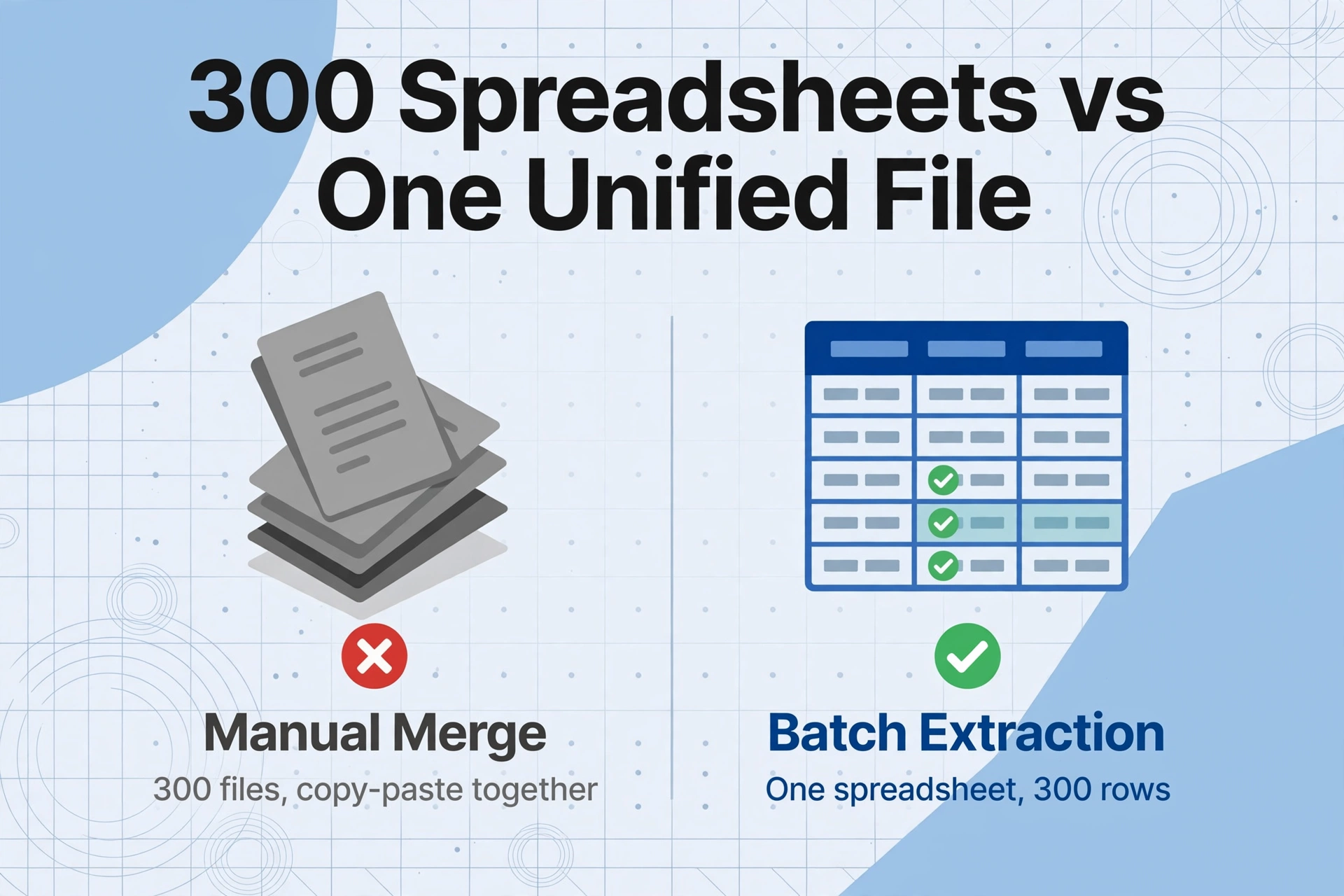
Batch processing, when applied to PAYG payment summaries, is not simply "processing multiple files at once." It is the difference between extracting 300 individual spreadsheets and merging them manually — and having all 300 summaries land in a single, unified Excel file where every row is an employee and every column is a field you defined once.
The distinction matters because the manual merge is where errors compound. A payroll officer retyping 300 TFNs individually has 2,700 digits to transcribe correctly (9 digits × 300 employees). At a conservative transcription error rate of 0.5% per digit — which is optimistic for an eight-hour data entry session — that is roughly 13 miskeyed digits across the batch. Each miskeyed TFN can trigger a separate ATO data-matching query, and each query consumes between 30 minutes and two hours to resolve depending on whether it requires contacting the employee, locating their TFN declaration form, and lodging a correction.
Batch processing eliminates the manual merge step entirely. The extraction engine applies the same column schema — Employee Name, TFN, Payer ABN, Gross Payments, Total Tax Withheld, Reportable Fringe Benefits Amount, Reportable Employer Super Contributions, Lump Sum A-E, Allowances — across every file in the batch, regardless of which payroll platform generated each summary. The output is one spreadsheet with 300 rows, not 300 spreadsheets that need to be copy-pasted together.
The core batch principle: you define your output columns once, upload every summary in a single batch, and receive one consolidated spreadsheet. The merge happens inside the extraction step — not afterwards in Excel, where every copy-paste operation between sheets is a new opportunity for a cell reference to break or a row to be misaligned.
Why Three Payroll Platforms Create a Merging Problem Before You Even Start Extracting
Many Australian organisations run more than one payroll platform — not by choice, but by acquisition. The company that acquired a regional competitor in 2023 inherited their MYOB payroll data. The division that spun off its own HR function uses Employment Hero while corporate runs Xero. The warehouse team's shift scheduling integrates with KeyPay.
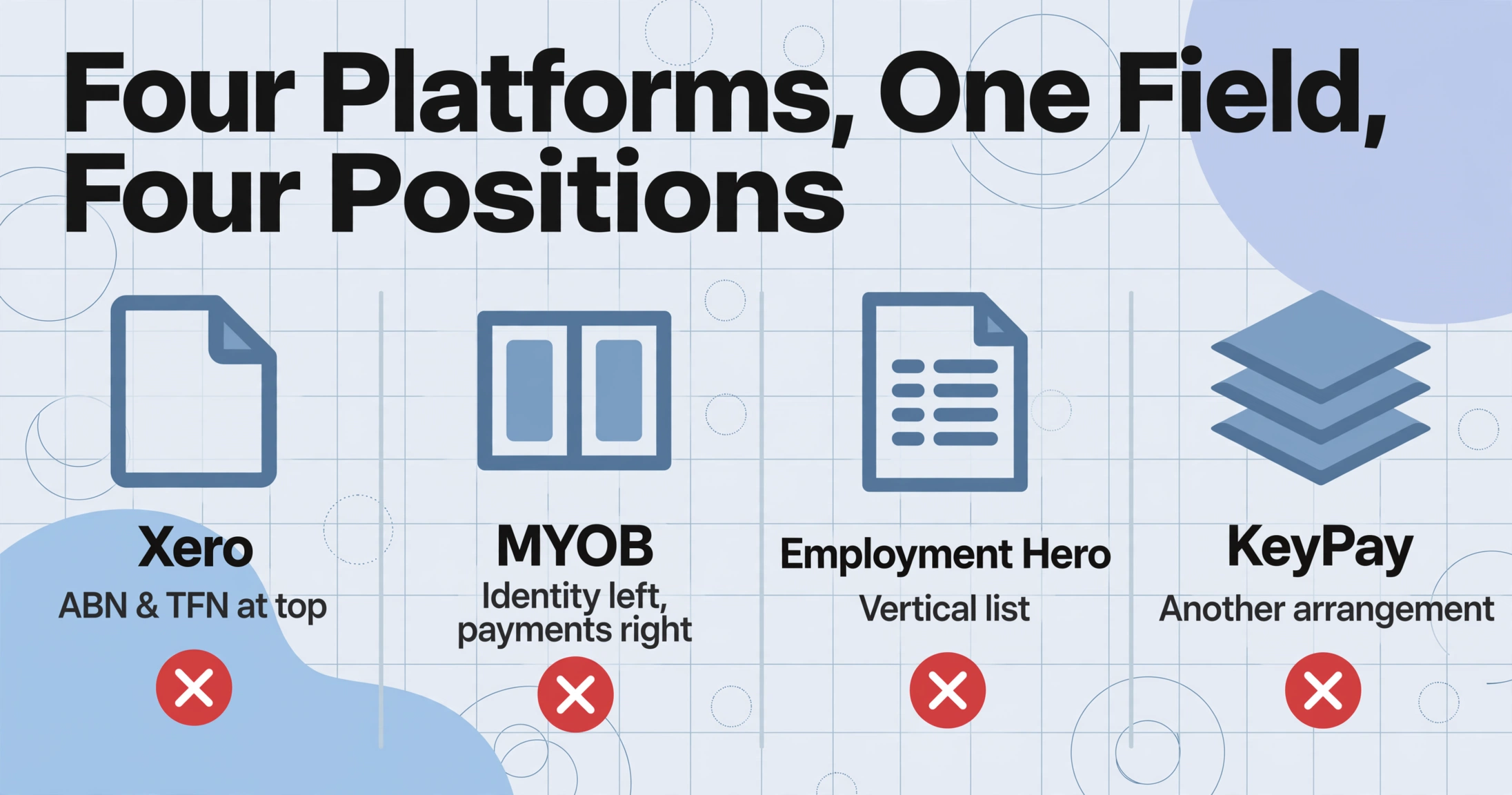
Each platform renders PAYG payment summary data in its own visual layout. Xero places the payer ABN and employee TFN at the top of the page with payment figures in a single table block below. MYOB Business uses a two-column format with identity fields on the left and payment details on the right. Employment Hero Payroll stacks everything in a vertical list. KeyPay uses yet another arrangement. The ATO-mandated triplicate form NAT 0046 follows a different design again for employers who still use paper.
For a payroll administrator, this layout fragmentation means a single field — Gross Payments — appears in four different visual positions across the batch. Template-based extraction tools, which locate fields by their coordinates on a template that was tuned to one platform's layout, fail on the other three. The administrator either processes each platform's summaries separately with a different template for each — which reintroduces the manual merge step — or reverts to manual entry for the non-standard formats.
This is where semantic extraction — reading a field by what it means rather than where it sits — becomes a batch processing requirement rather than a nice-to-have. When the same column schema handles Xero, MYOB, Employment Hero, and scanned paper summaries in the same upload, the platform fragmentation problem disappears at the extraction layer. The output is one spreadsheet with consistent columns, regardless of how many different visual layouts appeared in the input batch.
One Batch, Three Different Stakeholders: What Each Needs from the Same Payroll Report
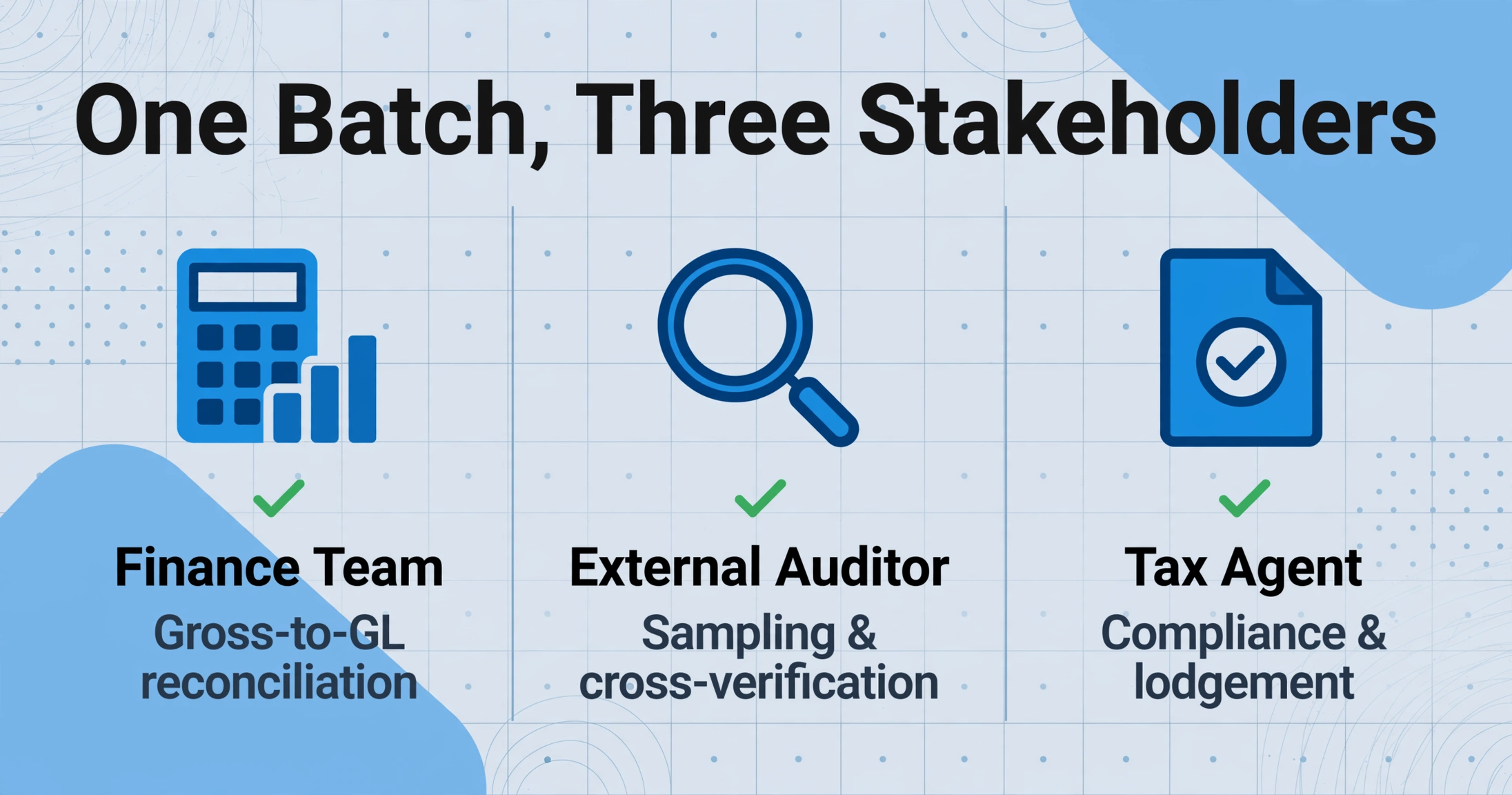
The finance team, the external auditor, and the company's tax agent need different views of the same data — but they all need it from the same source of truth. A consolidated batch extraction spreadsheet serves all three without requiring the payroll administrator to produce three separate reports.
Finance team: Gross-to-General Ledger reconciliation
The CFO needs to confirm that total gross payments across all 310 employees match the payroll expense recorded in the general ledger. A single spreadsheet with a SUM of the Gross Payments column answers this in seconds. The finance team does not need to see individual TFNs, lump sum breakdowns, or RESC figures — they need the aggregate numbers that flow into financial statements. A consolidated batch output gives them the line-item detail and the total in the same file, ready for the audit committee pack.
External auditor: Sampling and cross-verification
The auditor needs to select a random sample of 20-30 employees and trace their PAYG summary figures back to the payroll system's year-to-date reports and the quarterly Business Activity Statements (BAS). With a single consolidated spreadsheet, the auditor can filter by employee name, pull the three corresponding source documents, and complete the verification in a structured walkthrough. Without the consolidated spreadsheet, the auditor has to request individual summaries one by one — a process that stretches the audit timeline and costs billable hours on both sides.
Tax agent: ATO annual report lodgment by 14 August
The tax agent files the PAYG withholding payment summary annual report (using PAYG payment summary statement NAT 3447) with the ATO by 14 August. This report requires the total of all amounts reported on all payment summaries issued. The tax agent also needs to reconcile the total tax withheld figure on the annual report against the sum of PAYG withholding reported on the four quarterly BAS (labels W1 and W2). A consolidated spreadsheet with a SUM on the Total Tax Withheld column gives the tax agent this cross-check figure instantly — no manual addition across 310 individual summaries required.
Setting Up a Batch PAYG Extraction in Three Steps
The workflow that batch-processes 300 summaries into one report is the same whether you are processing 30 or 3,000. The setup step — defining your column schema — is done once and reused across every batch, every payroll provider, and every tax year.
Define your column schema — once, for every stakeholder
Type the field names exactly as they should appear as column headers in the output. A comprehensive schema for a 300-employee batch might include: Employee Name, TFN, Payer ABN, Gross Payments, Total Tax Withheld, Reportable Fringe Benefits Amount, Reportable Employer Super Contributions, Allowances, Lump Sum A, Lump Sum B, Lump Sum D, Lump Sum E, Period Start, Period End. This schema is saved as a template and recalled for next year's batch — the field names on a PAYG summary do not change between tax years. You can also add Computed Columns that calculate during extraction: a column for "SG Check (Gross × 12% vs RESC)" flags super compliance gaps across all 310 rows automatically, and a column for "Effective Tax Rate (Tax / Gross × 100)" surfaces outliers — an employee with $85,000 gross and $3,000 tax withheld (3.5% effective rate) is almost certainly an error.
Upload the full batch — all formats, all platforms, one upload
Drop in the entire folder: 180 Xero PDFs, 90 MYOB summaries, 30 Employment Hero certificates, and 10 scanned paper summaries from a small subsidiary still running a legacy payroll provider. The extraction engine processes each file independently with the same column schema and merges all results into one spreadsheet. Files can be digitally generated PDFs, scanned copies of printed summaries, or even phone photos of certificates. The same schema that locates "Gross Payments" on a clean Xero PDF also finds it in a scanned MYOB certificate with a 3-degree skew — because semantic extraction reads field meaning, not pixel position.
Export and distribute to all three stakeholders
Download one Excel file with 310 rows — one per employee — and every field in its own column. The finance team gets the aggregate view for GL reconciliation. The auditor pulls a filtered sample for verification. The tax agent uses the total tax withheld SUM for the NAT 3447 annual report lodgment. All three stakeholders work from the same source data, derived from the same extraction pass, with no manual merge, no copy-paste, and no transcription errors introduced between the extraction and the distribution.
Computed Columns: Catching Compliance Gaps During Extraction, Not During Audit
The most valuable part of batch processing for a 300-employee payroll report is not the extraction speed — it is the ability to embed validation logic into the extraction itself. Computed Columns execute calculations while each summary is being read, flagging anomalies before the output spreadsheet opens.
Three Computed Columns that turn a batch extraction into a pre-audit:
SG Shortfall Detection. A column defined as Gross Payments × 12% − RESC — for the 2025-26 financial year, the Super Guarantee rate is 12% of ordinary time earnings. If the result is positive (RESC is less than 12% of gross, excluding any capped employees), the row is flagged for review. Across 310 rows, this catches the one employee whose salary sacrifice arrangement was mistakenly processed as standard SG rather than RESC — a classification error that, if undetected, means the employee's income statement understates their reportable super, potentially affecting their Medicare levy surcharge liability and HELP repayment obligation.
Effective Tax Rate Outlier Detection. A column that divides Total Tax Withheld by Gross Payments and compares against the 2025-26 ATO tax tables. An employee on $90,000 with $22,000 withheld (24.4%) is normal. An employee on $90,000 with $5,000 withheld (5.6%) is almost certainly a data entry error — either the tax withheld figure is wrong on the summary, or the employee provided a TFN declaration claiming the tax-free threshold from a second employer. Either scenario needs investigation before the summary data reaches the ATO.
RFBA Threshold Alert. Reportable fringe benefits are only reportable if the grossed-up taxable value exceeds $2,000 in the FBT year (1 April to 31 March). A column that checks whether RFBA is non-zero on the summary — but the employee's remuneration structure does not include a known fringe benefit arrangement — surfaces a potential misclassification. A car fringe benefit for a sales director that was inadvertently coded as exempt rather than reportable on the payroll system will appear as a $0 RFBA row where the computed check expects a non-zero value, flagging the discrepancy before the summary reaches the employee.
A PAYG summary extraction workflow built around Computed Columns shifts the payroll officer's role from data entry to exception management. Instead of typing 2,700 TFN digits and hoping none were transposed, they review 8 flagged rows out of 310 — the 8 where a computed check detected an anomaly worth investigating. The other 302 rows passed automated validation during extraction and are ready for stakeholder distribution without further review.
Reusing the Batch Schema Across Tax Years — and Across Document Types
The column schema defined for a 2025-26 PAYG summary batch works for 2026-27, 2027-28, and every subsequent year — because the ATO-mandated fields on a PAYG payment summary do not change between tax years. The employees change, the figures change, the payroll platform may change (a company migrating from MYOB to Xero mid-year uses the same schema on both platforms' summaries), but the extraction template remains constant.
For organisations that also process UK payroll — an Australian company with a London office, for instance — the same batch logic applies to UK P60 summaries and P45 leaver forms. The document type changes, the tax year and withholding system change, but the batch processing principle — one schema, one upload, one consolidated spreadsheet — transfers directly. A payroll team that batch-processes PAYG summaries in July uses the same workflow for P60s in April, with different column names and different deadline pressures but an identical operational pattern.
Frequently Asked Questions
How long does batch processing take for 300 PAYG payment summaries?
The upload and extraction for 300 summaries typically completes in a few minutes — the exact time depends on the file sizes and mix of digital PDFs versus scanned images. What changes most is the post-extraction workload: instead of spending roughly 2-3 minutes per summary manually retyping 15-20 fields (6-10 hours of data entry for 300 employees), the payroll officer spends 30-45 minutes reviewing Computed Column flags and reconciling the aggregate totals against the payroll system. The extraction itself is the fast part; the time savings accumulate in the verification phase that follows.
What if some summaries in the batch are from prior tax years?
The extraction engine processes all files in the batch regardless of the tax year printed on the summary, because it reads each field by its semantic meaning — not by a date-dependent label. A 2023-24 PAYG summary and a 2025-26 summary have the same field structure (Payer ABN, Payee TFN, Gross Payments, Total Tax Withheld, etc.), so the same column schema extracts both correctly. The Period Start and Period End columns in the output will distinguish which year each row belongs to. This is particularly useful when processing historical summaries during a payroll software migration — you can batch-extract five years of archived certificates in one upload and get a spreadsheet with tabs or rows grouped by tax year.
Can batch processing handle both regular PAYG summaries and ETP payment summaries in the same upload?
Yes — but with a column schema design consideration. A regular individual non-business summary (NAT 0046) and an employment termination payment summary (NAT 70868) contain different field sets. The ETP summary includes the taxable component, the ETP code (R for redundancy, O for other), and the tax withheld on the ETP — fields that do not appear on a regular summary. If you include both document types in the same batch, define columns that cover the superset of fields from both summaries. Rows from regular summaries will have blank ETP fields; rows from ETP summaries will have blank lump sum A-E fields. Group by employee TFN in the output to see each departing employee's complete year-end picture — regular summary row + ETP summary row, with all fields populated across the two rows.
What happens if the batch includes a corrupted or unreadable PDF?
Files that cannot be read — because they are password-protected, corrupted, or contain no extractable text in any visual region — are flagged in the processing results without blocking the rest of the batch. The remaining valid summaries are extracted normally. The flagged files appear in the output with an error status rather than extracted data, so the payroll officer can identify exactly which files need re-uploading or manual handling rather than discovering a gap after the batch is complete.
Does batch extraction work with scanned paper summaries from a filing cabinet?
Yes. Scanned paper PAYG summaries — including the triplicate NAT 0046 form ordered from the ATO's publication service and completed by hand — process in the same batch as digitally generated PDFs. The extraction engine reads the visual content of the page, whether it originated as a software-generated PDF or a scan of a paper form. Moderate skew (documents scanned at an angle), varying lighting, and aging paper stock do not prevent extraction because the AI reads field content semantically rather than relying on a clean template alignment. The same column schema that extracts "Gross Payments" from a crisp Xero PDF also extracts it from a 2019 paper summary scanned on an office multifunction printer.