Affordable Packing Slip Extraction:
What Small Warehouses Actually Pay
A warehouse management system tells you what inventory you should have. Packing slips tell you what actually arrived. The gap between them is a spreadsheet — and someone retyping 15 to 30 packing slips into it every day, three minutes per slip, while the inventory system shows the same quantities it did yesterday. For the 90% of North American warehouse operators the International Warehouse Logistics Association (IWLA) classifies as small and mid-sized, the software market's answer to this gap has been a $329-a-month warehouse management system that manages inventory beautifully — and still doesn't read the paper packing slip sitting on the receiving desk. This article maps what packing slip data extraction costs when you separate it from WMS pricing: $9 to $59 per month for 5 to 30 packing slips a day, no warehouse management system required.
Key Takeaways
- Small warehouses searching for a way to stop retyping packing slips often land on a WMS first — but Fishbowl at $329 a month and 3PL Central at $500+ share one trait: neither can read the paper packing slip sitting on the receiving desk.
- At $0.95 per slip in direct labor, a warehouse processing 15 packing slips a day spends $3,705 a year on keystrokes alone — and the WMS sits idle until every field is typed, creating an inventory gap where physically present stock shows as "in transit" to the picker who needs it.
- ImageToTable.ai reads any supplier's packing slip format without templates at $19 a month for 15 slips a day — separate extraction from inventory management, let the $19 tool feed the $329 WMS the data it needs, and your receiving record updates before the pallet is broken down.
The Gap Between What Your WMS Tracks and What Actually Arrived
When a shipment pulls up to a small warehouse dock, two things happen. The receiving clerk unloads the pallets and checks for visible damage. Then they take the packing slip — the document listing what's supposed to be in those boxes — and start typing. PO number into a cell. SKU into the next. Quantity shipped. Ship date. Carrier tracking number. Maybe 8 to 12 fields per slip, maybe 2 to 3 minutes per document if everything is legible and the supplier used a standard layout. At 15 packing slips arriving across a morning's deliveries, that's roughly 45 minutes of data entry before a single item gets scanned into inventory.
The warehouse management system — whether it's Fishbowl, Zoho Inventory, or a custom Google Sheet — shows no change during those 45 minutes. The items are physically on the shelf. The inventory record says they're still in transit. The gap is a purely digital problem: the data arrived on paper, and the WMS can only consume digital data. No WMS, at any price, reads a packing slip off the dock.
That gap is the problem packing slip extraction solves. And it's a different problem from inventory management — which is why the solution should cost a different amount.
What's on a Packing Slip (and Why It Survives Template Rules)
A packing slip looks like an invoice but serves a different function. An invoice says "you owe us this amount." A packing slip says "these are the items in this box." (For the full definition and field-by-field breakdown, see what is packing slip data extraction.) The fields reflect that:
PO number, supplier name, ship-to address, SKU or item code, item description, quantity shipped, unit of measure, ship date, carrier name, tracking number, total carton count, weight. Sometimes backorder notes ("Qty 5 pending from PO #"). Prices and totals are often omitted — this is a logistics document, not a financial one.
Same core fields as the packing slip with additions: delivery address (which may differ from ship-to), recipient name and signature line, delivery date and time, condition notes, proof-of-delivery fields. Delivery notes are the receiving-end counterpart — they confirm what arrived at the customer's dock, not what left the supplier's warehouse.
Both documents share a structural trait that breaks template-based extraction tools: no two suppliers format them the same way. A national distributor's ERP-generated packing slip places the PO number in the top-right corner in 10-point Helvetica and puts the carrier tracking number in a barcode at the bottom. A regional supplier's thermal-print slip from a Zebra printer places the PO number under a different label ("Order Ref" instead of "PO #") and prints the SKU as a truncated 8-character code with a different delimiter than the distributor's system expects. A third supplier — the one who still faxes handwritten delivery confirmations photographed on a warehouse phone — doesn't format anything at all.
Template-based extraction tools need a parsing rule per layout. With 15 suppliers, that's 15 templates. When a supplier upgrades their ERP and the form field moves by two inches, the template breaks. When a new supplier onboarded last week sends their first packing slip in a format the tool has never seen, extraction produces garbage until someone — the warehouse manager who bought the tool to stop doing data entry — builds yet another template. The template itself becomes the maintenance burden the tool was supposed to eliminate.
What Manual Packing Slip Entry Costs a Small Warehouse Per Year
The warehouse industry tracks productivity in picks per hour, lines per order, and cost per shipment. Packing slip data entry rarely appears in those metrics — it's lumped into "receiving labor," a bucket that also includes unloading, counting, inspection, and putaway. That accounting categorization hides the cost.
Let it out of the bucket and look at it directly. At 15 packing slips per day — a typical morning receiving run for a small warehouse handling 3PL fulfillment or managing inbound inventory for a retail operation — each slip takes roughly three minutes to locate, read, and transcribe into a spreadsheet or inventory system. At a warehouse worker's median hourly wage of $18 to $20 per hour in the U.S., that's roughly $0.95 per slip in direct labor. Across 15 slips per day:
| Volume | Minutes/Day | Labor Cost/Day | Days/Year | Annual Cost |
|---|---|---|---|---|
| 5 packing slips/day | 15 | $4.75 | 260 | $1,235 |
| 15 packing slips/day | 45 | $14.25 | 260 | $3,705 |
| 30 packing slips/day | 90 | $28.50 | 260 | $7,410 |
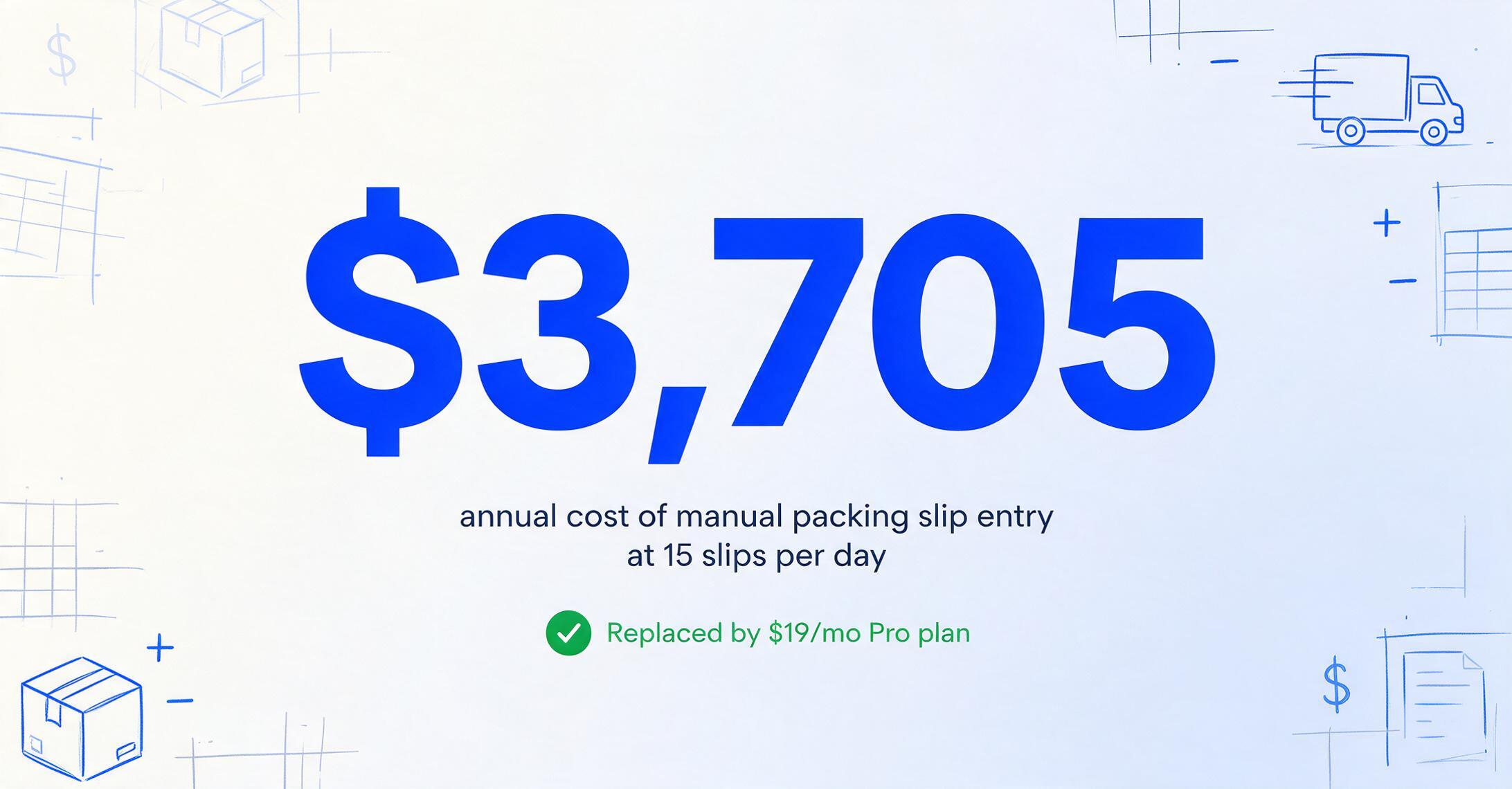
These numbers represent the cost of retyping data that already exists on a piece of paper — pure transcription, zero analysis. For a warehouse running 30 slips a day, the direct labor cost alone exceeds $600 per month, spent entirely on keystrokes that a data extraction tool handles in seconds.
But transcription cost isn't the only cost. There's the inventory record lag — the period between physical receipt and digital update where the WMS or tracking spreadsheet shows outdated quantities. For a warehouse that ships same-day from inbound stock, a 45-minute gap means the picker can't see inventory that's physically present. For one using reorder points, outdated quantities trigger unnecessary purchase orders. Neither cost appears on the receiving clerk's timesheet. Both costs disappear when packing slip data hits the inventory system within seconds of the shipment reaching the dock. For a deeper look at how manual data entry impacts downstream inventory tracking, see our breakdown of PO-to-inventory reconciliation costs for small operations.
Fishbowl at $329 and 3PL Central at $500+: What a WMS Does and Doesn't Do for Packing Slips
The Material Handling Institute (MHI) represents the full spectrum of supply chain technology — from automated storage and retrieval systems to the software that coordinates them. But the software layer most relevant to warehouse data entry is the WMS, and its pricing tells the story of why packing slip extraction should be a separate purchase decision.
Here is what a small warehouse operator encounters when they search for a tool to stop retyping packing slips:
| System | Starting Price | Core Function | Does It Read Paper Packing Slips? |
|---|---|---|---|
| Fishbowl | $329/mo | Inventory management, order fulfillment, barcode scanning, multi-location tracking | No — manages digital inventory, doesn't extract from paper |
| 3PL Central / Extensiv | $500+/mo | 3PL warehousing: EDI integration, customer billing, multi-client inventory | No — receives digital orders, not paper packing slips |
| Zoho Inventory | $59/mo | Order management, shipping label generation, multi-channel sales sync | No — imports digital orders from sales channels |
| ShipStation | $9.99/mo | Shipping label creation, carrier rate comparison, batch label printing | No — shipping outbound, not receiving inbound |
None of these tools read a packing slip. Not one. The WMS is designed to receive inventory updates after data entry is completed — through an API, an EDI feed, or a manual keyboard. It's brilliant at what it does: multi-location inventory sync, barcode-driven cycle counting, wave picking optimization. Those features are why Fishbowl costs $329 a month. But none of those features solve the paper-to-digital step. The WMS waits for the data. The packing slip holds the data. The person in the middle retypes the data. That person is the only component in this chain that a WMS vendor never mentions in the demo.
This is the category error that costs small warehouses thousands of dollars a year — not in software spending, but in labor allocated to a task the WMS was never designed to eliminate. Extraction doesn't compete with a WMS. It feeds the WMS — or the spreadsheet, or the inventory log — the data it needs to function. And because the two functions are separate, they should be priced separately. For a broader analysis of document extraction pricing across the market, our 2026 pricing overview maps every tier from free to enterprise.
Packing Slip Extraction Tools at 5, 15, and 30 Documents Per Day
The extraction market offers multiple pricing tiers. Which one makes sense depends on daily volume — not on warehouse square footage or annual revenue. Below is a comparison across three volume levels typical of a small warehouse operation.
| Tool | Pricing Model | Monthly Cost (~110 docs) | Monthly Cost (~330 docs) | Monthly Cost (~660 docs) | Handles Any Layout? |
|---|---|---|---|---|---|
| ImageToTable.ai Basic | $9/mo (150 credits) | $9.00 | $9.00* | $9.00† | Yes — AI reads any layout |
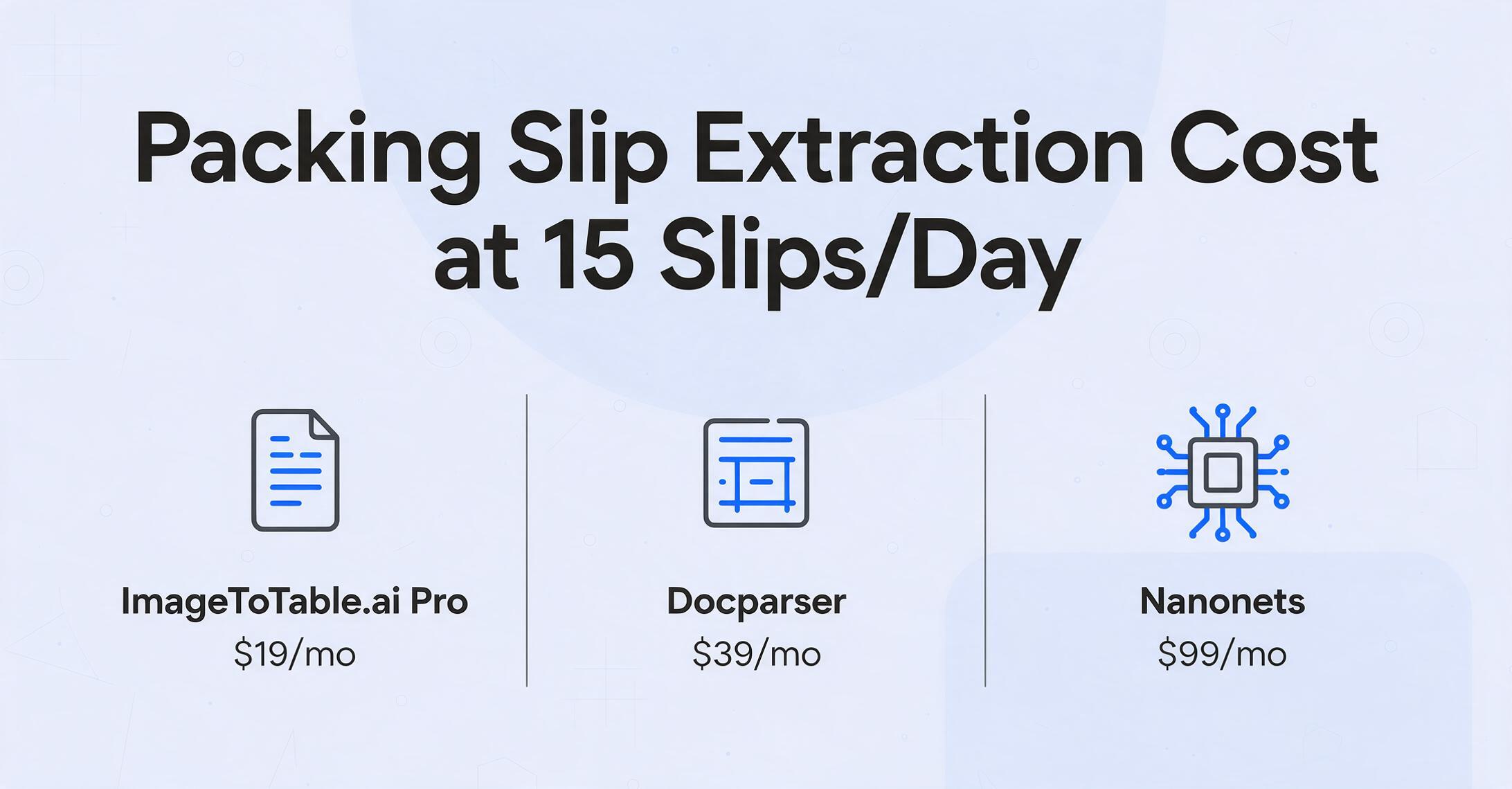
| ImageToTable.ai Pro | $19/mo (400 credits) | $19.00 | $19.00 | $19.00‡ | Yes |
| Airparser | $39/mo (200 docs) | $39.00 | $39.00 | $39.00# | Yes — GPT-based, auto-schema |
| Docparser | $39/mo (100 docs) | $39.00 | $39.00§ | $39.00§ | No — template per supplier layout |
| ImageToTable.ai Max | $59/mo (1,500 credits) | $59.00 | $59.00 | $59.00 | Yes |
| Nanonets Pro | $499/mo or $0.30/page | $33.00 / $499.00 | $99.00 / $499.00 | $198.00 / $499.00 | Partially — training required |
* Basic exceeds credit cap at ~330 docs/month. Pro recommended. † Basic exhausted well short of 660 docs. ‡ Pro exhausted around 400 docs. Max recommended at 660 docs. § Docparser monthly document limits insufficient at this volume; upgrade required. # Airparser's $39 plan caps at 200 docs/month; 660 docs need upgrade.
At 15 packing slips per day — roughly 330 per month — the math points to ImageToTable.ai Pro at $19. That's $0.058 per document, or roughly 87 cents per day to replace 45 minutes of manual data entry. Docparser and Airparser at $39 cost more than double. Nanonets at $0.30/page pay-as-you-go would run $99 at this volume — competitive per page but five times the monthly cost.
But the per-document price isn't the full decision. The variable that determines which tool actually saves time — rather than shifting work from typing to template-building — is what happens when a new supplier format shows up. For more on the trade-off between pay-per-use and fixed subscriptions across document volumes, see our pay-as-you-go vs subscription breakdown.
Why 15 Suppliers Create 15 Broken Templates
A packing slip from Grainger looks nothing like a packing slip from Uline. Both look nothing like the one from the regional packaging supplier who prints packing slips on a dot-matrix printer with a ribbon that should have been replaced in 2019. Template-based tools solve one format at a time: draw a zone around the PO number field on Grainger's layout, define "SKU" extraction for Uline's format, build a third rule set for the supplier who labels quantities as "QTY SHP" instead of "Quantity Shipped."
This works for a warehouse that receives from the same three suppliers every day. It doesn't work for the more common reality: 15 to 20 active suppliers, one or two new ones onboarded each quarter, existing suppliers whose ERP upgrades reflow their packing slip layout every 18 to 24 months. A warehouse with 20 suppliers averaging one format change per supplier every two years is maintaining roughly one template repair per month — plus a new template setup for each new supplier. If building or fixing a template takes 15 minutes, that's a hidden 15 to 20 minutes of monthly labor that the $39 subscription price doesn't reflect on the invoice.
AI-powered extraction — the approach ImageToTable.ai uses — doesn't remember where a field sits on a page. It understands what each field means. You specify the column names you want in your output: "PO Number," "SKU," "Quantity Shipped," "Carrier," "Tracking Number." This is Custom Column Extraction: the column names you type become the headers of your output spreadsheet, and the AI locates matching values on every document by understanding the semantic meaning of each piece of data. A PO number looks like a PO number whether it's labeled "PO #" in the top-right corner or "Order Ref" in the bottom-left — the AI recognizes it by what it is, not where it sits. A quantity value follows a numeric pattern adjacent to item descriptions regardless of column position. The extraction is layout-agnostic by design, which means 15 suppliers with 15 different formats require zero template changes. For a more detailed comparison of how AI-based and template-based extraction differ across document types, our one-tool vs multi-tool cost analysis covers the template maintenance economics.
The template trap in a small warehouse context: A template tool at $39 per month seems cheaper than an AI tool at $19 — until you count the labor. Building 15 initial templates takes roughly 2 to 3 hours. Maintaining them across quarterly supplier changes takes another 15 to 20 minutes per month. At a receiving clerk's wage rate, that's $35 to $55 in setup labor and roughly $5 per month in ongoing maintenance — labor that the $39 subscription invoice doesn't itemize. The effective monthly cost isn't $39. It's $39 plus the time you spend keeping the templates alive.
From Packing Slip to Inventory Record: What the 10-Second Workflow Looks Like
Here is what packing slip extraction replaces. Current workflow: open PDF or unfold paper slip, locate PO number, locate SKU, find quantity shipped field, find carrier and tracking number, type each value into the correct spreadsheet column, verify no transcription errors, move to next slip. Fifteen repetitions. Forty-five minutes.
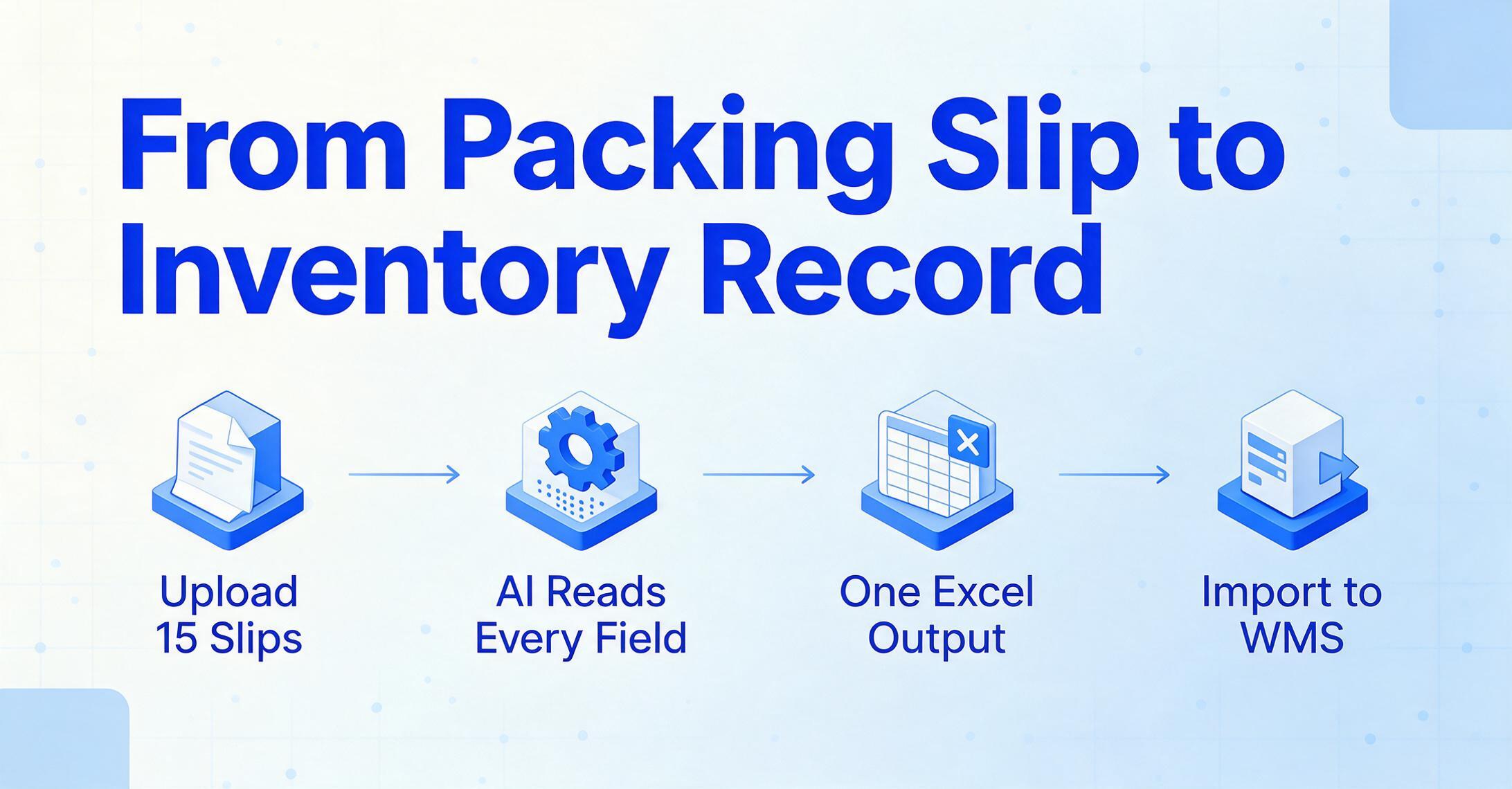
Extraction workflow: collect the day's packing slips — PDFs from email, photos of paper slips taken at the dock, scanned thermal-print documents. Upload all 15 at once. ImageToTable.ai's batch processing queues them together, so instead of processing one at a time you upload the entire morning's receiving documents as a single batch. The tool processes each page in 5 to 10 seconds using a vision language model that reads text, recognizes table structures, and identifies field labels regardless of position. Output: one Excel file with all 15 packing slips merged into a single spreadsheet, every specified column populated from the extracted data. Import that spreadsheet into your WMS, your inventory Google Sheet, or your QuickBooks receiving log. The physical items went from truck to shelf in minutes. Their data went from paper to spreadsheet in seconds. For the field-by-field walkthrough of defining these columns on a single slip before scaling to batch, see our guide to extracting packing slip fields into Excel.
Files are processed securely and not stored.
This workflow also applies to delivery notes — which carry the same fields plus recipient signature and delivery condition. If your warehouse both receives and dispatches shipments, the same extraction setup handles both document types. The column names you define apply universally across packing slips and delivery notes; the AI differentiates them by field presence, not by requiring a separate template for each document category. For warehouses that also handle delivery note extraction from their outbound operations, the same workflow serves both inbound receiving and outbound dispatch documentation.
What ImageToTable.ai Costs at a 15-Slip-a-Day Warehouse
ImageToTable.ai uses a credit system. One credit processes one page — a PDF page, a JPG image, or any supported format. A single-page packing slip uses one credit. Multi-page packing slips — common when line-item counts exceed what fits on a single page — use one credit per page. For a warehouse processing 15 packing slips per day, most of which are single-page documents:
| Plan | Monthly Cost | Included Credits | Effective Cost/Page | Coverage at 15 Slips/Day |
|---|---|---|---|---|
| Basic | $9/mo | 150 | $0.06/page | Covers ~5 slips/day (~110/mo), with 40 credits left for multi-page documents |
| Pro | $19/mo | 400 | $0.048/page | Covers ~15 slips/day (~330/mo) with 70 credits of headroom |
| Max | $59/mo | 1,500 | $0.039/page | Covers ~30+ slips/day (~660/mo) plus room for invoices, receipts, and other documents |
At 15 packing slips per day — the middle of the small-warehouse range — Pro at $19 per month covers the volume with room for multi-page documents and the occasional extra shipment day. The per-slip cost works out to roughly $0.06. Compared to the manual entry cost of $0.95 per slip in direct labor, that's a 15-to-1 reduction — $19 per month replaces $308 per month in data entry wages, factoring only the transcription component of receiving labor.
There's no annual contract, no setup fee, and no per-user pricing. A warehouse that processes 30 slips per day during Q4 holiday volume and drops to 10 per day in Q1 can scale between Pro and Max month to month. The tool adjusts to warehouse volume — not the reverse. For businesses evaluating whether to consolidate multiple document types under one extraction tool or use separate tools for each, our guide to extraction without enterprise contracts covers the multi-document consolidation math.
The Receiving Record: Why Packing Slip Data Matters Long After the Shipment Is Put Away
Packing slip extraction is usually framed as a speed problem — get data into the system faster. For a warehouse handling inventory that feeds a retail operation, supports manufacturing production, or tracks customer-owned goods under a 3PL agreement, it's also an accuracy and liability problem.
A receiving discrepancy — 100 units on the packing slip, 96 on the pallet — needs to be caught and documented at receipt. If the discrepancy isn't caught because the packing slip data hasn't been entered yet and the receiving clerk trusted the paperwork count instead of doing a physical count against the extracted data, the warehouse eats the shortage. If it's caught but recorded in a handwritten note on the packing slip instead of in the digital receiving log, the record exists for about as long as that piece of paper survives on a clipboard. These aren't hypothetical edge cases. They're the daily friction of paper-based receiving — and they cost real money in chargebacks, disputed invoices, and inventory write-offs.
The case for affordable extraction doubles as a recordkeeping case: when extracting one packing slip costs $0.06 instead of three minutes of labor, every slip gets recorded — not just the ones from the important suppliers. The receiving log becomes complete. Discrepancies get caught in real time because the extracted data is ready for comparison before the pallet is broken down. The paper trail that supports an invoice dispute six weeks later — "we received 96, not 100" — exists in a searchable spreadsheet, not on a crumpled slip that was thrown away after the supplier's credit memo arrived.
For warehouses operating under a third-party logistics agreement, the documentation requirement is even more explicit. IWLA-member 3PLs managing inventory owned by multiple clients must maintain separate receiving records per client. A packing slip extraction workflow that outputs structured data — PO number, SKU, quantity, receipt date — per client file makes that separation automatic. Each client's packing slips extract to their designated spreadsheet. The audit trail is maintained. The liability for missing or misallocated inventory shifts from the warehouse operator's memory to a timestamped digital record.
Frequently Asked Questions
Can I extract packing slip data from a photo taken at the receiving dock?
Yes, within reasonable quality limits. ImageToTable.ai reads JPG and PNG images in addition to PDFs, so a photo of a packing slip taken on a warehouse phone works as input. Image quality matters — a well-lit, flat, straight-on photo produces reliable extraction. A dark, angled, blurry photo of a thermal-print slip that's been crumpled in a driver's pocket will produce errors or missing fields. The AI vision model is strong but it's not magic — the same document clarity threshold that applies to a human reading the slip applies to the tool. If your receiving team can photograph packing slips under consistent lighting on a flat surface, extraction accuracy matches PDF-quality input.
What's the difference between a packing slip and a bill of lading?
A packing slip is an item-level document — it lists the specific SKUs, quantities, and line items inside a shipment. A bill of lading is a contract-level document — it serves as a receipt of goods, a contract of carriage between the shipper and carrier, and, when negotiated, a document of title that can transfer ownership. A packing slip tells the warehouse what's in the box. A bill of lading governs the legal terms under which the box traveled. Both can be extracted with the same AI tool, but they contain different fields and serve different functions in the receiving workflow.
Why are Docparser and Airparser more expensive for less document coverage?
Both price their plans around template or schema definition features. Docparser's $39 plan includes 100 documents per month and requires a parsing template per unique packing slip layout. Airparser's $39 plan includes 200 documents and auto-generates schemas from uploaded samples but still uses GPT-based field extraction with per-document token costs built into their pricing model. ImageToTable.ai's $19 Pro plan includes 400 credits — roughly four times the document coverage — at half the subscription price. The difference comes from the engine architecture: a vision language model that processes the entire page in one pass, rather than a GPT pipeline that incurs higher per-call compute costs.
Does ImageToTable.ai handle handwritten packing slips from smaller suppliers?
Yes, with the same caveat that applies to all AI extraction: legible handwriting extracts well, illegible handwriting extracts poorly. Clear block letters, careful cursive, and reasonably neat handwriting on structured packing slip forms produce reliable results. Scribbled notes on torn paper, the handwriting of someone who treated a packing slip like a personal journal entry, or thermal-print documents whose ink has faded to near-invisibility will produce errors. If a significant portion of your suppliers still submit handwritten packing slips, test the free demo on a representative sample of your actual documents before subscribing — handwriting accuracy varies by legibility and document quality in ways no spec sheet can predict.
Can I extract packing slip data directly into my inventory spreadsheet?
ImageToTable.ai exports to Excel (XLSX), CSV, and JSON. For users working in Google Sheets, the Google Sheets Add-on lets you upload packing slip images or PDFs directly from the Sheets sidebar, specify your column names, and append extracted data to the active sheet without leaving the spreadsheet — no export-and-import step. For Excel users, the workflow is download XLSX from ImageToTable.ai and import or copy into your inventory workbook. There is no direct API integration with WMS platforms like Fishbowl or 3PL Central, but the XLSX/CSV export format imports into those systems through their standard data import functions.
What if some packing slips arrive as multi-page documents?
ImageToTable.ai charges one credit per page. A two-page packing slip — common when the line-item count exceeds one page — consumes two credits. At the Pro plan (400 credits), a warehouse processing 15 single-page packing slips per day (330 credits) has 70 credits of headroom for multi-page documents, the occasional supplier invoice, or a periodic batch of delivery notes. If a significant share of your packing slips are multi-page — say, 40% of 15 daily slips average two pages — the Max plan at $59 (1,500 credits) provides the necessary headroom without running out mid-month.
Packing slip data extraction for small warehouses isn't about replacing the WMS or the spreadsheet or the inventory system. It's about recognizing that the data-entry step between the dock and the digital record is an independent function — one that costs $9 to $59 per month to automate, versus $300 to $600 per month to perform manually. The warehouse operators who separate these two functions stop spending mornings retyping packing slips. They spend that time on the receiving floor, where the value per hour is measured in shipments processed, not keystrokes logged.