A WhatsApp Bubble Isn't a Bank Form
Extract Account Number & Amount Anyway
At first glance, pulling bank details out of a WhatsApp screenshot sounds like something that should not work. There is no form, no table, no labelled fields — just a chat bubble that reads something like "Bank: Chase, Account: 123456789, Amount: $500" all in one line. For anyone who has stared at that bubble wondering whether the account number and the amount can be separated without typing them out manually, the instinct is understandable: the message was meant for a human to read, not for software to parse. But the two numbers most people actually need from it — the account number and the transfer amount — are sitting right there in the screenshot. And they can be pulled out without retyping a single digit.
Key Takeaways
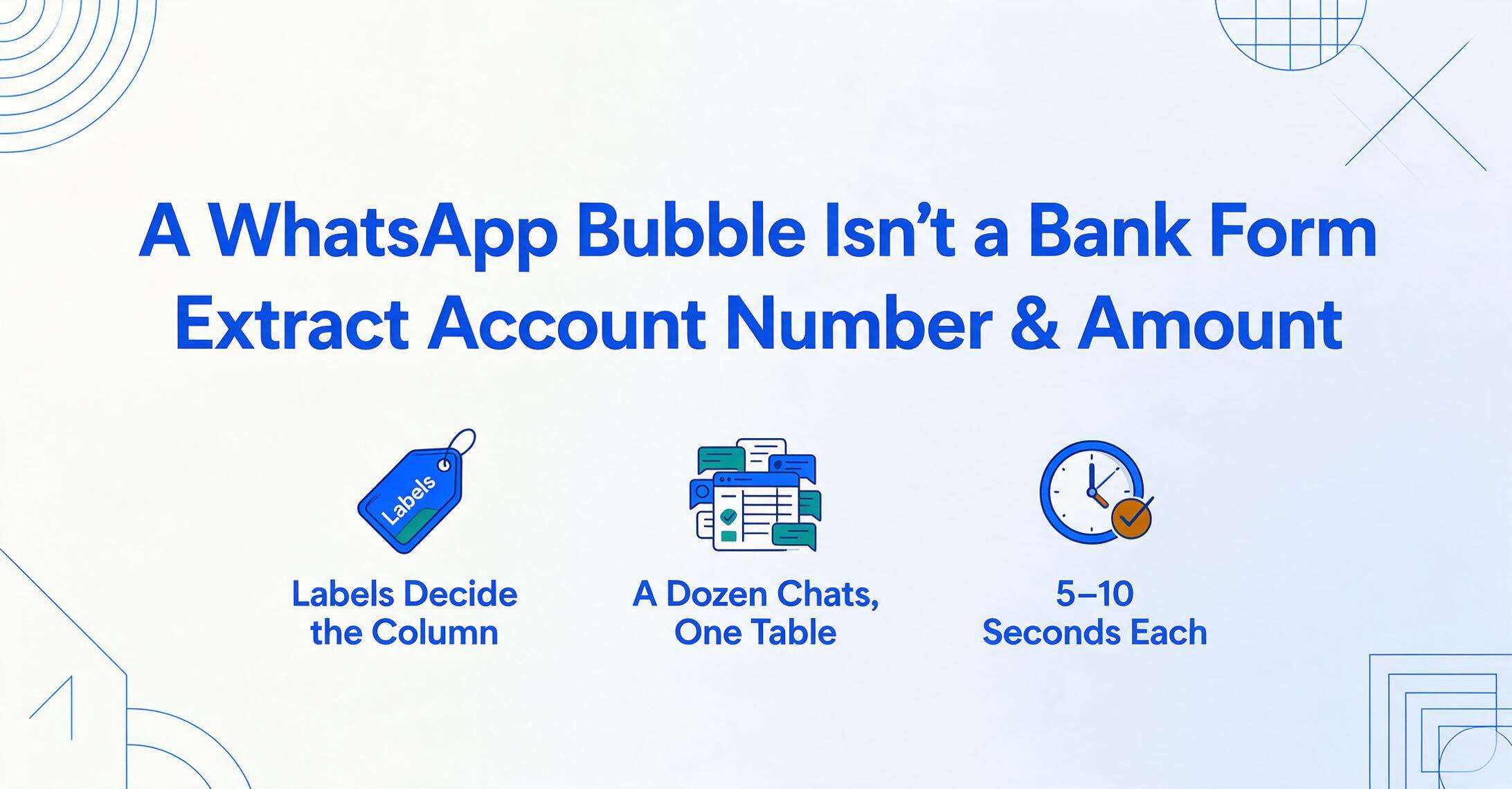
- When bank details land in WhatsApp you screenshot them — then retype the account number and amount into your spreadsheet every single time it happens.
- OCR sees both as just numbers — it cannot tell "123456789" from "$500" when they sit in the same chat bubble without a form layout to label them.
- Visual AI reads the banking language — it separates the account number by the "Account" label and the amount by the "$" symbol across unlimited sender formats in one pass.
Why a Chat Bubble Looks Like It Cannot Be Parsed
When someone sends their bank details over WhatsApp, the message typically contains three or four pieces of information in a single block of text: the bank name, an account number, sometimes a routing or sort code, and the amount being transferred. It might arrive as one message or split across two or three bubbles, but the core problem is the same — the data has no structure. There is no column saying "this number is the account" and "that number is the amount." Both are just numbers sitting in the same sentence.
The natural reaction is to take a screenshot — you want a record of what was sent — and then type the numbers into wherever you actually need them: a spreadsheet, an invoice, a bookkeeping app, or a payment confirmation. That manual step is where errors happen, especially when you are handling multiple client payments in a day and each one has a different account number and amount scrolled up in a different chat.
This situation is common. A freelancer receives bank details from a new client and screenshots the chat for their records. A small business owner gets a WhatsApp message with a supplier's account information for an invoice payment. A roommate sends their bank account for splitting the rent. In every case, the information is visible — you can read it with your eyes — but getting it into a usable format means either typing it out or finding a tool that can separate the pieces automatically.
What Traditional OCR Actually Reads (and Why It's Not Enough)
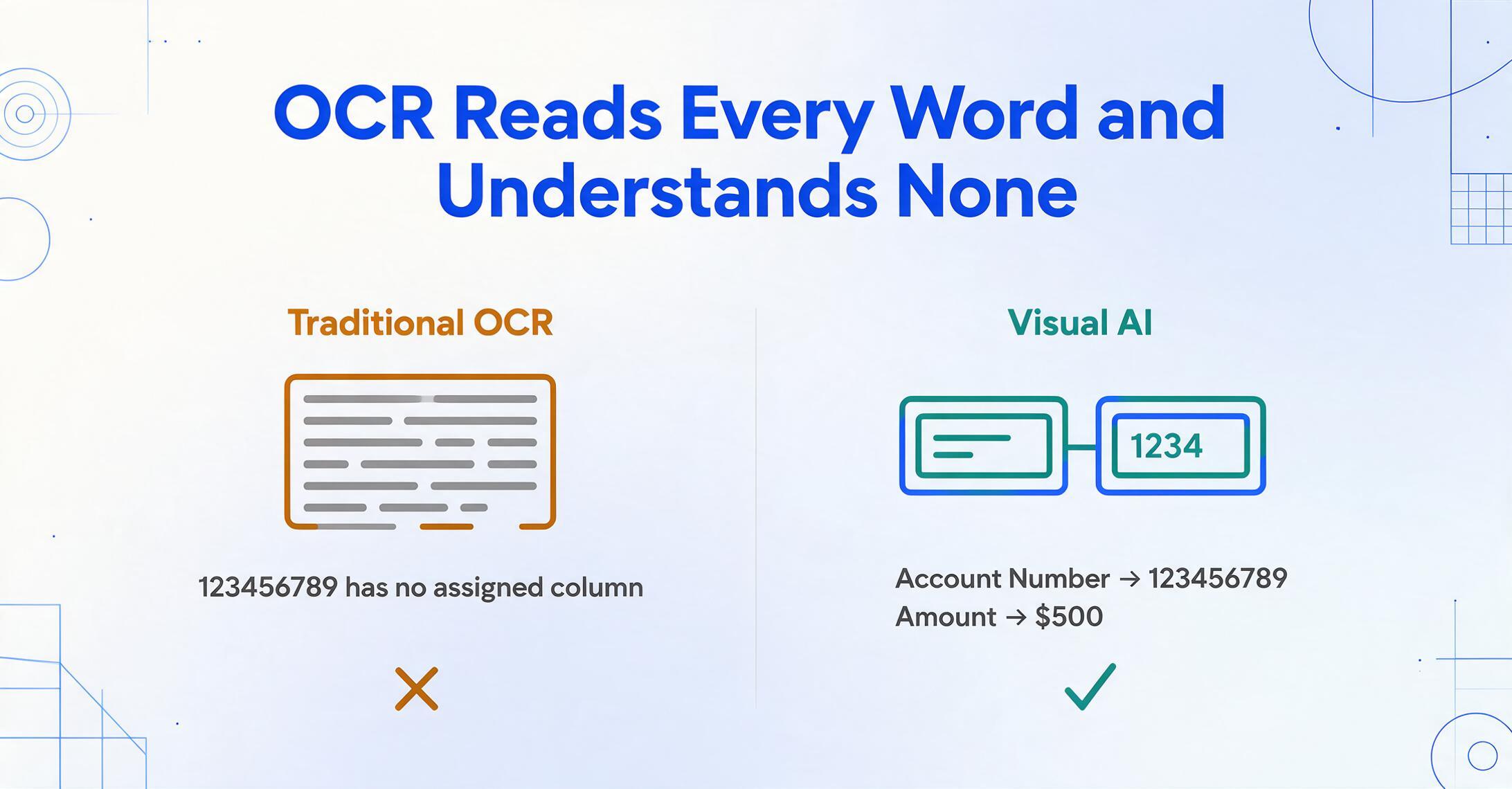
Traditional optical character recognition reads the WhatsApp screenshot and extracts every character it can find. The output is a string of text — "Bank: Chase, Account: 123456789, Amount: $500" — which is exactly what a human would read by looking at the image. The problem is that OCR does not know what any of those words mean. It sees Bank, Chase, Account, 123456789, Amount, $500 as a flat sequence of tokens. The number 123456789 could be an account number, a phone number, or a transaction ID. The $500 could be the transfer amount or a minimum balance. To OCR, they are just character clusters with no semantic role.
This is a fundamental limitation of position-based extraction: without knowing the meaning of the words next to the numbers, the tool cannot tell you which number is which. A chat bubble with no fixed layout — where the sender might write "Account No: 123456789" or "A/C 123456789" or just "123456789" without any label — defeats any system that relies on pattern or position.
The gap is not about recognition accuracy. Modern OCR can read the characters in a clean WhatsApp screenshot with near-perfect accuracy — the text is digital, well-lit, and not distorted. The gap is about understanding what those characters mean in context.
Why Visual AI Can Tell the Account Number From the Amount
The difference between traditional OCR and a vision-language model is not how well each reads characters — it is whether the system understands what the words mean. Visual AI reads the WhatsApp screenshot and does not stop at character recognition. It processes the image and identifies the semantic structure of the message: it recognises Account as a label that introduces an account number, Amount as a label that introduces a monetary value, and Bank as a label for the financial institution name.
This is the core idea behind Custom Column Extraction: you define the output columns you want — "Account Number" and "Amount" — and the AI locates the matching values anywhere on the screenshot by understanding what those labels mean. It does not need the account number to be in a particular position, a particular font, or a particular format. It finds the number that follows the word "Account" (or "A/C" or "Account No.") and the number that follows the word "Amount" (or "$" or "Total"). The same principle that works for extracting data from payment screenshots that are not formal receipts applies to WhatsApp chat bubbles that are not formal documents at all.
The extraction does not depend on the visual layout of the chat bubble — it depends on the AI understanding the language of banking instructions. As long as the sender includes labels like "Account," "Amount," or a similar identifier, the system can separate the numbers correctly.
This is also why the approach works even when the message is formatted differently — with the bank name first, the amount on a separate line, or the account number buried in the middle of the sentence. Visual AI processes the entire message as a coherent block and assigns each number to the label that describes it.
How to Pull Account Number and Amount From a WhatsApp Screenshot
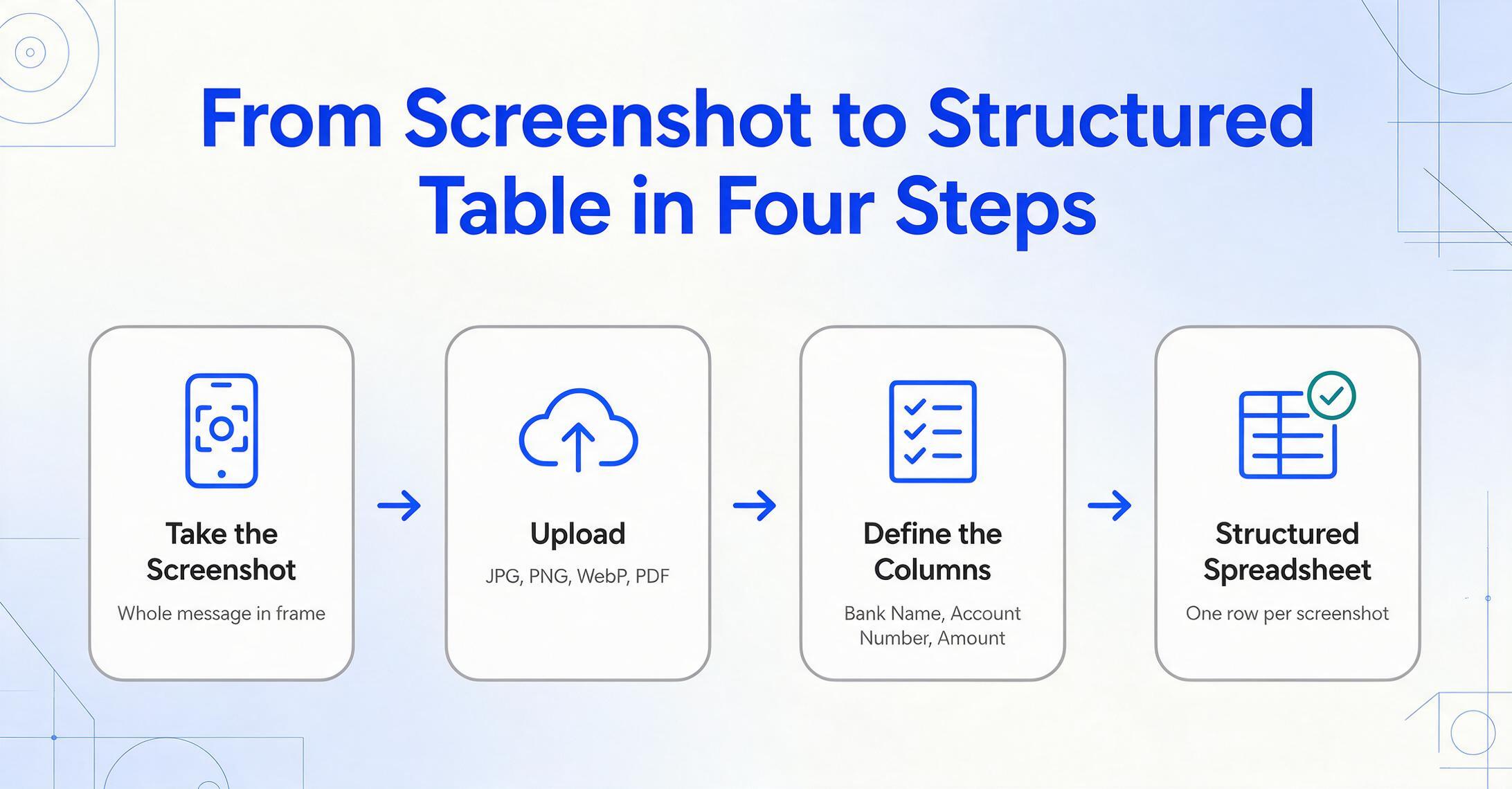
The workflow is straightforward and does not require any setup per sender or per message format. Here is how it works in practice.
The whole process — from upload to structured output — takes about 5 to 10 seconds per screenshot. For a freelancer processing ten client payment confirmations in a single batch, that is under two minutes instead of the ten or fifteen it would take to manually type each account number and amount, verify them, and format the entries.
Three Scenarios Where This Actually Comes Up
The "bank details in WhatsApp" scenario is not hypothetical — it shows up regularly in several real-world contexts, each with slightly different information patterns.
Freelancers receiving client payments. A freelance designer, writer, or consultant invoices a client, and the client responds with "Great, here are my bank details for the transfer" followed by a message containing the account information. The freelancer screenshots the chat as a payment record and later needs to enter the details into their bookkeeping file. Over a month of client work, this can mean a dozen or more screenshots from different clients, each with a different account number and varying message formats.
Small businesses using WhatsApp Business. In markets where WhatsApp is the primary business communication tool — across India, Brazil, Mexico, Nigeria, and Southeast Asia — suppliers and customers routinely share bank details over chat as part of order confirmations and invoice settlements. A small retailer might receive account details from five different suppliers in a single morning, each one arriving as a WhatsApp message that gets screenshotted for the payment run.
Personal transfers and shared expenses. Less frequent but still common: a friend or family member sends their bank account for a rent payment, a group trip reimbursement, or a gift. The screenshot sits in the phone's gallery as a record, and the numbers need to make it into a tracking spreadsheet or expense log.
In all three cases, the core need is the same: the information is visible in the screenshot and needs to become structured data with as little manual handling as possible. The volume of repeated screenshots — rather than any single one — is what makes the extraction approach valuable.
What This Can and Cannot Do
It is worth being clear about where the limits are. The AI can extract the account number and amount that appear in the WhatsApp message, but it cannot verify whether those details are correct or whether the bank account belongs to the person who sent it. The screenshot is a record of what was communicated, not a validated financial document. If you need official proof of payment — a bank statement, a transaction receipt, or a formal invoice — the WhatsApp screenshot alone does not replace those.
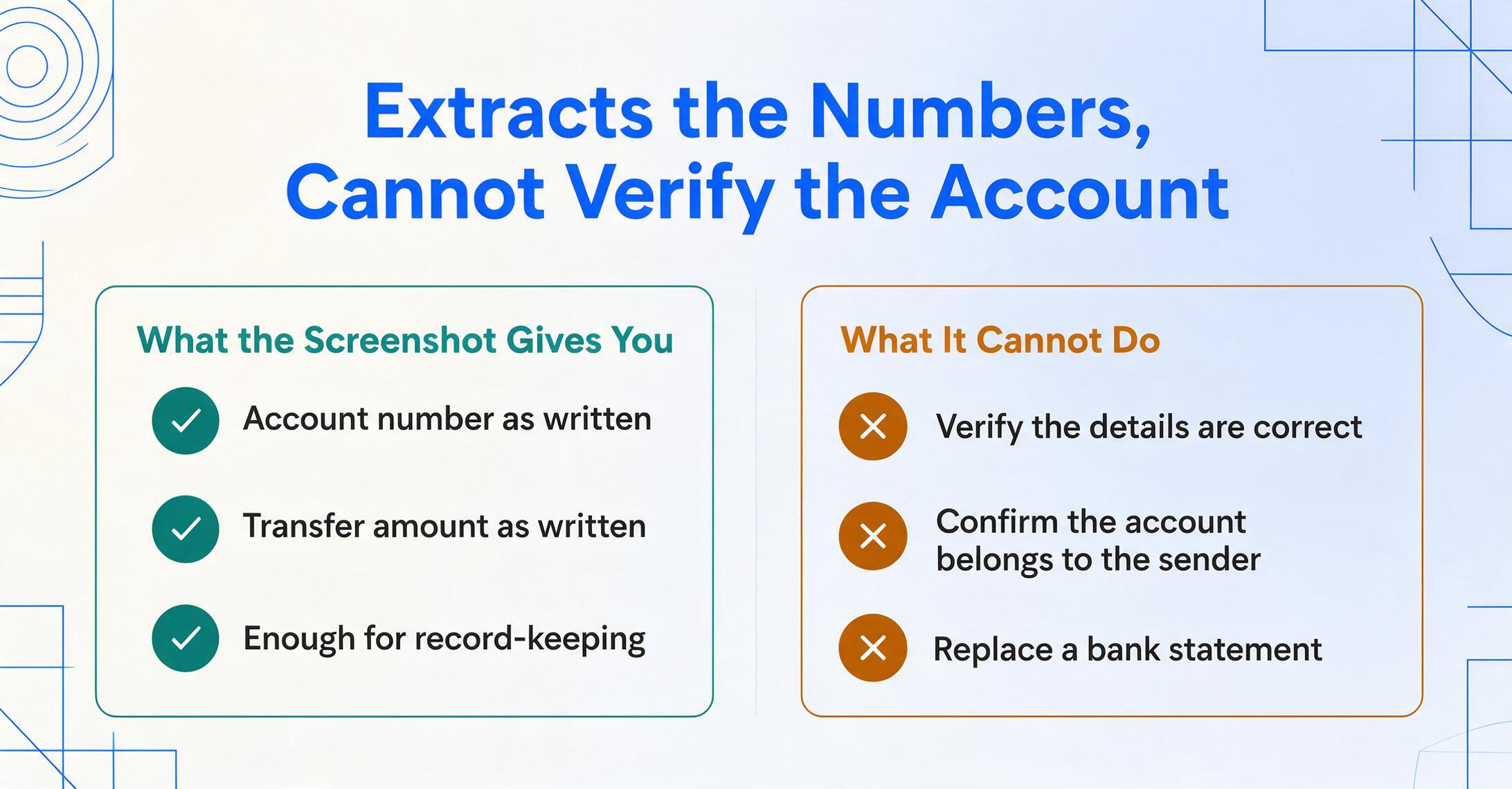
There are also format cases where the extraction is less reliable. If the sender writes the account number and amount without any label — just "123456789 $500" with no context — the AI has less semantic information to work with. In practice, most people include at least "Account" and "Amount" or a "$" sign, but completely unlabelled numbers increase the chance that the wrong number ends up in the wrong column. The tool works best when the message includes identifying labels — even minimal ones like "A/C" and "$" — that tell the system which number is which.
The honest take: a WhatsApp screenshot can reliably give you the account number and the transfer amount as they were written in the chat. It does not give you a bank-certified transaction record. For record-keeping and tracking purposes, that is often enough. For audit or legal proof, you need the official statement from the bank.
Frequently Asked Questions
Can it handle multiple bank accounts in one screenshot?
If the WhatsApp message contains more than one account number — for example, "My savings account is 111111, my checking is 222222" — the AI will extract both. The output table will include all identified account numbers, and you may need to manually split them into separate rows or columns depending on how you want to organise the data. For best results, process screenshots where each message contains one account's details at a time.
Does it work with international bank numbers like IBAN or IFSC?
Yes. The AI recognises account identifiers by their label context and format patterns — IBANs (starting with a two-letter country code, up to 34 characters), IFSC codes (11-character alphanumeric), routing numbers (9 digits), and sort codes (6 digits, formatted as xx-xx-xx) are all handled by the same semantic extraction. If the chat bubble labels them with "IBAN," "IFSC," "Routing," or "Sort Code," the AI places them in the correct column.
Can I process a batch of WhatsApp screenshots from different people in one go?
Yes. Upload all the screenshots into a single batch and define the same set of columns — Bank Name, Account Number, Amount. The AI extracts each screenshot independently and merges the results into one table. The output will have one row per screenshot, each row containing the details from that specific chat message, regardless of who sent it or how their message was formatted.
What if the account number and amount are in different WhatsApp messages within the same chat?
If you capture multiple bubbles in one screenshot, the AI reads the entire visible chat area and connects related information by proximity and context. If the account number is in one message and the amount in the next, both will be extracted as long as they are visible in the same frame. For messages spread across multiple screenshots, process each screenshot separately and merge the rows manually or use a shared reference (like the contact name) to align them.
Does the language of the bank details matter?
The AI works with the labels present in the message. English labels like "Account," "Amount," and "Bank" are the most common, but the system extracts text by recognising the structure of the message — a number following an identifier word, a currency symbol preceding a number — regardless of the specific language. Messages in Spanish ("Cuenta," "Monto"), Portuguese ("Conta," "Valor"), Hindi, or other languages are processed the same way, as long as the visual pattern of label + value is present in the bubble.
The next time bank details arrive in a WhatsApp bubble, they do not have to stay there.
Upload the screenshot, name the columns you need, and let the AI pull the account number and amount into a spreadsheet row — without copying a single digit by hand.
Try It on a WhatsApp Screenshot