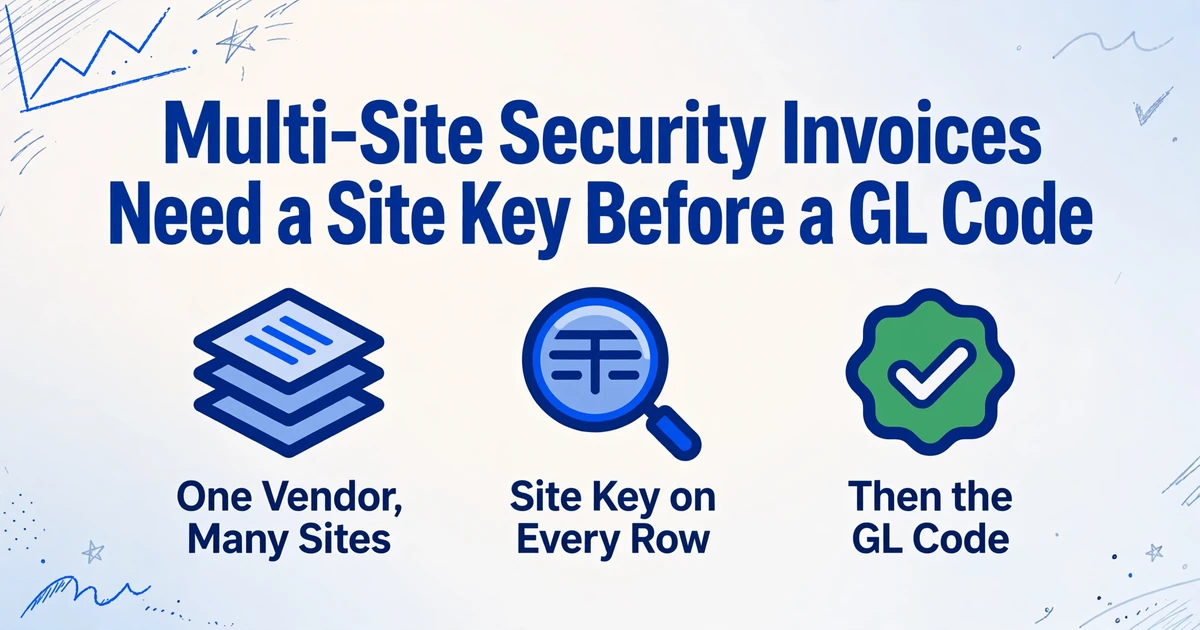
Multi-Site Security Invoices Need
a Site Key Before a GL Code
APQC's cross-industry benchmark puts the median cost of processing an accounts payable invoice at $6.00 across 5,846 organizations, and the median cost per invoice line item at $1.36 across 4,135. The second figure is the one that governs a security bill. Allocation happens line by line, and a consolidated invoice can carry hundreds of lines across dozens of pages.
The line that decides whether each of those charges lands on the right store, property or branch is the vendor's site identifier. Call it the site key: the account number or service address the vendor uses for one location. When it is missing, the invoice still balances, the vendor still gets paid, and the error moves quietly into site reporting.
Key Takeaways
- Move one monitoring charge from Store 118 to Store 121 and the amount due stays the same while two store P&Ls go wrong.
- A blank site key can be filtered out in seconds, but a wrong key filled in with a plausible default passes every check that only looks at the total.
- Once the vendor account number sits on every row, allocation is arithmetic you can audit, and the GL code is a lookup you add afterward.
A Security Invoice Can Balance and Still Be Wrong by Site
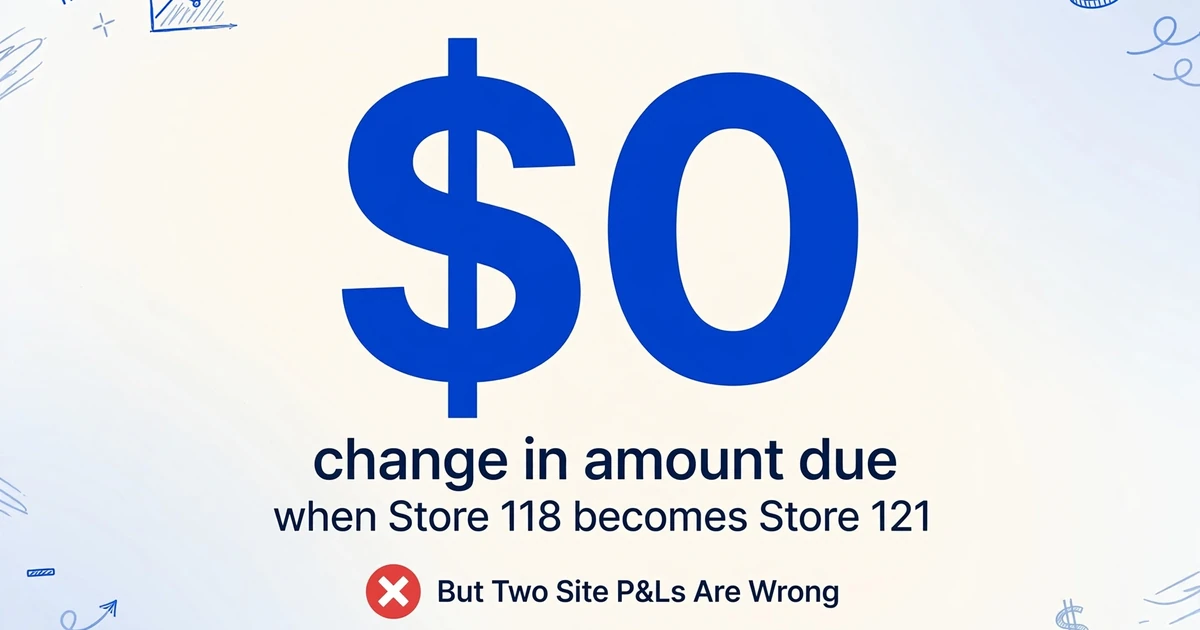
An invoice total proves the addition, not the allocation. A single monitoring charge moved from Store 118 to Store 121 leaves the amount due unchanged. The accounts payable ledger stays in balance, the vendor is paid correctly, and two site P&Ls are wrong by the same small amount.
That is the shape of multi-site security billing. National vendors commonly consolidate many service addresses under one customer relationship, and billing follows the vendor's account structure rather than your reporting structure. Your reporting needs the opposite: each charge separated by the site that consumed it.
The workaround is familiar to anyone running this today. One finance user described paying a vendor's multi-site invoice "under one cost center and one spend category and then post JE's to allocate it how I need it" (r/workday, 2026). The allocation still happens, just in a journal entry after the fact.
The standard close checklist does not catch the mismatch. AP reconciles the invoice to the approval and the payment, the site manager approves a total, and the controller reviews portfolio spend. The error surfaces later, in a store P&L, a tenant recovery calculation, or a budget variance nobody can explain.
The number that matters at close is the total. The number that matters at the site is the row. They are different controls, and only one of them is usually checked.
What a Multi-Site Security Invoice Contains
A multi-site security invoice is usually organized as a set of site blocks, not one flat table. Each block carries an account number or service address, then the charges that belong to that location: recurring monitoring, add-ons, exceptions, tax. The block structure is why the site key exists, and why it can disappear when the page becomes a spreadsheet.
The charges also differ in how they are rated and how they should be coded. Treating them as one "security" total destroys the information AP and the controller need.
| Charge on the invoice | How it is rated | Why it needs its own treatment |
|---|---|---|
| Recurring intrusion monitoring | Flat per site per month, contracted | The base you reconcile against the rate card, with the same account every month |
| Cellular or radio backup | Per panel per month, separate SKU | Rides beside monitoring but is priced separately, so a single-rate reconciliation misses it |
| Fire alarm monitoring | Per system per month, separate from intrusion | Compliance-driven, and often a different account from intrusion monitoring |
| Inspection and testing | Annual or semiannual per site | A separate compliance cycle, and expense or capital depends on policy |
| Service call | Dispatch fee plus labor and parts | Variable, and needs operational confirmation before it posts |
| False alarm fee | Per incident, escalating by jurisdiction | A pass-through from the city or county, and the site that caused it should carry it |
| Guard post hours | Regular, overtime and holiday rates per post | A labor shape rather than a flat site fee |
| Taxes and fees | Invoice level or site level | The allocation basis is a policy decision |
Two rows in that table explain most of the coding disagreement. Inspection and testing runs on its own compliance cycle. The Seattle Fire Department's guidance, updated in January 2025, requires annual testing of fire protection systems and names the building owner, building management company or lease-designated person as the responsible party (Seattle Fire Department, 2025). A test charge belongs to the building that was tested, and it does not belong in the same monthly account as monitoring.
False alarm fees are assessed per incident, and the schedule changes by city and by year. Ann Arbor charges $130 per occurrence from July 2025, rising to $150 in 2026 and $190 in 2027 under Resolution R-25-174 (City of Ann Arbor, 2025). If that fee is buried in a portfolio total, nobody can tell which site triggered it or whether the charge is worth disputing.
The recurring side follows the same contract logic. A 2025 Texas cooperative price list prices intrusion monitoring, fire alarm monitoring and cellular backup as separate monthly SKUs per site or per panel (Mobile Communications America, 2025).
The first useful cut is not by vendor. It is fixed recurring base versus variable exception, because only the second one needs a person to explain it.
Where the Site Key Drops Out of the Spreadsheet
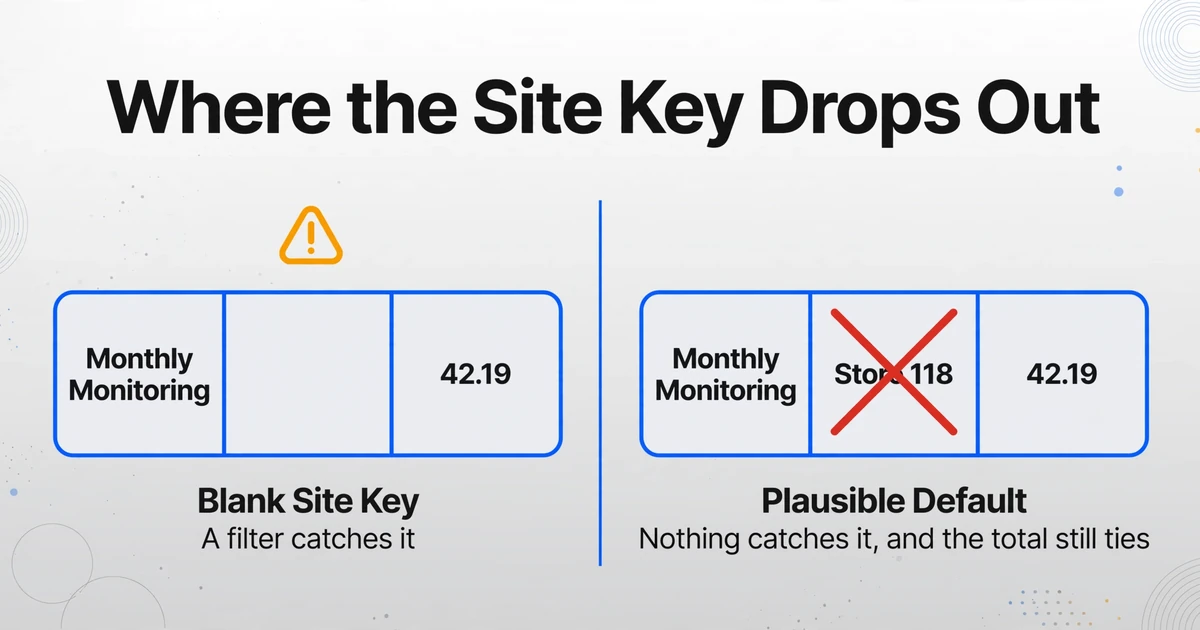
The site key often lives in the block header, and the charge lines below it may not repeat it. A line that reads "Monthly Monitoring 1.00 42.19" has an amount and a service, but no location. The location sits in the account number or service address above the block.
That structure creates four predictable failures when the invoice is keyed by hand or copied from a PDF viewer.
Fill-down across a page break. The clerk copies the first site's account number down a column. The block ends mid-page, the next block starts below it, and the fill continues past the boundary. Every row now has a site, which is worse than a blank because the error looks complete.
A blank key and a helpful IFERROR. A row arrives without a site because the header sat on the previous page. A lookup returns #N/A. A common fix wraps the lookup in IFERROR with a default site, often the first store in the list. The default is plausible, the total still ties, and the row posts to the wrong location.
Vendor numbering versus your numbering. The vendor's account number is not your store number. Some multi-location organizations keep a separate supplier account per location for exactly this reason: an invoice routed to the wrong location account is flagged for manual verification (IRIS Invoice Matcher help). The crosswalk between the two numbering systems is a finance asset, and it has to be joined on a key present on every row.
Renumbering and closed sites. A vendor can change an account number at renewal. A closed store can keep receiving a monitoring charge until someone cancels the service. Both cases break a join built on last year's key, and neither changes the invoice total.
Under close pressure, the clerk's visible control is whether the invoice is entered and approved. A blank site cell looks like a column someone will fill in later.
A wrong site field and a blank site field fail differently. A filter catches the blank one. Nothing catches the one that was filled in with a plausible answer.
The Columns That Make Per-Site Allocation Possible
Four fields carry the allocation: vendor account number, service address, charge type and line amount. Invoice number and date carry the audit trail, and the rest is either descriptive or added by finance after extraction.
| Column | Where it comes from | What it does |
|---|---|---|
| Vendor | Invoice header | Separates ADT from Securitas from the regional alarm company |
| Invoice number and invoice date | Header | Duplicate control and audit trail |
| Service period | Header or line | Separates a monthly charge from an annual inspection |
| Vendor account number | Site block header | The join key to your crosswalk |
| Service address | Site block header | A human-readable site check, and a fallback key when the account number is missing |
| Charge type | Inferred from the line description | Routes monitoring, inspection, service, false alarm and equipment to different accounts |
| Description, quantity, unit and rate | Line | Keeps the vendor's wording for disputes and supports rate reconciliation |
| Line amount and tax | Line | The amount that posts |
| Internal site code, cost center, region, entity | Your crosswalk | Adds the reporting dimensions after extraction |
| GL account | Your chart of accounts | The coding decision, which is not on the invoice |
This is where Custom Column Extraction changes the mechanics. You type the column names you want, and the AI locates each value by what it means rather than by a fixed position on the page. The same column set can run across an ADT invoice, a Securitas invoice and a regional vendor's scan, because the definition is the field, not the layout. A worked example of that approach on another multi-location invoice type is the line-item extraction from multi-supplier food invoices.
Two column types do work a plain copy cannot. A charge type column can use a fixed option list (Monitoring, Cellular Backup, Fire Monitoring, Inspection, Service Call, False Alarm, Equipment, Guard Hours). The invoice may never print those words, but the description is enough for an inferred column to classify the line. A computed column handles the arithmetic: a line total when quantity and rate are printed without one, a line's share of the invoice, or the gap between a billed rate and a contract rate you embed in the rule.
Keep the extracted columns and the finance-added columns visually separate, so nobody assumes the tool produced the GL account. The general invoice extraction workflow follows the same separation.
The Monthly Workflow, From Consolidated PDF to Coded Spreadsheet
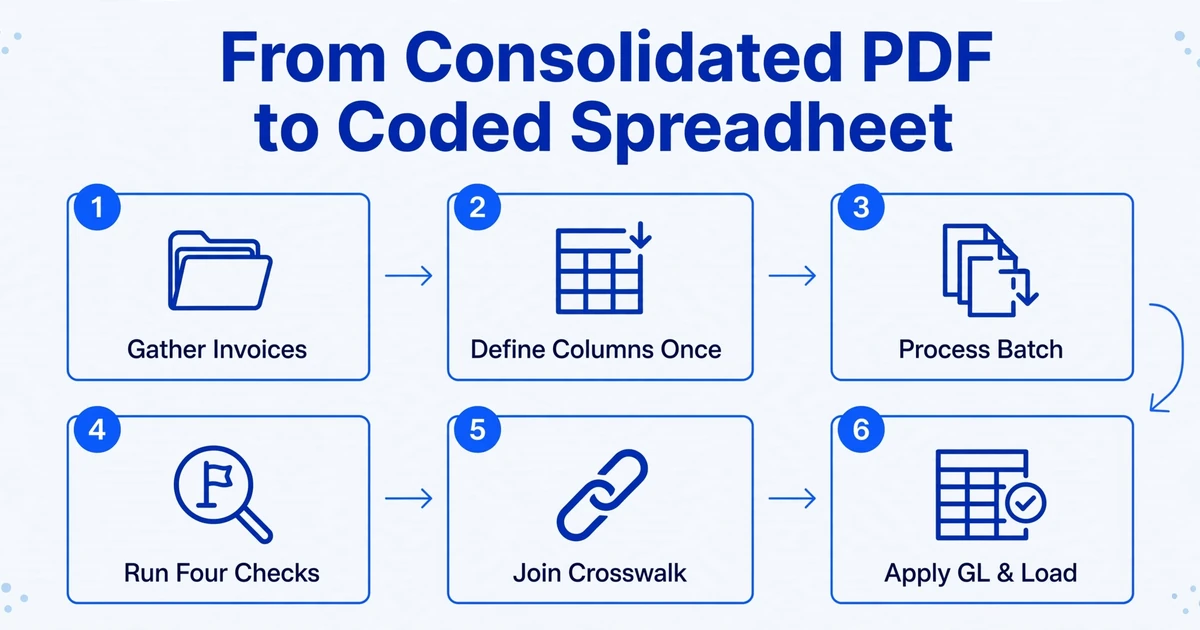
One row per charge line, with the site key repeated, is the output shape. The workflow below produces that table, then adds the finance-owned columns in a separate pass.
Gather the month's invoices into one batch
ADT, Securitas, Allied Universal and the regional alarm company can go in together. Portal downloads, emailed PDFs and scanned paper are the same batch.
Define the column set once and save it
The next month uses the same definitions, so the output shape does not drift between cycles or between vendors.
Process the batch
Multiple files merge into one table you can open in Excel. You review one sheet, not one workbook per vendor.
Run four checks before any join
Filter for blank site keys, account numbers missing from the crosswalk, the same invoice number from the same vendor twice, and site subtotals that do not match their lines where the invoice prints them. Review mode shows the page region behind a cell, which resolves most blank-key questions.
Join the crosswalk
Add internal site code, cost center and region with an exact join, and let unmatched rows fail loudly. A default here recreates the error extraction was meant to remove.
Apply the GL mapping and load
Map charge type and entity to your chart of accounts, review exceptions, then load.
Step 4 is the one that earns its time. A consolidated security invoice can run dozens of pages, and the page where a site block starts is not always the page where its charges end. Filtering for blank keys takes seconds. Finding the same error three weeks later in a site P&L takes a day.
The batch shape is not unique to security vendors. The same approach handles batching a month of vendor invoices across a property portfolio, where the allocation key is a property rather than a store.
Who Owns Which Decision
AP owns the key, operations owns the exception, and the controller owns the policy. The AP clerk captures each line and flags blanks or unknown accounts. The site or operations manager confirms that a service call, false alarm or equipment charge happened at that location. The vendor corrects an account number, a service address or a missing block. The GL accountant maintains the crosswalk and the charge-type-to-account map. The controller approves the allocation policy and reviews site-level variance.
Separating those roles prevents the common failure where an AP clerk is asked to make an allocation judgment with no operational context. A site charged back for a false alarm should see the number before it posts.
Where Extraction Ends and Your Allocation Rule Begins
Extraction can put the site key, charge type and amount on every row; it cannot decide what your chart of accounts calls that charge. The chart of accounts is not on the invoice, and recognition accuracy will not put it there.
- No automatic GL coding. A GL account is a mapping from charge type and entity to your own account list. Build it as a lookup after extraction.
- No chargeback module. The table produces the per-site totals; the re-bill, tenant notice and approval live in your property system or ERP.
- No approval routing or ERP posting. The output is a spreadsheet, CSV or JSON file you review and load.
- No contract audit by default. A variance column can compare billed and contracted rates when you put the contract rate into the rule.
- No capital versus expense call on inspections, and no tax allocation policy. Both are accounting judgments you own.
- No site invented from nothing. If the identifier is not printed on the page, the row arrives with a blank field and someone has to ask the vendor.
The honest framing matters because extraction is a small part of the month. As one practitioner put it when asked to build invoice automation, "Extraction is maybe 15% of it, and it's the easiest problem to solve" (r/Accounting, 2026). The allocation policy, the crosswalk and the exception review are the rest.
Accuracy has a similar boundary. Printed table data can reach up to 99% recognition, and scanned or photographed invoices need more review. That is a reason to reconcile line sums to site subtotals, not to skip the review.
Frequently Asked Questions
Can this extract ADT and Securitas invoices into the same spreadsheet?
Yes, if you define one column set and run both vendors in the same batch. The layouts differ, but the columns are defined by meaning, so the same fields come back in the same order. It does not log into vendor portals. You download the PDFs and upload them.
Does it assign GL codes automatically?
No. It can classify each line by charge type, such as monitoring, inspection, service call or false alarm, and it can carry the site key. Mapping that to your GL account is a lookup you own, because your account list is not on the invoice.
What if the site number appears only once above a block of charges?
The extraction can often carry the header value onto the lines below it, but this is the row type to check first. Ask for service address and vendor account number as separate columns, then filter for blanks before you join. If a page contains two site blocks, compare the row count per site against the block subtotal.
Can it split a shared charge across several sites?
It can run the arithmetic when the basis is known, for example dividing a stated shared charge by a fixed number of sites or applying a percentage you put in the rule. It cannot choose the basis. Square footage, headcount and equal split are policies, and none of them is printed on a security invoice.
Does this replace Yardi, MRI, NetSuite or QuickBooks?
No. It produces the per-site table those systems need as input. It does not post entries, route approvals or maintain a chargeback ledger.
The Site Key Is the Allocation
Every allocation rule you might apply, whether a lookup to a cost center, a percentage split or a false-alarm chargeback, depends on one condition: the row knows which site it belongs to. Get that key onto every line and the rest is arithmetic you can audit. Lose it, and a balanced invoice becomes a portfolio of small, invisible errors.
Test the extraction layer on one month of multi-site security invoices. Count the rows that arrive with a site attached, then count the ones you still have to trace back to a block header. The second number is the work that was always yours.