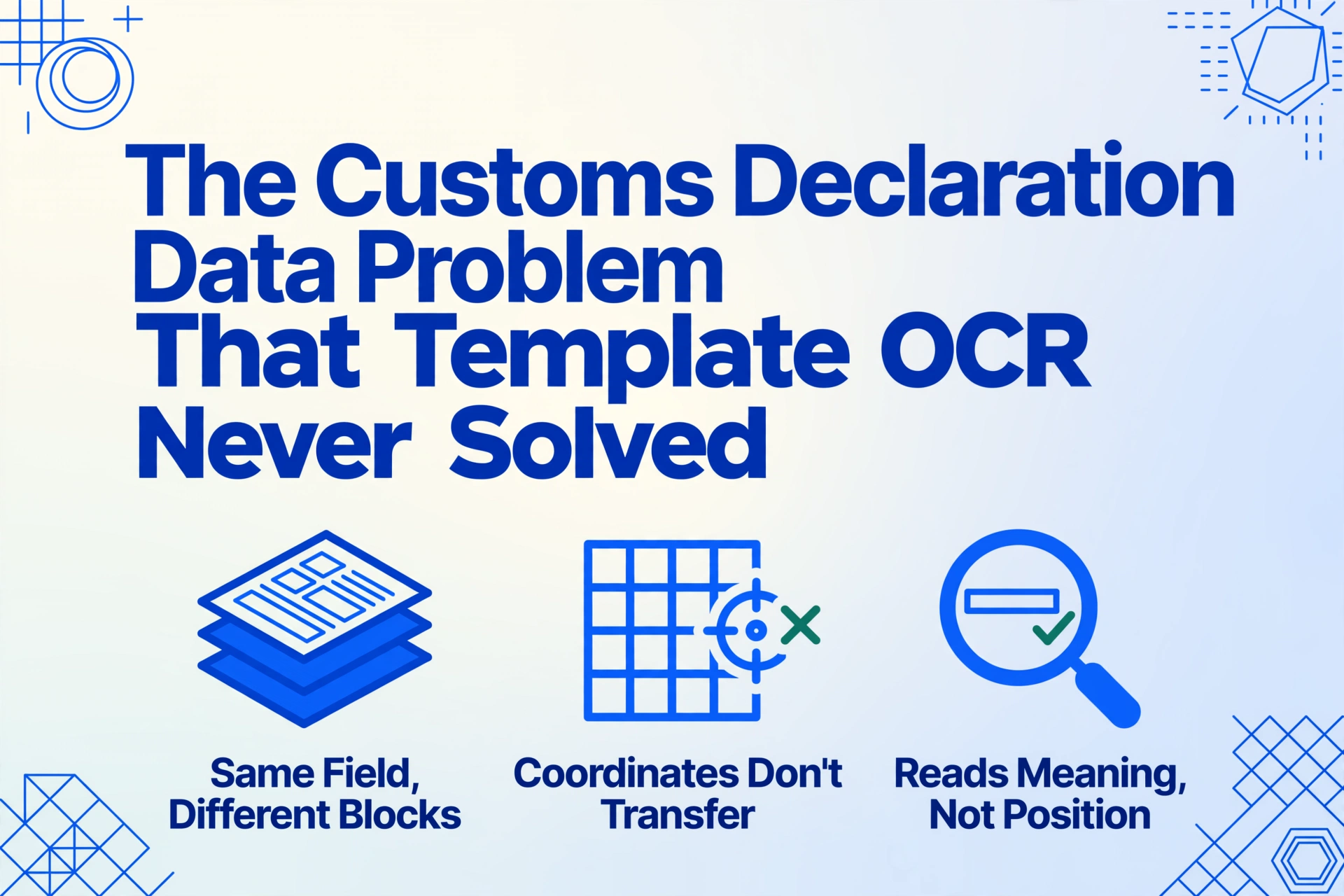
The Customs Declaration Data Problem
That Template OCR Never Solved
A mid-sized electronics importer in Chicago filed 47 CBP Form 7501 entries in March 2025. One entry had a transposed digit in the HTS code — 8471.30 instead of 8471.80. The discrepancy triggered a CBP automated flag, which escalated to a Focused Assessment. By September, CBP auditors were reviewing every entry the company had filed for the previous three years. The original error took 4 seconds to type. The audit consumed 4 months of the compliance team's time. This — not slow data entry — is the real cost of manual customs declaration processing.
A Four-Second Typo, a Four-Month Audit
The World Trade Organization counts over 50,000 tariff-rate changes per year across its 164 member economies. A single HS code can differ by one digit between a duty-free classification and a 25% tariff — and each misclassification carries a financial consequence that compounds backward in time. US Customs and Border Protection (CBP) can review entries up to three years retroactively under 19 U.S.C. 1484. EU customs authorities under the Union Customs Code (Regulation (EU) 952/2013) maintain similar retrospective powers. One data entry error made today doesn't just cost the correction fee — it opens a window into every entry you filed yesterday.
Yet the logistics of getting that data right remain stubbornly manual. An importer receiving goods from five suppliers in three countries handles CBP Form 7501 (45+ fields over 43 blocks), the EU Single Administrative Document (54 boxes), commercial invoices in five different formats from five different suppliers, packing lists with varying field names, and bills of lading that may or may not align with the declaration values. Each of these documents feeds data into the customs declaration — and each one is a potential transcription failure point.
According to the International Journal of Research Publication and Reviews, over 30% of shipment delays in Southeast Asia stem from incomplete or erroneous customs paperwork. A 2025 Vizion study found that 32% of customs delays are caused specifically by errors or missing information on customs invoices. These aren't problems of processing speed. They're problems of data integrity across document formats that were never designed to interoperate.
Manual customs data entry has a 1–4% error rate per field. A typical CBP 7501 contains 15–25 independently transcribed values. At the low end of that range, one in four declarations contains at least one wrong data point — any of which can trigger a compliance review that spans years.
Why Customs Declarations Break Template OCR
Template-based OCR — the technology behind most document extraction tools on the market — works by mapping fixed positions on a page to data fields. You define a zone for "Importer of Record" on CBP Form 7501, and every subsequent form feeds that zone's content into the same column. The problem is that this approach depends on a single, unchanging document layout. Customs declarations are the opposite of unchanging.
Consider an importer filing entries in three jurisdictions. CBP Form 7501 places the Entry Number in Block 1, the Importer of Record in Block 12, and the Country of Origin in Block 11 — each as a numbered field in a multi-block government form. The EU SAD puts the declarant in Box 14, Country of Origin in Box 16, and commodity codes across Box 33 with supplementary units in Box 41. The UK's C88 variant rearranges these fields yet again. Japan's import declaration (輸入申告書) uses an entirely different layout. A template zoned for the 7501 reads gibberish when pointed at a SAD — the coordinates don't transfer.
But the bigger failure point isn't the customs form itself. It's the supporting documents that feed data into it. The commercial invoice from Supplier A in Shenzhen lists HS codes in Column 4 with FOB Shenzhen values. Supplier B in Stuttgart puts commodity codes in a sidebar block and quotes EXW prices. Supplier C in Monterrey sends a handwritten invoice with abbreviations and no HS codes at all. A customs broker on Reddit's r/CustomsBroker captured the reality: "Our files are stored in paper form, but docs are also against entry in our system. We get them all via email." The documents arrive as PDFs, scans, photos, and screenshots — then someone types the data from each one into the declaration system.
This is the structural problem template OCR can't solve: when every trading partner formats documents differently, you need a system that reads by meaning, not by position. A field called "HS Code" on one invoice and "Tariff Classification" on another is the same semantic entity — but a template-based tool sees them as unrelated zones on unrelated documents.
The Compliance Cascade: What One Wrong Digit Actually Costs
It's easy to treat customs errors as clerical annoyances — a correction fee here, a two-day delay there. The reality is a chain of escalating consequences that most importers don't map until they trigger it.
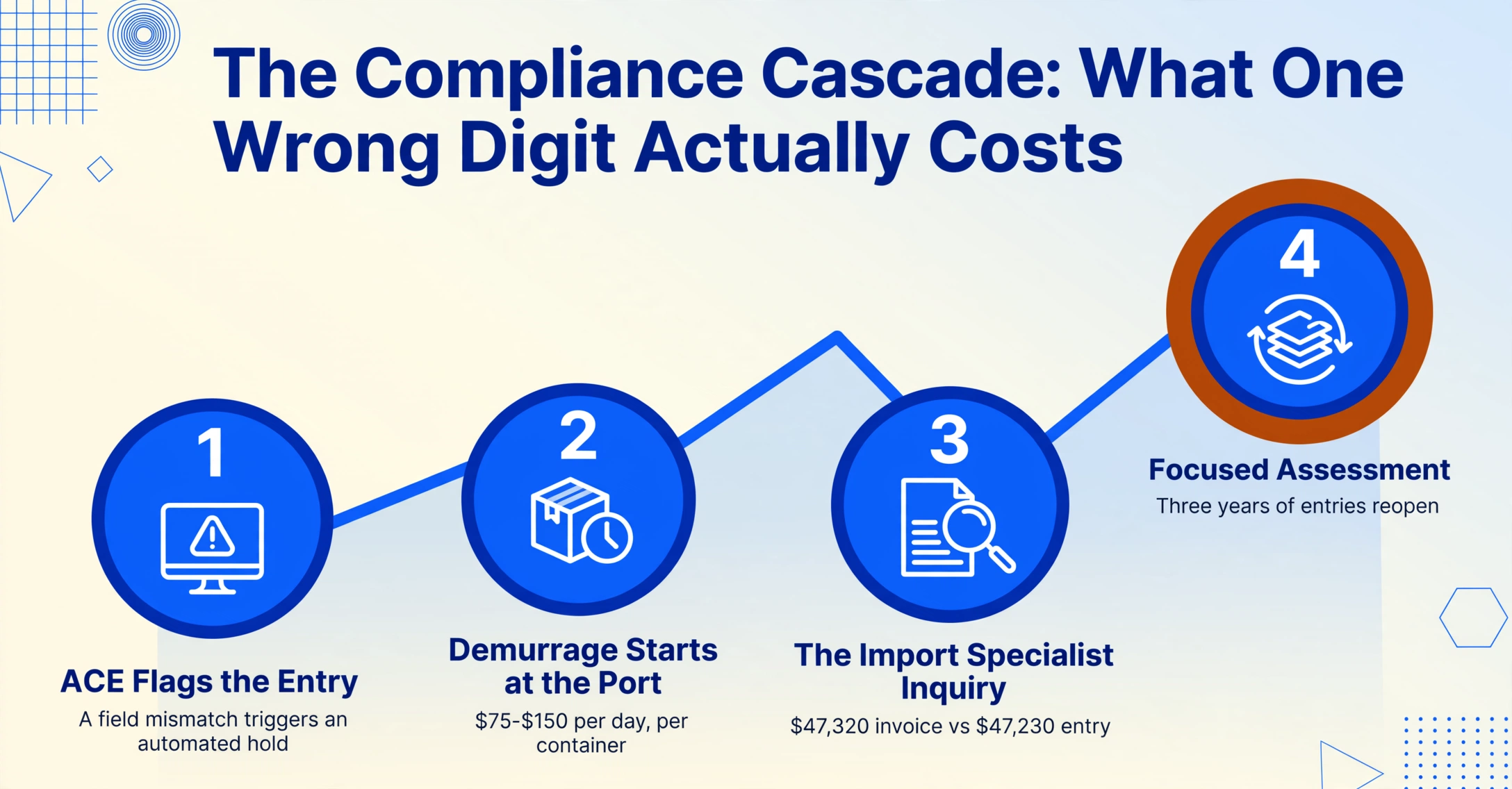
The first domino: automated flagging. CBP's Automated Commercial Environment (ACE) runs algorithmic checks on every electronic entry. Field-level inconsistencies — a declared value that deviates from statistical norms for that HTS code, a country of origin that doesn't match the typical supply chain route for that commodity — trigger automated holds. The shipment stops moving. Demurrage charges begin accruing at the port, typically $75–$150 per day per container at US ports according to carrier tariff schedules, with detention adding another layer of daily fees once the container leaves the terminal.
The second domino: the inquiry. A CBP Import Specialist reviews the flagged entry and requests documentation from the importer or broker. This is where transcription errors surface. A commercial invoice shows $47,320 FOB but the 7501 was typed as $47,230. A 10-digit HTS code that should read 8471.80.0100 reads 8471.30.0100 — a different subheading with a different duty rate. CBP doesn't distinguish between a typo and an attempt to misdeclare. The discrepancy itself is the compliance issue.
The third domino: the Focused Assessment. If discrepancies appear across multiple entries — or if a single discrepancy is material enough — CBP can escalate to a Focused Assessment (FA) under its Regulatory Audit program. An FA is not a quick document review. It's a full-scope audit of an importer's customs compliance, covering classification, valuation, country of origin, preferential trade program claims, and recordkeeping. CBP auditors can examine entries going back three years. The importer bears the burden of proof — 19 CFR 162.1a requires importers to "establish the correctness of the information required to be shown by the entry papers." If you can't prove your declared value was correct because the original commercial invoice was a PDF scan with ambiguous digits, you lose.
The fourth domino: the penalty. In 2024, US trade enforcement reached new highs. The Bureau of Industry and Security (BIS) brought 26 criminal cases and added over 340 entities to restricted party lists. Administrative penalties for trade violations reached a maximum of $364,992 per violation or twice the transaction value — whichever is greater — under updated 2024 penalty schedules. Criminal penalties extend to 20 years imprisonment and $1 million per violation. The Department of Justice issued approximately one-third more FCPA and sanctions-related penalties in 2024 compared to 2023, including a $364 million fine against an aerospace and defense company for FCPA and export control violations.
Negligence is not a defense. Under 19 CFR 111, customs brokers must exercise "due diligence" in preparing filings. If an importer provides wrong data and the broker files it without verification, both parties share liability. The broker's license is at risk. The importer's bond is at risk. The data entry error cascades into a multi-party compliance failure.
In 2025, the compliance burden is growing, not shrinking. CBP's updated Form 7501 — published July 8, 2025 — added four new mandatory fields for steel and aluminum imports under Section 232: Country of Melting and Pouring, Primary Country of Smelting, Secondary Country of Smelting, and Country of Aluminum Melting and Casting. These fields require traceability data that often doesn't appear on a standard commercial invoice, forcing importers to solicit additional documentation from suppliers and transcribe it into yet more declaration fields.
Meanwhile, the EU's 2025 SAD updates under the Carbon Border Adjustment Mechanism (CBAM — Regulation (EU) 2023/956) require carbon emission data per transport mode. The Corporate Sustainability Due Diligence Directive (CSDDD) mandates declarations of no conflict minerals or forced labor in production. Each new regulatory field is another data point that must be extracted from a supplier document, transcribed correctly, and filed on time. The surface area for a compliance error expands with each regulatory update.
Semantic Extraction vs. Position Extraction: Why It Matters for Customs
The core limitation of template OCR in customs processing isn't technical — it's architectural. Position-based extraction assumes a stable relationship between a field's physical location on the page and its meaning. Customs declarations, by their nature, violate this assumption at every level.
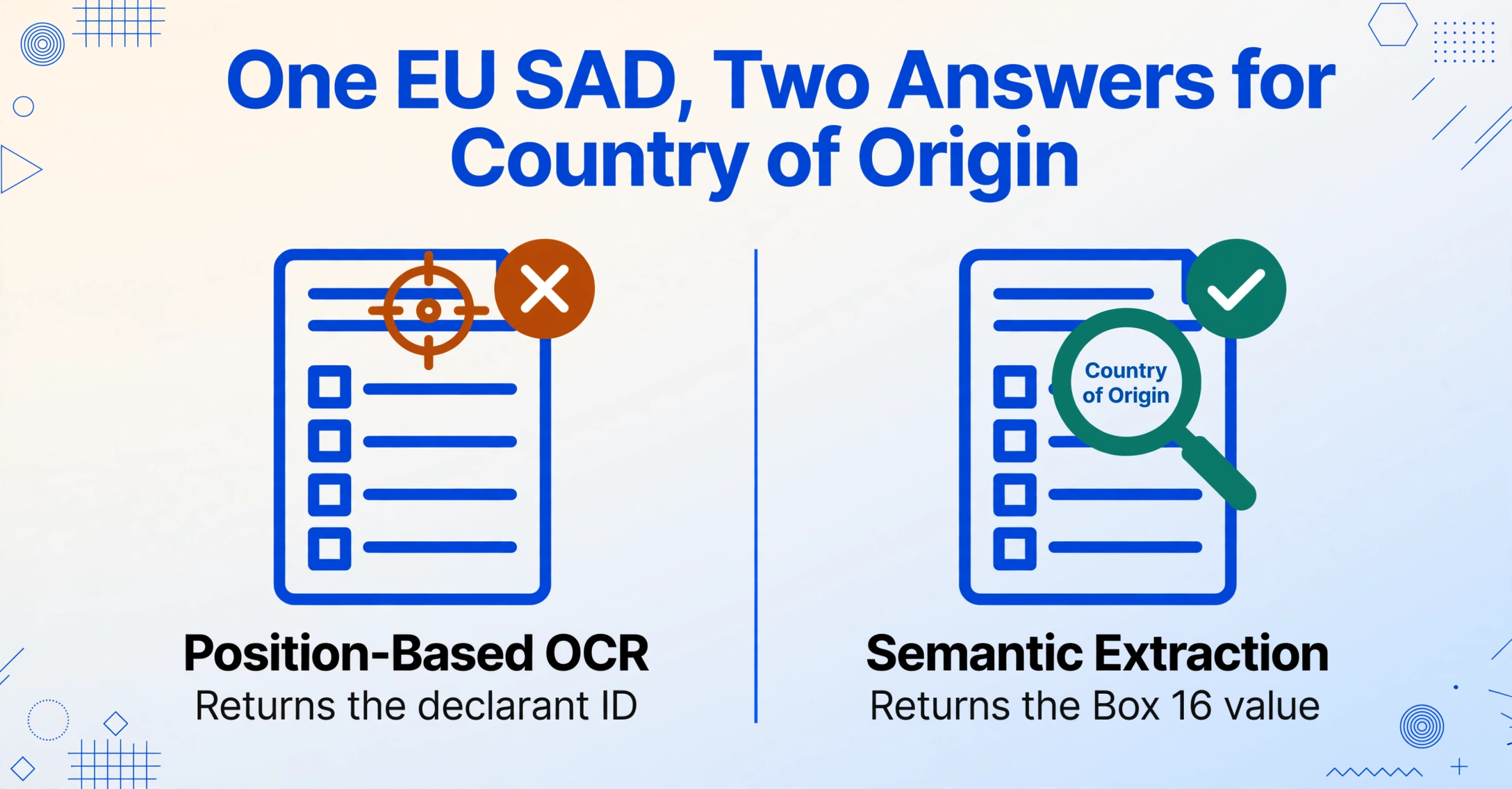
A position-based tool trained on CBP Form 7501 learns that the Country of Origin is in Block 11 — roughly one-third down the page in the left column. When the same tool encounters a SAD, it looks for data at the same coordinates and finds the declarant's identification number instead. The extraction is wrong, and the tool has no mechanism to know it's wrong because it doesn't understand what "Country of Origin" means — it only knows where it usually sits.
Semantic extraction — sometimes called intent-based or template-free extraction — inverts this relationship. Instead of mapping positions, it maps meaning. You tell the system what you want: "Country of Origin," "HTS Code," "Entered Value," "Importer of Record Number." The AI reads each document — whether it's a CBP 7501, a EU SAD, a Japanese import declaration, or a supplier's commercial invoice — and locates the data that answers each field definition, regardless of where it appears on the page or how it's labeled.
This is the difference between programming a tool to read one document format and teaching a tool to understand what customs data looks like across all formats. The first approach scales with the number of document templates you maintain. The second approach works on any document that contains the information you're looking for.
For customs declarations specifically, semantic extraction handles three structural challenges that break position-based tools:
1. Cross-document field name variation. The same data point appears under different labels across jurisdictions: "HTS Number" (US), "Commodity Code" (EU), "HS Code" (WCO convention language), "Tariff Code" (UK), "統計品目番号" (Japan). A semantic system recognizes these as the same entity. A template system sees them as unrelated — requiring a separate template for each labeling convention.
2. Supporting document integration. Customs declarations don't stand alone. They're assembled from data distributed across commercial invoices, packing lists, bills of lading, certificates of origin, and supplier declarations. In a traditional workflow, someone reads each document and types values into the declaration form. With semantic extraction, you can batch-upload the full document set — commercial invoices from five suppliers plus packing lists plus BOLs — and extract all declaration-relevant fields into a single table. The output maps directly to the fields you need to file, regardless of which source document carried which data point.
3. Handwritten and scanned document tolerance. Customs brokers frequently receive handwritten commercial invoices from smaller overseas suppliers, scanned BOLs with stamps and notations, and certificate-of-origin forms that have been faxed and re-scanned. Traditional OCR struggles with any document that wasn't machine-generated. Semantic extraction powered by vision AI (large multimodal models that process images as images rather than converting them to text first) reads handwritten values, deciphers stamps overlaid on text, and handles multi-generation scan artifacts — the kind of documents that arrive in a broker's inbox every day.
Files are processed securely and not stored.
Try entering the fields you'd need for a customs declaration — a commodity description, a declared value, a country of origin — and watch how the AI locates each one regardless of where it sits on the document. The same mechanism that extracts invoice data from one layout extracts customs-relevant fields from any document type without per-document configuration.
A Practical Customs Data Extraction Workflow
Switching from manual transcription to semantic extraction doesn't require replacing your customs filing system. It replaces the data entry step that feeds into it. Here's how an importer processing 50 shipments a month across three trade lanes could restructure the workflow:
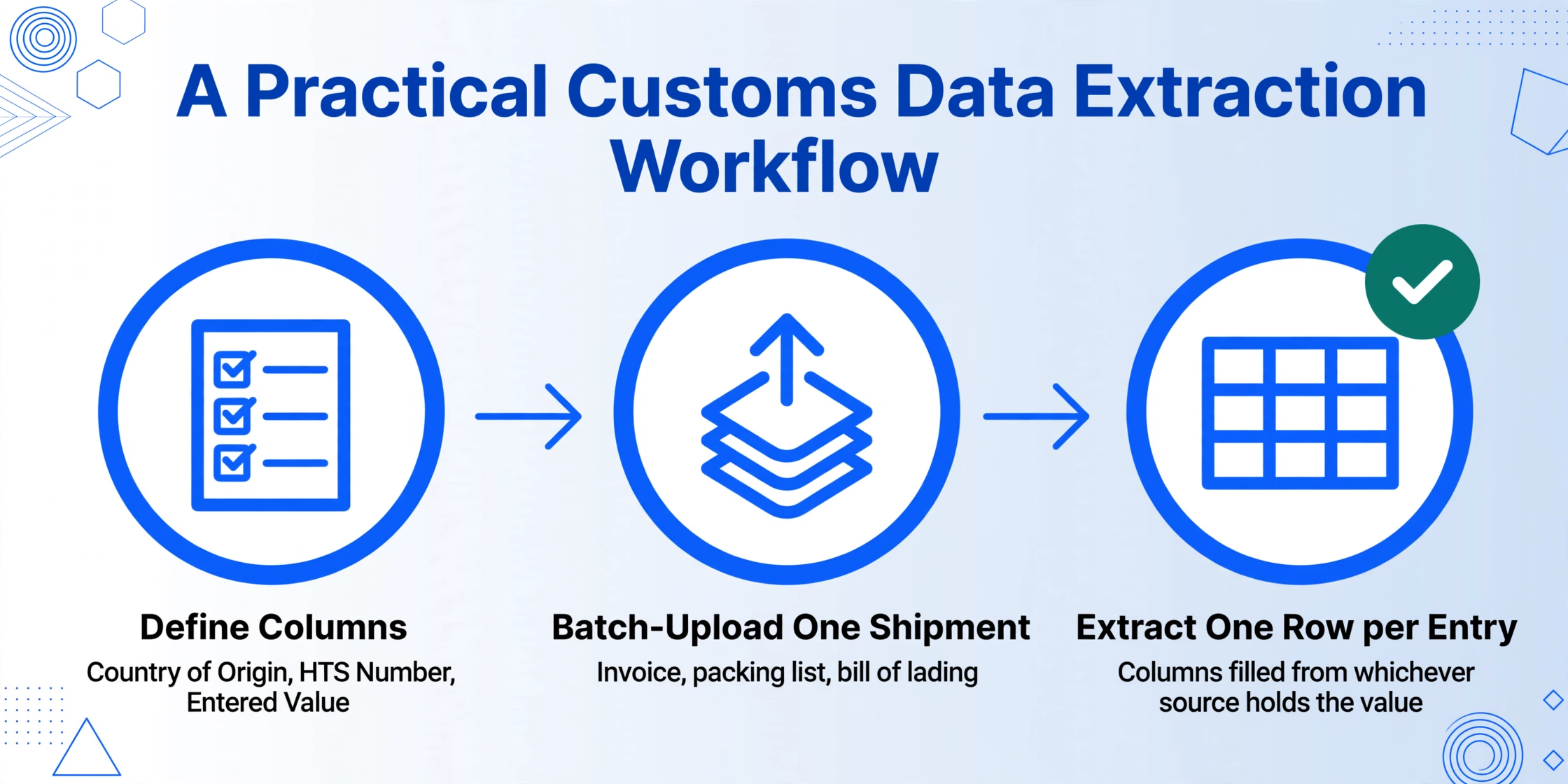
Identify the declaration fields you need. For US entries via CBP Form 7501, the core extractable fields include: Entry Number, Importer of Record, Country of Origin, HTS Number (10-digit), Description of Merchandise, Entered Value, Quantity, Port Code, and Mode of Transport. For EU SAD filers: Commodity Code, Country of Origin (Box 16), Consignee (Box 8), Declared Value, Net Mass, and Procedure Code (Box 37). Define these once as your extraction columns.
Batch-upload the supporting document set for each shipment. For a single customs entry, this typically means: the commercial invoice, the packing list, the bill of lading or airway bill, the certificate of origin, and any supplier declarations. Upload them together to a single batch — the extraction engine will treat them as one document set and populate the column fields from whichever source contains each value.
Run extraction across the batch. The AI reads each document, locates the data matching your column definitions, and populates a unified table. One row per entry, with columns for each declaration field. Handwritten values on the packing list, machine-printed HS codes on the commercial invoice, and stamped origin declarations on the certificate — all extracted into the same structured output.
Validate against the declaration form. Before filing, compare the extracted data against your intended declaration values. The table format makes discrepancies visible at a glance — a transposed HS code digit, a missing origin declaration, a value mismatch between invoice and packing list. Fix the exceptions, not every field.
File through your existing system. Whether you use ACE (US), CDS (UK), or a customs broker's portal, the validated data flows into the filing system without re-typing. The extraction step handles the document-to-data conversion. Filing proceeds with data that has already been cross-checked against source documents.
For brokers or importers who file through Google Sheets as an intermediary — a common pattern among smaller firms that prepare declaration data in spreadsheets before submitting — the Google Sheets add-on eliminates the upload-then-download step entirely. Extraction results land directly in the spreadsheet where the filing data is compiled.
For firms that collect documents from multiple suppliers or clients, a collection link lets external parties upload their invoices and certificates directly into a processing queue — no login required from the supplier side, no email attachments to chase. The documents arrive pre-organized by source, ready for batch extraction into declaration fields.
The Regulatory Trajectory: Why This Gets Harder From Here
The argument for automating customs data extraction isn't just about today's workload. It's about where trade compliance regulation is headed.
Global trade hit a record $33 trillion in 2024, according to UNCTAD's Global Trade Update — a 3.7% increase over 2023. The volume of customs declarations filed globally is rising in parallel, with developing economies' trade growing 4% year-over-year. More trade means more declarations. More declarations mean more data points to extract, transcribe, and verify.
Simultaneously, the data density per declaration is increasing. The EU's CBAM carbon reporting requirements add emission data fields to every SAD for covered goods. The US Section 232 expansion adds four fields per steel or aluminum entry — fields that require traceability data often absent from standard commercial invoices. The EU's Import Control System 2 (ICS2) now mandates advance cargo information for all modes of transport, not just air and maritime. Each regulatory update increases the number of independently extractable data points per declaration — and therefore the number of potential transcription failure points.
The World Customs Organization's SAFE Framework of Standards continues to push toward Authorized Economic Operator (AEO) programs that reward compliance history with expedited clearance — but also increase scrutiny on data accuracy. An AEO-certified importer that files consistent, accurate declarations moves goods faster. An importer with a history of corrections and amendments faces progressively longer inspection queues. The compliance data trail compounds.
The importers who automate document data extraction now aren't just saving labor cost. They're building a compliance data infrastructure that compounds — every accurate entry strengthens the compliance profile that determines how fast future shipments clear.
Frequently Asked Questions
Can AI extract data from CBP Form 7501 and EU SAD declarations?
Yes. Semantic AI extraction reads both form types — and their supporting documents (commercial invoices, packing lists, BOLs) — and populates declaration fields regardless of form layout. The key distinction is that it works by understanding what a field means (e.g., "Country of Origin") rather than where it sits on the page, so the same column definition works across CBP 7501 Block 11, SAD Box 16, and any supplier invoice that mentions origin.
What about handwritten commercial invoices from overseas suppliers?
Vision AI models that process document images directly (rather than converting to text first) can read handwritten values, stamps, and multi-generation scans. Accuracy on clear handwriting is comparable to machine-printed text. Heavily degraded documents — multiple fax generations, water damage, extreme cursive — will have lower accuracy. For those cases, the extraction can flag low-confidence fields for human review rather than silently returning wrong values.
Do I still need a customs broker if I automate data extraction?
Yes. Data extraction handles the document-to-data conversion step. A licensed customs broker provides classification expertise, regulatory judgment, compliance strategy, and the legal authority to file entries with CBP. Automation reduces the manual transcription workload — it doesn't replace the professional judgment required to classify goods correctly, apply trade preference programs, or navigate enforcement actions. Under 19 CFR 111, the broker's due diligence obligation remains regardless of what tool extracted the data.
How does this handle HS/HTS code classification?
Extraction tools pull the HS code from source documents — they extract what's written, not what the correct classification should be. If a supplier's invoice lists an incorrect HS code, the extraction faithfully reports that code. Classification — determining the correct 10-digit HTS code based on product characteristics, material composition, and intended use — remains a professional judgment task. The extraction step eliminates the transcription error (typing 8471.30 instead of 8471.80) but doesn't replace the classification step. Some importers use the extraction output as a cross-check: the supplier's stated code versus the broker's classified code, surfaced side by side for discrepancy review before filing.
What about non-Latin character documents — Chinese, Japanese, Arabic supplier invoices?
Modern vision AI models are multilingual — they can read and extract data from documents in Chinese, Japanese, Korean, Arabic, and other non-Latin scripts. The extracted values can be transliterated or kept in their original script depending on what the destination customs authority requires. For Japanese import declarations (輸入申告書), the system can extract kanji values alongside commodity codes and declared values.
Does this integrate with ACE / CDS / customs filing systems?
ImageToTable.ai exports extracted data as Excel (XLSX), CSV, or JSON — formats that can be imported into customs filing platforms, ERP systems, or spreadsheet-based preparation workflows. It does not file entries directly with CBP or EU customs authorities. The output feeds into your existing filing workflow. For Google Sheets users, the add-on writes extracted data directly into the active spreadsheet without export/import steps.