Court Dates Live in Cause List Photos,
Until Someone Tracks Them
More than 1.2 million cases were listed for hearing on a single working day in India's courts, according to the National Judicial Data Grid's live counter. None of those listings reached a lawyer as a calendar invite. Each one had to be read off a screen or a piece of paper, written into a diary or a spreadsheet, and carried into the courtroom the next morning. In the chambers where that reading still depends on a photo forwarded over WhatsApp, the court date and its tracking record are two different things: the photo is real, and the record is however accurately someone typed it. On r/legaltech, a lawyer describing how litigation firms actually run in India put it plainly: "the WhatsApp cause list issue is still very much alive. eCourts has improved, but most juniors still rely on forwarded photos because the portal can be slow or glitchy on court days" (r/legaltech discussion).
Key Takeaways
- One digit, a diary entry read as 19 instead of 14, was enough to get a claim dismissed for non-prosecution.
- A chamber with 80 active matters does not miss a hearing because its juniors are careless. It misses one because 80 rows plus two supplementary lists is more transcription than any human should do blind.
- Hover a hearing date and the original photo highlights the exact spot it came from, so the date you confirm is a date you can point at.
A Cause List Is the Court's Only Formal Word on Tomorrow
A cause list is the schedule of cases a court will hear on a given day, with each matter listed by serial number, case number, case type, the parties, and the counsel on record, organized by bench and court hall. Publication of the list is usually the only official notice a party gets that its matter will be heard. The Supreme Court of India's rules make the point directly: under Chapter XIII, publication of the cause list "shall be the only mode of intimation of listing of a case" (Justice Definitions Project). There is no separate call, no follow-up email, no confirmation step. If the matter is on the list, counsel is expected to appear.
The cause list is not a reminder. It is the notification itself, and it is generated fresh every working day.
That alone explains the morning ritual in almost every litigation chamber. The next day's list for most High Courts goes online the previous evening, commonly around 5 PM to 7 PM, with the Supreme Court's list typically published by about 5 PM. Supplementary lists, which add urgent matters or cases moved the same week, can surface as late as 10 PM the night before. The Bombay High Court's supplementary board, numbered in the 900 series, appears on the court website the evening before its hearing day. So the working window is narrow: the list exists, a chamber needs its own copy, and the practical choices are to open the portal, or to take what a colleague forwards.
Someone at the Court Complex Photographs It, Someone Else Writes It Down
The reading is shared work, which is where the errors start. At the court complex, a clerk or a junior whose firm has matters before that bench holds up a phone and photographs the printed board outside the courtroom, or screenshots the portal PDF. The photo goes into a WhatsApp group. Back in the chamber, another junior opens the image, zooms into the rows for the firm's cases, and enters each hearing date, court hall, and serial number into a diary or a spreadsheet. The pattern is common enough that courts have described it themselves: in a 2022 decision, the Delhi High Court observed that advocates maintain court diaries whose entries are made by court clerks, and noted that "it is usual for a wrong entry to take place, due to inadvertence" (LiveLaw report of the Delhi High Court judgment).
That case is a useful warning because the wrong entry was a single digit. A workman's counsel had noted the next date before a Labour Court as 19 December instead of 14 December. No one appeared on the 14th, the claim was dismissed for non-prosecution, and only a restoration application brought the matter back, with the court holding that a litigant ought not to suffer for a wrong entry in the advocate's diary. The chain that produced the harm had four links: a list, a photo, a handwritten copy, and a date nobody double-checked.
The Four Places a Photo Pipeline Breaks
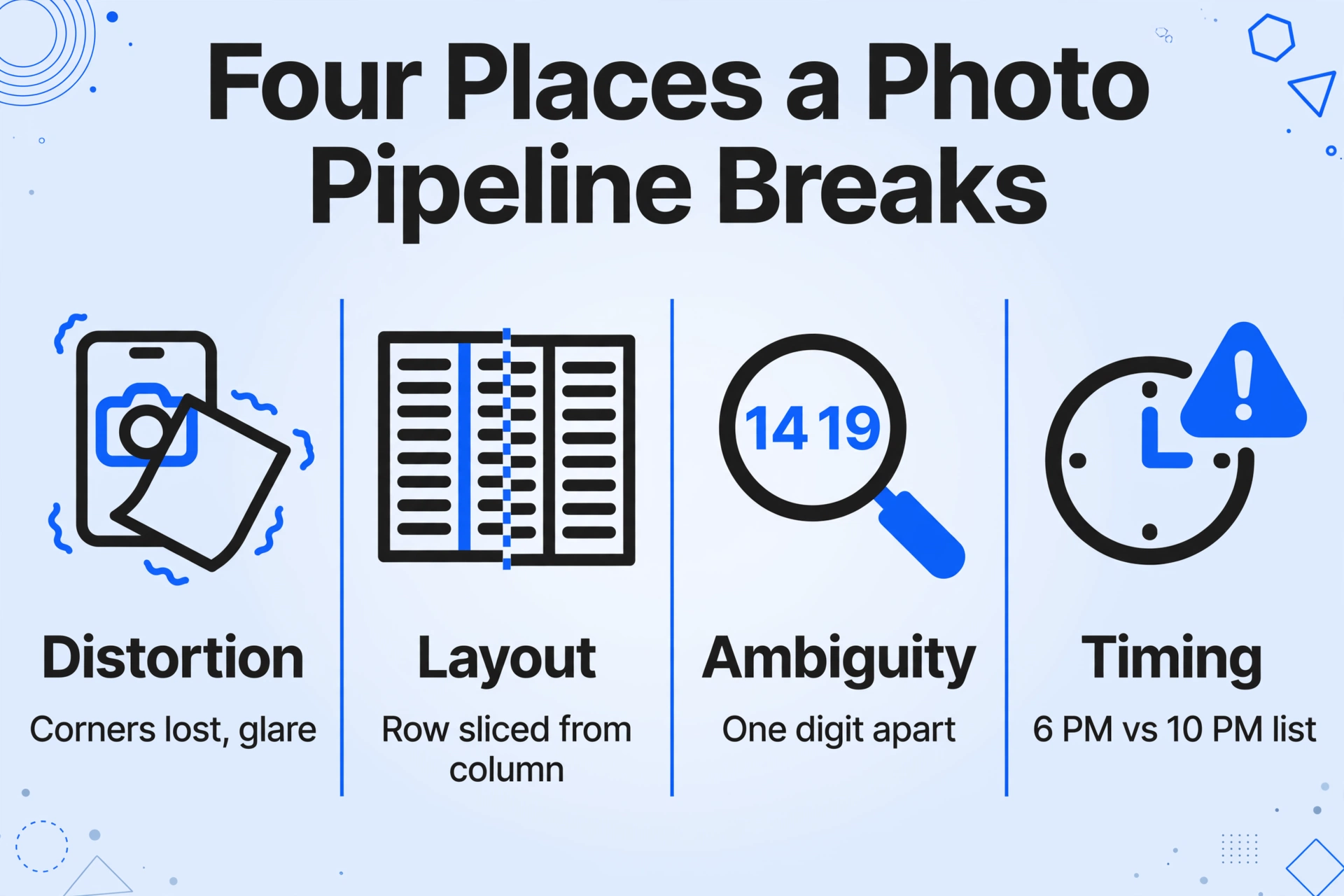
Each link in the chain fails predictably, and all four failure modes are visible in a single photo-based workflow. The distortion happens first: a phone photo of a printed board taken at arm's length loses the corners, compresses the small type, and catches glare from the protective glass, so the case numbers near the edge of the frame are the ones most likely to misread. The layout fights back second: daily boards are wide multi-column documents, and a portrait phone crop slices a firm's row out of its bench column, so the court hall that belonged to one case silently attaches to the next one over.
The ambiguity sits in the numbers themselves. A 14 and a 19 differ by one digit drawn at the same small size. Case numbers built like "C.M. 1234/2026" mix punctuation, letters, and digits that a quick glance normalizes into whatever the reader expected to see. The highest-risk failure is the last one, timing: the diary is written at 6 PM from the main list, and the supplementary list appears at 10 PM with the firm's matter added in the 900 block. Nobody re-checks, and the matter is on tomorrow's board without being on anyone's tomorrow.
The fix is not faster reading. It is making the record come from the photo instead of from the person holding the phone.
What a Missed Date Costs Before the Courtroom Door
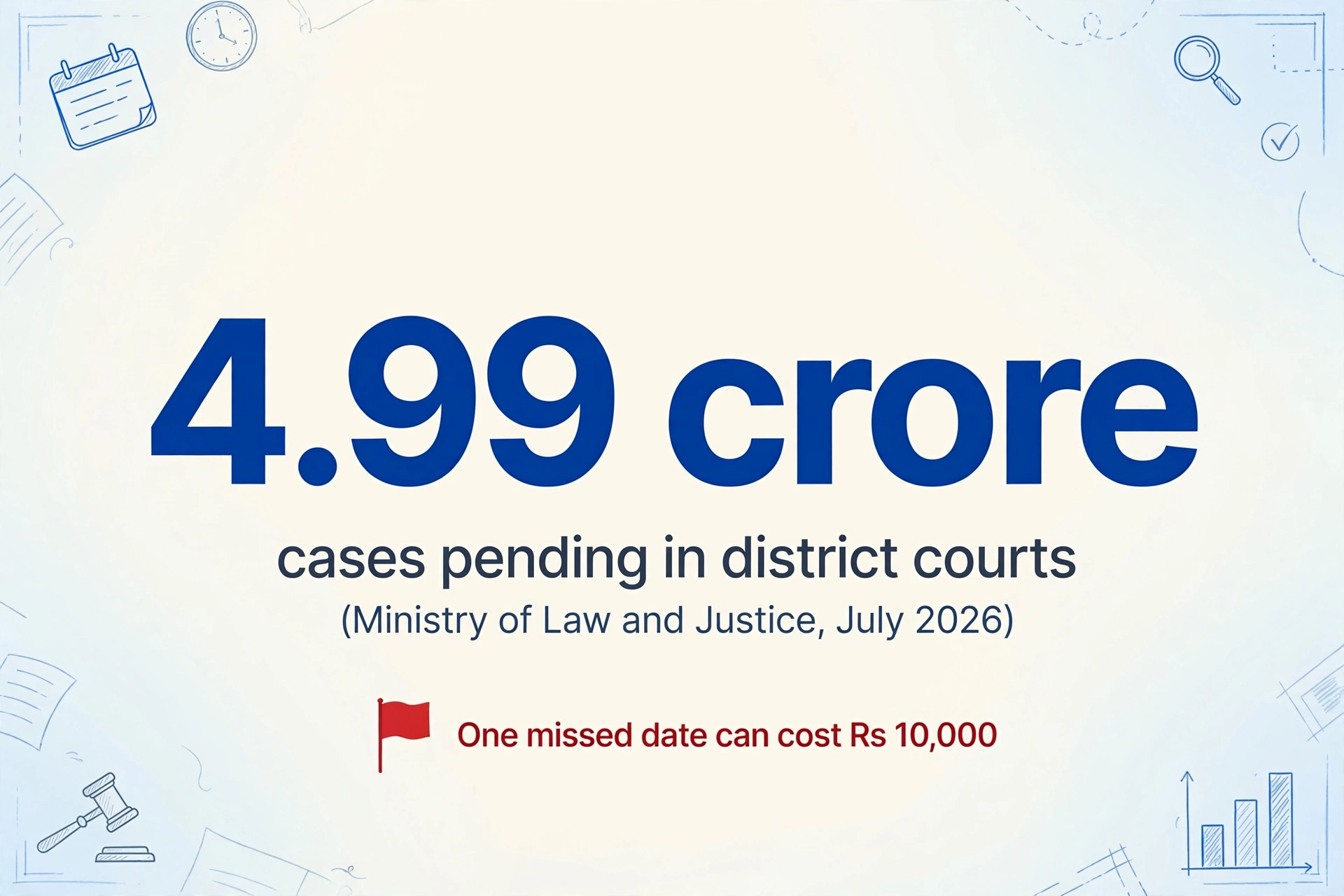
A single missed listing can move a matter from an active case to an adverse order, and the cost lands in the record. In a January 2026 decision, the Madhya Pradesh High Court recalled an ex parte judgment after the parties' counsel had stopped appearing without notice, and the recall itself carried a price: the petitioners were ordered to pay Rs 10,000 to the opposing side (The Indian Express report). The pathway is ordinary: a matter listed on a board no one tracked, no appearance when it was called, and an order passed in absence that months of motions then try to undo. Where the date was recorded but recorded wrong, the consequence is identical to not tracking it at all.
The arithmetic sits on top of the procedural exposure. The Ministry of Law and Justice reported to Parliament in July 2026 that roughly 4.99 crore cases were pending in district and subordinate courts, with another 64.67 lakh in the High Courts (Lok Sabha written reply), and the National Judicial Data Grid's day counter shows more than 1.2 million cases listed on an ordinary working day (NJDG). The chance that any individual matter escapes a manual record rises with docket size. A chamber with 80 active matters does not miss a hearing because its juniors are careless. It misses one because 80 rows, plus two supplementary lists, is more transcription than any human should be doing blind.
Turning a Forwarded Photo Into Rows You Can Sort
Court schedule data extraction starts by treating the photo as the source document, not as a picture of a document. ImageToTable.ai uses Custom Column Extraction: you type the column names you want, the AI reads the image and finds where each value lives by understanding what the field means, rather than by matching a template or a fixed position. The columns you define become the headers of the output table. For a cause list photo, a working set is: Case No., Case Type, Parties, Court, Room, Purpose, and Hearing Date.
Batch processing is what makes the routine survive a real morning. WhatsApp forwards from several courts arrive as many photos, and uploading them together merges every row into a single Excel file, one matter per row, across all benches and all photos. The merged sheet then sorts by date and by court hall, so the day's running order appears without anyone retyping it. The pattern is the same one used to pull records out of any document set, whether it is extracting a single value or assembling an entire case file, as covered in the guide to batch-extracting discovery documents into one spreadsheet and the broader overview of pulling structured facts out of legal case documents.
Define the columns once
Type Case No., Case Type, Parties, Court, Room, Purpose, and Hearing Date. These names become the headers of the output, so a row reads exactly the way a cause list entry reads: one matter, one day, one courtroom.
Upload the forwarded photos together
Drop every cause list photo from your WhatsApp chat into one batch, from each court and each list type, main and supplementary. The AI reads each image and fills one row per listed matter.
Sort, filter, and walk into court with the day's board
The merged Excel file sorts by date and court. Filter by Parties or Case No. to find a matter fast, and check the Purpose column to know whether it needs preparation or just a presence. The same custom-column mechanics apply to almost any source document, which is why the generic version of this workflow, turning any document into a spreadsheet, is the same three steps.
Every Date Gets Checked Against the Photo It Came From
The record should be traceable back to the image that produced it, because the whole failure this replaces is an unverifiable hand transcription. ImageToTable.ai's Review Mode makes that verification a glance instead of a re-read: hover over any extracted cell and the tool highlights on the original photo exactly where that value came from. The reverse direction works too, click a region on the photo and the matching cell is selected in the table. When the AI reads 14 where the board shows 19, the mismatch appears the moment someone hovers the Hearing Date cell, because the highlighted part of the photo disagrees with the number beside it.
This is where a cause list workflow crosses into professional territory. For US counsel, the American Bar Association's Formal Opinion 512 already frames the duty: when lawyers use generative AI, they must apply competence, client confidentiality, and supervision of the output to their own work (ABA Formal Opinion 512, July 2024). The same demand for reviewed output applies anywhere a court appearance is at stake. Review Mode fits that duty rather than replacing it. The lawyer still confirms the date. The tool just removes the need to re-read a whole list to find the one row that was copied wrong.
A date you can point at in a photo is a date you can defend. A date someone typed from memory is a story.
What This Does Not Do
Feature boundaries matter as much as capabilities, and three are worth stating. First, nothing here automates the court portal. The source of truth for whether a matter is listed remains the court's own list, and this workflow cannot reach into eCourts or any High Court portal to fetch listings that were never photographed. If a matter never enters a photo, it never enters the sheet. Second, the photo is the ceiling of input quality. A board photographed from across a corridor in low light will yield what a human could also barely read, and the honest answer for an unreadable cell is to find a better copy or check the official list directly. Third, a person still confirms the schedule, especially after a supplementary board appears overnight. The extraction turns the photo into rows and the rows into a sortable board, and the appearing-in-court decision stays with the advocate.
The adjacent tools are complementary rather than competitive. Practice management software such as Clio and MyCase tracks matters that are already structured, and India-focused platforms from CaseCloud and CaseBench to CLAW and ProVakil pull portal updates for cases they already hold. Every one of them needs an onboarding step: the case has to exist in the system before it can be tracked. Court schedule data extraction covers the step before that, taking the raw forwarded photo and producing the structured record that a tracker then has something to hold. For the wider legal OCR picture, the guide to OCR for legal documents walks through where character recognition helps across contracts, filings, and discovery; this workflow is the narrower case of one list type and one photo.
FAQ
Can it read a blurry or angled photo of a printed board?
It reads the image the camera captured, including printed text, handwriting, and imperfect angles. Readability follows the same limit a human hits: a board that is unreadable in the photo is unreadable to extraction. For the margin cases, hovering the extracted cell shows the source region so you can judge whether the value is worth trusting or needs an official check.
Does it handle supplementary cause lists?
Yes, because each supplementary board is just another image in the batch. Upload the midnight 900-block photo alongside the main list and it produces rows with the same columns, so the record stays complete even when the board changes overnight.
Can I combine cause lists from several courts in one batch?
Yes. Batch processing merges every uploaded photo into a single Excel file. A column for the court or court complex identifies which rows came from which list, and the merged table sorts across all of them at once.
What if the extracted case number is wrong?
Review Mode shows the source location for every cell on the original photo. A wrong case number, date, or court hall is visible immediately as a mismatch between the highlighted region and the extracted text, and a corrected value can be set in place. The review step is the point where a transcription error dies instead of traveling into the diary.
Does it read photos directly from WhatsApp?
The tool accepts the standard image and PDF formats the app supports. Forwarded WhatsApp images are JPG or PNG files; download the photos from the chat and upload them into the batch. Collection links and the add-on route into the same queue when a chamber standardizes how it gathers the lists.
Does this replace the advocate's duty to appear?
No. Extraction and review keep the listing record accurate, and the decision to appear, prepare, or seek an adjournment remains professional judgment. The information the judgment rests on changes from a hand-copied entry to a row that points back at the photo it came from.
The shift that matters is small and structural: stop treating a forwarded cause list photo as a picture to look at, and start treating it as data that still needs its headers. Name the columns once, let the photo fill the rows, check the dates against the image, and the morning board becomes a sorted spreadsheet instead of a race between the portal and the phone in someone's hand.