Utility Bill Data Extraction,
Not Invoice Extraction
Utility bills are the one recurring document a finance team can spend years automating and still key by hand. The reason is not volume. It is shape. An invoice is one vendor, one amount, one date. A utility bill is a rate structure: a usage number whose unit changes with the commodity, charges split between supply and delivery, and a billing period that is sometimes an estimate instead of a reading.
A generic invoice extractor returns vendor, invoice number, and total. Those three fields also sit on a utility bill, so the gap looks small in a demo. It shows up later, when the columns that make utility data useful turn out to be missing: the account number that ties the bill to a physical meter, the usage figure with its unit attached, and the charge lines that explain why the total moved. There are 3,371 electric providers in the United States alone, according to the American Public Power Association's 2026 statistical report (APPA, 2026). No layout template survives that kind of spread, which is why utility bills reward a different approach than invoices do.
Key Takeaways
- Vendor, invoice number, and total are the three fields an invoice extractor returns, and those same three sit on a utility bill too, so the gap looks tiny in a demo.
- The account tied to a meter, the usage with its unit, and the charge lines behind the total are exactly the fields an invoice template never carries.
- Define the columns you want and ImageToTable.ai reads each value by what the label means, so one column set covers 3,371 electric providers, municipal water statements, and cooperative gas bills with no template.
A Utility Bill Is a Charge Stack, Not an Invoice
A utility bill carries four groups of fields, and only one of them overlaps with an ordinary invoice. The first group is account and service data: account number, account holder, service address, provider, and meter number. The second is the billing period: bill date, due date, service period from and to, and often a statement number. The third group is the one generic invoice tools flatten: usage and charges. It holds current and previous meter readings, consumption with its unit, demand in kW on commercial electric bills, the unit rate or tariff, supply versus delivery charges, taxes and surcharges, and credits. The fourth is payment data: total amount due, previous balance, and payment reference numbers.
Who reads this document depends on the size of the operation. In a small business, the bookkeeper opens the bill, finds the total, and files it. In a property management firm, a utility clerk keys account numbers, service addresses, and amounts into the property management system so each charge lands on the right property general ledger. For a landlord with several doors, the same person is splitting one master meter across units. And when a company reports its energy use, a facility or sustainability analyst pulls the kWh and therms back out of those same bills to feed a benchmarking tool.
The common thread across all of them is that the utility side is fragmented. Electricity alone comes from 3,371 providers in the United States, including 1,998 public power utilities and 859 cooperatives (APPA, 2026). Water is more scattered still: the country has about 51,000 community water systems, and more than 92% of them serve fewer than 10,000 customers (AWWA). A portfolio with properties in three states may deal with a dozen different bill layouts every month, and each layout puts the usage figure somewhere else on the page.
A utility invoice and a utility bill share a provider and a total. Everything that makes the bill worth extracting, the meter, the usage, and the charge breakdown, is a field the invoice template never had.
Where Utility Bill Extraction Actually Breaks
Utility bill processing breaks in four predictable places, and none of them is raw character recognition. The first is the unit of measure. The same word, usage, means kilowatt hours on an electric bill, therms or CCF on a gas bill, and cubic meters or gallons on a water bill. Drop them all into one column and the column stops being comparable the moment you look across commodities. The second is the charge structure. An electric bill has a supply charge for the electricity itself and a delivery charge for moving it, and in many states the delivery portion carries its own distribution, transmission, and customer charges (Eversource). Capture only the total and you cannot tell a rate increase from a usage increase.
The third break is data quality inside the document itself. A bill can show an estimated reading instead of an actual one, and a budget billing plan settles the difference in a true-up at the end of the year. If the usage column records whatever was printed without flagging whether the read was estimated, the monthly series climbs and dips for reasons that have nothing to do with consumption. The fourth break is allocation. One utility account can serve a whole building while the cost belongs to a dozen units, and the account number on the bill is the only reliable key back to the property and meter it belongs to. Lose that field and the allocation has to be reconstructed by hand.
Teams feel the accumulation long before they can name the cause. A property manager on r/PropertyManagement described the volume directly: "My firm is manually entering around 600-800 invoices into Yardi per month" (r/PropertyManagement). At that scale the work is not hard, it is steady, and steady typing is where transposed account numbers and misread usage digits come from.
Why kWh, Therms, CCF, and m³ Can't Share One Column
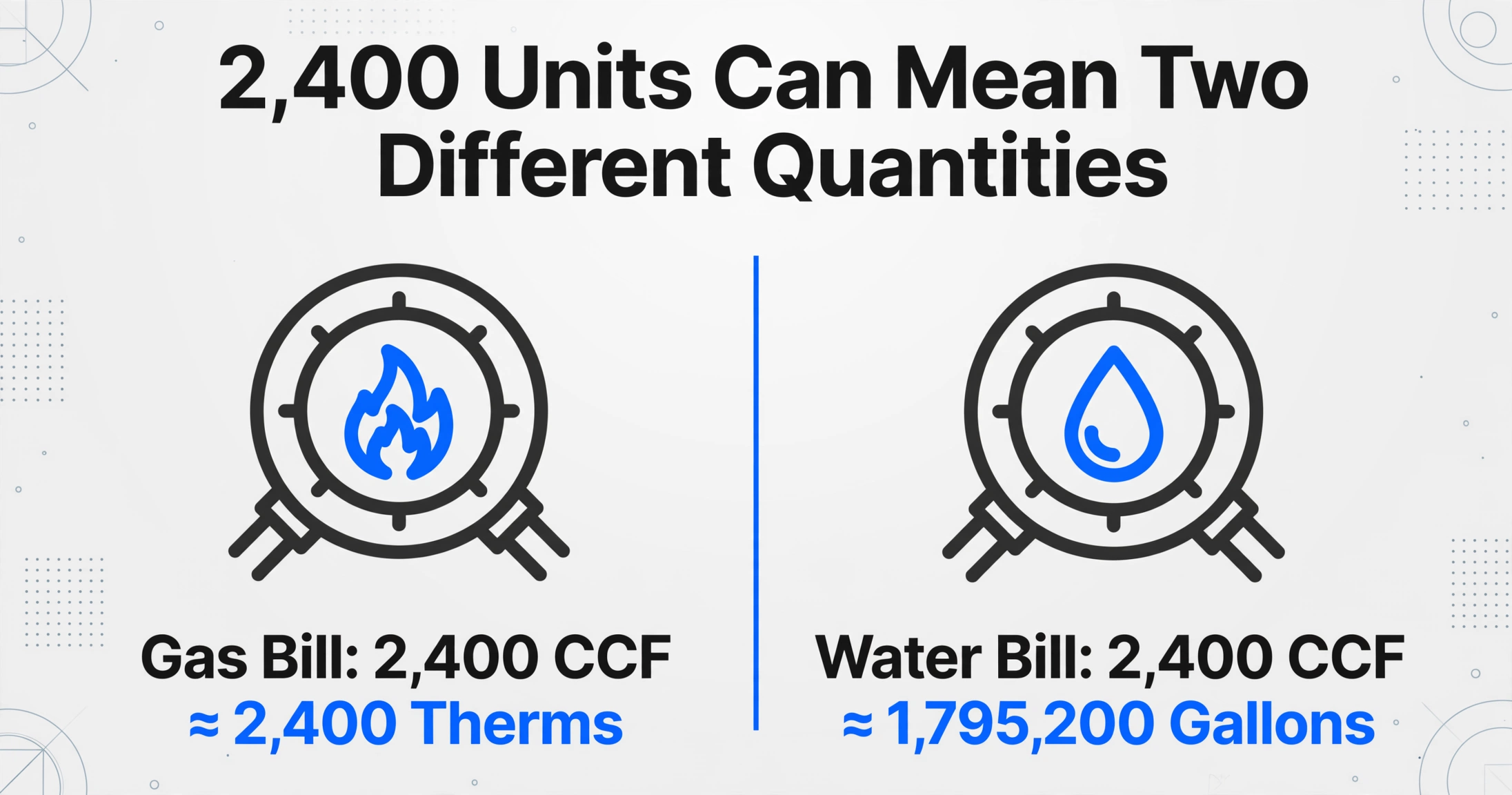
The unit trap is the single most expensive mistake in utility bill data, because the numbers stay valid while the meaning goes wrong. Electric consumption is measured in kilowatt hours, and one kWh equals 3,413 Btu of energy. Gas arrives in one of two families. The therm is an energy unit equal to 100,000 Btu, while the CCF and the MCF are volume units: 100 cubic feet and 1,000 cubic feet of gas respectively. A single CCF is roughly one therm, but only because a typical heat content factor sits near 1.03, and that factor moves month to month (Owatonna Public Utilities). Water has its own overlap: water meters are read in CCF as well, where one CCF equals about 748 gallons.
That overlap is where a real error hides. Two bills can both read 2,400 units and mean two different quantities, one in cubic feet and one in therms, or one in CCF and one in MCF with a factor of ten between them. A single normalized usage number pulls those apart only if the unit traveled with it. The practical rule for a utility bill column set is one usage column per commodity, plus a unit column that records what was printed, so an electric column only ever holds kWh and a gas column only ever holds therms or CCF. If you need a single comparable figure, compute it after extraction with an explicit conversion, not by letting three commodities share a header.
Keep the unit column even when every bill in a batch looks the same. It is the field that tells you next month, or another property, whether two usage numbers are actually comparable.
The Column Set for a Utility Bill, Not a Vendor Invoice
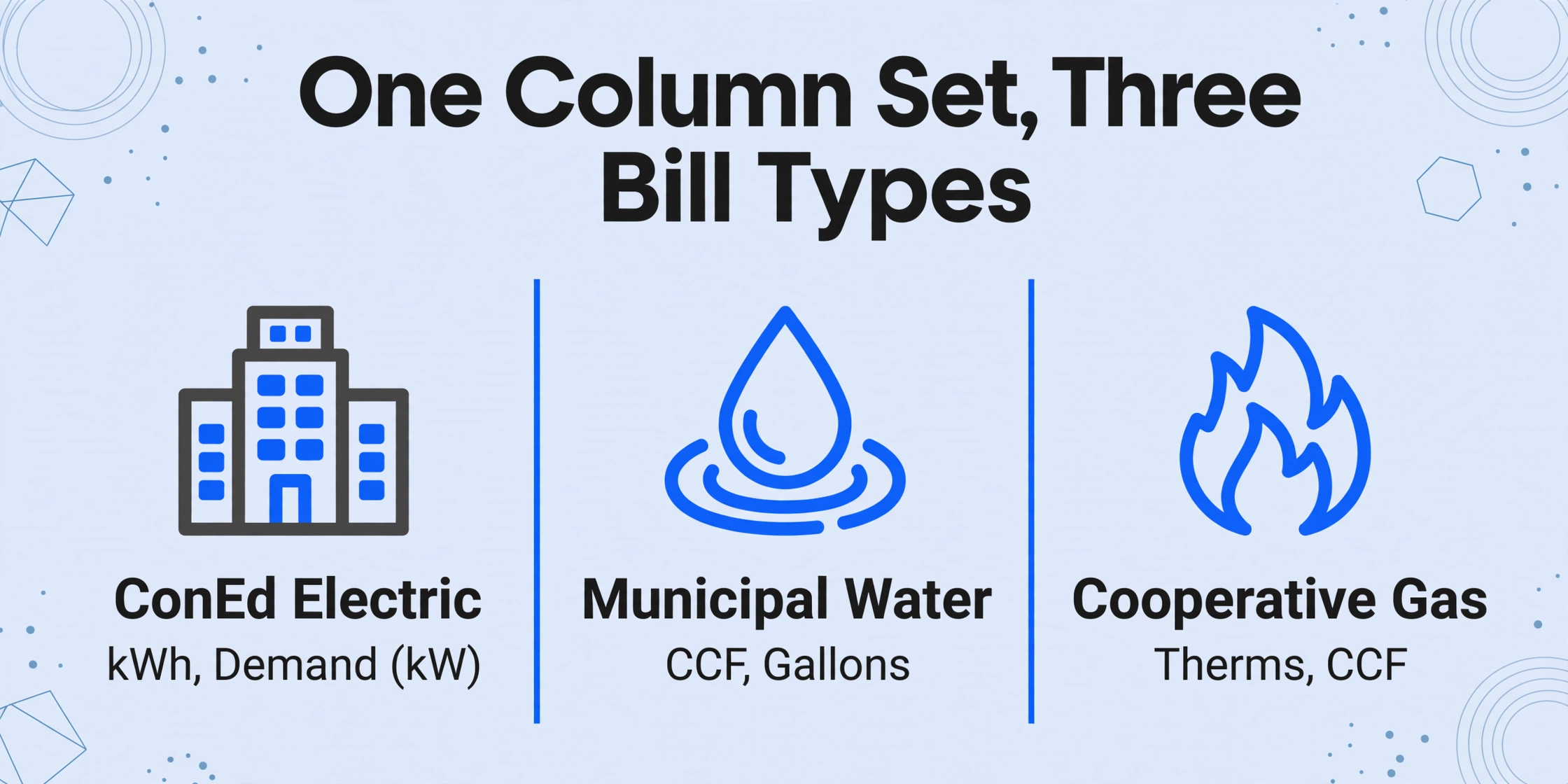
The way to get these fields without building a parser per provider is Custom Column Extraction. On ImageToTable.ai you type the column names you want, and the AI reads each bill and fills a value under every column by working out what the field label means, not where it sits on the page. The names you type become the headers of the output spreadsheet. Because the reading is semantic, one column set covers a ConEd electric bill, a municipal water statement, and a cooperative gas bill in the same batch, with no template to create or maintain as those layouts change.
A utility bill column set follows the four field groups but keeps the usage and charge detail that invoices drop:
| Column definition | What it captures |
|---|---|
| Utility Provider | The supplier named on the bill |
| Utility Type (options: Electric / Gas / Water / Sewer / Telecom) | Commodity classification, filled even when the bill does not state it outright |
| Account Number | The account that maps the bill to a property and meter |
| Service Address | The address where the utility was delivered |
| Meter Number | The meter or device identifier printed on the bill |
| Billing Period Start | First day of the service period |
| Billing Period End | Last day of the service period |
| Bill Date | The statement date |
| Due Date | The payment due date |
| Previous Reading | The prior meter read shown on the bill |
| Current Reading | The current meter read shown on the bill |
| Usage | Consumption as printed for the period |
| Usage Unit | kWh, therms, CCF, m³, or gallons, as printed |
| Demand (kW) | Peak demand, when a commercial electric bill charges for it |
| Supply Charges | The generation portion of an electric bill |
| Delivery Charges | Distribution, transmission, and fixed customer charges |
| Taxes and Fees | Taxes, riders, and surcharges |
| Total Amount Due | The amount payable for the period |
| Previous Balance | Any balance carried from the prior bill |
Two column types do work that a plain field list cannot. A computed column carries a calculation the tool runs during extraction, so a usage figure comes out even when the bill does not print one: define Consumption (Current Reading − Previous Reading) and the result lands as its own column. The same mechanism handles the charge stack, because a computed column can sum the line amounts within a section, so Charge Total adds supply, delivery, taxes, and fees in one pass. It also supports a conditional check: describe a column that reads if Charge Total does not equal Total Amount Due, output the difference, and the sheet flags the bills whose printed total disagrees with their own line items. An inferred column handles classification, so Utility Type (options: Electric / Gas / Water / Sewer / Telecom) is filled from the contents of the bill even when the header is ambiguous.
Files are processed securely and not stored.
One Upload a Month, One Sheet, One Check Per Digit
Utility bills come in a monthly stack, not one at a time, so the workflow should match that. Upload every bill that arrived this cycle, across providers and commodities, as a single batch. The tool processes them together and merges the results into one spreadsheet with one row per bill. The account-number check maps each row back to the right property, and the flag from the conditional column points at the bills that need a second look before they post. A portfolio that used to spread this across a week of typing gets one sheet and a short exception list.
Two capabilities cut the handling around the extraction. Email Inbox gives the account a dedicated address you can forward bills to, or that a utility portal rule can forward to automatically, so bills enter the queue without an upload step; it also handles password-protected PDFs, which is the shape many utility statements arrive in. Review Mode with Bbox locating is the check for the digits that matter: hover any extracted cell and the tool highlights exactly where that value came from on the bill image, and clicking a region on the image jumps back to the matching cell. For an account number or a usage figure, that turns verification into a glance rather than a re-read of the whole page. When a bill arrives as a photo or a faint fax, the account can be set to a higher Model Tier for the harder read. And when the same statement is scanned across more than one page, Multi-Page Merge folds the pages back into a single row so the account number carries to every line.
The output is Excel, CSV, or JSON. That file is what feeds cost allocation, a budget-versus-actual comparison, a benchmarking tool such as ENERGY STAR Portfolio Manager, or the utility module of the property management system you already run. Property management platforms have moved on this problem too: AppFolio's Smart Bill Entry reports it has processed more than 56 million invoices, and AppFolio customers enter over 3,000 new bills a month on average (AppFolio), while Yardi released Smart AP, an OCR and AI invoice tool included with Breeze Premier, in late 2025 (Yardi). Those tools solve the invoice side inside their own platform. Extracting the usage and charge fields from bills that arrive in any format, before they reach the platform, is the step this workflow covers.
What This Doesn't Do
A utility bill pipeline is worth trusting only if its limits are clear. ImageToTable.ai extracts and structures documents. It does not log into utility portals or download bills for you, it does not pay bills or schedule payments, it does not run a bill audit or hunt for billing anomalies on its own, and it does not push data directly into Yardi, AppFolio, QuickBooks, or an ERP. It returns a structured file; your team writes it into the system of record. The two judgment calls that stay human are confirming that the account and meter pair is right and deciding whether a charge looks legitimate. What the tool removes is the rereading and retyping that introduced the errors in the first place.
It is also worth separating two documents that get confused. Reading the number off a meter face is an upstream capture task, the field-side job of turning a photo of a gauge into a reading value, and that is a different problem with its own approach, covered in the complete guide to meter reading data extraction and the meter reading accuracy guide. A utility bill is downstream of that: it already contains the reading plus the account, the period, the charges, and the amount owed. Extracting a bill, from a PDF or a scan, is the document-side task, and it is a different field set from reading the dial. For a broader view of how field extraction maps onto structured output, the explainer on document data extraction sets out the distinction between transcription and structured extraction.
Utility Bill Data Extraction: Frequently Asked Questions
Can it read a utility bill from a provider it has never seen?
Yes. Custom Column Extraction locates each value by what the field label means, so one column set extracts the same fields from an investor-owned utility bill, a municipal utility statement, and a rural cooperative bill in a single batch. There is no per-provider template to build, which matters because the United States alone has thousands of electric and water providers. A column that maps to nothing on a particular bill comes back empty rather than erroring, so a provider that omits a field does not stop the run.
Will the usage column mix kWh and therms on one bill?
It captures whatever is printed, so the unit travels with the number. For a portfolio that spans commodities, the safer design is one usage column per commodity plus a unit column, so electric usage only ever holds kWh and gas usage only ever holds therms or CCF. That keeps two numbers from different units from being compared as if they were the same quantity, which is the mistake that produces factor-of-ten errors on gas bills.
Does it log into my utility portal or download my bills?
No. There is no portal login, and none is needed for the extraction step. You bring the bills you already have, as PDFs, scans, or photos, or you forward them into the account's inbox address so they land in the queue automatically. If a statement is password protected, saved passwords are tried against the encrypted attachment so it can enter the same workflow.
Can it handle estimated readings and true-up bills?
It extracts what the bill states, including the usage and the charges on an estimated or budget-billed statement, along with any previous balance and true-up amount that is printed. It does not correct an estimate or work out what the actual usage should have been. If a clean monthly usage series matters, capture whether the read was estimated as its own column so those periods can be treated separately.
Does it push data into Yardi, AppFolio, or QuickBooks?
No. The output is a structured file in Excel, CSV, or JSON, and your team imports it into the system of record. That keeps the extraction tool independent of the platform you run and lets the same bill batch feed two destinations, such as the property ledger and an energy benchmark, from one structured sheet.
How accurate is it on a photo or a scanned bill?
Accuracy on clearly printed utility bills reaches up to 99%, and a flat PDF direct from the provider is the easiest input. Photos, faint faxes, and rotated scans are harder, and the account can be set to a higher processing tier for that kind of document. For the fields where a single wrong digit matters, such as the account number or the usage figure, the Bbox view shows the exact spot each value was read from so the check is quick.
The work in utility bill processing is not the typing itself, it is that the bill keeps the fields an invoice throws away: the meter, the unit that travels with the usage, and the charge lines behind the total. Structure those fields once into a column set and the monthly stack stops being a data entry job and becomes a sheet you review. The invoice data extraction guide covers the adjacent case where the document really is an invoice, and the bank statement extraction workflow shows the same pattern applied to another recurring financial document.