Why Comparing Supplier Technical
Specifications Takes Days
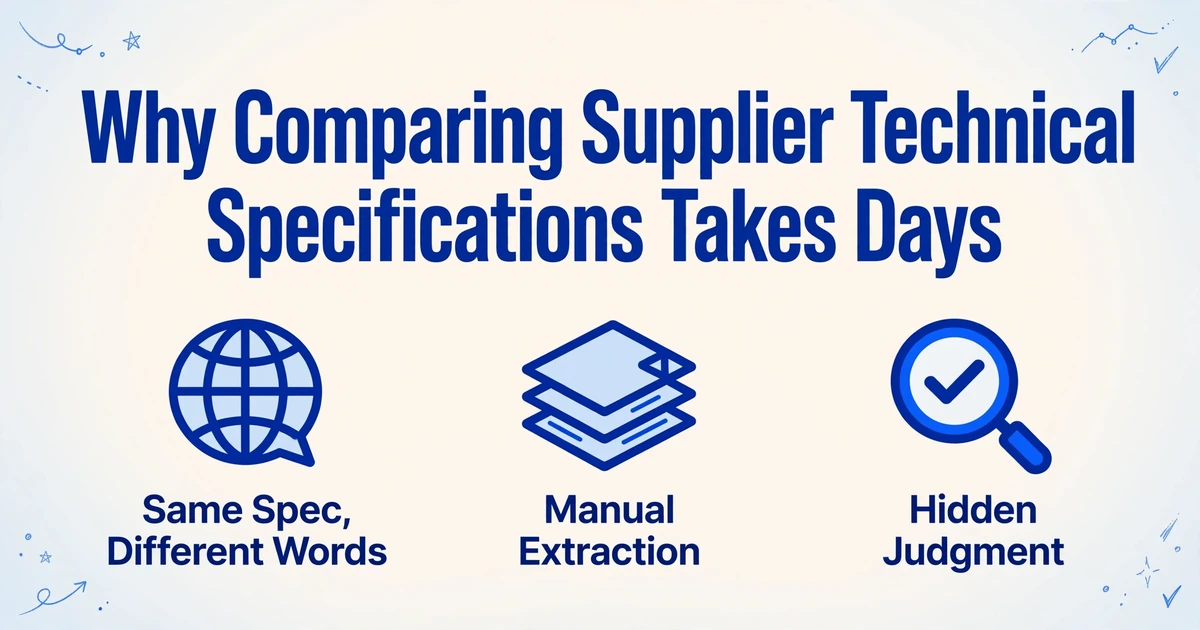
Two suppliers quote the same pump. One datasheet says "Rated power: 7.5 kW." Another says "Motor: 10 hp." A third lists "AISI 304" for the housing, and a fourth writes "EN 1.4301." Nothing on those documents disagrees. They describe the same specification in four vocabularies, and before anyone can score a single line, a person has to prove by hand that the four descriptions mean the same thing.
That translation work is where a tender comparison loses its time. Every row of the comparison is assembled from documents that each speak a slightly different language, and aligning them by hand is the slow part.
Key Takeaways
- The part that slows a tender comparison isn't the reading, it's proving that the same specification in four vocabularies means one thing.
- Four hundred cells each need a wording judgment on a five-supplier, eighty-line tender, and missing one is a statistical certainty.
- Separate extraction from judgment: define one column set before reading any document, and keep each supplier's original wording beside its normalized value so the comparison becomes a formula you can audit.
The Same Specification, Written Four Different Ways
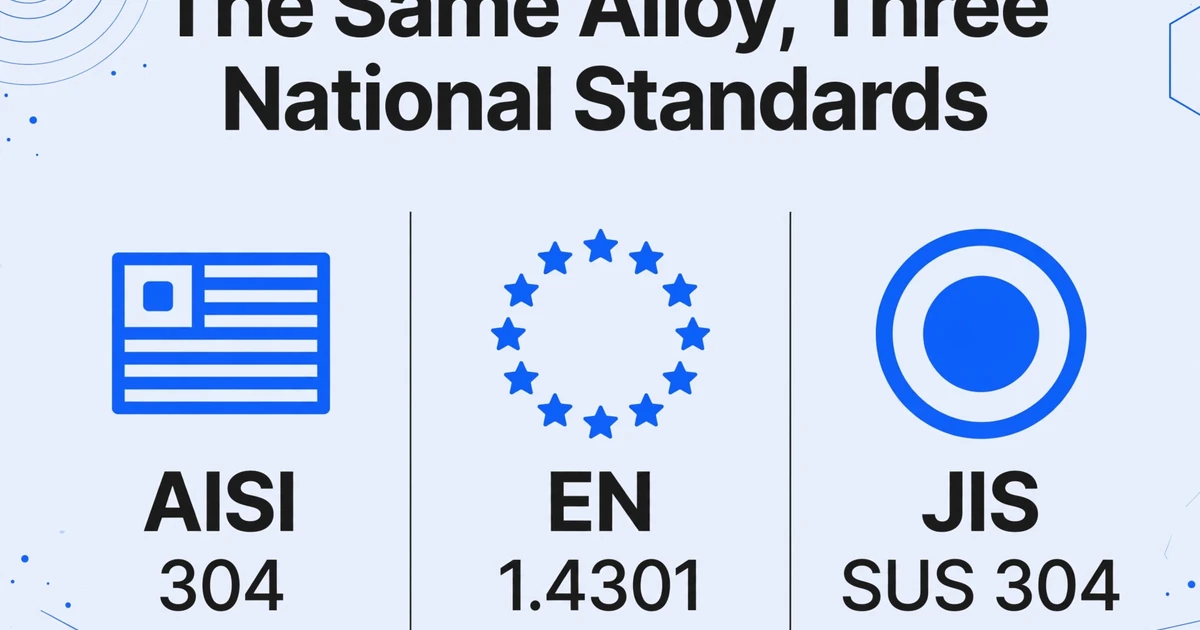
Suppliers do not describe specifications differently to be difficult. They describe them the way their own region and industry codifies them. A buyer in the United States writes grade 304 stainless steel as AISI 304. A European fabricator writes EN 1.4301. A Japanese supplier writes SUS 304. All three describe the same alloy, under three national standards, and all three are correct.
The pattern repeats across almost every technical category. A motor rated at 10 horsepower is a 7.5 kW motor. An enclosure rated IP55 under IEC 60529 may be described as a NEMA Type 12 enclosure by a North American supplier, and the two ratings are not identical even when they overlap. One datasheet lists a "maximum operating temperature," another a "thermal limit," a third a "service temperature range." A warranty of 24 months is the same commitment as a "2-year guarantee."
Each of these is a legitimate way to state a requirement. The problem appears the moment they sit in the same tender. To compare them, someone has to decide that EN 1.4301 and AISI 304 belong in the same row, that horsepower and kilowatts are the same measure, and that a thermal limit is an operating temperature. Those decisions are the comparison. In a manual process they get made silently, inside a person's head, and they never appear anywhere a reviewer can check.
A supplier tender comparison rarely fails because suppliers disagree. It fails because they agree in different words, and the translation happens where no one can see it.
What a Tender Specification Comparison Normally Looks Like
A well-run evaluation moves in two stages, and the order matters. Compliance comes first: each bid is checked against the mandatory requirements and either passes or fails. Only the bids that clear that gate move to technical scoring, where quality, performance, safety, or whole-life cost are rated against weighted criteria. Commercial evaluation of price comes after the technical picture, so a cheap bid cannot quietly win over a non-compliant one.
The Chartered Institute of Procurement & Supply (CIPS) sets out the practitioner version of this process. Technical assessment is carried out by the technical members of the evaluation team, any alternatives a supplier offers must be assessed individually, and the team is expected to treat every tender the same way and keep a clear, documented audit trail from start to finish. Weighted scoring then multiplies each criterion score by its weight and normalizes the result so the bids can be ranked.
Public-sector procurement adds a second layer of obligation. The UK Government's guidance on technical specifications under the Procurement Act 2023 exists so that buyer and supplier share "a common understanding of the requirements." Specifications describe quality, performance, safety, dimensions, packaging, and labelling. They are written to be unambiguous. The comparison is where that intention meets the reality of several suppliers each answering the same requirement in their own words.
On paper, the machinery is sound: a requirements list, a scoring model, a matrix with one column per supplier. What that picture hides is the preparation underneath it. Someone still has to read each document and populate the matrix, and that is the step the process documents rarely describe. The hidden flaw in manual quote comparison is precisely this: the matrix presents judgments as if they were data.
Where It Breaks: The Translation Happens Inside the Extraction
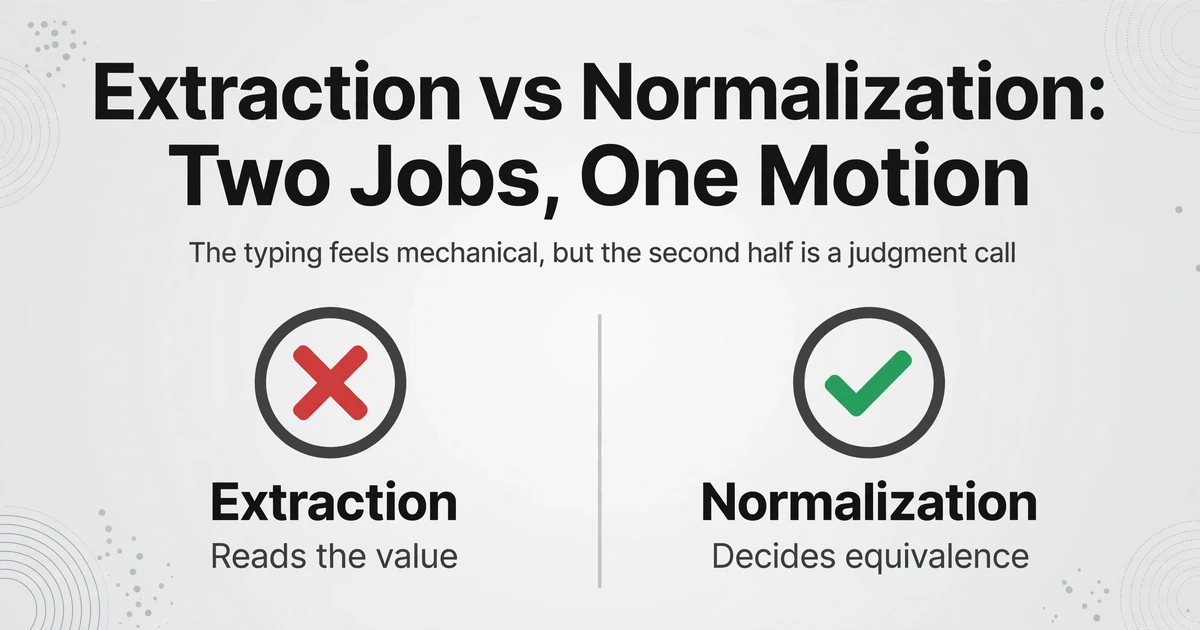
Two separate jobs get collapsed into one motion, and that is where the failure starts. When a buyer reads a supplier datasheet and types a value into the comparison sheet, two separate operations happen at once. The first is extraction: finding the rated power and reading it. The second is normalization: deciding that this value matches the criterion in this row of the matrix. The typing feels mechanical, but the second half is a judgment call, and because it is buried in the first half, it leaves no trace.
That is why the error is hard to catch later. A cell in a finished matrix holds a single number, and the number looks identical whether a person spent thirty seconds confirming the equivalence or assumed it because the column header looked close enough. The reviewer who inherits the sheet sees data. The person who built it made dozens of undocumented semantic decisions along the way.
Units compound the problem. If one supplier quotes kilograms and another pounds, or weeks and another days, someone performs a conversion, usually in an unlabeled helper column or mentally. A single misplaced decimal there distorts the row, and the distortion travels into the score. The same applies to ratings and standards: an IP rating and a NEMA type are related but not interchangeable, and treating them as synonyms can quietly drop a real compliance difference.
Practitioners describe the work in exactly these terms. In an r/procurement thread, a buyer wrote: "When I evaluate technical tenders, I often have to manually compare long technical specifications with several supplier offers. I end up cross-checking requirements line by line and trying to interpret different wording for the same criteria. It's slow, repetitive, and easy to miss non-compliances or advantages."
Two more things make the manual version worse than it first appears. Critical specifications hide in technical appendices, footnotes, or separate documents, so the comparison depends on whether the reader happened to look in the right place. And when a supplier omits a value entirely, that silence is easy to record as an empty cell and forget, even though the missing value is often the most useful signal in the row.
APQC's Open Standards Benchmarking puts the cost of processing a single purchase order between $14 and $54, with a median of $42, and the bulk of that cost is coordination rather than typing. Every specification that gets manually translated into a matrix is a small piece of that number, repeated across every supplier and every line item.
The arithmetic explains why the hours add up so fast. A mid-size evaluation with five suppliers and eighty technical line items contains four hundred cells. Each cell requires at least one wording judgment, and the harder cells require several. At that scale, the error is not a question of diligence. It is a statistical certainty, and the process offers no way to tell which of the four hundred decisions was the wrong one.
The Fix: One Normalized Column Set, Filled by Meaning
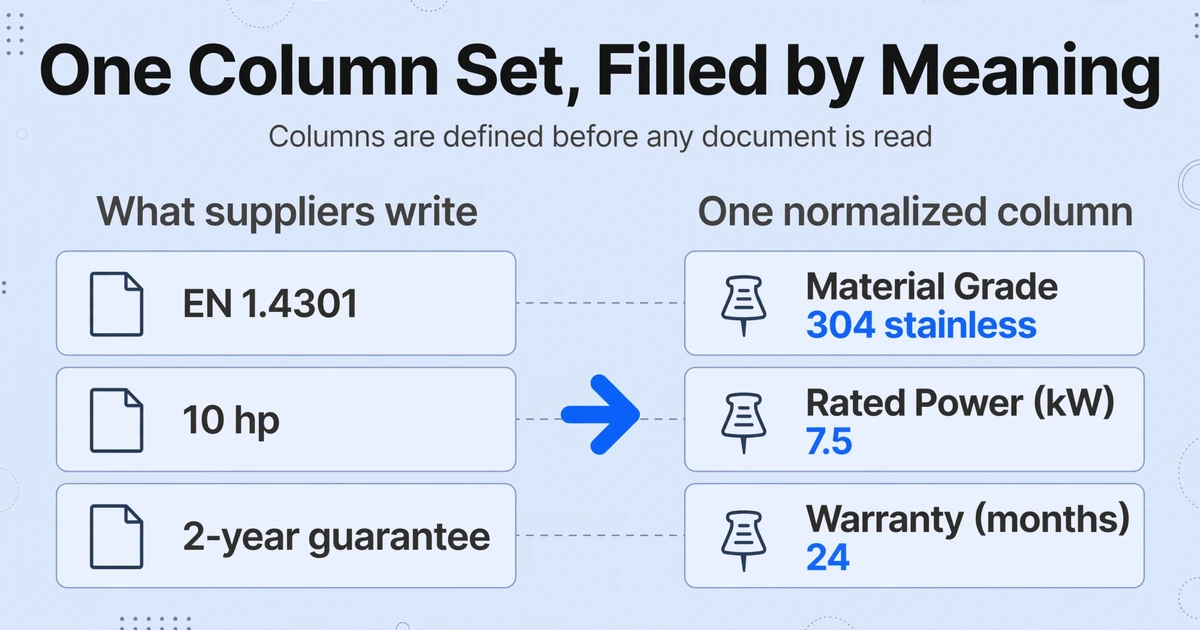
The fix is to decide the comparison's columns before you read any supplier document, then extract every document into that fixed set. Instead of letting each datasheet dictate its own labels and units, you write down the normalized criteria once: material grade, rated power in kilowatts, enclosure rating, operating temperature range, warranty in months, and certification status. Every supplier then fills the same row structure, which gives you one row per supplier and one column per criterion.
This is what Custom Column Extraction does. Rather than drawing boxes around fields on a template, you type the column names you want, and the AI locates each value by understanding what the field means rather than where it sits on the page. The column names you enter become the headers of the output table. A datasheet that prints the motor rating in the middle of a paragraph and one that puts it in a specification table both land in the same column.
Wording mismatch is handled by inferred columns. An inferred column asks the AI to place a value into a category you define, even when the document never uses your words. Define a column as Material Grade (options: 304 stainless / 316 stainless / other), and a supplier's "EN 1.4301" is filled in as "304 stainless." Add a second column such as Source Standard (options: AISI / EN / JIS / other) to keep the supplier's original wording beside the normalized value, so the equivalence you rely on is visible instead of implied.
A practical normalized set for a technical tender might look like this:
| Column you define | What the supplier may write | Normalized value |
|---|---|---|
| Material Grade (options: 304 / 316 / other) | EN 1.4301, AISI 304, SUS 304 | 304 stainless |
| Source Standard (options: AISI / EN / JIS / other) | Per EN 1.4301 | EN |
| Rated Power (kW) | 10 hp | 7.5 |
| Enclosure Rating (options: IP55 / IP65 / NEMA 12 / other) | IP 55 per IEC 60529 | IP55 |
| Warranty (months) | 2-year guarantee | 24 |
| Maintenance Schedule Stated (yes / no) | (no maintenance section in the annex) | no |
Because the same column set is applied to every document, the extraction itself becomes batch processing: you upload all the supplier files at once and receive a single table with one row per supplier, rather than opening each file and typing into a matrix. The alignment that used to happen invisibly while a person read and typed now happens as a defined step with a column and an option list attached to it.
Write the normalized column set first
Turn your requirements list into column names with units baked in: Rated Power (kW), Warranty (months), Enclosure Rating (options: IP55 / IP65 / NEMA 12 / other). Making the target structure explicit is the step the manual process does in someone's head.
Add source columns for the original wording
Keep a Source Standard column and a raw Notes column next to each normalized value. When a reviewer questions why EN 1.4301 became "304 stainless," the answer sits in the adjacent cell instead of in the buyer's memory.
Extract all suppliers in one batch
Upload every supplier's spec sheet, datasheet, and technical annex together. Each document becomes one row in the same table, so a PDF from one supplier and a photographed annex from another arrive in the same structure.
Let inferred columns normalize the vocabulary
The options list on each inferred column does the translation: horsepower becomes kilowatts, AISI 304 becomes a standard grade, and a missing certification is recorded as "not stated" rather than disappearing into a blank cell.
Do the side-by-side in the sheet, on purpose
With one row per supplier, the actual comparison is a spreadsheet step: sort, filter, apply your weightings, and let a formula flag where a value falls outside a threshold. The judgment is now a visible operation, not an assumption buried in data entry.
One more capability handles the unit problem cleanly. A computed column performs a calculation during extraction and outputs the result as a new column, and it can reference a fixed factor that never appears in the document. If one supplier quotes horsepower and the rest quote kilowatts, a column defined as Rated Power (kW from hp) applies the 0.7457 conversion for that supplier, so every value in the column is already in one unit before you compare.
The wider workflow for this kind of document is covered in the complete guide to vendor quote extraction, and the mechanics of building the comparison sheet are walked through in extracting quote data to compare in Excel. When the supplier count is high, batch-extracting quotes into one comparison is the version that scales past a handful of files.
Files are processed securely and not stored.
Why This Is Extraction, Not Automatic Comparison
It is worth being exact about the line, because this is where most specification-comparison claims overreach. ImageToTable.ai extracts each supplier's specifications into one normalized table. It does not read two supplier documents and declare on its own that two wordings are equivalent. It does not produce a verdict that Supplier B complies and Supplier C does not. That judgment stays with your evaluation team, which is what the technical-assessment step is for.
The distinction is not a limitation dressed up as a feature. An automatic equivalence verdict is exactly the kind of black box that is hardest to defend when a supplier challenges an award. A table where every normalized value sits beside its source wording, and where the comparison is a formula anyone can read, gives you the same speed with a trail a reviewer can follow. The workflow difference between manual and AI-assisted comparison is really this: the tool removes the transcription, and keeps the judgment visible.
Extraction and judgment are separate jobs. Performing them in one motion is what hides the assumptions; separating them is what makes the comparison auditable.
What This Does Not Do
It does not decide equivalence for you. You define the categories and the option lists; the AI fills them and records the original wording. Where a supplier's specification is genuinely ambiguous, a person still has to rule on it, and the source column is what makes that ruling reviewable.
It cannot invent a specification a supplier left out. If a datasheet omits the operating temperature, the cell is empty. That gap is useful information, and the answer is to go back to the supplier, not to let the model guess. An inferred column such as "not stated" makes the omission visible rather than silently absent.
Narrative and handwritten annexes are harder. Printed specification tables extract most reliably; the tool also reads PDFs, scans, and photos in JPG, PNG, WebP, and AVIF. Up to 99% accuracy on printed table data is our own figure for that specific input type, not a guarantee for dense handwriting or a poor scan. Review Mode and Bbox verification exist for exactly this: hover an extracted value and the source region highlights on the original document, so the fields with compliance weight can be spot-checked.
It does not become your evaluation system. There is no weighted scoring engine, no approval routing, and no write-back to an ERP. The normalized table is an input to the evaluation you already run. For the document types that feed it, the fields and workflow are covered in the guide to purchase order extraction and the purchase order to Excel example. And the final scoring still needs a technical person: CIPS is clear that technical assessment belongs to the technical members of the team. A tool removes the transcription, not the expertise.
Frequently Asked Questions
Can ImageToTable.ai compare two supplier specifications and tell me if they match?
No, and the boundary is deliberate. It extracts each supplier's specifications into one normalized table, one row per supplier. Deciding whether two differently worded specifications are equivalent is a cross-document judgment, and that stays a spreadsheet step you can see and audit. Once each value is a column, the side-by-side comparison is sorting, filtering, and a formula.
How do I handle the same spec written in different units?
Normalize at extraction. If one supplier quotes horsepower and another quotes kilowatts, a computed column applies a fixed conversion factor (1 hp = 0.7457 kW) so every value in the column arrives in one unit. The same approach works for inches and millimeters, pounds and kilograms, and weeks and days.
What if suppliers use different names for the same feature?
That is what inferred columns are for. You define a column with a fixed set of options, such as Material Grade (options: 304 stainless / 316 stainless / other), and the AI places a supplier's "EN 1.4301" into the correct category even though the document never uses your term. A paired Source Standard column keeps the supplier's own wording next to it.
Will it read scanned or handwritten specification annexes?
PDFs, scans, and phone photos in JPG, PNG, WebP, and AVIF are all supported. Clear printed tables extract most reliably; heavy handwriting or a skewed, shadowed scan lowers accuracy. Spot-check a sample with Review Mode before the normalized table becomes the basis of a scoring decision.
Do suppliers need to submit through a portal or a template?
No. Suppliers keep sending specifications the way they always have, as PDFs, spreadsheets, or scanned forms. The normalization happens on your side during extraction, so adoption does not depend on every supplier changing their process.
Is the normalized table an audit trail?
It is a structured record of what each document stated, with the normalized value and the source wording side by side, and Review Mode can trace any extracted value back to the region it came from. It is not a compliance system of record. Keep the original documents alongside the table and treat it as the index that makes them comparable.
Put the Judgment Back on the Record
Four suppliers described one specification in four vocabularies, and the translation happened somewhere no reviewer could reach. Give that translation a fixed set of columns, one row per supplier, and a source column beside every normalized value, and the judgment returns to where it belongs: in front of the evaluation team, on the record, ready to defend.