Recurring Invoices Vanish in a Shared Inbox
and the Cost Lands at Month-End Close
Ask the person who receives vendor mail how many recurring invoices arrived this month, and the honest answer is usually "I think I saw a few." That vagueness is not a bookkeeping failure, it is the natural behavior of a billing process run through a mailbox that several people read and nobody owns. Every recurring invoice eventually moves money, so the cost of that mailbox is never zero, it just shows up late, in a reconciliation, a double payment, or a renewal nobody stopped.
Key Takeaways
- "I think I saw a few" is what a shared billing inbox produces, because four readers each assume one of the others handled it.
- The recurring invoice is never actually lost, it is read by someone who assumes a colleague booked it while auto-pay moves the money anyway.
- One owned inbox address turns every arriving invoice into a dated row before the close, so month-end stops being an archaeology dig.
The Second-of-the-Month Question Nobody Can Answer
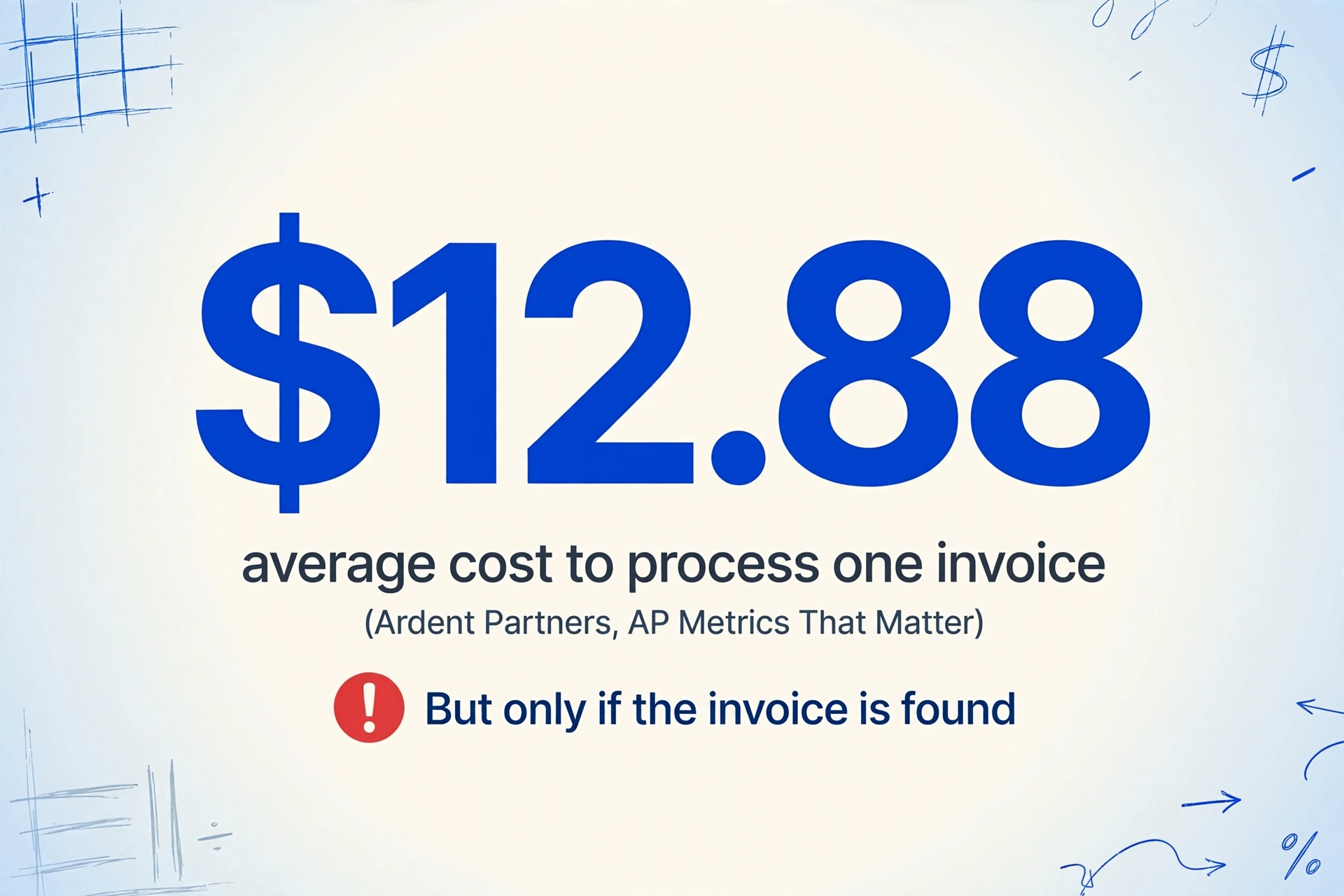
The useful measurement of a recurring billing process is not "did we pay on time" but "can anyone list what arrived." Ardent Partners, the research firm that benchmarks accounts payable for a living, put a number on the baseline: the average organization spends roughly $12.88 to process a single invoice, and best-in-class teams get that down to about $2.78 (Ardent Partners, AP Metrics That Matter). That cost assumes the invoice is found, opened, and routed. It does not cover the invoice that sits unread in a shared mailbox, because that invoice generates no processing cost at all. It generates a future surprise instead.
A recurring invoice never actually gets lost. It gets received with no owner, read by someone who assumes someone else booked it, and filed nowhere. The payment still happens, because subscription billing does not depend on anyone approving it.
The scale of the habit is worth stating plainly: PYMNTS, which surveyed mid-sized finance teams, found that only about 5% of mid-sized companies have fully automated accounts payable, while 44% have automated just one or two tasks and still do most steps by hand (PYMNTS, 2024). So the shared-inbox workflow is not an edge case from a disorganized company. It is the default running state of most small and mid-sized back offices, and it breaks in predictable ways that have nothing to do with anyone being careless.
Who Touches a Recurring Bill in a Normal Month
Before naming the failure points, it helps to name the people involved, because collapsing everyone into "the office" is how the slip happens. A recurring vendor invoice usually crosses four pairs of hands before it is safely in the books:
| Person | What they actually do | What happens if they drop it |
|---|---|---|
| Vendor billing system | Sends the invoice email on the billing cycle, charges on the same schedule | The invoice simply never surfaces as a decision |
| Office manager or admin | Sees the mail first in the shared inbox, decides who it belongs to | Assumes someone else is on it; nobody is |
| AP clerk or bookkeeper | Opens the PDF, types vendor, date, amount, codes it to the general ledger | Types it once, misses it on a later duplicate, or skips it in a busy week |
| Accountant (month-end) | Amortizes prepaid subscriptions, accrues invoices that arrive after the cut-off | Adjusting entries rest on invoices that were never logged |
| Budget owner | Decides whether a renewal stays at the new price | Never sees the renewal because the invoice never made it onto a list |
A working month looks like this: each invoice arrives, lands with a named owner, gets entered into the accounting system once, gets coded to the right expense account, and shows up two ways the accountant can count on it. First, in the current month's profit and loss statement. Second, in whatever list of recurring commitments the budget owner reviews before renewal dates pass.
Where the Inbox Process Breaks, and Why It Is Structural
The mailbox process fails for five specific mechanical reasons, none of which is "the team is lazy." Each one maps to a property of how email actually behaves in a shared account.
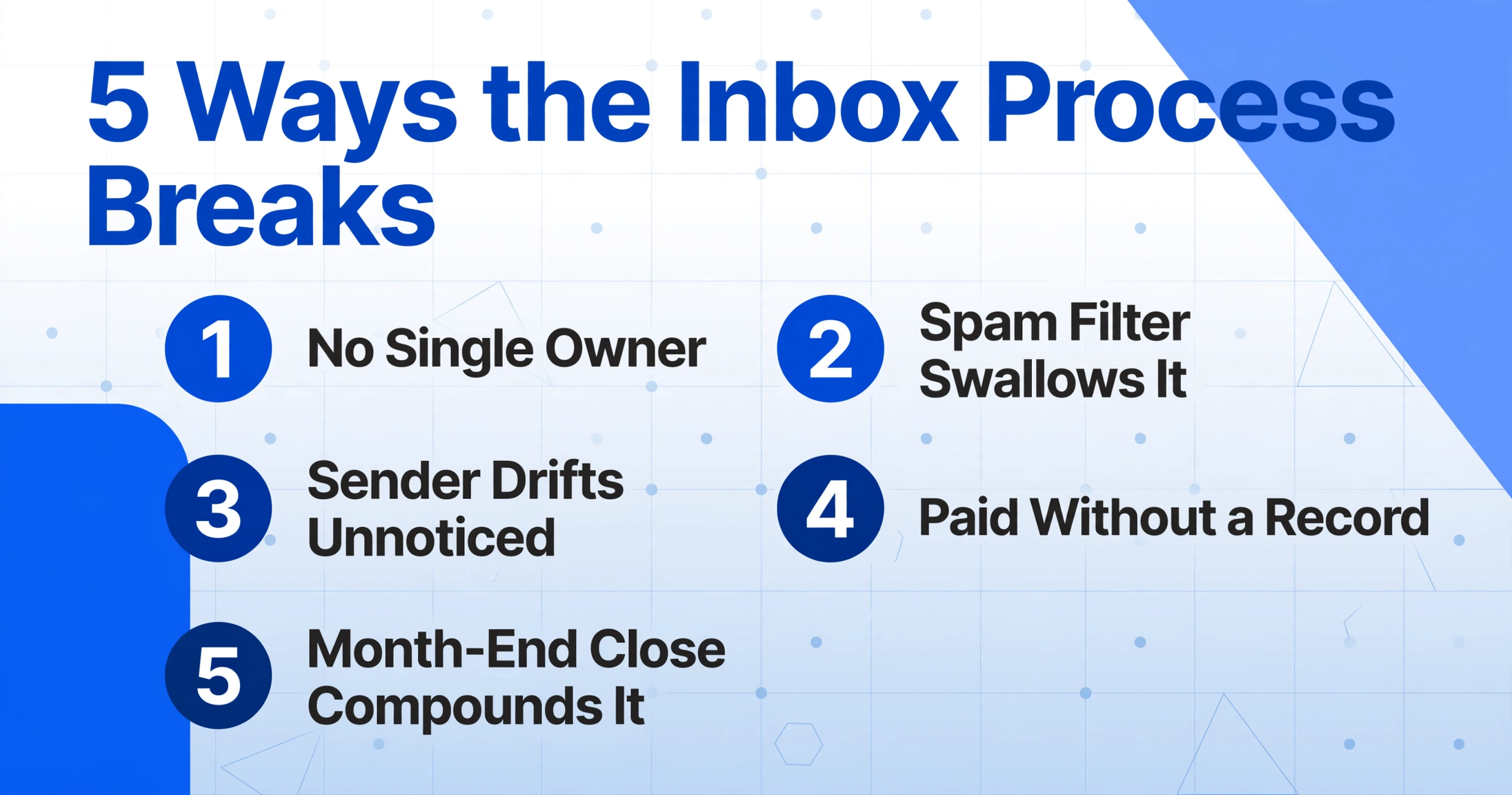
A shared mailbox has no single owner
When four people read the same inbox, each one can honestly believe another one handled the bill. The failure is not inattention, it is the absence of a defined custodian. One operations person in r/AccountingDepartment described the exact scramble of coordinating who did what: "All invoices land in a dedicated inbox. I don't want any of the people processing them stepping on each other's toes. If someone processed it, I need to know" (r/AccountingDepartment). Without an owner, "I'll get to it" and "I assumed someone else did" are the same event with two narrators.
The vendor's email is periodically flagged as spam
SaaS billing addresses switch between transactional subdomains, helpdesk addresses, and notice aliases. Each switch looks like a new sender to the spam filter, so a bill that arrived every month for three years suddenly lands in the junk folder and nobody is told. The monthly charge still fires, because the charge does not depend on the email being read.
The sender address drifts and nobody notices
A vendor that rebrands, merges, or moves its billing system changes the from-address on its invoices. The old forwarding rule or saved-filter still matches the old address, the new mail goes elsewhere, and the recurring invoice drops off the radar without any visible error.
The subscription bill is paid without ever being recorded
Recurring charges move through auto-pay and card-on-file arrangements. The money leaves the account, which satisfies the pay flow, but nothing in the payment step requires anyone to open the PDF or write down the amount. When the accountant later sees a monthly charge with no invoice behind it, the chase begins.
The month-end close is where all of it compounds
This is the quietest failure, and the one with a technical name. Under accrual accounting, expenses belong in the period they cover, not the period the bill shows up. Prepaid annual subscriptions are recorded as an asset under US GAAP and amortized into expense over the service period, per ASC 340-10. Invoices for the current period that arrive after the close cut-off get accrued manually. Both adjustments require a complete invoice list, and a shared inbox does not produce one. An unamortized prepaid, or a missing accrual, distorts the P&L for that month and reverses later with a correction that someone has to explain.
The mailbox does not fail at payment, it fails at record. Every recurring invoice that is received but never logged becomes an adjusting entry the accountant has to invent during the close.
These are human-scale, mechanical reasons, and they are exactly why the fix is not discipline training. The Association for Financial Professionals summarized the employer side of the same finding: in its coverage of AP automation, 77% of CFOs said automation can eliminate errors in the invoice process, and 93% said it improves invoice tracking (AFP, 2024). The point is not that automation is magic. The point is that the process currently delegates record-keeping to memory, and memory is a bad filing cabinet.
The Fix: Make the Inbox Do the Data Entry
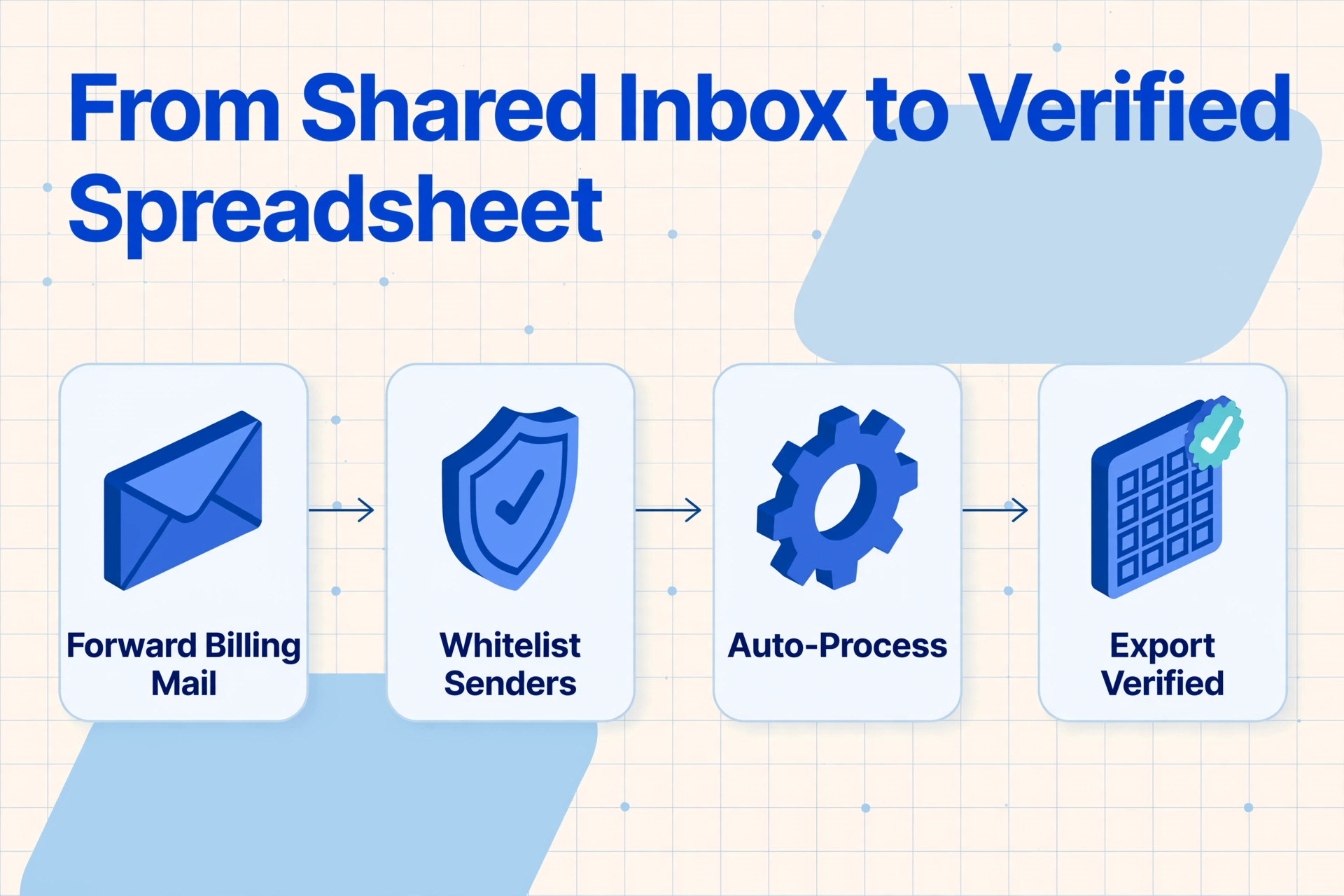
The way out is to change the container, not the people. Email Inbox is a feature that gives every ImageToTable.ai account its own dedicated inbox address. You share that address with vendors, or set a forwarding rule so your existing inbox sends bills to it, and attachments land in your processing queue with no login and no upload page in between. The queue treats every arriving invoice like a file waiting to be read, which removes the entire "did the bill arrive and who saw it" question.
Four specific settings turn that container into a control, and each one fixes one of the failure modes above:
When a vendor changes its billing address, you update one setting in the whitelist and the queue keeps working. When the budget owner wants to know what renews in the next quarter, they sort the sheet by Next Renewal Date instead of asking three people who each saw different emails. The monthly review stops being an archaeology session and starts being a small, checkable list.
Files are processed securely and not stored.
A practical note on coverage: the same setup pulls the utility and phone invoices your office pays automatically, not just software subscriptions. The dedicated inbox and whitelist behave identically for any vendor that sends a PDF on a schedule, which means the one sheet can hold every recurring commitment in one place. For a walkthrough of building the renewal-tracking sheet itself, from choosing columns to running the first batch, the guide to tracking every recurring subscription invoice before it auto-renews covers that setup step by step. This article is the failure-mode counterpart: what breaks in the inbox process and why the container is the fix.
What This Setup Still Cannot Automate
Extracting the invoice does not make the accounting decision for you. If a vendor charges outside the expected cycle, the exception still needs a person to look at it. If a supplier changes names and sends from a brand-new domain, renewal only returns to normal after someone updates the whitelist. And whether a subscription stays, gets canceled, or gets renegotiated is a budget-owner judgment that no invoice contains.
There is also a broader tooling landscape that does related but different jobs. Bill.com and QuickBooks handle the payment and general-ledger side of AP once invoice data exists. Zylo and Vendr focus on renewals and contracts from the spend-management side. Card tools like Ramp and Brex see charges at the point of sale. What they all skip is the step this article has been about: turning the arriving attachment into a complete, dated record before the books close. Getting recurring invoice rows into your spreadsheet is the direct route for that gap (pulling invoice data into Google Sheets is the quick route), and it works alongside whatever you already use for payment.
One final honesty about limits: a shared inbox that everyone keeps using will keep scattering mail. The dedicated inbox address works because it replaces the container, not because it reads faster. The tool extracts what reaches the queue, and it cannot chase invoices that were never forwarded or never whitelisted. Set the forwarding rule, approve the senders, and from that point the queue is the source of truth. Before that point, the old dynamics still apply.
Recurring Invoices in a Shared Inbox: Frequently Asked Questions
Can I use this if vendors still send to the normal inbox?
Yes. You set a forwarding rule in your existing mailbox that sends each vendor's billing mail to your dedicated Email Inbox address, so vendors never need to change anything on their side. The queue captures the mail even when nobody is actively looking, which removes the first failure mode entirely.
What if a vendor invoice ends up in the spam folder?
Whitelist the vendor's billing address in the Email Inbox settings, and mail from that address is always accepted. The whitelist is the replacement for fighting a spam filter per message.
Will this stop me from paying the same recurring invoice twice?
It helps in a specific way: because every arrival becomes a visible row, a second copy of the same invoice is no longer an unread attachment that gets processed again. What it does not do is stop the vendor from charging twice on the payment side. The record layer and the payment layer are separate, and the sheet surfaces duplicates you would otherwise have to remember.
Does this help with month-end prepaids and accruals?
It gives the accountant the one thing those entries need: the complete list of invoices with billing periods and amounts. Amortizing prepaid subscriptions under ASC 340-10 and accruing late-arriving invoices both start from a complete file, and the extracted columns deliver it. The judgment about the entries still belongs to the accountant.
Is this overkill if we only have a handful of subscriptions?
No. The setup cost is one forwarding rule and one whitelist, and the benefit scales down as well as up. With five subscriptions, the alternative is remembering five renewal dates, and the one thing the sheet changes is that you stop trusting memory for the couple of bills that renew in the same week.
The shift this article is arguing for is small and specific: stop asking "did the invoice arrive" and start asking "what arrived." A recurring invoice that lands in a mailbox nobody owns becomes a cost you discover at the close, and discovery is the expensive part. Point the billing mail at one address, whitelist who may send, and let the extraction write the rows. The setup walkthrough picks up from there, and the journey from scattered invoices to one current sheet is short enough to test this month.