Six P45 Data Entry Errors
That Overtax a New Starter — and What They Cost to Fix
On r/LegalAdviceUK, an employee described being stuck on an emergency tax code for nearly four months after starting a new job — despite having handed over a P45. In parallel threads on r/HMRC and r/UKPersonalFinance, the same story repeats: someone gives payroll a valid 1257L P45 "to ensure I would not be emergency taxed," and the deductions come out wrong anyway. What almost none of those posts capture is that the failure usually isn't the P45 itself. It's what happened in the two minutes between the PDF being opened and the values being typed into the payroll software's new-starter screen. A P45 carries roughly a dozen fields, and each one has a specific way of going wrong that produces a specific, traceable consequence on the employee's next payslip.
Key Takeaways
- You blame yourself for a P45 data-entry mistake — but the form you're transcribing from was designed without a standard layout, without check digits, and without any mechanism for payroll software to flag a well-formed-but-wrong value.
- A single mistyped field doesn't stay wrong on one payslip — because PAYE is cumulative, the same wrong tax code or pay-to-date figure is re-applied every single month, overtaxing the employee across every pay run until an HMRC correction resets the baseline.
- Remove the retype step and your job changes from transcribing every character on every P45 to validating only the handful of rows where a field doesn't add up — a nine-digit NINO that's missing a digit, or a tax figure that's implausible against the pay-to-date.
Why one wrong field on a P45 never stays one wrong field
A P45 error compounds because PAYE is cumulative by design. Unlike a receipt or an invoice — where a mistyped figure is wrong on exactly one document — a P45 feeds the opening position of a running calculation that your payroll software repeats every pay period for the rest of the tax year. Get the tax code, the pay-to-date, or the Week 1/Month 1 basis wrong at setup, and the software doesn't just apply that error once; it carries it forward into every subsequent Full Payment Submission (FPS) until someone catches it and corrects the baseline.
That is the difference between a P45 mistake and most other data-entry mistakes. The employee on the emergency-tax thread wasn't overtaxed by a single wrong number in month one — they were overtaxed in month one, month two, month three, and month four, because the wrong starting point kept generating wrong deductions. And because HMRC only reconciles the picture once it has complete income data, the refund often doesn't arrive until the tax code is corrected mid-year or, worse, until after the tax year ends. The consequence of a two-second typo is measured in months of the employee's cash flow.
The core risk: A P45 sets the opening baseline for a cumulative calculation. An error in the tax code, the pay-to-date figures, or the cumulative/non-cumulative basis is re-applied on every payslip until the baseline is corrected — so the damage scales with how long it goes unnoticed, not with the size of the original typo.
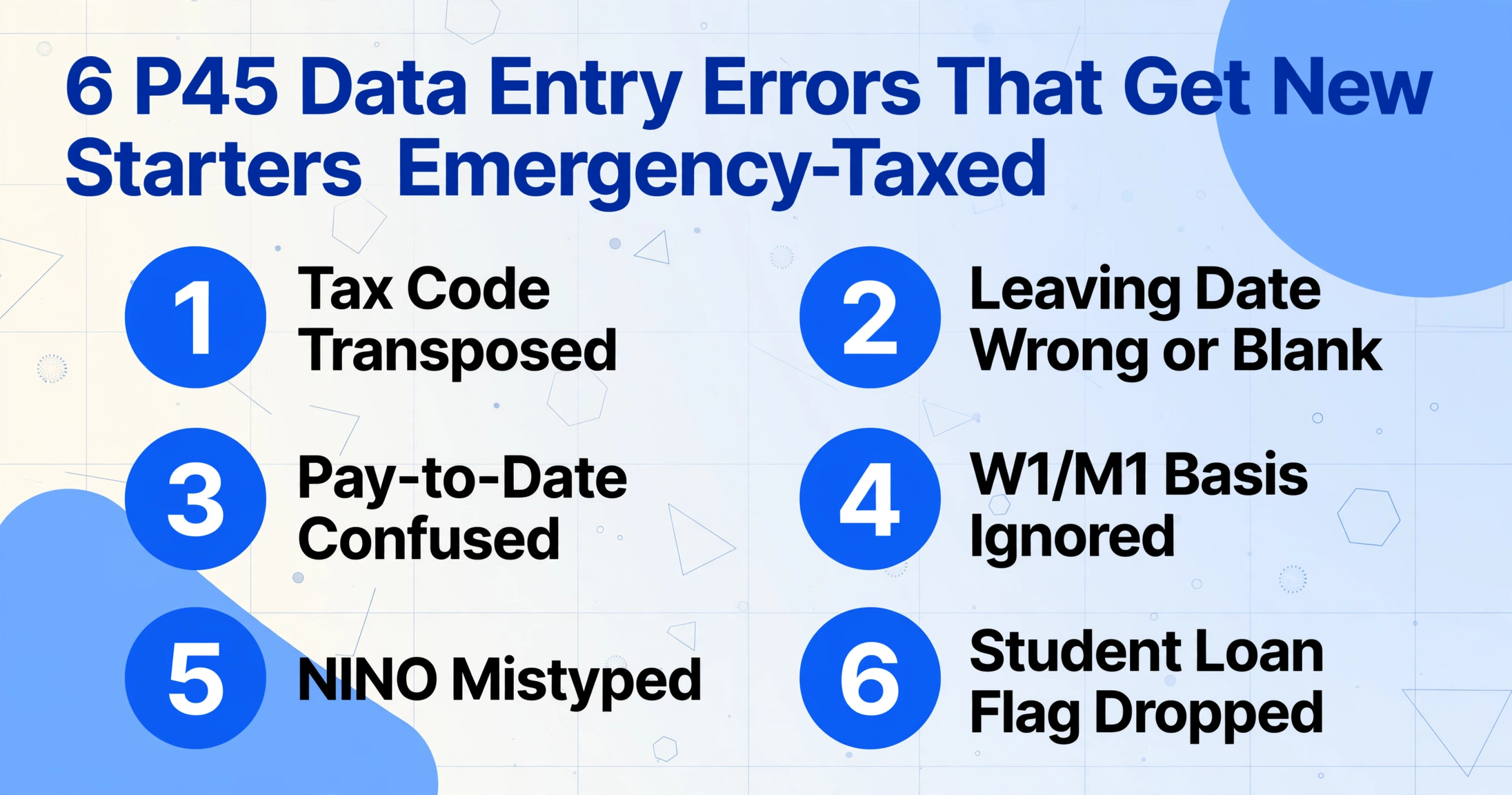
The six errors below are the ones that recur across payroll forums and HMRC's own correction guidance. Each is specific enough that you'll know whether you've made it — and each has a root cause that isn't "be more careful."
Mistake 1: Transposing a digit in the tax code
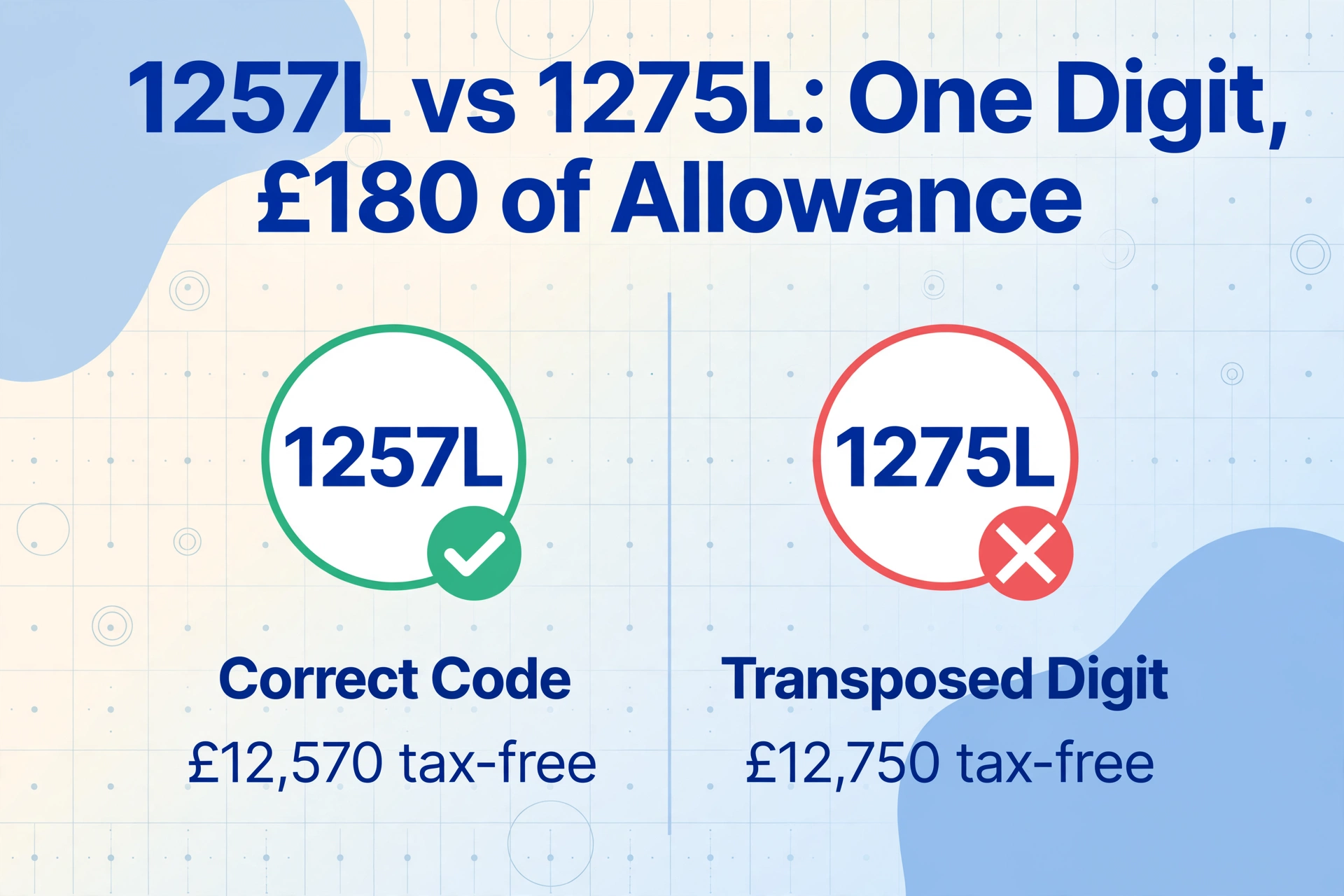
The most common P45 error is a single transposed digit in the tax code — 1257L keyed as 1275L, or 1250L as 1205L. It looks trivial because it is one character, but the number in a tax code is the employee's tax-free allowance divided by ten. 1257L grants £12,570 of tax-free pay; 1275L grants £12,750; 1205L grants £12,050. A wrong code means the employee is either handed allowance they aren't entitled to (and will owe it back) or denied allowance they are (and overpays until it's fixed).
The root cause isn't carelessness — it's that tax codes are strings of digits with no internal check, read off one layout and typed into another under time pressure. There's nothing about "1275L" that looks wrong. It's a valid-format code; it just belongs to a different allowance. And because payroll software accepts any well-formed code without questioning whether it matches the P45, the error passes silently into the first pay run.
The correction, once it's live, runs through HMRC rather than a quick edit: HMRC issues a revised code via a P6 or P9 notice, and your software applies it going forward. If the code was cumulative, the next payslip usually self-corrects the year-to-date position. If it was on a Week 1/Month 1 basis, the over- or under-payment sits unresolved until year end. Either way, the fix is slower than the error.
Mistake 2: Entering the wrong — or a blank — leaving date
A wrong leaving date corrupts the employee's position in the tax-year timeline, and a blank one that defaults to a placeholder (payroll systems sometimes coerce an empty date to 01/01/1900) can create a duplicate PAYE record at HMRC. The leaving date on the P45 tells your software which tax week or month the previous employment ended, which in turn sets where the new employment picks up. Enter it wrong and the cumulative calculation is anchored to the wrong point in the year.
HMRC's own guidance on correcting an FPS is explicit about how messy the downstream cleanup gets: if a payment date or leaving date is reported wrong and a "payment after leaving" flag is involved, you must not enter the same amounts in both the "pay in period" and "pay in year-to-date" fields, or you create a duplicate record for the employee — you have to put 0.00 in the pay-in-period field and realign the payroll to the correct tax period. That is a multi-step reconciliation triggered by one mis-keyed date.
The root cause is that leaving dates are easy to conflate: the date the employee's employment ended, the date of their final payment, and the date you received the P45 are three different things, and P45 layouts don't always make the distinction obvious. Enter the payment date where the leaving date belongs and the timeline shifts.
Mistake 3: Confusing "Total Pay to Date" with "Pay in This Employment"
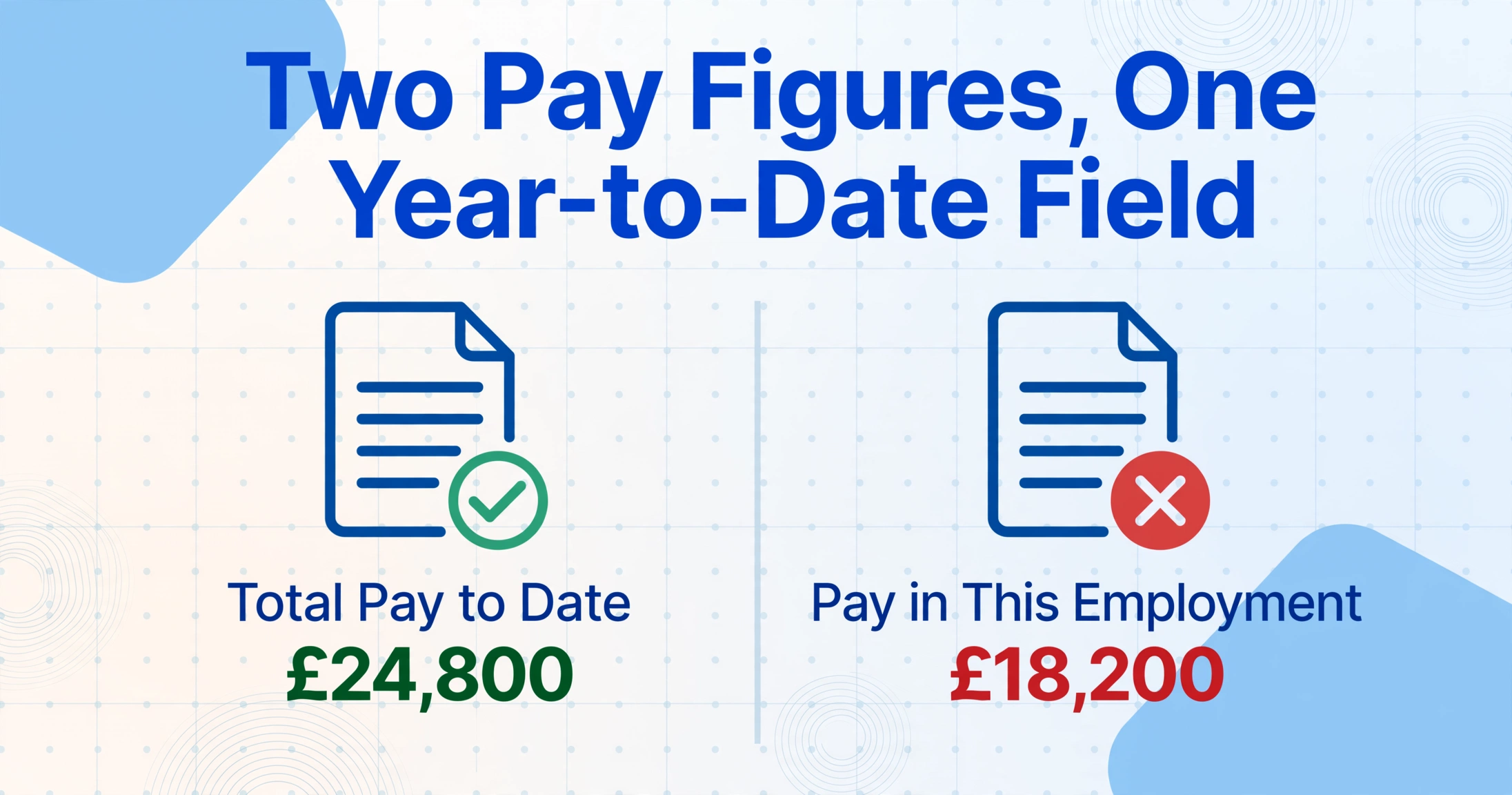
When an employee held more than one job, the P45 shows two pay figures — "Total Pay to Date" (cumulative across all employments this tax year) and "Pay in This Employment" (the leaving job only) — and entering the wrong one into your software's year-to-date field misreports the employee's cumulative earnings to HMRC. The two numbers are different on purpose, and only one of them belongs in the year-to-date field that drives the cumulative tax calculation.
Put "Pay in This Employment" where "Total Pay to Date" should go, and you understate the employee's earnings for the year. The software then thinks the employee has more unused personal allowance than they actually do, under-deducts tax for several months, and the shortfall surfaces as a nasty tax-code correction later — HMRC reclaims the underpaid tax by cutting the allowance in the code, so the employee suddenly sees a much bigger deduction to claw back what was never taken.
This one catches experienced administrators, not just newcomers, because a single-employment P45 has the two figures identical — so the habit of "just grab the pay number" works until it silently doesn't on a multi-job leaver. The root cause is that the distinction only matters some of the time, which is exactly when a rote copy step fails. The field-by-field breakdown of what each P45 box means is worth keeping to hand precisely for these dual-figure cases.
Mistake 4: Treating a Week 1/Month 1 code as cumulative
A tax code carrying a "W1" or "M1" suffix — for example, 1257L M1 — is non-cumulative, and ignoring that suffix (entering the code as plain 1257L) tells your software to spread the allowance cumulatively when it shouldn't. Week 1/Month 1 means each pay period is taxed in isolation, using only that period's pay and ignoring everything earlier in the year. Drop the suffix and the calculation basis flips.
The consequence runs in whichever direction the ignored basis pushed it. If the employee genuinely should be on M1 (HMRC often applies it when their earlier-year records were incomplete) and you enter a cumulative code, the software may hand back allowance the employee has already used elsewhere, under-deducting now and setting up a bill later. The inverse mistake — leaving an emergency M1 code running when HMRC has since issued a cumulative one — keeps the employee overtaxed because the allowance never accumulates across periods.
The root cause is that the W1/M1 flag is a two-character suffix that reads like an afterthought but changes the entire arithmetic. It's easy to treat "1257L M1" and "1257L" as the same code with a stray label. They are not the same code. One deliberate detail: a genuine W1/M1 code on a P45 is an authoritative HMRC instruction to enter as-is — not an error to "tidy up" by making the figures look cumulative.
Mistake 5: Mistyping the National Insurance number
A wrong National Insurance number means HMRC can't match the new starter to their existing record, so the first FPS can be rejected or, worse, land against the wrong person's account. The NINO is the identity key HMRC uses to reconcile an individual across every employment they've ever had. Its format is rigid — two letters, six digits, one suffix letter (e.g. QQ 12 34 56 C) — but rigid format doesn't stop a transposed digit, and a well-formed-but-wrong NINO looks completely valid.
When the number doesn't match, the National Insurance contributions and PAYE you report can be credited to the wrong record. For the employee that can mean gaps in their contribution history — the kind that later dents State Pension qualifying years or entitlement to contribution-based benefits — and the problem is invisible until they check a statement years later. Certain prefixes are never issued (the letters D, F, I, Q, U and V are never used as the first letter; O is never the second), so those flag an obvious error, but a plausible wrong number sails straight through.
The root cause is that a NINO is nine characters of pure identifier with no meaning to sanity-check against — you cannot look at it and tell it's wrong the way you might question an implausible salary. It either matches HMRC's record or it doesn't, and you find out downstream.
Mistake 6: Dropping the student loan indicator — or guessing the plan
The P45 flags student loans with a single "Y" indicator in box 5 and nothing more — it does not say which plan — so both dropping the flag and guessing the plan produce wrong monthly deductions. According to the Chartered Institute of Payroll Professionals (CIPP), when a P45 shows "Y" in the student loan box, deductions must start from the next available payday, but because the form doesn't distinguish Plan 1, Plan 2, Plan 4 or Plan 5, the employee has to tell you which one applies.
Two distinct errors live here. The first is missing the indicator entirely — the checkbox is small, and if it's overlooked the employee's repayments stop the moment they change jobs, quietly building an arrears balance the Student Loans Company reclaims later. The second is guessing the plan. HMRC's guidance for employers says that if the employee can't tell you their plan, you default to Plan 5 in your payroll software until an SL1 start notice arrives — you don't invent a plan, and you don't deduct arrears for the period before you received the P45. Pick the wrong plan and the threshold is wrong, so the percentage comes off the wrong slice of pay every single month until an SL1 corrects it.
The root cause is a structural gap the CIPP has openly polled its members about: the P45 simply doesn't carry the plan type, so the form itself can't tell you enough to get the deduction right. That makes this less a transcription slip than a known blind spot — one you close by capturing the indicator accurately and then confirming the plan with the employee or via the SL1 notice, not by assuming.
What it actually takes to fix a P45 error after payroll has run
Correcting a P45 error is never as quick as the error that caused it, and in the wrong circumstances it exposes the employer to a penalty. The first thing to know is that you cannot simply reissue a corrected P45 — HMRC prohibits amending or regenerating one, because a second P45 would create duplicate PAYE records. Any correction has to flow through Real Time Information instead.
| When the error is caught | Correction route | What it involves |
|---|---|---|
| Same tax year, before year-end | Update year-to-date figures on your next regular FPS | HMRC's guidance: correct the running YTD in the next Full Payment Submission; the software realigns the cumulative position from there. |
| Wrong payment/leaving date, same year | Additional FPS with "H — correction to earlier submission" | Send a corrective FPS, mark the late-reporting reason, and put 0.00 in pay-in-period where a payment-after-leaving flag applies to avoid a duplicate record. |
| Previous tax year (after 19/20 April) | Earlier Year FPS (EYFPS), which replaced the Earlier Year Update (EYU) | Submit corrected figures for the closed year through your payroll software's earlier-year correction function, or HMRC Basic PAYE Tools if the year wasn't run in your software. |
| Wrong NINO already reported | Correct on next FPS, then write to HMRC to recover the record | HMRC cannot recover a mis-posted record until you've corrected and resubmitted the FPS; the recovery request goes to the PAYE and Self Assessment team at BX9 1AS. |
Payroll software makes the mechanics possible but not painless. BrightPay, for instance, requires you to re-open the affected payslips before you can amend them, and provides a dedicated student-loan plan selector for that specific fix; IRIS Staffology exposes an "Earlier Year FPS" function per employee for closed-year corrections. The tooling exists precisely because these corrections are common — but each one is a manual reconciliation, not a one-click undo.
The sharper risk is the penalty. Errors on RTI returns fall under Schedule 24 of the Finance Act 2007, and as the CIPP summarises, where an inaccurate return understates the tax due, HMRC can charge 30% of the potential lost revenue for a careless inaccuracy, 70% for a deliberate one, and up to 100% where it's deliberate and concealed. A mistyped P45 figure is unlikely to be judged deliberate — but "careless" is precisely the category a transcription error falls into, and the defence against it is being able to show you took reasonable care. HMRC will only charge a penalty "if you did not take reasonable care or did it deliberately," which makes the presence or absence of a controlled, checkable data-entry process the difference between a correction and a fine.
Where these errors come from — and the fix that removes the transcription step
Every one of these six errors shares a single root cause: a human reads a value off one document layout and retypes it into another, with no error-correction layer in between. The tax code isn't wrong on the P45; it becomes wrong in the retyping. The fix, then, isn't "check more carefully" — it's removing the retype.
This is harder than it sounds with P45s specifically, because there is no standard P45 layout. HMRC mandates what data a P45 must carry but not how it looks, so a P45 produced by Sage 50 Payroll puts the tax code in a different place than one from BrightPay, Xero, or QuickBooks UK. Template-based OCR — which depends on knowing where each field sits on the page — breaks the moment a P45 arrives from a payroll provider whose layout it wasn't built for. That's why the "common denominator" has always been a person reading the PDF.
ImageToTable.ai removes the retype without needing a template for each provider. It uses Custom Column Extraction: instead of telling the tool where the tax code sits on each layout, you type the field names your payroll setup needs — "Tax Code at Leaving," "Total Pay to Date," "Pay in This Employment," "Leaving Date," "NINO," "Student Loan Indicator," "Week1/Month1 Basis" — and the AI reads each P45 by understanding what those labelled fields mean, wherever they appear, on whatever provider's layout. The column definition is written once and reused for every new starter across the tax year. Because the tool captures both "Total Pay to Date" and "Pay in This Employment" as separate columns, and preserves the W1/M1 suffix as it's printed, the two errors that depend on conflating fields (Mistakes 3 and 4) don't arise from the extraction step.
Extraction isn't a claim of perfect accuracy — it's the removal of the specific failure mode these six errors come from. You still owe the payroll run a validation pass: a quick shape-check in Excel that flags a NINO that isn't nine characters, a tax code that doesn't end in a valid letter, or a tax figure that isn't a plausible proportion of pay. But you're checking a handful of flagged rows against the source, not manually transcribing every field on every P45 and hoping you didn't transpose a digit. For teams that want the wider context — batch handling, validation formulas, and the full field set — the complete guide to UK P45 extraction and the cost breakdown of manual P45 processing pick up where this article leaves off.
FAQ
Why am I on emergency tax when I handed my new employer a P45?
A P45 prevents emergency tax only if the tax code on it is entered correctly and on the right basis. If the code was mistyped, if a Week 1/Month 1 suffix was ignored, or if the leaving date was entered wrong, the payroll software may still apply an emergency or non-cumulative code. The P45 being handed over is step one; the values being transcribed accurately into the new-starter screen is what actually stops the emergency code. If you're overtaxed despite giving a valid P45, ask payroll to confirm the exact code and basis they entered against what's printed on your Part 2/Part 3.
Can an employer just reissue a corrected P45 if they made a mistake?
No. HMRC prohibits amending or regenerating a P45, because a second P45 would create duplicate PAYE records for the same employment. The employer may provide a duplicate copy of the original (reprinting the exact same figures), but any correction to pay or tax to date must go through Real Time Information — an updated FPS for the current year, or an Earlier Year FPS for a closed year — not by altering the P45.
What's the difference between an EYU and an Earlier Year FPS?
The Earlier Year FPS (EYFPS) replaced the Earlier Year Update (EYU) as the route for correcting figures reported in a previous, closed tax year. Where an EYU reported only the difference between the original and corrected figures, an Earlier Year FPS replaces the final FPS submission with the full corrected figures. For current-year errors you don't use either — you simply update the year-to-date figures on your next regular FPS.
What happens if I enter the wrong NI number from a P45?
A wrong National Insurance number stops HMRC matching the record to the correct person, so contributions and tax can post against the wrong account or bounce on submission. Correct the NINO on your next FPS, then write to HMRC's PAYE and Self Assessment team (BX9 1AS) with the individual's name, correct NINO and payroll ID to request recovery of the mis-posted record — HMRC can't recover it until you've corrected and resubmitted the FPS.
The P45 shows a student loan indicator but not the plan — what do I do?
Start deductions from the next available payday, and ask the employee which plan they're on (Plan 1, 2, 4 or 5). If they can't tell you, HMRC's guidance is to default to Plan 5 in your payroll software until an SL1 start notice arrives with the correct plan; don't guess a plan and don't deduct arrears for the period before you received the P45. The P45's box 5 only tells you that deductions should continue, never which plan applies.
Can a P45 data-entry mistake actually trigger an HMRC penalty?
It can, if the mistake produces an inaccurate RTI return that understates tax due. Under Schedule 24 of the Finance Act 2007, HMRC can charge 30% of the potential lost revenue for a careless inaccuracy, rising to 70% or 100% for deliberate errors — though penalties can be mitigated or suspended, and HMRC only charges one where reasonable care wasn't taken. A controlled data-entry process with a validation step is the practical evidence of reasonable care.
Can I extract data from a scanned or photographed P45?
Yes. Because the extraction reads fields by meaning rather than by fixed position, it handles PDF exports from any payroll provider as well as scans and phone photos of printed P45s, as long as the text is legible. This covers the common case where a new starter brings a paper P45 from a previous employer who never issued a digital copy.
Every one of these six errors enters through the same door: a value retyped by hand under time pressure. Close that door, and the tax code, the pay-to-date, and the leaving date arrive in your spreadsheet exactly as the P45 printed them — leaving you a quick check instead of a full transcription.
Extract a P45 Without Retyping ItNo sign-up required to test on a sample P45. Secure processing with automatic file deletion.