Hidden Costs of Document Extraction Tools
Setup Fees, Minimums & Overage Charges
The sticker price on a document extraction tool's pricing page tells you less than half the story. Setup fees, training costs, overage charges, and integration work regularly double — or triple — what most teams expect to pay in their first year.
Key Takeaways
- You saw $39/month on the pricing page and budgeted $468 for the year — but setup fees, training hours, and template maintenance have not appeared on any invoice yet.
- Overage charges hide in your processing bill, template maintenance hides in your payroll, integration engineering hides in your dev budget — each line item feels small enough to ignore until someone adds them all up.
- A $49/month tool with zero setup and transparent billing can cost less in year one than a $19/month tool that quietly burns 40 hours of training labor and $500 in overage fees — compare fully-loaded cost, not sticker price.
A $39 monthly subscription catches your attention. Then the first invoice arrives and it's $390 — because setup was billed separately, you went over your page limit mid-month, and the integration your team needed wasn't included in the plan. This isn't a bait-and-switch. It's how document extraction pricing actually works once you move past the marketing page.
This article breaks down seven categories of hidden costs that regularly inflate the real cost of document extraction tools. Use it as a checklist when you evaluate any tool — and ask the hard questions before you sign a contract, not after the first overage bill arrives.
1. Setup & Implementation: The Upfront Cost Nobody Quotes
The most expensive hidden cost is the one that appears before you process a single document. Enterprise-grade extraction platforms like ABBYY Vantage, Kofax, and Hyperscience require certified partner deployment. Independent benchmarks and buyer reports on market intelligence platforms consistently put ABBYY implementation costs between $15,000 and $200,000 — a number that never appears on the pricing page because ABBYY doesn't publish pricing at all. You fill out a form, talk to sales, and discover the quote includes a six-figure professional services line item.
Even mid-market tools charge for setup. Nanonets and Docsumo include basic onboarding in their higher-tier plans but bill separately for custom model creation, workflow configuration, and ERP integration. A user on the r/salesforce subreddit reported being quoted approximately $30,000 for Salesforce's enterprise IDP solution — and ended up with a third-party tool at $499 per month that required no implementation fee.
The question to ask: "What is the total cost to go from sign-up to the first successfully processed document, including any professional services, onboarding, or configuration fees? Is implementation included in the subscription or billed separately?"
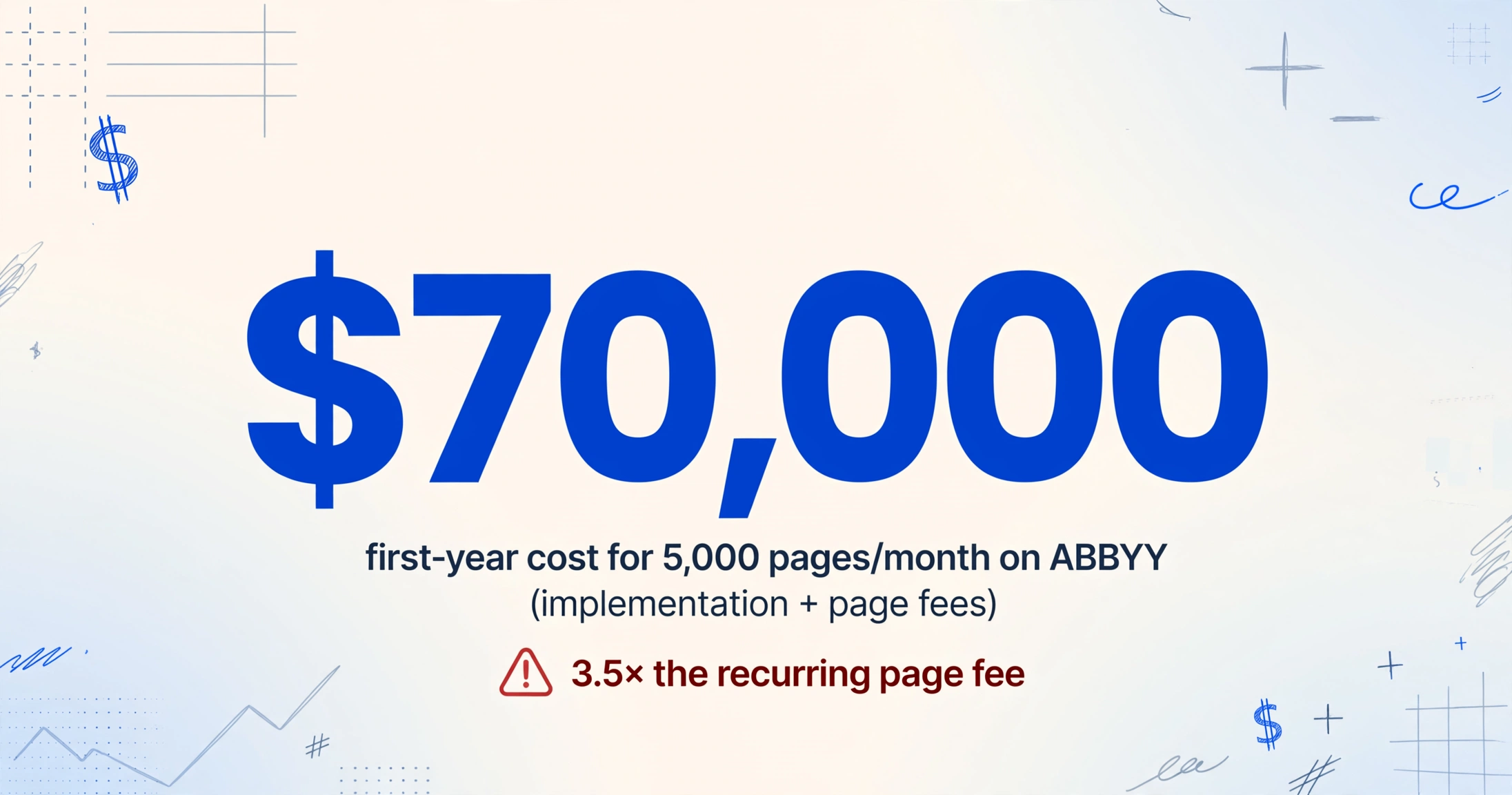
Real-world example: A team processing 5,000 pages per month on ABBYY might pay $20,000 per year in page fees — but add a $50,000 implementation cost, and the first-year effective cost jumps to $70,000. That's 3.5× the recurring page fee alone.
2. Training Costs: Paying to Teach the AI
Machine-learning-based extraction tools — Nanonets, Rossum, Docsumo — require training data before they can process your documents. The standard requirement is 10 to 50 labeled samples per document type. If you process invoices from 20 different suppliers, that's 200 to 1,000 documents you need to manually label before the tool can work.
The cost is not the software subscription — it's the human hours spent labeling. A finance associate labeling documents at, say, 5 to 10 minutes per document, for 500 documents, adds 40 to 80 hours of labor. At typical blended compensation rates for accounts payable staff, that's $1,200 to $2,800 in training labor. And if a supplier changes their invoice layout, you may need to retrain.
Some platforms offer "pre-trained" models for common document types like invoices and receipts, but custom or semi-structured documents — packing slips, certificates of insurance, inspection reports — almost always require additional training. The pricing page says "AI-powered extraction with 95%+ accuracy." What it doesn't say is that accuracy depends on you providing the training samples.
The question to ask: "Does this tool require labeled training samples before it can extract from my document types? If so, how many per format, and who is responsible for producing them?"
3. Template Maintenance: The Subscription That Never Ends
Template-based tools — Docparser, Parseur, and traditional zonal OCR products — work by matching documents against predefined layouts. You draw boxes around fields on a sample invoice, name each box ("Invoice Number," "Total Due"), and the tool looks for data in those exact positions on every future document.
This works beautifully — as long as every document from every supplier uses the exact same layout. The moment a supplier reformats their invoice, adds a new field, or changes the logo position, your extraction breaks. Fields shift. Data lands in wrong columns. The tool starts producing garbage output silently.
The hidden cost is the ongoing labor of maintaining templates. A medium-sized business processing invoices from 50 suppliers might need to update templates 5 to 15 times per year as suppliers change their layouts. Each update takes 15 to 45 minutes of manual reconfiguration — plus the time to detect that extraction has broken in the first place. Some template-based tools charge for additional parsing rules or "parser versions" on higher-tier plans.
This is why template-free extraction has become a meaningful differentiator. When a tool uses semantic understanding — reading the document by meaning rather than by position — a supplier layout change doesn't break your pipeline. The AI adapts automatically because it's looking for the concept of "Invoice Number," not a rectangle at coordinates (x=120, y=340).
The question to ask: "What happens when a supplier changes their document format? Do I need to update templates manually, and is there any cost associated with that?"
4. Overage Charges: When Your Bill Randomly Doubles
Every document extraction plan has a usage limit: 100 pages, 1,000 documents, 500 credits per month. What happens when you exceed that limit varies dramatically between tools — and the cost difference can be the difference between a predictable bill and a nasty surprise.
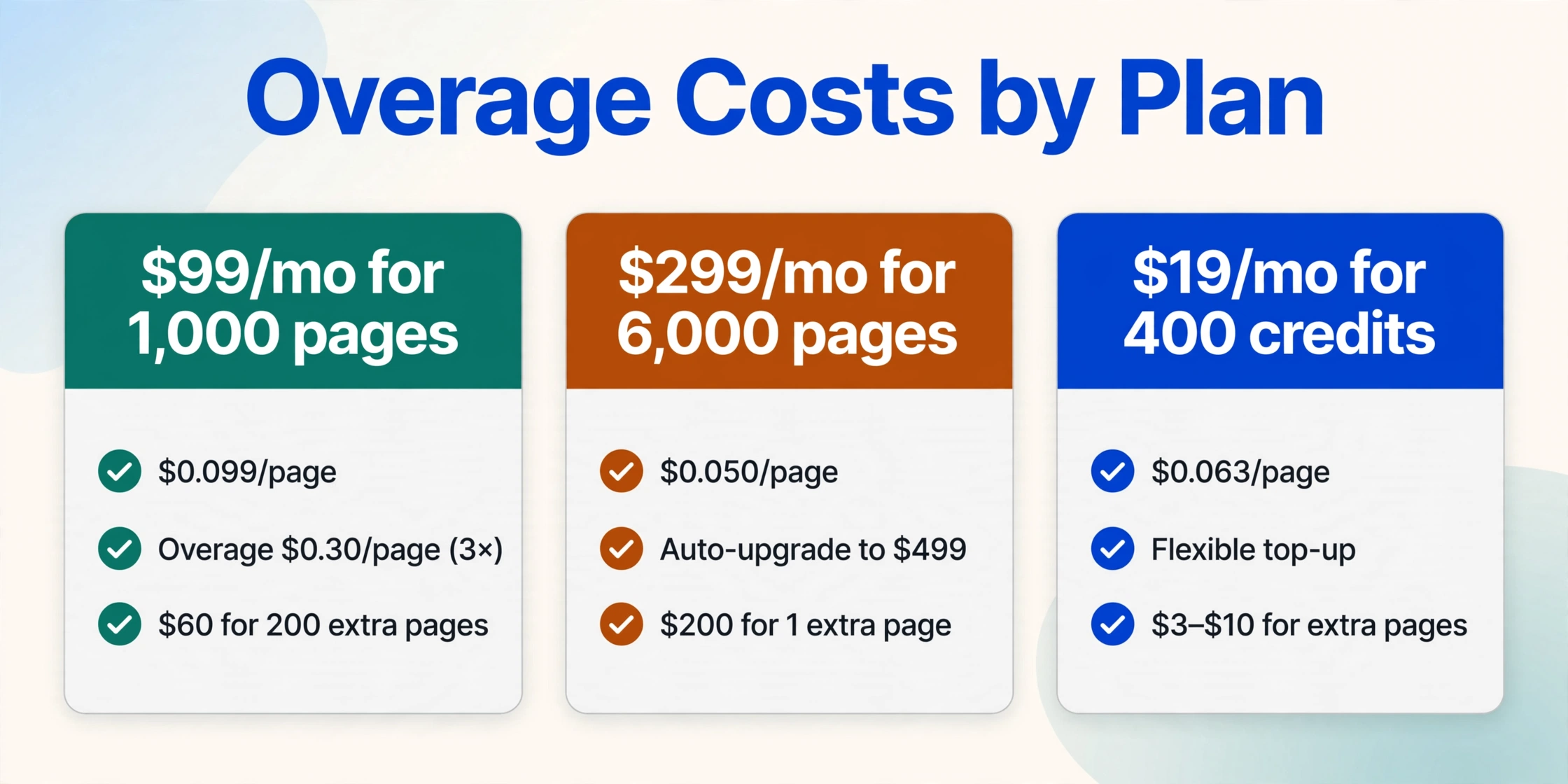
Some tools simply block processing until the next billing cycle. Others charge overage fees at rates that are 2 to 5 times the per-unit cost of your plan. If you're on a $99/month plan that gives you 1,000 pages ($0.099/page), and overage kicks in at $0.30/page, your effective cost triples for every page above the limit. In a high-volume month — end-of-quarter invoicing, tax season, annual audit — a single spike can cost more than the subscription itself.
A few tools auto-upgrade you to the next tier when you exceed your limit, which can be even more expensive: crossing from a $99 plan to a $299 plan for processing 1,001 pages means paying $200 extra for that one additional page.
| Plan Details | Normal Per-Unit Cost | Overage Rate | Cost of 200 Extra Pages |
|---|---|---|---|
| $99/mo for 1,000 pages | $0.099/page | $0.30/page (3×) | $60 |
| $299/mo for 6,000 pages | $0.050/page | Auto-upgrade to $499 | $200 |
| $19/mo for 400 credits (ImageToTable.ai Pro) | $0.063/page | Flexible top-up, not punitive | $3–$10 |
The question to ask: "What is the exact overage rate per page or per document? Is there a cap on overage charges? Will I be auto-upgraded to a more expensive plan if I exceed my limit?"
5. The Credit Shell Game: What Is a "Page" Anyway?
If there is one hidden cost that confuses more buyers than any other, it's the definition of a "credit" or a "page." No two tools count the same way.
One tool says "1 credit = 1 page." Another says "1 credit covers up to 5 pages." A third charges per document regardless of page count. A fourth charges by the field — a simple invoice with 5 fields costs less than a complex one with 40 fields. Comparing headline prices without normalizing the billing unit is comparing apples to oranges, except the apples cost $0.50 each and the oranges come in bunches of five.
Consider a concrete example: a 3-page invoice processed on three different tools with three different credit definitions.
| Tool | Credit Definition | Plan Price | Cost to Process 3-Page Invoice |
|---|---|---|---|
| Tool A | 1 credit = 1 physical page | $39/mo for 100 credits | 3 credits ($0.39/page) |
| Tool B | 1 credit = up to 5 pages | $49/mo for 250 credits | 1 credit ($0.20/page) |
| Tool C | 1 credit = 1 document (any length) | $99/mo for 1,000 credits | 1 credit ($0.099/page) |
Tool A looks cheapest at $39/month — until you normalize for your actual documents. Tool C charges more per month but delivers the lowest per-page cost for multi-page documents. The "cheapest" plan is the most expensive in practice for anyone processing documents longer than a single page.
The question to ask: "What is the exact billing unit — physical pages, documents, credits, or fields — and how does that map to my actual documents? Can I get a trial run where I submit my real documents and see the credit consumption?"
6. Integration & Engineering: Building the Pipeline Around the Tool
API-first document extraction tools — AWS Textract, Google Document AI, Azure Document Intelligence — offer the lowest per-page pricing in the market, often $0.0015 to $0.015 per page. But that price only covers the extraction call. The infrastructure around it is your responsibility.
To use these tools in production, you need to build: a document preprocessing pipeline (PDF splitting, image optimization), a queuing system for batch processing, error handling and retry logic, a review interface for low-confidence results, a data export or integration layer, and monitoring and alerting for failures. Teams that underestimate this scope consistently find that the integration cost dwarfs the API bill.
The r/googlecloud subreddit includes multiple threads from teams who built extraction pipelines on Google Document AI only to discover that the "free tier" had hidden complexity. One developer reported that Document AI's Form Parser cost $30 per 1,000 pages — and that was just the API cost. The engineering hours to build the pipeline, handle edge cases, and maintain the integration added weeks of developer time. At typical engineering salary costs, a 4-week integration sprint adds $15,000 to $30,000 in labor — enough to pay for years of a no-code tool.
Template-based and AI-platform tools also have integration costs, though of a different kind. Connecting Docparser or Parseur to your accounting software might require Zapier (another subscription), while enterprise tools like ABBYY require certified partner integration billed per Statement of Work.
The question to ask: "What infrastructure do I need to build around this tool to get extracted data into my workflow? Is there a no-code option, or does this require dedicated engineering time?"
7. Support & SLA Tiers: Paying Extra for the Basics
Standard support for most document extraction tools is email-only with a 24- to 48-hour response window. If you need phone support, a dedicated account manager, uptime SLAs, or guaranteed response times under 4 hours, you'll typically pay 20% to 50% more on top of your base subscription — assuming the vendor offers those tiers at all.
Enterprise platforms like ABBYY and Kofax charge separately for premium support. Vendr, a SaaS procurement intelligence platform, reports that ABBYY premium support and dedicated account management are billed as add-on services, with costs varying based on contract value. For mid-market tools, "priority support" often requires the highest pricing tier — a jump from $99/month to $499/month that delivers a faster response but no additional processing capacity.
The question to ask: "What is the standard support response time? Is phone or chat support included, or is it an add-on? Are uptime guarantees part of the base plan or a premium tier?"
How to Audit a Tool for Hidden Costs Before You Buy
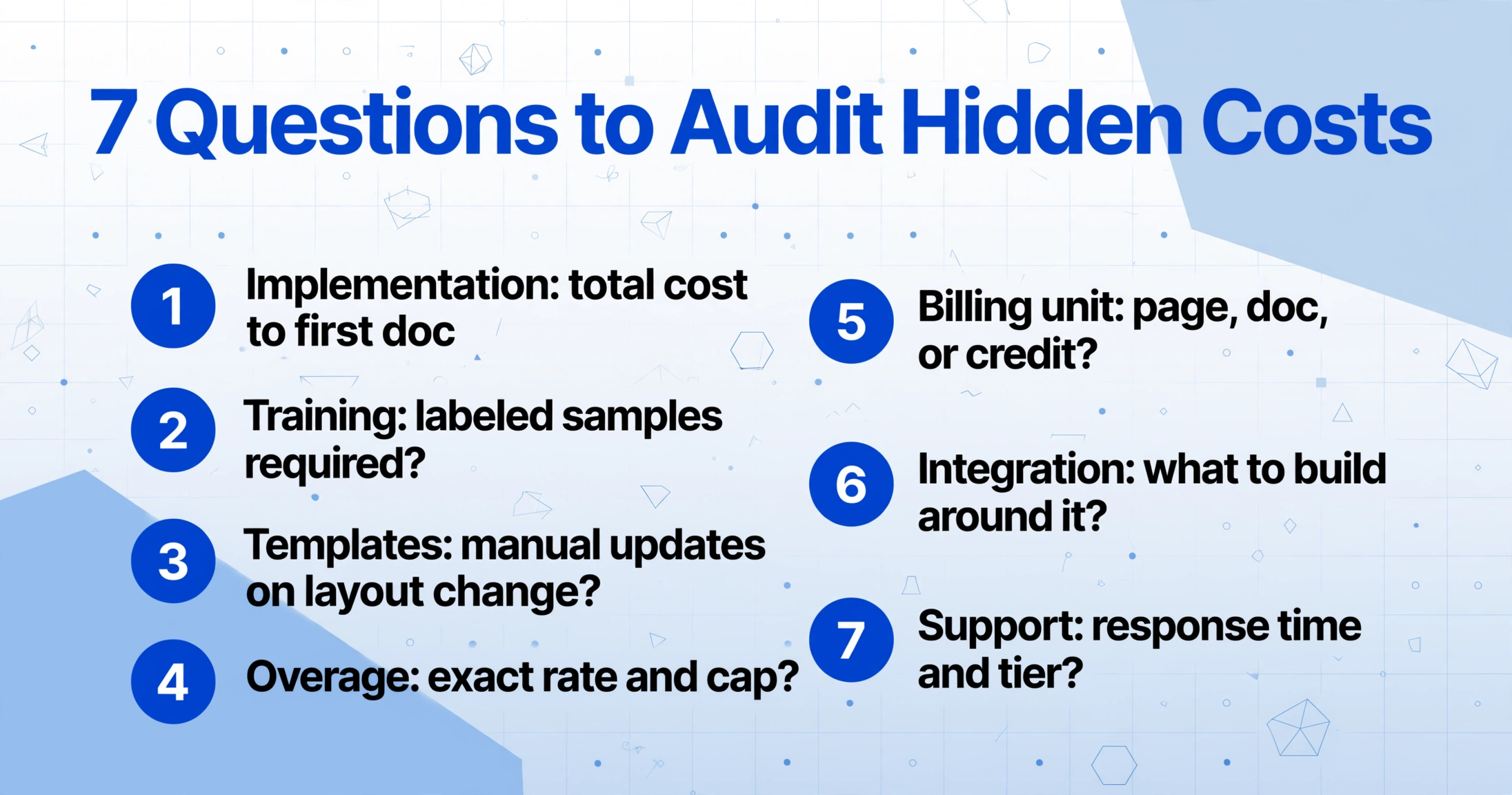
Here is a practical checklist you can use to evaluate any document extraction tool. Copy these seven questions and send them to the vendor before you sign up. A transparent vendor will answer all of them clearly. A vendor that hedges has given you your answer.
Hidden Cost Audit Checklist
- 1 Implementation: What is the total cost from sign-up to first processed document, including any professional services or onboarding fees?
- 2 Training: Does this tool require labeled training samples? If so, how many per document type, and who provides them?
- 3 Templates: What happens when a supplier changes their document layout? Do I need to manually update templates?
- 4 Overage: What is the exact overage rate when I exceed my plan limit? Is there a cap or auto-upgrade?
- 5 Billing unit: How does the tool define a credit or page? 1 credit = 1 physical page, up to 5 pages, or 1 document of any length?
- 6 Integration: What infrastructure must I build around this tool to get data into my existing workflow?
- 7 Support: Is phone or chat support included? What is the guaranteed response time, and at what tier?
After you collect answers, calculate your first-year all-in cost: subscription + implementation + estimated training labor + estimated template maintenance hours × your team's hourly rate + projected overage for your peak month. Compare that number, not the monthly subscription price, across tools.
For a detailed comparison of subscription pricing across 10 document extraction tools at different volume levels, see Document Extraction Pricing 2026: How Much Does AI Extraction Really Cost?. If per-page versus per-month pricing is confusing, the article Document Extraction Cost per Page vs per Month breaks down the difference. For teams on a tight budget, Document Extraction for Small Teams: Pricing Guide 2026 covers options under $50 per month. And if you need extraction without committing to a paid plan, Best Free Document Extraction Tools 2026 reviews tools with genuinely useful free tiers.
The bottom line: A tool that charges $49/month with zero setup, zero training, zero templates, and transparent per-credit billing may be cheaper in year one than a $19/month tool that requires 40 hours of labeling, $1,500 in implementation, and $500 in overage fees. Always compare fully-loaded cost, not sticker price.
Frequently Asked Questions
What is the most common hidden cost in document extraction tools?
Overage charges catch the most buyers off guard. Most tools apply punitive rates — 2× to 5× the normal per-page cost — when you exceed your plan limit. A seasonal spike in document volume can turn a predictable monthly bill into an unexpectedly expensive one. The second most common surprise is implementation fees, especially with enterprise platforms that require certified partner deployment.
Do any document extraction tools have zero hidden costs?
No tool has zero potential hidden costs, but some have far fewer than others. Tools that are template-free (no layout maintenance), require no training samples, include implementation in the subscription, and offer transparent per-credit or per-page billing with flexible top-up (not punitive overage) tend to have the most predictable total cost. When evaluating any tool, ask the seven audit questions above before signing up.
How much does ABBYY implementation actually cost?
ABBYY does not publish pricing publicly. Based on buyer reports and procurement data from platforms like Vendr, implementation costs for ABBYY Vantage and FlexiCapture range from $15,000 to $200,000 depending on use-case complexity, integration requirements, and whether a certified partner is involved. This does not include annual subscription fees, premium support, or custom skill development, all of which are billed separately.
Why do some tools charge different amounts for the same document?
The reason is the billing unit. Some tools count each physical page as one credit. Others bundle multiple pages into a single credit (e.g., "1 credit = up to 5 pages"). A few charge per document regardless of length. A 4-page invoice might consume 4 credits on one tool and 1 credit on another. Always normalize cost to your actual average document length before comparing prices across tools.
Is a more expensive monthly plan always better value?
No. A more expensive plan is only better value if you actually use the additional capacity and the per-unit cost is lower. A $299 plan with 6,000 pages ($0.050/page) is worse value than a $99 plan with 1,000 pages ($0.099/page) if you only process 800 pages per month — you're paying $200 more for capacity you don't use. Always size the plan to your actual volume, not the one with the lowest per-page rate.
Can I avoid integration costs with no-code document extraction tools?
Yes, but the level of no-code integration varies. Some tools offer native Google Sheets or Excel add-ons that let you extract data directly into a spreadsheet without writing code. Others rely on Zapier or Make for integrations, which adds an extra subscription cost. API-first tools like AWS Textract always require engineering work to build the pipeline. If you don't have developer resources, look for tools with built-in spreadsheet output or direct accounting software integration.
Know Your Real Cost Before You Commit
The document extraction pricing page is a starting point, not a final number. Setup fees, training labor, template maintenance, overage charges, credit definition tricks, integration engineering, and support add-ons can easily double your first-year cost. The best protection is a systematic audit before you buy — the seven-question checklist above gives you that system.
Once you know what to look for, the right tool becomes obvious: one with transparent per-credit billing, zero setup or training requirements, template-free extraction that adapts to format changes automatically, and clear overage policies that don't penalize you for seasonal spikes.
See what transparent document extraction looks like — zero setup, zero templates, no surprises.
Avoid Hidden Extraction Costs — Start for Free