50 Korean Export Declarations,
One HS Code Registry
A trade compliance coordinator at a mid-sized Korean exporter processes 40 to 60 export declarations (수출신고서) per week — printed from UNI-PASS, filed in folders, then manually transcribed into an internal HS code tracking spreadsheet. One transposed digit in a 10-digit HSK code — 8471.30.1000 instead of 8471.80.1000 — changes the duty rate from duty-free to 8%. If that error is caught during a Korea Customs Service audit, the company faces back-duties, penalties, and a three-year retroactive review of every declaration filed. The transcription took four seconds. The audit consumes months. The gap between processing one declaration and processing fifty is not arithmetic multiplication — it is a mode shift from typing data to defending every number that was typed.
Key Takeaways
- After typing 15 identical forms the brain stops reading and starts pattern-matching — a 10-digit HS code on declaration #16 looks familiar enough that a single transposed digit slips through unnoticed.
- A batch of 50 manually transcribed export declarations carries an estimated 10 to 17 field-level errors — enough to make the compliance registry unreliable for audit defense.
- Define your registry columns once — HS Code, FOB Value, Country of Origin — and one batch extraction turns 50 UNI-PASS printouts into a queryable, cross-reference-ready spreadsheet without typing a single code.
Why Fifty Export Declarations Add Up to More Than Fifty Times the Work
Manual data entry from a single Korean export declaration is not a difficult task for someone who works with them every day. The declaration number (신고번호) goes in column A, the 10-digit HSK code in column B, the product description (품명) in column C, the quantity (수량) in column D, the FOB value (FOB 금액) in column E, the country of origin (원산지) in column F. A trained coordinator completes one form in roughly three minutes. The work is repetitive but straightforward — until it is fifty declarations deep on a Friday afternoon.
The reason batch volumes break manual processes is not the cumulative time. It is that the human brain, after processing fifteen or twenty nearly identical forms, begins pattern-matching instead of reading. A 10-digit HSK code like 6204.62.0000 (women's cotton trousers) on the sixteenth declaration looks familiar enough that the coordinator might glance at the first four digits — 6204 — and assume the rest. But the twenty-first declaration uses 6204.69.0000 (women's trousers of other textile materials). The digits differ at position six. Pattern-matching misses the difference; the registry captures the wrong code; the discrepancy surfaces only when customs reviews the shipment or during an audit.
A further layer is the variety of formats that emerge from the same UNI-PASS system. Although the KCS operates a single electronic platform, the printed 수출신고서 can look different depending on which customs broker generated it, which product category is being declared, and whether the declaration includes supplementary attachments. Some printouts include a barcode and QR code in the header; others omit them. Some display the HS code in a bordered box; others place it inline with the product description row. For a person toggling between layouts, each format switch triggers a cognitive reset — and the reset moment is precisely when field transpositions occur.
Industry research across customs brokerage operations consistently finds that manual data entry carries a per-field error rate of 1-4%. On a Korean export declaration with 10+ independently transcribed fields, that translates to roughly 1 error for every 3 to 5 declarations processed — meaning a batch of 50 likely contains 10 to 17 transcription errors by the time the last entry is typed. Those errors then compound: the registry built from the batch inherits every mistake, and subsequent cross-referencing against invoices and packing lists propagates the wrong numbers through the entire compliance workflow.
A trade team that processes 50 Korean export declarations per week manually introduces an estimated 10 to 17 field-level errors per week through transcription alone — enough to make the resulting compliance registry unreliable for cross-referencing and audit defense.
What a Korean Export Declaration Actually Looks Like After UNI-PASS
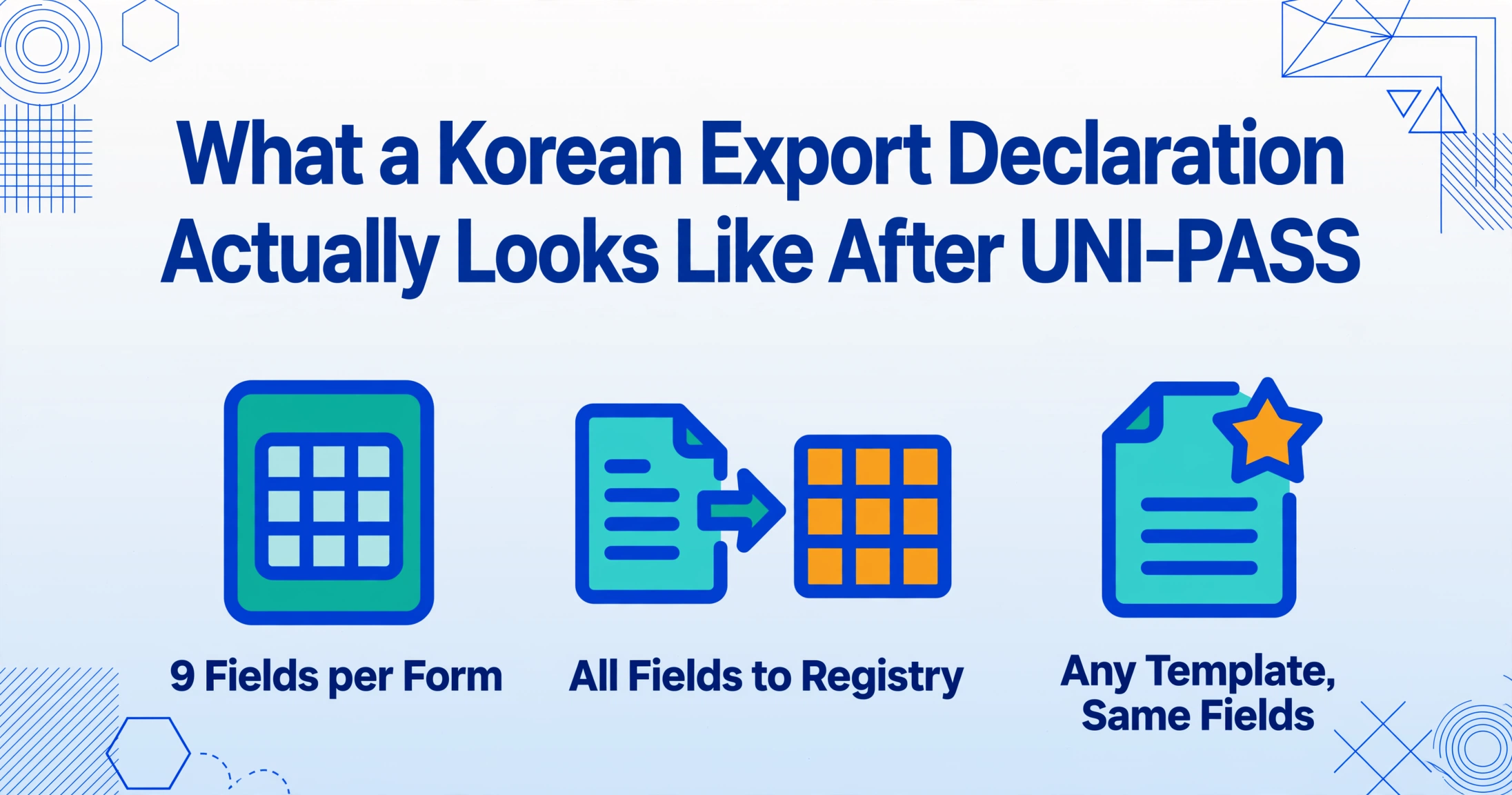
The Korean export declaration (수출신고서) is the output document of the KCS UNI-PASS electronic clearance system — the same platform that processes 430 million declarations per year and integrates 39 government agencies into a single window. Understanding the printed output is essential because the paper or PDF copy is what trade teams archive, share with foreign buyers for FTA certificate of origin applications, and use for internal compliance cross-referencing.
A typical 수출신고서 contains the following data fields, each of which feeds into the HS code registry:
| Field | Korean | Example Value | Registry Use |
|---|---|---|---|
| Declaration Number | 신고번호 | 123456-01-2026-00001 | Primary key |
| Exporter Business Reg. No. | 수출자 사업자등록번호 | 123-45-67890 | Vendor lookup |
| HSK Code (10-digit) | 세번부호 (HS 10단위) | 8471.30.1000 | Duty calculation |
| Product Description | 품명/규격 | Portable digital computer, 15.6" | Classification audit |
| Quantity / Weight | 수량/중량 | 500 EA / 1,250 KG | Volume reconciliation |
| Export Value (FOB) | 수출입금액 (FOB) | USD 47,320 | Invoice matching |
| Country of Origin | 원산지 | Korea (KR) / China (CN) | FTA eligibility |
| Payment Terms | 결제방식 | L/C at sight | Trade finance |
| Transport Mode | 운송수단 | Sea (Busan → Long Beach) | Logistics tracking |
Each of these fields must end up in the compliance registry. The challenge is that no two UNI-PASS printouts arrange them identically — brokers use different template configurations, and the KCS system itself supports multiple output layouts depending on the declaration type (general export, simplified export under $2,000, or sample/gift shipments). Template-based extraction tools that rely on fixed coordinates break when the layout shifts even slightly. This is the specific problem that customs declaration OCR extraction tools were designed to solve — but most of them were built for Western customs forms, not for the Korean HSK field arrangement.
What Is an HS Code Compliance Registry and Why Build One
An HS code compliance registry is a structured database — usually maintained in Excel, Google Sheets, or a lightweight SQL-based system — that records every export declaration alongside its key compliance fields: the 10-digit HSK code, the product description that justifies the classification, the declared value, and the country of origin. Its function is not archival. It is the working reference against which every commercial invoice, packing list, and certificate of origin is cross-checked before a shipment leaves Korea.
Why maintain it formally rather than relying on the UNI-PASS archive? Three structural reasons:
1. UNI-PASS records are stored by declaration number, not by product or HS code. When a customs auditor asks "show me all exports of product category 8471 filed between January and March," querying the KCS system by HS code range is technically possible but cumbersome — the system was designed for customs clearance, not for internal compliance analytics. A registry organized by HS code and product line makes the same query a five-second filter in Excel.
2. FTA preference verification requires proof of origin at export time. Korea maintains free trade agreements with over 50 countries, including the United States (KORUS FTA), the European Union, China, and the ASEAN bloc, plus the RCEP. Each agreement has its own rules of origin. The HS code determines which rule applies. A registry that links each declaration's HSK code to the corresponding FTA rule eliminates the scramble when a buyer requests a certificate of origin for a shipment that cleared customs six weeks earlier.
3. The registry is the first line of defense in a KCS audit. Under the Customs Act (관세법) and the Foreign Trade Act (대외무역법), exporters bear the burden of proof for the accuracy of their declarations. A well-maintained compliance registry — showing the original HS code, the product description that justified it, and the commercial invoice reference — is the primary evidence that classification was made in good faith. An audit finding that the internal registry contains transcription errors erodes that defense before substantive review even begins.
The obstacle to building such a registry has never been conceptual. Every trade team knows they should have one. The obstacle is the manual work required to populate it — fifty declarations per week, each one requiring a person to read the printed form and type the data into a spreadsheet, with the error risk compounding each time. That obstacle is what differentiates a batch extraction workflow from a manual one.
Define Your Fields Once, Apply to Every Declaration
The underlying mechanism that makes batch extraction practical for Korean export declarations is Custom Column Extraction: instead of configuring a tool to recognize a specific document layout — which would fail when the next UNI-PASS printout uses a different template — you define the data fields you want by name, and the AI locates the corresponding values by semantic meaning, not by fixed position. The same mechanism carries across the Korean tax document family in our Korean tax invoice extraction guide.
This distinction matters because UNI-PASS printouts, despite coming from the same system, vary in practice. One customs broker prints the HS code in a box labeled 세번부호 at the top of the form. Another embeds it in a line-item table under 품목별. A third exports the declaration as a PDF that places field labels in the left margin and values in the right column. A template-based scanner trained on one layout will produce errors or empty cells when pointed at another. A semantic extraction tool that reads "세번부호" or "HS Code" as a concept — not a coordinate — locates the value correctly regardless of where it sits on the page.
For a Korean export declaration compliance registry, the column definition might look like this:
- HS Code — 10-digit HSK code for each line item
- Product Description — 품명 as declared
- Quantity — 수량 in the declared unit
- FOB Value (USD) — 수출입금액 from the declaration
- Country of Origin — 원산지
- Declaration Number — 신고번호 as the unique key
- Payment Terms — 결제방식
- Transport Mode — 운송수단 (Sea / Air / Land)
- Computed: Duty Rate — inferred from HSK code classification using a computed column rule
Once defined, this column set applies to every UNI-PASS declaration in the batch — whether it is a general export from Busan, a simplified export under $2,000, or a re-export after inward processing. The AI reads each declaration, locates the semantic match for each defined field, and populates the corresponding cell. The column names you type become the headers of your output spreadsheet. No additional configuration is required between declarations.
The difference between template-based OCR and semantic extraction for Korean export declarations is the difference between teaching a tool "the HS code is in the third box from the top" and teaching it "the HS code is the 10-digit number that classifies the product for customs purposes." The first breaks when the layout changes. The second works regardless of which UNI-PASS template version the broker used.
From UNI-PASS Printouts to Searchable Registry: A Four-Step Workflow
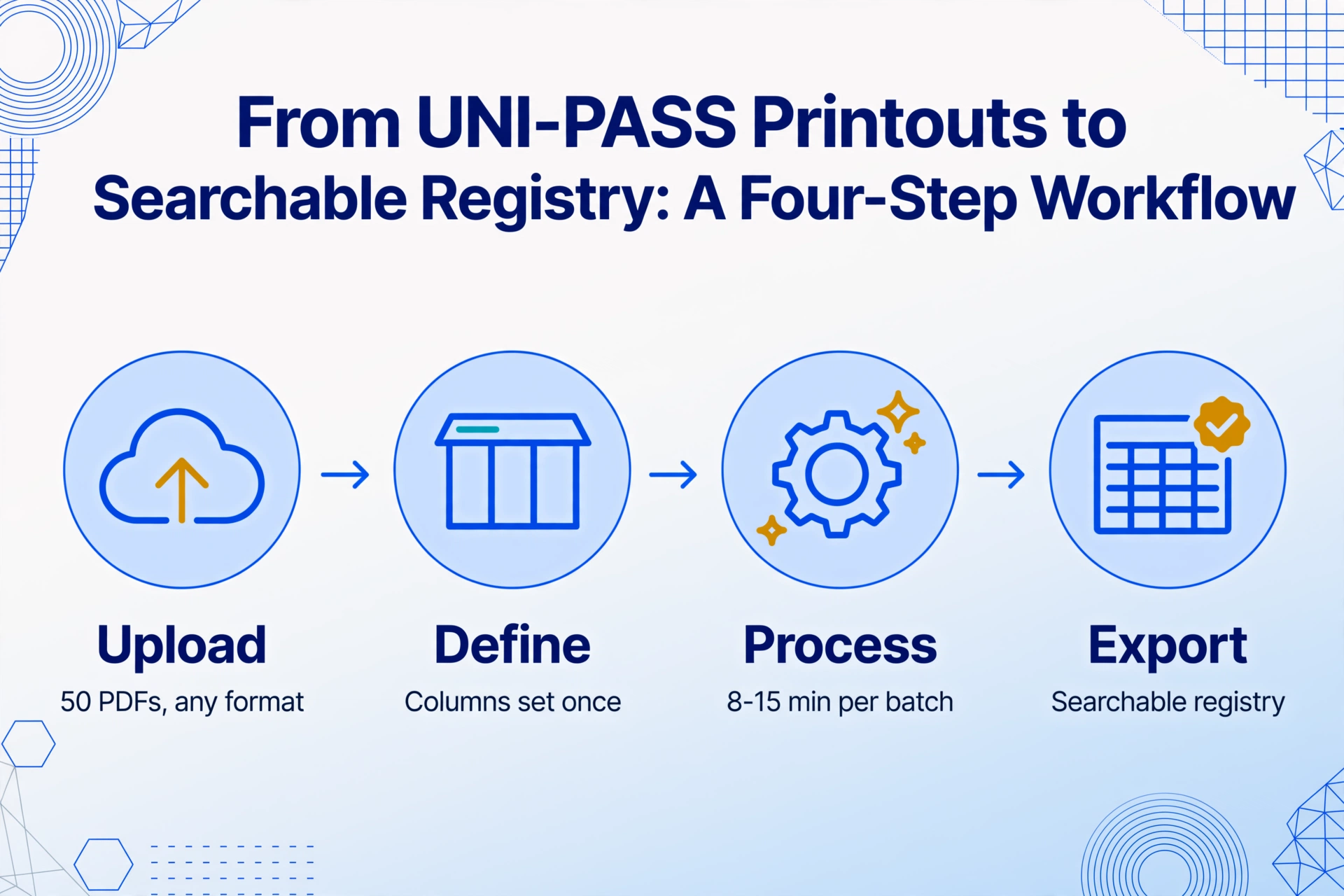
Batch processing of Korean export declarations follows a workflow that is structurally different from processing one declaration at a time. The difference is not speed — it is that batch processing builds a registry in a single pass, with built-in consistency checks that manual entry cannot replicate without deliberate double-entry.
Step 1: Collect and upload the declaration set. Gather the exported PDFs or scanned printouts of all 수출신고서 to be processed. These can be in any format — UNI-PASS native PDF download, a broker's scanned paper copy, a mobile photo of the printout, or an email attachment. Batch-first processing accepts all formats simultaneously: upload fifty PDFs, not one at a time. Each file is processed independently against the same column definitions, eliminating the "one upload, one entry" cycle that serializes manual work.
Step 2: Define the registry columns once. Specify the field names — HS Code, Product Description, FOB Value, Country of Origin, Declaration Number — as described above. This step takes one minute and applies to the entire batch. There is no per-file configuration. For trade teams that process the same fields week after week, the column template can be saved and reused, reducing Step 2 to a single selection.
Step 3: Process the batch. The AI reads each declaration independently, locates the semantic matches for each defined column, and populates the output. A batch of 50 declarations completes processing in roughly 8 to 15 minutes — versus approximately 150 minutes of manual transcription plus an additional 30 to 60 minutes of verification checks. For a detailed walkthrough of how individual Korean export declarations are extracted, see the companion guide on extracting Korean export-import declaration data to Excel.
Step 4: Export and cross-reference. The output is a single spreadsheet — 50 rows (one per declaration) with the defined columns populated. Export as Excel or keep it live in Google Sheets. The registry is now queryable: filter by HS code range, sort by FOB value, join with commercial invoice data by declaration number.
Cross-Referencing: Where the Registry Earns Its Keep
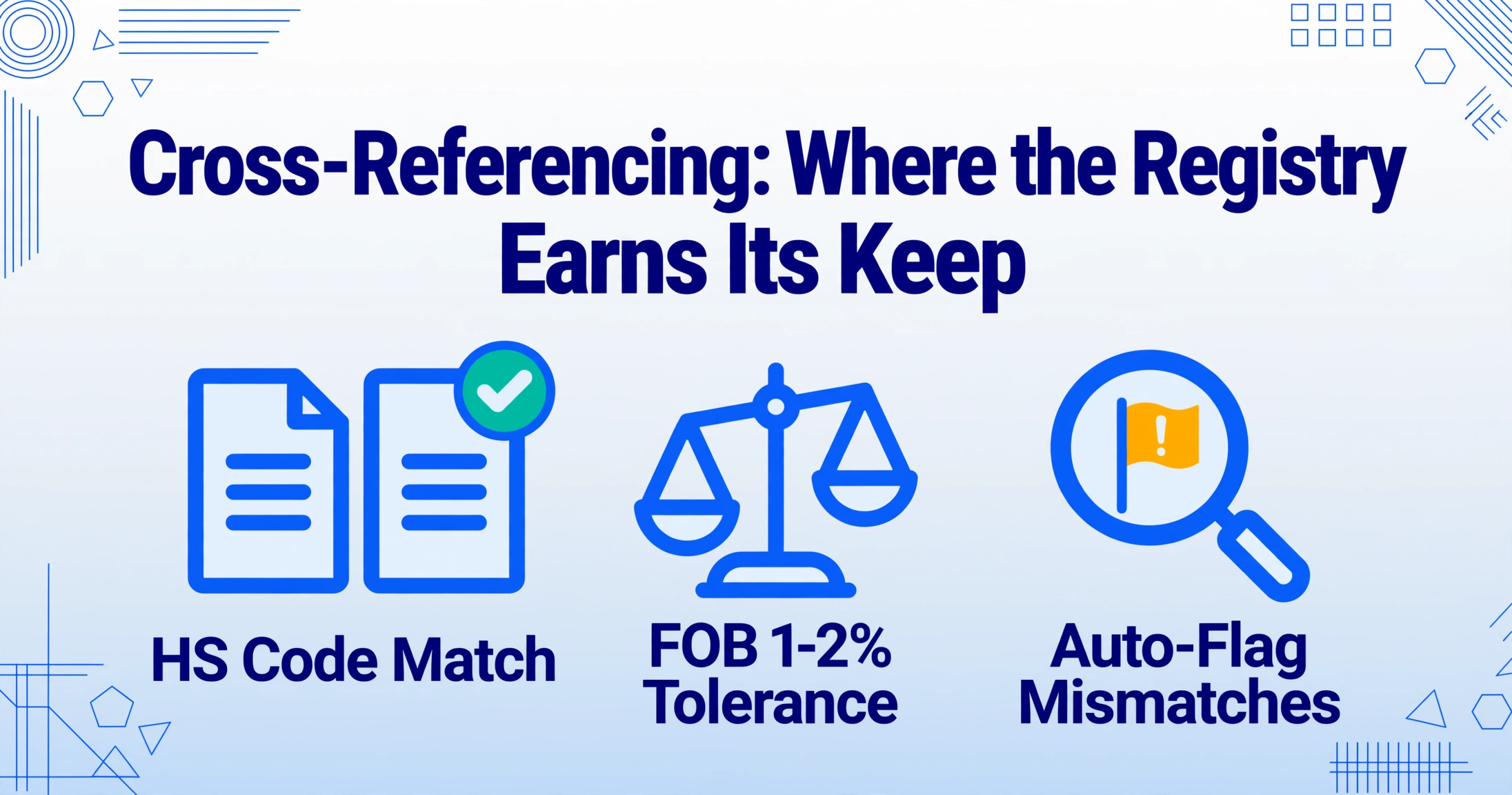
A compliance registry that only contains the export declaration data is half useful. Its real value emerges when you cross-reference it against the other documents in the export transaction: the commercial invoice, the packing list, and the certificate of origin. This is the step where most transcription errors surface — and where a machine-readable registry makes the verification process orders of magnitude faster than manual comparison.
HS code consistency check: Does the HSK code on the export declaration match the tariff classification on the commercial invoice, the packing list, and the certificate of origin (if applicable)? Korea Customs Service guidance under the Customs Act requires that "the HS code and product description must be consistent across all trade documents." A mismatch between the declaration and the invoice is a red flag that can trigger a document review — even if neither document individually contains an error. A spreadsheet registry allows you to join declaration data with invoice data by declaration number and flag mismatches automatically.
Value reconciliation: The FOB value declared on the 수출신고서 should match the FOB value on the commercial invoice within a small tolerance for currency conversion. A discrepancy of more than 1-2% — especially if it occurs repeatedly — signals either a consistent transcription error or a deliberate under-valuation pattern that customs authorities flag. The registry makes this comparison a formula; in manual processing, it requires a coordinator to leaf through paper documents and compare numbers by eye.
Quantity verification: The declared 수량 on the export declaration should reconcile with the packing list total. A Korean cosmetics exporter shipping 5,000 units across five purchase orders might find that the packing list shows 5,050 (including QC samples) while the declaration shows 5,000. The 50-unit difference matters for duty calculation on the import side. A registry that surfaces this discrepancy before shipment prevents the customs delay and demurrage fees that would result from a quantity mismatch during clearance at the destination port.
The trade team that processes fifty Korean export declarations per week and maintains a cross-referenced compliance registry does not just reduce transcription time. It changes the compliance workflow from reactive (waiting for a discrepancy to be caught during an audit or at the border) to preventive (catching discrepancies between documents before the shipment leaves the port). For a broader comparison of Korean document extraction costs across the different tools available in this market — from the free HomeTax portal to domestic ERP solutions to global AI extraction platforms — see our Korean document extraction pricing comparison.
Frequently Asked Questions
Does the AI handle UNI-PASS export declarations that include both Korean and English text?
Yes. Korean export declarations often mix Korean field labels (수출자, 품명, 세번부호) with English product descriptions and values. Semantic extraction reads both languages in the same document. The column names you define can be in English — "HS Code" matches the concept of 세번부호 — or in Korean for teams that prefer to work in their native language.
What about handwritten annotations or corrections on printed declarations?
Handwritten annotations on printed UNI-PASS documents — such as a customs broker's correction note in the margin — are read as part of the document. If the handwriting crosses into a field area, the AI may combine printed and handwritten content where they overlap. For fields with conflicting printed and handwritten values, the recommended approach is to define separate columns for "Original Value" and "Amended Value" and let the extraction surface both.
Can this handle multi-line-item export declarations where one form covers ten products?
Yes. A single 수출신고서 can list multiple line items — each with its own HSK code, product description, quantity, and FOB value. The batch extraction treats each line item as a separate output row. A declaration with 10 line items produces 10 rows in the registry, linked by the declaration number as a foreign key. Multi-line declarations are common in consolidated shipments, and manual transcription of these forms has a disproportionately high error rate because the coordinator must context-switch between line items without missing a row.
Is there a limit on how many declarations can be processed in one batch?
Batch processing accepts up to 100 files per batch in the free tier, with higher limits available in paid plans. The processing time scales roughly linearly with the number of files and the number of line items per declaration. A typical batch of 50 single-line-item declarations finishes within 15 minutes. Multi-line-item declarations with 10+ rows each will take proportionally longer but still complete far faster than manual entry of the same volume.
What output formats does the registry support?
The default output is Excel (.xlsx), with CSV, JSON, and direct-to-Google-Sheets options available. The Google Sheets add-on writes extracted data directly into the active spreadsheet — useful for teams that maintain their compliance registry as a live Google Sheet shared across the logistics and accounting departments. Export format choice does not affect the extraction process; the same extraction runs regardless of which output you select.
How does this work with Korea's annual HSK code updates?
The WCO updates the HS nomenclature every five years, with the most recent update effective January 2022 (HS 2022) and the next scheduled for 2027. Korea publishes annual HSK amendments to reflect domestic tariff changes — such as the 2025 updates that added new codes for electric vehicle components and fuel cell systems. The extraction tool reads the HSK code as declared on the document; it does not validate whether the code is the current version. The registry workflow should include a periodic code validation step — for instance, running the extracted HSK codes against a current tariff database — as a separate check after extraction.
The difference between a stack of printed declarations and a searchable compliance registry is not technology. It is whether the data moves from paper to spreadsheet by hand or by semantic extraction.
Process your next batch of Korean export declarations the way you process the ones after that — without typing a single HS code.
Try It on Your Own Declarations →No sign-up required · Works with UNI-PASS PDFs, scans, and screenshots