5 German Commercial Invoice (Handelsrechnung) Export Data Errors
That Trigger Customs Delays and Zoll Audits
A German machinery exporter ships 30 consignments per month to customers outside the EU — the United States, Japan, Brazil, the UAE. For every shipment, the export department generates a commercial invoice (Handelsrechnung). Each carries roughly a dozen customs-relevant fields: the 11-digit customs tariff number (Zolltarifnummer) per line item, the country of origin (Ursprungsland) declared separately for every commodity, the Incoterms clause, the EORI number, and the net and gross weight in kilograms. Five of these fields are the source of errors that most German exporters do not catch during invoice creation — they catch them days later when ATLAS rejects the export declaration, weeks later when the EUR.1 certificate is denied, or months later when the Zollprüfung auditor asks for the substantiation trail. Each error originates on the Handelsrechnung itself, not during customs filing. And each one can be caught before it reaches the declaration — if you know where to look.
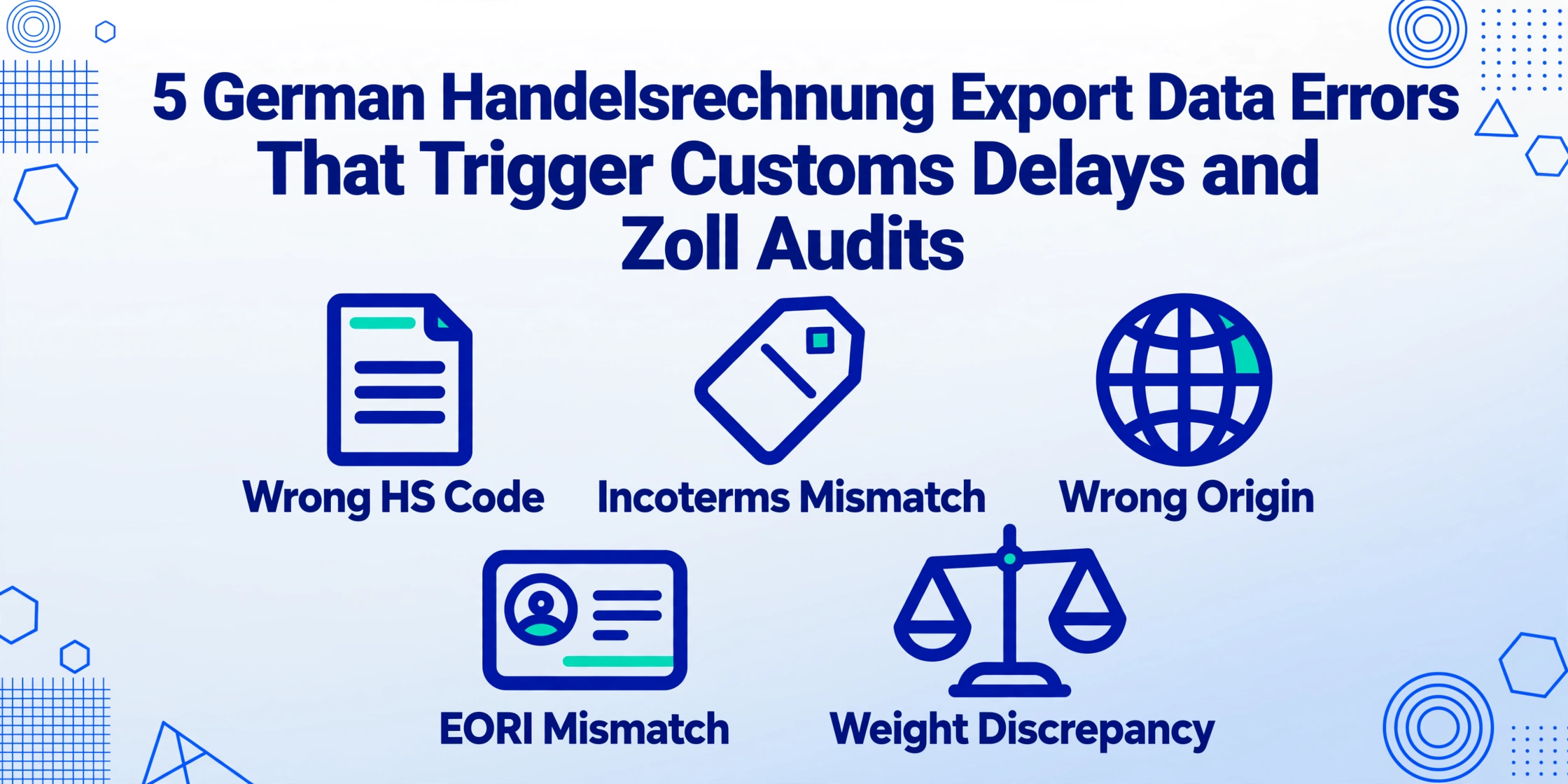
Where These Errors Actually Live — Not in the Customs Declaration, but in the Invoice
A German export shipment does not begin with the ATLAS export declaration (Ausfuhranmeldung). It begins with the Handelsrechnung — a document that carries two sets of fields the domestic Rechnung never sees: the customs-relevant fields the export department types into its template, and the accounting fields the finance department needs for the UVA. Every one of the five errors below lives in that gap between "typed into the invoice" and "read by the system that needs it."
The standard advice for avoiding customs data errors is procedural: double-check HS codes against EZT-online, verify EORI registration with the Generalzolldirektion, confirm Incoterms with the export contract, use a four-eyes principle (Vier-Augen-Prinzip) on every invoice. This advice is correct — and it presumes an environment where every Handelsrechnung is reviewed by two people before it reaches the customs broker. In a mid-sized German exporter with 30 shipments per month and two people in the export department, the review is a glance at the totals and a check that the customer address is right. The customs-relevant fields — the 11-digit tariff codes, the per-item origin, the EORI, the weights — are copied from the product master data or the last invoice and assumed correct. That assumption is where the errors breed.
Before examining each error, it is worth understanding the structural context that makes the Handelsrechnung uniquely error-prone. A domestic Rechnung under §14 UStG carries supplier and recipient details, the Steuernummer or USt-IdNr, the invoice number and date, the quantity and description of goods or services, the net amount, the VAT rate and amount, and the gross total — roughly ten fields, all of which feed the same accounting system. A Handelsrechnung carries all of those plus the customs-specific fields governed by the Union Customs Code (UCC, Regulation (EU) No 952/2013) and the German Foreign Trade Ordinance (Außenwirtschaftsverordnung, AWV). The document is governed by two regulatory frameworks simultaneously — VAT law and customs law — and the fields from each framework go to different downstream systems that do not talk to each other. This is the dual-pipeline problem that the analysis of the dual invoice pipeline examines in depth. The errors below are what happen inside that gap.
Error 1: Wrong HS Code Classification Per Line Item — ATLAS Rejection Before the Goods Move
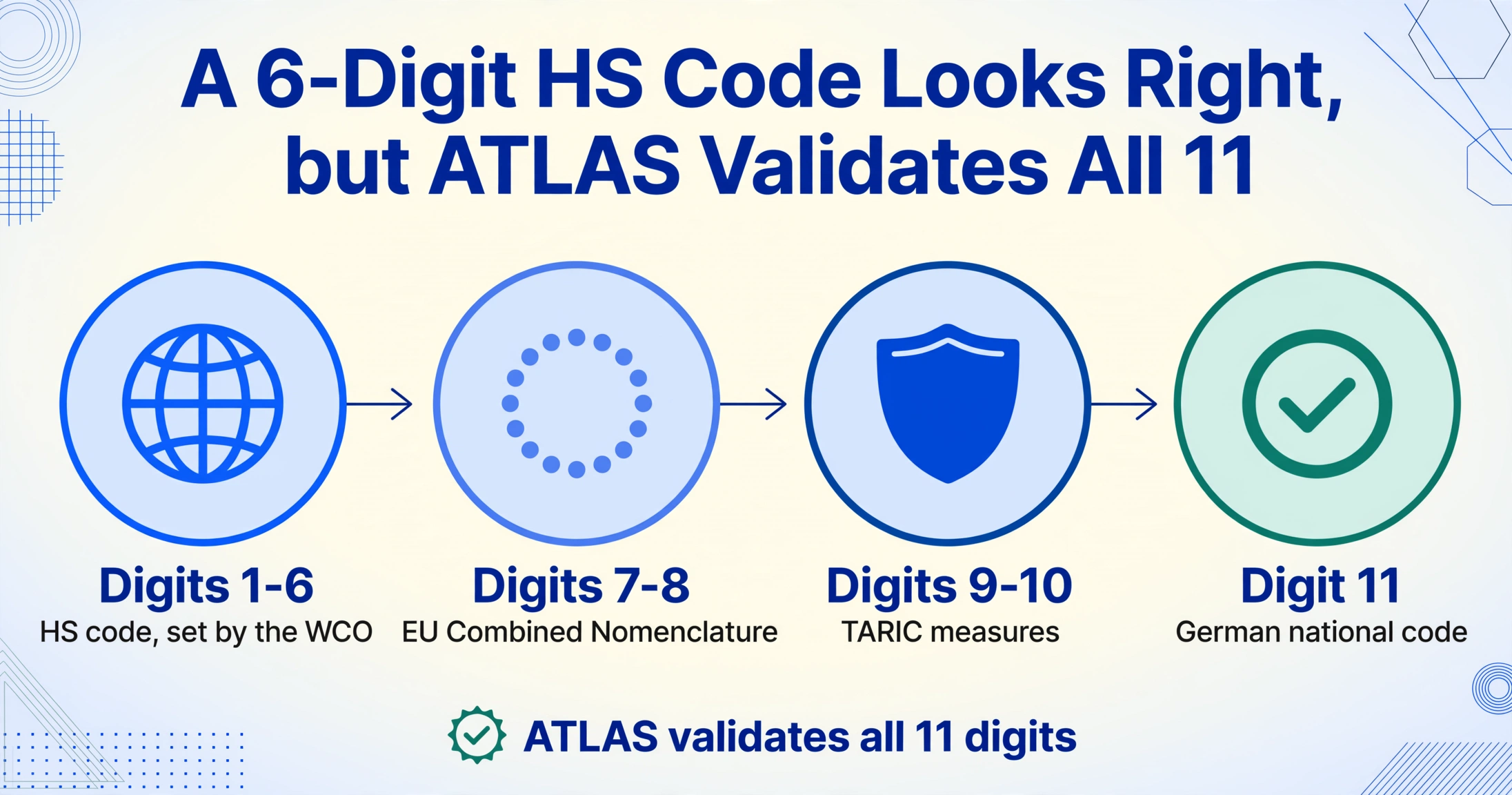
The 11-digit customs tariff number (Zolltarifnummer) on a German Handelsrechnung is not one number per invoice. It is one number per line item — and a single export consignment can contain products under three, five, or ten different tariff headings. A shipment of industrial pumps with spare parts, mounting brackets, and control panels might span HS chapters 84 (machinery), 73 (iron/steel articles), and 85 (electrical equipment) — each requiring its own 11-digit code, each code determining a different export control classification and, for the importer, a different duty rate at destination.
The 11-digit German Zolltarifnummer is built in layers: the first six digits are the international HS code (harmonised globally under the World Customs Organization), digits seven and eight form the EU Combined Nomenclature (CN) extension, digits nine and ten add TARIC measures (anti-dumping duties, tariff suspensions, quantitative restrictions), and the eleventh digit is the German national code for VAT coding and specific import controls. A 6-digit HS code that is correct can still be wrong at the 10th or 11th digit — and ATLAS validates the full 11-digit code before accepting the export declaration.
How this error happens in practice. The export department generates a Handelsrechnung for a shipment containing five different products. The product master data in the ERP — SAP, Microsoft Dynamics, or DATEV — stores each product's tariff code. But the product master was last updated 18 months ago, and the EU Combined Nomenclature was amended in January. One product's CN code changed at the eight-digit level. Another product — a spare part — was classified by engineering under the finished-good code during the last audit because "it is part of the machine." Neither of these errors is visible on the Handelsrechnung. The invoice carries the Zolltarifnummer exactly as it appears in the ERP. The error surfaces when ATLAS processes the export declaration and detects a mismatch between the declared commodity code and the product description — or when the destination country's customs authority queries the classification and the exporter cannot substantiate it.
What happens downstream. ATLAS validates the tariff classification against the declared commodity description and any applicable trade measures (anti-dumping, dual-use controls) encoded at the TARIC level. If the classification is inconsistent, ATLAS rejects the declaration (Zurückweisung). The rejection cascade is not administrative — it is operational:
Wrong 10th or 11th digit → ATLAS rejection → amendment and resubmission → goods remain uncleared at the terminal → storage costs (Standgeld) begin accumulating → delivery schedule slips → customer penalty clause triggered.
Beyond the immediate rejection, misclassification creates audit exposure. The Generalzolldirektion conducts post-clearance compliance audits, and a pattern of repeated classification corrections across shipments signals weak internal controls — which invites deeper future scrutiny. In the worst case, the error is discovered not by ATLAS but by the destination customs authority months later, when the importer is assessed back duties plus interest, and the exporter is asked to substantiate a classification it cannot.
Why it is hard to prevent in the invoice stage. The export department generating the Handelsrechnung trusts the ERP product master. Verifying 11-digit codes against EZT-online for every line item on every invoice — across 30 shipments per month, each with an average of four line items — is 120 classification checks per month. A customs broker (Zollspediteur) can catch misclassifications during the ATLAS filing, but by then the invoice is already issued, the customer has received it, and correcting it means reissuing a corrected Handelsrechnung and potentially adjusting the commercial terms. The structural fix is not a more diligent export department — it is catching the classification before the invoice is finalised, which means comparing the extracted tariff code against a known-good product master at the point of data capture. The customs declaration HS code errors analysis covers the brokerage-side perspective on classification failures; the Handelsrechnung error is the upstream cause that feeds them.
Error 2: Incoterms Inconsistency — EXW on the Invoice, but Freight Included in the Warenwert
The International Commercial Terms (Incoterms 2020) clause on a Handelsrechnung defines who bears transport cost, insurance, and customs risk at each leg of the shipment. An EXW (Ex Works) invoice means the buyer picks up the goods at the seller's premises and bears all costs and risks from that point — the invoice value should be the ex-works price, with no freight, insurance, or export clearance charges included. A FOB (Free On Board) invoice means the seller delivers the goods onto the vessel at the named port — the invoice value includes inland transport to the port but not ocean freight or insurance. A CIF (Cost, Insurance, Freight) invoice includes the cost of the goods, insurance, and freight to the named destination port — the invoice value is the landed cost at destination.
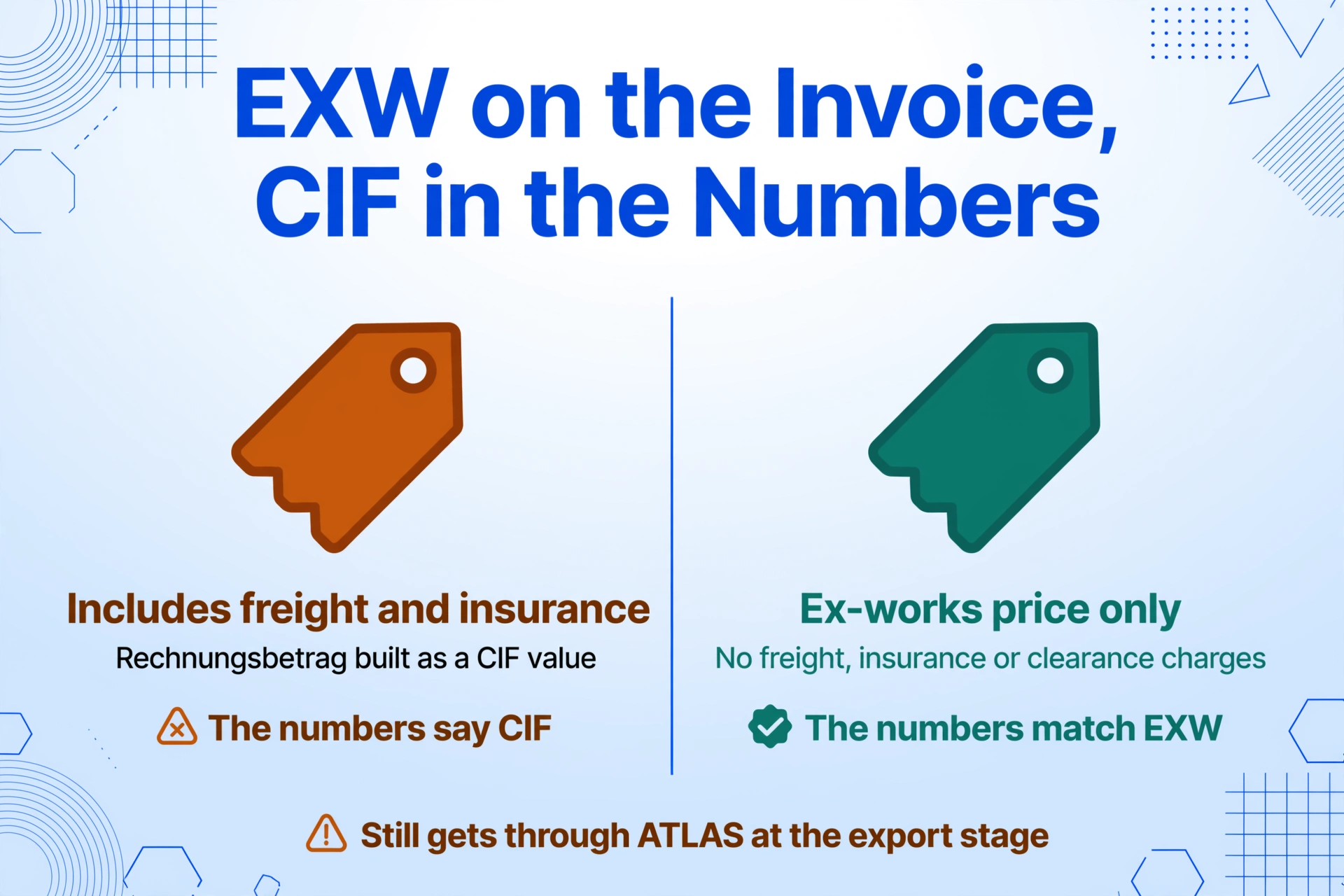
How this error happens. The export department generates a Handelsrechnung with Incoterms EXW Stuttgart. The invoice total field (Rechnungsbetrag) carries the grand total at the bottom of the invoice — but the export coordinator, working quickly, included the freight cost and insurance premium in the Warenwert (value of goods) line items. The Incoterms on the invoice says EXW. The numbers on the invoice say CIF.
The invoice might still get through ATLAS at the German export stage because the export declaration (Ausfuhranmeldung) primarily validates commodity codes, weights, and EORI — the customs value for export purposes is a statistical value, and ATLAS does not enforce strict value-vs-Incoterms consistency on the export side. The error surfaces at the destination country's customs. The importer presents the Handelsrechnung to their customs authority. The authority reads Incoterms: EXW. For customs valuation under the WTO Customs Valuation Agreement, the transaction value is the price actually paid or payable for the goods — and under EXW, inland freight and insurance to the port of export should be added to reach the FOB customs value. But on this Handelsrechnung, the freight was already included in the Warenwert. The customs authority now faces a choice: accept the EXW value as stated (undervalued — the freight wasn't added, because it was already inside), or challenge the value as inconsistent with the Incoterms and demand supporting documentation.
The exporter's consequence is not always a direct penalty. It is a shipment held for valuation review, an importer paying duties on a disputed value, and a customer questioning whether the exporter knows its own Incoterms. For a German exporter shipping under DDP (Delivered Duty Paid) — where the seller pays all import duties at destination — the customs value error translates directly into a wrong duty payment, which the exporter must cover.
Why the invoice is the root cause. The export coordinator entering the invoice data is working from the sales contract (which specifies the Incoterms), the freight forwarder's quote (which specifies the actual transport cost), and the ERP's product pricing (which specifies the goods value). These three sources were created by three different people at three different points in the sales cycle — the contract by sales, the freight quote by logistics, the pricing by product management. The Handelsrechnung is the first document where all three numbers appear together. The inconsistency was born at the moment the invoice was generated. It just was not visible until a customs authority read it.
Error 3: Ursprungsland Wrong Per Position — Invalid Präferenznachweis, EUR.1 Denied
The country of origin (Ursprungsland) on a German Handelsrechnung determines whether the goods qualify for preferential tariff treatment at destination. Under UCC Art. 60, non-preferential origin is the country where goods were wholly obtained or, if more than one country was involved, where they underwent the last substantial processing. Under the preferential rules of origin in each free trade agreement, the criteria are stricter — specific tariff shift rules, value-added thresholds, or specific processing requirements — and the exporter must substantiate them with a supplier's declaration (Lieferantenerklärung) or a EUR.1 movement certificate.
How this error happens. A German exporter manufactures a control panel. The metal enclosure was sourced from China. The internal wiring, PLC, and terminal blocks were sourced from Germany and assembled in Germany to form a functioning control system. Under the preferential rules of origin for the EU-Japan Economic Partnership Agreement, the control panel may qualify as German-origin if the assembly constitutes sufficient processing — but the metal enclosure, if supplied as a separate spare part line item on the same Handelsrechnung, retains its Chinese origin. The export department, generating the invoice, enters "DE" as Ursprungsland for every line item on the Handelsrechnung — including the Chinese-origin metal enclosure. The EUR.1 application is submitted using this invoice as supporting documentation. The customs authority at the Chamber of Commerce (IHK) or the Zollamt reviews the application, cross-references the origin declarations against the product descriptions, and flags the discrepancy. The EUR.1 is denied.
One line item on a multi-product Handelsrechnung with the wrong origin declaration → EUR.1 application rejected → importer at destination is assessed the full MFN duty rate (Most Favoured Nation, typically 3–14% depending on the product) → importer demands compensation from the exporter or refuses to cover the duty differential → exporter absorbs an unexpected cost that was never factored into the sales price.
The error is especially dangerous for German exporters who handle multi-origin shipments. A single consignment containing components sourced from Germany, China, and Thailand requires three different origin declarations on three different line items on the same Handelsrechnung. Treating all of them as "DE" is not dishonesty — it is the export coordinator working from the product master, which stores the finished-good origin but not the component-level origin for spare parts sold separately. The product master was built for inventory management, not for customs origin declarations, and the gap between the two becomes an error on the Handelsrechnung.
Under standard German supplier terms — standard clauses found in general purchasing conditions (Allgemeine Einkaufsbedingungen) across the manufacturing sector — a supplier who provides a false declaration of origin or a false proof of preference (Präferenznachweis) is obligated to reimburse the buyer for all resulting damages. The EUR.1 that was denied because of a lazy origin entry on the Handelsrechnung is not just a rejected certificate. It is a supplier liability.
Error 4: EORI-Nummer Mismatch Between Handelsrechnung and ATLAS Declaration
The Economic Operators' Registration and Identification number (EORI-Nummer) is the exporter's unique identifier in the EU customs system. Its format is DE + 10 to 15 digits — for example, DE123456789012345. Under UCC Art. 9, every economic operator involved in customs activities must be registered and use their EORI number in all customs declarations. An EORI is not optional on an export shipment. Without it, the ATLAS export declaration cannot be submitted.
How this error happens. The error is rarely that the EORI is missing. It is that the EORI printed on the Handelsrechnung does not match the EORI registered in ATLAS. This mismatch has several common root causes:
| Scenario | What Happens | Why It Escapes Detection |
|---|---|---|
| Subsidiary exports, parent company EORI on invoice | A German GmbH subsidiary generates the Handelsrechnung under its own name but uses the parent company's EORI — copied from an old template. The subsidiary has its own EORI, registered separately with the Generalzolldirektion. | The export department uses the same invoice template for all entities. No one checks whether the EORI on the template matches the entity issuing the invoice. |
| Company restructuring — EORI updated but invoice template not | A GmbH converts to a GmbH & Co. KG, registers a new EORI. The old EORI remains in the invoice template header. The new entity has no EORI history, so the mismatch is flagged as "unknown operator" rather than "changed EORI." | The accounting department updated the Steuernummer on the template. No one thought to check the EORI — because the EORI only matters for exports, not domestic invoices, and the person updating the template works in domestic accounting. |
| Customs broker uses a different EORI than what is on the invoice | The exporter provides the Handelsrechnung to the Zollspediteur, who files the ATLAS declaration using the EORI from their own records — which may be an older EORI or the EORI of a different legal entity in the group. | The broker assumes the EORI they have on file is current. The exporter assumes the broker is using the EORI from the invoice. Neither verifies. |
What happens downstream. ATLAS validates the EORI against the central EORI database at the Generalzolldirektion. An EORI mismatch produces one of two outcomes. If the EORI on the declaration is valid but belongs to a different legal entity than the one named on the invoice, ATLAS may flag the declaration for manual review (manuelle Prüfung) — adding hours or days to the clearance time. If the EORI is not valid (expired, or belongs to a deregistered entity), ATLAS rejects the declaration outright and the shipment cannot be cleared.
The more insidious consequence is an audit trail mismatch. The Handelsrechnung — which the Finanzamt uses as supporting documentation for the VAT exemption under §4 Nr. 1a UStG — carries one EORI. The ATLAS export declaration carries another. During a VAT audit (Umsatzsteuer-Sonderprüfung), the Finanzamt can request the substantiation for the tax-exempt export turnover reported on line 27 of the UVA. The auditor compares the Handelsrechnung against the ATLAS declaration and finds two different EORI numbers for the same shipment. The auditor now has a question — and questions from auditors consume time, even when the answer is benign.
Error 5: Nettogewicht / Bruttogewicht Discrepancy — ATLAS Validation Reject at the Weight Check
Of the five errors on this list, the net weight (Nettogewicht) and gross weight (Bruttogewicht) discrepancy appears the most innocuous — and produces the fastest, hardest stop. ATLAS performs automated validation checks on the weight fields in the export declaration, and a weight discrepancy can reject the declaration instantly, before any human at the Zollamt ever sees it.
How this error happens. The export department enters the weights on the Handelsrechnung. The net weight per line item comes from the product master — a pump weighs 45 kg, a motor weighs 12 kg. The gross weight — goods plus packaging — is estimated: add a standard 15% for pallets, crates, and wrapping. Or it is copied from the freight forwarder's packing list. Or it is taken from the previous shipment of a similar consignment. The Handelsrechnung might state:
- Net weight: 520 kg (sum of all line-item net weights)
- Gross weight: 535 kg (estimated 15 kg of packaging for 520 kg of goods)
ATLAS checks the ratio. A packaging-to-goods ratio of 15 kg for 520 kg of machinery — roughly 2.9% — is implausible. Industrial machinery packaging (wooden crates, pallets, bracing, moisture barriers) for a 520 kg consignment is rarely less than 40–50 kg. ATLAS flags the weight ratio as outside the expected range and rejects the declaration.
Why the weight matters beyond validation. The gross weight determines freight charges — the carrier charges by the chargeable weight, which for ocean freight is the higher of gross weight or volumetric weight. An understated gross weight on the Handelsrechnung may not match the actual weight recorded by the freight forwarder on the bill of lading or air waybill, creating a document mismatch that customs can flag as a valuation inconsistency. The net weight also triggers regulatory thresholds: under German export rules, shipments with a value exceeding €1,000 or a weight exceeding 1,000 kg must be declared through ATLAS. A weight that hovers near 1,000 kg, if understated, could incorrectly place a shipment below the declaration threshold — a compliance failure that the Zollamt treats as an undeclared export.
The weight error is deceptively simple to fix — just weigh the consignment — and deceptively common to get wrong, because the export department generating the Handelsrechnung works from product master weights (net, per unit), not from actual packaging weights (which the warehouse determines when the goods are packed, often after the invoice has already been issued). The structural fix is not a policy. It is feeding the actual packing-list weights back into the data pipeline before the ATLAS declaration is submitted — which means the extraction step must capture the Handelsrechnung weights for comparison against the freight forwarder's packing list, not just transcribe them.
How a Single Extraction Step Eliminates These Five Errors Before They Reach the Declaration
The five errors share a structural root that has nothing to do with carelessness. A Handelsrechnung carries roughly 24 fields — 14 from the domestic Rechnung structure plus roughly 10 customs-specific fields — and five of those customs fields (tariff code, Incoterms, origin, EORI, weight) are cross-dependent: the value of one constrains the valid range of another. An EXW Incoterms constrains whether freight costs can appear in the Warenwert. A DE origin declaration on one line item does not automatically apply to the line item sourced from China. The EORI on the invoice must match the legal entity filing the declaration. The net-to-gross weight ratio must be physically plausible. These cross-dependencies cannot be verified by a person opening a PDF and checking each field individually, because the error is not in any single field — it is in the relationship between fields.
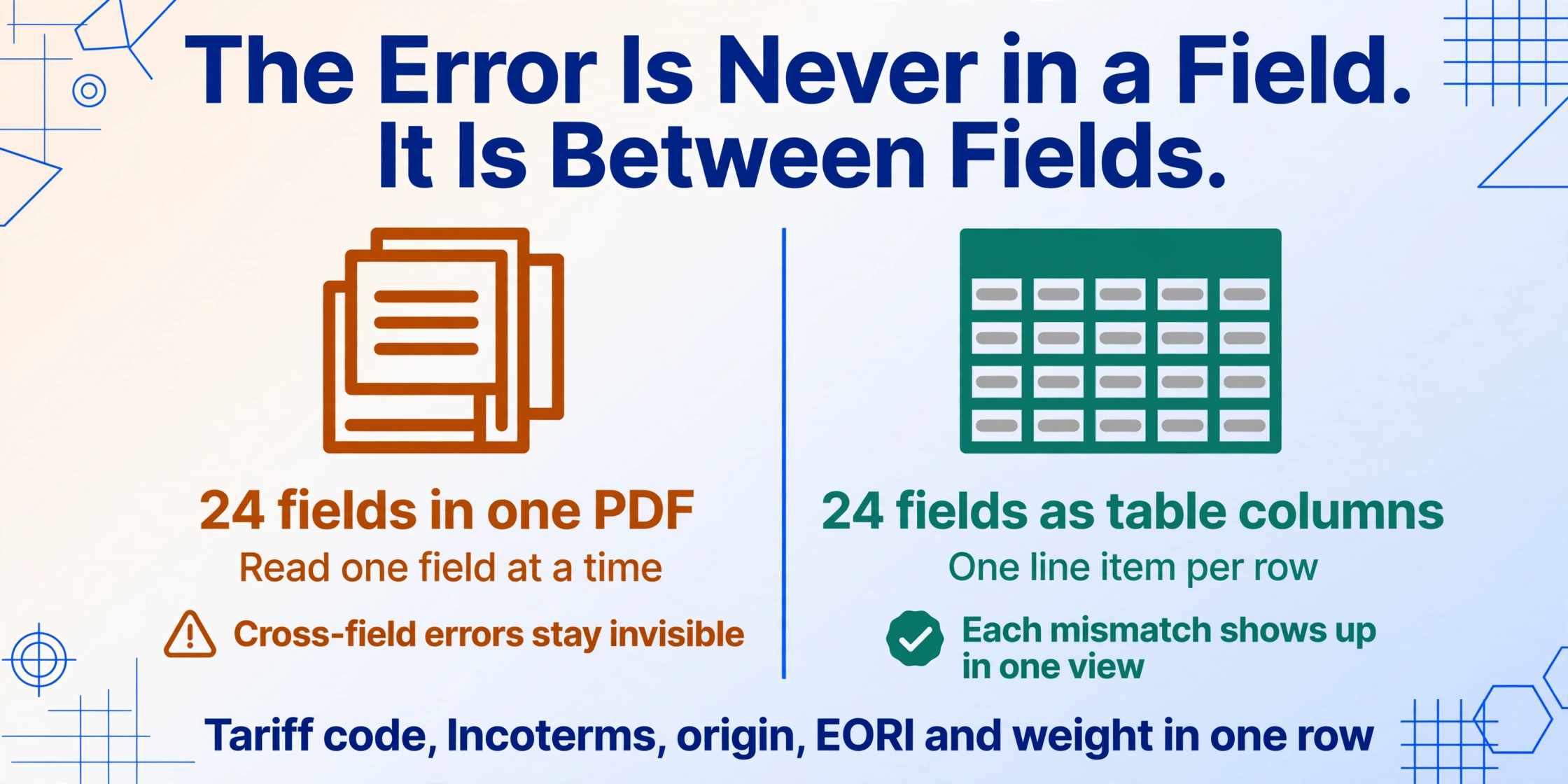
Custom Column Extraction — defining a set of column names that describe what you want to extract from each document — solves this not by extracting data (which is the obvious part) but by structuring it into a table where cross-field validation becomes a spreadsheet operation instead of a mental checklist. When the Handelsrechnung data is captured as a structured row with columns for tariff code, Incoterms, country of origin per line item, EORI, net weight, and gross weight, every one of the five errors above becomes visible in one view:
Error 1 (HS code): Compare extracted tariff codes against a reference list of valid codes per product SKU. A computed column can flag any code that does not appear in the reference table — before the declaration is submitted.
Error 2 (Incoterms vs. value): A computed column checks: if Incoterms equals EXW, then the freight-cost field (if populated) triggers a flag — because an EXW invoice should not carry a freight line in the goods value.
Error 3 (Ursprungsland): Multi-line-item extraction captures the origin per line item. A computed column compares each origin against the product master's expected origin. Discrepancies surface as exceptions, not as EUR.1 rejections.
Error 4 (EORI): A computed column validates the extracted EORI format (DE + 10–15 digits) and compares it against a reference list of the company's registered EORI numbers per legal entity.
Error 5 (Nettogewicht/Bruttogewicht): A computed column calculates the packaging ratio — (gross − net) ÷ net × 100 — and flags any ratio below an implausible threshold (e.g., under 5% for machinery or over 50% for dense goods).
The shift is from position-based reading — a template that expects each field on the Handelsrechnung to sit in a fixed location, and breaks when a freight forwarder's layout differs from SAP's — to semantic reading: an AI that finds the tariff code because it understands the 11-digit numeric pattern regardless of where on the invoice it sits, that distinguishes an Incoterms field from a payment-terms field by its three-letter code, that knows that EORI numbers are prefixed DE and that country-of-origin codes are two-letter ISO codes. Because the extraction is template-free, a Handelsrechnung from SAP, a scan of a signed paper original from the export department, and a pro forma invoice generated by the freight forwarder all produce rows in the same output table, feeding the same validation checks.
Files are processed securely and not stored. Upload a sample Handelsrechnung and define your extraction columns to test cross-field validation.
The extraction approach does not replace the customs broker. The broker still files the ATLAS declaration, verifies the dual-use classification, and manages the relationship with the Zollamt. What the extraction replaces is the manual step where the export department generates a Handelsrechnung, the broker retypes its fields into the ATLAS software, and the accounting department retypes a subset into the ERP — three manual data-entry steps, each introducing its own transcription errors, none of them cross-validating the fields against each other. The structured extraction output feeds all three destinations from one source, and the cross-validation happens at the point of capture — before the data diverges into separate pipelines. For the field-by-field extraction of a single Handelsrechnung, the guide to extracting German commercial invoice data to Excel covers the full column definition and setup. For the batch dimension — processing forty Handelsrechnungen in one run — the batch export reconciliation guide covers building the consolidated export ledger.
The structural insight across all five errors: The mistake was never that an export coordinator typed the wrong HS code or forgot to update a template. The mistake is that the Handelsrechnung, once generated, is treated as a flat document — its data read by humans and retyped into systems, with no cross-field validation step between the PDF and the declaration. The fix is not more careful typing. It is capturing the Handelsrechnung as structured data — with cross-field validation — before it enters any downstream pipeline.
The pattern of manual data errors cascading across regulatory filings is not unique to German export documentation. Japanese invoice processing faces a structurally similar challenge where a single data-entry mistake on a supplier invoice — a wrong consumption tax classification, a mismatched payment deadline — propagates through the shimebi (締め日) settlement cycle and surfaces as a tax discrepancy months later, examined in our analysis of Japanese invoice consumption tax data entry errors.
FAQ
How do I know which version of the Zolltarifnummer my product should use — the 6-digit HS or the full 11-digit code?
For a German export declaration via ATLAS, you must use the full 11-digit Zolltarifnummer. The 6-digit HS code is the international classification layer — it is sufficient for the Entry Summary Declaration (ENS) under ICS2 but not for the formal export declaration. The 11-digit code includes the EU Combined Nomenclature (digits 7–8), TARIC measures (digits 9–10), and German national codes (digit 11). Using only the 6-digit HS code on the Handelsrechnung forces the customs broker to look up the full code during ATLAS filing — and what the broker enters may not match what the export department intended. Always print the full 11-digit code on the Handelsrechnung, verified against EZT-online at least once per product per year, since the Combined Nomenclature is amended annually.
What is the difference between the statistical value and the customs value on the Handelsrechnung, and which one goes into ATLAS?
The statistical value (Statistischer Warenwert) is the value used for German and EU trade statistics — it is calculated as the value of the goods at the German border, typically FOB (Free On Board) at the German port or airport of export. The customs value is the value used by the destination country to assess import duties — the calculation basis depends on the destination country's rules and the Incoterms on the invoice. On the German export side, ATLAS requires the statistical value — the FOB value at the German border. The Handelsrechnung may state EXW Stuttgart (€10,000), but if the inland transport to Hamburg adds €500, the statistical value in ATLAS should be €10,500. The Incoterms error described above — EXW on the invoice but freight included in the Warenwert — directly corrupts this calculation, because the person entering the ATLAS data must guess whether the invoice value is EXW or already includes freight.
Can I use the same EORI number for multiple legal entities in my corporate group?
No. Each legal entity that engages in customs activities must have its own EORI number registered with the Generalzolldirektion. A parent company and its subsidiary are separate legal entities and require separate EORI registrations. If a subsidiary issues the Handelsrechnung but the parent company's EORI is printed on the invoice, the declaration filed with the subsidiary's EORI will not match the invoice — ATLAS does not cross-reference parent and subsidiary EORI numbers. The correction requires either reissuing the Handelsrechnung with the correct EORI or ensuring the entity filing the ATLAS declaration is the entity whose EORI appears on the invoice. For exporters operating multiple legal entities, maintain a reference table of entity name → registered EORI and validate the extracted EORI against it at the data-capture stage.
How do I determine the correct Ursprungsland for a product assembled in Germany from components sourced from multiple countries?
Under the non-preferential rules of origin (UCC Art. 60), the origin is the country where the last substantial processing or working took place — a processing operation that is economically justified, carried out in an undertaking equipped for that purpose, and results in the manufacture of a new product or represents an important stage of manufacture. Assembly of components into a functioning product in Germany generally qualifies if the assembly operation is substantial. However, for preferential origin under a specific FTA, the rules are stricter — the product must meet a specific tariff-shift rule or a regional value content threshold. If your product is exported with a EUR.1 claiming German preferential origin, you must hold a supplier's declaration (Lieferantenerklärung) from every non-EU supplier whose components exceed the de minimis tolerance, documenting the origin of the input materials. The Handelsrechnung's origin field should reflect the origin you can substantiate, not the origin you assume.
At what ATLAS validation stage does a weight discrepancy trigger a rejection — during initial submission or during the physical inspection?
Weight discrepancies can trigger at both stages. During initial electronic submission, ATLAS performs automated ratio checks — comparing net weight to gross weight, cross-referencing the declared weight against commodity-specific expected ranges, and validating that the weight fields are internally consistent (gross ≥ net, gross > 0, net > 0). An implausible ratio produces an immediate electronic rejection (Zurückweisung) — the declaration is not accepted and must be corrected and resubmitted. During the physical inspection (Zollbeschau), if the customs officer at the point of exit weighs the consignment and the actual weight differs materially from the declared weight, the declaration may be rejected at that stage — with the goods already at the border, a far more costly correction than an electronic rejection. The safest practice is to capture the actual weights from the freight forwarder's packing list or the warehouse's shipping confirmation, and cross-check them against the Handelsrechnung weights at the data-capture stage.
How does the extraction handle Handelsrechnungen where a single consignment contains products with multiple HS codes and different countries of origin?
Each line item is extracted with its own Zolltarifnummer and its own Ursprungsland. If the Handelsrechnung lists the HS codes and origins per item — as it should — the extraction captures them per row in the output table. If the invoice aggregates all products under one HS code (a compliance shortcut that itself is an error waiting to happen), the extraction captures what the invoice states — it does not infer missing per-item classifications. The extraction approach does not replace HS classification; it captures and structures what is on the document so that classification errors — whether one code applied to all items, or an outdated code, or a code that does not match the product description — become visible as data anomalies in a table rather than as ATLAS rejections after filing.
Every one of these five errors originates on the Handelsrechnung — and every one becomes visible when the invoice is read as structured data instead of a PDF. The fix is not a more careful export department. It is a validation layer between the invoice and the declaration.
Extract a Handelsrechnung With Cross-Field Validation